
Dell is an American technology company that produces a wide range of consumer products, from keyboards to laptops to monitors. They make many productivity-focused monitors at various price points, great for personal use or for buying displays for an entire office. On top of that, they have their own gaming lineup, Alienware, which competes well with other brands. Overall, Dell is reliable, offers plenty of options, and has monitors available for a variety of different needs and budgets.
We've bought and tested over 80 Dell monitors, and below are our recommendations for the best Dell monitors. For other options, you can also see all our reviews of Dell products.
Updates
- 09/29/2026Dell Alienware AW3926QW reviewed
- 09/18/2026Dell P1425 reviewed
- 08/10/2026Dell Alienware AW3426DW reviewed
- 05/12/2026Dell Alienware AW2726DM reviewed
- 05/07/2026Dell SE2426HGS reviewed
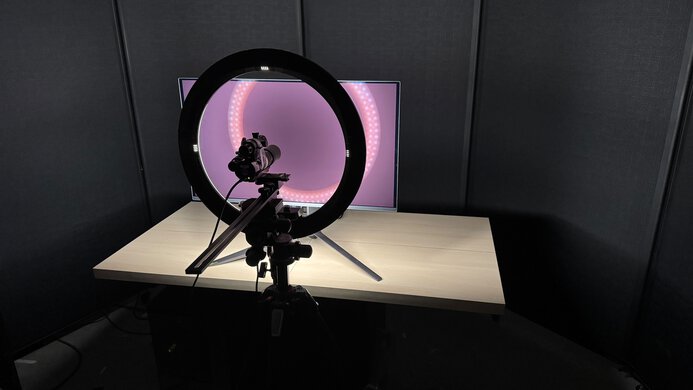
We buy and test more than 30 monitors each year, all of which we purchase ourselves, without cherry-picked units or samples. We put a lot into each unbiased, straight-to-the-point review, and there's a whole process from purchasing to publishing, involving multiple teams and people. We do more than just use the monitor for a week; we use specialized, custom tools to measure various aspects and deliver objective, data-driven results. We also consider multiple factors before making any recommendations, including the monitor's cost, its performance compared to the competition, and whether it's easy to find.
-
Best Dell Monitor
 OfficeEditingPC GamingConsole GamingSDR PictureHDR PictureColor AccuracyBrightnessResponse TimeSize27"Panel TypeLCDSub-TypeIPSMax Refresh Rate120 HzSee all our test resultsNative Resolution3840 x 2160
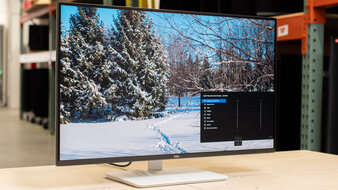
The best Dell monitor we've tested is the Dell U2725QE. It's a 27-inch 4k monitor that offers a ton of productivity-focused features. It's part of a group of monitors in the premium UltraSharp lineup, alongside the Dell U4025QW and the Dell U3225QE, each with a massive USB hub for connecting a variety of devices. With five USB-A and five USB-C ports, this monitor acts as a central hub for your multi-device setup, so you won't have to worry about buying an external USB hub or running out of ports. On top of that, it supports Thunderbolt 4 with 140W of power delivery, ideal for connecting power-hungry laptops with Thunderbolt support. It even has two video outputs that support daisy chaining, making it easy to connect additional displays directly to this one.
Besides these extra features, it has a high 4k resolution with sharp text clarity, and its 27-inch screen is big enough to open two windows side-by-side. Plus, it comes with an accurate sRGB mode and displays a wide range of colors, which is great for content creators. Unlike most office monitors, it even has a 120Hz refresh rate, which gives it a smoother feel than 60Hz monitors, so it's alright for casual gaming. However, you'd have to get one of their Alienware monitors if you want the best gaming performance.
-
Best Mid-Range Dell Monitor
OfficeEditingPC GamingConsole GamingSDR PictureHDR PictureColor AccuracyBrightnessResponse TimeSize27"Panel TypeLCDSub-TypeIPSMax Refresh Rate120 HzSee all our test resultsNative Resolution3840 x 2160If you find the Dell U2725QE too expensive and don't need all its premium features, you can save money by getting a lower-cost model, like the Dell S2725QC. It's in the lower-end Dell Plus Series lineup, so it has fewer features. For example, it has a smaller USB hub with only two USB-A and two USB-C ports, and it doesn't support Thunderbolt, which is something to consider if you have a Thunderbolt laptop. However, it still supports DisplayPort Alt Mode and 65W of power delivery, so you can display an image from a laptop and charge it over USB-C. It even comes with an ergonomic stand, making it easy to adjust to an ideal position.
The S2725QC has some trade-offs in picture quality compared to the U2725QE. It doesn't get as bright, but you can still use it in a bright office space without many issues, thanks to its alright reflection handling. On the plus side, it's more accurate out of the box than the U2725QE, and like the higher-end model, it also offers a 120Hz refresh rate for a smoother feel when scrolling through webpages compared to lower-refresh-rate displays.
-
Best Budget Dell Monitor
OfficeEditingPC GamingConsole GamingSDR PictureHDR PictureColor AccuracyBrightnessResponse TimeSize27"Panel TypeLCDSub-TypeIPSMax Refresh Rate144 HzSee all our test resultsNative Resolution2560 x 1440If you're looking for a budget Dell monitor, consider the Dell S2725DC. Part of the Plus Series lineup, it's a step-down model from the Dell S2725QC, which means it has fewer features. For example, it has a lower 1440p resolution, so text isn't as sharp. It doesn't support HDR either, but this doesn't make a big difference for work, and because the S2725QC has limited picture quality in HDR anyway. It also lacks a dedicated sRGB mode, so you may need to calibrate it if you're a content creator and you need accurate colors.
On the plus side, the S2725DC is otherwise very similar to the S2725QC. It's a great choice for a well-lit office space thanks to its superior brightness in SDR. It also has a slightly higher 144Hz refresh rate and a bit better motion handling, making it the better choice for casual gaming. It even comes with the same USB hub that includes DisplayPort Alt Mode and 65W of power delivery, making it easy to quickly connect a laptop. If you don't need a USB hub, you can also check out the Dell S2725QS, which has a higher 4k resolution for sharper text. However, it usually costs more than the S2725DC.
-
Best Dell Monitor For Gaming
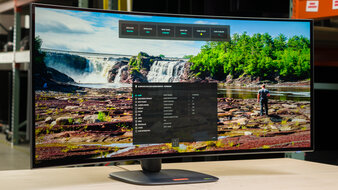
OfficeEditingPC GamingConsole GamingSDR PictureHDR PictureColor AccuracyBrightnessResponse TimeSize39"Panel TypeOLEDSub-TypeWOLEDMax Refresh Rate330 HzSee all our test resultsNative Resolution5120 x 2160While Dell makes great work monitors, it also offers a line of gaming monitors under the Alienware brand. If you're looking for the best Dell gaming monitor, the Dell Alienware AW3926QW is a fantastic option with stunning picture quality. It offers a large 39-inch screen with a high 5k2k resolution for sharp images. It has a native 165Hz refresh rate that you can boost to 330Hz with a lower 1080p resolution, so it offers versatility for playing different games. It also has a near-instantaneous response time, resulting in sharp motion, making it an ideal choice for PC gamers. It even has high-bandwidth HDMI and DisplayPort inputs that take advantage of the latest gaming consoles and graphics cards.
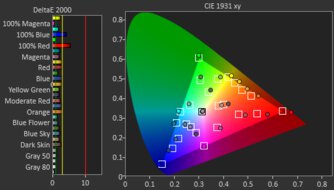
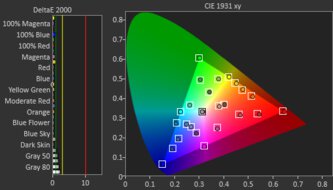
In terms of picture quality, it has a WOLED panel that lets it display perfect blacks in any room, while highlights pop and colors look vivid, making it fantastic for HDR. Keep in mind that it's not the best choice for gaming in bright rooms, though, as it doesn't fight glare well and its glossy coating has mirror-like reflections. That said, this coating makes images look clear. It isn't the only OLED from Dell, as they have other options with QD-OLED panels that have more vivid colors. You may prefer the 27-inch, 4k Dell Alienware AW2725Q or the 34-inch, 1440p Dell Alienware AW3426DW if you want cheaper options, but their smaller screens don't offer the same immersive gaming experience as the AW3926QW.







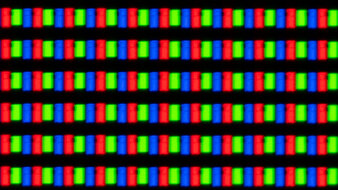
Compared To Other Brands
-
Work-friendly features.
Dell monitors tend to have good productivity features, including USB hubs, KVM switches for multitasking, and ergonomic stands. They also have a bunch of 4k monitors, which are ideal if you want sharp text clarity.
-
Wide range of options.
Dell offers a wide range of options, from the highest-end gaming displays to basic entry-level office monitors, so you'll likely find what you need. This includes a popular Alienware gaming lineup, which often offers good value compared to the competition.
-
Limited availability at some retailers.
Dell monitors aren't sold at as many retailers as other brands, so if you want to buy one, it's often best to get it directly through their website.
Dell vs ASUS
Compared to Dell, ASUS has more options for competitive gamers with very high refresh rates. That said, both brands offer fantastic high-end gaming monitors, particularly with OLED panels. On the other hand, Dell offers a wider range of work-use models at various price points, including basic, entry-level models.
Dell vs LG
Dell and LG are reliable brands that compete against each other. Dell monitors generally have better ergonomics and they have more work-focused options. While they both have great OLED displays, LG offers more non-OLED gaming options, including 4k models.
Buying a Dell monitor is generally a safe bet for most people, especially for office use. They have a bunch of productivity monitors available, often including dedicated features like USB hubs and ergonomic stands. This means Dell's monitors are usually amongst the best work monitors; they also offer options at a wide range of price points, from cheap displays to very expensive ones. They're also well-known in the gaming monitor market, offering options for different types of gamers.
Lineup
Dell's lineup ranges from basic, cheaper models to more advanced professional monitors. Their naming scheme is easy to understand, so you know almost exactly what you're getting by the model number.
Dell model numbers start with a letter, which indicates the series. Below are the most popular series, but not all of them:
- U: The UltraSharp lineup features high-end monitors with accurate colors, which are ideal for content creation. They also have a ton of productivity features.
- P: Dell's Plus Series (also called Pro Plus) monitors tend to have a lot of productivity features. These are more mid-range models, as they aren't as premium as the UltraSharp lineup. This lineup used to be called the S Series, so some models still have the letter S in the model name, like the Dell S2725QC.
- AW: Alienware monitors; Dell's premium gaming lineup. Some of their older lower-end gaming monitors also had a G in their name, like the Dell G2725D. However, all their Alienware models now have the AW prefix.
Next in the model code comes a set of numbers to identify the size and model year. The first two are the size, and the last two numbers are the model year.
Most Dell model numbers end with one or more letters, which identify certain features or the resolution. This isn't a complete list, but here are some of the most common suffixes:
- E: Ethernet port
- W: Ultrawide aspect ratio
- H: 1080p resolution
- D: 1440p resolution
- Q: 4k resolution
You can see an example of their naming scheme here:
- U3425WE: 34-inch ultrawide monitor with an Ethernet port from their 2025 lineup.
- AW2724DM: Alienware gaming monitor with a 27-inch, 1440p screen, and is part of the 2024 lineup.
- P2423D: 2023 model with a 24-inch, 1440p screen that's part of the Professional lineup.
2026 Models
At CES, Dell announced two flagship UltraSharp models as part of their 2026 lineup. This includes the Dell U5226KW, which is a 52-inch ultrawide with a 6144x2560 resolution. The other new model is the Dell U3226Q, which features a QD-OLED panel and is meant for versatility between work and play. These aren't the only models in their 2026 lineup, so you should stay up to date on their latest news for product releases.
You can stay updated on which monitors we buy and test. If you want us to buy and test a specific Dell model, you can vote for it.
Recent Updates
Oct 01, 2026:
We removed the Dell P2425H from the cheap category because it's hard to find. We also replaced the Dell Alienware AW2725Q with the larger Dell Alienware AW3926QW, which offers additional features.
Jul 06, 2026:
We replaced the Dell Alienware AW3225QF with the Dell Alienware AW2725Q as it's newer and better for gaming.
Apr 16, 2026:
We replaced the Dell S2725QS with the cheaper Dell S2725DC as the 'Best Budget Dell Monitor.'
Jan 20, 2026:
We replaced the Dell U3225QE with the Dell U2725QE for consistency with other recommendations, as the U2725QE is cheaper. We also replaced the Dell U2723QE and Dell S2721QS with the newer, easier-to-find Dell S2725QC and Dell S2725QS, respectively. We added a section about Dell's 2026 lineup.
Apr 24, 2025:
We added the Dell U3225QE and renamed the Dell U2723QE as the 'Best Mid-Range Monitor.' We also replaced the Dell S2722QC with the Dell S2721QS because it's cheaper.
Conclusion
Dell monitors range from basic, small monitors that are great for students to the most advanced professional displays for media creation or general work use. They also have a few great gaming monitors in their Alienware lineup that compete well with other brands. Luckily, Dell monitors are well-built, and almost all have great ergonomics. Buying a Dell monitor is usually a pretty safe bet, especially if you want one for work.

