Rtings
Find Your TV
Last updated: May 02, 2013

Rtings

Rtings.com is a TV shopping guide to help you find the best TV for your need. You will find here information about the different technologies beyond the marketing claims. Along the way, do not hesitate to send us an email to advices@rtings.com if you have any questions, want further clarification on a subject, or simply need our advice.

Shopping for a TV can be overwhelming at first. There are a lot of different technologies and models. So where do you start? Follow these 5 simple steps to find the perfect television for you.

1) Which TV screen technology?

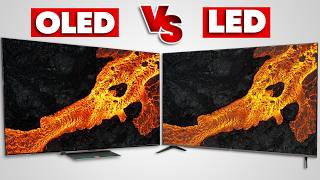
The first thing to do when buying a new TV is to learn about the main 3 display technologies (LCD, LED and Plasma). This decision will be the one that affects the most your viewing experience and price. You can learn about the different screen technologies by looking at our comparison of screen types.

If you will be watching a lot of 3D, you need to make sure you like the technology that the TV uses to display 3D. There are two main technologies, Passive 3D and Active Shutter 3D. Passive 3D glasses are a lot cheaper than the Active Shutter 3D, require no batteries or recharge and are more comfortable to the eye. However, Active Shutter 3D has a higher resolution. Learn about 3D TV technologies.

Do you need a Smart TV? Smart TVs can be useful if you want to access the internet directly on your television without using a third party device. Learn about Smart TVs.

2) Which size?

Now that you have decided on which TV screen technology, you need to decide what size you want. The main factor here is your room size and how far do you sit away from the TV. Of course, you need to adjust the size to your budget. You can use our optimal size calculator here.

3) Specifications

Not all televisions are equal, so you will need to compare the specifications of the televisions. However, a lot of specifications are exaggerated by marketing and do not really create a noticeable difference in the quality of the picture. The most common ones are the contrast ratio, the refresh rate and local dimming.

4) Explore

The next step is to actually start exploring all the different models. Check out our guide here.

5) Where to buy

Reading about a television online does not replace actually seeing it. Once you have narrowed your search to only 2 or 3 TVs, it is time to go in a retail store to see it in person and compare the picture quality. Be careful though, stores tend to not calibrate equally all TVs; they can calibrate better a pricier TV so it appears to have a better picture quality. Also, unless the TV is on sale at a very good price, it is usually better to buy it online. Make sure to review the store guarantee and return policy in case you are not satisfied with your purchase. You can learn more about where to buy here.

Questions

Mar 08 2012
What is the most important thing to look for in a television for gaming purposes?
The most important factor for gaming is the input lag; the time from the television receives the image and displays it. HDTVs all have a common problem compared to a CRT (old tube) television: they require a lot of digital processing which takes up time and delays the image. If you notice it on your new television, try to disable all the picture processing settings to reduce that time.
4
Have a question?

Ask your question here, or send us directly an email at advices@rtings.com. We will help you find the best television for your own needs and budget.

Due to the high volume of questions received, we no longer accept questions about specifics models outside of the United States and Canada. If you live in another country, you can still ask general questions though. Thank you for your understanding.