- 35.0%50% Std. Dev.
- 35.0%50% DSE
- 15.0%5% Std. Dev.
- 15.0%5% DSE
Gray uniformity describes how well a TV can display a uniform color across the screen. Having a TV with good uniformity is especially important when viewing content with large areas of the same color—like sports—or if you plan to use the TV as a PC monitor. Common signs of poor uniformity include darker edges or a "dirty" center, often referred to as the Dirty Screen Effect (DSE).
To test a TV's uniformity, we display two different shades of gray:
- A mid-tone gray, which represents any color; if uniformity is poor with this shade, you'll likely notice it with other uniform colors, too.
- A near-black gray, which highlights issues in dark scenes (e.g., in movies).
We then calculate uniformity using standard deviation to quantify how much the actual display differs from the intended color.
Test results
Test Methodology Coverage
This test was last updated in our Test Bench 1.2 update when we added our 5% DSE tests and has remained relatively unchanged. Scores from 1.2 and after are comparable to one another. TVs tested before 1.2 only had the 50% Gray Uniformity test. Learn how our test benches and scoring system work.
| 1.6 | 1.7 | 1.8 | 1.9 | 1.10 | 1.11 | |
|---|---|---|---|---|---|---|
| 50% Gray Uniformity Tests | ✅ | ✅ | ✅ | ✅ | ✅ | ✅ |
| 5% Gray Uniformity Tests | ✅ | ✅ | ✅ | ✅ | ✅ | ✅ |
When It Matters
Uniformity issues usually aren't noticeable when watching most movies or TV shows, but they can become more apparent in content that displays large areas of uniform color. This is especially true for sports broadcasts, where bright, uniform surfaces—like a hockey rink, basketball court, or football field—can highlight inconsistencies. Hockey is particularly revealing because the predominantly white ice makes it easy to spot darker patches. However, these issues aren't limited to sports; if they're severe, they can be distracting in any type of content.
Having good uniformity becomes even more important if you plan to use your TV as a PC monitor. Since web pages and documents often feature large areas of a single color, any noticeable inconsistency can be disruptive.
 |
 |
Above, you can see the uniformity of two TVs from the same brand. The one on the right is noticeably worse, showing patchy areas of darker colors and prominent vignetting on its borders. The TV on the left isn't perfect either—its corners and sides appear darker—but it remains far more uniform than the one on the right.
Our Tests
Testing gray uniformity is fairly straightforward. We display two shades of gray on the TV using our recommended settings, then capture an image with a Nikon D750 camera set to f/4.0, a 1/4-second shutter speed, and an ISO of 200. We calculate the standard deviation from the resulting photo.
50% Gray Picture
We display the following image on the TV and photograph it using the camera settings mentioned above. Among our gray uniformity tests, we find this one to be the most helpful for most users, as it provides a clear visual indication of any uniformity issues that they could realistically expect to see on their model.

50% gray means it's exactly halfway between pure white (100%) and pure black (0%). Although this represents only one color, it effectively illustrates how the TV might handle other colors.
50% Standard Deviation
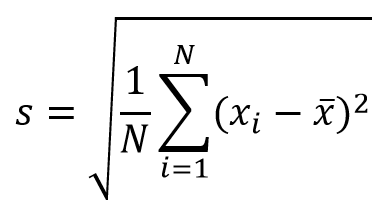
Our 50% standard deviation test measures how evenly the TV reproduces colors by calculating the average squared difference of pixel values when displaying a full-screen, 50% gray image. A lower standard deviation indicates the TV stays closer to the intended color.
This method provides an objective score for the screen's overall uniformity and is useful for comparing TVs in absolute terms. However, it doesn't necessarily reflect real-world viewing conditions—which is why the following photo is often more helpful in illustrating any visible uniformity issues.
 |
 |
For this test, we take the photo of the screen from the picture test and apply a low-pass (Gaussian) filter to remove noise and artifacts (like moiré) introduced by the camera. We then calculate the standard deviation of the pixel color values using the following formula:
50% Dirty Screen Effect (DSE)
Our 50% Dirty Screen Effect (DSE) test is similar to the regular standard deviation measurement but specifically looks at deviations in the center of the screen. DSE is most noticeable during sports broadcasts or panning shots.
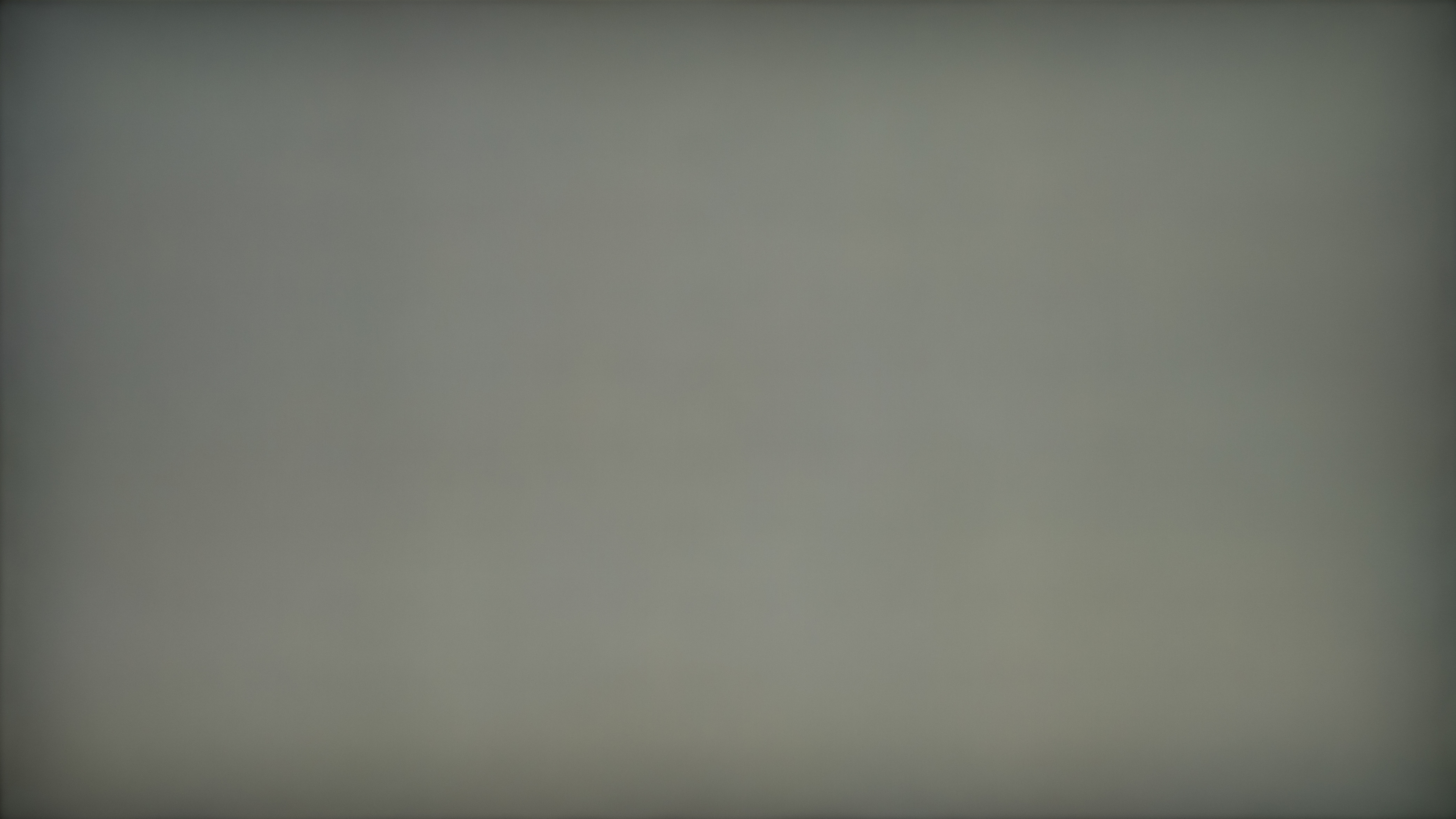
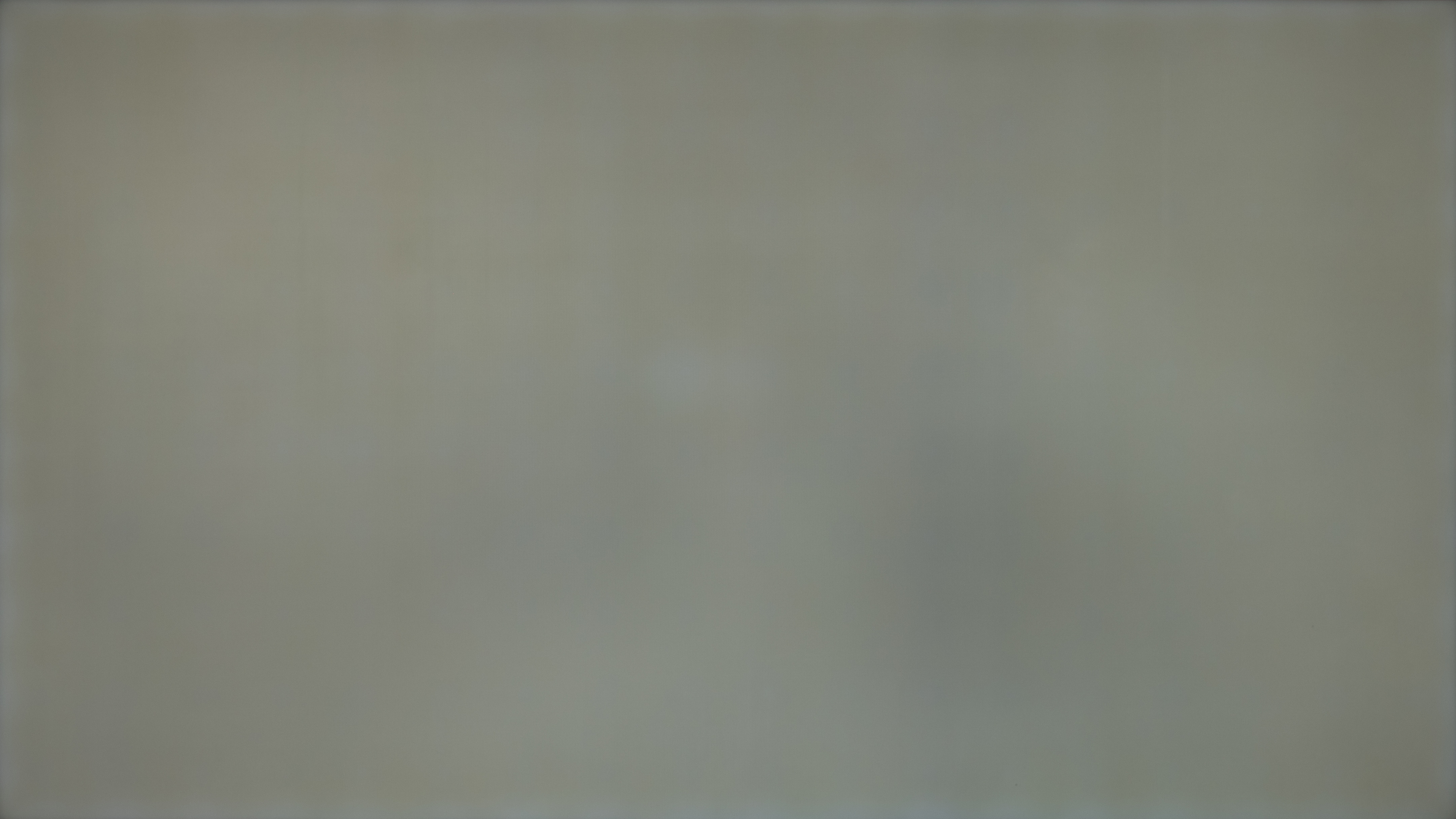
While the full-screen standard deviation test gives us a general idea of a TV's uniformity, it doesn't fully capture the issues viewers often notice with poor gray uniformity. In the two example images:
- The TV on the left has a higher standard deviation but less DSE.
- The TV on the right has a lower standard deviation but more DSE, showing darker patches in the center where they're likely to be more distracting.
By contrast, the first TV exhibits darker edges—commonly known as vignetting—instead of pronounced center patches.
 |
 |
To account for the Dirty Screen Effect (DSE), we again use the photo from our "Picture" test but apply a high-pass filter this time. This removes the low-frequency elements, isolating the variations that contribute to DSE. We also apply a low-pass (Gaussian) filter to remove noise and artifacts (like moiré) introduced by the camera. In the example below and to the left (where the result is multiplied by 50 for illustration), you can see how these variations are highlighted across the entire screen.
To focus on just the middle of the screen, we multiply the values of that filtered image by the values in the middle image below—resulting in the final image on the right.
 |
 |
 |

Finally, we calculate the square root of the average of the squared values in the final image. The formula is similar to the standard deviation calculation above but uses "0" instead of the mean.
5% Gray Picture
Like the 50% gray uniformity test, the 5% gray test demonstrates a TV's uniformity on a darker image. This test is particularly valuable for TVs with emissive technologies like OLED.
We use the same camera settings from the 50% gray image, but this time, the TV displays a 5% gray image.

5% Standard Deviation
Our 5% standard deviation test follows the same procedure as the 50% standard deviation test, except we use a 5% gray image instead. For more details on the method, refer to the 50% standard deviation test.
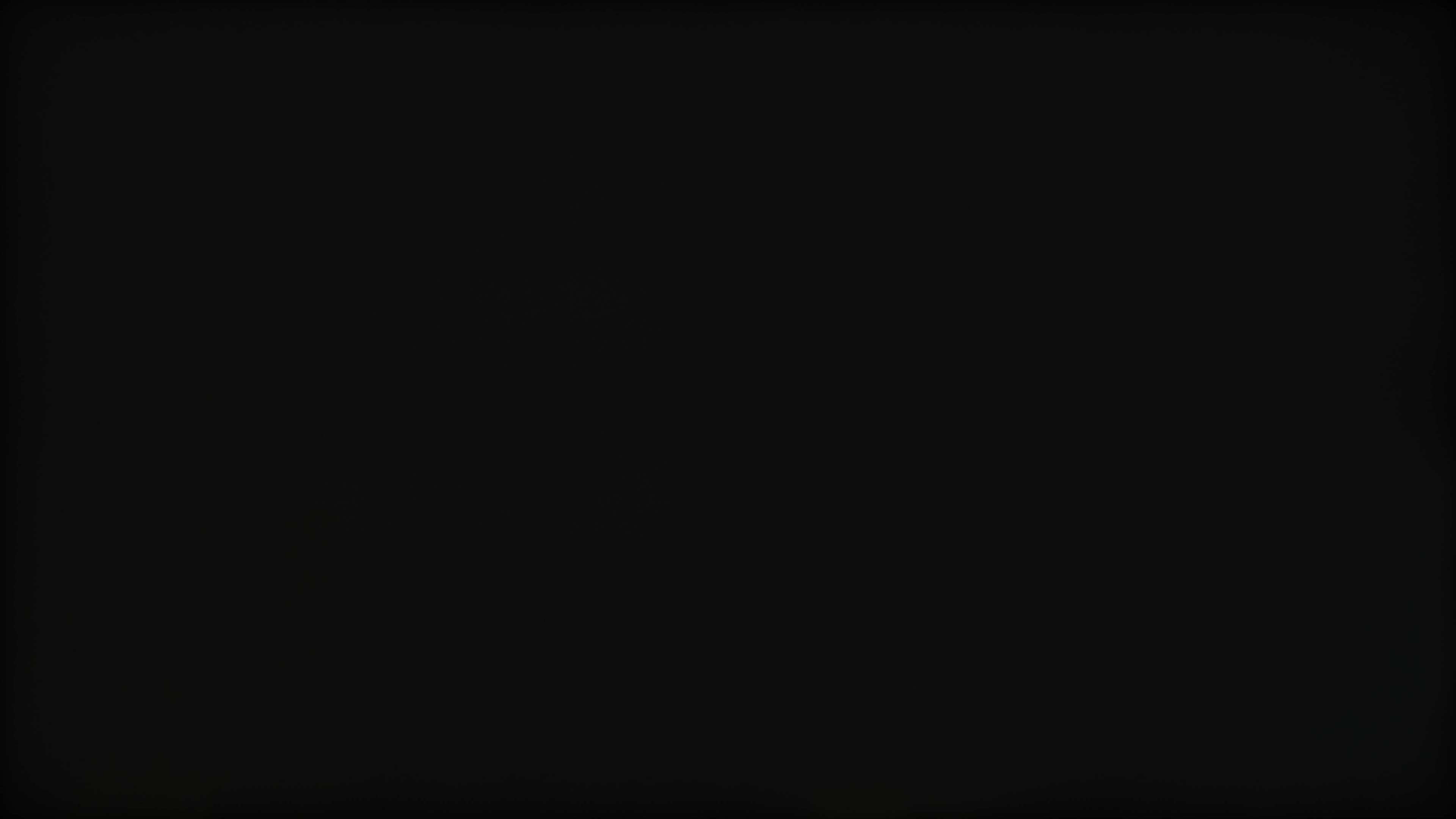
Most TVs exhibit decent uniformity at 5% gray, so the 50% gray test is generally more revealing. Nonetheless, a lower standard deviation still indicates a more consistent image with fewer uniformity issues. Below, you can see two TVs demonstrating good and bad 5% uniformity. The TV on the left has noticeable backlight bleed, making the edges appear brighter.
 |
 |
5% Dirty Screen Effect (DSE)
Our 5% Dirty Screen Effect (DSE) test follows the same formula and procedure as the 50% DSE test but applies it to a 5% gray image instead. For further details, refer to the 50% DSE test.
This test is based on a darker image, so it's particularly important for content with dark scenes.
 |
 |
Additional Information
Causes of Gray Uniformity Issues
LED and OLED TVs use different technologies to display an image, and their uniformity issues differ.
LED-Backlit LCD TVs
Gray uniformity issues in LED-backlit LCD TVs can arise from several factors:
- Pressure Sensitivity: LCD panels are sensitive to pressure. Misalignment of components or mishandling of the panel during manufacturing or shipping can cause extra pressure, leading to visible defects.
- Backlight Diffusion: Excessive pressure can also affect the backlight's light diffusion, creating darker areas on the screen.
- Screen Size: Larger screens can be harder to keep uniform. However, since we only test one size for each TV, we can't draw concrete conclusions about how size affects uniformity.
OLED TVs
In OLED TVs, gray uniformity issues typically stem from panel imperfections rather than pressure-related problems. Because each pixel is self-emissive, there's no backlight to create uneven diffusion.
Variance Between Models
Gray uniformity varies from panel to panel, meaning even two TVs of the same model can have different uniformity. Generally, higher-end TVs tend to exhibit better gray uniformity, as manufacturers often apply stricter standards to the panels used. High-end LED-backlit TVs are more likely to feature Mini LED or direct LED backlighting, which usually provides better uniformity than edge-lit designs.
Learn more about local dimming on TVs
Gray Uniformity On OLED vs. LED TVs
LED TVs are essentially LCD panels with LED backlighting, while OLED TVs use self-emissive pixels with no separate backlight. These different technologies lead to different uniformity characteristics:
- OLED TVs usually have better uniformity because each pixel lights up independently, minimizing the risk of backlight-related inconsistencies. However, early OLEDs occasionally showed faint lines on 5% gray images. Although this issue is much rarer in modern OLEDs, it can still occur.
- LED TVs are more prone to uniformity issues, especially if they use edge-lit backlighting rather than direct LED. However, it's not guaranteed that any specific TV will have better uniformity simply based on its backlight or panel type.
Below is a comparison between two LG OLED TVs:
- LG B8 (2018), on the left, displays noticeable horizontal and vertical lines on a 5% gray image.
- LG B4 (2024), on the right, shows no visible lines, illustrating how newer OLED models can have fewer issues.
 |
 |
Why Is There A Difference Between TVs And Monitors?
We test gray uniformity on monitors similarly to TVs, although we don't currently test monitors with a 5% gray image. Still, you can compare the 50% DSE, standard deviation, and picture. Generally, LED-backlit TVs and monitors can both suffer from backlight bleed along the edges, so there isn't a big difference in total standard deviation on a 50% gray image.
They differ in the amount of Dirty Screen Effect (DSE) in the center, as monitors rarely have this problem. This is largely because:
- Monitors need a uniform screen for web browsing, which often features large areas of solid colors.
- Monitors are smaller, making it easier to achieve a uniform backlight.
Black Uniformity
Though they may seem similar, gray and black uniformity tests measure different things.
- Gray uniformity shows how well a TV displays a single uniform color.
- Black uniformity checks for blooming around bright objects on a dark background.
Certain issues, like vignetting, might appear in both tests, but they aren't testing for the same phenomenon.
Learn more about black uniformity
Getting The Best Results
Unfortunately, gray uniformity depends entirely on the specific panel you receive. There isn't much you can do to improve it, so whether you have visible uniformity issues or not comes down to "panel lottery." While some people try carefully massaging the screen with a soft cloth to relieve pressure, this method is tricky and may damage your panel further.
Related Settings & Other Notes
There are no specific settings to adjust on your TV to improve gray uniformity.
Conclusion
Gray uniformity describes how well a TV displays a single, solid color across its entire screen. It's important for content featuring large, uniform color areas (for example, the playing surface during sports broadcasts).
In our tests, we:
- Capture two photos (at different shades of gray).
- Calculate the standard deviation of pixel color values.
- Measure the Dirty Screen Effect present in each image.
If you find that your TV's gray uniformity is poor, there isn't much you can do:
- Try massaging the screen (only if you're experienced), or
- Exchange the TV for a different unit or model if the uniformity issues are too distracting.