- 50.0%Std. Dev.
- 50.0%Native Std. Dev.
Black uniformity refers to a TV's ability to display black evenly across its screen. Perfect black uniformity would mean shadows, night skies, and other black objects would look equally dark at any given point on the screen, and that the TV's lighting is perfectly diffused across the screen.
Unfortunately, all LED TVs have some imperfections as a result of the backlight. Backlight bleed can include LED flashlighting, which appears as a flashlight pointed across the corners of the television, and clouding, which appears as brighter patches on parts of the screen. Both are caused by the TV improperly diffusing the backlight across the entire screen, and both are especially obvious when the TV is being viewed in a dark room.
Test Methodology Coverage
Black uniformity testing has been a part of our TV reviews since the very beginning, but the exact test has changed a bit over time. Starting with test bench 1.1, we've measured it the same way, with separate tests for the native black uniformity of the panel and the best black uniformity with local dimming enabled. The exact name of the test has been tweaked a bit over the years, but the test itself is the same. Our scoring curves have changed a few times, though, so while you can compare the measurements in older reviews, the scores aren't comparable. Learn how our test benches and scoring system work.
| 1.1+ | |
|---|---|
| Std. Dev. | ✅ |
| Native Std. Dev. | ✅ |
When It Matters
Black uniformity issues like clouding or flashlighting can typically be seen during dark scenes, and are most noticeable when watching TV in a dark room. If you watch TV in a room that gets a bit of light, you likely won't notice it as much.
 |
 |
No LED TV has perfect uniformity, but in most cases, you won't notice it unless you really look for it. However, some TVs (like the LG UT75 above) have especially bad black uniformity. Blacks are raised across the screen, and there's noticeable LED flashlighting along the bottom edge of the screen. If you get a TV with that much clouding, it may affect your enjoyment of whatever you're watching. Keep in mind, though, that black uniformity can vary between individual units.
Our Tests

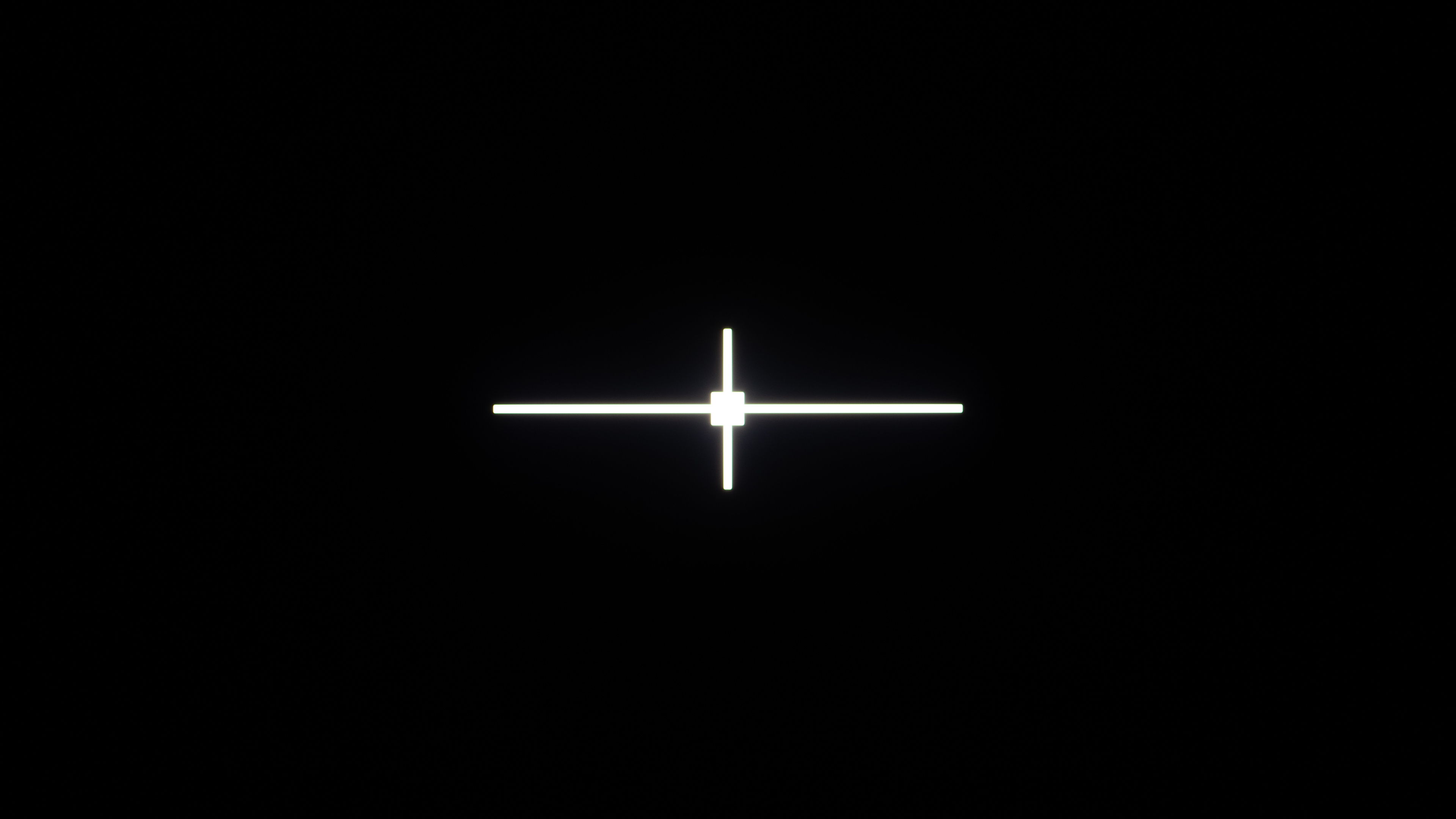
For the black uniformity test, we display a mostly black frame with a white center cross on the TV. This pattern is meant to simulate bright objects in dark scenes, like stars in a night sky. This is to see if it has any issues with blooming or backlight bleed. We can't use a completely black pattern, as many TVs will think there's nothing on the screen and will simply turn off the backlight, making it impossible to measure the uniformity.
We take a photograph of this pattern, in a pitch dark room, with the camera set at F4.0, ISO-200, with a 2s shutter time. The backlight of the TV is set so that white emits 100 cd/m2 of light. We repeat the test twice, once with the TV's local dimming feature disabled to measure native uniformity, and then again with local dimming on its recommended setting.
Native Black Uniformity Std. Dev.
The native black uniformity test shows how well the TV performs with local dimming disabled. We process the test photo and calculate the standard deviation of the pixels in the picture. The result is a number that corresponds to how uniform the blacks are. A value of 0 means it's perfect. The greater the number, the more the blacks vary.
There are some TVs, notably most recent Samsung models, that don't allow you to fully disable local dimming. In these cases, we set the local dimming setting to its lowest level and adjust the settings so that the TV doesn't simply turn off those zones. On the Samsung QN90F, for example, setting Shadow Detail to '1' was enough to force the TV to leave the backlight on across the entire screen, giving us as close as possible to the native uniformity of the panel.
Black Uniformity with Local Dimming Std. Dev.
We repeat the same test as above, but this time with local dimming enabled on the TV. Local dimming works by dimming the zones behind the dark parts of the screen, so this test also serves as a complementary local dimming zone test, showing how well the TV can dim around the test cross. TVs with a higher zone count tend to perform better.
This test is done with the recommended local dimming setting, which varies depending on the specific model. In some rare cases, like with an edge-lit TV with a limited number of zones, the recommended setting may actually be "off", as local dimming can actually make the picture quality worse on those models. In those cases, this test will show the same results as the native test.
Additional Information
VA vs. IPS panels
LED-backlit LCD TVs typically come in one of two sub-types of panels: Vertical Alignment (VA) or In-Plane Switching (IPS). VA panels tend to have much higher contrast ratios and, therefore, better black uniformity. IPS panels, on the other hand, have worse contrast ratios and suffer from more backlight issues that can affect black uniformity, including 'IPS glow', which is a kind of 'glow' effect that can be seen in the corners of IPS screens.
Learn more about the difference between VA and IPS
LED vs. OLED black uniformity
LED-backlit LCD TVs are prone to black uniformity issues, but OLED TVs can produce virtually perfect blacks because their pixels are self-emitting, and therefore don't have the same limitations caused by improper backlight implementation. That means they don't suffer from clouding or flashlighting as LED TVs do.
Learn more about the difference between OLED and LED TVs
Causes Of LED Flashlighting And Clouding
Flashlighting and clouding can occur for a few reasons:
- Poorly designed backlight placement. The type of backlight and its position directly affect the uniformity of the screen. The worst uniformity can be found on edge-lit LED TVs, because the LEDs are only on the edge of the screen. Full-array LED TVs have good uniformity because their LEDs are spread out across the whole screen. Some edge-lit TVs have great uniformity.
- Non-uniform frame pressure. Both the LCD screen and the diffuser layers are somewhat flexible. A slight difference in pressure on the frame of the television can change the uniformity of the picture. On some televisions, this can be fixed (see below).
- Uneven lighting intensity. Sometimes, the intensity between two lighting components can vary in a set (for example, one LED could be slightly brighter than an LED next to it). This is less likely to happen with a brand-new TV, but it can start appearing over time if some components age and degrade faster than others.
How To Get The Best Results
LED flashlighting can sometimes be fixed on some televisions. If the flashlighting is caused by pressure from the TV's frame, you can adjust it by slightly loosening or tightening the screws behind the edge of the screen. Some TVs don't expose the screws, however, so this won't always be possible. You should also keep in mind that a small change in the tightness of a screw can have a big impact on the uniformity of the screen, so be careful if ever you do try this step. While this can fix the issue, we don't recommend it unless you know exactly what you're doing, as it may cause more problems than it solves.
For clouding, there's a pretty simple fix that, while not guaranteed, can have good results. Power on the TV and display a black image like the test pattern above. This will allow you to see the lighter spots on the screen. Next, take a soft dry cloth and massage those brighter spots to improve the uniformity. You should only apply very gentle pressure, just barely touching the screen. You can also try a few different stroking patterns. If you are patient enough, this works surprisingly often, especially on edge-lit TVs, though you should be very careful not to damage your screen.
Alternatively, you might consider returning or exchanging your television. Some models are more prone than others to having issues. Even within the same model, some units can have more uniformity issues than others because of slight variations in the manufacturing or shipping process. It can be worth trying to exchange it for the same model before going with an entirely different TV.
Conclusion
Black uniformity refers to how evenly a TV can display black across the screen, especially when displaying a bright object over a dark background. It’s important when watching dark scenes in a dark room, and while most people shouldn't notice black uniformity issues like flashlighting and clouding, they can become more apparent when the issues are especially bad. You won't need to worry about these problems in rooms with lights on, though. For each TV, we take a photo of a black frame to capture the black uniformity, and then we calculate the color values of the pixels to find the standard deviation of the uniformity. We then do the same with local dimming enabled.