
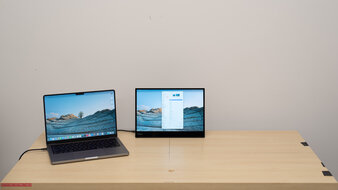
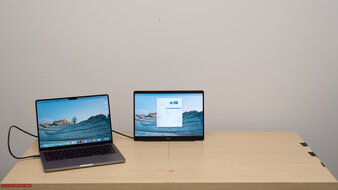
If you work on the go or want extra screen space with your laptop, a portable monitor is very useful. Designed to be used next to a laptop for more screen real estate, they're usually about the same size as a laptop screen. Unlike tablets, portable monitors don't work on their own, and they still need a computer to display an image. You can connect them to your laptop via USB-C, but keep in mind that most portable displays don't have built-in batteries, so they'll draw power from your laptop instead.
While portable monitors are usually limited in picture quality and gaming features, they provide benefits as a secondary screen next to your laptop for work or content creation. Most have high pixel density, resulting in sharp text clarity, similar to a laptop screen. Some even have touchscreens that make navigation easier, especially if you don't want to move your mouse back and forth between two displays. Lastly, you may also want to consider the accessories the monitor comes with, as most have stands that allow you to adjust it in different ways, including if you want to use it in portrait mode.
Note that our portable monitor reviews use a more simplified version of our current monitor test bench. We don't include any motion testing because we didn't test any of the best portable gaming monitors. The recommendations below focus on portable displays for productivity.
We've bought and tested over 410 monitors, and below, you'll find our recommendations for the best portable monitors. For more options, check out our recommendations for the best USB-C monitors, the best monitors for MacBook Pro and MacBook Air, and the best work monitors. Check out the best lightweight laptops if you're also looking for a laptop.
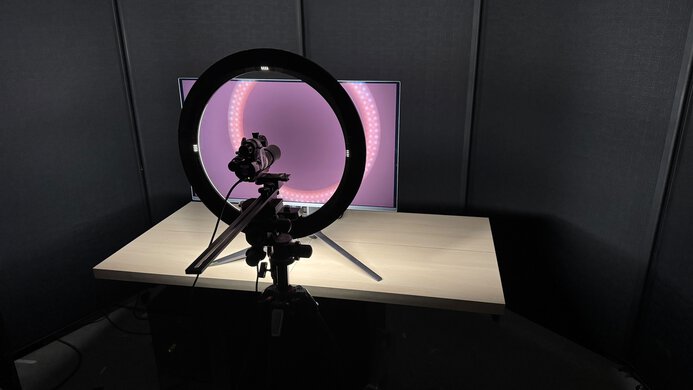
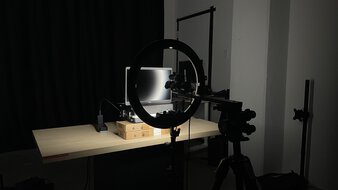
We buy and test more than 30 monitors each year, all of which we purchase ourselves, without cherry-picked units or samples. We put a lot into each unbiased, straight-to-the-point review, and there's a whole process from purchasing to publishing, involving multiple teams and people. We do more than just use the monitor for a week; we use specialized, custom tools to measure various aspects and deliver objective, data-driven results. We also consider multiple factors before making any recommendations, including the monitor's cost, its performance compared to the competition, and whether it's easy to find.
-
Best Portable Monitor
 OfficeEditingBrightnessSDR PictureColor AccuracySize16"Panel TypeLCDSub-TypeIPSMax Refresh Rate60 HzNative Resolution3840 x 2160Aspect RatioScreen FinishUSB-C PortsSee all our test resultsWeight (Without Stand)lbs ( kg)
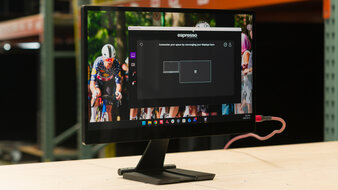
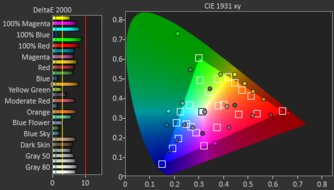
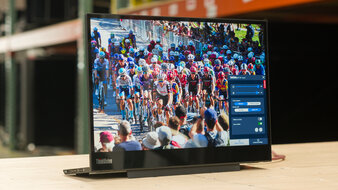
The best portable monitor we've tested is the espresso Pro 15. It's a high-end portable display that's packed with features. It has a high 4k resolution, resulting in a higher pixel density than many laptops, like the Apple MacBook Pro. This helps provide very sharp text. It also has a glossy screen coating that makes images look clear, similar to glossy laptops. The downside of this coating is that it produces strong mirror-like reflections, which can be distracting when it's in front of a sunny window. It at least gets very bright, so it fights any remaining glare. An advantage of it over other portable displays is that it offers a wide range of colors, but it oversaturates colors in basic color spaces like sRGB, which is a downside for content creators.
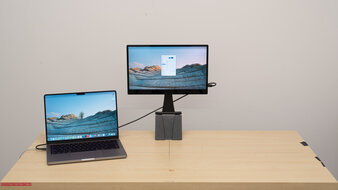
It includes touchscreen capabilities, which work with macOS and Windows. It also supports auto-rotation on macOS, so the operating system adjusts its orientation when you switch the screen to portrait mode. You can access other features through a downloadable application, like screen mirroring. Lastly, it's very well-made, and its included stand gives you the versatility to place it in multiple positions, like next to or even above your laptop screen.
-
Best Mid-Range Portable Monitor
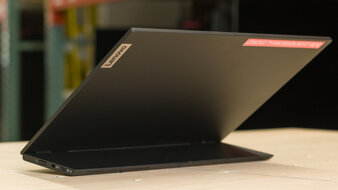
OfficeEditingBrightnessSDR PictureColor AccuracySize14"Panel TypeLCDSub-TypeIPSMax Refresh Rate60 HzNative Resolution2240 x 1440Aspect RatioScreen FinishUSB-C PortsSee all our test resultsWeight (Without Stand)lbs ( kg)If you find the espresso Pro 15 too expensive for your needs, the Lenovo ThinkVision M14t Gen2 is a good alternative that you can get for much less. There are notable trade-offs with the cheaper option, though, as it has a lower resolution and lower pixel density. While this means it has poorer text clarity, the letters still look sharp. Another downside is that its built-in stand isn't as ergonomic as the espresso's included stand. You can't raise the Lenovo to place it above your laptop without an additional mount.
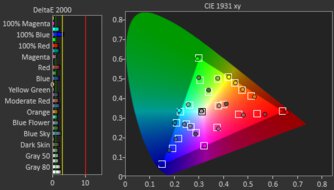
This monitor has a smaller 14-inch screen compared to the 16-inch espresso monitor, but they have different aspect ratios. The Lenovo model's 16:10 aspect ratio offers extra vertical screen space, which helps if you want to see more of a webpage at once. Even though it doesn't display as many colors as the espresso, it's more accurate out of the box. Like the espresso, it also has a touchscreen and some useful features, such as an included stylus and auto-rotation when you switch to portrait mode. Keep in mind that it isn't bright, so it's best used in a dim or dark space. Like the espresso, it also has a glossy coating that makes images look clear, but it means it handles reflections terribly.
-
Best Budget Portable Monitor
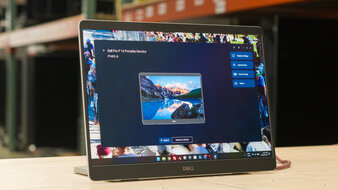
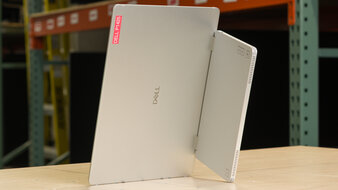
OfficeEditingBrightnessSDR PictureColor AccuracySize14"Panel TypeLCDSub-TypeIPSMax Refresh Rate60 HzNative Resolution1920 x 1200Aspect RatioScreen FinishUSB-C PortsSee all our test resultsWeight (Without Stand)lbs ( kg)If you're on a budget, there are plenty of cheap, low-cost portable displays you can get. However, most have limited performance and features, so it's better to look for entry-level options that offer good value. If that's what you're interested in, the Dell P1425 is a solid choice. As it's a budget option, it has some downsides compared to the Lenovo ThinkVision M14t Gen2. It lacks a touchscreen, so you need to move your mouse cursor over to it. It also has a lower resolution, so text isn't as sharp, but it at least has the same screen size and aspect ratio.
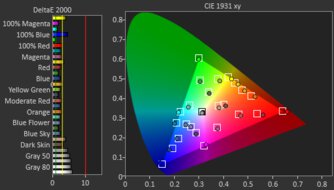
This monitor has an advantage if you want to work in a well-lit space. It gets brighter, and its matte coating handles reflections better, with fewer mirror-like reflections than on the Lenovo. It also offers similar picture quality, with a wide color range and solid out-of-the-box accuracy. Plus, it comes with a stand similar to the Lenovo monitor's, allowing you to adjust the screen angle and use it in portrait mode.
Notable Mentions
-
LG gram +view 16:
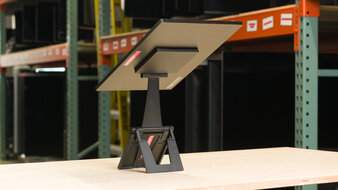
The LG gram +view 16 is an entry-level option that competes with the Dell P1425. The LG is a bit more well-rounded because it has a higher resolution for sharper text. However, it's not as well-made as its folio stand feels cheaper than the built-in stand of the Dell. That said, it's worth getting if you can find it for less than the Dell.
See our review
Recent Updates
Sep 18, 2026:
We made a complete overhaul to reflect newly tested portable monitors. We removed all the previously-recommended monitors because they're old and hard to find. We added the espresso Pro 15, the Lenovo ThinkVision M14t Gen2, and the Dell P1425 to their respective categories, and the LG gram +view 16 to the Notable Mentions.
Feb 11, 2026:
We moved the ASUS ProArt PA148CTV from the Notable Mentions to the 'Best Mid-Range Portable Monitor' to give another option. We also replaced the ASUS ZenScreen OLED MQ16AH with the ASUS ZenScreen Go MB16AHP in the Notable Mentions.
Dec 16, 2025:
We updated the text throughout for clarity and verified that the recommended monitors are still available for purchase.
May 21, 2025:
We removed the Lepow Z1 from the Notable Mentions as it's hard to find. We also updated the photos that appear in the recommendation.
Feb 19, 2025:
We added the Lepow Z1 to the Notable Mentions, introduced a new format to the article, and updated the text to reflect these changes.
All Reviews
Our recommendations are based on what we think are the best portable displays currently available in the United States. They're adapted to be valid for most people in each price range. The rating is based on our review, visitor feedback, and price. For example, two monitors may perform the same, but the cheaper one will be recommended. We also consider availability, as we don't recommend a monitor that's hard to find.
If you'd prefer to make your own decision, here's a list of our portable monitor reviews. Be careful not to get too caught up in the details. Most monitors are good enough to please most people, and the things we fault monitors on are often not noticeable unless you really look for them.


