Chroma subsampling was originally developed for RCA in the 1950s as a way to fit a color television signal into the bandwidth limits of a receiver designed for a black-and-white signal. It's based on research done by Georges Valensi in 1938 that showed that the human eye is far more sensitive to grayscale than it is to color. Chroma subsampling is still widely used today to compress video and images, in everything from Blu-ray discs to JPEG images you'll find on the web.
Most of the time, you don't need to think about this at all; your TV at home is designed to use subsampling without you even realizing. There are times you might want to disable it, though, like if you're connecting your TV to a PC. In this article, we'll break down what chroma subsampling is, how it works, and show you when to disable it on your TV.
What Is Chroma Subsampling?
A video or image signal is split into two different aspects: luminance information and color information. Luminance, or luma for short, defines most of the picture since contrast is what forms the shapes that you see on the screen. For example, a black-and-white image looks just as detailed as a color picture. Color information, chrominance, or simply chroma, is important as well, but has less visual impact.
What chroma subsampling does is reduce the amount of color information in the signal to allow more luminance data instead. This allows you to maintain picture clarity while effectively reducing the file size up to 50%. In the YUV format, luma is only 1/3rd of the signal, so reducing the amount of chroma data helps a lot.
Types Of Subsampling

Most subsampling schemes use a three-part ratio to identify the components, like 4:4:4 or 4:2:0. The first number (usually 4), refers to the size of the sample. The two following numbers both refer to chroma. They are both relative to the first number and define the horizontal and vertical sampling, respectively.
A signal with chroma 4:4:4 has no compression (so it's not subsampled) and transports both luminance and color data entirely. In a four-by-two array of pixels, 4:2:2 has half the chroma of 4:4:4, and 4:2:0 has a quarter of the color information available. The 4:2:2 signal will have half the sampling rate horizontally, but will maintain full sampling vertically. 4:2:0, on the other hand, will only sample colors out of half the pixels on the first row and ignore the second row of the sample completely.
When It Matters
All TVs support chroma subsampling automatically, so you don't usually need to worry about it. Your TV knows how to interpret these compressed signals properly, and it does so in all picture modes. As you can see in the table below, this type of compression is used almost everywhere to save space.
| Subsampling | Visual Impact | |
|---|---|---|
| PC | 4:4:4 | Major |
| Movies | 4:2:0 | None |
| Video Games | 4:4:4 | Minor |
| Sports | 4:2:0 | None |
| TV Shows | 4:2:0 | None |
While chroma subsampling is usually not noticeable, that's not always the case. Artifacts from chroma subsampling are at their most noticeable with text atop a flat color. The impact is far less visible in videos and photos. This matters when connecting your TV to a computer, as you don't want your text to be blurry to the point of being unreadable.
Movies and TV Shows
4:2:0 subsampling has been an industry standard for decades, and it isn't without reason. The benefits of having full color in video are debatable, especially at 4k. It would be tough to recognize the difference between a full 4:4:4 sequence and the same content in 4:2:0.
4:2:0 is almost lossless visually, which is why it can be found used in Blu-ray discs and a lot of modern video cameras. There is virtually no advantage to using 4:4:4 for consuming video content. If anything, it would raise the costs of distribution by far more than its comparative visual impact. This becomes especially true as 4k becomes more widespread, and we start to move beyond it. The higher the resolution and pixel density of future displays, the less apparent subsampling artifacts become.
Desktop PCs
Desktop PC use is one of the only cases where you absolutely want to disable chroma subsampling. To do so, you need to set your source to send a full color signal. You can adjust this in the Display Settings window on your PC or in your graphics card's software. You want to set the Color format to either RGB or YCbCr444. That's only half of the equation, though. You also need to tell your TV to look for a signal that doesn't use subsampling. For most TVs, you do this by changing the label of the HDMI input you're using to 'PC'. The exact process for this varies, so check our settings guide for more information.
 Chroma 4:4:4 |
 Chroma 4:2:2 |
 Chroma 4:2:0 |
Take the examples above of a PC connected to the Samsung JU7100 with various configurations, both in and outside of PC mode. As you can see, the lack of detail is clearly apparent in the bottom two rows. The text is all muddled together, and a lot of it is completely unreadable. While 4:2:2 fares better than 4:2:0, it still isn't what most would consider acceptable. While this pattern showcases an extreme case, similar side effects are visible in normal usage as well. It usually makes standard text look fuzzy and reduces its clarity.
Video Games
While some PC games that have a strong focus on text might suffer from using chroma subsampling, most of them are either designed with it in mind or implement it within the game engine. So while most modern consoles support 4:4:4 or RGB color, there's usually very little benefit to enabling it.
How To Test For Chroma Subsampling
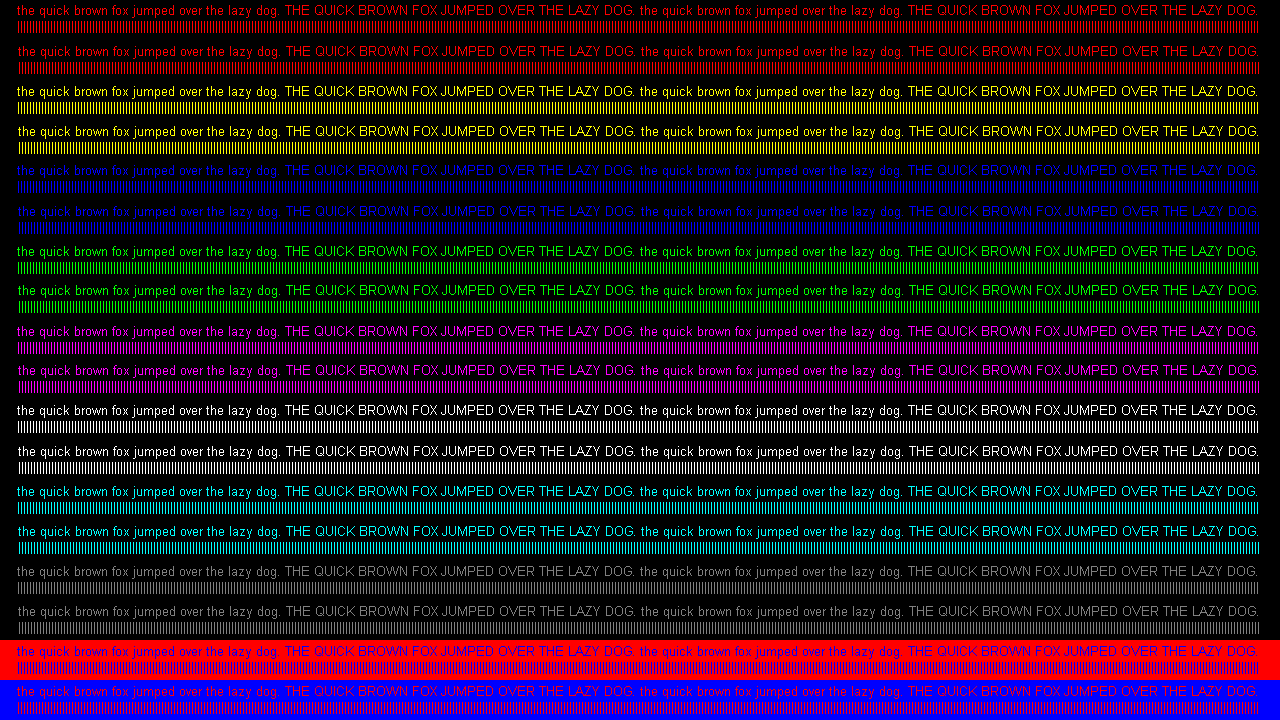
Testing for chroma subsampling is very easy. Just open up our test pattern in Windows Paint using a PC or in a photo viewer on Mac, then observe it and check if any of the lines and text are blurred together. It's also important to make sure that Windows scaling is set to 100%. With larger, high-resolution monitors, it's common for Windows to scale UI elements at 150% or more, and this can cause false positives when testing for Chroma Subsampling.
If none of the text blends together and there are no artifacts, then the TV and mode you are using is showing chroma 4:4:4 properly.
Conclusion
Color subsampling is a method of compression that greatly reduces file size and bandwidth requirements with practically no quality loss. Unless you are going to use your TV as a primary PC monitor where lots of text is going to be read, there shouldn't be a need to worry about it. It has no noticeable visual imperfections otherwise and allows you to trade for much better advantages, such as 10-bit color depth and HDR. 4:2:0 is essential to modern distribution platforms, and omitting the great bandwidth reduction would have made services such as Netflix and Amazon in 4k far less accessible.