
Our Verdict
Overall, the Samsung H6350 LED TV is a very solid mid-range LED TV. The majority should opt for this TV. One of its few drawbacks is that the picture becomes desaturated when you are not sitting directly in front of it. If you don't mind an uglier build and very slow smart features, you can save money by opting for the H6203. The picture quality is the same. If you just want the best picture quality, the H7150 is even better, but it is also pricier.
- Great picture quality, no matter the amount of light sources in your room.
- Very low motion blur and average-good input lag. Using this TV to play video games is great.
- Very thin borders.
- Limited viewing angle. If you have a lot of viewers, the seats on the sides will not have as good of a picture quality.
- Poor uniformity on a gray screen. This can be seen in panning shots.
Check Price

We buy and test dozens of TVs yearly, taking an objective, data-driven approach to deliver results you can trust. Our testing process is complex, with hundreds of individual tests that take over a week to complete. Most of our tests use specially designed test patterns that mimic real content, but we also use the same sources you have at home to ensure our results match the real-world experience. We use two main tools for our testing: a Colorimetry Research CR-100 colorimeter and a CR-250 spectroradiometer.
Test Results
Older Test Bench: We tested this product using an older TV test methodology before a major update. Some of the test results below aren't directly comparable with other TVs. Learn more

for pictures & test results

The stand can swivel about 20° on each side. The TV wobbles a little bit when you push it, but the stand is wide enough to not worry about flipping over.


for pictures & test results
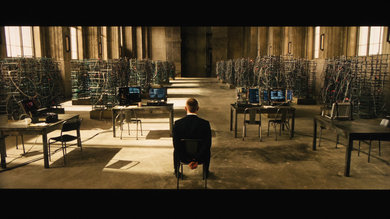
The blacks are very good for an LED. You will not have any problem using this TV in a dark environment. The calibration of the screen was good, but not perfect by default (the full list of picture settings that we used is at page three of this review).
for pictures & test results

There is no visible clouding or backlight bleeding. This problem is commonly found on LED TVs thinner than this Samsung H6350.

for videos & test results

Like all Samsung LED TVs, the viewing angle is limited. At about 22°, the picture starts to desaturate and turn slightly white. The average person won't notice this; it is more apparent when walking past the TV or switching seats.
for pictures & test results

Even though it has a semi-glossy screen, it does a good job of reducing the amount of light that is reflected. A few overhead lights won't be a problem.
for pictures & test results

It can get very, very bright. It performs really well in a room with windows.

for pictures & test results

For an LED, the motion handling is surprisingly good. The majority of the blur is caused by the frame rate instead of the response time of the pixels. The distinct images seen is due to the scanning backlight.

for pictures & test results
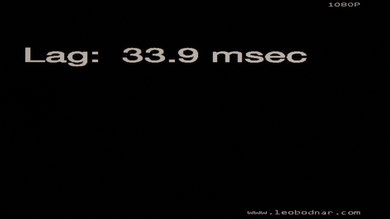
The input lag is pretty good. You'll want to set the input type to PC or turn on Game mode. Otherwise, we measured an input lag of 88ms.

for pictures & test results

1 HDMI
1 Audio Out
1 Ethernet
1 Component In
1 Composite In
1 Digital Out
1 IR Out
for pictures & test results

Samsung has the biggest selection of smart TV apps. Its smart TV platform is very good. Check out our full review of Samsung's 2014 Smart TV platform.
