Our Verdict
If you can get past its poor blacks and uniformity, the Sony X900C is a good 4k TV that will look great in your living room. It maintains good color accuracy at an angle, has decent sound, and handles motion well.
- Good color accuracy at an angle
- Great design and very thin
- Wider color gamut
- Poor blacks
- Poor uniformity
Check Price

We buy and test dozens of TVs yearly, taking an objective, data-driven approach to deliver results you can trust. Our testing process is complex, with hundreds of individual tests that take over a week to complete. Most of our tests are done with specially designed test patterns that mimic real content, but we also use the same sources you have at home to ensure our results match the real-world experience. We use two main tools for our testing: a Colorimetry Research CR-100 colorimeter and a CR-250 spectroradiometer.
Test Results
Older Test Bench: This product has been tested using an older TV test methodology, before a major update. Some of the test results below aren't directly comparable with other TVs. Learn more

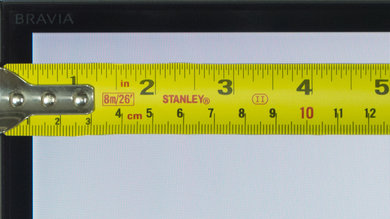
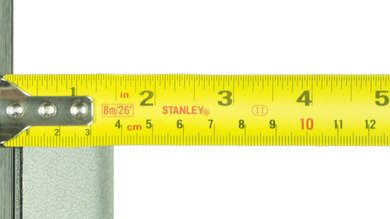
The top half of the Sony X900C is extremely thin (only 0.5 cm / 0.20"). The bottom half is thicker, but still relatively thin compared to other TVs. It will look great in any room.
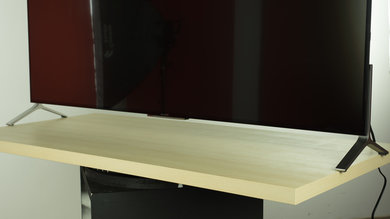
The 55" version (XBR-55X900C) almost didn't fit on our testing table. It is the widest stand that we have tested this year so far. If you don't have a wide table, and you don't want to mount the TV on your wall, you might consider buying a third party stand (VESA compatible) like this one to replace the original TV stand. The stand on the 65" can be placed in the middle, solving this issue.
It has an IPS panel, so the blacks aren't good. It also suffers from IPS glow, which makes the blacks 'move' when you change position.

The amount of DSE is average for an LED. The overall uniformity is very poor though, especially the corners.
Due to its IPS panel, the colors retain their saturation even off-axis. The screen only gets darker.
Update 01/06/2017: We have changed the methodology of testing. Since this is an old TV which we don't have anymore, we extrapolated the results from 2016 TVs.
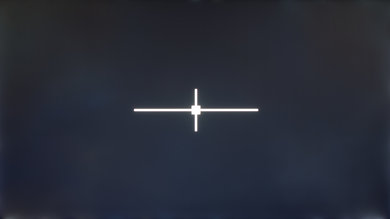
The uniformity is also sub par. The edges bleed a little bit of light. The extreme thinness of this TV means that kind of uniformity issue is to be expected.
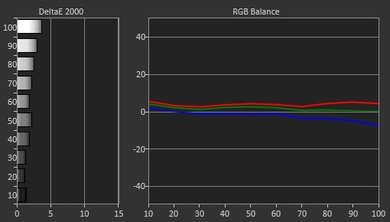
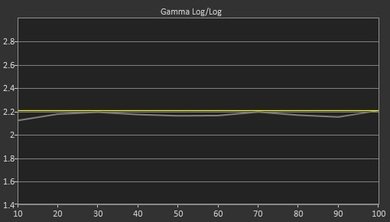
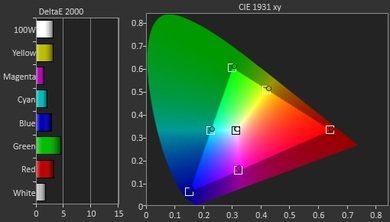
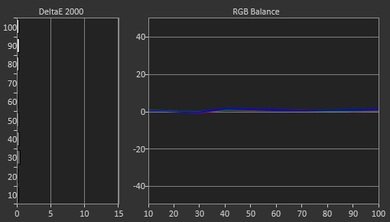
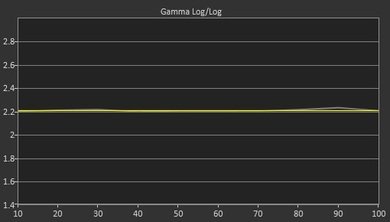
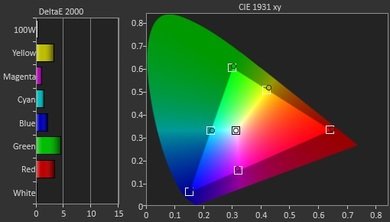

DVDs looks great once upscaled. If you watch a low-quality video and find the picture too grainy, turn on 'Digital noise reduction'.



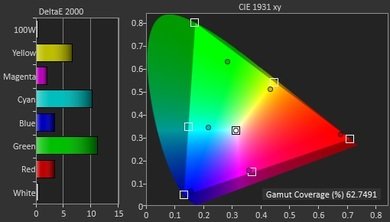
Set 'Color Space' to 'BT.2020' if you want a wider range of colors.
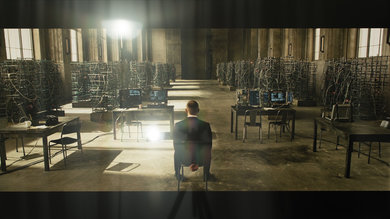
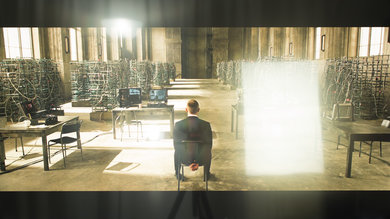
The semi-gloss screen reflects more light than normal. Also, there is a rainbow effect around direct reflections.
It does get very bright though, when you set 'Brightness' to the max.
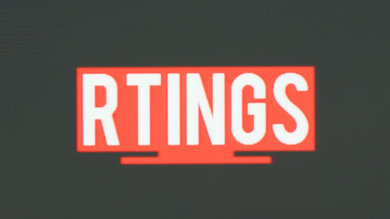
The Sony X900C has passive 3D, which is great if you don't like the flickering of shutter 3D. Also, contrary to passive 1080p TVs, it can display the full 1080 lines of 3D Blu-rays. Note that if you sit too close, you will see a little bit of crosstalk on the sides of the screen.
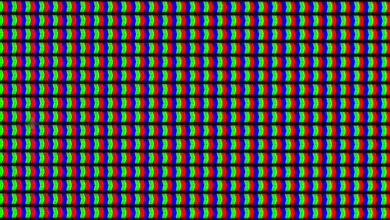

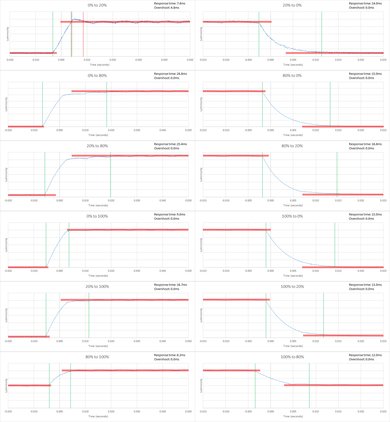
The 14.8ms reponse time is good for motion. By default, the screen is flicker free at all luminosities, but you can add the flickering if you want via the 'Motionflow' setting.
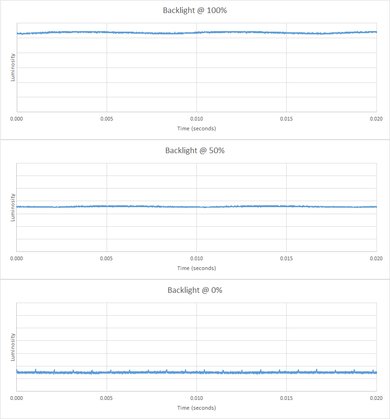
Sony TVs have excellent motion control. Set 'Motionflow' to 'True Cinema' and 'CineMotion' to 'High' to remove all the judder without introducing the soap opera effect.


In game or graphics mode, the 1080p input lag of the Sony X900C is 35.1ms, which is about the same as other 2015 Sony TVs. It is playable when using the motion interpolation feature.
Update 09/14/2016: When sending an HDR signal at an 1080p resolution, the input lag is 70.2ms.
Unfortunately, when an HDR signal is detected, the picture mode is automatically set to 'HDR Video' mode and cannot be change to game mode to have a lower input lag.
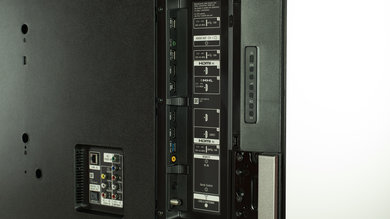
It is good for an overall PC monitor. Use game or graphics mode if you want chroma 4:4:4 or 1080p@120Hz.
As with other Sony TVs, little artifacts (flashing lines) are seen when a 1080p @ 120Hz signal is being displayed.
Update: With the new firmware update PKG2.463.0010NAB, This TV now supports 4k @ 60Hz @ 4:4:4. To enable this, go to Settings - External Inputs - HDMI Signal Format - Enhanced (new).
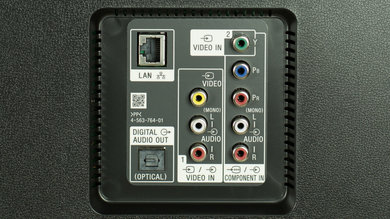
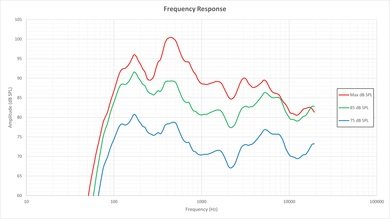
The TV gets plenty loud and has a decent low-end extension. The frequency response is OK up to moderate volumes. At maximum loudness the frequency response suffers a little bit, but it's still relatively consistent with lower volumes.
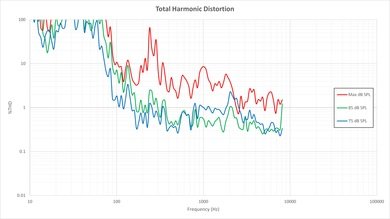
Minimal distortion at lower volumes, with a significant increase in distortion under maximum load, which seems to be characteristic of Sony TVs.