
Our Verdict
The Sony XBR65X930C is great overall. It has great native contrast, can get very bright, and has excellent black uniformity. The viewing angle and gray uniformity could be better, though.
- Wider color gamut
- Deep and uniform blacks
- Great motion controls
- Very bright
- Limited viewing angle
- Sub-par gray uniformity
Check Price

We buy and test dozens of TVs yearly, taking an objective, data-driven approach to deliver results you can trust. Our testing process is complex, with hundreds of individual tests that take over a week to complete. Most of our tests use specially designed test patterns that mimic real content, but we also use the same sources you have at home to ensure our results match the real-world experience. We use two main tools for our testing: a Colorimetry Research CR-100 colorimeter and a CR-250 spectroradiometer.
Test Results
Older Test Bench: We tested this product using an older TV test methodology before a major update. Some of the test results below aren't directly comparable with other TVs. Learn more
for pictures & test results

The Sony X930C is very wide, due to its front facing speakers on both sides of the TV. It is thicker at the bottom than at the top.
The stand can be set to two positions. The wider one offers a bit more stability, but the narrow setting is good for smaller surfaces.
for pictures & test results

Dimensions of stand (narrow): 11.5" x 24". Dimensions of stand (wide): 11.5" x 67".


The native contrast ratio of the Sony XBR-65X930C is great. We measured the same contrast ratio with the local dimming feature turned on, as measured on a checkboard pattern.
for videos & test results

The Sony XBR65X930C's zones are vertical, due to its edge-lit backlight. The blooming spawns a bigger area than on the Samsung JS9500, but it is a bit less obvious, because the TV has a better native contrast ratio. Overall though, you will probably prefer the local dimming on the JS9500, because it is a bit more aggressive.
The peak luminosity on a 2% window is only slightly lower than the Samsung JS9500's.
for pictures & test results

The gray uniformity is not very good on this TV. It has less dirty screen effect than the Samsung JS9500, but the screen is not as uniform overall.
for videos & test results

At about 18 degrees off-axis, the picture loses saturation, and the blacks are not as great.
Update 01/06/2017: We have changed the methodology of testing. Since this is an old TV which we don't have anymore, we extrapolated the results from 2016 TVs.
for pictures & test results

The black uniformity is excellent. LED TVs don't get much better than this.


for pictures & test results

The TV has no problem upscaling lower-quality content like DVDs. For lower resolutions (DVDs, 480p and low-quality streams), enable 'Digital noise reduction' to get rid of some of the compression artifacts you'll see onscreen.
for pictures & test results

Cable TV also looks good once upscaled. You can also enable 'Digital noise reduction' to get rid of some of the compression artifacts if you notice some.
for pictures & test results

1080p looks as good as it can on a 4k UHD TV.


for pictures & test results

for pictures & test results

The glossy finish is excellent at reducing the amount of reflected light, which improves the apparent contrast ratio in a bright room. There is some rainbow glare around bright objects, though.
It currently holds our record for the maximum full screen luminosity (not peak). It can get very bright, which is great if you have a lot of windows. Keep in mind that it has a glossy finish, though, so you will want to avoid having a bright light opposite the screen.

for pictures & test results

for pictures & test results

On average, the response time for the pixel transition is 15.9ms, which is quite good. Sony TVs also have the best features for controlling exactly how you want the motion to look. See the here for more details and pictures.


Under game mode, the input lag is average. It is definitely playable, and most people won't notice it. With interpolation enabled, the input lag is surprisingly low, enough to be worth trying it out on slower games.
Input lag with a 4k (with and without HDR) resolution is a bit high and not very good for gaming unfortunately.
Update 11/02/2016: Input lag results with the latest firmware update PKG3.531.0108NAB.
As with other Sony TVs, little artifacts (flashing lines) are seen when a 1080p @ 120Hz signal is being displayed.
Update: With the new firmware update PKG2.463.0010NAB, This TV now supports 4k @ 60Hz @ 4:4:4. To enable this, go to Settings - External Inputs - HDMI Signal Format - Enhanced (new).


for pictures & test results

The bass extension and the loudness are excellent. The frequency response is also good and remains relatively constant even under load. This is the best sounding TV we have tested.
for pictures & test results

The TV produces minimal distortion at comfortable listening levels. However when pushed to its limits, which is not that easy to do, there is a dramatic jump in the amount of distortion.
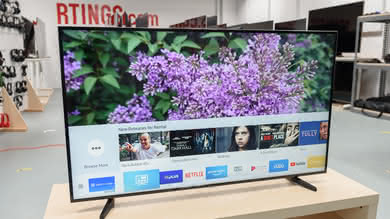
Sony TVs switched to Android OS this year. It has been a rough start for the platform, but now at least Netflix, Hulu Plus, and some of the other most popular apps are there. It is a bit behind Samsung and LG, but it is improving every day.
for pictures & test results

Android TV has become a good smart platform, with decent app selection and nice extra features, like integrated Google Cast.
We're not fans of the included Sony remotes, though, and while using your smartphone with the TV SideSync app makes a decent replacement, the experience still isn't up to the level of LG or Samsung. The touch remote is particularly unpleasant to use.
for pictures & test results

Major Apps Available


