The Sony X800H, also known as the Sony X80H, is a decent entry-level 4k TV with an IPS panel on most sizes. It's a great TV for watching TV shows in a bright room, with decent reflection handling, high peak brightness, and great viewing angles. Like many Sony TVs, it has excellent accuracy out of the box, excellent gradient handling, and it upscales lower-resolution content well, with no noticeable issues. Unfortunately, it's not very good for watching movies in a dark room, and it doesn't deliver a very impactful HDR experience, as it has low contrast, okay black uniformity, and no local dimming. It doesn't have much to offer for gamers either, as it has a limited 60Hz refresh rate and doesn't support any advanced gaming features, like FreeSync or HDMI 2.1. The 85 inch model is a bit better for dark-room viewing, as it has a VA panel, so it likely has much better contrast and better black uniformity, but this comes at the expense of viewing angles.
Our Verdict
The Sony X800H is a decent overall TV. It can get bright in SDR and displays 480p, 720p, 1080p, and 4k content well with no upscaling artifacts. The viewing angles are great if you plan on putting this TV in a wide room, but unfortunately, the contrast ratio is mediocre so blacks look gray in a dark room. With an incredibly low input lag and good response time, this TV performs best for sports or video games. HDR content doesn't look great as it doesn't get bright enough to make highlights stand out. With no risk of permanent burn-in, this TV also serves well as a computer monitor.
- Great peak brightness.
- Image remains accurate at an angle.
- Good response time.
- Mediocre contrast ratio.
- Might not be able to handle intense glare.
The Sony X800H is disappointing for watching movies. The contrast ratio isn't bad for an IPS panel TV, but blacks still look gray when viewed in the dark, and there's no local dimming feature to further darken any blacks. Additionally, the black uniformity is just okay. Older movies on DVD or Blu-ray are upscaled well, and look almost as good as native 4k movies. Unfortunately, it can only remove judder from native 24p sources.
- Good gray uniformity.
- Mediocre contrast ratio.
- No local dimming.
- Can only remove judder from 24p sources.
The Sony X800H is great for watching TV shows. It can get bright and it handles reflections well enough in most average-lit rooms. 720p content, like from a cable box, looks great, as does 1080p and 4k content. The image remains accurate even at a wide angle, great if you have a wide seating arrangement or like to move around with the TV on. Also, the built-in speakers produce dialogue very well. The built-in smart platform has a huge selection of streaming apps, so you're sure to find something for everyone.
- Great peak brightness.
- Image remains accurate at an angle.
- Good gray uniformity.
- Might not be able to handle intense glare.
The Sony X800H is good for watching sports. It has a good response time so motion looks clear and this TV can get bright enough to combat glare in most rooms. It has good gray uniformity, which is important for watching sports, with minimal dirty screen effect that most people won't notice. Also, the viewing angles are great, so people watching the big game from the side of the TV won't lose any image accuracy.
- Great peak brightness.
- Image remains accurate at an angle.
- Good response time.
- Good gray uniformity.
- Might not be able to handle intense glare.
The Sony X800H is okay for gaming. It has an incredibly low input lag and good response time that most gamers should appreciate. Unfortunately, it isn't recommended for dark room gaming due to its low contrast ratio and okay black uniformity. It has a black frame insertion feature to improve motion clarity, but it can cause some image duplication. Unfortunately, it doesn't support any advanced gaming features like FreeSync or HDMI 2.1.
- Incredibly low input lag.
- Good response time.
- Good gray uniformity.
- Mediocre contrast ratio.
- No local dimming.
- No advanced gaming features like VRR or HDMI 2.1.
The Sony X800H is mediocre for watching movies in HDR. The contrast ratio is mediocre, and the black uniformity is just okay, so blacks look gray in dark rooms, and there's no local dimming feature to further darken any blacks. It displays a wide color gamut, but its color volume is unremarkable, so it can't display certain shades of colors. It has okay HDR peak brightness, bringing out some highlights, but it can't deliver a truly impactful HDR experience.
- Good gray uniformity.
- Can display a wide color gamut.
- Mediocre contrast ratio.
- No local dimming.
- Can only remove judder from 24p sources.
The Sony X800H is just okay for gaming in HDR. The input lag is extremely low, and it has a good response time that makes motion look fairly clear. It displays a wide color gamut, but it can't produce deep shades of colors with its mediocre color volume. It has an unremarkable contrast ratio, no local dimming feature, and only okay black uniformity, so the X800H isn't suggested for HDR gaming in the dark.
- Incredibly low input lag.
- Good response time.
- Good gray uniformity.
- Can display a wide color gamut.
- Mediocre contrast ratio.
- No local dimming.
- No advanced gaming features like VRR or HDMI 2.1.
The Sony X800H is great to use as a computer monitor. The input lag is remarkably low, and the viewing angles are very good if you need to share your screen with people around you. It displays proper chroma 4:4:4, which is important for reading text. Unfortunately, it doesn't handle reflections well in really bright rooms, but there's no permanent burn-in risk or temporary image retention on this TV.
- Image remains accurate at an angle.
- Incredibly low input lag.
- Good response time.
- No advanced gaming features like VRR or HDMI 2.1.
- Might not be able to handle intense glare.
Changelog
- Updated Sep 11, 2024: We've updated the Accelerated Longevity Test with more details on this TV's failure. Unfortunately, it's been removed from the test permanently.
- Updated Aug 07, 2024: Updated the investigation status in the Accelerated Longevity Test.
- Updated Jul 29, 2024: We posted an update to the Accelerated Longevity Test section of the review, as the backlight has failed, and this TV has been removed from the test.
- Updated Jul 17, 2024: We uploaded the latest brightness measurements and uniformity photos for the Accelerated Longevity Test.
Check Price
Differences Between Sizes And Variants
We tested the XBR55X800H, and we expect our results to be valid for the other sizes, except for the 85 inch model, which uses a different panel. The 43" and 49" models are edge-lit, which may affect some results, like contrast and uniformity. The X800H is also known as the X80H or the XH80 depending on the region. At Costco, it's sold as the X81CH, and it's available in the larger sizes.
| Size | US Model | Alternative Name | Costco Model | EU Model | Panel Type | Backlight type |
| 43" | XBR43X800H | XBR-43X800H | - | KD-43XH8096 | IPS | Edge-lit |
| 49" | XBR49X800H | XBR-49X800H | - | KD-49XH8096 | IPS | Edge-lit |
| 55" | XBR55X800H | XBR-55X800H | XBR55X81CH | KD-55XH8096 | IPS | Direct LED |
| 65" | XBR65X800H | XBR-65X800H | XBR65X81CH | KD-65XH8096 | IPS | Direct LED |
| 75" | XBR75X800H | XBR-75X800H | XBR75X81CH | KD-75XH8096 | IPS | Direct LED |
| 85" | XBR85X800H | XBR-85X800H | XBR85X81CH | KD-85XH8096 | VA | Direct LED |
If someone comes across a different type of panel or if their Sony X800H doesn't correspond to our review, let us know and we will update the review. Note that some tests, like the gray uniformity, may vary between individual units.
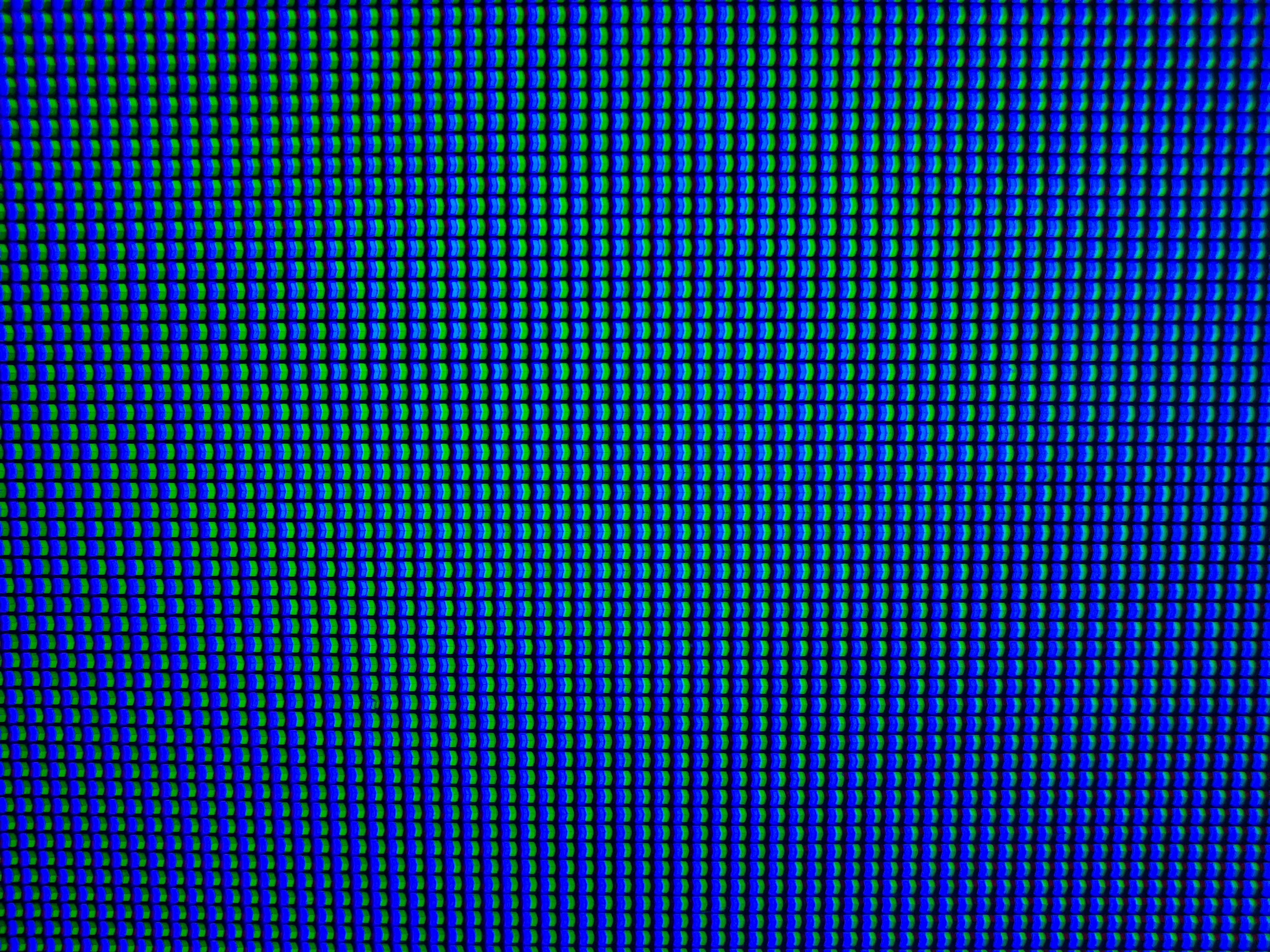
Note: We were able to confirm the 85 inch model has a VA panel, and you can see the pixels photo here. We thought the 75 inch model also had a VA panel, but we confirmed it uses an IPS, as you can see in this photo.
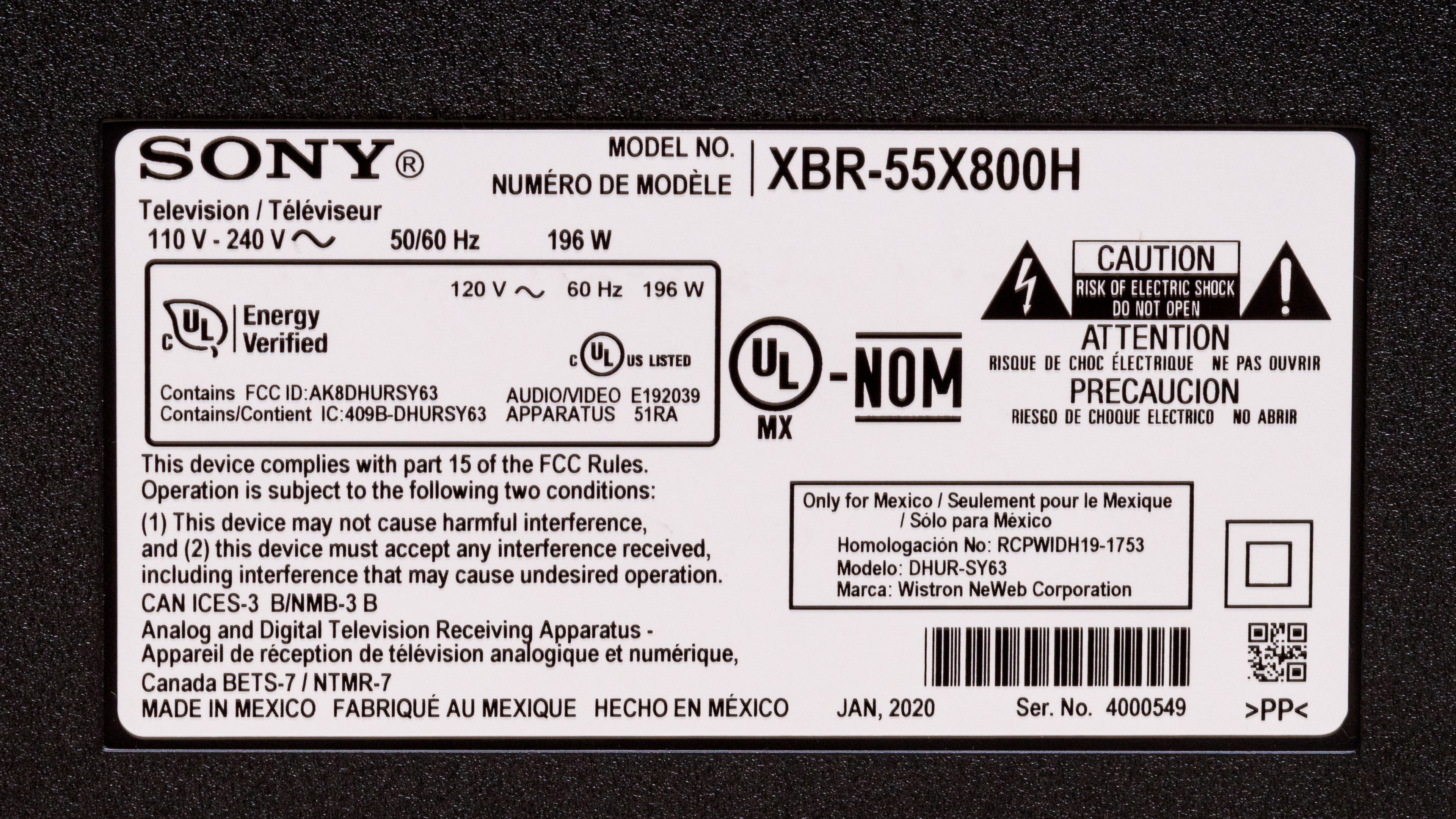
Our unit of the Sony X800H was manufactured in January 2020; you can see the label here.
Popular TV Comparisons
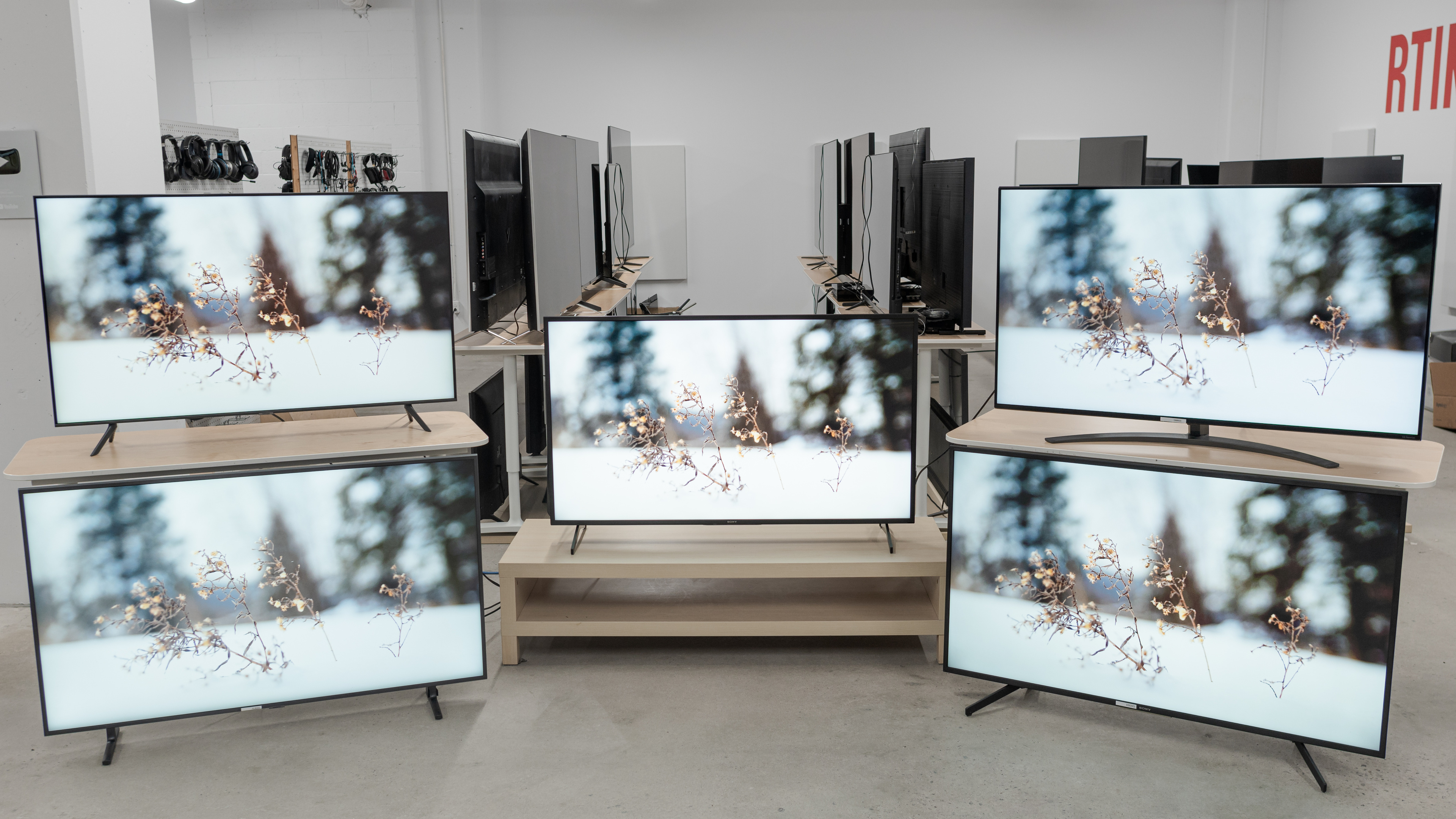
The Sony X800H performs very well as a budget TV. The IPS panel has a better contrast ratio and black uniformity than most IPS TVs, so it's better suited for dark room viewing than some of its competitors. Although the X800H is supposed to be a direct replacement to the Sony X800G, it performs similarly to the higher-end X850G, which is great.
See our recommendations for the best TVs, the best 4k TVs, and the best smart TVs.
The Sony X800H is better than the Sony X800G. The X800H can get much brighter, the viewing angles are significantly better, and there's minimal dirty screen effect, which is distracting with fast-moving objects. The X800G handles reflections slightly better and the response time is slightly quicker, but the input lag is much lower on the X800H. Overall, the X800H is an improvement over its predecessor, the X800G.
The Sony X950H is higher up in the lineup than the Sony X800H, so it performs better, but they also have different panel types. The X950H has a VA panel with a much better contrast ratio and a full-array local dimming feature, so it displays deep blacks. It also gets much brighter, delivering a better HDR experience. However, the X800H has an IPS panel, so it has much wider viewing angles.
The Sony X900F is a better TV for most uses than the Sony X800H, especially when it comes to HDR content. The X900F has much better contrast and black uniformity thanks to its VA panel, while the IPS panel on the X800H gives it much wider viewing angles. The X900F also has full-array local dimming, and high peak brightness, especially with HDR. On the other hand, the X800H has much lower input lag, but only uses a 60Hz panel, while the X900F is 120Hz.
The Sony X900H is significantly better than the Sony X800H. The X900H has a much higher contrast ratio due to its VA panel, it has local dimming, and it gets brighter overall. Response time is faster on the X900H; however, the X800H has lower input lag, and its IPS panel has wider viewing angles.

We buy and test dozens of TVs yearly, taking an objective, data-driven approach to deliver results you can trust. Our testing process is complex, with hundreds of individual tests that take over a week to complete. Most of our tests are done with specially designed test patterns that mimic real content, but we also use the same sources you have at home to ensure our results match the real-world experience. We use two main tools for our testing: a Colorimetry Research CR-100 colorimeter and a CR-250 spectroradiometer.
Test Results

The Sony X800H has a similar design to its predecessor, the Sony X800G, but the cable management isn't as good. Instead of cables running through the feet, like with previous Sony TVs, there are two hooks to attach the cables with. It's thinner than the X800G, and the stand is wider, so there's more space to put a larger soundbar. The feet are made out of plastic, and the stand holds the X800H well. Also, there's a large and noticeable grate across the back of the TV for heat dispersion.

Update 09/11/2024: The backlight doesn't turn on anymore, even after replacing the electrical components and all LED strips. We've removed this TV from our test, as we can't repair it.
Update 08/7/2024: The backlight failure was caused by a partial failure of the TV's power supply. We've ordered replacement parts and expect to return this TV to the longevity test shortly.
Update 07/29/2024: Unfortunately, the Sony X800H's backlight failed, and it's no longer usable. It's been removed from the test for now, but we'll dismantle it to try to find the cause of the backlight failure and determine if we can repair it. Watch this space or our main longevity article update page for updates.

The stand supports the TV well, but it still wobbles. The feet are made out of plastic and are nearly as wide as the TV, so you need a large surface to put it on if you don't plan on wall-mounting it. Unlike the Sony X800G and the Sony X850G, the feet aren't reversible. The stand on the 43 inch and 49 inch models is a bit different, as the feet are closer together.

Simple design in the back, which is made entirely out of plastic. There's minimal cable management with two hooks that are meant to attach the cables to the feet. This might be disappointing for some people. The 43-inch and 49-inch models have a different design on the back, as they have a different type of backlight.


The Sony X800H is relatively thin and doesn't stick out as much when wall-mounted.

This TV seems to have decent overall build quality. The entire TV is made out of plastic. There's a lot of flex around the bezels and on the back near the inputs. There's also a fair amount of wobble.

As expected for an IPS panel, the Sony X800H has a mediocre contrast ratio, resulting in gray-looking blacks in a dark room. Unfortunately, there's no local dimming feature to improve black levels. If you're looking for a VA panel TV with an excellent contrast ratio, check out the Samsung TU8000, or the curved version, the Samsung TU8300. Note that the contrast ratio can vary between units, but these results are what we expect from an IPS panel.
Note: We confirmed the 85 inch model has a VA panel, so it's expected to have a much higher contrast ratio.
The Sony X800H has great peak brightness in SDR, with no noticeable variation in brightness with different content. It's bright enough to overcome glare in most settings.
We measured the peak brightness after calibration with the 'Custom' Picture Mode and the Color Temperature set to 'Expert 1.'
The 'Vivid' Picture Mode with Advanced Contrast Enhancer set to 'Max' is a tiny bit brighter, but it's also less accurate, so we don't recommend those settings.
Update 07/13/2021: We've added two new videos demonstrating the backlight behavior with real content.
This TV doesn't have a local dimming feature. The video is for reference only, so you can see how the local dimming feature on other displays compares to one without local dimming.
Update 07/13/2021: We've added two new videos demonstrating the backlight behavior with real content.
This TV doesn't have a local dimming feature. The video is for reference only, so you can see how the local dimming feature on other displays compares to one without local dimming.

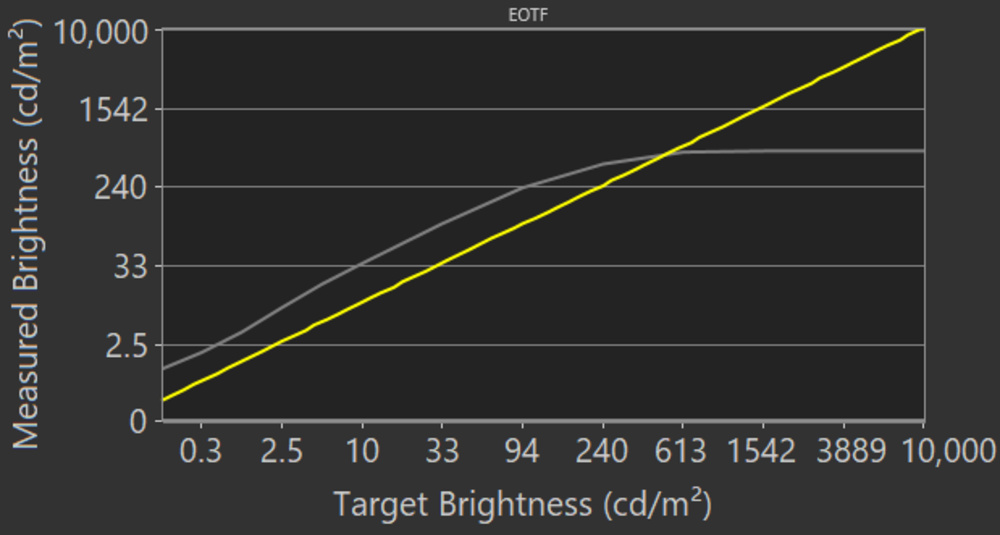
Okay HDR peak brightness, though still an improvement from the Sony X800G. Small highlights in dark scenes aren't as bright as other content, but overall, the brightness remains pretty consistent with different content. Large bright scenes aren't dimmed at all. The EOTF follows the PQ curve well, but it cuts off sharply near the TV's peak brightness, which can cause a loss of fine details in bright scenes. Near-black scenes are displayed brighter than they should be, but most other content is displayed close to the desired brightness.
We measured the HDR peak brightness before calibration with the Picture Mode set to 'Cinema' and Color Temperature on 'Expert 2.' These settings are about as bright as this TV can get.
If you find HDR too dim, set the Color Temperature to 'Expert 2,' Contrast to 'Max,' Gamma to 'Max,' Advanced Contrast Enhancer to 'Low,' and Picture Mode to 'Vivid.' These settings result in a slightly brighter image, as you can see in this EOTF, but the overall peak brightness is about the same.

The HDR peak brightness is about the same in Game Mode, but strangely, the TV doesn't dim small highlights in dark scenes as much. They're still dimmed a bit, but it's not really noticeable. The EOTF behaves the same, with the same sharp cut-off near the TV's peak brightness, and near-black scenes are still too bright.


The Sony X80H has good gray uniformity. The corners of the screen are a bit darker, but the center remains fairly uniform, and dirty screen effect is minimal. In near-dark scenes, the uniformity is much better. Note that gray uniformity can vary between individual units.

This TV has okay black uniformity. There's visible clouding throughout and blooming around the center cross, which can be distracting in dark scenes if the TV is in a dark room. If black uniformity is important to you, take a look at the Samsung Q60/Q60T QLED. Note that black uniformity can vary between units.


Update 07/13/2021: We replaced our viewing angle video, as the original was shot slightly off-center, and was improperly zoomed. This doesn't impact our measurements, which aren't taken from this video.
As expected for a TV with an IPS panel, the image remains accurate even at a very wide angle. This makes the Sony X800H a great choice for a wide seating arrangement.
Note: We confirmed the 85 inch model has a VA panel, so it's expected to have much worse viewing angles.


The Sony X800H has decent reflection handling, similar to the Sony X800G. The semi-gloss finish diffuses small amounts of light well but struggles with direct light, so it's best to avoid placing it opposite bright lights or a window.


The Sony X800H has amazing accuracy out of the box, but this can vary between units. Gamma is nearly flat, close to the 2.2 target we use for a dark room. The white balance is excellent, with no noticeable issues, and most colors are displayed accurately, but there are a few issues with saturated blues and reds. The color temperature is a bit on the warm side, giving everything a red-yellow tint.


Overall accuracy is a bit better after calibration. This TV doesn't have a full color calibration system, so we couldn't correct any of the color issues. White balance was already excellent before calibration, but it's a bit better after. Gamma didn't change, as it was already very close to the target.
See our recommended settings here.


The Sony X800H has a very good HDR color gamut. It has great coverage of the DCI P3 color space used by most current HDR content but falls short on all colors. Coverage of the wider Rec. 2020 color space is good enough to be considered a wide color gamut, but it's a bit limited.


This TV has mediocre color volume. It can't display deep colors due to its low contrast ratio, but its great brightness helps it display brighter colors. Like most LCDs, it can't display very bright blues, but this isn't that noticeable.

The Sony X800H has excellent gradient handling. There's some banding in darker shades of red and green, but it's not really noticeable. Unlike the higher-end Sony models, there's no smooth gradation feature on this model, so gradients can't really be improved.

There are no signs of temporary image retention, even immediately after displaying our high-contrast static test image for 10 minutes, which is great. Note that temporary image retention can vary between units.
Although some IPS panels can suffer from temporary image retention, this doesn't appear to be permanent as seen in our long-term test.


This TV has a good response time overall, but there's still quite a bit of blur behind fast-moving objects. Darker scenes have a very slow response time, an issue commonly known as black smearing. This is more common on VA panels but can occur on IPS panels as well.

The Sony X800H has a flicker-free backlight, which is great. However, like other Sony TVs, there's a very high-frequency flicker at low backlight settings, which shouldn't be noticeable.


This TV has a black frame insertion feature to help reduce motion blur, but it's a bit disappointing. It can only flicker at 120Hz, which creates some slight duplication since the TV's refresh rate is 60Hz. The BFI feature seems to make the screen dimmer, which is expected, but it doesn't really improve motion clarity.

The Sony X800H has a 60Hz panel and can interpolate lower frame rate content up to 60Hz. Content with fast-moving objects looks good.
See here for the settings that control the motion interpolation feature.
Since the Sony X800H has a fairly quick response time, there's some noticeable stutter when watching 24p content. This is especially visible with slow panning shots.
Like the Sony X800G, the Sony X800H can remove judder in 24p content, but not from native apps and 60p/i sources. Enabling the Motionflow and CineMotion settings smooths out any content, but doesn't completely remove judder.
The LG NANO85 2020 is a similar TV that can remove judder from any source.
The Sony X800H has a refresh rate of 60Hz and doesn't support any variable refresh rate technology. If you want a TV with a 120Hz refresh rate and VRR support, check out the Samsung RU9000.
Update 12/16/2020: The bug with Game mode has been fixed. The TV now always has low input lag in Game Mode, even after restarting it.
The input lag is remarkably low and should provide a responsive gaming and desktop experience. To get the lowest input lag, enable Game Mode.
The Sony X800H supports most common resolutions at 60Hz, except for native 1440p. On 'Game' and 'Graphics' modes, it properly displays 4:4:4 chroma, which is important if you're going to use this TV as a computer monitor or read any fine text on it. Additionally, all four HDMI inputs support HDMI 2.0 bandwidth, which is an increase from the two inputs that supported HDMI 2.0 on the Sony X800G. For signals that require the full bandwidth of HDMI 2.0, set HDMI Signal Format to 'Enhanced Format' for the input in use.


This TV has a limited 60Hz refresh rate and doesn't support any advanced gaming features, so it can't take full advantage of the latest features supported by the new consoles.

It has two USB slots, but one is USB 3.0 and the other is USB 2.0.
This TV has a decent frequency response. The low-frequency extension (LFE) doesn't get as low as it should, so the bass only has a bit of a punch, and no thump or rumble. Above the LFE it has a more balanced sound profile, which is important for dialogue. This TV can get very loud but there are still some pumping artifacts.
This TV has poor distortion performance. At lower levels, there's less distortion, but it's very noticeable at higher levels.

Like the Sony X850G, the interface is easy to use and has very smooth navigation. We didn't experience any bugs. Sony has started updating older models to the new Google TV interface, but we haven't tested the update on older models.
Unfortunately, there are ads on this TV, which can't be disabled. They're not always present though, and we weren't able to get a photo of one.

The Android TV interface has a massive selection of apps through the Google Play Store. The built-in apps cover the most common streaming services and work great.

The Sony X800H has an upgraded remote from the Sony X800G, which is the same as the Sony X850G. It has a Google Assistant feature with voice control that does most common demands, but the voice control only works when the remote is paired to the TV via Bluetooth. On the upside, with Bluetooth, you don't need a direct line of sight to control the TV.