Changelog
- Updated Oct 03, 2025: Our 1.0.1 Test Bench Update adds clearer terminology and new measurements to our Keystrokes test with minor refinements to our Compatibility and Illumination tests. See the full changelog.
- Updated Nov 06, 2023: Review published.
Check Price
Popular Keyboard Switch Comparisons
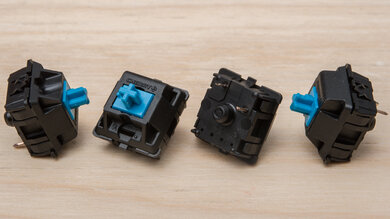
Cherry MX Blue switches are clicky switches with a click jacket design that makes a signature sound on the downstroke. However, like most clicky switches, they're likely too loud for most open office environments. On the other hand, Cherry MX Red switches are linear switches. Their linear actuation and reasonably good factory smoothness make them popular for gaming or typing.
Cherry MX Blue and Kailh Box Jade are clicky switches. The Cherry switches are comparatively more lightweight and have a click jacket design, so they only make a click sound on the downstroke. On the other hand, the Kailh switches feel heavier and have a click bar design, creating a clicking sound on both the downstroke and upstroke.
Cherry MX Blue and Kailh Box White are both clicky switches. The Cherry switches have a click jacket design, making a click on the downstroke. They're also noticeably heavier feeling. On the other hand, the Kailh Box White switches are more lightweight and have a click bar design, making a clicking noise on both the down and upstroke.
Cherry MX Blue and Razer Green Gen 3 are clicky switches with click jacket designs, making a loud and signature clicky sound on the downstroke. The Razer's feel a bit smoother out of the box, and they have a clear housing that allows for better RGB illumination.
Test Results