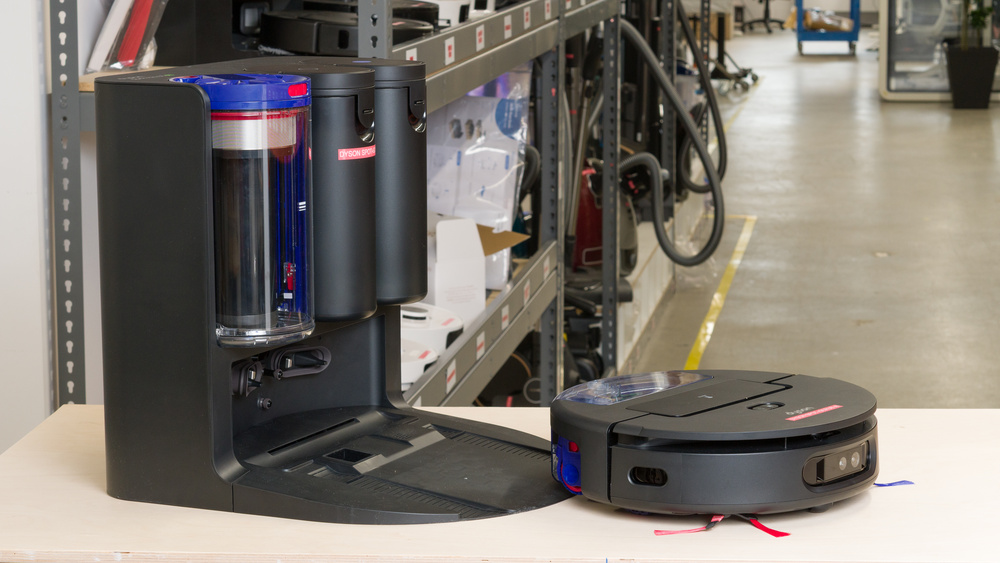
The Dyson Spot+Scrub Ai is Dyson's first robot vacuum and mop combo. It uses a combination of LIDAR and an RGB camera to navigate your home and recognize objects, with AI-driven stain detection that identifies messes and targets them with repeated cleaning passes. It has a self-cleaning wet roller that extends to clean along wall edges and automatically lifts when it detects carpet. A front-facing LED light illuminates hidden dust and stains on hard floors. The dock is fully automated and bagless, handling dustbin emptying, mop washing with hot water, hot air drying, and water tank refilling. It's controlled through the Dyson app, which also offers mapping, cleaning mode selection, and suction and water level adjustments.
Our Verdict
The Dyson Spot+Scrub Ai is adequate for cleaning homes with a mix of surfaces. It does a good job clearing everyday messes on hard floors, allowing you to extend the time between manual deep cleaning sessions. The dock handles the day-to-day maintenance for you, emptying the dustbin and washing the mop roller with hot water. However, if your home has lots of carpeted areas, you'll notice debris left behind after each session, especially on low-pile surfaces. Pet hair pickup on carpet is also mediocre, so if you have shedding pets, you'll need to do manual touch-ups. It navigates around furniture and clutter reasonably well, though it won't clean under low furniture and can get tripped up by rug tassels. Stain removal is decent, though the AI spot-scrubbing feature doesn't always recheck areas it has passed over.
Clears most everyday debris effectively on hard floors.
The dock automatically empties the dustbin and washes the mop with hot water.
Reliably avoids most obstacles on the floor, including pet waste.
Struggles significantly on carpets, especially low-pile surfaces.
Skips floor space near obstacles rather than cleaning around them.
Can't effectively clear debris along wall edges or in corners on most surface types.
The Dyson Spot+Scrub Ai is only okay for pet owners, mainly because its pet hair pickup on carpets isn't strong enough to keep up with regular shedding. It leaves a noticeable amount of hair behind and drags some around rather than collecting it, so you'll need to supplement with manual cleaning if you have carpeted areas. On the positive side, it's quiet enough that it shouldn't startle most pets, and the dock handles emptying and mop washing automatically. It also consistently avoids pet waste, which gives you some peace of mind when running it unsupervised.
The dock automatically empties the dustbin and washes the mop with hot water.
Quiet enough to avoid startling most pets.
Reliably avoids most obstacles on the floor, including pet waste.
Lots of individual parts need regular cleaning.
Leaves noticeable amounts of pet hair behind on carpets.
The Dyson Spot+Scrub Ai does a good job picking up debris on hard floors, handling most everyday messes effectively. You'll notice small amounts of debris left along edges and in corners, and it occasionally scatters or drags some dirt around.
Clears most everyday debris effectively on hard floors.
Doesn't fully clear edges and corners.
The Dyson Spot+Scrub Ai is adequate for cleaning carpets, particularly on low-pile surfaces, where it leaves a significant amount of debris behind. The brushroll doesn't agitate short carpet fibers effectively enough to dislodge embedded particles, and fine debris is especially problematic. It fares somewhat better. on high-pile carpets when it comes to larger debris, but the vacuum still drags and embeds particles into deep fibers. Edge and corner cleaning is poor on both carpet types because the side brushes shut off sporadically during operation.
Picks up larger debris reasonably well on high-pile carpet.
Doesn't fully clear edges and corners.
Leaves a significant amount of debris behind on low-pile carpet.
The Dyson Spot+Scrub Ai delivers mediocre pet hair pickup on carpets. It leaves a noticeable amount of hair behind in its path and drags some around the floor instead of collecting it. If you have pets that shed heavily, you'll likely need to run it more frequently or do manual touch-ups to keep carpeted areas clean.
Clears pet hair on the surface of carpets.
Leaves noticeable amounts of pet hair behind on carpets.
The Dyson Spot+Scrub Ai offers decent obstacle handling. It uses a combination of LIDAR and an RGB camera to detect items on the floor, and it consistently avoids pet waste. However, it's less adept at cleaning around furniture. It won't clean under low furniture, gets caught on rug tassels, and tends to avoid areas entirely rather than navigating around them to clean nearby floor space. Its cautious approach keeps it out of trouble but also means it skips areas that other robot vacuums would attempt to reach.
Reliably avoids most obstacles on the floor, including pet waste.
Skips floor space near obstacles rather than cleaning around them.
Performance Usages
Changelog
- Updated Jul 27, 2026: We've updated this review to Test Bench 1.1, which includes several new tests, including Residual Moisture, Stain Scrubbing, and Stain Smearing. You can read more in the changelog.
- Updated Apr 29, 2026: Review published.
- Updated Apr 23, 2026: Early access published.
- Updated Apr 09, 2026: Our testers have started testing this product.
Check Price
Differences Between Sizes And Variants
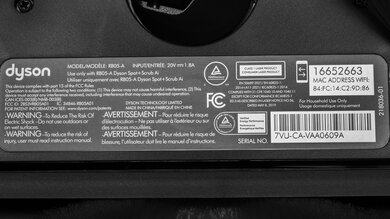
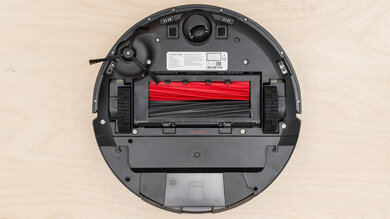
The Dyson Spot+Scrub Ai is available in a single color (Black/Blue), which we bought and tested. Here's a photo of the label.
If you come across another variant we haven't covered, let us know in the comments.
Popular Robot Vacuum Comparisons
The Dyson Spot+Scrub Ai is Dyson's first entry into the premium robot vacuum and mop combo market. It's a massive step forward from the Dyson 360 Vis Nav, which was vacuum-only with a basic charging dock. The Spot+Scrub Ai adds mopping, a fully automated dock, dramatically better obstacle avoidance, and much longer battery life. If you've been waiting for Dyson to release a competitive robot vacuum, this is it, though it's still a first-generation mop combo, and that shows in some areas. While it offers unique features, such as its AI stain detection and self-cleaning wet roller, it falls behind many competitors in performance. The Roborock Saros 10R and Dreame Aqua10 Ultra Roller both deliver stronger hard floor pickup, and the Ecovacs DEEBOT X8 PRO OMNI also uses a roller mop but offers much better stain detection and removal. Most rival flagships also feature apps that offer more granular control over cleaning settings, remote operation, and camera viewing, whereas the Dyson app is comparatively barebones.
Its bagless cyclonic dock means you'll never need to buy replacement bags, which is a real advantage if you prefer to avoid ongoing costs. It also integrates with the MyDyson app, similar to other Dyson home products, like air purifiers and humidifiers, so if you're already in the Dyson ecosystem, everything stays in one place. That said, if you're in the market for a premium robot vacuum, there are better options available that offer superior overall performance.
To find other alternatives, look at our recommendations for the best robot vacuums, the best robot vacuums for carpet, and the best robot vacuums for pet hair.
The Dyson Spot+Scrub Ai and Roborock Saros 10R are both premium robot vacuum and mop combos, but the Saros 10R outperforms the Dyson in most areas. The Saros has a major advantage in mobility, with its low-profile design fitting under furniture that the Dyson can't reach and its AdaptiLift system climbing much taller thresholds. Its app is significantly more capable too, with remote control, camera viewing, and AI-driven settings. The Dyson counters with slightly better pet hair pickup, a bagless dock that eliminates replacement bags, and a removable battery. Both struggle on carpet, so neither is ideal for heavily carpeted homes.
The Dyson Spot+Scrub Ai is a major upgrade over the Dyson 360 Vis Nav. It picks up more debris on hard floors, handles carpets better, and adds mopping with a self-cleaning wet roller. Obstacle avoidance is dramatically improved thanks to LIDAR and an RGB camera with object recognition, whereas the 360 Vis Nav has poor avoidance and can run over pet waste. The Spot+Scrub Ai also comes with a fully automated dock that empties the dustbin and handles mop maintenance, while the 360 Vis Nav's dock only charges. Battery life is significantly longer. The 360 Vis Nav's only advantages are its HEPA filtration, better crack cleaning thanks to its high suction and airflow, and its ability to fit under lower furniture.
The Dyson Spot+Scrub Ai and Dreame L50 Ultra are both premium robot vacuum and mop combos with all-in-one docks, but they have different strengths. The Dyson picks up more debris on hard floors and has a bagless dock that eliminates replacement bags, while the L50 Ultra is the stronger carpet cleaner with better pet hair pickup. The L50 Ultra also has a significant edge in mobility, with retractable legs that let it climb taller thresholds. Its app is far more capable too, with full navigation control and a pet care suite. However, the Dyson has a longer battery life and a self-cleaning wet roller with hot water washing.
The Dyson Spot+Scrub AI and Dreame Aqua10 Ultra Roller are both premium robot vacuum and mop combos built around self-cleaning roller mops rather than spinning pads. The Aqua10 Ultra Roller is the stronger performer overall, picking up significantly more debris on hard floors and handling carpets better too. It also navigates household obstacles more smoothly and has a far more capable app with full navigation control. The Dyson's advantages include its bagless dock, which eliminates replacement bags, a removable battery, and the fact that it always consistently avoided pet waste, something the Aqua10 Ultra Roller didn't manage. Despite their advanced mopping systems, neither robovac actually offers outstanding stain removal.
Test Results
for pictures & test results
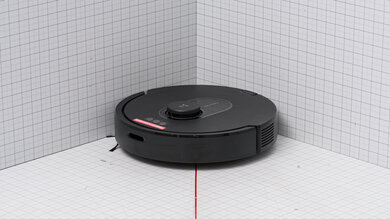
The vacuum has great build quality, thanks to its premium plastic construction and solid assembly. It feels sturdy and well-balanced, with high-quality wheels, a responsive bumper, and buttons that don't feel cheap. The clear water tank is an uncommon touch that lets you monitor the water level at a glance. An LED light illuminates hidden dust on hard floors, similar to Dyson's standard vacuums. The LIDAR sensor is hidden within the body rather than sitting in a visible turret on top. As an added bonus, you won't need any tools for assembly.
There are some downsides, but they're primarily cosmetic. The matte black finish scratches easily, so it'll show wear over time, and the side brush bristles seem prone to wearing down faster than average. The thin plastic over the sensors also feels less durable than the rest of the body.
for pictures & test results
for videos & test results

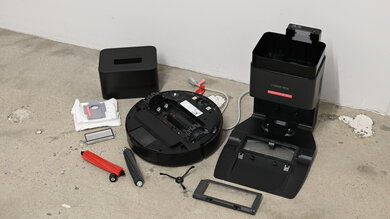
The robot vacuum is laborious to maintain, largely because of the sheer number of parts that need regular attention across both the robot and the dock.
Luckily, most parts are easy to remove and clean without tools. Hair gets wrapped around the brush roller, but the roller is easy to remove and clean. The main pain point is the dirty water tank filter behind the dock, which is difficult to remove and may require pliers. The dock's bagless cyclonic emptying system also kicks up a dust cloud when you empty it, releasing some debris back into the air. It's best to do this outside for the sake of your home's air quality.
For detailed replacement schedules and cleaning instructions, you can download the manual here.
for pictures & test results
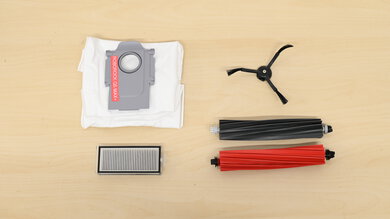
This robot vacuum is expensive to maintain because it has several parts that need to be replaced periodically. The app tracks each part's remaining lifespan but doesn't provide specific replacement timelines, so you'll need to monitor wear and tear yourself.
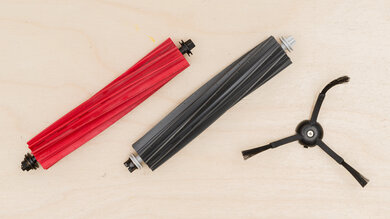
Parts you'll eventually need to replace include:
- Brush bar
- Wet roller
- Side sweepers
- Robot filter
- Dock filter
- Dock water filter
Spare parts will likely become available on Dyson's website in the future, but pricing is currently unknown.
Dyson also sells an optional 02 Probiotic hard floor cleaning solution for use with the mopping system.
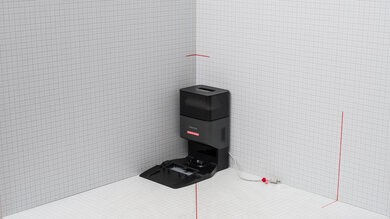
for pictures & test results
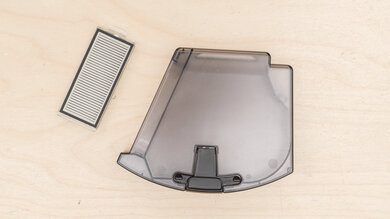
The Dyson Spot+Scrub's internal dustbin is very small, following the trend of robot vacuums using increasingly smaller dustbins. The dock's cyclonic dustbin is advertised at 3 L, but it only holds about 1.9 L at the max fill line, so you'll need to empty it more often than the spec suggests.
for pictures & test results
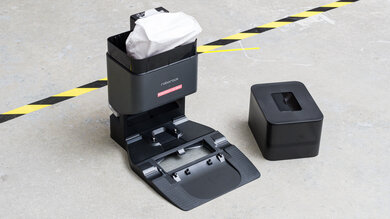
The dock handles most day-to-day maintenance tasks for you. It empties the robot's dustbin into a bagless cyclonic bin, refills the clean water tank, and uses hot water to keep the mop clean. One notable difference from most similar models is that the mop roller is cleaned by the robot itself while it sits on the dock, rather than the dock handling the washing directly.
for pictures & test results
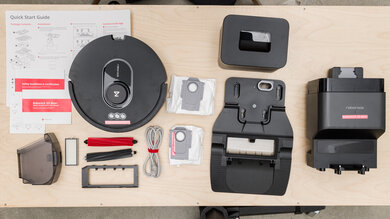
Robot-related items:
- Robot
- Dry bin
- Dry bin filter
- Dirty water tank
- Side sweepers
- Brush roller cover
- Anti-tangle brush bar
- Microfiber wet roller
Dock-related items:
- Dock
- Docking ramp
- Dry bin with root cyclone
- Dirty water tank
- Clean water tank
- Filter cover
- Filter
Miscellaneous items:
- User documentation
Battery life is outstanding, with enough runtime to handle large homes on a single charge, even at higher suction settings. It returns to the dock at 10% battery. Recharging is relatively quick, and the battery is removable, so you can swap in a replacement if it degrades over time.
for pictures & test results
for pictures & test results
The Dyson Spot+Scrub offers surprisingly few quality-of-life features for a premium robot vacuum. You get four cleaning modes, four suction levels (including Auto), and three mop wetness settings, but there are no pathing options. The AI mode is a basic "Auto" setting that doesn't provide the kind of personalized recommendations you'd find on flagship models from Dreame or Roborock.
You can download the manual for a full breakdown of the available settings.
for videos & test results

for pictures & test results
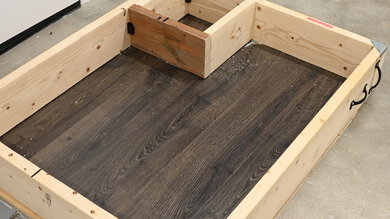
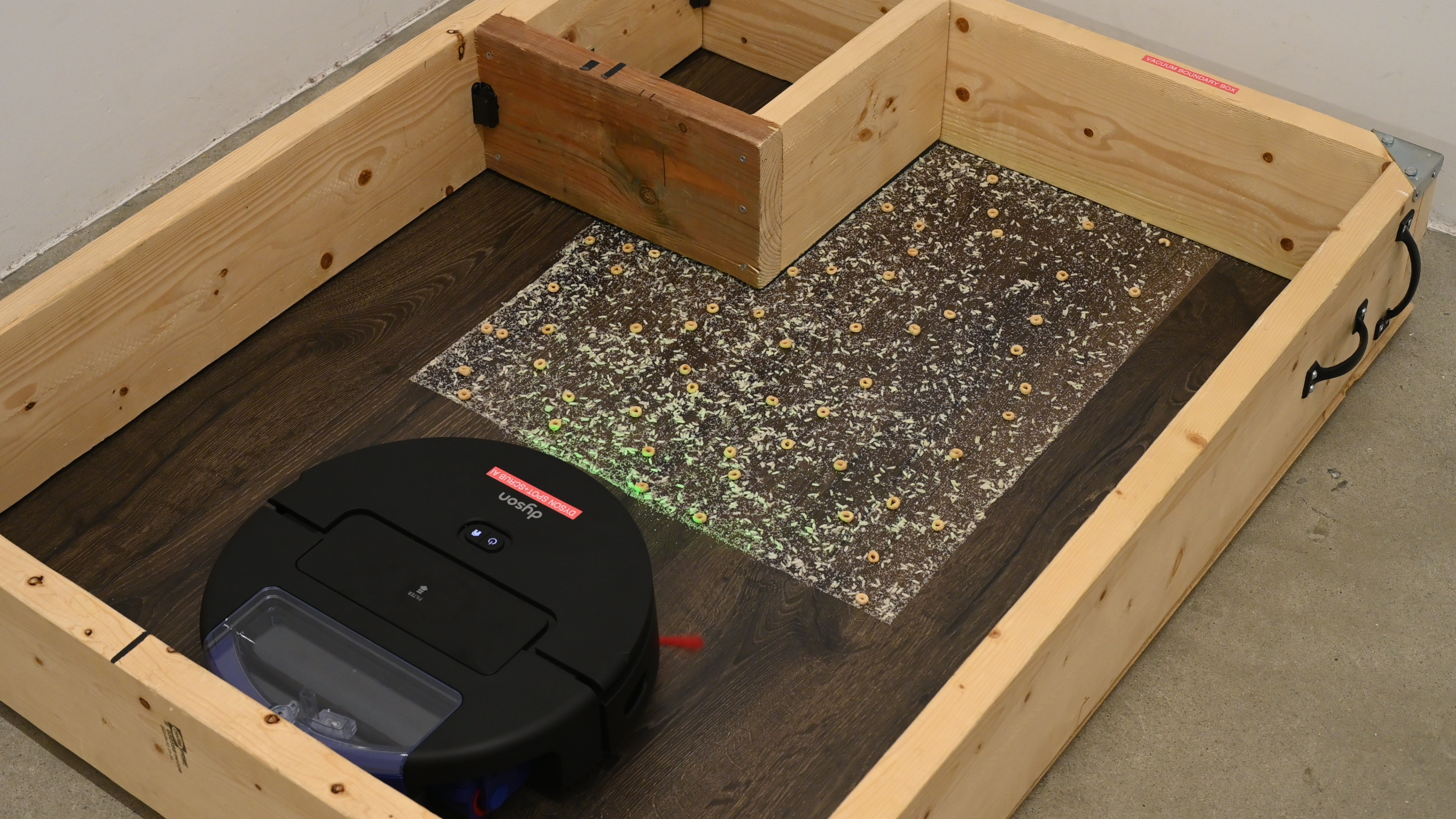
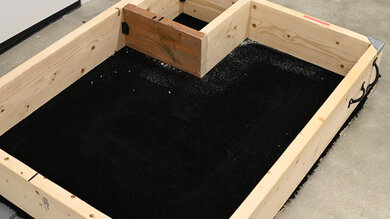
The vacuum does a good job picking up debris on hard floors. If your home is mostly tile, hardwood, or vinyl, it'll keep your floors looking clean between deeper manual cleaning sessions. You'll notice small amounts of debris left along edges and in corners, because it doesn't have an extending side brush and can only sweep so much into the main brushroll's path. Fine dust is where it's least effective, so if you have dark-colored floors where dust is more visible, you may still notice some residue after a cleaning cycle.
for videos & test results

for pictures & test results
This robot vacuum delivers mediocre debris pickup on high-pile carpet. If you have plush rugs or deep carpet in your home, you'll notice that everyday dirt and dust aren't fully removed and will gradually build up between sessions. Larger crumbs and visible debris get picked up reasonably well, but the vacuum struggles to reach deep into carpet fibers where finer material settles. Edges and corners are the weakest points, as the side brushes turn on and off sporadically in Auto mode, so you'll have to clean along baseboards manually. There's a built-in Carpet Boost feature, but it can't be toggled manually, so you have to rely entirely on the vacuum to decide how much suction your carpets need.
for videos & test results

for pictures & test results
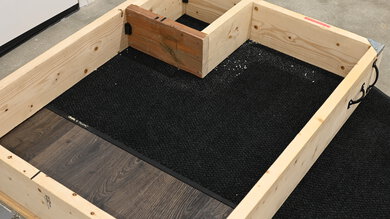
This robot vacuum does a poor job of cleaning everything from fine to large debris from low-pile carpet. The brushroll can't agitate low-pile fibers enough to dislodge embedded particles, so you'll either have to let the robot vacuum make many passes over carpets or clean them manually. Like most robot vacuums without extendable brushes, it leaves a lot of debris behind along edges and in corners; the issue is compounded as the side brushes shut off sporadically in corners in Auto mode. Finally, the built-in Carpet Boost mode is ineffective, and you can't manually engage it.
for videos & test results

for pictures & test results
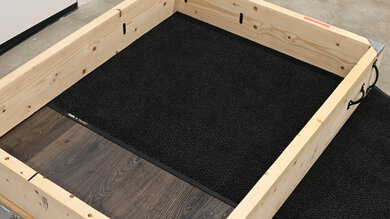
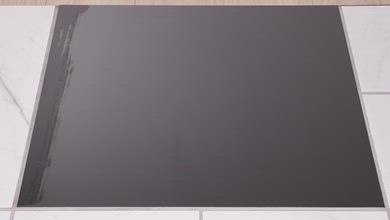
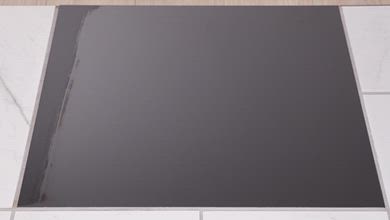
This robot vacuum delivers mediocre pet hair pickup. It struggles to effectively lift pet hair from carpet fibers as the brushroll doesn't make consistent contact with the surface. It leaves a noticeable amount of hair behind in its path and drags some around rather than collecting it.
for videos & test results

The Dyson Spot+Scrub Ai is relatively quiet for a robot vacuum. On bare floors, it's pretty quiet in its Quiet mode and only gets slightly louder in Auto and Boost. On carpet, the noise difference between the settings is minimal, with all three modes producing similar sound levels.
for videos & test results
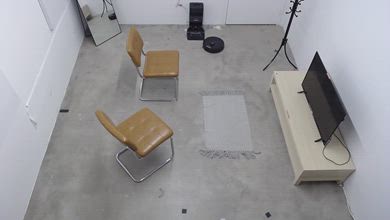
The vacuum has mediocre household adaptability, mainly because its cautious approach to obstacles means it leaves areas uncleaned rather than attempting to navigate around or underneath them. It recognizes furniture and objects well but tends to avoid them entirely, skipping the areas under chairs and coat racks instead of trying to maneuver into them. It also can't fit under low furniture and lacks an extending side brush to reach underneath toe kicks. Rugs with tassels are especially problematic; the vacuum gets caught on them immediately and can't extract itself.
for videos & test results
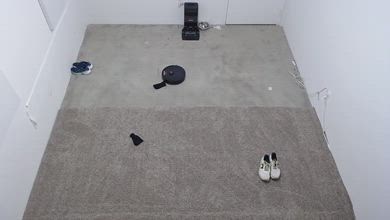
The vacuum has great obstacle avoidance, thanks to its combination of LIDAR for detecting large objects and an RGB camera for identifying smaller items. On carpet, it avoids obstacles more consistently, likely because it moves more slowly and has time to identify them. That said, it also gets stuck or caught more often and requires more manual intervention. On bare floors, it avoids fewer objects outright but rarely needs you to step in and help. A big plus is that it reliably avoids pet waste on both surface types.
for videos & test results
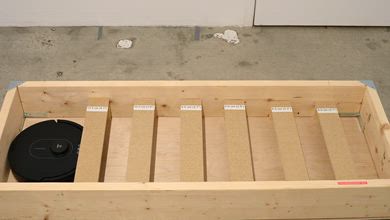
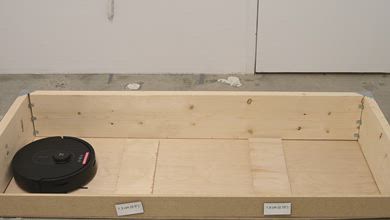
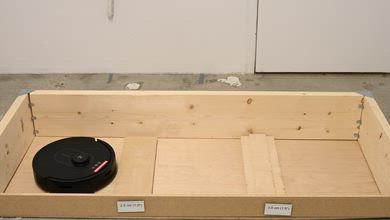
This robovac is too tall to fit under most low-profile furniture like couches, bed frames, and dressers. You'll need to clean those areas manually or move furniture so it can clean those areas.
for videos & test results

for pictures & test results
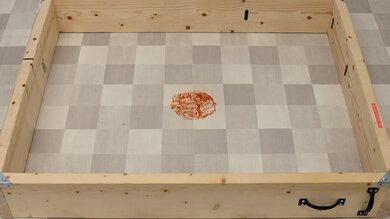
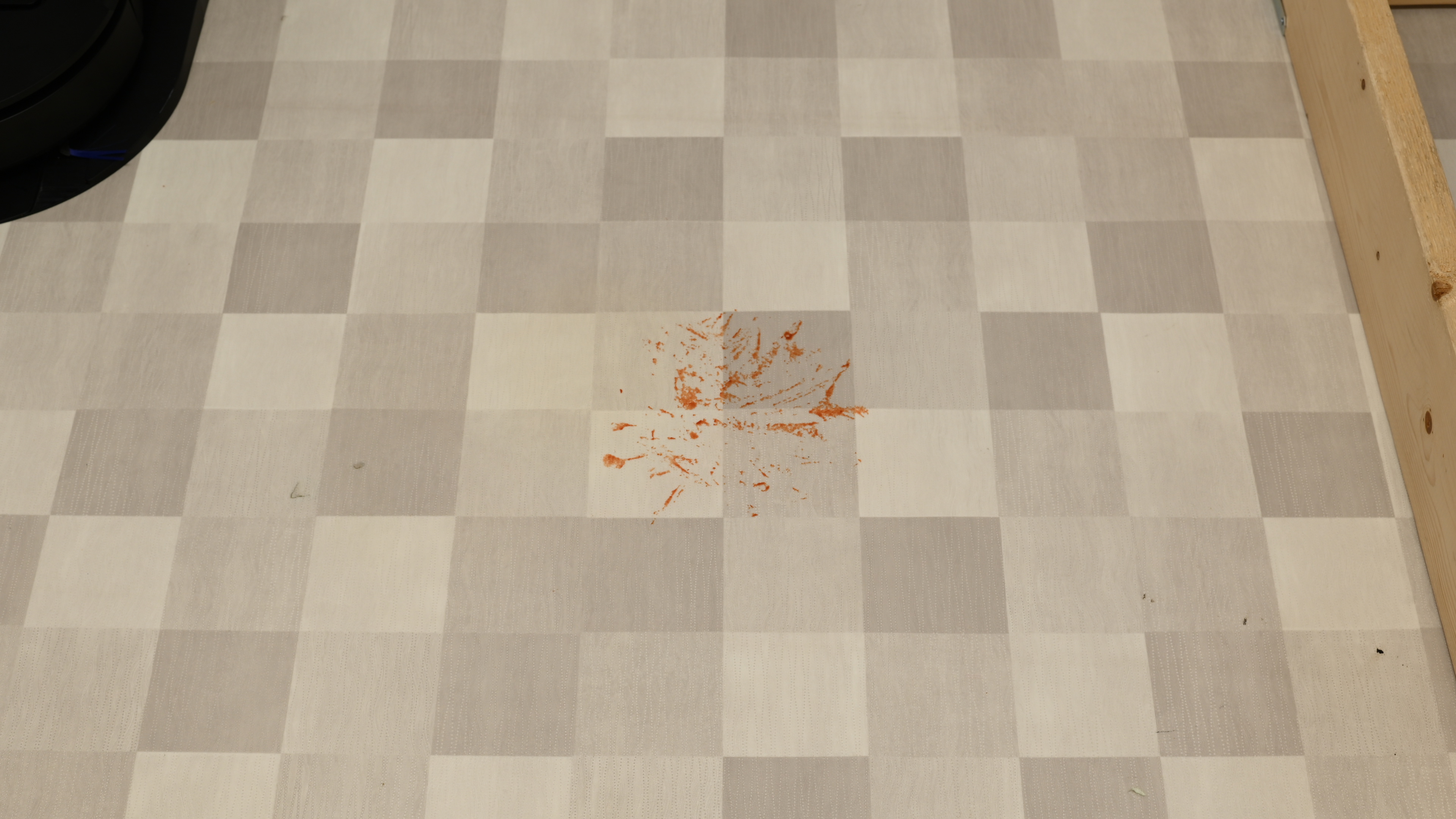
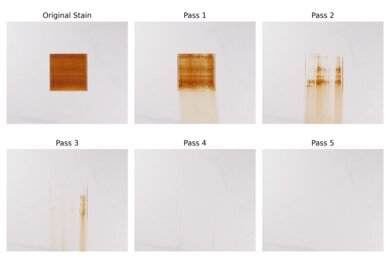
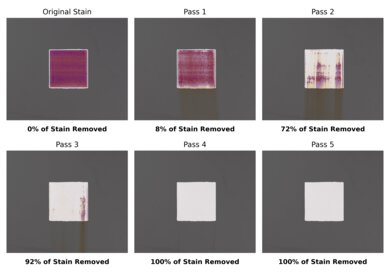
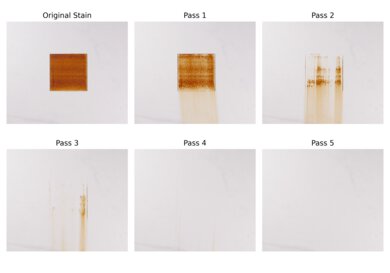
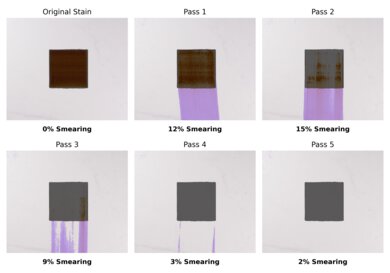
This robovac does a decent job cleaning stains, but its AI feature isn't as thorough as you'd expect. While it detects and identifies stains, it doesn't go back to verify whether they've been removed, so tougher messes often require a second pass. It sometimes interprets certain stain shapes as obstacles and skips over them completely. We had to create an irregularly shaped stain for the vacuum to clean it.
Most of the Dyson Spot+Scrub AI's functionality is dependent on the app, but there are still some options for physical automation. Two on-board buttons cover the basics: the Power button starts, pauses, or turns off the robot, and the Home button sends it back to the dock. Beyond that, you'll need the app to adjust cleaning modes, suction levels, or mopping settings.
for pictures & test results
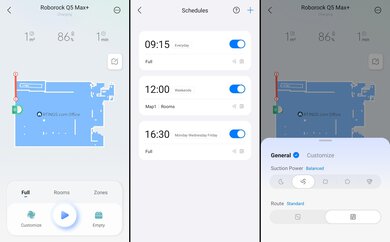
The Dyson app has a decent set of features, but the experience is held back by a cumbersome interface. Basic functions like triggering an auto-empty or mop wash are buried behind multiple menu layers, whereas most competing apps put these controls front and center. Advertising is also quite prominent, with store links appearing in two places and a dedicated "Discover" section that's essentially Dyson ads with no functional value for the robot.
The app also lacks several features that are standard on competing premium robot vacuums, including remote control, camera viewing, carpet-specific settings, floor type customization, obstacle avoidance settings, shortcuts, and child lock. You can see the app in action in our video.