
The iRobot Roomba 694 is an entry-level model within iRobot's lineup of robot vacuums. Compared to higher-end models like the iRobot Roomba i3, it has a far more basic navigational system that relies on random pathing to move around a room, with no room mapping capability and therefore no support for added features like scheduling cleaning sessions for individual rooms. That said, it's a good option if you're looking for a no-frills robot vacuum that you can use without an internet connection.
While there are multiple variants of this vacuum, they only really differ in color and included accessories. Further details on the differences between models are outlined in the Differences Between Variants section of the review.
Our Verdict
- Automatically adjusts its height to the surface.
- Excellent performance on bare floors.
- High recurring costs.
- Struggles with fine debris.
The iRobot Roomba 694 is a poor fit for pet owners. It struggles to pick up pet hair on all surface types and has a very tangle-prone bristled brushroll. It also does a terrible job of sealing in allergens, so it isn't the best choice for those who suffer from allergies. Like many robot vacuums, it has many parts that need regular cleaning and incurs high recurring costs.
- Can be used without an internet connection.
- Automatic power adjustment.
- Automatically adjusts its height to the surface.
- Excellent performance on bare floors.
- Struggles to pick up pet hair on all surfaces.
- High recurring costs.
- Many parts need regular cleaning.
- Struggles with fine debris.
- No HEPA filter.
- Automatically adjusts its height to the surface.
- Excellent performance on bare floors.
- High recurring costs.
- Struggles with fine debris.
- Automatically adjusts its height to the surface.
- Excellent performance on bare floors.
- High recurring costs.
- Struggles with fine debris.
- Automatically adjusts its height to the surface.
- Excellent performance on bare floors.
- High recurring costs.
- Struggles with fine debris.
- Automatically adjusts its height to the surface.
- Excellent performance on bare floors.
- High recurring costs.
- Struggles with fine debris.
Performance Usages
Changelog
- Updated Jun 05, 2025: We've converted this review to Test Bench 1.0, which updates our performance testing to include new tests to evaluate Obstacle Adaptability, Obstacle Avoidance, Height Clearance, and Threshold Clearance. We've also introduced new performance usages. For more information, see our changelog.
-
Updated Nov 26, 2024:
We've updated the review to include text for our performance tests.
- Updated Aug 26, 2024: We've updated the scores in the Hard Floor Pick-Up, High-Pile Carpet Pick-Up, Low-Pile Carpet Pick-Up, and Pet-Hair Pick-Up tests to align with a broader data set. For more information about the reasoning for this update, you can look at our forum post.
- Updated Jul 09, 2024: Converted to Test Bench 0.8.
Check Price
Differences Between Sizes And Variants
There are three variants of this vacuum, but mechanically, they're almost identical and differ only slightly in terms of included accessories and appearance. We tested the 694 variant, and you can see its label here.
| Model Number | Included Accessories | Color | Notes |
| Roomba 690 | 2x AeroVac Filters, Virtual Barrier device | Silver | Mechanically identical to 692 and 694 variant, but uses an older-design top plate with an integrated carrying handle. |
| Roomba 692 | 1x AeroVac Filter | Black | Amazon exclusive variant |
| Roomba 694 | 2x AeroVac Filters | Black |
If you encounter another variant of this vacuum, let us know in the comments, and we'll update our review.
Popular Robot Vacuum Comparisons
The iRobot Roomba 694 is a basic robot vacuum. Even compared to entry-level smart-pathing models like the iRobot Roomba i1, its mapping system is pretty rudimentary, as you can't set up virtual boundary markers or schedule cleaning sessions for individual rooms. However, that isn't to say it's without merit. Its simple design makes it a solid option if you don't want to deal with the hassle of pairing your smartphone to the vacuum, and don't require much in terms of automation features. While it struggles with pet hair and finer debris, it has a surface detection feature that enables it to adjust its brushroll height automatically depending on the floor type it's on.
If you're looking for an alternative, see our recommendations for the best robot vacuums, the best robot vacuums for pet hair, and the best robot vacuums for hardwood floors.
The Shark IQ Robot AV992 and the iRobot Roomba 694 each have advantages, so one might suit you better than the other, depending on your needs. The Shark has a longer battery life, a broader range of automation features, and superior performance on low- and high-pile carpets, especially with pet hair. However, the iRobot feels better built, incurs lower recurring costs, has fewer parts needing periodic cleaning, and recharges much faster.
The iRobot Roomba E5 is a better vacuum than the iRobot Roomba 694. The E5 clears pet hair much more easily and has a better cleaning performance overall on low-pile carpets. That said, the 694 has a better performance on bare floors, and its battery lasts longer.
The Roborock S5 is better than the iRobot Roomba 694. The Roborock has fewer parts requiring regular cleaning, lasts longer on a single charge, comes with a mopping attachment for bare floors, maneuvers itself more effectively, and performs better on bare floors and low-pile carpets. It also has a broader range of automation features. Conversely, the iRobot charges faster.
The Roborock S4 is superior to the iRobot Roomba 694 for most uses. The Roborock has fewer parts needing regular cleaning, a larger dustbin, a longer battery life, and more advanced automation capabilities. It also performs better on bare floors and low-pile carpets and does a better job maneuvering itself. However, the Roborock isn't suitable for cleaning high-pile carpets, unlike the iRobot.
Test Results

for pictures & test results
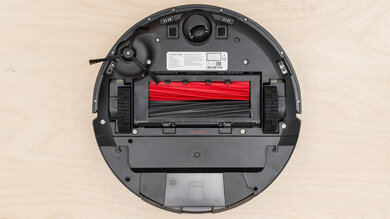
This vacuum feels very well-built. It has a high-grade hard plastic body and drive wheels with a rubber tread. The body feels sturdy, and its removable dustbin is made of thicker plastic than the dustbins found in other robot vacuums in the same price range, like the eufy RoboVac 11S. Out-of-the-box setup is very simple, only requiring you to plug in its docking station.
for pictures & test results
for videos & test results

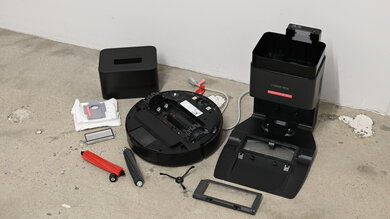
This vacuum has many parts that need regular maintenance.
- Dustbin: You can easily remove the dustbin by pressing the release button. You should empty it into a garbage bin after every cleaning session.
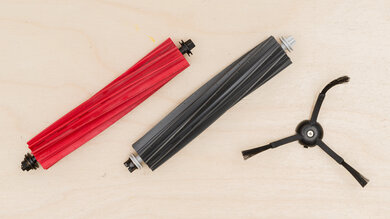
- Brushrolls: You'll need to flip the vacuum over and remove the brushroll compartment door to access the bristle brush and beater brush. The bristle brush has long bristles and can take a while to clean, especially if you have a pet with long hair. You'll also need to remove any tangled hair from both brushrolls' bearings. You should clean them once or twice per week, depending on whether or not you have pets.
- Filter: The filter is located inside the dustbin, and you can pull it out via release tabs. You can clean it by tapping it against the edge of a garbage can. You should clean it once or twice a week, depending on whether or not you have pets. Make sure to remove it and clean it before emptying the dustbin.
- Side brush: You can remove the side brush by unscrewing it from the bottom of the vacuum. Like the bristled brushroll, it's very tangle-prone, with hair getting wrapped tightly around its bearings and trio of arms; you'll need to use a pair of scissors to cut away any long hair, which can be a bit of a hassle. You should clear it of any hair or debris approximately once a month.
- Front wheel: While you can pull the wheel free by hand, you'll probably find this easier by using a set of pliers or a flat-head screwdriver to lever it out of its socket. You should clean it every two weeks. Also, you should clean its socket of any debris to allow it to spin freely.
- Sensors/Charging pads: You should wipe down the sensors and charging pads on the vacuum and dock station with a dry cloth once a month.
for pictures & test results
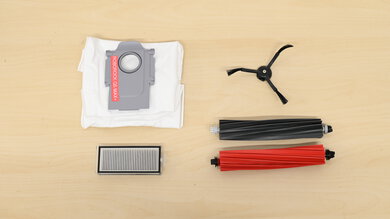
This vacuum incurs high recurring costs.
- Filter: You should replace the filter every two months. You can find a three-pack of replacements here.
- Brushrolls: You should replace the brushrolls every six to 12 months. You can find a replacement head unit (which includes both rollers) here.
- Front wheel: You should replace the front wheel every 12 months. You can find a replacement here.
You can buy all these parts together as a single 'Replenishment Kit', as seen here.
for pictures & test results
for pictures & test results
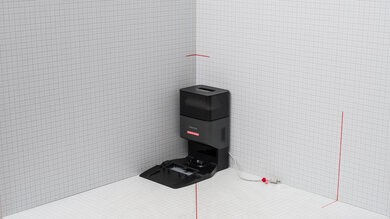
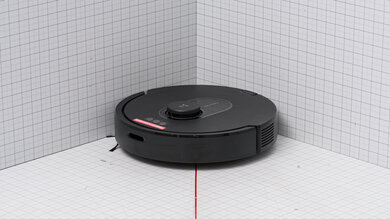
This is a fairly compact robot vacuum. The lack of a LIDAR mapping sensor allows it to fit under obstacles with less difficulty than alternatives with LIDAR sensors like the Wyze Robot Vacuum.
for pictures & test results
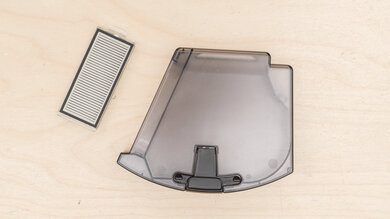
This vacuum's internal dirt compartment is moderately sizeable as far as robot vacuums go. If you're leaving the vacuum to clean up very small, lightweight debris, you won't necessarily have to empty it at the end of every single cleaning session.
for pictures & test results
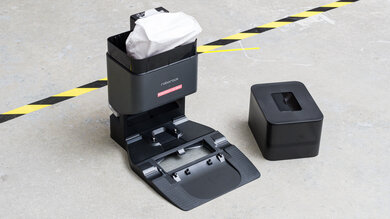
This vacuum only has a simple charging dock and no self-emptying capability.
for pictures & test results
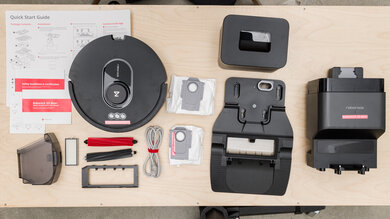
- iRobot Roomba 694/692/690 Robot Vacuum
- AeroVac dirt compartment
- 2x AeroVac filter (1x AeroVac filter is included with 692 variant)
- Beater brush
- Bristle brush
- Charging dock
- Charging cable
- User guide
The following accessory is exclusive to the 690 model:
- Virtual Barrier device
This vacuum offers outstanding battery performance. This vacuum has a surface detection feature that automatically adjusts its suction power depending on the floor type that it's on. As such, its battery life can vary significantly depending on the mix of carpets and bare floors in your home. If you have a home with minimal carpeting, it can provide over two hours of runtime on a single charge. There's a battery indicator light on top of the vacuum, and you can also see the battery level through its companion app.
for pictures & test results
This vacuum has a few quality-of-life features. It has a surface detection feature that allows it to change its suction power automatically depending on whether the vacuum is cleaning bare floors or high-pile carpet, or when it passes over an especially dirty area. Its head also changes height on carpeted floors.
for pictures & test results

for videos & test results

for pictures & test results
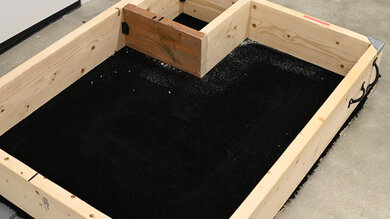
The iRobot Roomba 694 robot vacuum does a decent job cleaning high-pile carpets. Though its side brushes tend to throw around some debris, this vacuum can clean most large and medium size debris. Fine debris tends to remain in the carpet fibers, and it struggles to clean along walls and in corners as well.
Unfortunately, this vacuum's cliff sensors kept triggering on our black test carpet. We tried to cover the sensors with paper, tinfoil, and white tape, but the issue persisted. Finally, we created a conical-shaped tape cover. This isn't a solution we recommend for day-to-day use, but it's something to keep in mind if you have dark carpets.
for videos & test results

for pictures & test results
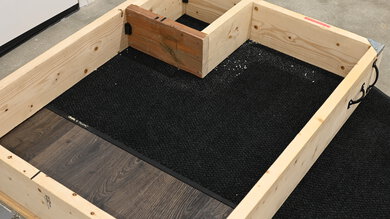
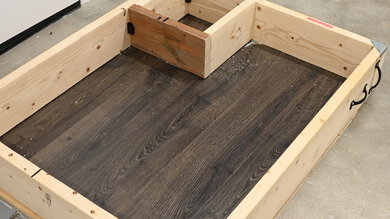
The iRobot Roomba 694 does a bad job cleaning low-pile carpet. Its side brushes toss around a lot of debris, and it struggles to clean along walls and in corners. As a result, you'll need to run multiple cleaning cycles.

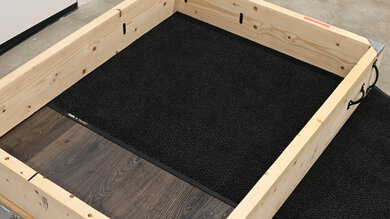
for videos & test results

Airflow performance is poor, though the iRobot 694's performance in this regard is far from unusual when compared to most other budget-friendly robot vacuums. It'll have a hard time lifting up large amounts of debris.
for videos & test results

This vacuum is very quiet, and you won't have to speak very loudly to be heard over the sound of its motor, even if it's cleaning within the same room. However, its wheels are somewhat squeaky, even in the absence of any significant obstructions.
for videos & test results
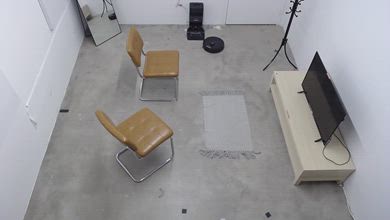
This vacuum does a decent job of maneuvering itself. Despite the lack of room mapping capability, it's impressively thorough when it comes to coverage; while it might clean some areas more than once, it seldom misses other areas entirely. Still, you might want to consider something like the iRobot Roomba i1 if you're looking for an entry-level robot vacuum with smart pathing. The iRobot 694's small size lets it fit under furniture like couches and low tables. While it can move freely from bare floors to rugs, it can sometimes get caught on rug tassels. Thankfully, it can climb over low-lying obstacles like electrical cords, but it might push them around a bit.
for videos & test results
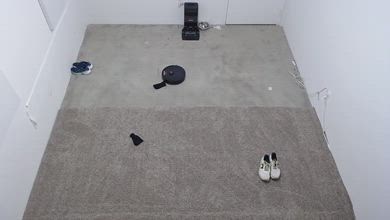
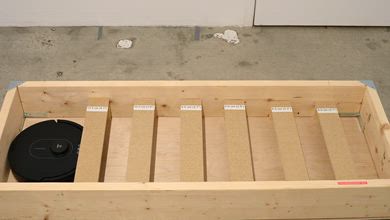
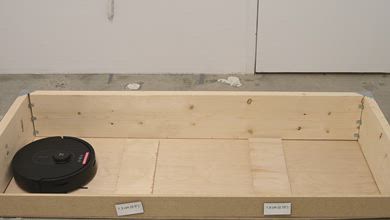
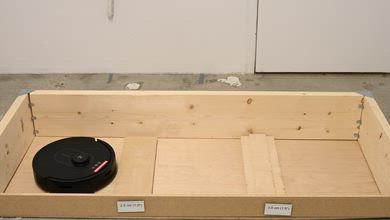
for videos & test results

Unlike the iRobot Roomba i1, which is equipped with a high-efficiency filter, this vacuum does a terrible job of sealing in fine allergens like pet dander.
for videos & test results

for pictures & test results
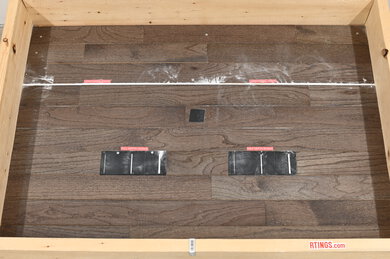
This vacuum does terribly when it comes to sucking up debris in cracks and crevices. Like a lot of low-powered robot vacuums, it doesn't exert enough suction force to draw out debris from deeper crevices, and its bristled brushroll is ineffective in helping to lift debris.

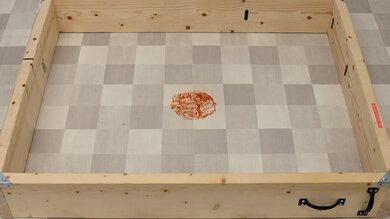

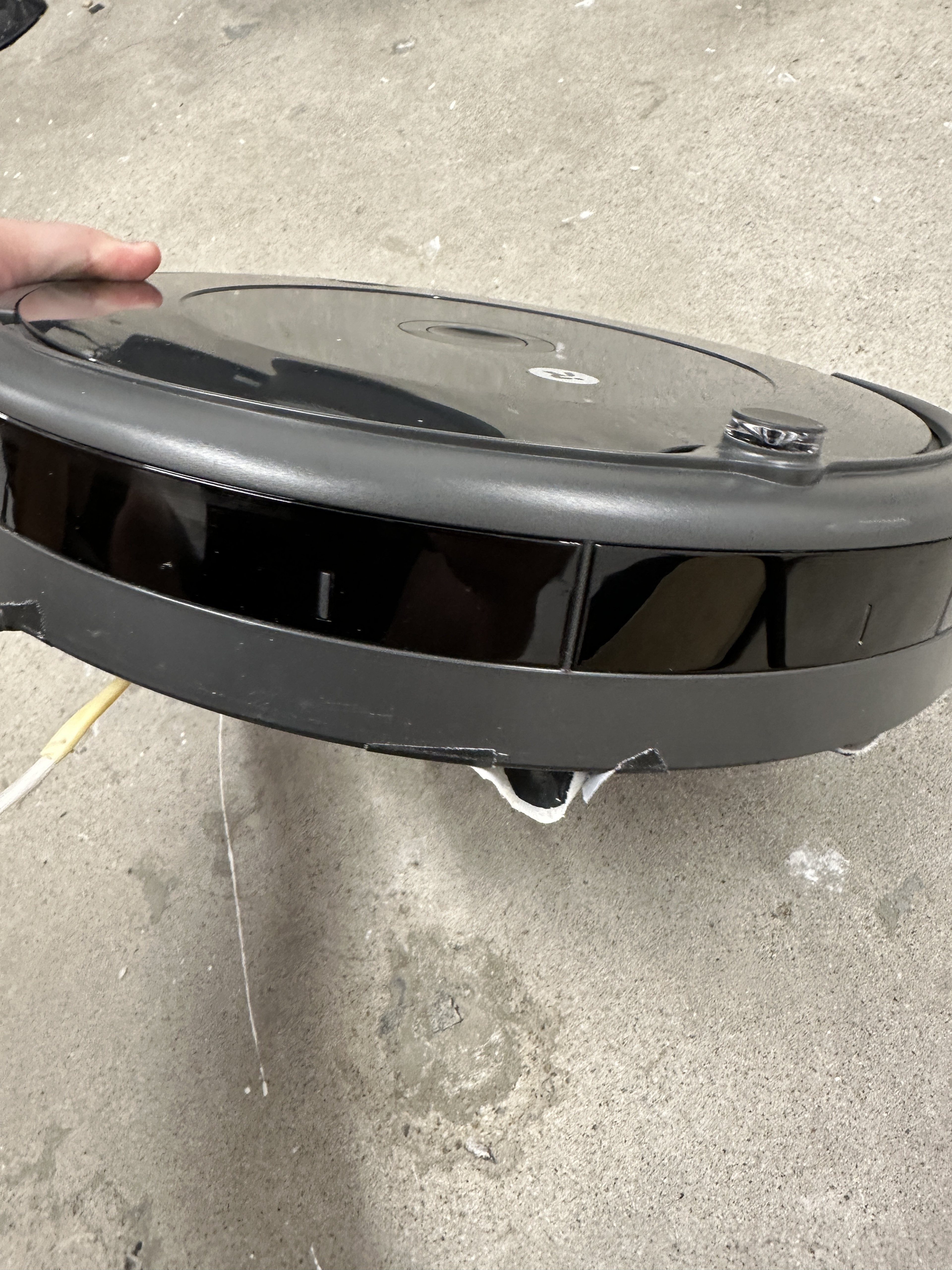
for pictures & test results
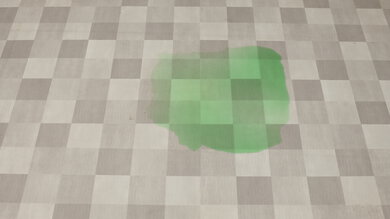
This vacuum isn't designed to clear away liquid spills.
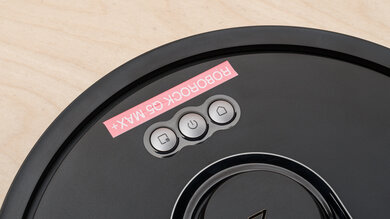
The iRobot 694 has okay physical automation features. There are a trio of buttons on its top cover. The 'Clean' button has it start a cleaning session, the 'Dock' button has it return to its docking station, and the 'Spot Clean' button has it vacuum a small area. You can also set up voice commands with Alexa or Google Home devices. It's also compatible with magnetic boundary strips, which you can lay down to stop the vacuum from going to certain areas, but none are included, and they'll have to be purchased separately at an additional cost. That said, the older 690 model comes with a Virtual Barrier device that you can use to keep the robot from entering certain rooms. Unlike the iRobot Roomba i1, it isn't compatible with self-emptying docking stations, which would reduce hands-on maintenance requirements. Due to the lack of any sort of advanced mapping capability, there's no recharge and resume capability either, which would allow it to pick up a cleaning session from where it left off if it needed to return to its base station.
for pictures & test results
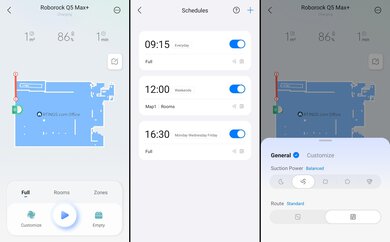
The iRobot HOME app is pretty comprehensive. You can use it to start and stop the vacuum, check the battery, schedule cleaning times, and get the vacuum to return to its charging dock. However, unlike the Wyze Robot Vacuum, this vacuum doesn't map out its coverage area, which would allow you to set up virtual boundary markers or schedule cleaning sessions for individual areas.