
The Roborock S7 MaxV is a highly advanced robot vacuum and the flagship model of Roborock's extensive robovac lineup. It's effectively an upgraded version of the standard Roborock S7, with a more powerful suction motor and a dual-spectrum mapping and navigation system that's very similar to the Roborock S6 MaxV. It combines a LIDAR sensor array to quickly map out its coverage area with a pair of cameras with 3D scanning capability to identify and react to hazards like pet waste, footwear, or rugs and carpets in real time. You can also look through the cameras to keep an eye on things at home while you're away. It features the standard S7's ultrasonic mopping capability to help scrub away dried debris on hard surfaces.
Our Verdict
The Roborock S7 MaxV is acceptable for a multi-surface household. Its performance on hard floors is great, but it doesn't do quite as well on carpet since it lacks the surface agitation to pick up fine material. This also makes picking up pet hair from carpet difficult, so it does an inadequate job of that task. Its obstacle handling is reasonable—it navigates around a room it's mapped in advance with its LIDAR sensor pretty well and generally detects and avoids objects on bare floors, but it doesn't perform object detection as well on carpet. This robot vacuum is only equipped with a basic, charging-only dock. Though the dock won't help maintain the mopping system, this vacuum does a reasonable job mopping up stains.
Good obstacle avoidance on bare floors.
Thoroughly picks up all debris on floors.
Good debris pickup along wall edges on hard floor surfaces.
Good medium and large debris pickup on carpets.
Struggles with pet hair and fine debris on carpet.
Leaves material along edges and in corners on carpeted floors.
Pet hair ends up being pressed into carpet or dragged around and redeposited.
Obstacle avoidance system works poorly on carpet.
The Roborock S7 MaxV does a poor job dealing with pet hair on most floors. While it has little trouble dealing with pet hair on bare floors, it can have a hard time on low-pile carpets and rugs. Thankfully, its ultrasonic mopping module is useful for tackling dried-on stains, like dirt that your pet might track in from outdoors. Its 'ReactiveAI 2.0' obstacle recognition system lets it identify and maneuver around hazards like pet waste. The remote viewing function lets you keep tabs on your pet while you're away from home, and you can also speak to it through the built-in speakers. It can be rather noisy at higher power levels, which isn't ideal if your pet is sensitive to loud noises. It also isn't particularly effective at sealing in fine particles like pet dander. Its side brush and brushroll are tangle-prone, but thankfully, you can easily clean them.
- Wide array of cleaning configuration options.
- Poor air filtration performance.
- Noisy at higher suction levels.
Struggles with pet hair on carpet.
- Quite a few parts need regular cleaning when used as a standalone vacuum.
- Incurs high recurring costs.
The Roborock S7 MaxV is very good at hard floor pick-up. It's thorough in cleaning hard floors, systematically covering the entire area and removing all fine, medium, and large debris. It only leaves a little material in corners.
Thoroughly picks up all debris on floors.
Good debris pickup along wall edges on hard floor surfaces.
The Roborock S7 MaxV does a reasonable job picking up material from low-pile and high-pile carpets. It does a fair job picking up medium and large debris from carpets, though it leaves some material at wall edges and in corners. It doesn't work as well removing fine material from carpets since its brushroll doesn't provide enough agitation to loosen fine material so that it can be sucked up.
- Effective surface detection system.
Good medium and large debris pickup on carpets.
Doesn't pick up fine material from carpets.
Leaves material along edges and in corners on carpeted floors.
The Roborock S7 MaxV is inadequate for picking up pet hair. Its single rubber-vaned brushroll doesn't provide enough surface agitation to lift pet hair out of carpeted surfaces. Some pet hair that does come detached but doesn't get sucked up ends up either being pressed in or moved around and redeposited.
Struggles with pet hair on carpet.
Pet hair ends up being pressed into carpet or dragged around and redeposited.
The Roborock S7 MaxV does alright at obstacle handling. It's satisfactory at navigating and negotiating around large obstacles in a room that it's mapped with its LIDAR sensor. Its obstacle avoidance system functions well, especially on bare floors, where it identifies and avoids large and small obstacles. This system doesn't work as well on carpeted floors though, where it frequently fails to identify objects and avoid them.
Good obstacle avoidance on bare floors.
Obstacle avoidance system works poorly on carpet.
Performance Usages
Changelog
-
Updated Jul 17, 2025:
We added new types of obstacle avoidance technology to the Obstacle Avoidance test box.
-
Updated Apr 16, 2025:
We've added text to this review for the new tests added in Test Bench 1.0.
- Updated Apr 16, 2025: We've converted this review to Test Bench 1.0, which updates our performance testing to include new tests to evaluate Obstacle Adaptability, Obstacle Avoidance, Height Clearance, and Threshold Clearance. We've also introduced new performance usages. For more information, see our changelog.
-
Updated Mar 05, 2025:
We added the Dyson 360 Vis Nav as an example of a robot vacuum with greater suction due to its lower-mounted air inlet.
Check Price
Differences Between Sizes And Variants
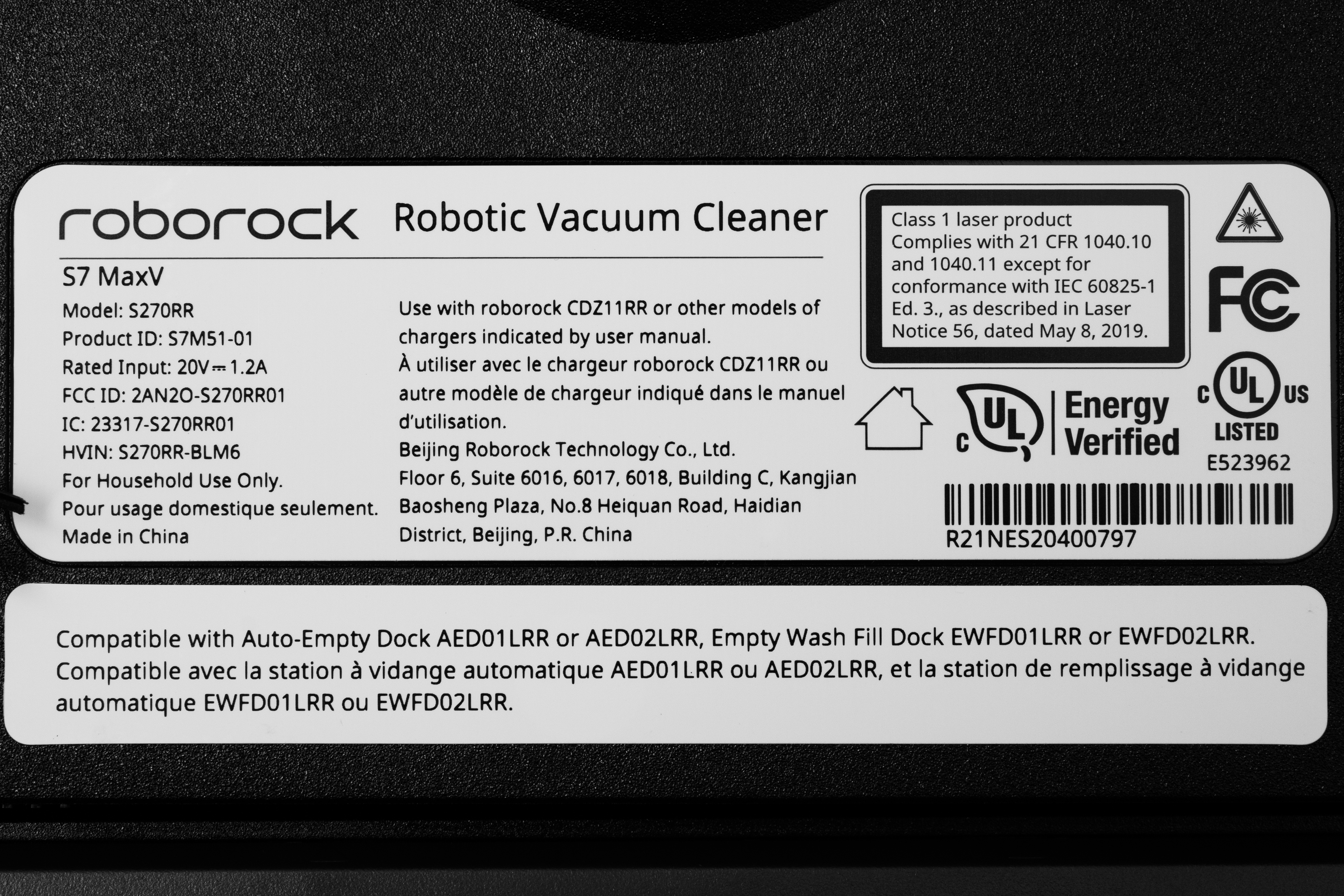
The Roborock S7 MaxV comes in three variants, though the vacuums are identical and vary only in terms of the base station. The Roborock S7 MaxV Ultra is the flagship model, as it comes bundled with the Empty Wash Fill Dock that can automatically wash the vacuum's mop pads, refill its water tank, and suck debris from its internal dustbin. The Roborock S7 MaxV Plus comes with the more basic Auto-Empty Dock that only empties debris from its dustbin. Finally, the Roborock S7 MaxV is a simple standalone unit with no base station included. It's the variant that was tested, and you can see its label here. You can purchase this vacuum in 'Black' or 'White'.
Let us know in the comments if you come across another variant of this vacuum, and we'll update our review.
Popular Robot Vacuum Comparisons
The Roborock S7 MaxV is a high-end robot vacuum. In terms of automation capabilities, it's a significant step up over the standard Roborock S7; the addition of a dual-camera system allows it to identify and adjust to different types of rooms or to spot and avoid hazards like pet waste, slippers, or power cables, so you don't have to worry too much about keeping your floors spotless before letting it run. It can also be used as a roving security camera, while the onboard speakers and mic enable you to communicate with anybody in your home while you're away. It's also fully compatible with a self-emptying station that can refill its water tank and wash its mopping pads, similar to the Narwal T10.
If you're looking for alternatives, consider our list of recommendations of the best robot vacuums, the best robot vacuums for hardwood floors, and the best robot vacuums for carpet.
The Roborock S8 Pro Ultra is a slight improvement on the Roborock S7 MaxV, though the latter is still a good option. The S8 Pro Ultra's brushroll lifting system prevents its rollers from getting dirty as it mops, though the mopping system isn't quite as effective as that of the S7 MaxV. The S8's twin brushrolls also make it far more effective in dealing with pet hair, and its fast-charging system means that it can replenish its battery much faster than the older S7. Meanwhile, the S7 MaxV has a color camera instead of an infrared system, and you can use it as a roving security camera by looking through its camera in its companion app. The S7 MaxV also has a removable water tank instead of the built-in component found on the S8 Pro Ultra, making it easier to check and clear out blockages. Lastly, while we didn't test it in this configuration, it's worth noting that you can bundle the S7 MaxV with a multi-function dock that's similar to the one bundled with the S8 Pro Ultra.
The Dreame L10s Ultra and the Roborock S7 MaxV are both hybrid vacuum mops with relatively advanced real-time hazard avoidance systems. That said, you'll need to upgrade to the pricey Roborock S7 MaxV Ultra to get something that's bundled with a multifunction docking station. Meanwhile, the Roborock does deliver superior debris-pickup performance on most surface types, and its mopping system does a better job of scrubbing away stains.
The Roborock S7 MaxV is better than the Roborock S7. The MaxV's 'ReactiveAI 2.0' system allows it to identify obstacles in real-time, determine what kind of room it's in, and suggest different suction or mop settings. It also has a stronger suction motor, improving pet hair pickup, especially on bare floors. While the standard S7 is compatible with Roborock's Auto-Empty dock, you can currently only buy the Empty Wash Fill Dock with the MaxV, which not only empties its dustbin but washes its mopping pads and refills its water tank.
The Roborock S7 MaxV is better than the eufy X10 Pro Omni. The Roborock feels better built and does a considerably better job of dealing with debris on most floor types. It's also better at maneuvering itself and has an even more fleshed-out companion app.
Test Results
for pictures & test results
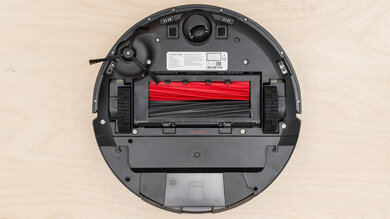
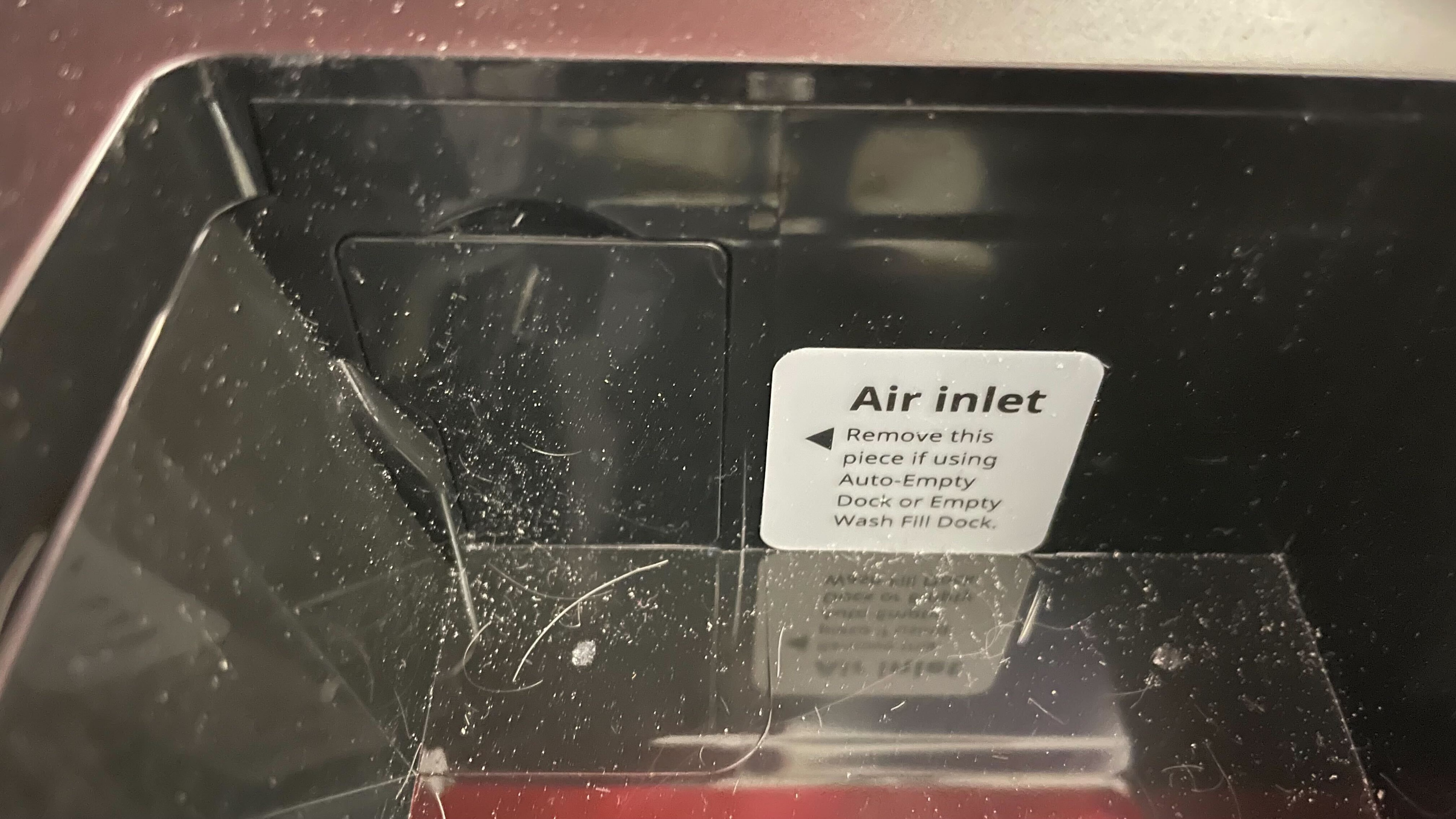
The Roborock S7 MaxV feels amazingly well-built. It feels very similar in build to the older Roborock S7, with a high-grade plastic body accented with a few metallic and glossy components and a rubber brushroll without any bristles. The matte-finish top plate lifts, enabling you to access the dirt compartment, the Wi-Fi indicator light, and a system reset button. You can use the vacuum's companion app to project your voice through a set of built-in speakers, which also provide current status updates. There's also a removable air inlet cover, which you can remove when using the vacuum with a self-emptying dock.
The out-of-the-box setup isn't too difficult. You need to download the Roborock companion app to complete the setup process and pair the vacuum with its docking station. The mopping module can be left on the vacuum and is quite easy to set up too.
for pictures & test results
for videos & test results

The Roborock S7 MaxV has quite a few parts that need regular cleaning, but thankfully most components are easy to access.
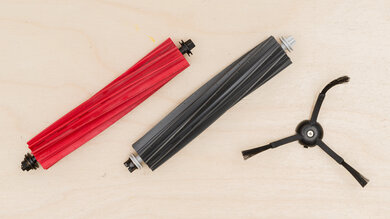
- Brushroll: The brushroll can be pulled out by first removing the brushroll guard under the vacuum. You can remove the brushroll bearings to slide off any stuck-on debris or hair wraps. You should do this every two weeks.
- Dirt compartment: The dirt compartment can be removed by lifting the back cover and pressing the two release tabs. The vacuum provides an audio notification to tell you when the dirt compartment has been removed or re-seated in its housing. You should empty it once a week or whenever you notice that it's full. If you buy either the pricier Roborock S7 MaxV Plus or Roborock S7 MaxV Ultra models, debris is sucked from its dirt compartment into an external dustbin on its charging dock. You can also wash the dirt compartment under water to remove any stuck-on debris.
- E11 Filter: The filter is located under the top cover of the dirt compartment. You should wash it under water every two weeks.
- Side brush: The side brush can be removed from under the vacuum with a screwdriver. Clean any hair wraps or stuck-on debris once a month. However, it's pretty tangle-prone, so you might need to clean it more often than that, especially if you have a pet with long hair.
- Omni-directional wheel: The directional wheel can be pulled out of the socket, though the manufacturer recommends using a screwdriver to remove the wheel axle. Clean it whenever you notice a buildup of debris.
- Mop cloth: The mopping cloth can be removed from its mounting plate and slid out. You should clean it under water after each use.
- Water tank: You can pull the water tank out from the back of the vacuum. You can clean it as required by filling it with clean water, shaking it gently, and then pouring out the dirty water.
Any part washed with water should be allowed to dry for at least 24 hours before being put back in the vacuum. Consider the Roborock Q5 if you want a robot vacuum with fewer parts that need periodic cleaning and you don't mind missing out on a mopping feature.
for pictures & test results
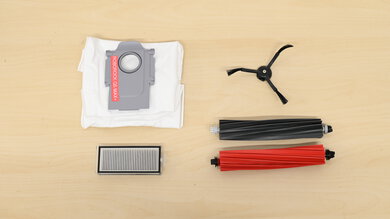
The Roborock S7 MaxV incurs high recurring costs.
- Brushroll: The brushroll needs replacing after 300 hours of use or every six to 12 months. A replacement can be purchased here.
- Side brush: The side brush has a service life of 200 hours. You can buy a replacement here.
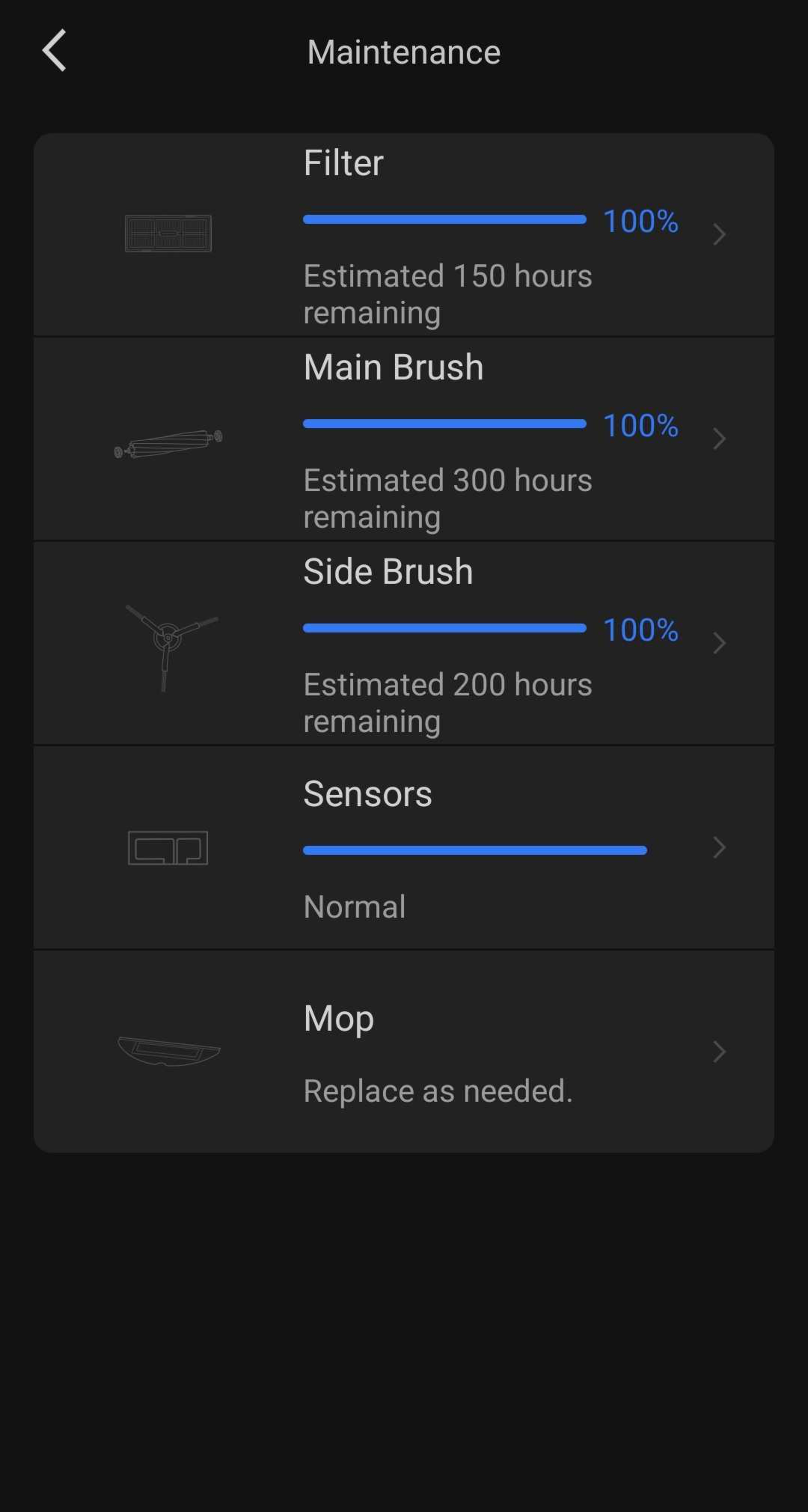
- E11 filter: The filter needs replacing following 150 hours according to the maintenance tab of the companion app. You can buy replacements in packs of two here.
- Mop cloth:The mop cloth should be replaced every three to six months. Replacements can be bought in packs of two, as seen here.
Most parts are sold through Roborock's Amazon store, and you can use the 'Maintenance' tab in the vacuum's companion app to check the estimated remaining service life of each part.
for pictures & test results
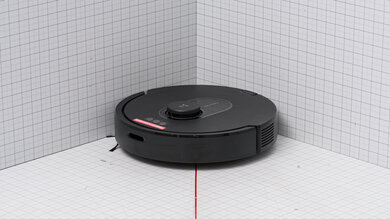
for pictures & test results
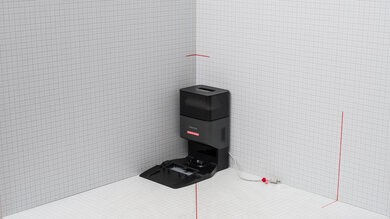
The basic Roborock S7 MaxV takes up very little room. It has very similar dimensions to the older Roborock S7, and its basic charging dock is pretty low profile. It also comes with a moisture-proof pad that can be seated under the charging dock to prevent your floor from getting wet after the vacuum has finished a mopping session. It's worth noting that the Roborock S7 MaxV Plus and Roborock S7 MaxV Ultra models come with much larger docking stations, especially the Ultra model, which comes with a multifunction dock that's wider than the one included with newer Roborock models, like the Roborock Qrevo. This larger footprint can make it a little harder to fit in narrower spaces.
for pictures & test results
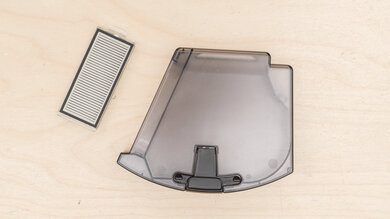
Like a lot of other hybrid mop/vacuum units, the Roborock S7 MaxV's internal dirt compartment is pretty small, with its internal water tank cutting into space normally reserved by the dustbin. As a result, you'll need to empty its dirt compartment at the end of almost every cleaning session. If this is a significant concern, it might be worth spending more on the S7 MaxV Plus or S7 MaxV Ultra models instead, which come with docks that offer self-emptying capability.
for pictures & test results
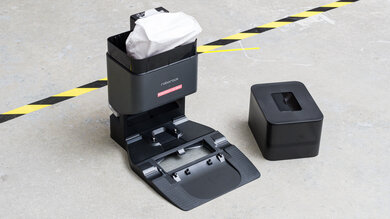
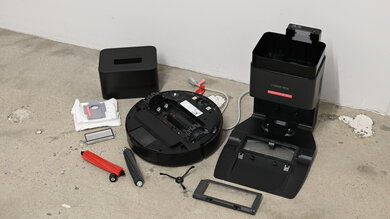
The standard Roborock S7 MaxV only comes with a simple charging rack. Upgrading to the mid-range S7 MaxV Plus nets you an Auto-Empty Dock that only empties debris from the vacuum's dustbin into a 3.0L dustbag inside the docking station. Lastly, the top-tier S7 MaxV Ultra comes bundled with the Empty Wash Fill Dock, which can automatically wash the vacuum's mop pads, refill its water tank, and suck debris from its internal dustbin. This latter product has been discontinued. If you want a robot vacuum that's bundled with a similarly-capable dock, the Roborock Qrevo Pro is a good option.
for pictures & test results
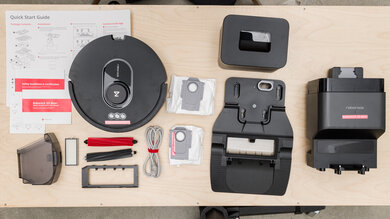
- Roborock S7 MaxV vacuum
- Dirt compartment
- Water container
- 1x E11 filter
- Rubber brushroll
- Brushroll guard
- Mopping module
- 1x Mopping cloth
- Recharge station
- Charging cable with Velcro strap
- Moisture-proof mat
- User guide
The Roborock S7 MaxV has amazing battery performance. It can run for over three and a half hours in its energy-efficient 'Quiet' mode, which comfortably exceeds the advertised claim of 180 minutes. It gives the vacuum enough time to clear away lightweight debris in large areas. If you need more power for cleaning thicker carpeting and heavier debris, using it in its high-power 'Max+' mode drops its runtime to just under 90 minutes, which is still quite lengthy. The vacuum stops its cleaning task once its charge level drops below 20%, at which point its battery life indicator light turns red, and the vacuum attempts to make its way back to its charging station.
for pictures & test results
As a flagship robot vacuum, the Roborock S7 MaxV has many quality-of-life features.
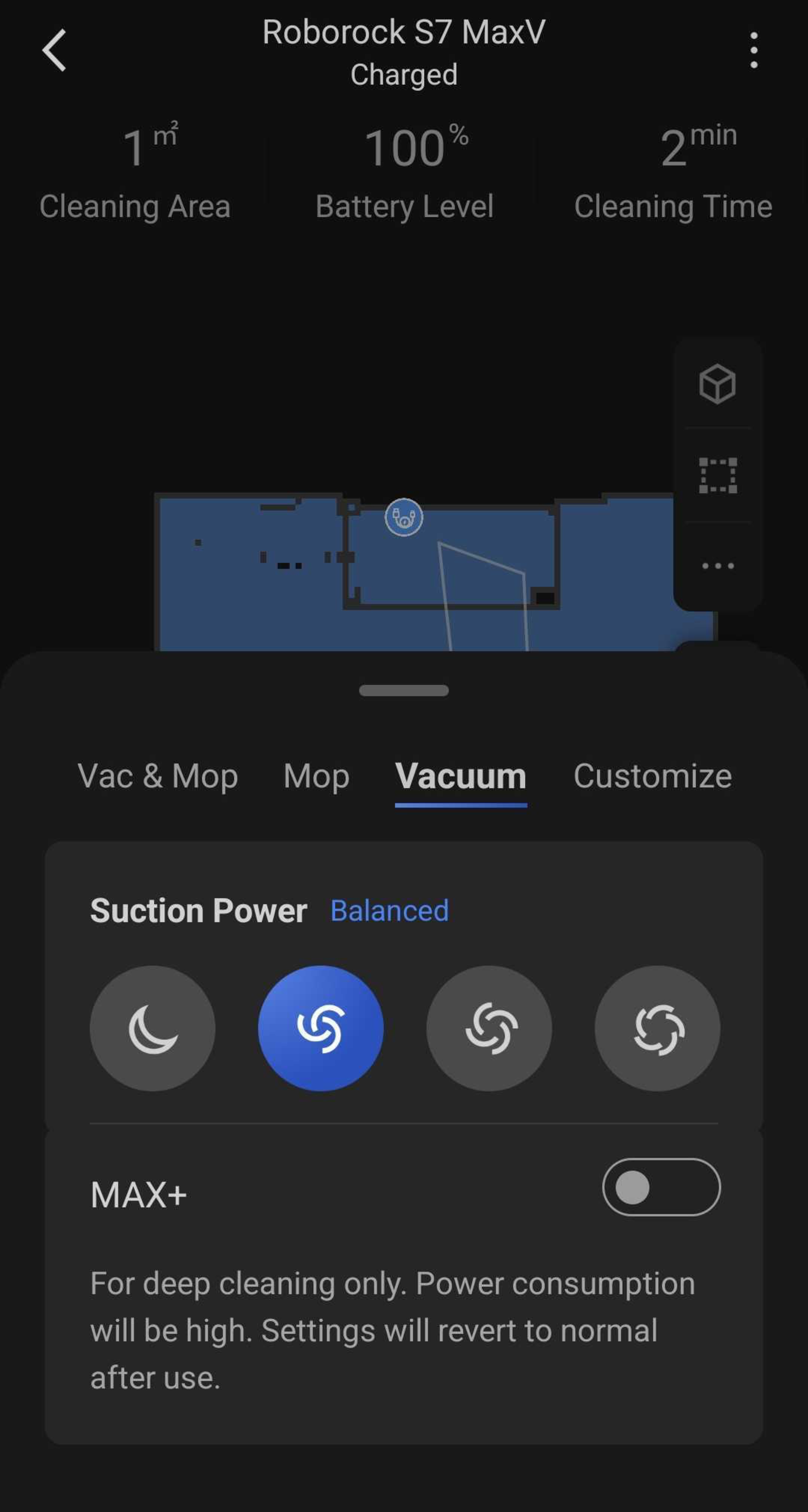
It features five different suction power modes: the energy-efficient 'Quiet' mode, the default 'Balanced' mode, 'Turbo', 'Max', and 'Max+' which is meant for cleaning extremely stubborn debris. Running the vacuum in its 'Balanced' mode allows it to automatically change its power level.
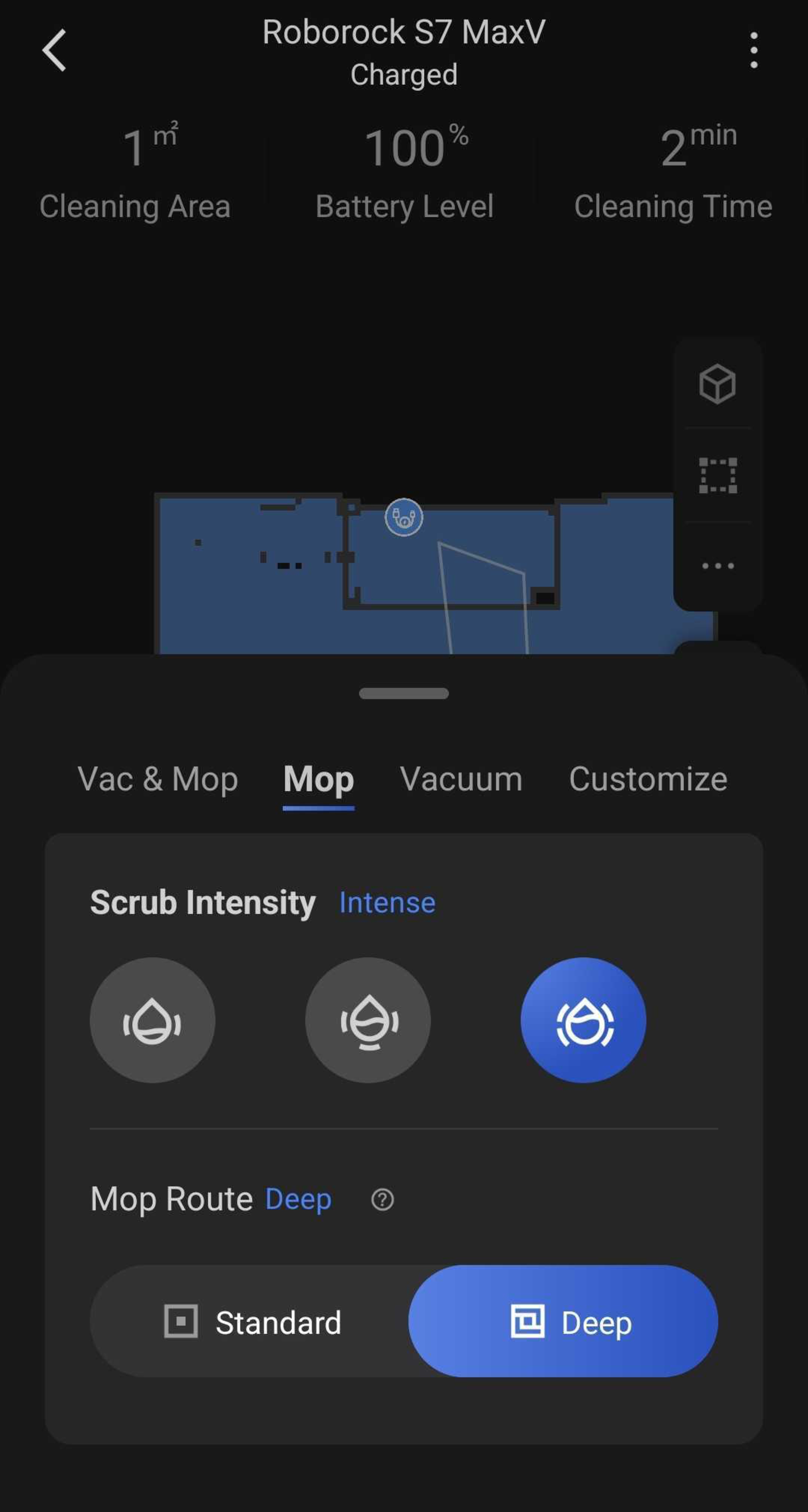
There are a variety of mopping options too. You can swap between three levels of scrubbing intensity: 'Mild,' 'Moderate,' and 'Intense.' There are also two modes of mop pathing: 'Standard' for moderately intensive cleaning sessions and 'Deep', which minimizes the vacuum's suction power and causes the vacuum to move in a tight Z-shaped pattern, resulting in more thorough room coverage.
It can identify the type of room that it's in based on the furniture within, and can automatically suggest a given suction setting or mop scrubbing intensity for different types of areas, like bedrooms, kitchens, or bathrooms. An LED headlight at the front of the vacuum turns on in low-light environments, ensuring that the RGB camera and 3D scanner can still identify obstacles in the dark.
It can also lift its mop pad whenever the vacuum moves over carpet. 'Carpet Mode,' which you can enable through its companion app, automatically boosts its suction power on carpeted floors, increases the rotational speed of the side brush when cleaning along walls, and slows it down when the vacuum is positioned in the middle of a room.
for pictures & test results

for videos & test results

for pictures & test results
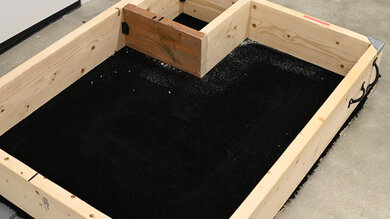
This vacuum does a good job of handling debris on high-pile carpet. It's good at dealing with most kinds of debris, but you'll likely need to clean up some remaining debris along walls and in corners by either running another cycle or using a manually operated vacuum.
It's worth noting that this vacuum can have trouble navigating on dark-colored carpets, which can trigger the cliff sensors and cause the vacuum to stop moving. We got around this issue in testing by covering the cliff sensors with white gaffer tape, but you shouldn't do this in real-world usage.
for videos & test results

for pictures & test results
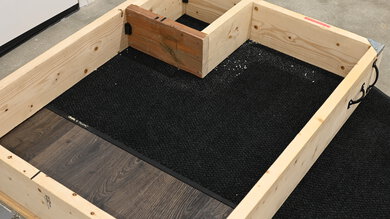
This vacuum provides okay debris pickup performance on low-pile carpet. It's good at dealing with large and medium-sized debris like cereal or rice, but it really struggles with finer material that's been pressed into carpet fibers, especially along walls and in corners.
for videos & test results

for pictures & test results
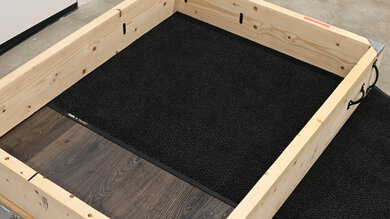
This vacuum does a poor job of dealing with pet hair on low-pile carpet. While it clears away lighter strands that are barely resting on carpet fibers, some hair gets stuck on the brushroll and is left to drag along the floor, where it can get stuck again.
for videos & test results

This vacuum's airflow performance is okay for a robot vacuum. It falls slightly short of the newer Roborock Q Revo, but still isn't likely to have a hard time lifting heavier debris away.
for videos & test results

On average, the Roborock S7 MaxV isn't too noisy, though this depends heavily on what mode you have it in. At just 57.5 dBA, it's extremely discrete in the low-power 'Quiet' setting, and you can easily have a conversation with people nearby while the vacuum is running. However, it's considerably louder in more powerful settings. When used in its default 'Balanced' mode, the vacuum can automatically increase its suction power to 'Max' when cleaning carpeting. At over 80 dBA, it's more than loud enough to drown out the sound of nearby conversations. If low operating noise is a significant consideration in purchasing a robot vacuum, the Roborock Q Revo is certainly worth a look.
for videos & test results
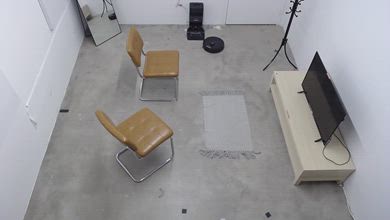
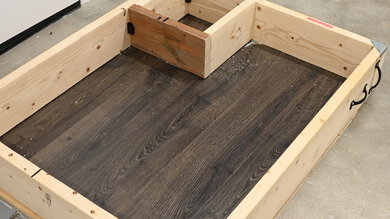
This robot vacuum performs decently in navigating rooms it's mapped with its LIDAR sensor. It adapts pretty well to obstacles it detects with its 3D structured light and camera system. Its pathing is efficient, and it has no problem getting under furniture and thoroughly cleaning without getting stuck. It occasionally contacts objects like floor-length mirrors but usually recognizes them as obstacles and avoids them.
It tends to nudge tall, thin objects like coat racks and initially pushes them around a little, but often marks them as obstacles and gives them just enough clearance.
It doesn't fare well with loose rugs with tassels. It may fail to recognize these as obstacles and sucks them up, getting stuck on them and requiring intervention.
for videos & test results
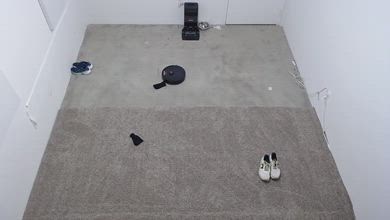
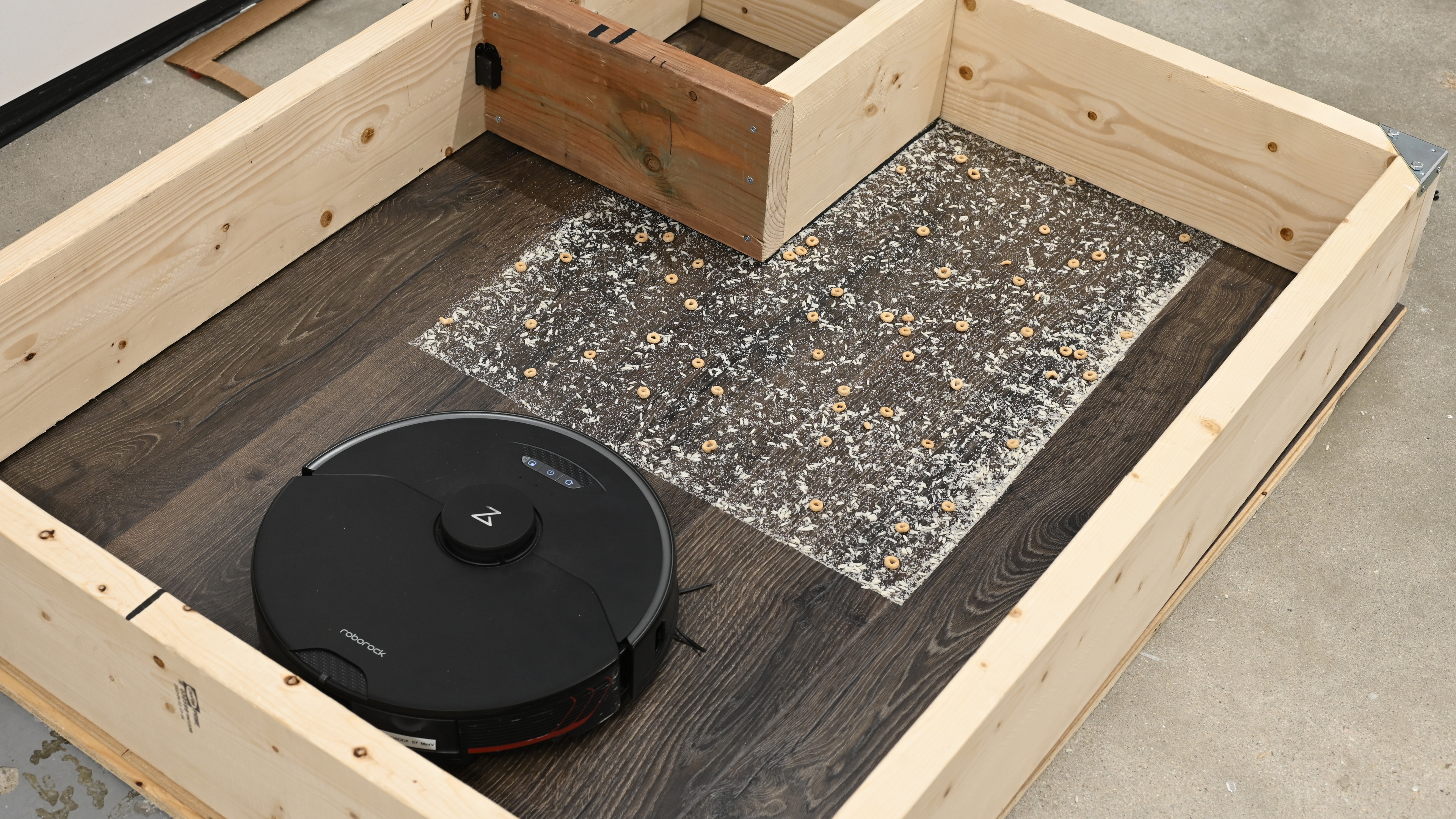
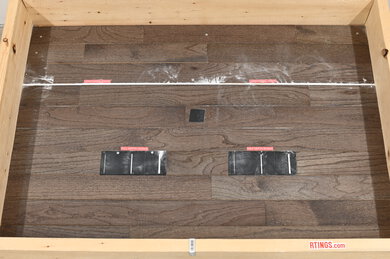
This robot vacuum has passable performance overall at avoiding obstacles. It uses both 3D structured light and cameras for object detection. This system is very effective on bare floors, where it avoids almost all objects. It rarely even touches them and usually gives them adequate clearance. It may contact loosely coiled extension cords, but shouldn't get caught on them.
Its performance is much worse on carpets. It often gets caught on USB cables, needing manual intervention. It sometimes runs over socks and pulls them into its brushroll. It usually recognizes larger objects like shoes, but hits them a few times before avoiding them. It rarely recognizes pet waste on carpets though.
for videos & test results
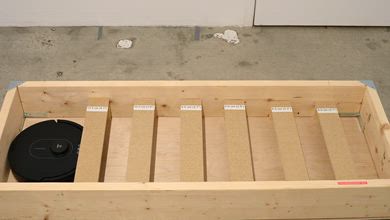
The robot vacuum will go under only high furniture. Its LIDAR sensor tower doesn't give it enough clearance to go under lower furniture.
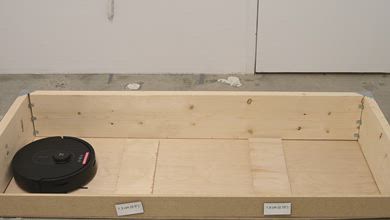
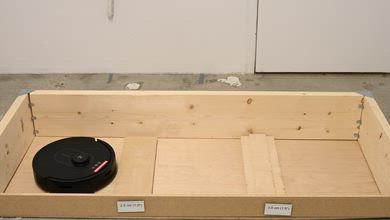
for videos & test results

The Roborock S7 MaxV does a poor job of sealing in fine particles. Like the standard Roborock S7, fine allergens bypass its E11 filter and are blown straight out of its exhaust port.

for videos & test results

for pictures & test results
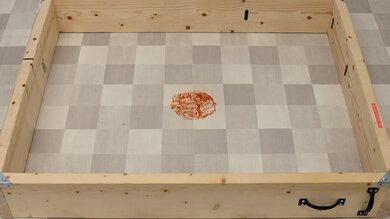
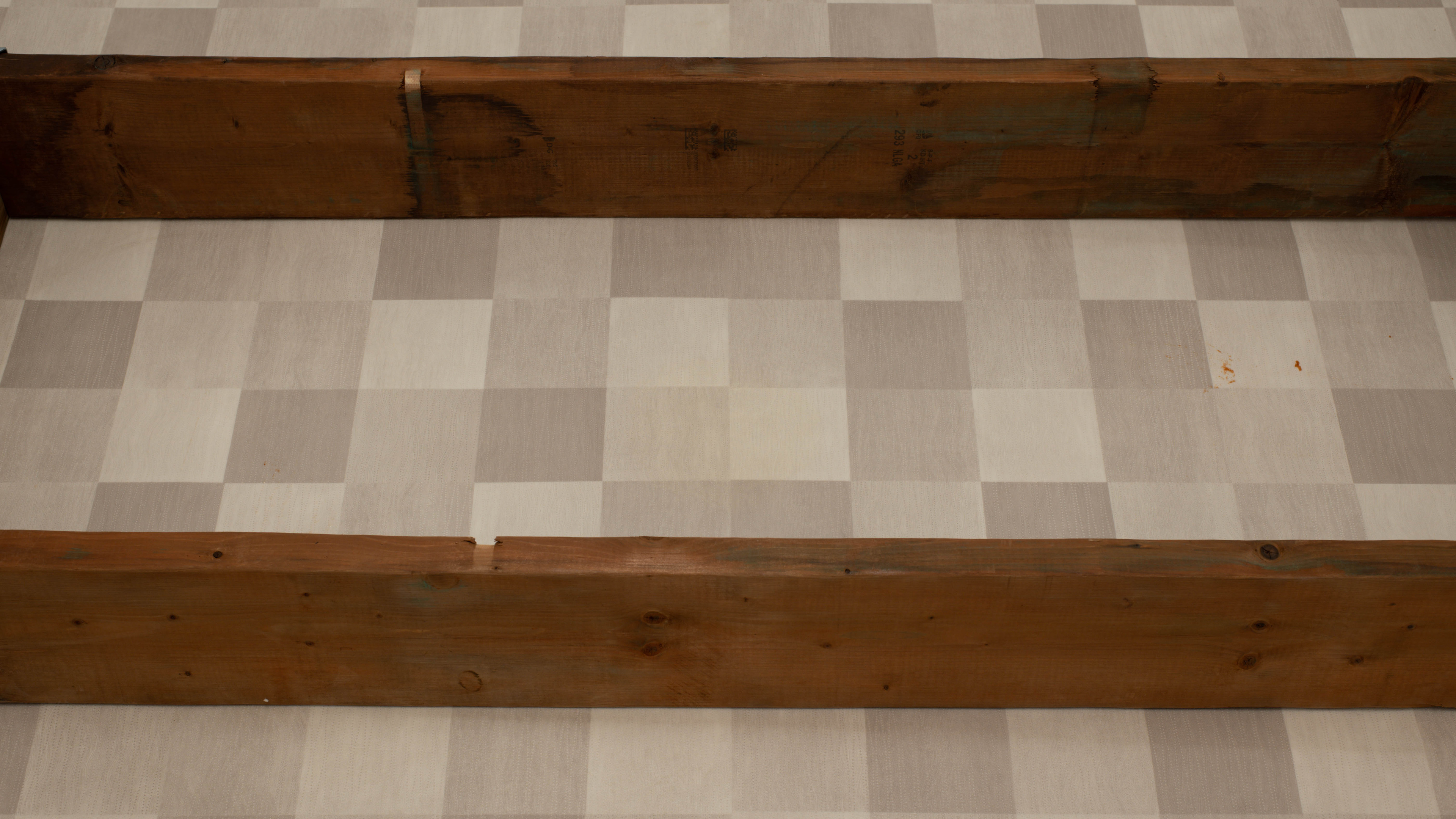
The Roborock S7 MaxV does an okay job dealing with dried-on stains when used in its 'Intense' scrubbing mode and the pathing set to 'Deep Clean.' Installing the mop pads is an easy process. The manufacturer recommends pre-soaking the mopping pad before letting it run. Still, if you want a more thorough clean, it's recommended that you do a second mopping run. You can see a video of the vacuum clearing a stain with two passes here, and the outcome of that second run here.
for pictures & test results
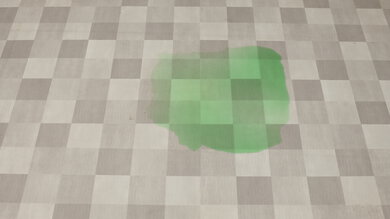
The Roborock S7 MaxV isn't designed for dealing with liquid spills. It can clear away small spills by soaking them away with its mopping pads, but having the vacuum suck up liquid is likely to damage it.
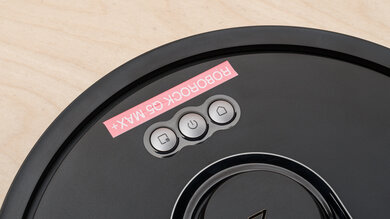
The Roborock S7 MaxV has an amazingly wide array of automation features. While this variant doesn't come with a self-emptying station, it's fully compatible with both the Empty Wash Fill Dock and Auto-Empty Dock, either of which you can buy separately. You can use the vacuum without its companion app using the control buttons at the front of the vacuum's top cover. The power button doubles as a general 'Clean' button, sending the vacuum off to start a cleaning session. The 'Spot Clean' button directs the vacuum to clean a small area around itself. Pressing and holding the 'Spot Clean' button engages the child lock. You can press the 'Dock/Home' button to send the vacuum back to its base station.
for pictures & test results
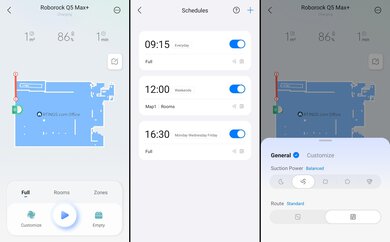
The Roborock S7 MaxV has a fantastic companion app. It's remarkably easy to use.
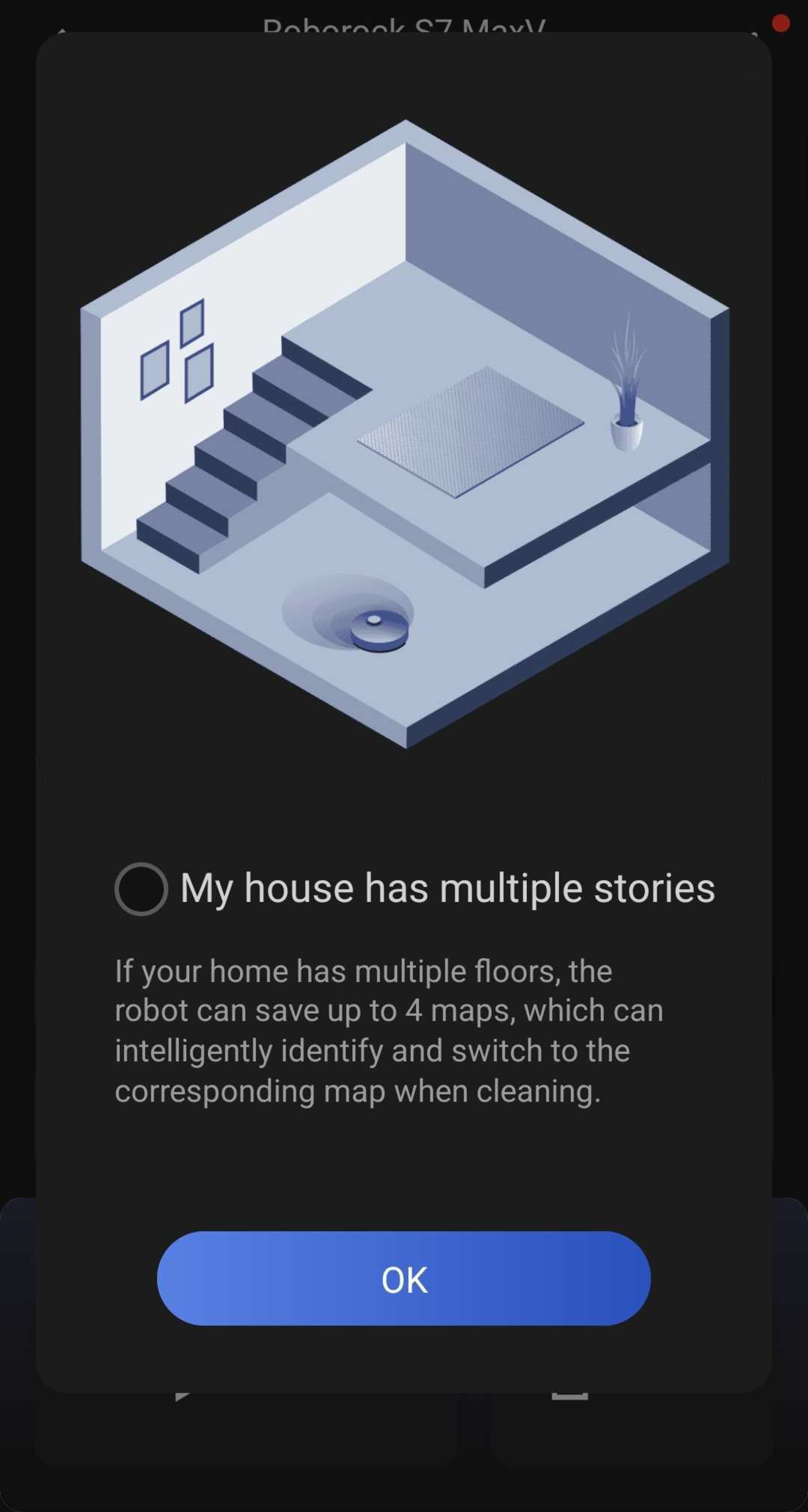
You can see a real-time view of the vacuum plotting its route. You can view a 3D map of its coverage area, set up no-go zones, designate specific cleaning zones to spot clean, and set the suction and mopping modes you want for individual rooms. You can also schedule cleaning sessions for specific rooms or have the vacuum follow a pin that you place on the map. If it runs low on battery and has to return to its docking station to charge partway through a cleaning session, it can estimate how much more time it would need to complete that job. It can store four different coverage maps for use in multi-story homes, and it can autonomously recognize which map it's currently on.
There's also a remote viewing feature, which allows you to manually control the vacuum while looking through the onboard camera. It has a built-in mic and speakers, so you can talk to others through the vacuum and hear what they're saying.
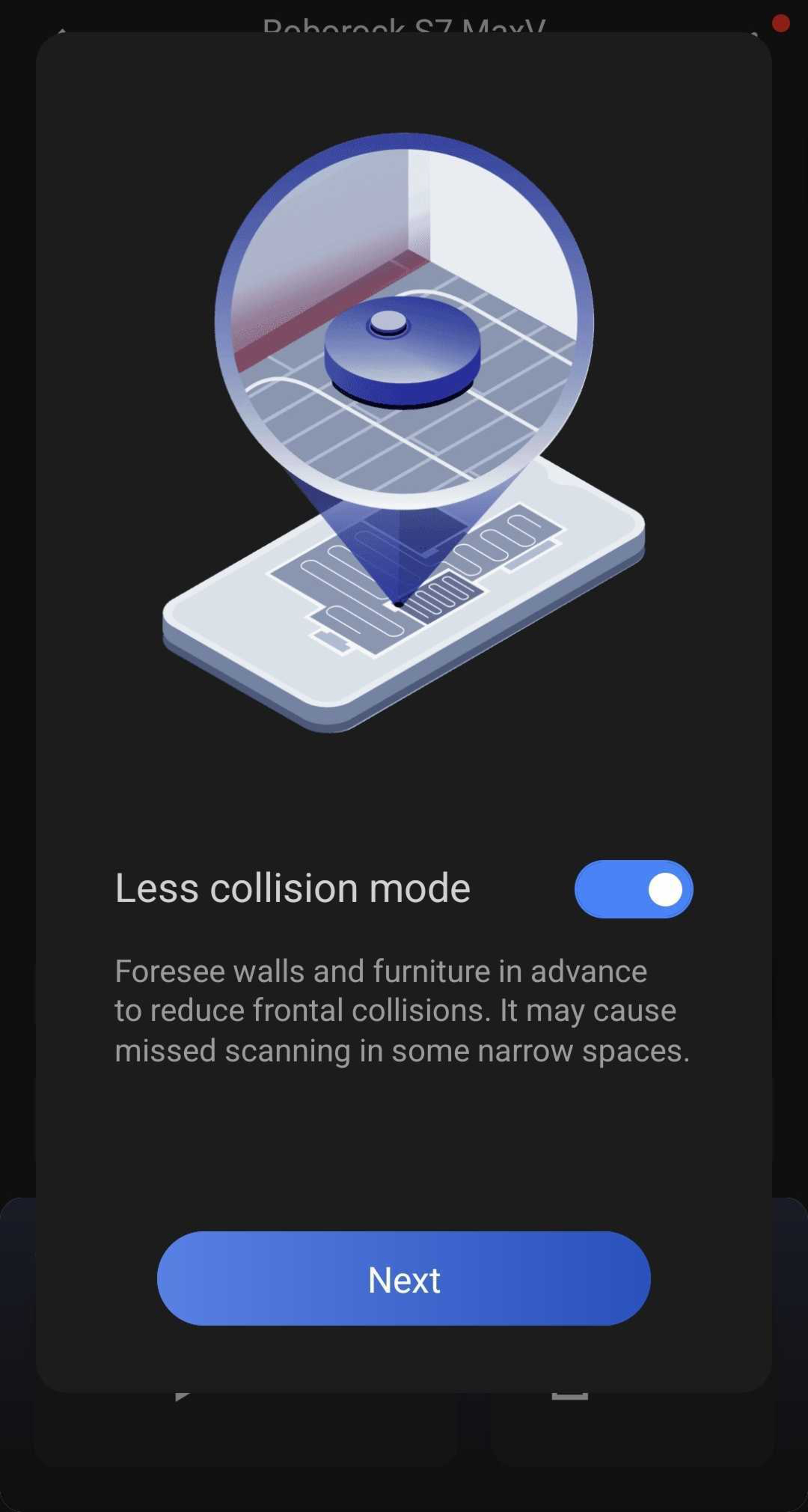
You can use the app to enable 'Carpet' mode, which allows for automatic power adjustment on carpeted floors, 'Low-Collision' mode, which prioritizes avoiding contact with walls and furniture at the expense of lower-precision scanning in tight spots, and 'Home With Pets' mode, which boosts object detection performance for avoiding hazards like pet waste, but may degrade overall coverage.
The app also has a maintenance tab that gives you a projected service interval for its filter, brushroll, side brush, sensors, and mopping pad.