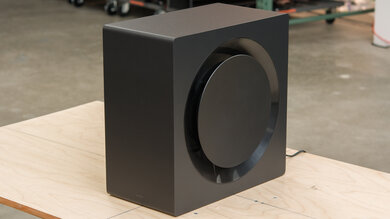
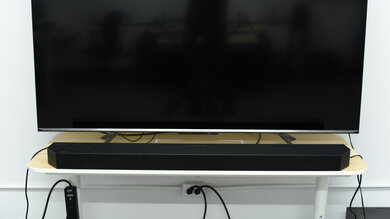
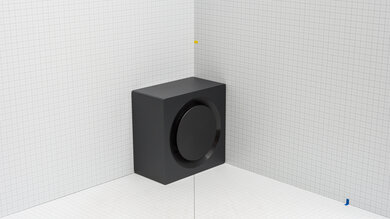
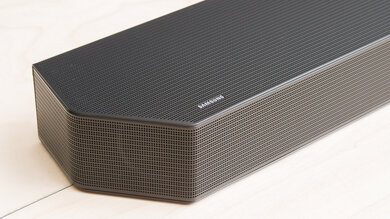
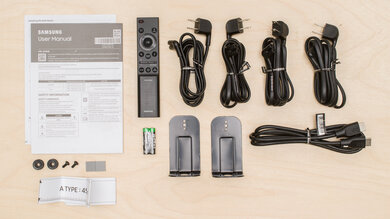
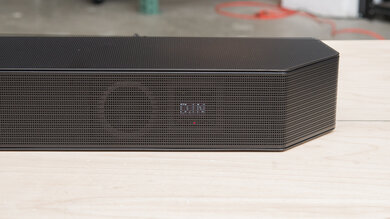
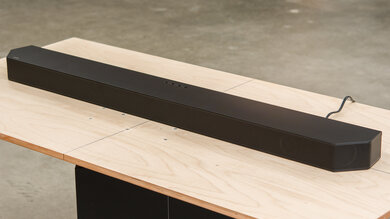
The JBL Bar 5.1 Surround is a mid-range soundbar released in 2020. It's not a "true" surround setup with rear speakers, so it plays back surround sound content virtually, using its MultiBeam technology to bring a more cinematic feel to your living room. There are some premium features, like a room correction tool to optimize audio based on your room's unique acoustics, as well as built-in Chromecast and Apple AirPlay support. However, it can't support Dolby Atmos content, which is found on many streaming platforms.
Our Verdict
The JBL 5.1 Bar is a pretty versatile soundbar, making it a decent choice for mixed usage. Dialogue in your favorite TV shows is clear and easy to follow, and voices and lead instruments in music sound detailed and pleasant. Its sub adds rumble in the bass, great for bass-heavy music and action-heavy movies. While it can playback surround sound, unfortunately, you can't enjoy object-based content like Dolby Atmos, which is more and more common on streaming platforms.
- Outstanding wireless connectivity options.
- Room correction available.
- No Atmos support.
- No bass and treble adjustments.
The JBL Bar 5.1 reproduces dialogue with clarity and detail, meaning you can enjoy everything from sitcoms to podcasts to audiobooks. Its discrete center channel improves vocal reproduction, too, which is great. You can even use its night mode feature to balance the volume level across different programs and commercials, which is really handy if you don't want to disturb those around you.
- Outstanding wireless connectivity options.
- Room correction available.
- No dialogue enhancement feature.
The JBL Bar 5.1 Soundbar reproduces a fairly balanced sound right out of the box, making it suitable for listening to lots of different music genres. Voices and lead instruments are clear in the mix, and its sub offers a solid amount of bass for genres like EDM and hip-hop. Plus, its room correction tool is designed to optimize its output based on your room's unique acoustics, which is a nice touch. However, you won't find a lot of customization tools, so you can't switch up its sound based on your preferences.
- Outstanding wireless connectivity options.
- Room correction available.
- No graphic EQ.
- No bass and treble adjustments.
The JBL Bar 5.1 reproduces clear and accurate dialogue, and its subwoofer brings some rumble during action-packed movie scenes. You can even use its smart mode feature to enhance sound effects in the mix. It can playback 5.1 surround sound formats that are commonly found on streaming platforms, like Dolby Digital, though it doesn't perform as well as setups with discrete surrounds. There's no Atmos support, either.
- Outstanding wireless connectivity options.
- Room correction available.
- No Atmos support.
- No bass and treble adjustments.
Changelog
- Updated Jul 10, 2023: Added market comparison with the JBL Bar 500 to the Height (Atmos) box.
- Updated May 05, 2023: Updated Audio Format Support results for greater clarity on Smart Mode's performance.
- Updated May 05, 2023: Updated Audio Format Support and Video Passthrough To TV results with new methodology.
- Updated May 05, 2023: Converted to Test Bench 1.2. Updated the results for audio format support via ARC/eARC, HDMI In, and Optical. Added Video Passthrough to TV results as well.
Check Price
Differences Between Sizes And Variants
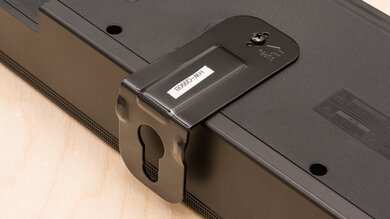
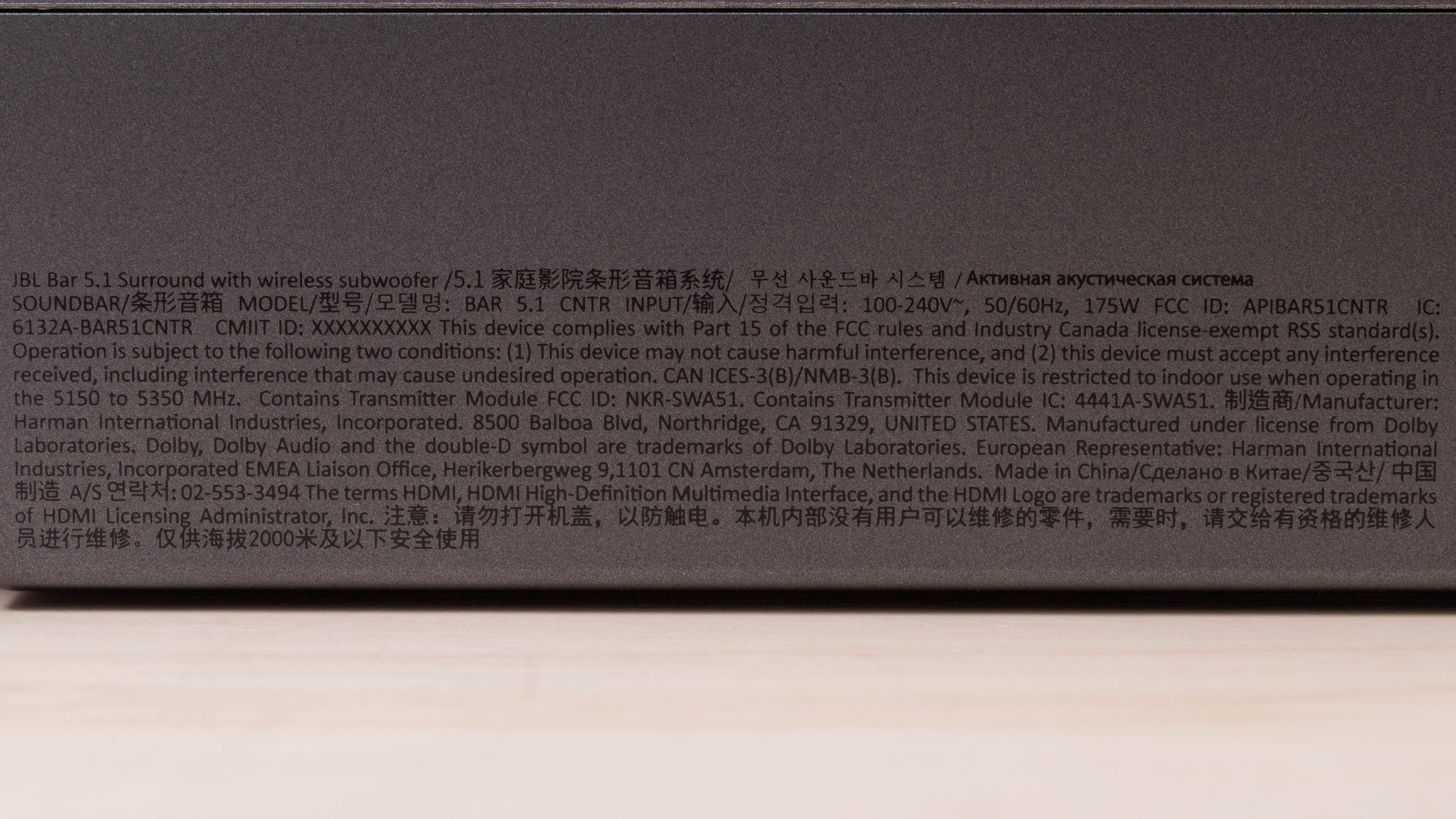
It comes in one color variant: Black. You can see its label here. Note that JBL also manufactures another soundbar called the JBL Bar 5.1, which comes with two detachable wireless satellites. However, we haven't tested this variant and expect it to perform differently than our test unit.
If you come across a variant of this soundbar that's different from our test unit, please let us know, and we'll update our review.
Popular Soundbar Comparisons
The JBL Bar 5.1 is a 5.1 setup from this manufacturer's 2020 lineup. Compared to the JBL Bar 5.1, this soundbar doesn't use any satellite speakers and instead uses 'Multibeam' technology alongside discrete speakers in the bar itself to improve the bar's surround performance without satellites. However, unlike many other 5.1 setups, it doesn't support Atmos. It also has limited sound enhancement features.
You can also check out our recommendations for the best soundbars for music, the best 5.1 soundbars, and the best soundbars with subwoofer.
The JBL Bar 500 is better than the JBL Bar 5.1 Surround. The 500 is a newer model that offers better sound quality, with a better stereo soundstage and better stereo dynamics. It can playback Dolby Atmos content, though it has to downmix it into stereo to do so. It offers more sound enhancement features as well.
The Samsung HW-Q800A is a better soundbar than the JBL Bar 5.1 Surround. The Samsung is a 3.1.2 setup with a better soundstage performance that gets louder with less compression at max volume. Unlike the JBL, it supports Dolby Atmos content, and it comes with a graphic EQ and built-in Amazon Alexa voice assistant support. However, the 5.1 JBL has a better surrounds performance, and it comes with a room correction feature and more wireless playback options.
The Sonos Beam (Gen 2) is better than the JBL Bar 5.1 Surround. The Sonos is a better-built 5.0 setup that supports Atmos content, unlike the JBL. It also has a better soundstage and built-in voice assistant capabilities. However, the 5.1 JBL has a dedicated sub and can reproduce a more extended low-bass. It's also better suited to users who want to use a Full HDMI In port for high-quality passthrough.
Depending on your listening habits, you may prefer either the JBL Bar 5.1 Surround or the JBL Bar 5.0 MultiBeam. The 5.1 Surround comes with a dedicated subwoofer, so it can reproduce a much more extended low-bass. The 5.0 MultiBeam has a more compact design, as well as better soundstage and Atmos performances.
Test Results
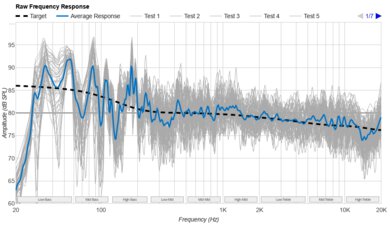
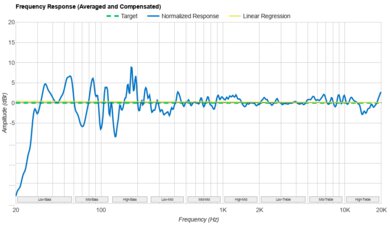
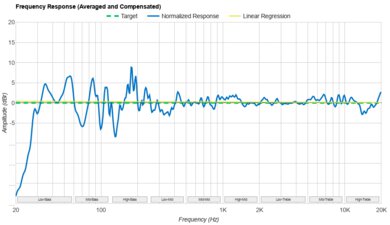
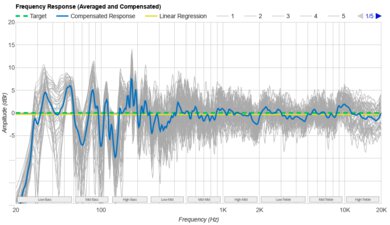
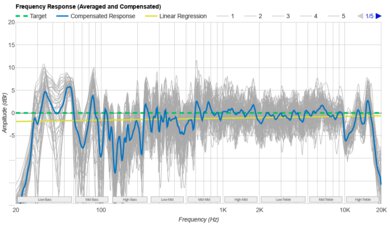
This soundbar's stereo frequency response is very good. Its sound is fairly balanced, especially in the mids, where most voices and lead instruments are reproduced. There's a touch of extra punch in the bass range to bring action-packed scenes and bass-heavy music to life, though the treble can sound a bit dull. It's still suitable for most types of audio content, which is great.
The manufacturer recommends that you use the smart mode feature when you want to enjoy rich sound effects in your TV shows. However, for more vocal-centric programs like the news or weather forecasts, they suggest switching it off and returning to the standard mode. For our tests, we kept the smart mode off, which took away a touch of bass in the mix, resulting in a slightly mono sound. Turning it on emphasizes effects, though it can sound a bit overprocessed at times. Of course, your preferences can vary, so you can try both modes to see which makes the most sense for you.
The bar's bass feature allows you to adjust the subwoofer level based on your preferences. It's set to '3' as its default, and we recommend maintaining this setting if you prefer a more balanced sound with stereo content.
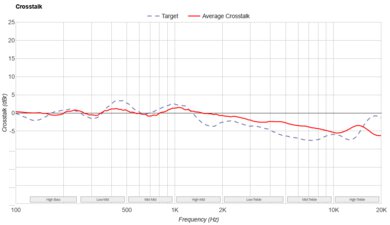
The JBL Bar 5.1's stereo soundstage is alright. It's a little bit wider than the bar but the bar doesn't do any tricks to make it sound any wider. The soundstage doesn't seem very focused either and objects seem to be coming from a general area rather than coming from precise pinpoint locations.
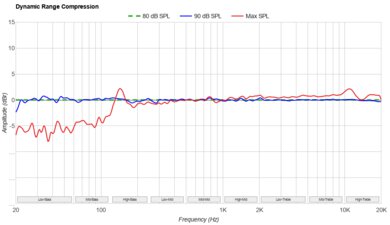
While this soundbar can get loud enough to fill a large or crowded room, if you push this bar to its max volume, there are pumping and compression artifacts, especially in the bass range. You aren't likely to notice any issues if you listen at an average volume level, though.
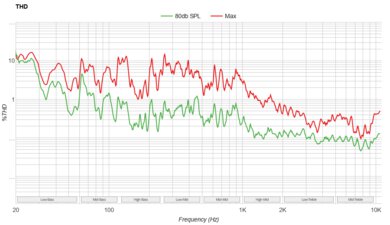
The JBL Bar 5.1 has a great THD performance, so audio reproduction is clean and pure whether you're listening at normal volumes or with the volume cranked up. The sound isn't distorted, which is great.
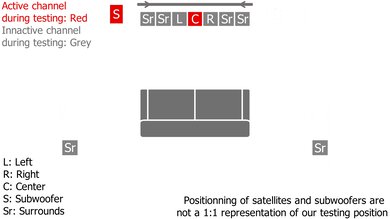
The bar's discrete center channel improves vocal reproduction. Its frequency response is especially balanced in the mids, where most voices are reproduced, making it easy to follow the action on screen.
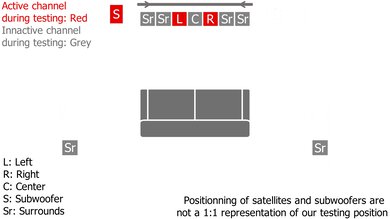
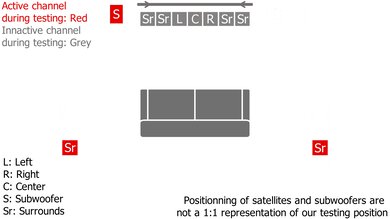
This soundbar doesn't come with discrete surround speakers. Instead, it uses front-firing drivers built into the bar itself to simulate sound effects in the space around you. Unfortunately, this doesn't provide a very clear or real feel, and sound effects seem like they're focused in the space in front of your couch rather than stretching all around you.
You can check out the JBL Bar 500 if you want a similar bar with Atmos capabilities.
The bar doesn't offer a lot of customization tools for the price. You can adjust its subwoofer levels, but it has only two EQ presets: 'Smart Mode', which helps emphasize sound effects, and 'Standard', which turns smart mode off. The manufacturer recommends turning smart mode on with more action-packed content but keeping it off with dialogue-focused shows like the news and the weather report. However, you can't adjust its bass and treble, and you can't use a graphic EQ to switch up its sound, so you're pretty limited if you want to adjust its output.
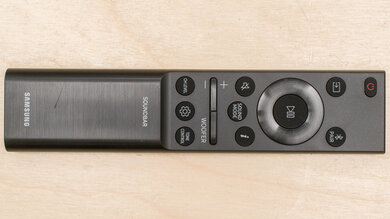
That said, you may find that you don't need these additional features. The bar comes with a room correction tool, which uses a microphone built into the bar itself to analyze your room's unique acoustics and adjust its output accordingly. It's called Automatic Multibeam Calibration, and you can access it by pressing and holding the HDMI button on the remote. To access the night mode feature that balances the volume level across different programs and commercials, simply hold the MUTE button for two seconds, then press the volume down button.
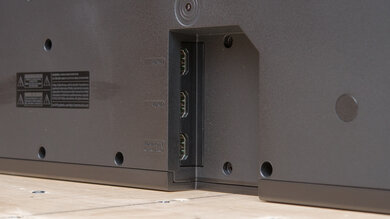
This soundbar has a wide array of physical inputs. You can even use the bar as a hub for multiple devices like your TV and gaming console. USB playback is only available with the US version of this soundbar. Other regional variants can only use this USB port for updating the soundbar's firmware.
This soundbar has a unique virtual surround feature called Smart Mode that impacts its implementation of surround sound formats like Dolby Digital. With Smart Mode on, the side-firing surround drivers are enabled, but when you turn Smart Mode off, those side-firing drivers turn off, too. Since Smart Mode is a virtual surround feature, it doesn't playback 5.1 content as intended by the initial sound engineers—rather, it relies on psychoacoustics to simulate a more immersive sound. It's disappointing for those who want a true 5.1 experience, as the bar can't deliver that, even with Smart Mode on.
Again, because the bar relies on its Smart Mode virtual surround feature, it can't play 5.1 audio like Dolby Digital as intended. Turning on Smart Mode activates the side-firing drivers, but the reliance on psychoacoustic principles means that content isn't reproduced as intended by the original engineers.
The bar has the same performance with Dolby Digital over Optical. As Smart Mode is designed to enable the side-firing drivers, you'll need to turn it on to hear the right and left surrounds with this content. Still, it isn't able to reproduce true 5.1 surround.
Latency can vary depending on many factors, like the app or TV you use. With this soundbar, it's best to connect it over HDMI In to ensure that the audio you hear appears in sync with the video you see on your screen. ARC and Optical connections have a noticeable delay, which is unfortunate.
You can use the bar as a hub between different devices, like your TV and your PC, for video passthrough. The bar doesn't support HDMI 2.1, so you can't passthrough higher resolutions like 4k @ 120Hz. Plus, you can't benefit from any variable refresh rate technologies, which is disappointing if you want a tear-free gaming experience.
This bar has fantastic wireless playback options. This soundbar supports all common wireless playback options without a problem, meaning you can stream your favorite tracks or albums to the bar wirelessly.