See the previous 0.8.2 changelog.
How suitable a router is for gaming is a very common question that we see among users shopping for a new router. To help answer that question, our router test bench 0.9 introduces wireless latency testing to better evaluate how a router performs for online gaming. Check out our R&D article for more on our test development process.
What's Changed
The goal of test bench 0.9 was to determine how suitable a router is for online gaming. We approached it by developing a gaming usage comprising new tests that measure the wireless latency between a client device and the router.
Latency is the most relevant networking metric for online gaming because it directly affects how quickly your inputs are transmitted to the game server and how fast you receive updates from it. Higher latency can result in a choppy gaming experience and even a competitive disadvantage in fast-paced multiplayer games, while lower latency helps achieve a smoother experience.
| Test Group | Description |
|---|---|
| Usages (new) | Added a gaming usage and a latency performance usage. |
| Wireless Latency (new) | New test group that evaluates a router's latency and jitter. |
| Satellite Mesh Wireless Latency (new) | New test group that evaluates a mesh Wi-Fi system's latency and jitter while connected to a satellite unit. |
| Wi-Fi Specifications | We added new tests to this test group that specify if a router has MU-MIMO, OFDMA support, Beamforming, and the Tested Firmware Version. |
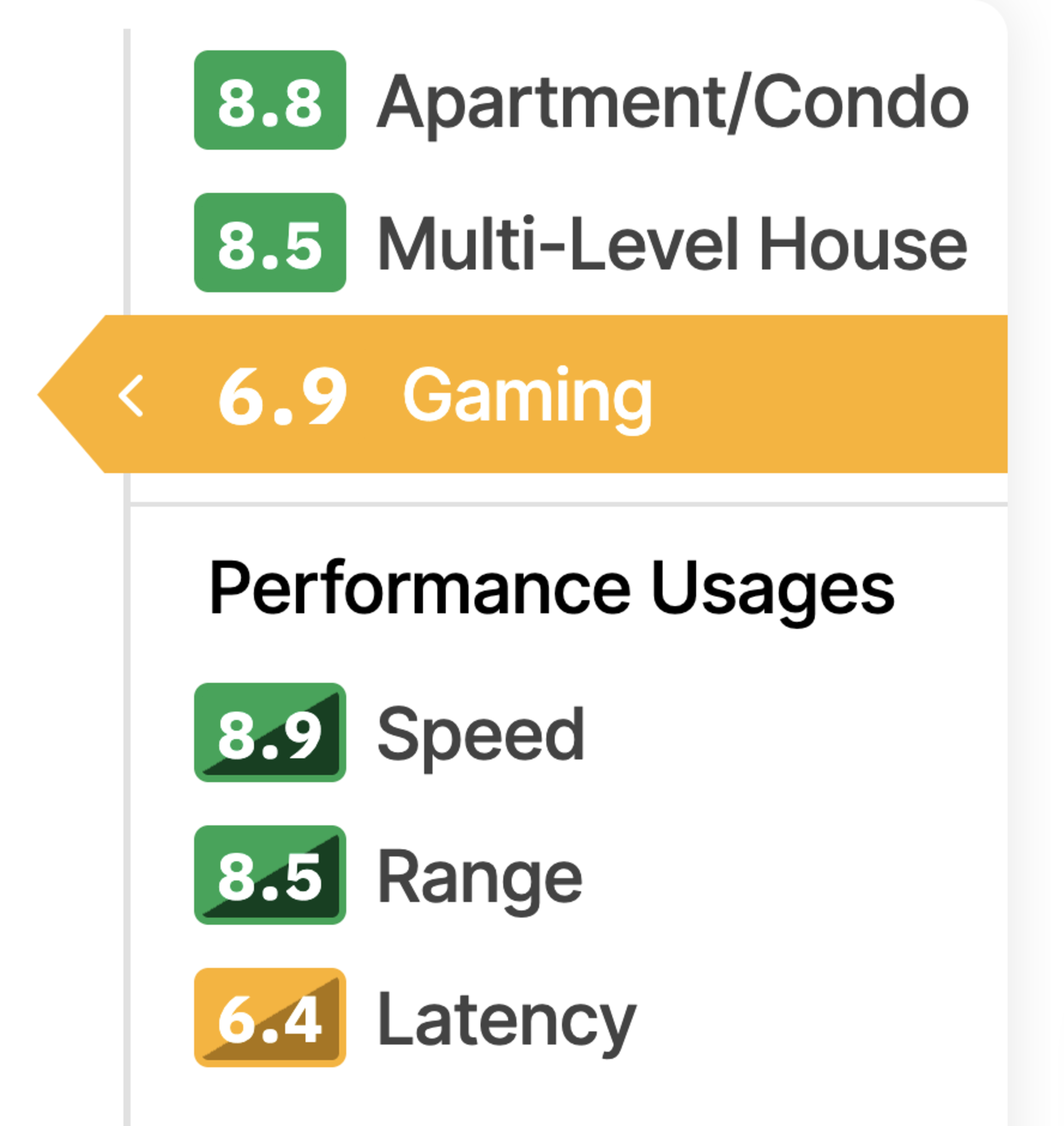
Gaming
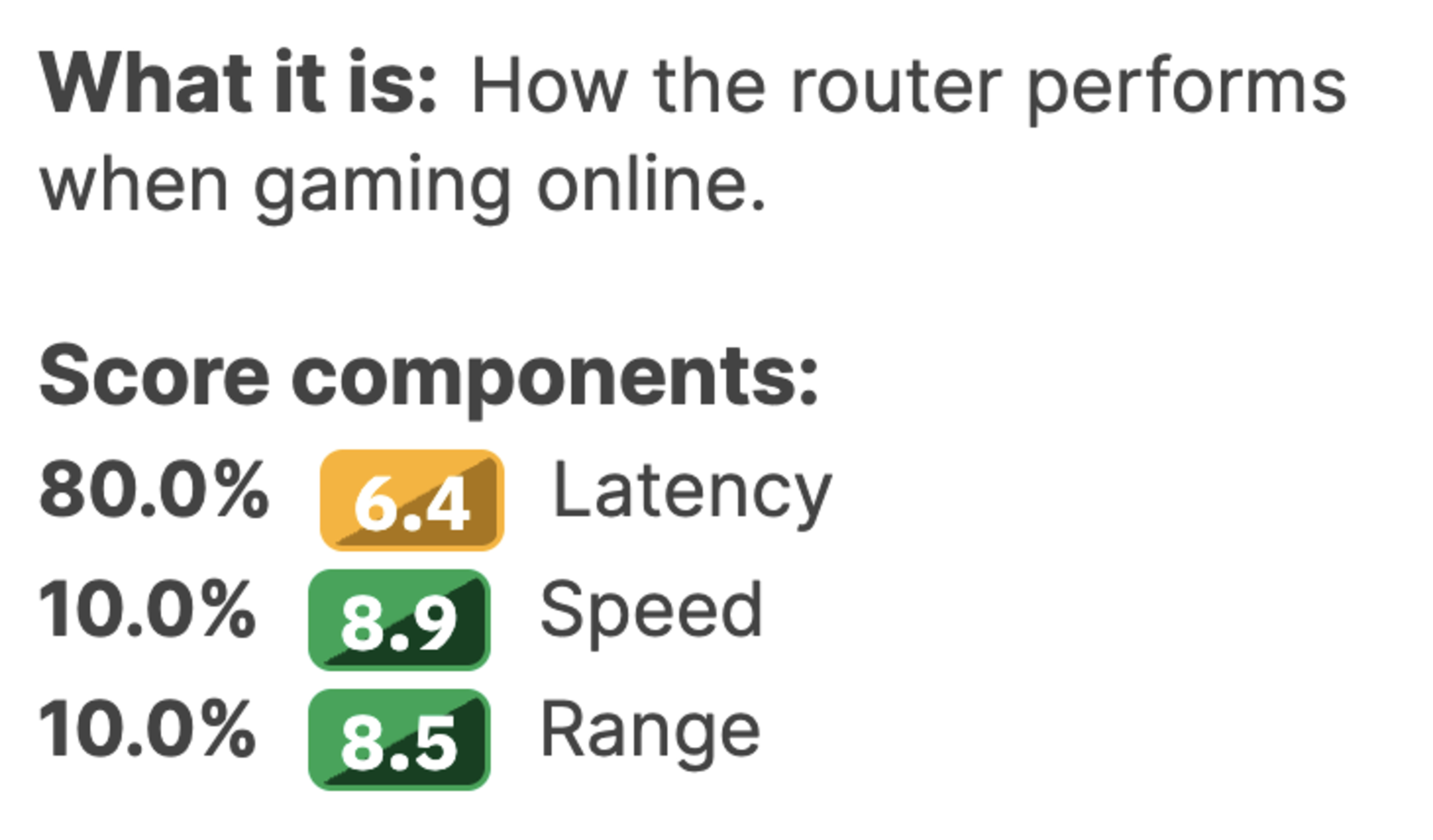
This usage comprises the latency performance usage, speed performance usage, and range performance usage.
Latency is the most important metric for evaluating how suitable a router is for gaming online since it dictates how long it takes for your in-game actions to reach the game server and how quickly other players' actions can reach your device. Speed and range are also relevant since games and game updates can be very large and take a long time to download if you don't have a fast router and internet connection.
While developing this test bench, we found that most routers had similar latency performance, which is why almost all of them score between 6.0 and 7.4 (yellow) for gaming. The reasoning behind the scoring is that if you wanted a "good" gaming experience (green score), you should plug in your gaming devices via an Ethernet cable, which immediately delivers consistent, sub-millisecond latency.
Check out this article to learn more about our Scoring System.
Latency
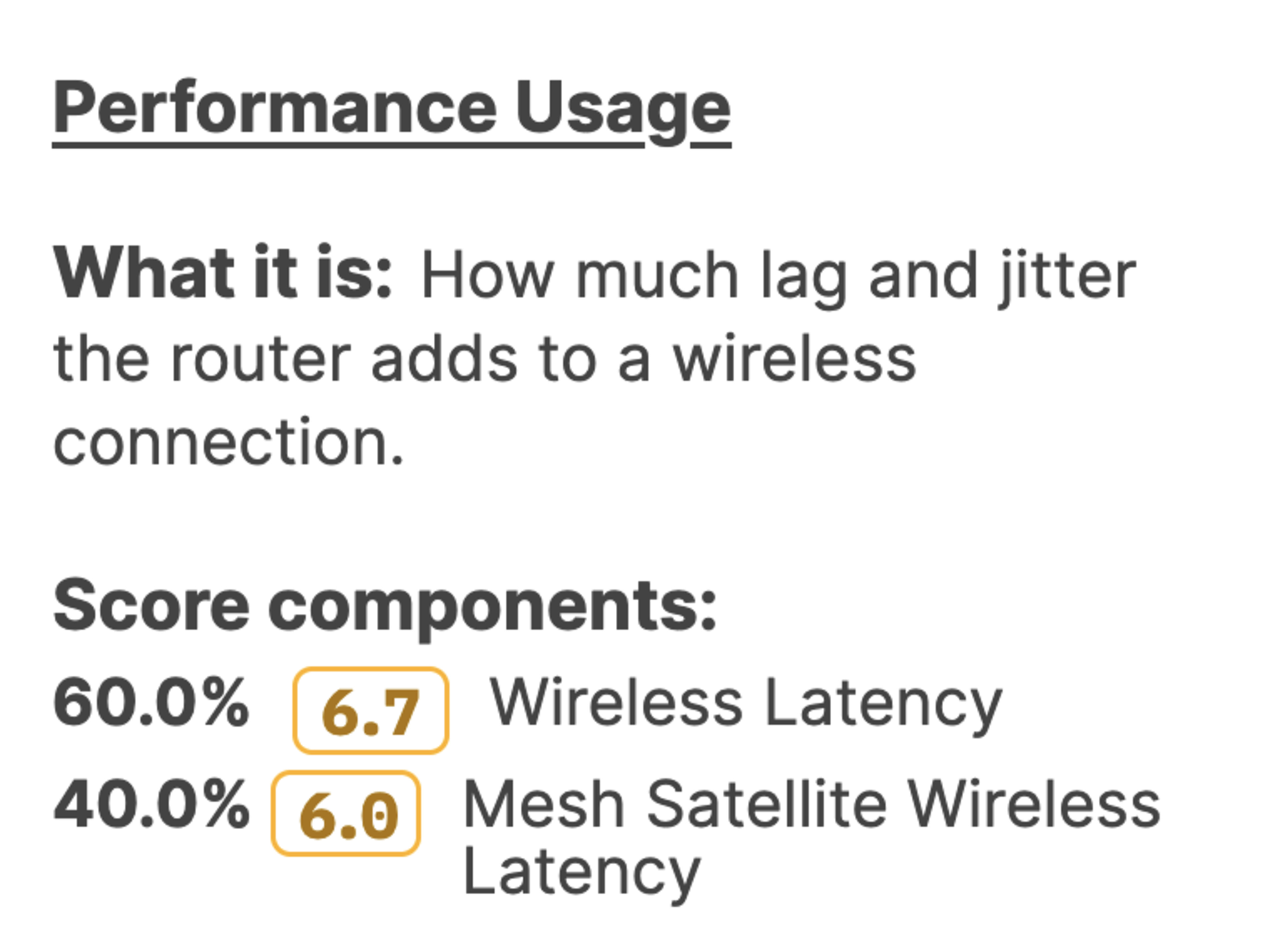
This performance usage comprises the wireless latency and the mesh satellite wireless latency tests. If the latter isn't applicable, then only the former applies.
We benchmarked using a wired Ethernet connection as the 'good' or green values for our latency tests.
Wireless Latency
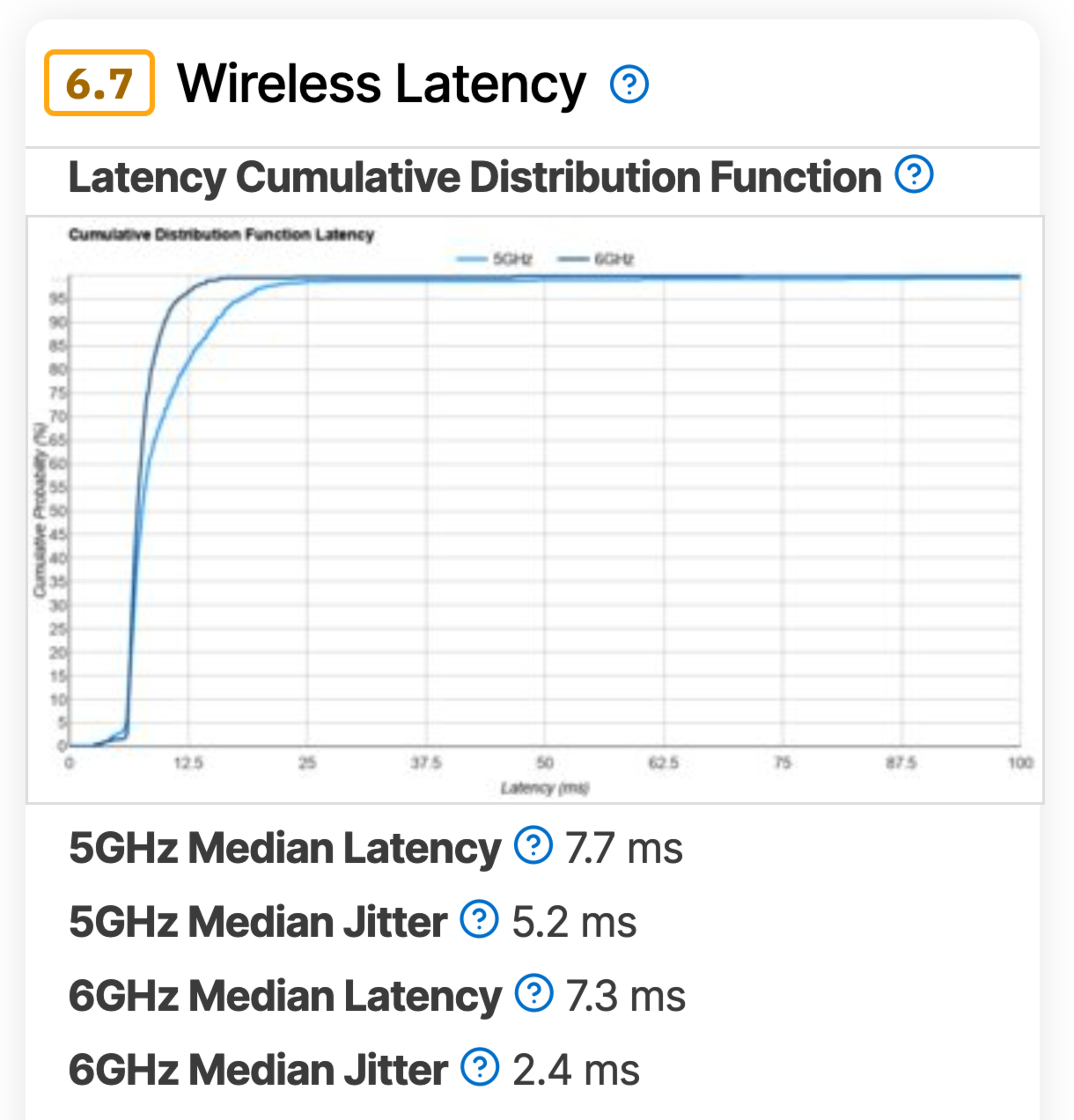
The wireless latency test box comprises four components:
- 5GHz Median Latency
- 5GHz Median Jitter
- 6GHz Median Latency
- 6GHz Median Jitter
Median Latency
The median amount of time it takes for a packet to be sent from a client to the server and back. Samples are taken over the 5-minute testing period.
Mesh Satellite Wireless Latency
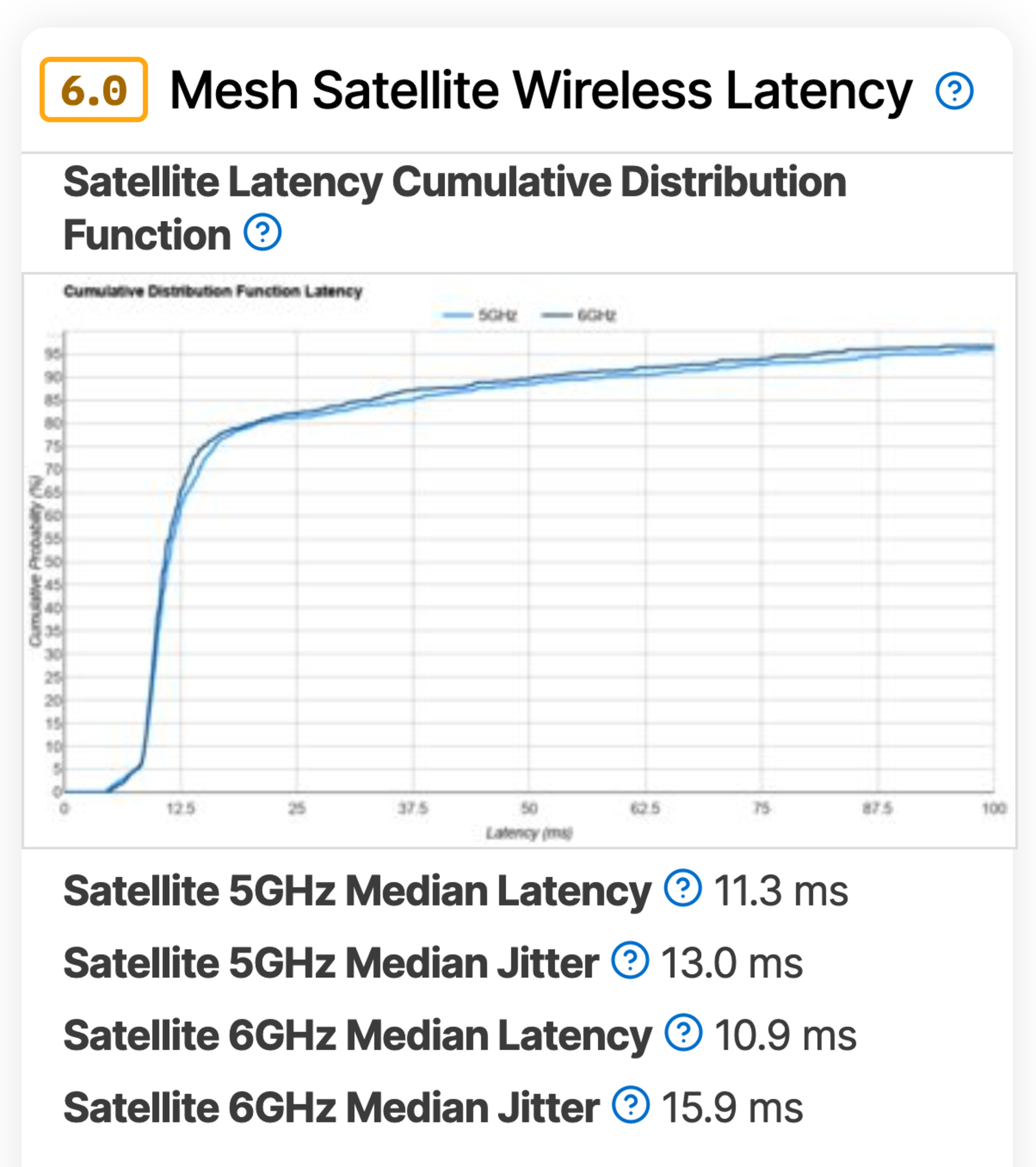
The mesh satellite wireless latency box comprises four components:
- Satellite 5GHz Median Latency
- Satellite 5GHz Median Jitter
- Satellite 6GHz Median Latency
- Satellite 6GHz Median Jitter
These tests are the same as the above, but are conducted with the client device connected to a satellite access point if it's a mesh system. The satellite is connected to the main unit with a wireless backhaul.
Wi-Fi Specifications
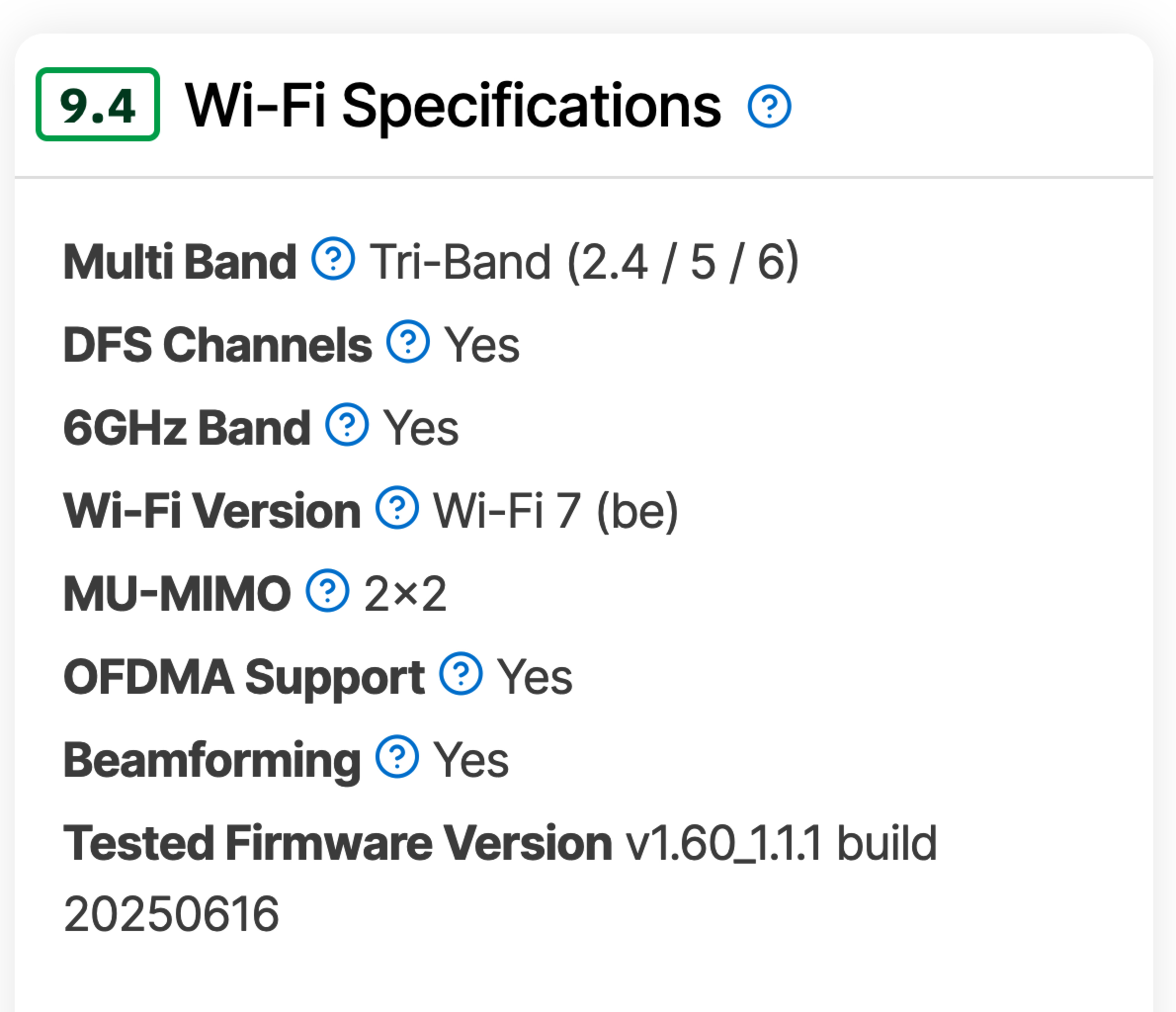
The new tests added to the Wi-Fi specifications box are:
- MU-MIMO
- OFDMA Support
- Beamforming
- Tested Firmware Version
While we don't directly evaluate the effectiveness of these features, we list them in this box to better contextualize the router's performance. We also include the firmware version the router had when we tested it, so we can share whether there are any performance improvements if we retest it with a newer firmware version.
Let Us Know What You Think!
Your feedback is instrumental in improving our testing. If you have any comments, questions, or suggestions about this or future updates, let us know in the comments or email us at feedback@rtings.com!
70 Routers Updated
We have retested popular models. The test results for the following models have been converted to the new testing methodology. However, the text might be inconsistent with the new results.
- AmpliFi Alien
- ARRIS SURFboard G34
- ARRIS SURFboard G36
- ARRIS SURFboard G54
- ASUS ROG Rapture GT-BE98 Pro
- ASUS ROG Rapture GT6
- ASUS ROG Strix GS-BE18000
- ASUS RT-AX1800S
- ASUS RT-AX3000
- ASUS RT-AX55
- ASUS RT-AX86U Pro
- ASUS RT-AXE7800
- ASUS RT-BE58 Go
- ASUS RT-BE82U
- ASUS RT-BE92U
- ASUS RT-BE96U
- ASUS TUF Gaming BE9400
- ASUS ZenWiFi BT10
- ASUS ZenWiFi ET9
- ASUS ZenWiFi XT9
- Davolink Minions Kevin
- eero 6
- eero 6+
- eero 7
- eero Max 7
- eero Pro 6
- eero Pro 6E
- eero Pro 7
- GL.iNet Beryl AX (GL-MT3000)
- GL.iNet Flint 2 (GL-MT6000)
- GL.iNet Flint 3 (GL-BE9300)
- GL.iNet Slate 7 (GL-BE3600)
- GL.iNet Slate AX (GL-AXT1800)
- Google Nest Wifi
- Google Nest Wifi Pro
- Google Wifi
- Linksys E5400
- Netduma R3
- NETGEAR Nighthawk RAX30
- NETGEAR Nighthawk RAX50
- NETGEAR Nighthawk RS300
- NETGEAR Nighthawk RS90
- NETGEAR Orbi 370
- TP-Link Archer A8
- TP-Link Archer AX10
- TP-Link Archer AX20
- TP-Link Archer AX21
- TP-Link Archer AX4400
- TP-Link Archer AX55
- TP-Link Archer AXE75
- TP-Link Archer AXE95
- TP-Link Archer BE230
- TP-Link Archer BE400
- TP-Link Archer BE550
- TP-Link Archer BE700
- TP-Link Archer BE900
- TP-Link Archer BE9500
- TP-Link Deco 7 BE25
- TP-Link Deco 7 Pro BE63
- TP-Link Deco 7 Pro BE65 Pro
- TP-Link Deco M4
- TP-Link Deco X5000
- TP-Link Deco XE5300
- UniFi Dream Router
- UniFi Dream Router 7
- UniFi Express 7
- UniFi U6 Pro (Wired Backhaul)
- UniFi U6 Pro (Wireless Backhaul)
- UniFi U7 Pro (Wired Backhaul)
- UniFi U7 Pro (Wireless Backhaul)
