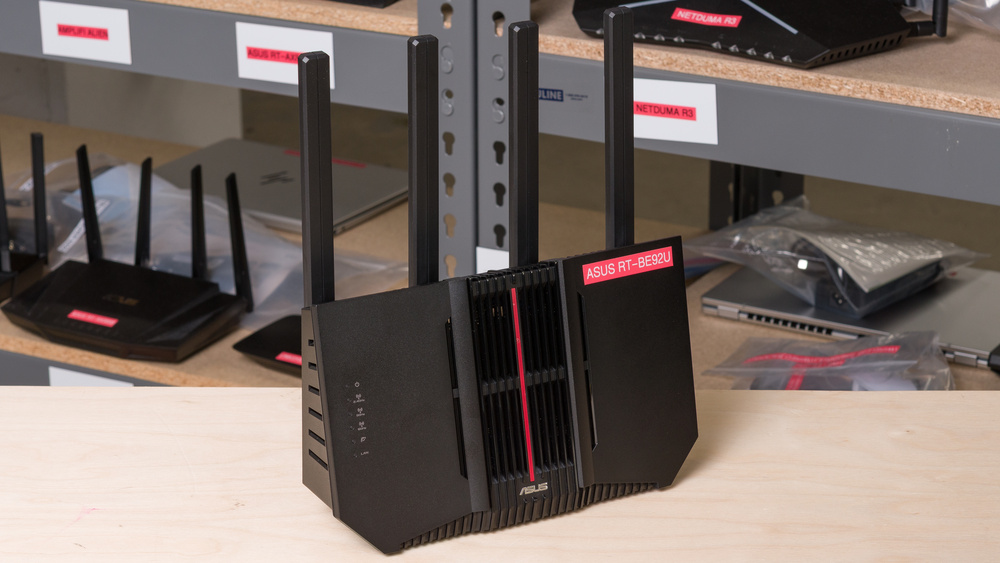
The ASUS RT-BE92U, also sold as the ASUS RT-BE9700, is a tri-band Wi-Fi 7 router with 2.4GHz, 5GHz, and 6GHz bands. It features a 10Gbps auto-sensing WAN/LAN port and four additional 2.5Gbps ports. Like most other ASUS routers, it has a long list of features, including AiMesh, which lets you use old ASUS routers as additional access points, multi-WAN and mobile tethering, network-level VPN support, and more.
Note: We've removed the Wi-Fi coverage tests as we explore better ways to convey these results to users.
Our Verdict
The ASUS RT-BE92U is a great router for apartments and condos. It delivers outstanding speeds and a decent range, making it more than suitable for smaller homes with many users performing bandwidth-intensive tasks simultaneously. It has superb wired connectivity with many high-speed networking ports, so that you can leverage a multi-gigabit internet connection. Unfortunately, it's physically somewhat large, so it could be a hassle to find a convenient place for it in your home.
6GHz band is very fast and delivers excellent range.
Ample multi-gigabit networking ports.
Feature-rich and highly configurable firmware.
Can add additional AiMesh-compatible access points for better coverage.
Physically somewhat large.
The ASUS RT-BE92U is very good for large multi-level houses. It delivers remarkably fast speeds in close quarters, but its range is somewhat limited by a 5GHz band that slows down at long distances. Still, this router delivers performance that's more than suitable for a bandwidth-heavy family with many wireless devices. Also, you can expand your network with additional routers since this router is compatible with AiMesh. It has several high-speed networking ports so you can leverage a multi-gigabit internet connection. It's somewhat large, however, so it could be difficult to find a place for it in your home.
6GHz band is very fast and delivers excellent range.
Ample multi-gigabit networking ports.
Feature-rich and highly configurable firmware.
Can add additional AiMesh-compatible access points for better coverage.
5GHz band slows down at longer distances.
Physically somewhat large.
The ASUS RT-BE92U handles gaming over Wi-Fi decently overall. Its remarkable top speeds make game updates and downloads quick across a solid coverage area, and its latency levels are low enough for casual online games. For the best possible response times when gaming competitively, you'll still want to connect your device directly to the router over Ethernet.
6GHz band is very fast and delivers excellent range.
Latency is fair for everyday use and casual gaming over Wi-Fi.
5GHz band slows down at longer distances.
Unsuitable lag for competitive gaming over Wi-Fi.
The ASUS RT-BE92U has outstanding speeds that are suitable for a ~2.5Gbps internet connection.
6GHz band is very fast and delivers excellent range.
The ASUS RT-BE92U's range is decent. Its 6GHz band delivers excellent range, but its 5GHz band slows down fairly significantly at longer distances. It supports ASUS's AiMesh technology, so you can add compatible access points for better coverage.
6GHz band is very fast and delivers excellent range.
Can add additional AiMesh-compatible access points for better coverage.
5GHz band slows down at longer distances.
The ASUS RT-BE92U provides decent wireless latency performance that's in line with similar routers on the market. It's suitable for general internet use, video calls, and casual gaming, and its 6GHz band offers lower median latency for devices that support it.
Latency is fair for everyday use and casual gaming over Wi-Fi.
Unsuitable lag for competitive gaming over Wi-Fi.
Changelog
-
Updated Jul 24, 2026:
We've added a link to the newly reviewed ASUS RT-BE90U in the Network Ports section of the review.
- Updated Jun 22, 2026: We've updated this review to Test Bench 0.9.1! This is a minor change that makes the router type easier to see at the top of each review. Read the changelog for more info.
-
Updated May 27, 2026:
We've updated this review with additional text to help contextualize our latest Gaming and Latency usage scores from Test Bench 0.9.
-
Updated May 25, 2026:
We've added notes in the introduction and Differences Between Variants section to clarify that this router is also sold as the ASUS RT-BE9700.
Check Price
Differences Between Sizes And Variants
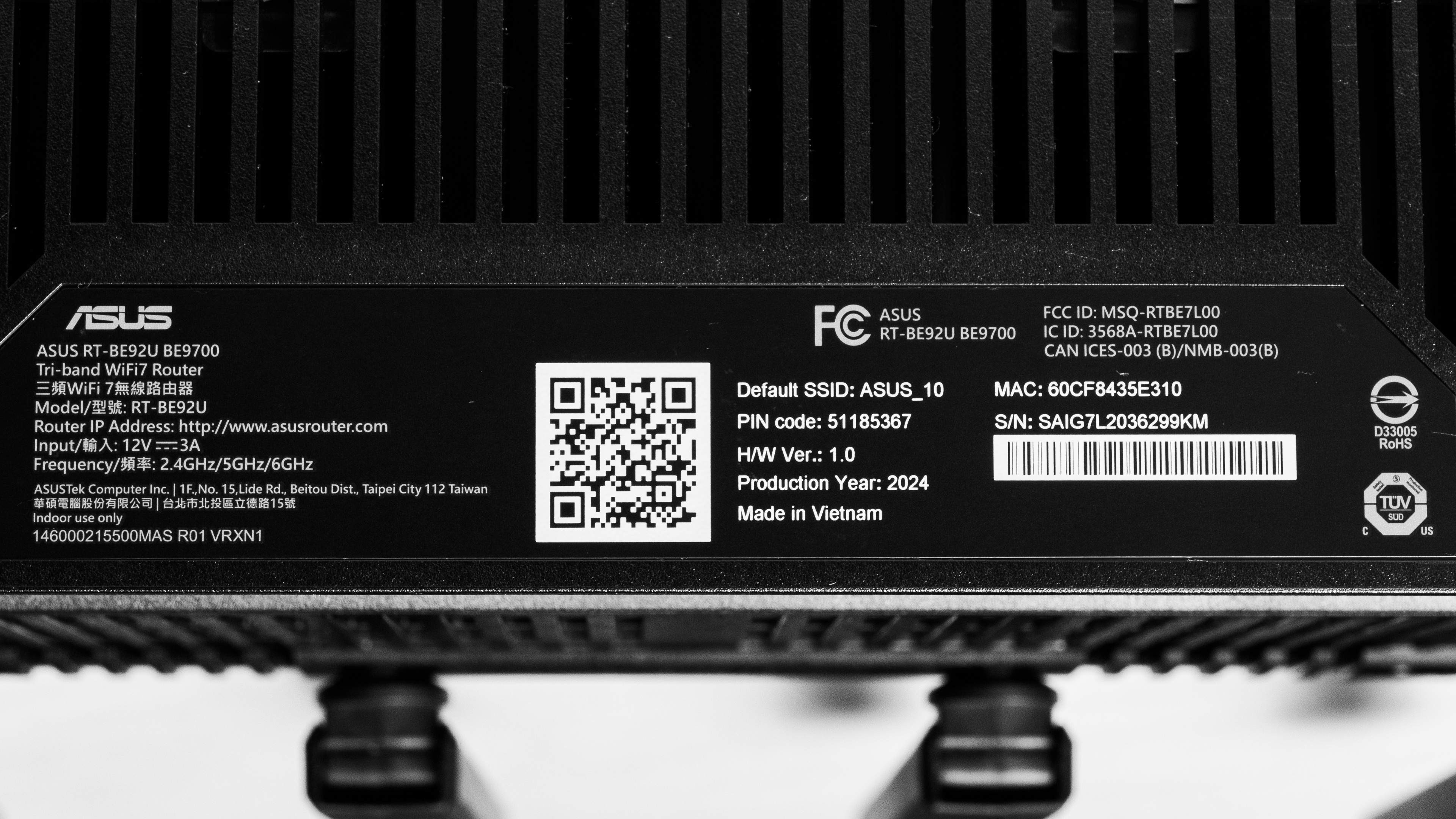
We tested the ASUS RT-BE92U router. It doesn't have any variants, but it's also sold as the ASUS RT-BE9700 by some retailers.
See our unit's label.
Popular Router Comparisons
The ASUS RT-BE92U is a tri-band Wi-Fi 7 router with 2.4GHz, 5GHz, and 6GHz bands. It features a 10Gbps WAN port and four 2.5Gbps LAN ports. It's a mid-range model in ASUS' lineup of standalone Wi-Fi 7 routers that sits above dual-band routers like the ASUS RT-BE82U, but below larger and significantly more expensive options like the ASUS RT-BE96U. Like most ASUS routers, its firmware is highly configurable and supports features like cellular tethering, multi-WAN, and a network-wide VPN.
Performance-wise, this router delivers faster speeds at shorter ranges than competing routers like the TP-Link Archer BE550 and the GL.iNet Flint 3 (GL-BE9300), especially on the 6GHz band, but its 5GHz band slows down significantly at very long ranges. Regardless, it's more than suitable for the vast majority of uses, even if you live in a bandwidth-demanding household.
Curious what else is out there? Check out our recommendations for the best routers, the best mesh routers, and the best budget and cheap routers. If you're searching for more ASUS-specific options, we've also published a list of our current favorites.
The ASUS RT-BE92U is a better router than the ASUS RT-BE82U. While they both support Wi-Fi 7, the former has a 6GHz band while the latter doesn't, helping it achieve much faster top speeds and better range. The RT-BE92U also has a 10Gbps WAN port, while the RT-BE82U's WAN port is limited to 2.5Gbps.
The ASUS RT-BE90U and the ASUS RT-BE92U are closely related tri-band Wi-Fi 7 routers, with the main difference being their wired connectivity. The RT-BE92U has a 10Gbps WAN/LAN port in addition to four 2.5Gbps ports, while the BE90U has a smaller selection of one 2.5Gbps WAN/LAN port and three additional 2.5Gbps ports. Both routers achieve very similar top speeds, however, so the BE92U is really only a better choice if you need the extra ports.
The ASUS RT-BE92U and the TP-Link Archer BE550 are tri-band Wi-Fi 7 routers with 2.4GHz, 5GHz, and 6GHz bands. The two routers perform fairly similarly, but the TP-Link has slightly better range, especially on its 5GHz band, while the ASUS has slightly higher top speeds. Also, the ASUS has a 10Gbps WAN port while the TP-Link only has 2.5Gbps networking ports.
The ASUS RT-BE92U and the eero 7 are Wi-Fi 7 routers. The ASUS is a tri-band standalone router with 2.4GHz, 5GHz, and 6GHz bands, while the eero 7 is a dual-band mesh router that lacks a 6GHz band. The ASUS delivers significantly faster speeds at short distances, but has slightly worse 5GHz range than the eero. The ASUS also has more multi-gigabit networking ports than the eero and a much more configurable firmware.
Test Results
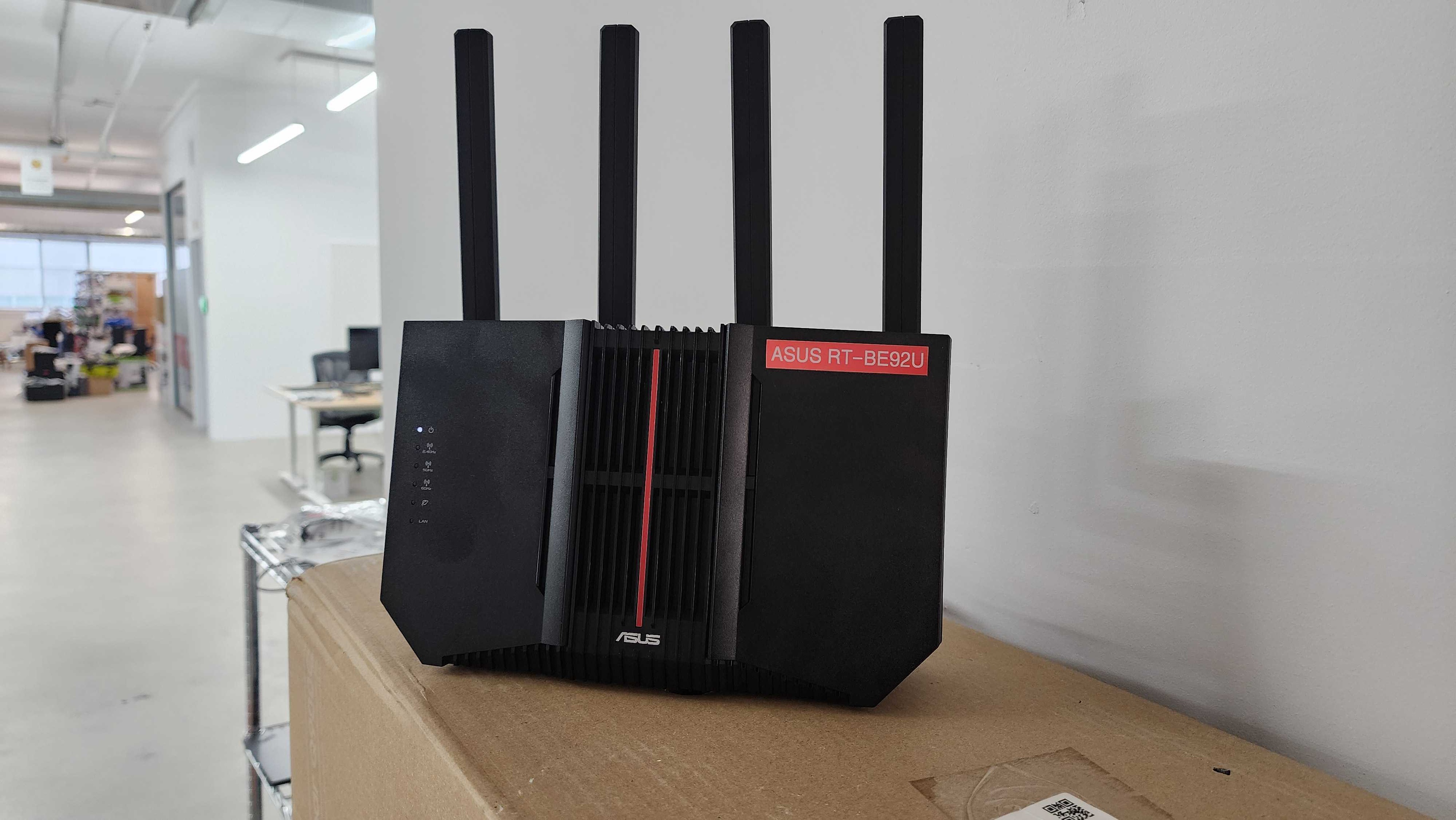

for pictures & test results

The router's 10Gbps port and its leftmost 2.5Gbps port can both be used for either WAN or LAN connections.
If you're looking for a router from the same lineup but don't need a 10Gbps WAN port, check out the ASUS RT-BE90U.
The USB port supports USB 3.2 Gen 1 data transfer speeds of up to 5Gbps.
for pictures & test results

- Power adapter
- Wall-mount kit
- Cat 6 Ethernet cable (RJ45)
- Documentation

for pictures & test results

for pictures & test results

for pictures & test results

The ASUS RT-BE9700 maintains decent latency levels that are consistent with similar routers on the market. It's suitable for general day-to-day use, and its 6GHz band offers better performance overall for devices that support it.
Wi-Fi 7 has higher throughput than previous Wi-Fi versions; however, your device must support Wi-Fi 7 to benefit from it.
If you're interested in a Wi-Fi 7 router with Automated Frequency Coordination (AFC), check out the ASUS ROG Strix GS-BE18000.
for pictures & test results