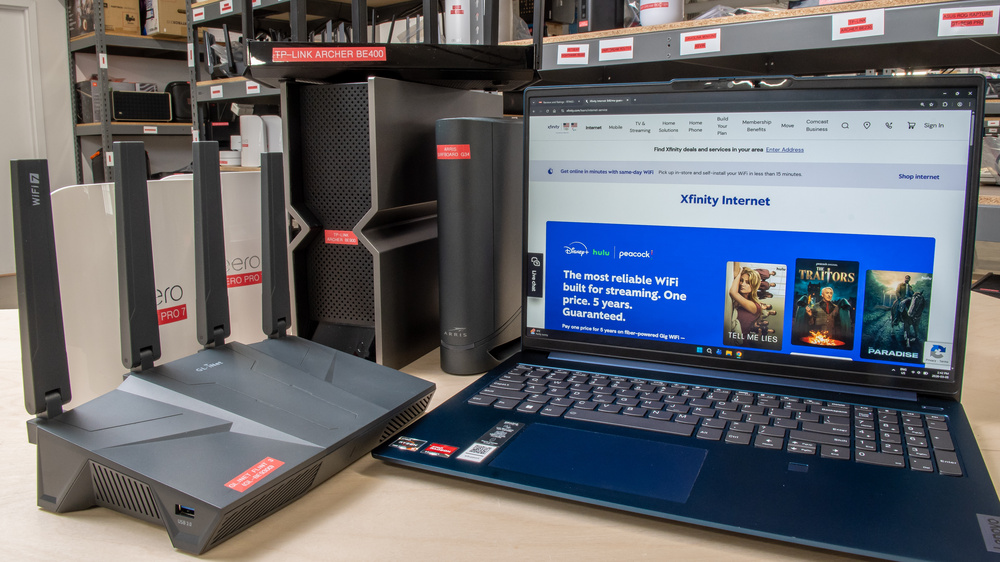
Xfinity's latest internet plans include a wireless gateway at no extra cost, so you don't necessarily need to buy your own equipment. However, using your own router can still be worthwhile if you want better Wi-Fi performance, coverage, wired connectivity, or more control over your network. Xfinity's gateway combines a cable modem and Wi-Fi router. If you want to replace it entirely, you'll need either a modem-router combo device or a separate modem and Wi-Fi router. Any Wi-Fi router will work, but be sure to check Xfinity's website to confirm that the modem or combo device you plan to buy is compatible. Customer-owned modems aren't currently compatible with Xfinity's X-Class symmetrical speeds.
We've tested over 75 of the most popular routers and cable modem combo devices on the market, and below are our recommendations for the best routers for Xfinity. Be sure to check out our articles on the best Wi-Fi routers, the best Wi-Fi 7 routers, and the best gaming routers for more recommendations. And if you're looking for routers to pair with a Spectrum internet plan instead, check out our recommendations for the best Spectrum routers.

Since we started reviewing them in 2024, we've tested over 60 routers. We maintain complete editorial independence and impartiality by purchasing each router ourselves, which ensures we aren't testing specially selected review units. Rather than casually assessing performance by throwing on Netflix and seeing if it works, we rigorously evaluate each router on a standardized testing platform, providing you with all the data you need to compare different models.
-
Best Router For Xfinity
 Apartment/CondoMulti-Level HouseGamingSpeedRangeLatencyType:Standalone RouterMulti Band:Quad-Band (2.4 / 5 / 5 / 6)See all our test resultsWi-Fi Version:Wi-Fi 7 (be)
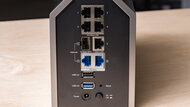
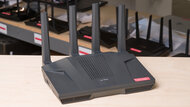
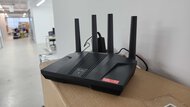
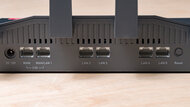
The TP-Link Archer BE900 is the best router for Xfinity we've tested if you want top-end performance and don't mind paying for it. It delivers very fast speeds and excellent range, making it well-suited for large homes, multi-gigabit internet plans, and busy networks where multiple people are streaming, gaming, or downloading at the same time. It also has several multi-gigabit Ethernet ports, including 10Gbps connections, which is useful if you have fast wired devices like a desktop PC, NAS, or home server. If you need to extend coverage further, it also supports TP-Link's EasyMesh system, which lets you create a mesh network using compatible routers or extenders.
The downside is that most households won't make full use of what this router's capable of. If you don't need 10Gbps wired connections or the best possible performance from a single router, the less expensive picks below offer much better value. Note that the price tends to fluctuate, and this router is at its best value when it's $500 USD or less.
-
Best Modem-Router Combo For Xfinity
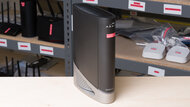
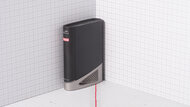
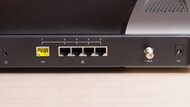
Apartment/CondoMulti-Level HouseGamingSpeedRangeLatencyType:Router/Modem ComboMulti Band:Quad-Band (2.4 / 5 / 5 / 6)See all our test resultsWi-Fi Version:Wi-Fi 7 (be)If you want to replace Xfinity's gateway with one device rather than use a separate modem and router, get the ARRIS SURFboard G54. It combines a DOCSIS 3.1 cable modem with a Wi-Fi 7 router, so it's a convenient way to simplify your setup. Its 6GHz performance is particularly strong, making it a good fit if you have newer Wi-Fi 6E or Wi-Fi 7 phones, laptops, and other devices.
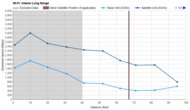
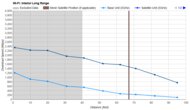
Its biggest weakness is 5GHz performance at longer distances, so the standalone routers on this list are better choices if most of your devices can't use 6GHz or if coverage is your priority. Its wired devices are also limited to 1Gbps each. If you want an all-in-one device but don't need Wi-Fi 7, the ARRIS SURFboard G34 is a cheaper alternative. Be sure to confirm that either model is compatible with your Xfinity plan before buying.
-
Best Upper Mid-Range Router For Xfinity
Apartment/CondoMulti-Level HouseGamingSpeedRangeLatencyType:MeshMulti Band:Tri-Band (2.4 / 5 / 6)See all our test resultsWi-Fi Version:Wi-Fi 7 (be)If our top pick, the TP-Link Archer BE900, is outside your budget, we recommend the TP-Link Deco 7 Pro BE63 as the best router for Xfinity in the upper mid-range price category. It's a mesh system, so you can place multiple nodes throughout your home instead of relying on one powerful router to reach every room. In practice, that makes it easier to maintain fast, reliable connections in areas far from your modem. For most households, starting with a two-pack is a good baseline, with the option to add a third unit later if you still have weak spots.
With the Deco 7 Pro BE63, you give up the BE900's 10Gbps wired connections and some of its peak performance, but those trade-offs matter less if coverage is what you're trying to improve. If one router already covers your home well, however, the TP-Link Archer BE550 below costs less and delivers similarly excellent speeds without requiring a multi-unit setup.
-
Best Mid-Range Router For Xfinity
Apartment/CondoMulti-Level HouseGamingSpeedRangeLatencyType:Standalone RouterMulti Band:Tri-Band (2.4 / 5 / 6)See all our test resultsWi-Fi Version:Wi-Fi 7 (be)We recommend the TP-Link Archer BE550 as the best router for Xfinity at a mid-range price. It's a tri-band Wi-Fi 7 router that delivers excellent overall performance, making it well-suited for households with multiple people streaming high-resolution video, gaming online, or downloading large files simultaneously. It also has five 2.5Gbps Ethernet ports, so fast wired devices and multi-gigabit internet connections are supported.
Its main drawback compared with our upper mid-range pick is coverage. Its 5GHz range is somewhat weaker, though it's still more than adequate for most homes, and you can expand its coverage with compatible mesh routers or extenders. If you live in a particularly large home or have thick concrete or masonry walls, the TP-Link Deco 7 Pro BE63 above is worth the extra cost. Otherwise, the Archer BE550 gives you excellent performance for considerably less.
-
Best Lower Mid-Range Router For Xfinity
Apartment/CondoMulti-Level HouseGamingSpeedRangeLatencyType:Standalone RouterMulti Band:Dual Band (2.4 / 5)See all our test resultsWi-Fi Version:Wi-Fi 6 (ax)If the options above are still too expensive, the GL.iNet Flint 2 (GL-MT6000) is the best router for Xfinity we've tested at a lower mid-range price. It lacks the 6GHz band found on the pricier Wi-Fi 7 models above, but it still offers great speeds and excellent range. It also has four 1Gbps LAN ports and two 2.5Gbps ports, so it can support a fast internet connection and several wired devices.
The Flint 2 also offers considerably more network customization than many consumer routers, including easy network-wide VPN setup, internet failover, and other advanced options. You don't need to use these features to get good performance, but they're a nice bonus if you want more control over your network. Its regular price is fairly close to the TP-Link Archer BE550 above, however, so the TP-Link is the better choice if they're similarly priced and you want Wi-Fi 7 and 6GHz support. The Flint 2 makes the most sense when it's on sale.
-
Best Budget Router For Xfinity
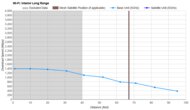
Apartment/CondoMulti-Level HouseGamingSpeedRangeLatencyType:Standalone RouterMulti Band:Dual Band (2.4 / 5)See all our test resultsWi-Fi Version:Wi-Fi 6 (ax)If your internet plan is under 1Gbps, the TP-Link Archer AX55 is our recommended budget option for Xfinity. It's a dual-band Wi-Fi 6 router that delivers strong performance, especially at shorter distances. It can fully utilize internet connections up to around 750Mbps and maintains reliable speeds over longer distances, making it more than fast enough for downloads, 4k streaming, and multiple people browsing or watching videos simultaneously.
It also has very good range for a router in this price bracket, making it well-suited for apartments and small to medium-sized homes. You can also expand its coverage with compatible EasyMesh routers or extenders. Compared with the Flint 2 above, you give up multi-gigabit Ethernet connectivity and its more advanced configuration options. It also lacks the newer 6GHz band, but if you have a sub-gigabit Xfinity plan and just want an inexpensive router that works well, those compromises likely won't matter.




Notable Mentions
-
eero Max 7:
The eero Max 7 is a Wi-Fi 7 mesh system with a longer range than our top pick, the TP-Link Archer BE900, making it better for extremely large homes. However, it's incredibly expensive, and the TP-Link offers better wired connectivity and still delivers outstanding performance at a lower price.
See our review -
GL.iNet Flint 3 (GL-BE9300):
If you value the ability to customize your network settings and want to use advanced features like multi-WAN with options for cell network failover or load balancing, the GL.iNet Flint 3 (GL-BE9300) is an excellent alternative to the TP-Link Archer BE550. However, it's not quite as user-friendly as the TP-Link and lacks the same level of mesh support.
See our review
Recent Updates
Sep 10, 2026:
We've reworked the text in this article to make it easier to make a buying decision. We've also verified all of our recommendations to ensure they're still available and remain the best options for their respective categories.
Jul 28, 2026:
We've reviewed our recommendations to ensure that they're all readily available, but haven't made any changes.
Jun 26, 2026:
We've adjusted the Table Tool in this article for easier readability and reviewed our recommendations to ensure they're still the best options available.
Jun 05, 2026:
We've moved the 'Best Modem/Router Combo For Xfinity' pick closer to the top of the article to better align with user expectations. We've also mentioned the ARRIS SURFboard G34 in the aforementioned pick to provide a less expensive alternative. We also verified that all of our picks are still available and remain the best options in their categories.
Apr 21, 2026:
We've reviewed this article for accuracy, added a link to our 'Best Routers For Spectrum' article, and verified that our current recommendations are still the best available picks.
All Reviews
Our recommendations above are currently the best Wi-Fi routers for Xfinity for most people, whether you're looking to upgrade to the latest Wi-Fi standard, replace your ISP-provided router, or improve your backyard connection. We factor in price (a cheaper router wins over a pricier one if the difference isn't worth it), user feedback, and availability (no routers that are hard to find or almost out of stock everywhere).
If you'd like to choose for yourself, here's the list of all our router reviews. Be careful not to get too caught up in the details. While no router is perfect, nearly all of them are more than good enough for most high-bandwidth uses, like streaming 4k content and downloading large files quickly.