
The TP-Link Deco 7 Pro BE65 Pro, also known as the TP-Link Deco BE11000, is a tri-band Wi-Fi 7 mesh router with 2.4GHz, 5GHz, and 6GHz bands. It's designed for use in a mesh system and is available as a standalone unit or in multi-packs of two or three units. Like other TP-Link Deco routers, it has a compact, minimalist design and is managed via the Deco app. It also supports voice control through Amazon Alexa-enabled devices.
Our Verdict
The TP-Link BE11000 is an excellent router for apartments or single-story homes. It has a compact design that's easy to place in your living space, and it's managed through TP-Link's Deco app, which is straightforward and easy to use. It delivers outstanding speeds that are suitable for downloading large files very quickly or streaming 4k video on multiple devices.
Fantastic speed and Wi-Fi 7 support.
Compact design.
5Gbps networking ports.
The TP-Link Deco 7 Pro BE65 Pro is an amazing router for multi-level homes. It's a mesh system that provides a good enough range for multiple devices streaming 4k video or downloading large files quickly all throughout the house.
Fantastic speed and Wi-Fi 7 support.
Impressive range, which can be expanded with additional access points.
5Gbps networking ports.
The TP-Link Deco 7 Pro BE65 Pro provides adequate performance for gaming over Wi-Fi, combining outstanding top speeds and strong range to make large downloads and updates frictionless throughout the home. Like most Wi-Fi routers, its wireless latency performance is fair, but there's enough ping and jitter variation to make Ethernet preferable for players seeking the most consistent performance.
Fantastic speed and Wi-Fi 7 support.
Impressive range, which can be expanded with additional access points.
5Gbps networking ports.
Reasonably low latency, suitable for web browsing and casual gaming.
Not recommended for competitive gaming over Wi-Fi.
The TP-Link BE11000 delivers superb speeds suitable for a multi-gigabit internet connection. It also supports Dynamic Frequency Selection (DFS), so it can use less congested DFS-only channels to give you better speeds in noisy wireless environments.
Fantastic speed and Wi-Fi 7 support.
The TP-Link BE11000 has impressive range performance. Since it's a mesh router, satellite access points help it maintain great average speeds over long distances, making it suitable for high-bandwidth uses and high-speed downloads over a wide area.
Impressive range, which can be expanded with additional access points.
The TP-Link Deco 7 Pro BE65 Pro's wireless latency is reasonable. You won't notice any major delays while browsing the web or streaming video, but you can expect slightly higher latency when connected to a satellite node (as is typical for mesh systems).
Reasonably low latency, suitable for web browsing and casual gaming.
Not recommended for competitive gaming over Wi-Fi.
Changelog
- Updated Jun 22, 2026: We've updated this review to Test Bench 0.9.1! This is a minor change that makes the router type easier to see at the top of each review. Read the changelog for more info.
-
Updated Jun 08, 2026:
We've added a link to the newly reviewed ASUS ZenWiFi BQ16 Pro in the Network Ports section of the review.
-
Updated May 25, 2026:
We've updated this review and added text to interpret and contextualize our results from Test Bench 0.9.
-
Updated May 21, 2026:
We've updated this review to reflect that TP-Link has renamed this router from 'Deco BE65 Pro' to 'Deco 7 Pro BE65 Pro'.
Check Price
Differences Between Sizes And Variants
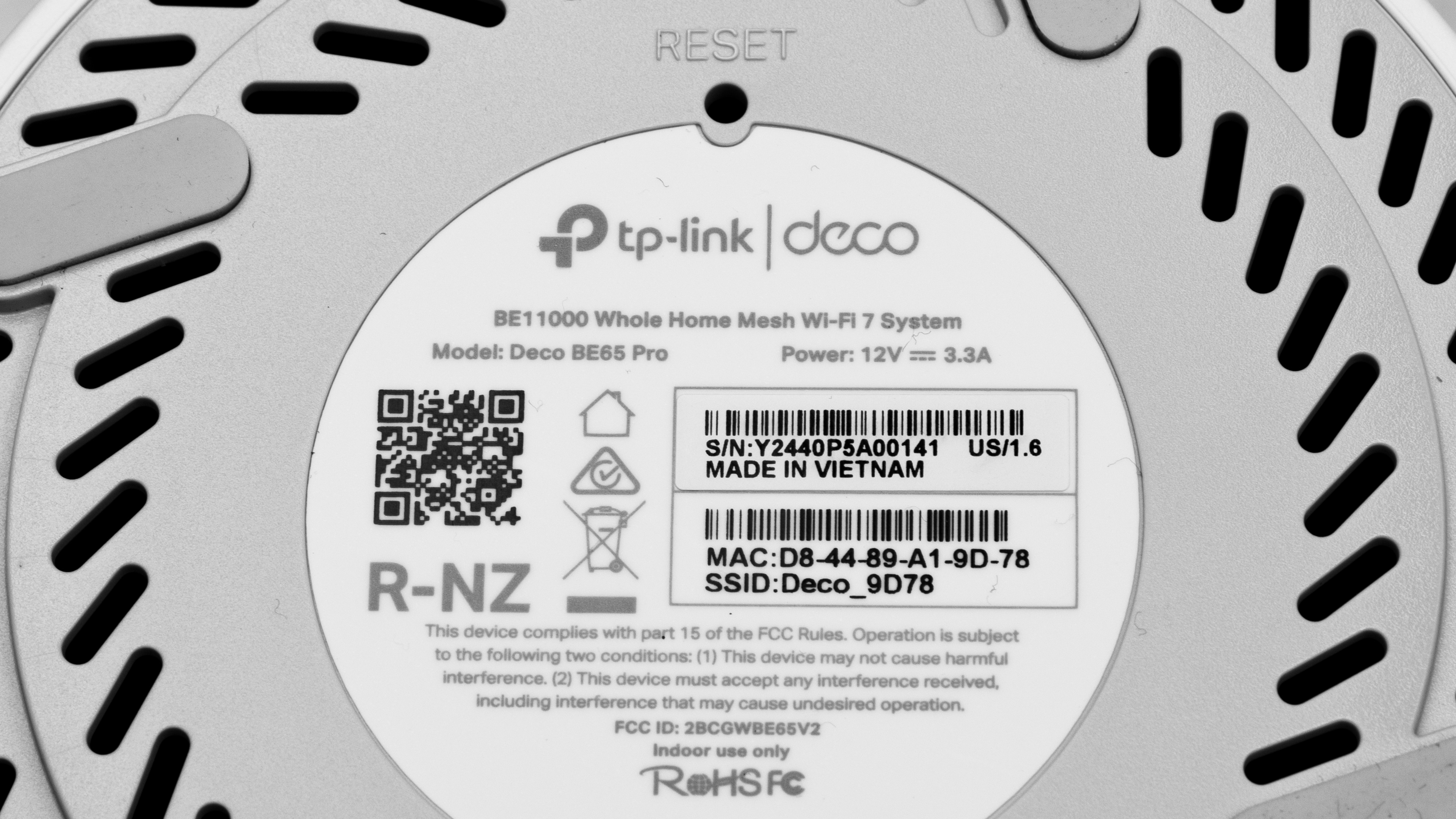
The TP-Link Deco 7 Pro BE65 Pro is available in a one, two, or three-pack. We bought and tested the two-pack. Here's a photo of our unit's label.
TP-Link also sells the TP-Link Deco 7 Pro BE63, which we tested. The only difference between the two is the network port configuration: this model has 5Gbps Ethernet ports, compared to the BE63's 2.5Gbps Ethernet ports.
Popular Router Comparisons
The TP-Link Deco BE11000 is a tri-band Wi-Fi 7 router designed for use as a mesh system. Like the rest of TP-Link's Deco lineup, it's compatible with every other Deco model, so you can easily expand your mesh network according to your needs. Other integrated mesh routers, like the ones from eero, have this functionality as well.
Thanks to its mesh capability, it compares favorably to standalone Wi-Fi 7 routers like the TP-Link Archer BE550 and the ASUS RT-BE96U in terms of range. That said, it doesn't quite deliver the same all-out speed performance as those options and is outperformed by the more expensive eero Max 7.
Its sibling, the TP-Link Deco 7 Pro BE63, offers virtually the same performance in an identical package but has four 2.5Gbps Ethernet ports compared to this model's unusual 5Gbps ports. The BE63 is also significantly cheaper than this model, so it provides a better value overall.
For more recommendations, check out the best mesh Wi-Fi systems, the best Wi-Fi routers for large homes, or the best routers for streaming.
The TP-Link Deco 7 Pro BE65 Pro is better than the eero Pro 7. They're both tri-band Wi-Fi 7 systems, but the TP-Link delivers much faster speeds. The TP-Link also has an additional networking port and a USB port, which the eero lacks.
The TP-Link Deco 7 Pro BE63 and the TP-Link Deco 7 Pro BE65 Pro are both Wi-Fi 7 mesh routers in TP-Link's Deco lineup. They look nearly identical and perform similarly, but the BE65 Pro has one 2.5Gbps and two 5Gbps network ports, while the BE63 has four 2.5Gbps ports.
The eero Max 7 and the TP-Link Deco 7 Pro BE65 Pro are Wi-Fi 7 mesh routers. The eero has significantly better range and speed than the TP-Link, and it's bigger.
The TP-Link Deco 7 Pro BE65 Pro and the TP-Link Archer BE550 are Wi-Fi 7 routers from the same company. The Deco BE65 Pro is part of TP-Link's Deco lineup of mesh routers, and the Archer BE550 is part of their Archer lineup of conventional standalone routers. The two perform similarly well in terms of maximum speed, but the Deco BE63 has much better range, making it more suitable for larger homes.
Test Results
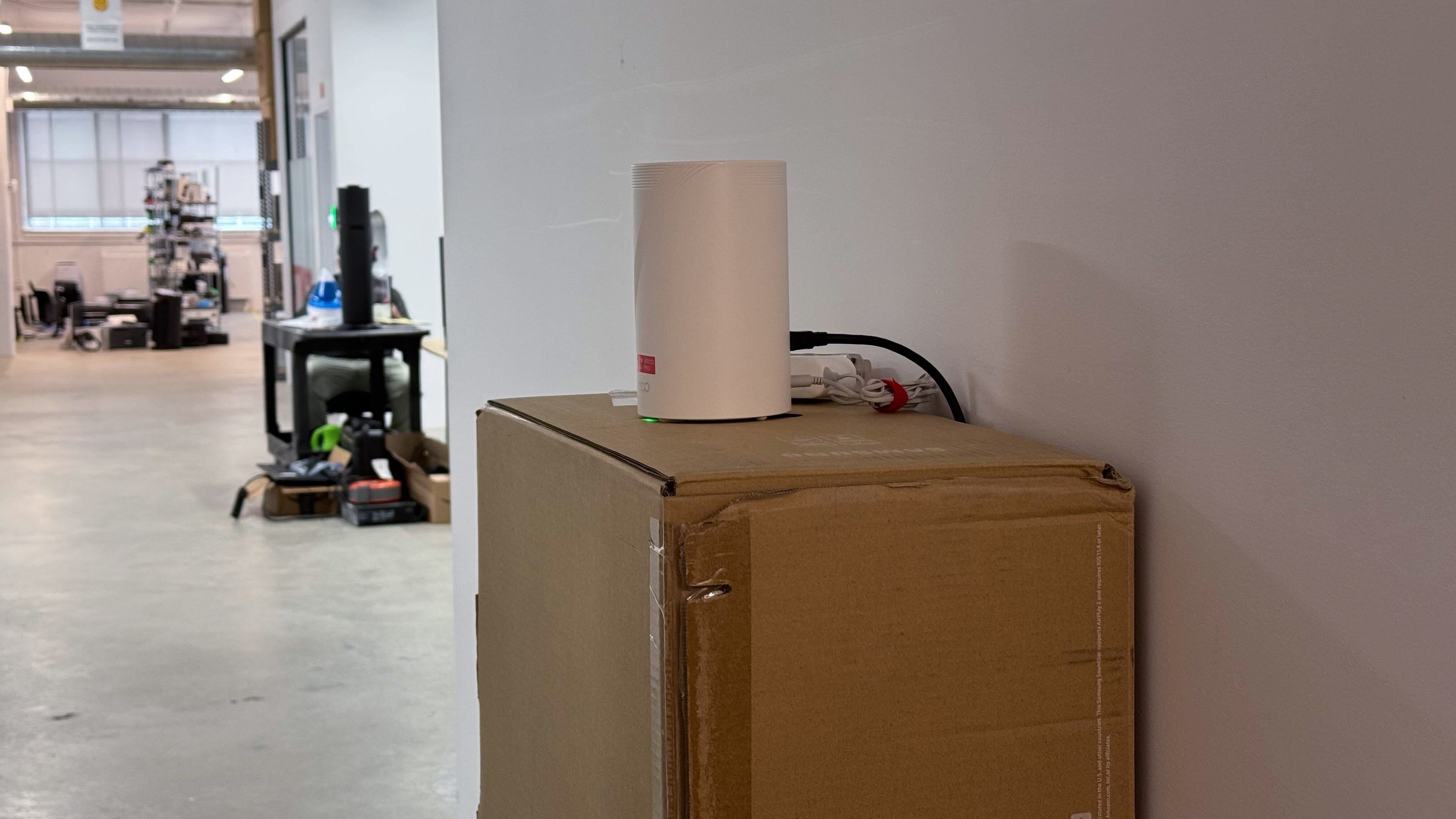

for pictures & test results

Note that we've listed the 5Gbps ports as 2.5Gbps since our test bench doesn't currently have an option for 5Gbps ports.
This router's networking ports automatically detect whether you use a WAN or LAN connection.
If you're looking for a mesh system with a faster 10Gbps WAN port, check out the ASUS ZenWiFi BQ16 Pro.
We couldn't find any official documentation on the speed of this router's USB port but have seen reports online that it's USB 2.0. If you'd like to share your experience on the USB speed, reach out in the comments section.
for pictures & test results

- Ethernet cable
- Power adapter x2
- User documentation

for pictures & test results

We tested this router in dual mesh mode.
for pictures & test results

We tested this router in dual mesh mode.
Due to compatibility issues between the router's 6GHz network and our Linux-based test environment, we weren't able to gather enough reliable network data to include here. We completed our 6GHz test in Windows, so only speed results are available.
for pictures & test results

The TP-Link Deco BE11000 maintains reasonably low wireless latency for common tasks like web browsing and video streaming. However, like most mesh systems, performance is slightly less responsive when connected through a satellite node.
for pictures & test results
Wi-Fi 7 offers faster speeds, lower latency, and support for more simultaneous connections than previous generations of Wi-Fi. However, you'll need devices supporting Wi-Fi 7 to benefit from these features.
for pictures & test results
This router uses alternating MLO (multi-link operation), which is a limited implementation of the technology that establishes a connection with clients on one band at a time. For more information, read our article on the topic.