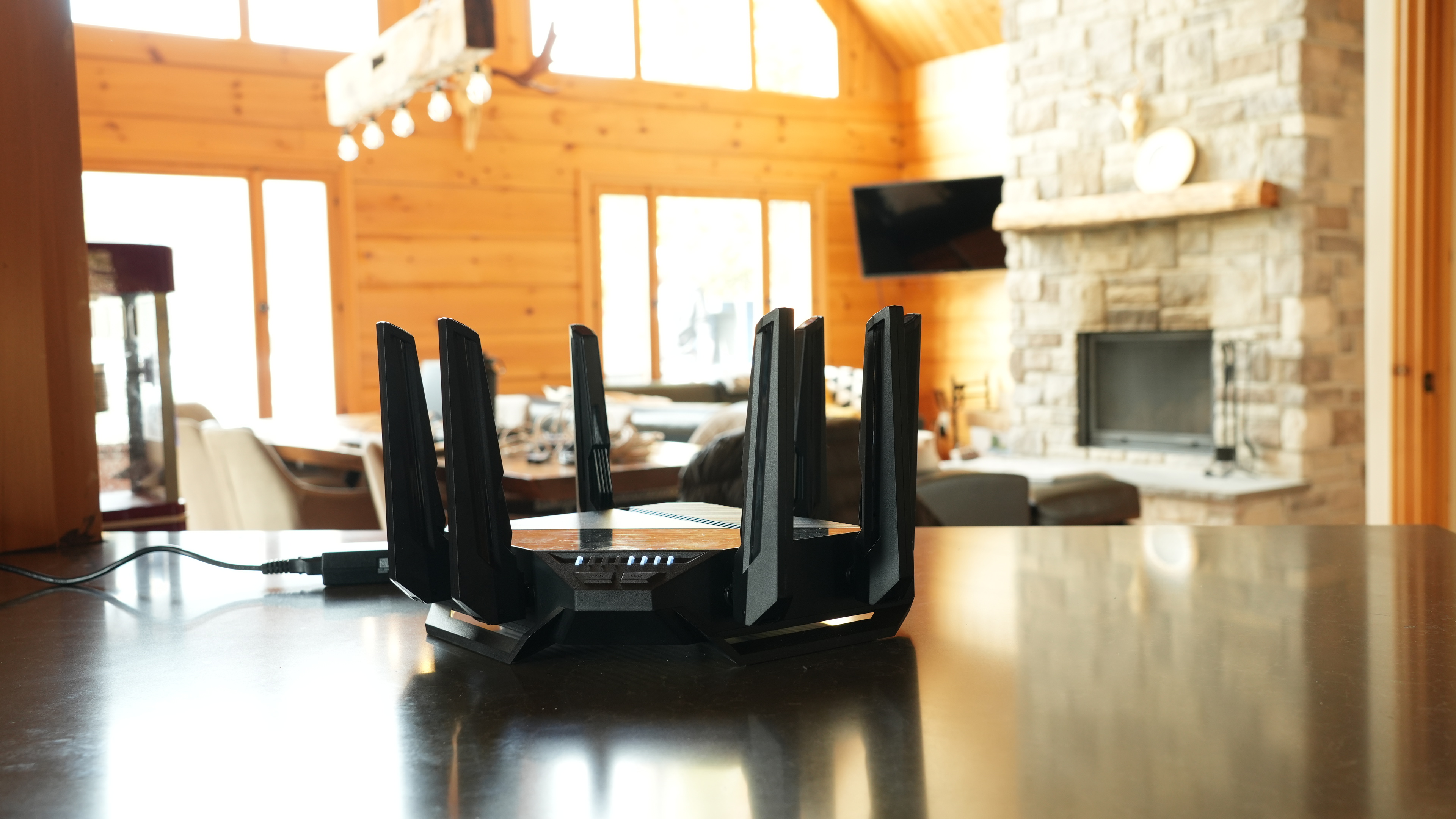
The ASUS RT-BE96U is a tri-band Wi-Fi 7 router with 2.4, 5, and 6GHz bands. It has configurable dual 10Gbps network ports and a full suite of software features, like ASUS's AiMesh, which allows you to use old ASUS routers as additional access points, WPA3 security, parental controls, and more.
Our Verdict
The ASUS RT-BE96U is very good for use in an apartment or condo. Its indoor network coverage across the same floor is remarkable, delivering incredible speeds whether you're right next to the router or on the other side of your apartment. It has ample connectivity with support for 10Gbps speeds and five LAN ports. Its biggest downside is its size. It has eight large antennas and a very large footprint, so it'll stick out and be hard to conceal in a living space.
- Remarkable top speeds.
- Great wired networking connectivity with flexible port assignments.
- Wi-Fi 7 support.
- Very big and bulky.
The ASUS RT-BE96U is an impressive router for medium to large houses with multiple floors. It provides very fast speeds, whether you're right next to it, two floors above it, or in the backyard. It has great connectivity options with multiple 10Gbps network ports and five LAN ports. It's very big and has eight large antennas, so it'll stick out if installed in a living space, and its range isn't quite as far as a mesh solution.
- Remarkable top speeds.
- Great wired networking connectivity with flexible port assignments.
- Very good range.
- Wi-Fi 7 support.
- Compatible with ASUS' AiMesh for better range.
- Very big and bulky.
- 5GHz slows down at very far distances.
The ASUS RT-BE96U is decent for gaming over Wi-Fi. It delivers remarkably fast top speeds, so you can download large game files quickly, and its range is very good, especially on the 6GHz band. Its latency performance is on par with most other routers, and fine for casual gaming. Plugging your devices into the router via Ethernet is recommended for competitive gaming, however.
- Remarkable top speeds.
- Very good range.
Adequate wireless latency for web browsing and non-competitive gaming.
- 5GHz slows down at very far distances.
Unsuitable for competitive gaming over Wi-Fi.
The ASUS RT-BE96U has remarkable top speeds suitable for a multi-gigabit internet connection. It also supports DFS (Dynamic Frequency Selection), so it can use less congested DFS-only channels to give you better speeds in noisy wireless environments.
- Remarkable top speeds.
- Wi-Fi 7 support.
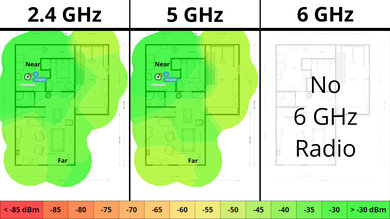
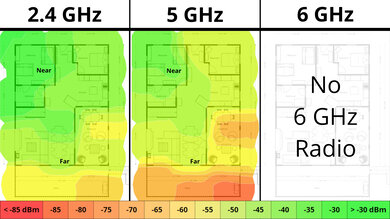
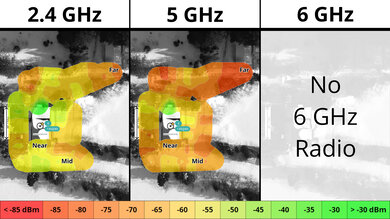
The ASUS RT-BE96U has very good range. Even from nearly 100 feet away, the 6GHz band delivers superb speeds. The 5GHz range isn't as good as a mesh solution, but it's compatible with other ASUS AiMesh routers to create a mesh network.
- Very good range.
- Wi-Fi 7 support.
- Compatible with ASUS' AiMesh for better range.
- 5GHz slows down at very far distances.
The ASUS RT-BE96U has adequate wireless latency and jitter performance that's very similar to most other routers, and is adequate for web browsing, video calling, and non-competitive gaming.
Adequate wireless latency for web browsing and non-competitive gaming.
Unsuitable for competitive gaming over Wi-Fi.
Changelog
- Updated Jun 22, 2026: We've updated this review to Test Bench 0.9.1! This is a minor change that makes the router type easier to see at the top of each review. Read the changelog for more info.
-
Updated Apr 08, 2026:
We've updated the text throughout the review to reflect the changes from Test Bench 0.9.
- Updated Apr 08, 2026: We've updated this review to Test Bench 0.9! This update adds wireless latency testing to evaluate router gaming performance. Read the changelog for more info.
-
Updated Jan 20, 2026:
We've added a link to the ASUS RT-BE92U in the review's Dimensions section.
Check Price
Differences Between Sizes And Variants
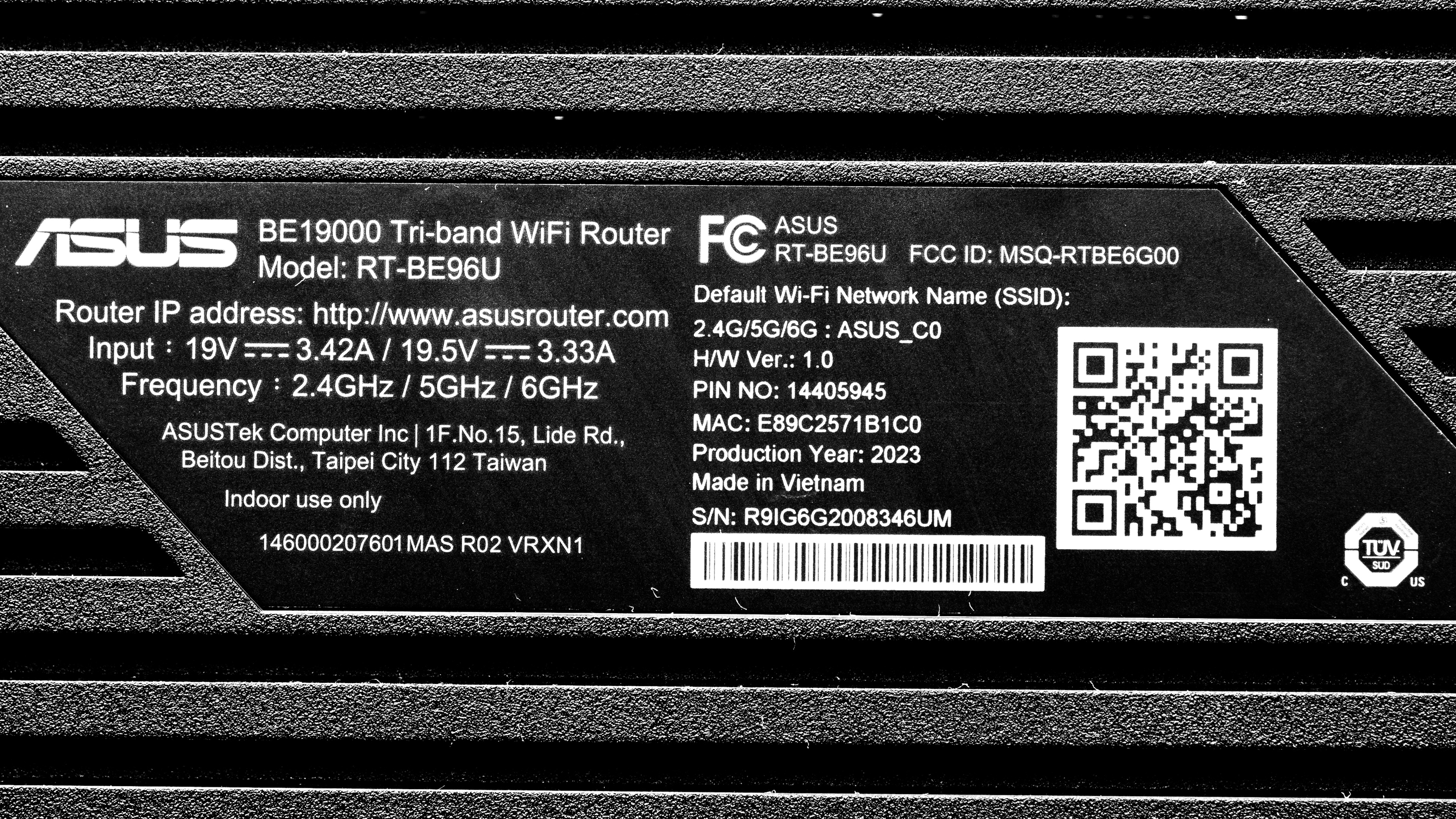
This router has no variants. Here's a photo of our unit's label.
Popular Router Comparisons
The ASUS BE96U is among the first Wi-Fi 7 routers on the market and ASUS' flagship router at the time of writing. Its configurability and number of features and settings make it stand out from other routers like the eero Max 7. It's no slouch performance-wise, delivering extremely fast top speeds and multi-gigabit networking capabilities. That said, it's still only a standalone router, and the eero Max 7 has much better range thanks to its mesh design. The ASUS is also very large for a router, and its aggressive styling might not appeal to everyone.
If you're looking for more options, check out our recommendations for the best Wi-Fi routers, the best routers for large homes, and the best long-range Wi-Fi routers.
The ASUS RT-BE96U and the ASUS ROG Strix GS-BE18000 are tri-band Wi-Fi 7 routers. The BE96U has much higher top speeds than the ROG Strix, but the latter has better range. The ROG Strix also supports AFC in some regions, which can increase the range of the 6GHz band. Otherwise, the BE96U is much larger physically and has two 10Gbps ports and four 1Gbps ports compared to the ROG Strix's eight 2.5Gbps ports.
The ASUS RT-BE96U is a better router than the NETGEAR Nighthawk RS300. They're both Wi-Fi 7 capable, but the ASUS is faster, has better range and more wired networking ports, and supports AiMesh for mesh expandability. The NETGEAR is physically smaller, however.
The ASUS ROG Rapture GT-BE98 Pro and the ASUS RT-BE96U are excellent Wi-Fi 7 routers. The main difference comes down to features for mesh networking. Get the GT-BE98 Pro if you have a large home and want to set up a mesh network, as it's a quad-band router with two 6GHz bands; you can use one of the 6GHz bands as a dedicated backhaul channel that ASUS claims delivers more consistent performance. If you don't need this feature, get the RT-BE96U, as it provides similar performance and offers a better value.
The ASUS RT-BE96U and the TP-Link Archer BE700 are high-end Wi-Fi 7 routers. Both are great options for most home sizes, but excel in slightly different areas. The ASUS delivers significantly higher top speeds at close range, but its range on the 5GHz band isn't as good as that of the TP-Link. It's also massive, and its aesthetic isn't for everyone. The TP-Link has fewer 2.5Gbps ports than the ASUS.
Test Results
for pictures & test results

If you're looking for a smaller Wi-Fi 7 router, check out the ASUS RT-BE92U.
for pictures & test results

This router has two multi-gigabit networking ports, both rated for 10Gbps. By default, one is a WAN port (to connect to your modem), while the other is a LAN port. You can use the router's web interface to configure the ports to your liking.
If you're looking for a router with PoE (Power over Ethernet) ports, check out the UniFi Dream Router. If you want a router with more high bandwidth network ports, check out the ASUS ROG Rapture GT-BE98 Pro.
for pictures & test results

- CAT 6 Ethernet cable
- 65W Power adapter
- User documentation

for pictures & test results

This is a standalone router without mesh capabilities, so the mesh satellite position line on this graph isn't applicable.
for pictures & test results

This is a standalone router without mesh capabilities, so the mesh satellite position line on this graph isn't applicable.
If you're looking for a Wi-Fi 7 mesh option with better range, check out the TP-Link Deco 7 Pro BE63 or TP-Link Deco 7 Pro BE65 Pro.
for pictures & test results

This router's wireless latency and jitter are on par with most routers. It's adequate for browsing the web, taking video calls, and non-competitive gaming.
Wi-Fi 7 has faster speeds, lower latency, and supports more simultaneous connections than previous generations of Wi-Fi. However, you'll need devices supporting Wi-Fi 7 to benefit from these features.
Check out the TP-Link Archer BE900 if you're interested in a quad-band Wi-Fi 7 router.
for pictures & test results
This router uses alternating MLO (multi-link operation), which is a limited implementation of the technology that establishes a connection with clients on one band at a time. For more information, read our article on the topic.