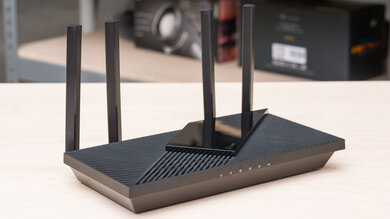
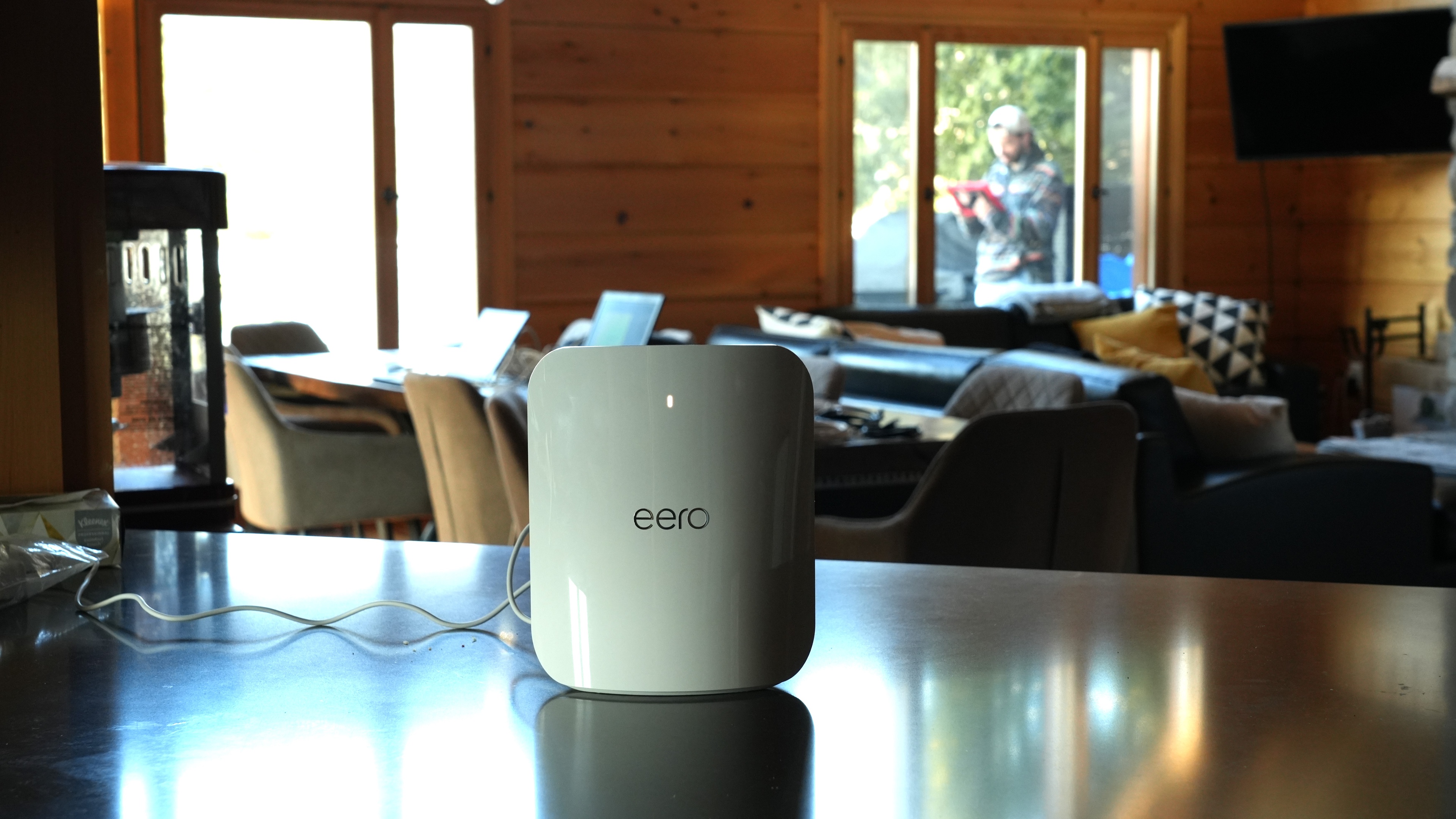
The eero Max 7 is eero's flagship tri-band Wi-Fi 7 router with 2.4GHz, 5GHz, and 6GHz bands. It's designed to work in a mesh system with other access points and is available as a standalone router or in various multi-packs. Like eero's other routers, it has a sleek design with a glossy white finish, but it's considerably larger. The larger body holds more networking ports, two rated for 2.5Gbps and two rated for 10Gbps. It features a built-in smart-home hub that supports Thread, Matter, and Zigbee devices. You manage the router through eero's mobile app, where you can configure basic settings. The app has a paid subscription tier that provides access to additional features such as ad blocking, content filters, and a VPN.
Our Verdict
The eero Max 7 is a fantastic router if you live in an apartment, condo, or single-story home. It's fast enough to saturate a multi-gigabit internet connection, and you'll have no problems with downloading very large files quickly or multiple users streaming 4k video content simultaneously. It also has a sleek design that won't be unsightly in your living space, though it's bigger than other eero routers. It has a built-in smart home hub, but many useful, expected features like parental controls and app blocking are only accessible with an eero Plus subscription.
- Sleek design.
- Outstanding range performance.
- Built-in smart home integration.
- Ample multi-gigabit networking ports.
- Exceptional top speeds.
- Have to pay an additional subscription fee for advanced features.
Lacking some basic, expected configuration options.
The eero Max 7 is a fantastic router if you live in a multi-level home. Its network coverage is good enough to provide a fast, stable connection throughout your home, suitable for even the most bandwidth-intensive tasks. You can also easily add access points for better signal strength throughout your home and backyard. It has a convenient app, but useful features like parental control are only accessible if you pay for an eero Plus subscription.
- Sleek design.
- Outstanding range performance.
- Can add additional mesh access points to improve range.
- Built-in smart home integration.
- Ample multi-gigabit networking ports.
- Exceptional top speeds.
- Have to pay an additional subscription fee for advanced features.
Lacking some basic, expected configuration options.
The eero Max 7 is decent for gaming over Wi-Fi. While its wireless latency performance is okay overall and similar to most routers, it delivers exceptionally fast top speeds and outstanding range, so you can download large game updates incredibly quickly, no matter where you are in your home.
- Outstanding range performance.
- Can add additional mesh access points to improve range.
- Exceptional top speeds.
Adequate wireless latency for web browsing and non-competitive gaming.
Consistent latency when connected to a satellite access point.
Unsuitable for competitive gaming over Wi-Fi.
The eero Max 7 isn't designed to be a travel router. It's fairly large and bothersome to pack and travel with. It also lacks useful travel features like cellular connectivity or network-wide VPN support without paying for an eero Plus subscription. On the plus side, it offers a good selection of high-speed networking ports and can be powered by a USB-C power supply.
- Have to pay an additional subscription fee for advanced features.
Physically large and impractical to travel with.
The eero Max 7 delivers exceptionally fast speeds suitable for a multi-gigabit internet connection. It also supports DFS (Dynamic Frequency Selection), so it can use less-congested DFS-only channels to deliver better speeds in noisy wireless environments.
- Exceptional top speeds.
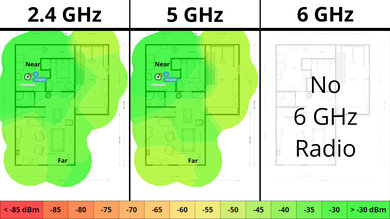
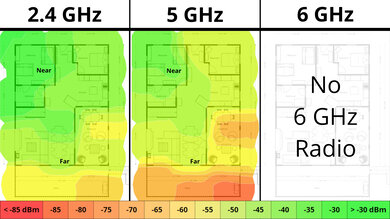
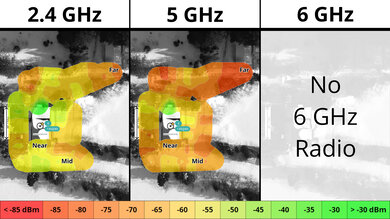
The eero Max 7 has superb range performance. Since it's a mesh router, satellite access points help it maintain consistent average speeds over long distances, making it suitable for high-bandwidth uses and high-speed downloads over a wide area.
- Outstanding range performance.
- Can add additional mesh access points to improve range.
The eero Max 7 delivers adequate wireless latency performance overall. It's suitable for web browsing, taking video calls, and even casual gaming. Its latency performance is notably consistent when you're connected to a satellite access point, unlike most mesh systems, which usually incur a latency penalty.
Adequate wireless latency for web browsing and non-competitive gaming.
Consistent latency when connected to a satellite access point.
Unsuitable for competitive gaming over Wi-Fi.
The eero Max 7 has disappointing configurability. Nearly all advanced features and many basic features are locked behind the eero Plus subscription service, and even then, some very basic features, like creating separate SSIDs for different bands, aren't an option. This router is perfectly fine as a set-and-forget appliance, but it's a poor option if you want to adjust anything beyond the very basic settings.
- Have to pay an additional subscription fee for advanced features.
Lacking some basic, expected configuration options.
Performance Usages
Changelog
- Updated Sep 11, 2026: We've updated this review to Test Bench 0.10! This update adds Portability and Configurability testing to evaluate how suitable routers are for travel and to show how configurable their settings are. Read the changelog for more info.
- Updated Jun 22, 2026: We've updated this review to Test Bench 0.9.1! This is a minor change that makes the router type easier to see at the top of each review. Read the changelog for more info.
-
Updated Jun 08, 2026:
We've added a link to the newly reviewed ASUS ZenWiFi BQ16 Pro in the Wi-Fi Specifications section of the review.
-
Updated Apr 08, 2026:
We've updated the text throughout the review to reflect the changes from Test Bench 0.9.
Check Price
Differences Between Sizes And Variants
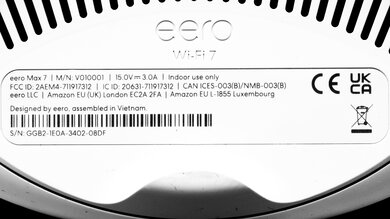
The eero Max 7 is available on its own or in a two or three-pack. We bought and tested a two-pack. Here's a photo of our unit's label.
Popular Router Comparisons
The eero Max 7 is eero's flagship Wi-Fi 7 router. It shares many features with other eero routers: it supports mesh networking with additional access points and is compatible with Zigbee smart home devices. Eero offers an "eero Plus" membership that provides access to advanced settings and additional features, such as ad blocking, content filters, and VPN access.
You manage the router and change its settings through eero's app, which, while convenient and easy to use, doesn't offer much flexibility in terms of advanced settings and network controls. Eero also doesn't have a web interface at the time of writing, unlike most other routers in this category.
This router is a superb Wi-Fi 7 option that stands out for its incredible top speeds and outstanding range performance, outperforming the standalone ASUS RT-BE96U.
If you're looking for more options, check out our recommendations for the best Wi-Fi routers, the best mesh Wi-Fi systems, and the best routers for large homes.
The eero Max 7 is a better router than the eero Pro 7. It delivers significantly faster top speeds, better range, and has a better port selection with two 10GbE and two 2.5GbE ports, while the Pro 7 only has two 5GbE ports. That said, the Pro 7 is smaller than the Max 7, so it doesn't stick out as much in your living space. Other than the performance and size differences, the two routers offer nearly identical functionality.
The eero Max 7 is better than the eero Pro 6E. They're both tri-band mesh systems, but the Max 7 is Wi-Fi 7 while the Pro 6E is Wi-Fi 6E. The former delivers significantly faster top speeds and has two 10Gbps and two 2.5Gbps networking ports, compared to the latter's one 2.5Gbps and one 1Gbps ports.
The eero Max 7 outperforms the TP-Link Deco 7 Pro BE67 overall. While both are sleek Wi-Fi 7 tri-band mesh systems, the eero has noticeably better range and slightly higher peak speeds than the TP-Link. It also has a better port selection, with two 10Gbps ports and two 2.5Gbps ports, while each Deco unit has one 10Gbps port, one 2.5Gbps port, and one 1Gbps port. That said, if you don't need the eero’s extra high-speed ports or smart home hub features, the Deco is hardly a compromise for most homes.
The eero Max 7 and the TP-Link Deco 7 Pro BE65 Pro are Wi-Fi 7 mesh routers. The eero has significantly better range and speed than the TP-Link, and it's bigger.
Test Results
for pictures & test results

If you're looking for a smaller Wi-Fi 7 mesh router, check out the TP-Link Deco 7 Pro BE63 or TP-Link Deco 7 Pro BE65 Pro.
for pictures & test results

This router's networking ports automatically detect whether you use a WAN or LAN connection.
If you're looking for a router with a 10Gbps SFP+ port, check out the UniFi Dream Router 7.
While this router has a USB-C port, it's only for power and doesn't support data transfer.
for pictures & test results

- Ethernet cable x2
- USB-C power adapter x2
- User documentation

The eero Max 7 lets you adjust some basic settings, but several expected options, such as disabling band steering and per-device traffic monitoring, are either completely missing or locked behind eero Plus, eero's subscription service. You can read more about eero Plus on eero's website.
While eero locks some settings behind its eero Plus subscription service, many advanced options aren't available at all.
Note that in order to enable LTE connectivity, you need to purchase the eero Signal separately.
The eero Max 7's free parental controls are limited. You can create profiles to group multiple devices under a family member, set bedtime schedules, block specific websites, and manually pause internet access. An eero Plus subscription unlocks more flexible scheduling and app filtering, but daily usage limits aren't available, even with a subscription.
for pictures & test results

We tested this router in dual mesh mode. When connected to the satellite, there's a speed penalty on the 6GHz band, but this is expected. A satellite unit is likely unnecessary if you have a smaller home without dead zones or obstacles like concrete walls.
for pictures & test results

We tested this router in dual mesh mode. Note that the router was initially only broadcasting on 160MHz channels on the 6GHz band instead of on the 320MHz channels, resulting in much slower speeds. The router only switched to the faster 320MHz channels after a few hours. Let us know in the comments if you experience similar behavior.
for pictures & test results

Since eero routers don't allow you to create separate SSIDs for the 5GHz and 6GHz bands, we were only able to gather latency results for the 6GHz band. We expect the latency and jitter to be similar on the 5GHz band.
This router's wireless latency and jitter are alright, making it suitable for taking video calls, general web browsing, and non-competitive gaming.
for pictures & test results
This router has reasonable latency and jitter when you're connected to a satellite access point that's surprisingly better than other mesh Wi-Fi systems. We re-ran the test to verify our results and were able to reproduce them.
Wi-Fi 7 has faster speeds and supports more simultaneous connections than previous generations of Wi-Fi. However, you'll need devices supporting Wi-Fi 7 to benefit from these features.
If you're looking for a similar mesh system with subscription-free security tools, check out the ASUS ZenWiFi BQ16 Pro.
for pictures & test results
This router uses alternating MLO (multi-link operation), which is a limited implementation of the technology that establishes a connection with clients on one band at a time. For more information, read our article on the topic.