
The TP-Link Archer BE400, also known as the TP-Link BE6500, is a dual-band Wi-Fi 7 router that supports the 2.4GHz and 5GHz bands. It has five Ethernet ports, two of which are rated for 2.5Gbps speeds. It also sports a USB 3.0 port for connecting a storage device. Like most routers in TP-Link's Archer lineup, it supports EasyMesh, a feature that allows you to create a mesh network with any other EasyMesh-compatible router or access point. You can configure and manage this router with its web interface or with the TP-Link Tether smartphone app.
Note: We've removed the Wi-Fi coverage tests, as we're exploring better ways to convey the results that'll be more helpful to users.
Our Verdict
The TP-Link BE6500 is a great router for apartments and small homes. At short to medium distances, it delivers impressive speeds that are suitable for high-bandwidth uses like downloading large files quickly and multiple users streaming 4k video simultaneously. It has a 2.5Gbps WAN port and four LAN ports, one of which is rated for 2.5Gbps for a multi-gigabit wired connection. It also supports Dynamic Frequency Selection (DFS), a feature that can improve your connection in noisy wireless environments, like apartment buildings. Unfortunately, even though it's a Wi-Fi 7 router, it doesn't have a 6GHz band, so any of your devices that support 6GHz can't take advantage of the higher speeds it enables.
Impressive top speeds.
2.5Gbps Ethernet ports.
Good range.
No 6GHz band.
The TP-Link Archer BE400 is a very good router for multi-level homes. It delivers great speeds at short to medium distances and has good overall range, making it suitable for high-bandwidth uses like 4k streaming and fast downloads throughout a larger home. It has great wired connectivity with five Ethernet ports, two of which support 2.5Gbps speeds, so you can leverage a multi-gigabit wired connection. Despite being a Wi-Fi 7 router, it lacks a 6GHz band, so if you have devices supporting that frequency, they can't take advantage of it.
Impressive top speeds.
2.5Gbps Ethernet ports.
Good range.
No 6GHz band.
The TP-Link Archer BE400 is decent for gaming over Wi-Fi. It maintains fair wireless latency levels alongside impressive speeds and good range, so large downloads and updates stay quick across most of the home. For competitive gaming, we recommend connecting directly to its LAN port rated for 2.5Gbps for the best performance.
Impressive top speeds.
Good range.
Wireless latency is adequate for general use and non-competitive gaming.
No 6GHz band.
Not suitable for competitive gaming over Wi-Fi.
The TP-Link Archer BE6500 delivers impressive wireless speeds that can take advantage of a ~1.5Gbps internet connection. However, its maximum speeds are held back by its lack of a 6GHz band, a common feature on Wi-Fi 7 routers.
Impressive top speeds.
No 6GHz band.
The TP-Link Archer BE6500 has good range. While the speeds drop at longer distances, it supports EasyMesh, so you can improve coverage by setting up a mesh network with additional EasyMesh-compatible access points.
Good range.
The TP-Link Archer BE400 maintains adequate latency levels for general use. It's suitable for web browsing and video calls thanks to its low jitter, though its overall performance is fairly in line with similar routers. It lacks a 6GHz band, so compatible devices won't benefit from lower latency or reduced congestion associated with those frequencies.
Wireless latency is adequate for general use and non-competitive gaming.
Not suitable for competitive gaming over Wi-Fi.
Changelog
- Updated Jun 22, 2026: We've updated this review to Test Bench 0.9.1! This is a minor change that makes the router type easier to see at the top of each review. Read the changelog for more info.
-
Updated May 26, 2026:
We've updated this review with additional text to help contextualize our latest results from Test Bench 0.9.
- Updated Apr 22, 2026: We've updated this review to Test Bench 0.9! This update adds wireless latency testing to evaluate router gaming performance. Read the changelog for more info.
-
Updated Mar 09, 2026:
We've added a link to the newly reviewed TP-Link Archer BE9500 in the Network Ports section of the review.
Check Price
Differences Between Sizes And Variants
The TP-Link Archer BE400 doesn't have any variants, but it's also marketed as the TP-Link Archer BE6500. If you come across any other variants, let us know in the comments.
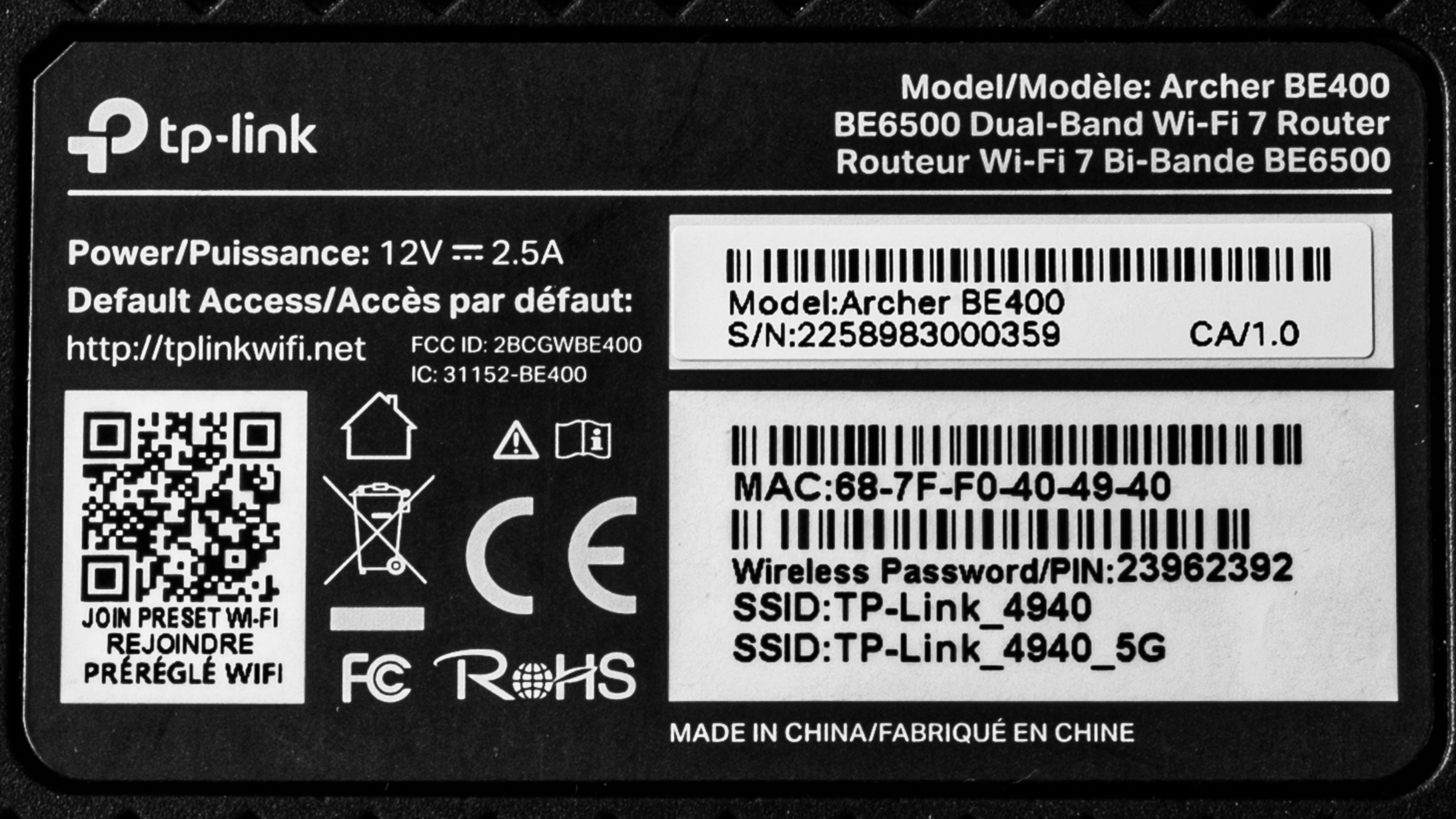
Here's a photo of our unit's label.
Popular Router Comparisons
The TP-Link Archer BE400 is yet another model in TP-Link's sprawling Archer lineup of standalone routers. It's a dual-band Wi-Fi 7 router with a 2.4GHz band and a 5GHz band. It's a lower mid-range model that sits above the budget TP-Link Archer BE230 but below the more expensive, tri-band TP-Link Archer BE550, and it delivers competent performance in its price bracket. That said, since it doesn't support the 6GHz band, any Wi-Fi 6E or Wi-Fi 7 devices that support it won't be able to take advantage of the higher potential speeds it offers, so you'd be better served by a tri-band router that supports the 6GHz band.
For more recommendations, see our lists for the best Wi-Fi routers, the best Wi-Fi routers for streaming, and the best long-range Wi-Fi routers. If you want to learn more about the differences between Wi-Fi protocols, check out our articles comparing Wi-Fi 5 to Wi-Fi 6, or Wi-Fi 6 to Wi-Fi 7.
The TP-Link Archer BE400 and the TP-Link Archer BE230 are dual-band Wi-Fi 7 routers. The former sports the same physical design but has six external antennas instead of four on the latter. It also delivers faster speeds and has a longer range.
The TP-Link Archer BE400 is a dual-band Wi-Fi 7 router with 2.4GHz and 5GHz bands, and the TP-Link Archer AXE75 is a tri-band Wi-Fi 6E router with 2.4GHz, 5GHz, and 6GHz bands. Despite sporting a 6GHz band which can typically deliver faster speeds than lower frequency bands, the AXE75 isn't as fast and has worse range than the BE400. The BE400 also has better wired networking with two of its Ethernet ports supporting 2.5Gbps speeds, while the AXE75 only has gigabit Ethernet ports.
The TP-Link Archer BE400 and the eero 7 are dual-band Wi-Fi 7 routers. The TP-Link is a standalone router that can be expanded into a mesh network with compatible EasyMesh routers and access points, while the eero is a dedicated mesh router that's sold in multi-packs. The TP-Link is faster and delivers better range than the eero, despite testing the latter in a mesh configuration. The TP-Link also has more wired networking ports than the eero.
The TP-Link Archer BE400 and the ASUS RT-BE92U are both Wi-Fi 7 routers, but the ASUS is tri-band, while the TP-Link is only dual-band, lacking a 6GHz band. As such, the ASUS delivers much higher top speeds and better speeds at close to medium distances than the TP-Link. The ASUS also has faster wired networking with a 10Gbps WAN port and four 2.5Gbps LAN ports, while the TP-Link has two 2.5Gbps ports and three gigabit ports.
Test Results


for pictures & test results

If you're looking for a router with a 10Gbps WAN port, check out the TP-Link Archer BE9500.
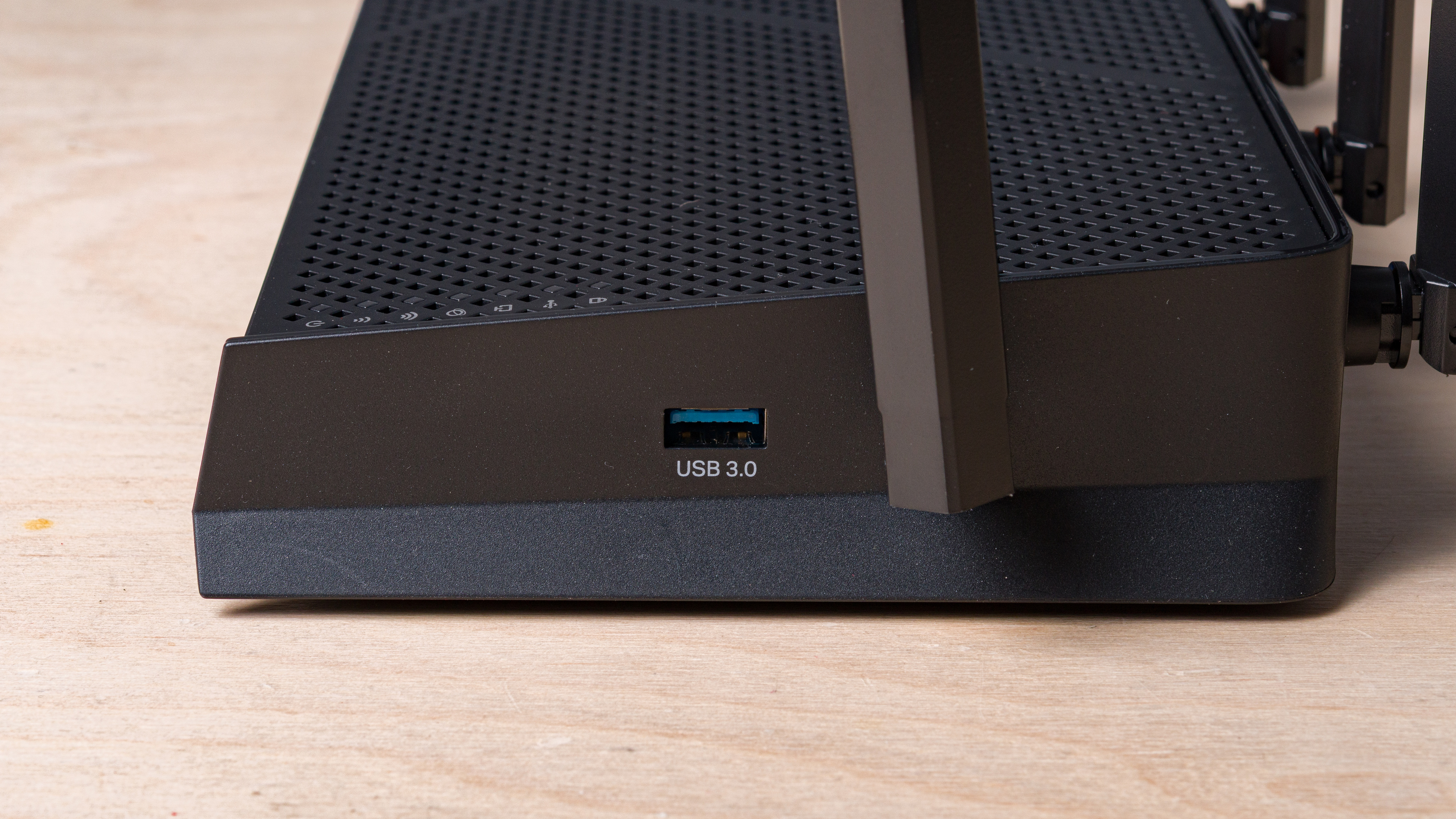
The USB, located on the side of the router, supports external storage drives and various server functions.
for pictures & test results

- Power adapter
- Ethernet cable
- User documentation
for pictures & test results

This router has a pair of screw slots on the bottom, allowing you to mount it to your wall or ceiling.
for pictures & test results

for pictures & test results

for pictures & test results

The TP-Link Archer BE400 delivers reasonable wireless latency overall and is fairly in line with similar routers. It lacks a 6GHz band, so compatible devices won't benefit from lower latency or reduced congestion associated with those frequencies.
This router supports Wi-Fi 7 features like Multi-Link Operation (MLO), Multi-RUs, and 4K-QAM; however, it doesn't have access to the 6GHz band, which means you can't take full advantage of the top speeds your Wi-Fi 6E and Wi-Fi 7 devices are capable of. This won't affect you if your regional regulations prohibit the use of the 6GHz band.
If you're looking for a Wi-Fi 7 router with a 6GHz band, check out the ASUS RT-BE92U.
for pictures & test results
This router uses alternating MLO (multi-link operation), which is a limited implementation of the technology that establishes a connection with clients on one band at a time. For more information, read our article on the topic.