The ASUS RT-AX86U Pro, also known as the ASUS AX5700, is a dual-band Wi-Fi 6 gaming router that has 2.4GHz and 5GHz bands, with the latter supporting 160MHz channels. It features a 2.5Gbps WAN port, a 1Gbps WAN port, four 1Gbps LAN ports with a dedicated 'gaming port,' a USB 2.0 port, and a USB 3.0 port. It also supports ASUS' AiMesh, so you can use it as part of a mesh network with other compatible devices.
Our Verdict
The ASUS RT-AX86U Pro is a very good router if you live in an apartment, condo, or small home. It delivers great speeds across a single floor, suitable for high-bandwidth uses like downloading large files quickly and having 4k video streaming from multiple devices. Since it supports Dynamic Frequency Selection (DFS), it can use less congested DFS-only channels to give you better speeds in noisy wireless environments. It also has great wired connectivity, with a 2.5Gbps networking port, a USB 2.0 port, and a USB 3.0 port for local file sharing.
- Great top speeds.
- Wi-Fi 6 doesn't take full advantage of new Wi-Fi 6E or 7 devices.
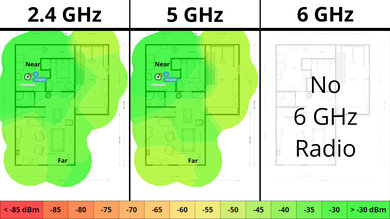
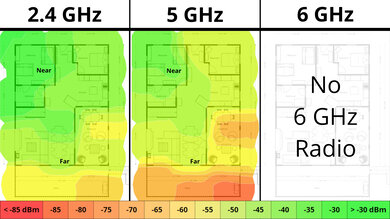
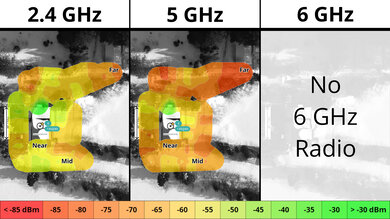
The ASUS RT-AX86U Pro is a very good router if you live in a multi-level house with a backyard. It provides impressive speeds throughout your home and is suitable for high-bandwidth internet uses like downloading large game updates quickly. Since it's a standalone router, its speeds drop linearly the further you are from it, but it's AiMesh-ready, so you can pair it with compatible devices to create a mesh network with better range. It comes with a 2.5Gbps networking port, a USB 2.0 port, and a USB 3.0 port, which you can use for local file sharing.
- Impressive range performance.
- Great top speeds.
- Compatible with AiMesh devices to create a mesh network for better range.
- Wi-Fi 6 doesn't take full advantage of new Wi-Fi 6E or 7 devices.
- Standalone router that may have deadzones if you have a very large home.
The ASUS RT-AX86U Pro offers reasonable gaming performance over Wi-Fi. Its impressive speeds and range help to keep large downloads quick throughout much of the home, and its wireless latency remains sufficient for casual gaming. For more consistent performance in fast-paced online games, a direct Ethernet connection is still preferable. The router includes a 1Gbps 'gaming' LAN port that's designed to give your device priority over other traffic on the network.
- Impressive range performance.
- Great top speeds.
Wireless latency is adequate for general use and casual gaming.
- Wi-Fi 6 doesn't take full advantage of new Wi-Fi 6E or 7 devices.
Not suitable for competitive gaming over Wi-Fi.
The ASUS AX5700 delivers impressive speeds suitable for an internet connection up to ~900Mbps. It also supports Dynamic Frequency Selection (DFS), so it can use less congested DFS-only channels to give you better speeds in noisy wireless environments. That said, it's only Wi-Fi 6, so it doesn't have a faster 6GHz band for your Wi-Fi 6E or 7 devices to take advantage of.
- Great top speeds.
- Wi-Fi 6 doesn't take full advantage of new Wi-Fi 6E or 7 devices.
The ASUS RT-AX86U Pro has an impressive range for a standalone router. It's compatible with other AiMesh devices to further improve range in the far reaches of your home or property.
- Impressive range performance.
- Compatible with AiMesh devices to create a mesh network for better range.
- Wi-Fi 6 doesn't take full advantage of new Wi-Fi 6E or 7 devices.
- Standalone router that may have deadzones if you have a very large home.
The ASUS RT-AX86U Pro delivers adequate wireless latency and jitter performance for everyday use, in line with similar Wi-Fi 6 routers. It handles web browsing, video calls, and casual gaming without issue, though its latency isn't low enough to provide the most consistent experience for competitive gaming over Wi-Fi. For the most stable performance, a direct Ethernet connection is still recommended.
Wireless latency is adequate for general use and casual gaming.
- Wi-Fi 6 doesn't take full advantage of new Wi-Fi 6E or 7 devices.
Not suitable for competitive gaming over Wi-Fi.
Changelog
- Updated Jun 22, 2026: We've updated this review to Test Bench 0.9.1! This is a minor change that makes the router type easier to see at the top of each review. Read the changelog for more info.
-
Updated May 26, 2026:
We've updated this review with additional text to help contextualize our latest results from Test Bench 0.9.
- Updated Apr 22, 2026: We've updated this review to Test Bench 0.9! This update adds wireless latency testing to evaluate router gaming performance. Read the changelog for more info.
- Updated Dec 16, 2025: We've added an MLO Implementation test for Test Bench 0.8.2! Read the changelog for more details.
Check Price
Differences Between Sizes And Variants
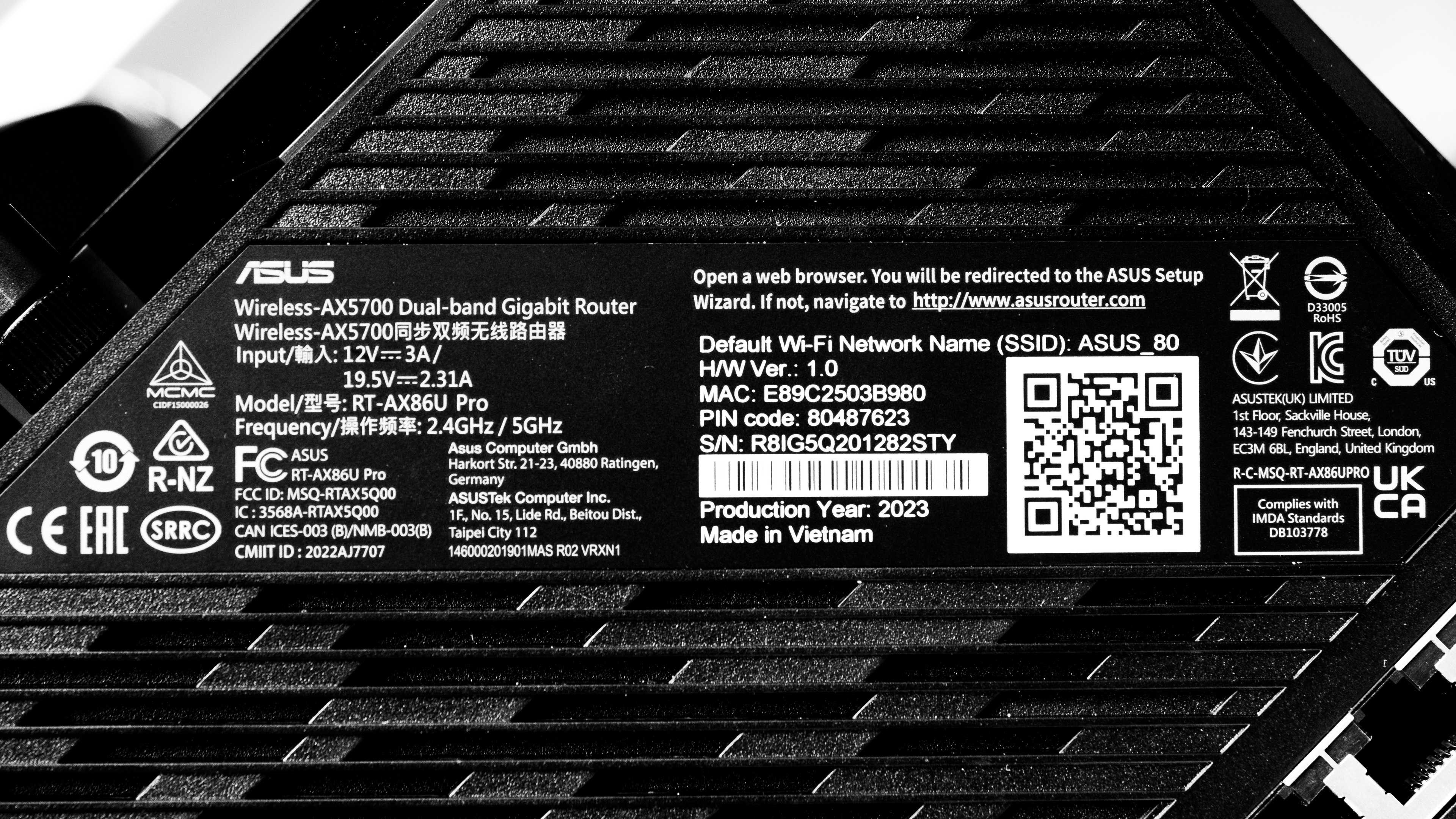
The ASUS RT-AX86U Pro doesn't have any variants. Here's a photo of our unit's label.
Popular Router Comparisons
The ASUS RT-AX86U Pro is a dual-band Wi-Fi 6 gaming router. It has some gaming-specific features, like a dedicated 'gaming' Ethernet port advertised to prioritize traffic to the wired device connected to it.
It performs well with impressive top speeds and a great range for a standalone router. That said, it sits in an awkward price category where you can buy routers that have similar top speeds and range, like the ASUS RT-AX3000 or the TP-Link Archer AX4400, for significantly less, or you could buy a much faster Wi-Fi 6E or 7 router for a little bit more, like the ASUS RT-AXE7800 or the TP-Link Archer BE550. If you have a very large home and range is important to you, the TP-Link Deco X5000 mesh system provides more consistent range performance for a similar price.
If you're looking for more options, check out our recommendations for the best Wi-Fi routers, the best Wi-Fi 6 routers, and the best routers for streaming.
The ASUS RT-AX86U Pro is a better router than the Netduma R3. They're both dual-band Wi-Fi 6 routers, but the ASUS has better top speeds, range, and wired connectivity than the Netduma.
Test Results
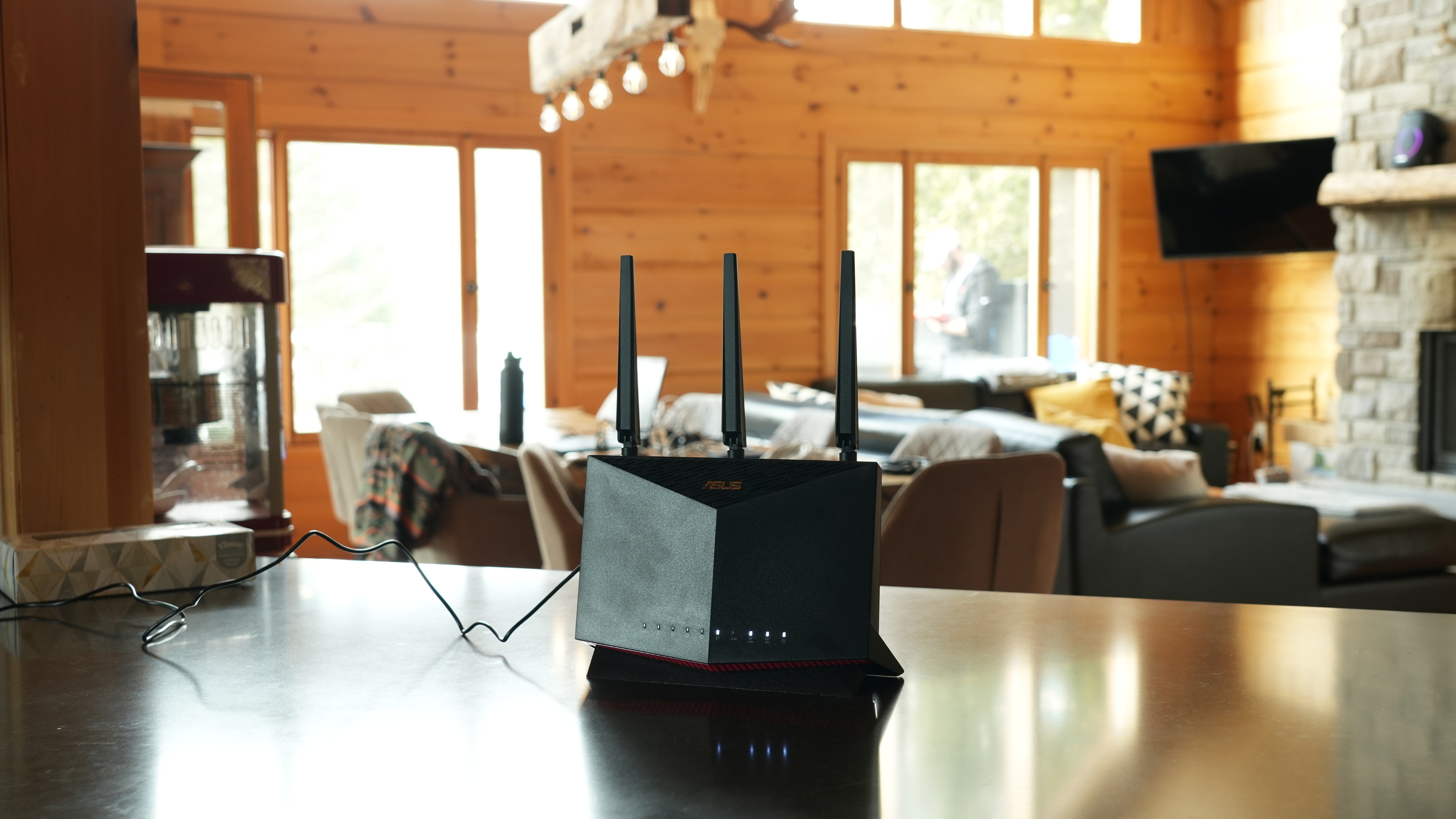

for pictures & test results

This router has a 'gaming port,' which the manufacturer advertises to prioritize any wired device connected to it.
If you're looking for a router with PoE (Power over Ethernet) ports, check out the UniFi Dream Router.
for pictures & test results

- Ethernet cable
- Power adapter
- User documentation

for pictures & test results

This is a standalone router, so the mesh satellite position line on this graph isn't applicable.
for pictures & test results

This is a standalone router, so the mesh satellite position line on this graph isn't applicable.
for pictures & test results

The ASUS AX5700's latency and jitter levels are reasonable for casual use and are generally in line with other Wi-Fi 6 routers on the market. Much like other routers, the ASUS doesn't offer low enough latency for competitive gaming over Wi-Fi. For the most consistent performance, a direct Ethernet connection to one of its LAN ports is recommended.