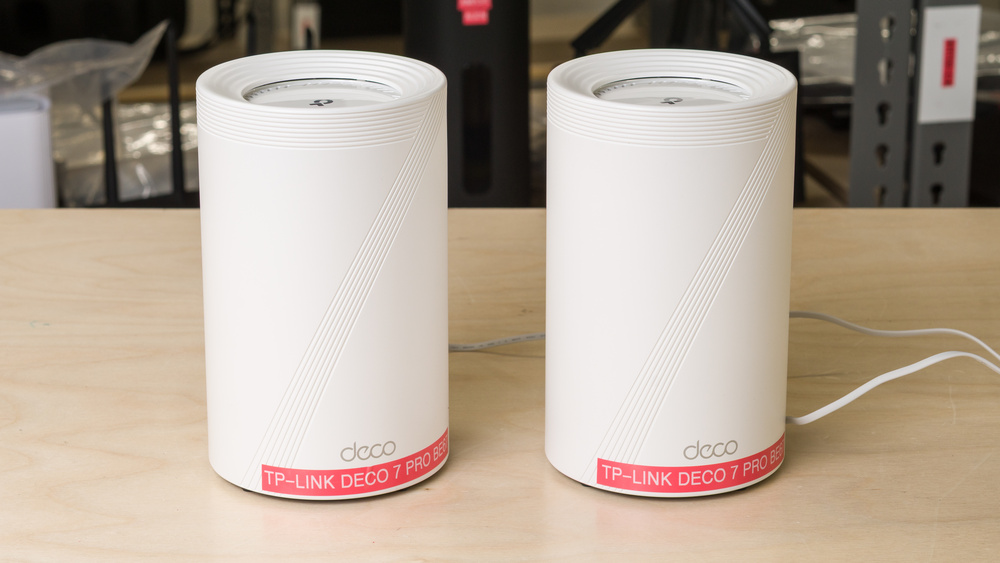
The TP-Link Deco 7 Pro BE67 (also known as the TP-Link Deco 7 Pro BE68 or BE14000) is a tri-band Wi-Fi 7 mesh router with 2.4GHz, 5GHz, and 6GHz bands. It's designed for use in a mesh system and is available in packs of one, two, or three units. Each unit has three Ethernet ports, including a 10Gbps auto-sensing WAN/LAN port, a 2.5Gbps LAN port, and a 1Gbps LAN port, along with a USB 3.0 port on the rear. In line with the Deco lineup's design language, it has an upright, cylindrical chassis with a clean white finish. The router is compatible with Amazon Alexa-enabled devices for voice control, and can be managed using the Deco app or basic web interface.
Our Verdict
The TP-Link Deco 7 Pro BE67 is an excellent router for apartments. It hits remarkable top speeds and has impressive range, making it fit for multi-gigabit internet and heavy usage. Its upright design and internal antennas keep its footprint manageable in tight spaces, while newer Wi-Fi 7 devices benefit from its faster 6GHz band. The router's 10Gbps WAN/LAN port and 2.5Gbps LAN port also provide enough headroom for high-speed wired connectivity.
Fantastic peak speeds.
Great selection of multi-gigabit ports.
Low-profile design with no external antennas.
Advanced security/parental control features require a subscription.
The TP-Link Deco 7 Pro BE13000 is a great choice for multi-level homes. As a mesh system with a strong range and a plug-and-play design, it's easy to expand your coverage across multiple floors with extra satellite units. The router handles browsing, streaming, and downloads capably at a distance thanks to its impressive long-range performance and exceptional peak speeds. Each node comes equipped with three Ethernet ports: one 10Gbps, one 2.5Gbps, and one 1Gbps, leaving enough room for a wired backhaul and a couple of hardwired devices.
Fantastic peak speeds.
Impressive range, which can be extended with mesh satellites.
Great selection of multi-gigabit ports.
Advanced security/parental control features require a subscription.
The TP-Link Deco BE67 is decent for wireless gaming. Its top speeds are exceptional for downloading large files, but, as with all mesh systems, you can expect slightly higher lag and jitter when connected to a satellite node. If you're gaming competitively, we recommend using a wired connection directly to the main unit for the lowest possible latency.
Fantastic peak speeds.
Fair latency for browsing and non-competitive gaming.
Not recommended for competitive gaming over Wi-Fi.
The TP-Link Deco 7 Pro BE67 isn't made to take on the road. Although its antennas are internal, its considerable weight and reliance on a standard power adapter make it impractical for on-the-go use. It's also missing convenient networking features, such as WISP mode and cellular tethering, that most dedicated travel routers have built in.
Great selection of multi-gigabit ports.
Low-profile design with no external antennas.
VPN support.
Weighty, built for stationary use.
No WISP or repeater mode.
Incompatible with mobile power banks.
The TP-Link Deco 7 Pro BE13000's speed over Wi-Fi is exceptional. When tested in a dual-node configuration, the mesh system can comfortably saturate multi-gigabit connections up to ~3Gbps. The router's 6GHz band gives Wi-Fi 6E and newer devices a faster connection lane with less interference, while Dynamic Frequency Selection (DFS) support helps manage traffic over busier networks.
Fantastic peak speeds.
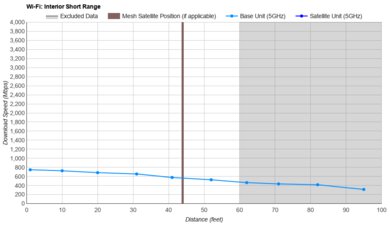
The TP-Link Deco 7 Pro BE67 has great range. While its speed naturally declines as you move away from the unit, you can increase its coverage with extra units to form a reliable whole-home mesh.
Impressive range, which can be extended with mesh satellites.
The TP-Link BE14000's latency levels are reasonable and largely in line with other mesh systems. When connected to the main unit, you can expect a smooth experience for everyday tasks such as calling, streaming, and browsing the web. Connecting through a satellite node adds a little latency and jitter, but using a wired backhaul helps minimize the difference.
Fair latency for browsing and non-competitive gaming.
Not recommended for competitive gaming over Wi-Fi.
The TP-Link Deco 7 Pro BE67 has good configurability. You control the router through an easy-to-use companion app, which provides access to standard features like guest networks and client management. However, some advanced parental controls and security tools require an ongoing paid subscription to use.
Impressive configurability with a user-friendly app.
Advanced security/parental control features require a subscription.
Performance Usages
Changelog
- Updated Sep 11, 2026: We've updated this review to Test Bench 0.10! This update adds Portability and Configurability testing to evaluate how suitable routers are for travel and to show how configurable their settings are. Read the changelog for more info.
- Updated Jul 06, 2026: We've updated this review to Test Bench 0.9.1! This is a minor change that makes the router type easier to see at the top of each review. Read the changelog for more info.
- Updated Jun 25, 2026: Review published.
- Updated Jun 16, 2026: Early access published.
Check Price
Differences Between Sizes And Variants
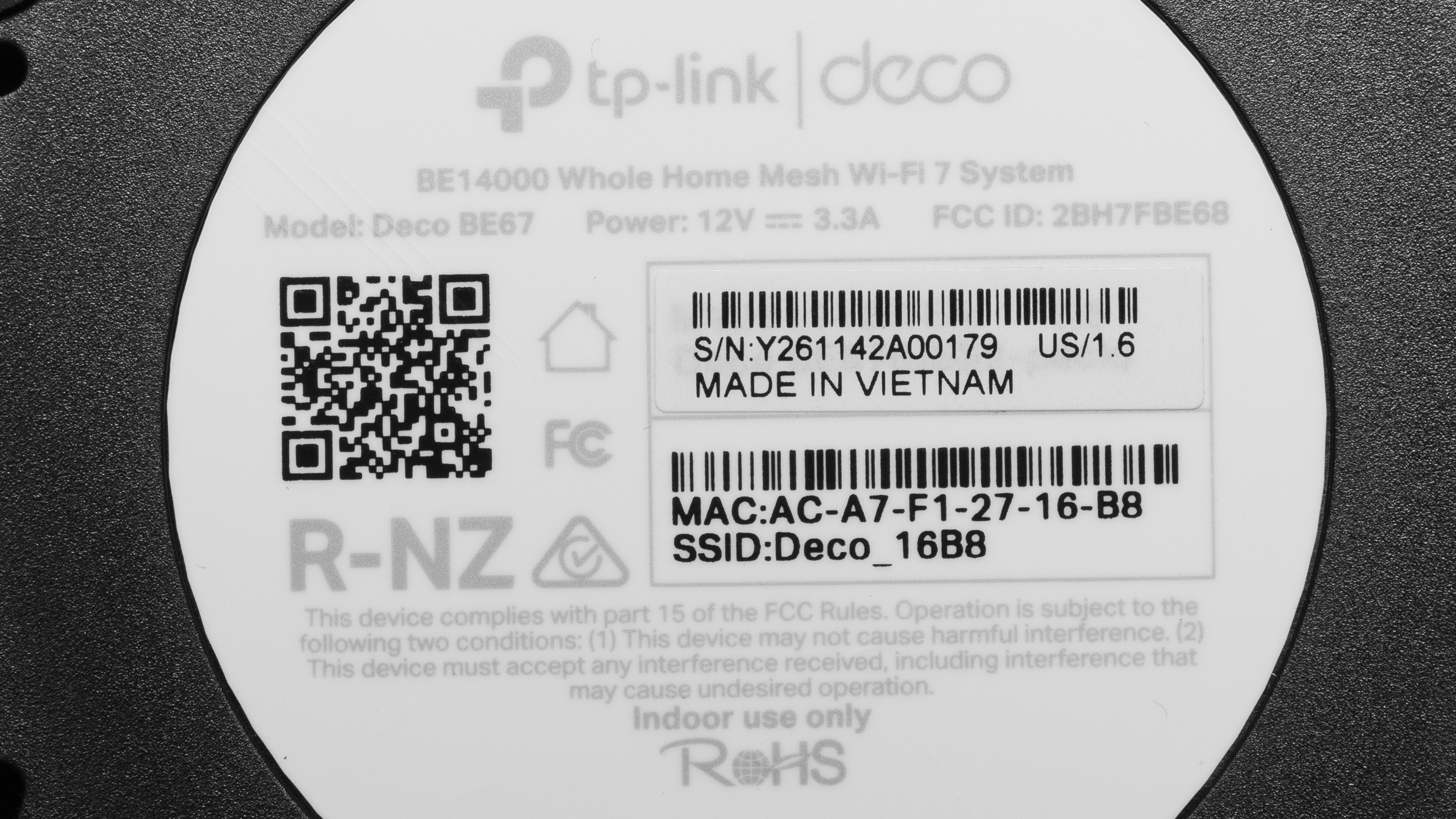
TP-Link Deco 7 Pro BE67 is available in packs of one, two, or three units. We bought and tested a two-pack. See a photo of our unit's label.
This mesh system may be sold as the TP-Link Deco BE67, BE68, or BE14000, depending on the retailer. The TP-Link BE13000 is a wholesale-exclusive variant with a 5Gbps port as opposed to the 10Gbps port found on our model. It appears otherwise identical in both specs and appearance, so we expect it to perform similarly.
Popular Router Comparisons
The TP-Link Deco 7 Pro BE67 is a fast, high-end Wi-Fi 7 mesh system with 6GHz support and multi-gigabit connectivity. It sits above the TP-Link Deco 7 Pro BE63 and TP-Link Deco 7 Pro BE65 Pro thanks to its higher-bandwidth 10Gbps port, but it's only a meaningful upgrade from these if your internet plan can take advantage of the extra headroom. You can pair the BE67 with other models in the Deco family (such as the TP-Link Deco 7 BE25) for added flexibility when expanding your mesh.
Unlike mesh alternatives such as the NETGEAR Orbi 370, you can designate any BE67 node as the network's main router. Its performance is compelling across the board, with speeds that handily surpass those of standalones like the ASUS ROG Strix GS-BE18000. It isn't quite as well-equipped as top-of-the-line systems like the eero Max 7, which includes additional high-speed Ethernet connections, built-in functionality as a smart home hub, and a much heftier price tag.
For more recommendations, check out our picks for the best mesh Wi-Fi systems, the best Wi-Fi 7 routers, and the best routers for large homes.
The eero Max 7 outperforms the TP-Link Deco 7 Pro BE67 overall. While both are sleek Wi-Fi 7 tri-band mesh systems, the eero has noticeably better range and slightly higher peak speeds than the TP-Link. It also has a better port selection, with two 10Gbps ports and two 2.5Gbps ports, while each Deco unit has one 10Gbps port, one 2.5Gbps port, and one 1Gbps port. That said, if you don't need the eero’s extra high-speed ports or smart home hub features, the Deco is hardly a compromise for most homes.
The TP-Link Deco 7 Pro BE67 and TP-Link Deco 7 Pro BE63 are both powerful Wi-Fi 7 mesh systems from the Deco lineup. The BE67 comes out ahead with faster top speeds and lower latency, while the BE63 delivers notably better range in our tests. The BE67 comes equipped with one 10Gbps port, one 2.5Gbps port, and one gigabit port, while the BE63 has four 2.5Gbps ports in total.
The TP-Link Deco 7 Pro BE67 and ASUS ZenWiFi BQ16 Pro are closely matched Wi-Fi 7 mesh systems that offer similar speeds and range performance. The ASUS gives you more wired flexibility with five LAN ports per unit, an extra 10Gbps auto-sensing port, and a second 6GHz band for dedicated wireless backhaul. Despite this, the Deco offers slightly lower latency levels in a smaller package, and matches the ASUS closely enough in performance that the ZenWiFi is only worth considering if you need the extra ports.
Test Results
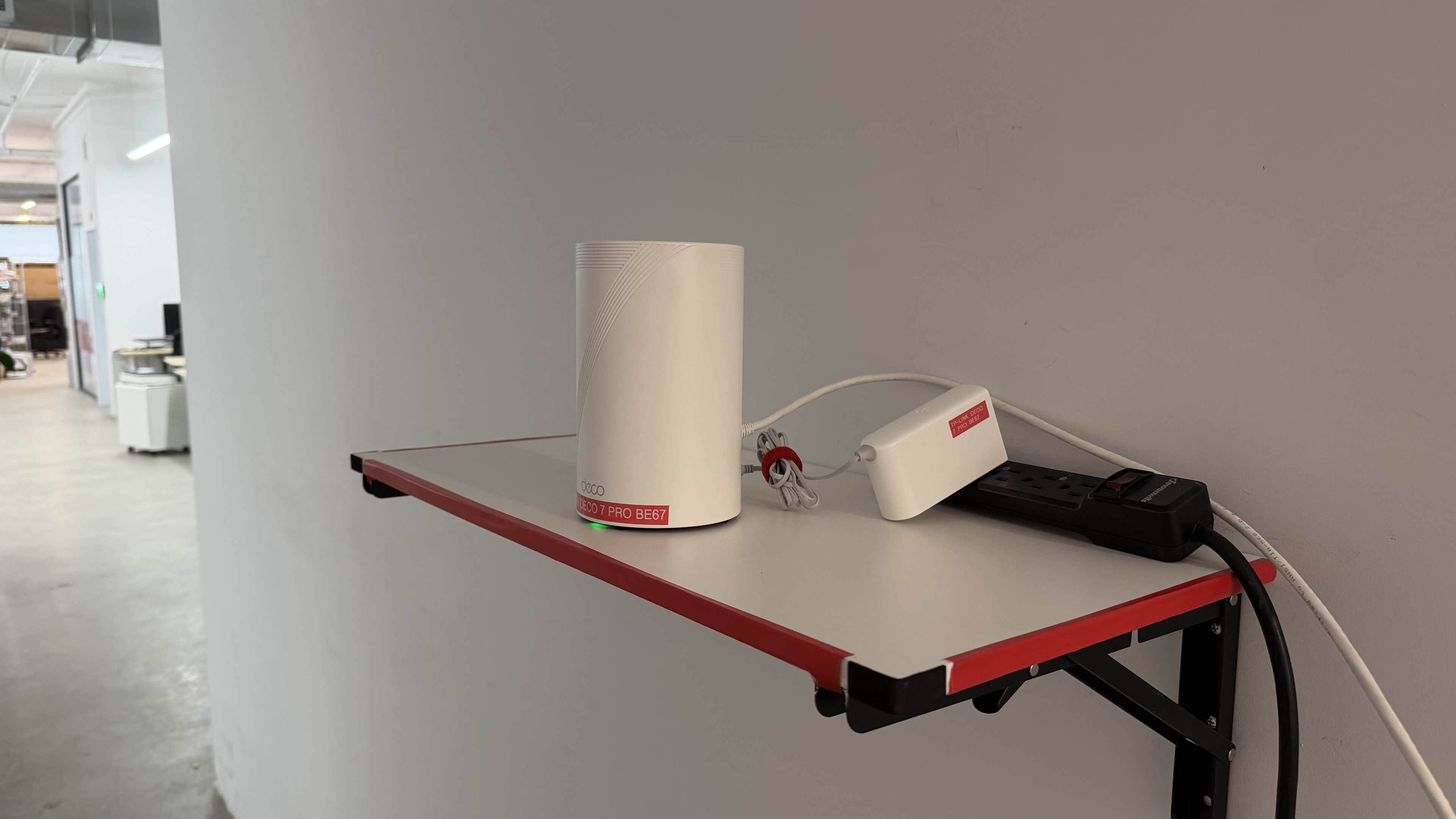
for pictures & test results
for pictures & test results
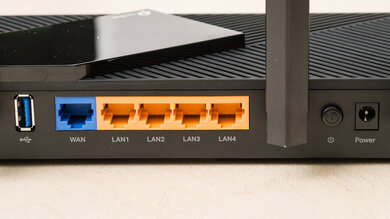
This router's networking ports automatically detect whether you use a WAN or LAN connection.
for pictures & test results
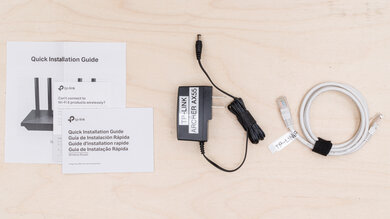
- Ethernet cable
- Power adapter x2
- Reset pin tool
- User documentation
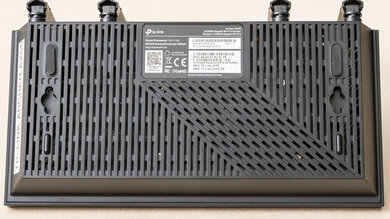
The TP-Link BE67 has basic parental controls for free, like device-specific filtering, family member profiles, internet pausing, content and URL filtering, bedtime controls, and basic usage insights. More advanced features, like app filtering and blocking, detailed usage history, and other expanded controls require a subscription to TP-Link's HomeShield service.
for pictures & test results
for pictures & test results
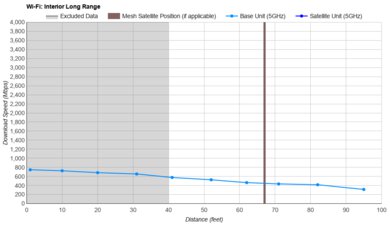
for pictures & test results
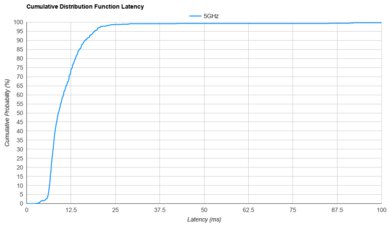
The TP-Link BE14000's latency levels are reasonably in line with other mesh systems, making it suitable for everyday use. Interestingly, it scores marginally higher than other Deco models we've tested for latency.
for pictures & test results
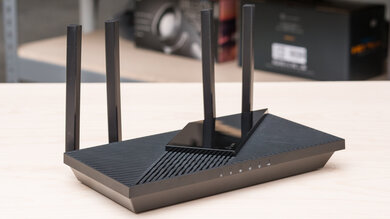
Connecting wirelessly through a satellite unit naturally introduces more latency compared to the main router. You can mitigate this by using a wired backhaul.
for pictures & test results
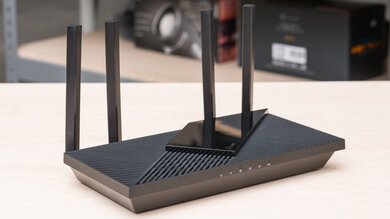
This router uses alternating MLO (multi-link operation), which is a limited implementation of the technology that establishes a connection with clients on one band at a time. For more information, read our article on the topic.