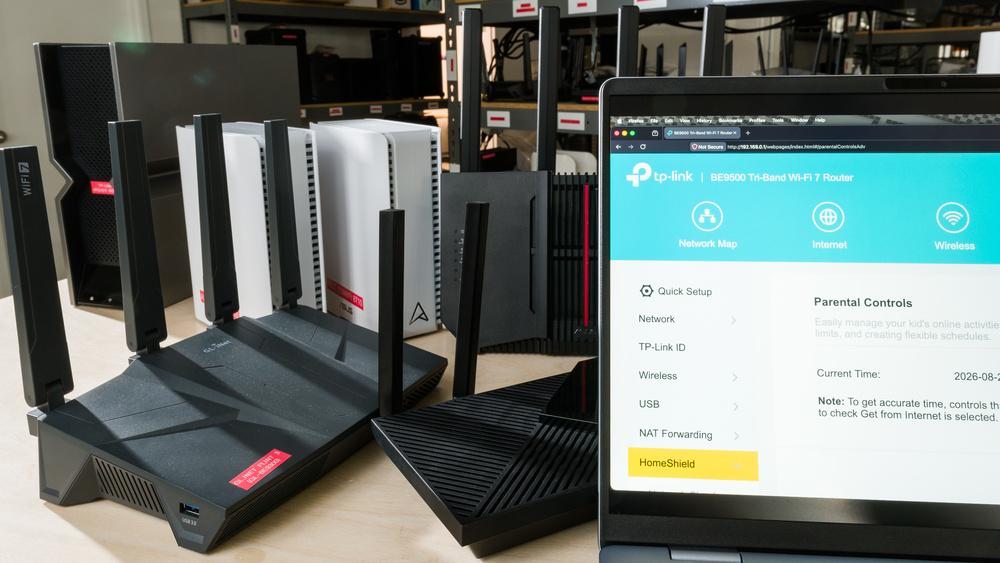
Protecting your family online has become more complicated than simply setting screen-time limits. With virtually endless opportunities to learn, create, and explore their interests, kids can get a great deal out of the internet, but that freedom also introduces risks they may not yet recognize. A router with good parental controls can provide an extra layer of protection and help establish healthier routines, with settings you can manage across your kids' devices from one place. These can include content filters to restrict unsafe websites and apps, scheduling options for quiet hours, daily usage allowances, or a pause button to take devices offline when dinner is ready.
Not every router offers the same degree of control for free, however. While some might come with preset filters for adult websites or limited usage insights at no cost, others might lock these basics (along with more advanced features, such as app-level filtering, detailed activity reports, or device-specific rules and schedules) behind a paid subscription. That makes it crucial to verify exactly which parental control features a router actually includes for free before pulling the trigger. To help you choose, we've tested over 80 routers and rounded up our top picks across a range of prices that combine strong performance with useful parental controls. We aim to highlight routers with parental controls that don't require a monthly payment, but where a subscription is offered, we explain what it adds and what you can do without it.
If you're on the hunt for more recommendations, be sure to check out our guides to the best routers for fiber, the best cable modem-router combos, and the best routers for streaming.

Since we started reviewing them in 2024, we've tested over 80 routers. We maintain complete editorial independence and impartiality by purchasing each router ourselves, which ensures we aren't testing specially selected review units. Rather than casually assessing performance by throwing on Netflix and seeing if it works, we rigorously evaluate each router on a standardized testing platform, providing you with all the data you need to compare different models.
-
Best Router With Parental Controls
 Multi-Level HouseApartment/CondoConfigurabilityType:Standalone RouterApplication Filtering:Device Filtering:Scheduling Options:Time Limits:See all our test resultsWebsite Filtering:
Beneath its RGB lights and gamer aesthetic, the ASUS ROG Strix GS-BE18000 earns our pick as the best router with parental controls for most people. While competing brands like TP-Link and eero tend to lock their best security features behind monthly paywalls, ASUS sets itself apart by including its full suite of network security tools for free out of the box. You can turn on one-click filters for adult content or apps like TikTok and YouTube and schedule quiet hours for bedtimes on your kids' devices. The only notable omission in its parental control suite is a daily time allowance feature.
Performance-wise, it's a tri-band Wi-Fi 7 standalone router that delivers fast wireless speeds at close range and impressively consistent coverage throughout multi-level homes. It supports ASUS's proprietary mesh standard, so you can pair it with compatible ASUS routers to extend your coverage. For families with gamers, it's a decent option for casual play over Wi-Fi. Connecting over Ethernet always yields the best performance, but that won't be an issue thanks to the Strix's generous selection of seven 2.5Gbps LAN ports on the rear. It even comes with two dedicated 'gaming' ports, designed to automatically prioritize traffic for any device that's plugged into them.
-
Best Upper Mid-Range Router With Parental Controls
If you want a whole-home mesh system with strong parental controls rather than a standalone router, the ASUS ZenWiFi BT10 is our upper mid-range pick. Much like our top recommendation, the ASUS ROG Strix GS-BE18000, it includes ASUS's full suite of parental controls without a subscription. You can filter adult content, restrict access to distracting apps, and schedule internet downtime for your kids' devices across the mesh network. You can manage these settings through the router's mobile app, with more advanced options available through its web interface. However, like the BE18000, it lacks a daily internet usage allowance, so you can't give your kids a set number of hours to use whenever they choose.
This model's speed and coverage are excellent, though it has fewer Ethernet ports per unit than our top pick. Each node comes equipped with two 10Gbps Ethernet ports and a gigabit port, giving you the flexibility for both high-speed internet and a wired backhaul setup.
-
Best Mid-Range Router With Parental Controls
If you're looking for a more affordable router with subscription-free parental controls, we recommend the GL.iNet Flint 3 (GL-BE9300) as one of the best parental control routers at a mid-range price. Its built-in controls let you block specific websites, schedule internet downtime for your kids' devices, and block ads and trackers across your entire network. You can manage basic network settings through the companion app or basic web panel, while more advanced networking tools are available through the router's full OpenWrt browser interface. Families with gamers will also appreciate the router's four 2.5Gbps LAN ports for computers and consoles.
Paired with excellent speeds and solid range for homes of any size, this router offers a level of configurability not often seen on consumer routers. The ad-blocking features need to be configured carefully, however, as some of its settings can interfere with any website restrictions you've set through parental controls. If you're used to a more streamlined interface, you might find there's a slight learning curve to the web panel, but we think it's one worth tackling.
If you want to keep those parental controls in force while on the road, the GL.iNet Slate 7 (GL-BE3600) is an excellent travel companion to the Flint 3. While its range and selection of network ports aren't quite as expansive as a full-sized standalone, it packs the same deep configurability and Wi-Fi 7 technology into an impressively portable chassis. The parental controls and UI will feel familiar to anyone who's owned a GL.iNet router. Plus, you can even pair it with the Flint 3 to form a mesh network once you're back home. For more on-the-go options, browse our picks for the best travel routers.
-
Best Lower Mid-Range Router With Parental Controls
Multi-Level HouseApartment/CondoConfigurabilityType:Standalone RouterApplication Filtering:Device Filtering:Scheduling Options:Time Limits:See all our test resultsWebsite Filtering:If you appreciate the GL.iNet Flint 3 (GL-BE9300)'s subscription-free parental controls but don't need Wi-Fi 7, the GL.iNet Flint 2 (GL-MT6000) is a sensible choice at a lower price. It comes with the same OpenWrt-based operating system, parental controls to block websites and schedule downtime on your kids' devices, and integrated software to filter ads and trackers. You can manage basic network controls through a mobile app or web dashboard, with more advanced networking tools available through its full OpenWrt interface.
Like our picks from ASUS, it lacks a daily internet usage allowance, so you'll need to set specific online hours instead. While it might not match the plug-and-play simplicity of some mainstream competitors, the Flint 2 still makes for one of the best parental control routers if you're after impressive performance and configurability without a subscription.
-
Best Budget Router With Parental Controls
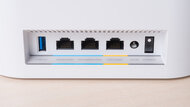
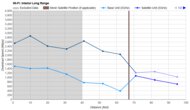
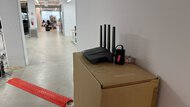
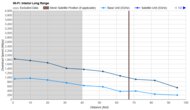
The TP-Link Archer BE230 is a solid budget pick for families who need basic parental controls and fast Wi-Fi for a smaller home. The free tools let you create profiles for each child, manually pause their internet access during dinner, block specific websites, and set a bedtime schedule. Its performance is just as competitive for the price, with impressively snappy speeds and good range for medium-sized homes. You can manage the router's parental controls through its companion app or browser interface, both of which are relatively straightforward to navigate. The catch is that more advanced options require a paid subscription, including app blocking, daily internet time limits, and more detailed activity reports. You'll also need to subscribe if you want different bedtime schedules for weekdays and weekends.
If you prefer ASUS's software and subscription-free approach, the ASUS RT-AX1800S is an alternative worth considering; while it uses older Wi-Fi 6 technology and lacks the multi-gigabit Ethernet ports found on our top picks, all of its parental control features are included at no extra cost. This router comes with a lightweight version of ASUS's mainline security suite, featuring basic content filtering and scheduling but lacking the more advanced features found on higher-end ASUS routers.














Notable Mentions
-
eero Max 7:
The eero Max 7 is an easy-to-use Wi-Fi 7 mesh system with even better performance than our top pick, the ASUS ROG Strix GS-BE18000. We don't recommend it because its parental controls are heavily restricted without a paid subscription; you can create profiles and schedule internet pauses for free, but content filtering and more detailed parental controls require payment.
See our review -
TP-Link Deco 7 Pro BE63:
The TP-Link Deco 7 Pro BE63 is a solid mesh alternative that delivers performance comparable to our upper mid-range pick, the ASUS ZenWiFi BT10. It includes basic parental controls for free, but advanced features like app blocking and browsing history require a paid subscription.
See our review
All Reviews
Finding the best router for your family comes down to balancing dependable Wi-Fi with the right tools to help keep your kids safe online. Our picks factor in our test results, typical pricing, and community feedback, with particular attention to what's included without a subscription. We revisit these recommendations regularly as new hardware and results become available.
If you want to compare models that didn't make the list, have a look at our table tool below. You're also welcome to leave a question or suggest a router you'd like us to test in the comments.