The TP-Link Archer BE550, also known as the TP-Link BE9300, is a tri-band Wi-Fi 7 router with 2.4GHz, 5GHz, and 6GHz bands. All five of its wired networking ports support 2.5Gbps speeds, and it has a USB 3.0 port for connecting a storage device. It's compatible with EasyMesh technology, so you can add another compatible router or range extender to create a mesh network. You can set it up and manage it with TP-Link's Tether app or through a web interface.
Our Verdict
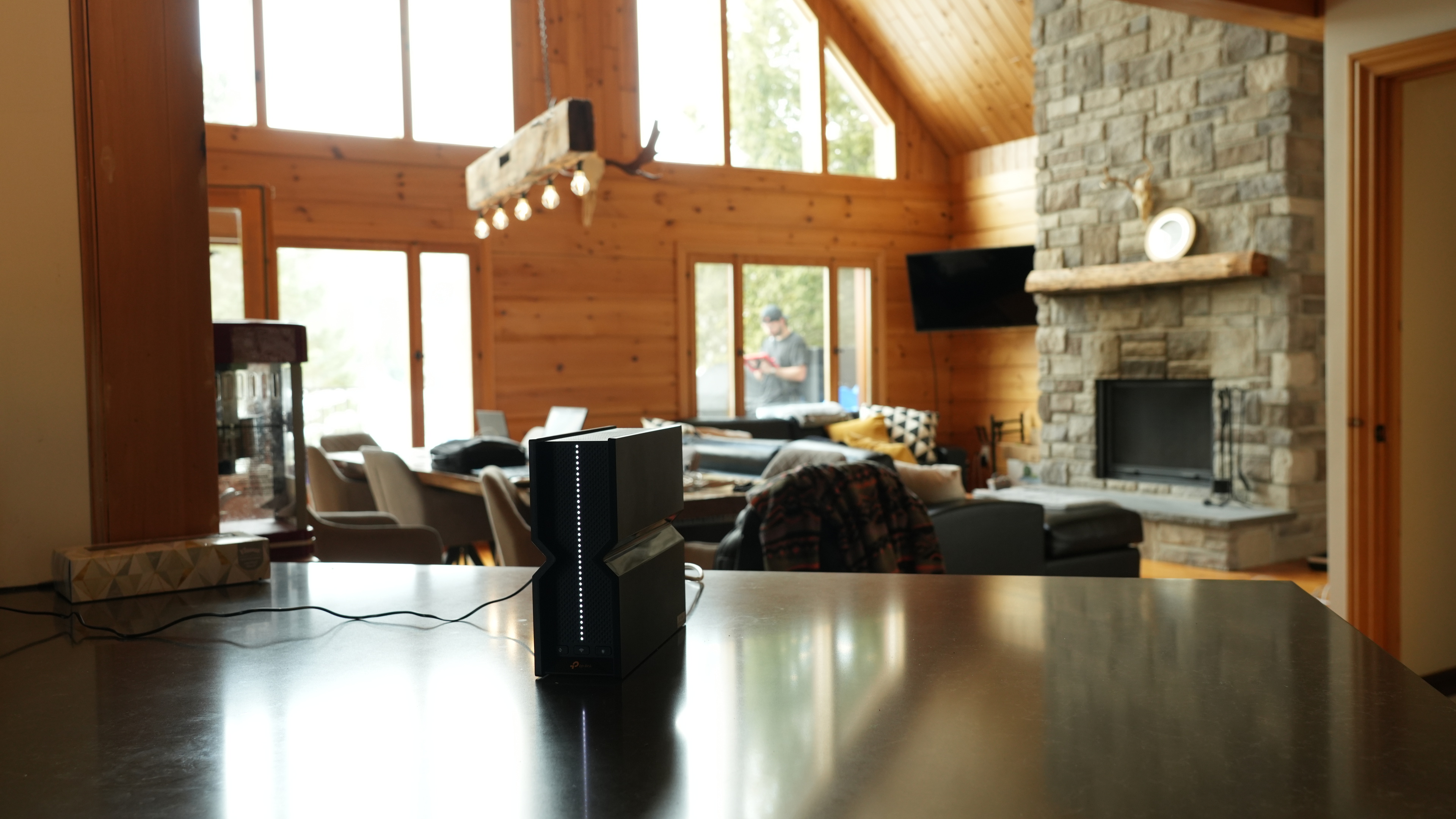
The TP-Link BE9300 is an excellent router for apartments, condos, and single-story homes. It has excellent coverage and speeds across a single floor, suitable for high-bandwidth uses like downloading large files quickly and handling multiple users streaming 4k video, especially if your devices are Wi-Fi 7 capable. Its network ports are all rated for 2.5Gbps speeds so that you can take advantage of a multi-gigabit internet connection and devices. While the router is somewhat large, it has a clean design with internal antennas.
- Ample multi-gigabit networking ports.
- Wi-Fi 7 support.
- Excellent top speeds.
Tall and bulky.
The TP-Link Archer BE9300 is a great router if you live in a multi-level house with a backyard. It delivers excellent top speeds and very good range, making it suitable for quickly downloading large files throughout a multi-level home. Since it's a standalone router and not a mesh system, its speeds will drop the further you are from it, but it likely won't be an issue unless your home is substantial. All of its network ports are capable of 2.5Gbps speeds, so that you can take advantage of your multi-gigabit internet connection and devices.
- Ample multi-gigabit networking ports.
- Very good range performance.
- Wi-Fi 7 support.
- Excellent top speeds.
Tall and bulky.
The TP-Link Archer BE550 is decent for gaming over Wi-Fi. It delivers excellent top speeds, so your games download quickly. It has adequate latency and jitter that's similar to most Wi-Fi routers, but naturally, plugging your gaming devices in directly delivers a much more stable gaming experience.
- Very good range performance.
- Excellent top speeds.
Adequate wireless latency for web browsing and non-competitive gaming.
Unsuitable for competitive gaming over Wi-Fi.
The TP-Link Archer BE550 is designed chiefly as a stay-at-home router. With a boxy 2.3-pound frame and a chunky AC adapter in tow, it's hardly an item you'd want squeezed in a carry-on. Beyond VPN support, it lacks key travel features like a WISP/repeater mode and cellular tethering.
Full VPN support.
No protruding antennas.
Tall and bulky.
No WISP/repeater mode or cellular support.
Not compatible with portable power banks.
The TP-Link BE9300 delivers excellent speeds suitable for a multi-gigabit internet connection. It also supports DFS (Dynamic Frequency Selection), so it can use less-congested DFS-only channels to deliver better speeds in noisy wireless environments.
- Excellent top speeds.
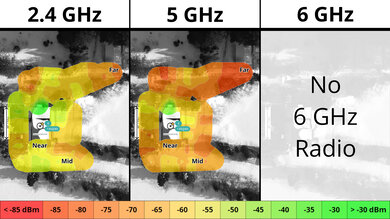
The TP-Link Tri-Band BE9300 has very good range. It's also compatible with other TP-Link EasyMesh routers and range extenders to increase the range even further.
- Very good range performance.
The TP-Link Archer BE550 delivers reasonable wireless latency that's similar to most routers. It's adequate for web browsing, video calls, and non-competitive gaming.
Adequate wireless latency for web browsing and non-competitive gaming.
Unsuitable for competitive gaming over Wi-Fi.
The TP-Link Archer BE550 has an excellent set of network tools that surpass the needs of most households. You can manage your setup through a web browser or TP-Link's companion app, which gives you access to features such as guest networks, QoS, and port forwarding. While the router does include rule scheduling and content filtering, more advanced parental controls require a paid subscription.
Full VPN support.
Comprehensive basic and advanced configuration options.
Can be managed via web browser or an easy-to-use app.
Some advanced controls require a paid subscription.
Performance Usages
Changelog
- Updated Sep 11, 2026: We've updated this review to Test Bench 0.10! This update adds Portability and Configurability testing to evaluate how suitable routers are for travel and to show how configurable their settings are. Read the changelog for more info.
- Updated Jun 22, 2026: We've updated this review to Test Bench 0.9.1! This is a minor change that makes the router type easier to see at the top of each review. Read the changelog for more info.
-
Updated Apr 16, 2026:
We've added a link to the newly-reviewed ARRIS SURFboard G54 in the Interior Short Range section of the review.
-
Updated Apr 08, 2026:
We've added a link to the newly-reviewed GL.iNet Slate 7 (GL-BE3600) in the Dimensions section of the review.
Check Price
Differences Between Sizes And Variants
While the model that we reviewed is called the TP-Link Archer BE550/BE9300, there's a Walmart variant called the TP-Link Archer BE9300. The BE550 that we reviewed has five 2.5Gbps networking ports, while the BE9300 has a 2.5Gbps WAN port, one 2.5Gbps LAN port, and three 1Gbps LAN ports. That said, there have been reports online that the BE9300's networking ports are also all 2.5Gbps compatible despite TP-Link's marketing. Let us know in the comments if you have a variant of this router that we haven't discussed.
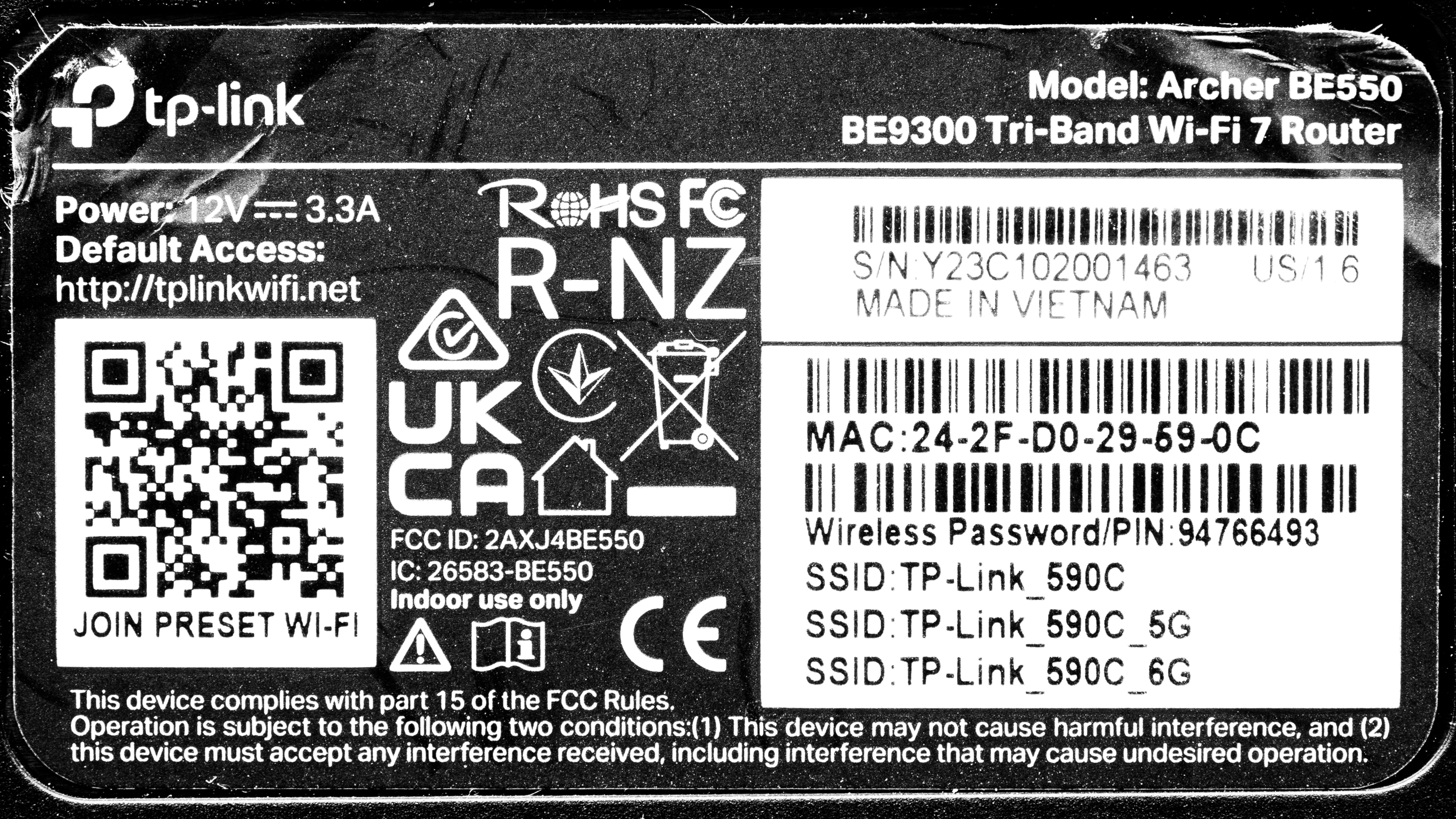
Here's a link to our unit's label.
Popular Router Comparisons
The TP-Link Archer BE550 is a tri-band Wi-Fi 7 router that sits in the entry-level category for Wi-Fi 7 routers. This router supports EasyMesh technology, so you can create a mesh network with any other EasyMesh-certified router or extender.
This router provides fast speeds, especially when you're close to it on the same floor. However, its maximum speeds are slightly slower than those of more expensive Wi-Fi 7 routers or dedicated mesh solutions like the ASUS RT-BE96U or the eero Max 7 because it only has a 2.5 Gbps WAN port.
Looking for more recommendations? Be sure to check our guides to the best long-range Wi-Fi routers, the best Wi-Fi routers, and the best we've tested from TP-Link.
The ASUS RT-BE92U and the TP-Link Archer BE550 are tri-band Wi-Fi 7 routers with 2.4GHz, 5GHz, and 6GHz bands. The two routers perform fairly similarly, but the TP-Link has slightly better range, especially on its 5GHz band, while the ASUS has slightly higher top speeds. Also, the ASUS has a 10Gbps WAN port while the TP-Link only has 2.5Gbps networking ports.
The TP-Link Archer BE900 is better than the TP-Link Archer BE550. The latter is a tri-band Wi-Fi 7 router with a 2.4GHz, 5GHz, and 6GHz band, while the former is a quad-band Wi-Fi 7 router with two 5GHz bands. The BE900 delivers higher top speeds, a longer range, and support for 10Gbps wired networking.
The TP-Link Archer BE550 and the ASUS ROG Strix GS-BE18000 are tri-band Wi-Fi 7 routers. While the TP-Link has slightly higher top speeds, the ASUS has a longer range, making it better for larger spaces. Additionally, the ASUS supports AFC in some regions, a feature that can increase the range of the 6GHz band. The ASUS also has eight 2.5Gbps ports compared to the TP-Link's five.
The TP-Link Archer BE700 is slightly better than the TP-Link Archer BE550. The former has more spatial streams, a 10Gbps networking port, better range, and higher top speeds while sharing the same chassis as the latter. The Archer BE550 still delivers excellent overall performance and has more 2.5Gbps networking ports.
Test Results
for pictures & test results

If you're looking for a router with similar speeds and a portable form factor, check out the GL.iNet Slate 7 (GL-BE3600).
for pictures & test results

There's a variant of this router called the TP-Link Archer BE9300 that has a 2.5Gbps WAN port, one 2.5Gbps LAN port, and three 1Gbps LAN ports. If you want a Wi-Fi 7 router with higher bandwidth 10Gbps network ports, check out the ASUS ROG Rapture GT-BE98 Pro.
for pictures & test results

- Ethernet cable
- Power adapter
- User documentation

The TP-Link Archer BE550 has basic parental controls included, like family member profiles, device-specific internet pausing and blocking, website and content filtering, bedtime controls, and basic usage insights. More advanced features, such as app filtering and blocking, detailed usage history, and other expanded controls, require a TP-Link HomeShield subscription.
for pictures & test results

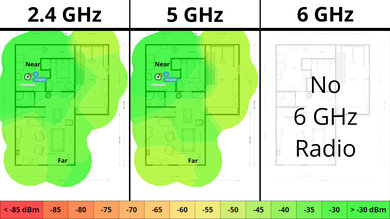
This is a standalone router without mesh capabilities, so the mesh satellite position line on this graph isn't applicable.
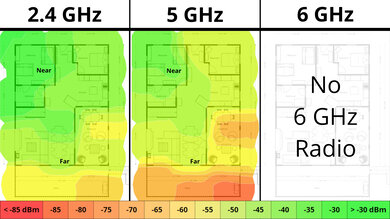
If you're looking for a device with faster 6GHz performance, check out the ARRIS SURFboard G54.
for pictures & test results

This is a standalone router without mesh capabilities, so the mesh satellite position line on this graph isn't applicable.
for pictures & test results

This router's wireless latency is adequate for video calls, browsing the web, and even casual gaming.
To take advantage of Wi-Fi 7's theoretically higher throughput and features, such as multi-link operation (MLO), you need to have Wi-Fi 7 compatible client devices.
Note that only the 5GHz and 6GHz bands support Wi-Fi 7; the 2.4GHz band only supports Wi-Fi 6. If you're looking for a tri-band router where all three bands are Wi-Fi 7 capable, check out the TP-Link Archer BE700.
for pictures & test results
This router uses alternating MLO (multi-link operation), which is a limited implementation of the technology that establishes a connection with clients on one band at a time. For more information, read our article on the topic.