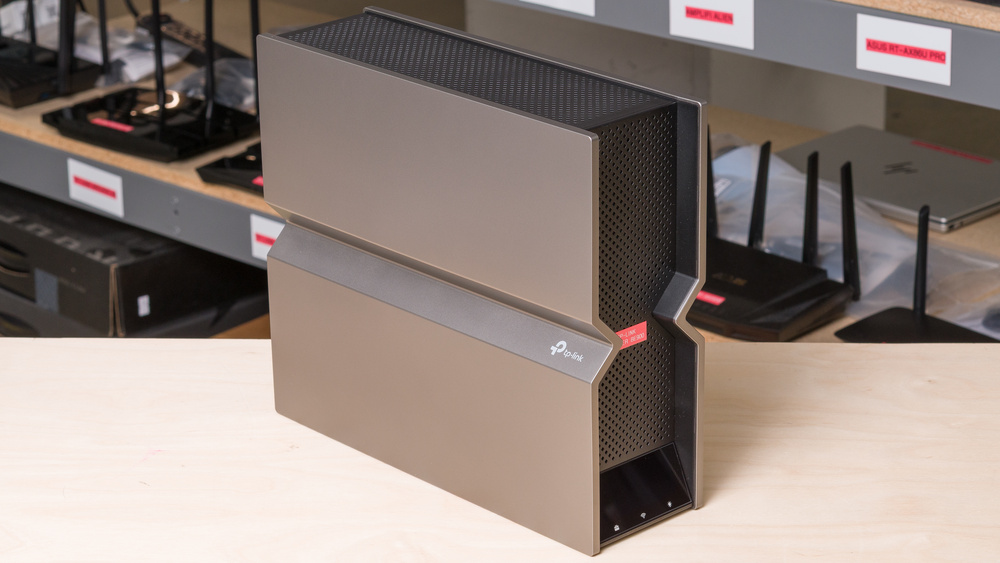
The TP-Link Archer BE900, also known as the TP-Link Archer BE24000, is a quad-band Wi-Fi 7 router with 2.4GHz, 6GHz, and two 5GHz bands. It has four 2.5Gbps LAN ports, one 1Gbps LAN port, and three 10Gbps ports, one of which is SFP+. You can configure it using TP-Link's Tether app or through a web interface, and it's compatible with EasyMesh, allowing you to add compatible routers or extenders to create a mesh network. It has an LED matrix on the front that can display the time, weather, and emojis. Additionally, it has a small touchscreen that can show your network's status and other settings.
Note: We've removed the Wi-Fi coverage tests and are exploring better ways to convey the results, which will be more helpful to users.
Our Verdict
The TP-Link Archer BE24000 is an excellent router for apartments and smaller homes. It delivers amazing top speeds at close range, making it suitable for high-bandwidth uses like downloading huge files or keeping up with a household of users streaming 4k video, especially if your devices are Wi-Fi 7 capable. It has outstanding wired connectivity with multiple 2.5 and 10Gbps ports, so it's suitable if you have a multi-gigabit internet connection. It's fairly big, however, so it could be difficult to find a suitable place to put it.
Many multi-gigabit Ethernet ports.
Fantastic top speeds.
Impressive range.
Physically large.
The TP-Link BE900 is a great router if you live in a large home. It delivers outstanding top speeds and has great range, making it suitable for a family of heavy internet users. It's a standalone router, so your speeds drop the further away you are from it. It's EasyMesh compatible, so you can easily create a mesh network with multiple access points as long as they're also compatible. It features several Ethernet ports capable of multi-gigabit speeds, so you can take full advantage of a multi-gigabit internet connection.
Many multi-gigabit Ethernet ports.
Fantastic top speeds.
Impressive range.
Physically large.
The TP-Link Archer BE900 is satisfactory for gaming over Wi-Fi. It has incredibly fast top speeds and great range, so you can download large game updates quickly throughout your home. It has decent latency performance that's generally similar to most routers, but plugging your devices into the router via Ethernet delivers a much more stable gaming experience.
Fantastic top speeds.
Impressive range.
Adequate wireless latency for web browsing and non-competitive gaming.
Unsuitable for competitive gaming over Wi-Fi.
The TP-Link BE24000 delivers outstanding speeds suitable for a multi-gigabit internet connection. It also supports Dynamic Frequency Selection (DFS), allowing it to utilize less congested DFS-only channels for improved speeds in noisy wireless environments.
Fantastic top speeds.
The TP-Link Archer BE24000 has great range. It's also compatible with other EasyMesh routers, making it easy to enhance coverage in your home if needed.
Impressive range.
The TP-Link Archer BE900 has decent wireless latency and jitter performance that's similar to most routers. It's satisfactory for internet browsing, video calls, and non-competitive gaming.
Adequate wireless latency for web browsing and non-competitive gaming.
Unsuitable for competitive gaming over Wi-Fi.
Changelog
- Updated Jun 22, 2026: We've updated this review to Test Bench 0.9.1! This is a minor change that makes the router type easier to see at the top of each review. Read the changelog for more info.
-
Updated Apr 08, 2026:
We've updated the text throughout the review to reflect the changes from Test Bench 0.9.
- Updated Apr 08, 2026: We've updated this review to Test Bench 0.9! This update adds wireless latency testing to evaluate router gaming performance. Read the changelog for more info.
-
Updated Feb 24, 2026:
We've added text in the MLO implementation section of the review to give additional context to the test results.
Check Price
Differences Between Sizes And Variants
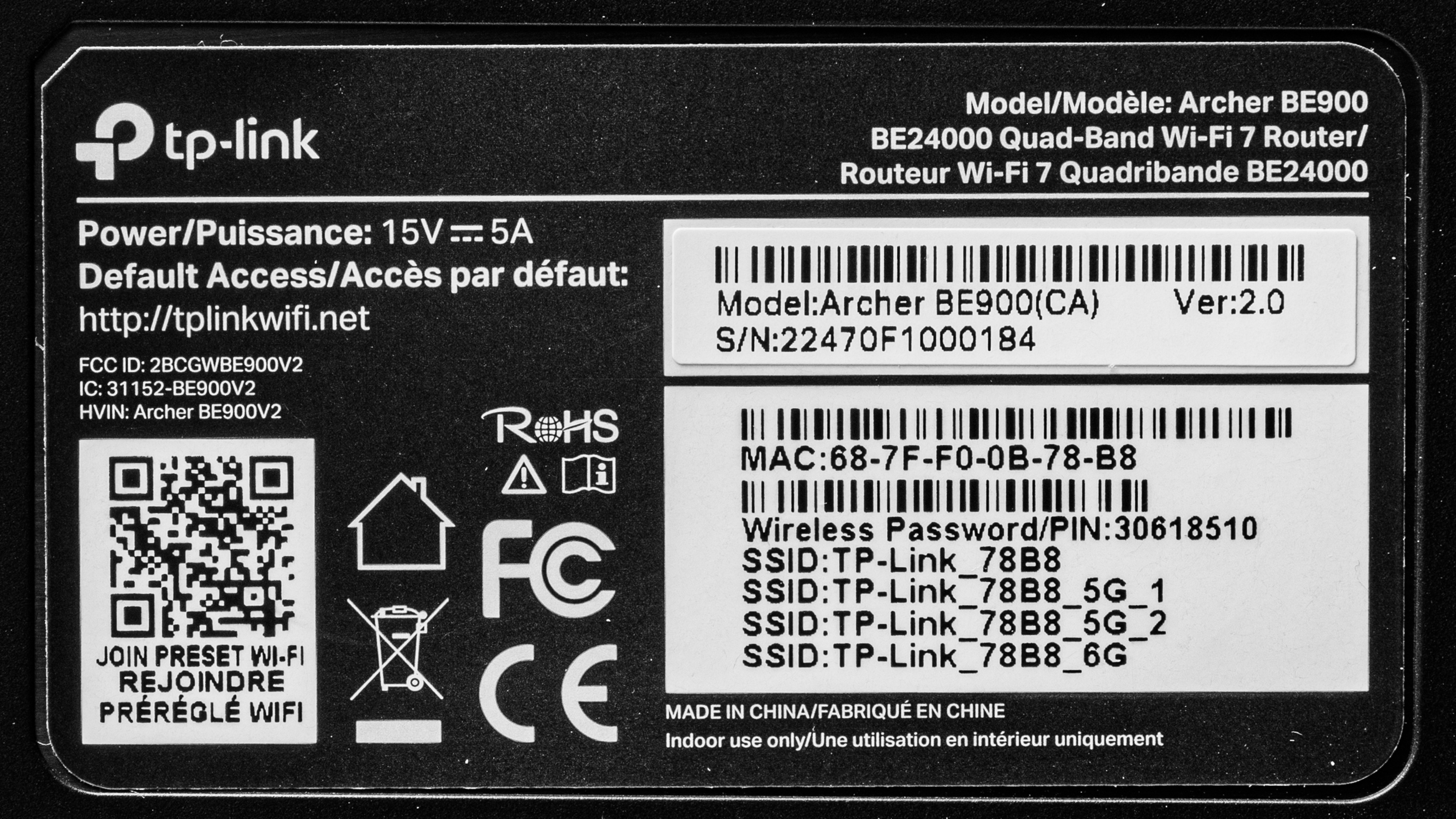
The TP-Link Archer BE900 doesn't have any variants. See a photo of our unit's label.
Let us know in the comments if you come across another variant.
Popular Router Comparisons
The TP-Link Archer BE900, also known as the TP-Link Archer BE24000, is a quad-band Wi-Fi 7 router. It's at the top of TP-Link's Archer lineup of Wi-Fi routers, like the TP-Link Archer BE700 and the TP-Link Archer BE550, and offers more bells and whistles, including tons of multi-gigabit networking ports, a front touchscreen, and LEDs that can show the current weather and emoji symbols.
While the BE900 delivers absolutely fantastic speed and range performance, it's not so much better than the aforementioned cheaper models in the Archer lineup as to justify the steep price tag. You're better off with one of those options unless you need the multiple 10Gbps Ethernet ports.
For more recommendations, check out the best Wi-Fi routers, the best routers for streaming, or the best mesh Wi-Fi systems.
The TP-Link Archer BE900 is better than the TP-Link Archer BE550. The latter is a tri-band Wi-Fi 7 router with a 2.4GHz, 5GHz, and 6GHz band, while the former is a quad-band Wi-Fi 7 router with two 5GHz bands. The BE900 delivers higher top speeds, a longer range, and support for 10Gbps wired networking.
The TP-Link Archer BE900 and the ASUS ROG Rapture GT-BE98 Pro are quad-band Wi-Fi 7 routers. While the TP-Link has two 5GHz bands in addition to a 2.4GHz and a 6GHz band, the ASUS has two 6GHz bands. Both routers deliver similar incredible top speeds at close range, but the TP-Link has a longer range overall. The ASUS is also significantly larger and harder to fit into your home.
The TP-Link Archer BE900 is better than the TP-Link Archer BE700. The former is a quad-band Wi-Fi 7 router with a 2.4GHz band, two 5GHz bands, and a 6GHz band, while the latter has one fewer 5GHz band. The BE900 offers improved range and top speeds compared to the BE700, and features enhanced wired networking with more 2.5Gbps ports, as well as a 10Gbps SFP+ port.
The TP-Link BE900 and the eero Max 7 are Wi-Fi 7 routers. The eero is a tri-band router designed to be used in a mesh system, while the TP-Link is a quad-band standalone router. The eero delivers higher top speeds and better range than the TP-Link when the former is used in a dual mesh configuration. That said, the TP-Link has better wired networking with more Ethernet ports, and a more configurable software experience with more features than the eero.
Test Results
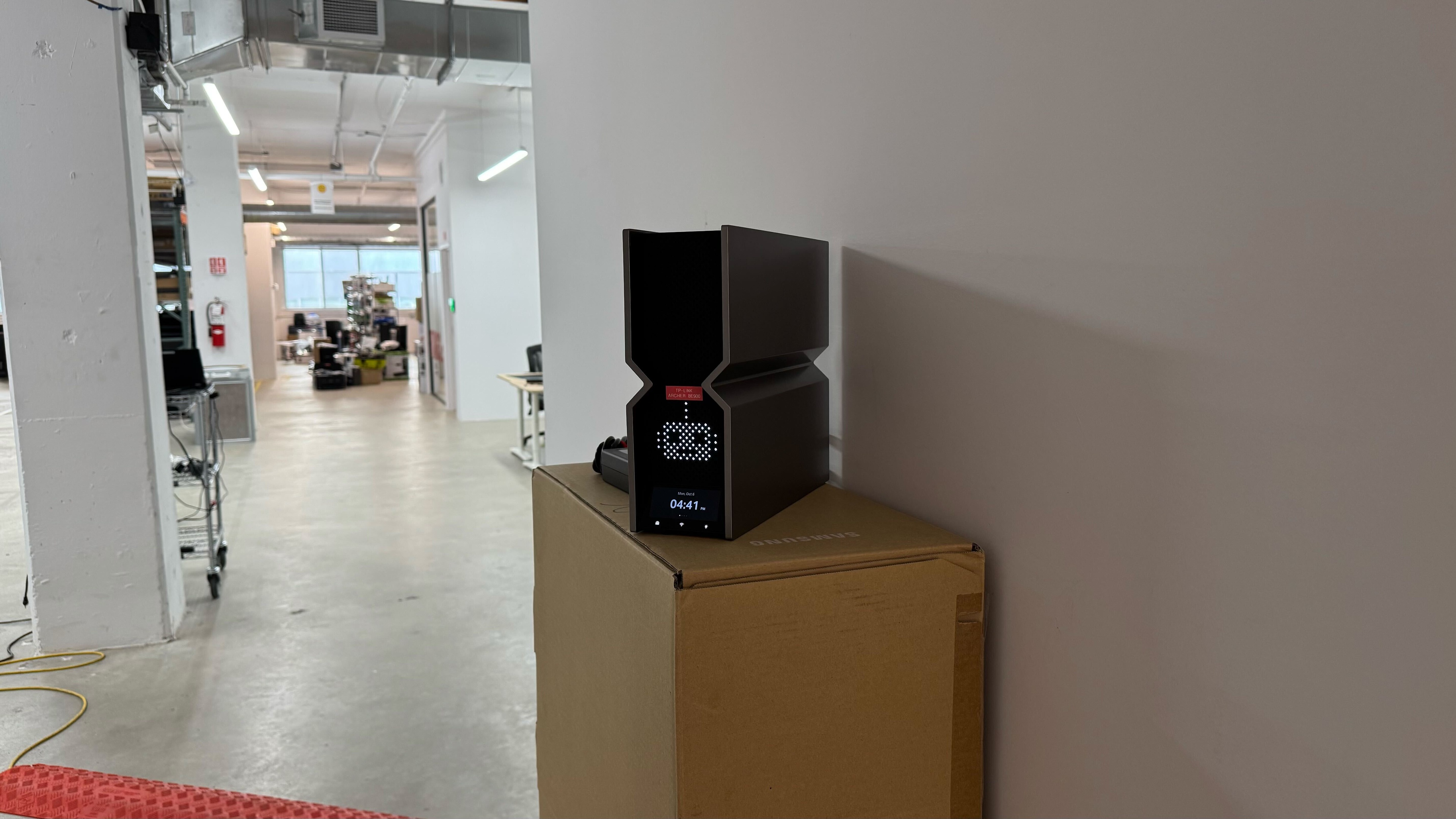

for pictures & test results

for pictures & test results

- Ethernet cable
- Power supply
- Power cable
- Reset tool
- User documentation

for pictures & test results

for pictures & test results

for pictures & test results

This router has adequate median latency and decent jitter. It's perfectly suitable for taking video calls, browsing the web, and non-competitive gaming over Wi-Fi.
To take advantage of Wi-Fi 7's theoretically higher throughput, you need to have Wi-Fi 7-compatible client devices.
for pictures & test results
This router uses alternating multi-link operation (MLO), which is a limited implementation of the technology that establishes a connection with clients on one band at a time. For more information, read our article on the topic.