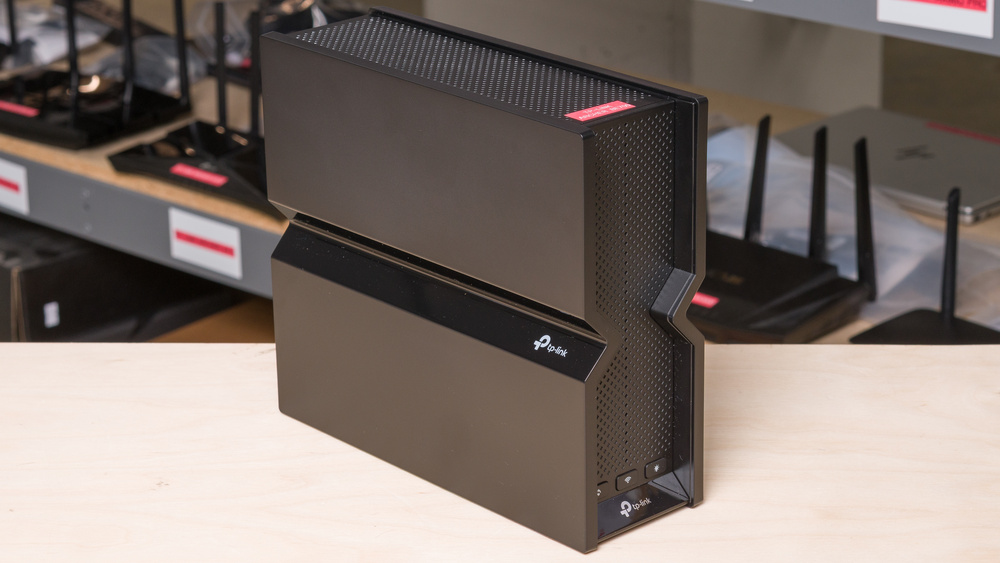
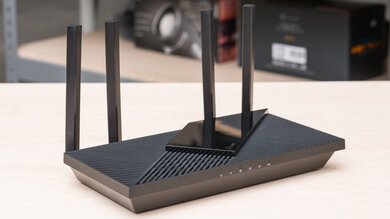
The TP-Link Archer BE700, also known as the TP-Link BE15000, is a tri-band Wi-Fi 7 router with 2.4GHZ, 5GHz, and 6GHz bands. It has three 1Gbps LAN ports, a 2.5Gbps LAN port, and a 10Gbps WAN port, as well as a USB 3.0 port. You can configure it using TP-Link's Tether app or through a web interface, and it's compatible with EasyMesh, allowing you to add compatible routers or extenders to create a mesh network.
Note: We've removed the Wi-Fi coverage tests and are exploring better ways to convey the results, which will be more helpful to users.
Our Verdict
The TP-Link BE15000 is an excellent router for apartments and smaller homes. It offers excellent coverage and speeds across a single floor, making it suitable for high-bandwidth uses such as quickly downloading large files and handling multiple users streaming 4k video, especially if your devices are Wi-Fi 7 capable. It features a plethora of multi-gigabit ports, including a 10Gbps WAN port, making it suitable for those with a multi-gigabit internet connection. While it's on the bigger side, it has a clean design with internal antennas.
Remarkable top speeds suitable for bandwidth intensive tasks.
Good range suitable for single or multi-level homes.
Ample multi-gigabit Ethernet ports.
Large and bulky.
The TP-Link BE700 is an impressive router if you live in a large multi-level home. It delivers remarkable top speeds and has great range, making it suitable for downloading large files quickly throughout a multi-storey home. Since it's a standalone router and not a mesh system, its speeds will drop the further you are from it. However, this is unlikely to be an issue unless your home is substantial or if you have solid brick or concrete walls. It features several Ethernet ports capable of multi-gigabit speeds, allowing you to take full advantage of your multi-gigabit internet connection and compatible devices.
Remarkable top speeds suitable for bandwidth intensive tasks.
Good range suitable for single or multi-level homes.
Ample multi-gigabit Ethernet ports.
Large and bulky.
The TP-Link Archer BE700 is adequate for gaming over Wi-Fi. Its wireless latency is fair and suitable for casual online gaming, but naturally, plugging your gaming devices in directly delivers a more stable gaming experience. It delivers fantastic top speeds and great range, allowing you to quickly download large game files throughout much of the home.
Remarkable top speeds suitable for bandwidth intensive tasks.
Good range suitable for single or multi-level homes.
Latency is adequate for general use and casual gaming over Wi-Fi.
Unsuitable lag levels for competitive gaming over Wi-Fi.
The TP-Link BE15000 delivers fantastic speeds suitable for a multi-gigabit internet connection. It also supports DFS (Dynamic Frequency Selection), allowing it to utilize less congested DFS-only channels for improved speeds in noisy wireless environments.
Remarkable top speeds suitable for bandwidth intensive tasks.
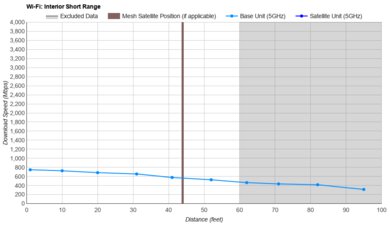
The TP-Link BE700 has great range. It's also compatible with other TP-Link EasyMesh routers, making it easy to enhance coverage in your home if needed.
Good range suitable for single or multi-level homes.
The TP-Link BE700 maintains decent wireless latency performance that's in line with similar standalone routers. It's suitable for browsing the web, taking video calls, and casual gaming over Wi-Fi, with acceptable levels of ping and jitter. For the strongest connection when gaming, we recommend connecting to the router via one of its Ethernet ports.
Latency is adequate for general use and casual gaming over Wi-Fi.
Unsuitable lag levels for competitive gaming over Wi-Fi.
Changelog
- Updated Jun 22, 2026: We've updated this review to Test Bench 0.9.1! This is a minor change that makes the router type easier to see at the top of each review. Read the changelog for more info.
-
Updated May 26, 2026:
We've updated this review with additional text to help contextualize our latest results from Test Bench 0.9.
- Updated Apr 22, 2026: We've updated this review to Test Bench 0.9! This update adds wireless latency testing to evaluate router gaming performance. Read the changelog for more info.
-
Updated Mar 30, 2026:
We've added a link to the newly reviewed ASUS ROG Strix GS-BE18000 in the Wi-Fi Specifications section of this review.
Check Price
Differences Between Sizes And Variants
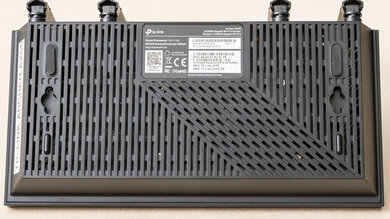
The TP-Link Archer BE700 doesn't have any variants. See a photo of our unit's label.
Let us know in the comments if you come across another variant.
Popular Router Comparisons
The TP-Link Archer BE700, also known as the TP-Link Archer BE15000, is a tri-band Wi-Fi 7 router and an addition to TP-Link's crowded Archer lineup. It sits between the entry-level Archer BE550 and the high-end Archer BE900. It features the same external design as the BE550, but with a few enhancements to its specifications. Namely, its 2.4GHz band supports Wi-Fi 7, and its 6GHz band is rated for higher speeds compared to the Wi-Fi 6-only 2.4GHz band and slower 6GHz on its cheaper sibling. It also features a 10Gbps WAN port, whereas the BE550 has only 2.5Gbps Ethernet ports. In practice, these upgrades result in slightly better speeds and range.
This router delivers fantastic overall performance that surpasses many competitors, but its value proposition is slightly marred by other routers in TP-Link's own catalog. The TP-Link Deco 7 Pro BE63 is a mesh system that costs less for a two-pack and delivers better performance, especially in larger homes, and the cheaper BE550 delivers almost the same performance for significantly less.
For more recommendations, check out the best long-range Wi-Fi routers, the best Wi-Fi routers, or the best routers for streaming.
The TP-Link Archer BE700 is slightly better than the TP-Link Archer BE550. The former has more spatial streams, a 10Gbps networking port, better range, and higher top speeds while sharing the same chassis as the latter. The Archer BE550 still delivers excellent overall performance and has more 2.5Gbps networking ports.
The TP-Link Archer BE900 is better than the TP-Link Archer BE700. The former is a quad-band Wi-Fi 7 router with a 2.4GHz band, two 5GHz bands, and a 6GHz band, while the latter has one fewer 5GHz band. The BE900 offers improved range and top speeds compared to the BE700, and features enhanced wired networking with more 2.5Gbps ports, as well as a 10Gbps SFP+ port.
The TP-Link Archer BE700 is a tri-band Wi-Fi 7 router, while the eero 7 is a dual-band Wi-Fi 7 router that lacks a 6GHz band. The former is a standalone router while the latter is designed for use in a mesh system. The TP-Link delivers significantly better speeds and range, thanks in large part to its 6GHz band. That said, the eero 7 is significantly smaller and has an aesthetic that's less likely to stick out.
The ASUS RT-BE96U and the TP-Link Archer BE700 are high-end Wi-Fi 7 routers. Both are great options for most home sizes, but excel in slightly different areas. The ASUS delivers significantly higher top speeds at close range, but its range on the 5GHz band isn't as good as that of the TP-Link. It's also massive, and its aesthetic isn't for everyone. The TP-Link has fewer 2.5Gbps ports than the ASUS.
Test Results
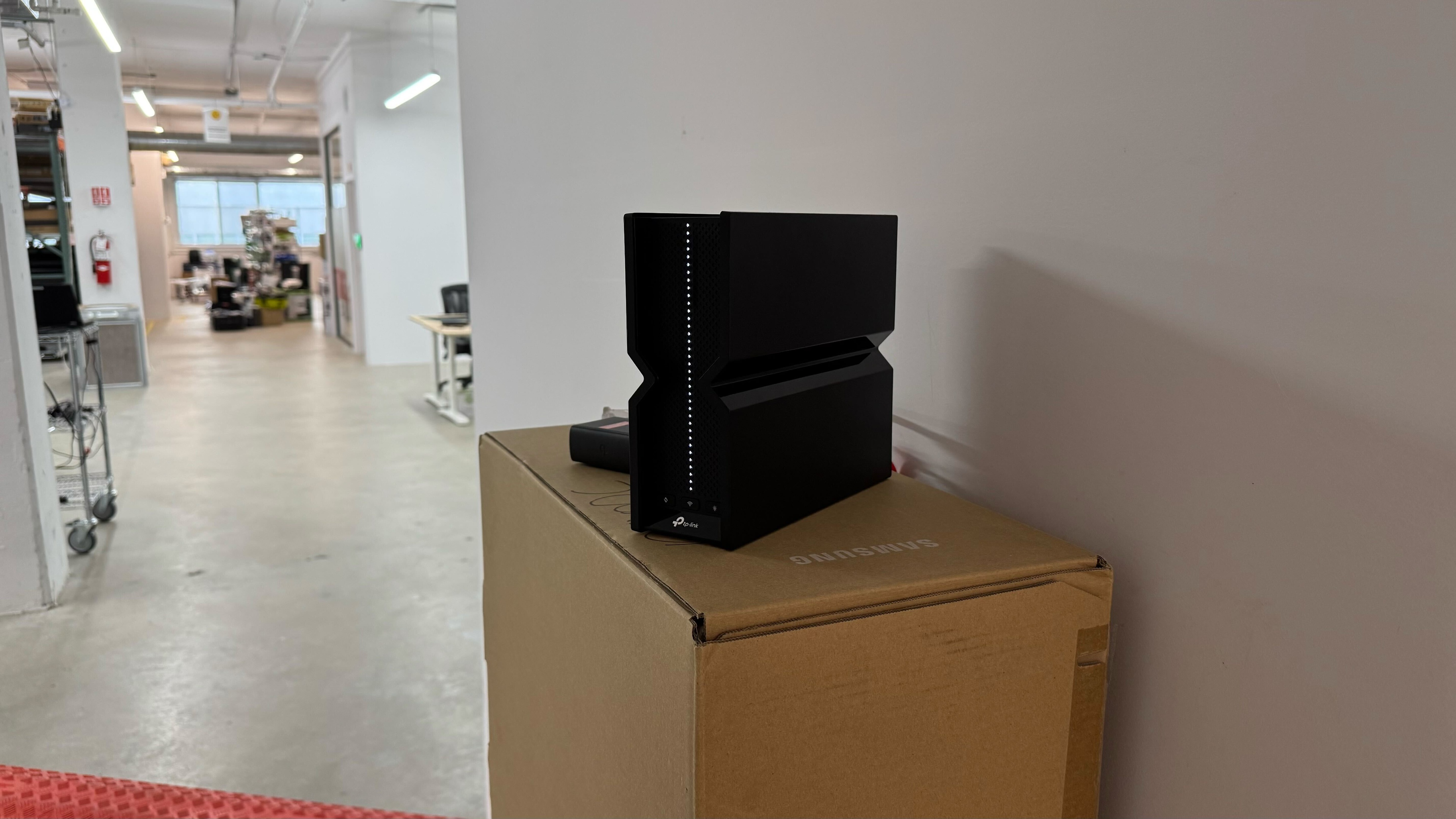

for pictures & test results
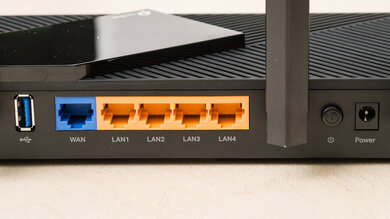
for pictures & test results
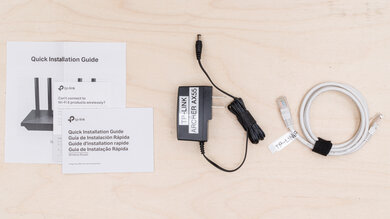
- Ethernet cable
- Power adapter
- User documentation

for pictures & test results
for pictures & test results
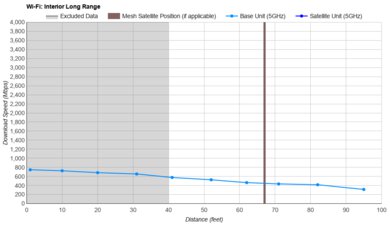
for pictures & test results
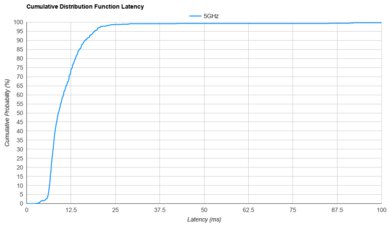
The TP-Link BE15000's wireless latency performance is largely in line with other standalone routers on the market. For the strongest connection when gaming or handling latency-sensitive tasks, we recommend connecting to the router via one of its Ethernet ports.
To take advantage of Wi-Fi 7's theoretically higher throughput and features like multi-link operation (MLO), you need Wi-Fi 7-compatible client devices.
If you're interested in a quad-band Wi-Fi 7 router, check out the TP-Link Archer BE900. If you're interested in a router with Automated Frequency Coordination (AFC) support, check out the ASUS ROG Strix GS-BE18000.
for pictures & test results
This router uses alternating MLO (multi-link operation), which is a limited implementation of the technology that establishes a connection with clients on one band at a time. For more information, read our article on the topic.