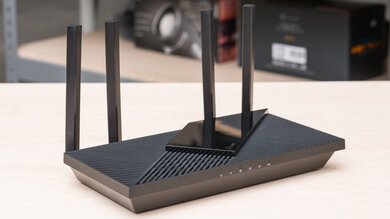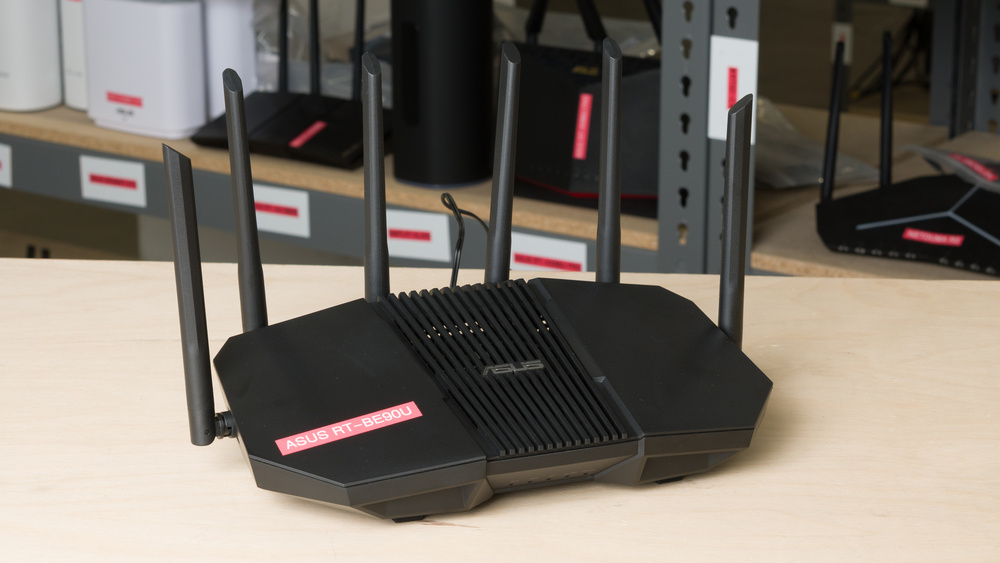

The ASUS RT-BE90U is a standalone tri-band Wi-Fi 7 router with 2.4GHz, 5GHz, and 6GHz bands. It has four 2.5Gbps Ethernet ports (one WAN and three LAN) housed in a large chassis with four movable antennas, along with a USB 3.0 port for storage and cellular tethering. It supports ASUS's AiMesh, so you can pair it with other compatible ASUS routers to form a mesh network. Like most of ASUS' offerings, it includes a suite of subscription-free security features, dual-WAN capabilities, and VPN support for a variety of protocols. You can configure the router through the ASUS Router app or its web interface.
Our Verdict
The ASUS RT-BE90U is a very good fit for an apartment or condo. Its outstanding top speeds provide plenty of headroom for bandwidth-intensive tasks, and its range is more than sufficient to cover a single-story space. Its Wi-Fi 7 support and 6GHz band give compatible devices access to less-congested channels, while three multi-gigabit LAN ports let you wire in devices like a desktop PC, game console, or smart TV directly. It isn't the most discreet option for small spaces, however, due to its rather large footprint and four external antennas.
Excellent top speeds and range on the 6GHz band.
Great selection of multi-gigabit networking ports.
Feature-rich, highly configurable and subscription-free.
Can extend coverage with AiMesh-compatible access points.
Physically bulky.
The ASUS RT-BE90U is a good router for multi-level homes. It has decent standalone range and excellent speeds, making it well-suited to handling large downloads, streaming, and other bandwidth-heavy tasks across multiple devices. The router has an excellent selection of four 2.5Gbps ports, although a 10Gbps WAN port would have been a nice touch for plans faster than 2.5Gbps. You can extend the router's coverage by pairing it with compatible devices through AiMesh, but its large body and external antennas mean you'll need a bit of space to accommodate it.
Excellent top speeds and range on the 6GHz band.
Great selection of multi-gigabit networking ports.
Feature-rich, highly configurable and subscription-free.
Can extend coverage with AiMesh-compatible access points.
5GHz band slows down at longer distances.
Physically bulky.
The ASUS RT-BE90U is satisfactory for gaming over Wi-Fi, but it's best suited to casual play. Its latency and jitter are low enough for non-competitive gaming, while its exceptional top speeds make quick work of larger downloads and updates. The router's range is good enough to give you some flexibility if your setup is in another room, but we still recommend connecting your PC or console over Ethernet for the most consistent experience.
Excellent top speeds and range on the 6GHz band.
Fair latency levels for everyday use and casual gaming.
5GHz band slows down at longer distances.
Unsuitable latency for competitive gaming over Wi-Fi.
The ASUS RT-BE90U delivers fantastic speeds suitable for internet plans up to ~2.5Gbps. It supports Dynamic Frequency Selection (DFS), giving it access to more channels for better speeds in congested environments, though it doesn't have any 10Gbps ports.
Excellent top speeds and range on the 6GHz band.
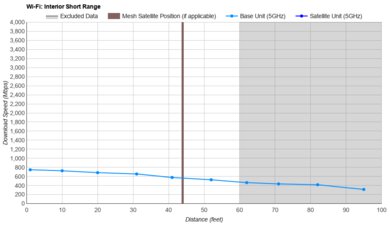
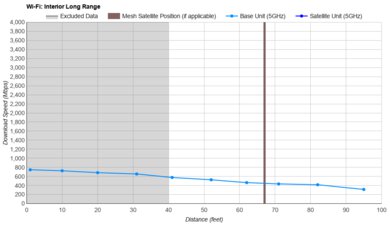
The ASUS RT-BE90U has decent range for a standalone router, though its 5GHz performance drops off noticeably at longer distances. If you need broader coverage, you can pair it with compatible ASUS devices through AiMesh.
Excellent top speeds and range on the 6GHz band.
Can extend coverage with AiMesh-compatible access points.
5GHz band slows down at longer distances.
The ASUS RT-BE90U has adequate wireless latency and low median jitter, similar to most routers. It's fine for browsing, video calls, and casual gaming, but a wired connection is better for competitive play and latency-sensitive applications.
Fair latency levels for everyday use and casual gaming.
Unsuitable latency for competitive gaming over Wi-Fi.
Check Price
Differences Between Sizes And Variants
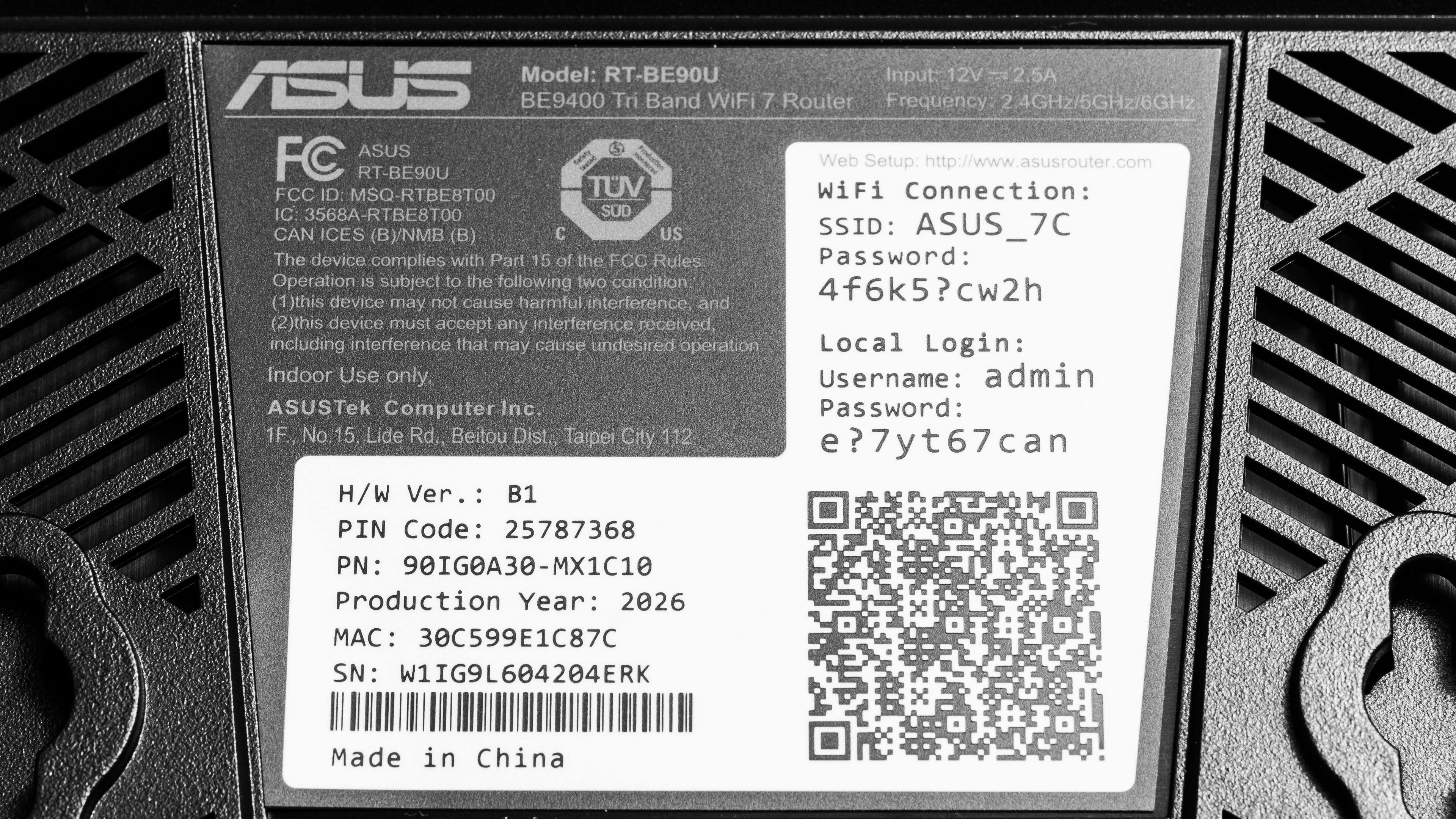
We bought and tested the ASUS RT-BE90U as a single standalone unit. It doesn't have any variants.
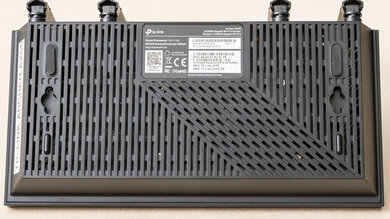
See a photo of the label of our unit.
Popular Router Comparisons
The ASUS RT-BE90U is a tri-band Wi-Fi 7 router with excellent top speeds and multi-gigabit connectivity. Like most ASUS routers, the BE90U offers plenty of flexibility and a laundry list of advanced features that don't require a subscription to use. The router can be set up as a VPN server (for remote access to your home network) or client (to protect connected devices on your network), and comes fitted with three 2.5Gbps LAN ports and one 2.5Gbps WAN port. Users who need a faster 10Gbps port might consider its older sibling in the lineup, the ASUS RT-BE92U, or an alternative, the TP-Link Archer BE9500.
Against popular entry-level picks like the TP-Link Archer BE550, the BE90U is an even match on the whole, lagging only slightly behind when it comes to range on its 5GHz band. ASUS makes up the difference for power users with far greater configurability and a robust suite of networking tools available at no extra cost, something that's become increasingly unique among many consumer routers. For larger spaces that need a more expandable range, however, a dedicated mesh system like the ASUS ZenWiFi BT10 may be worth considering; while the RT-BE90U can be configured in a mesh with compatible ASUS nodes, it's designed chiefly as a standalone router.
Still weighing your options? Take a look at our recommendations for the best Wi-Fi 7 routers, the best mesh Wi-Fi systems, and the best gaming routers. And if you're set on ASUS, we've also put together a list of the best ASUS routers.
The ASUS RT-BE90U and the ASUS RT-BE92U are closely related tri-band Wi-Fi 7 routers, with the main difference being their wired connectivity. The RT-BE92U has a 10Gbps WAN/LAN port in addition to four 2.5Gbps ports, while the BE90U has a smaller selection of one 2.5Gbps WAN/LAN port and three additional 2.5Gbps ports. Both routers achieve very similar top speeds, however, so the BE92U is really only a better choice if you need the extra ports.
The ASUS RT-BE90U and the TP-Link Archer BE550 are two tri-band Wi-Fi 7 routers with slightly differing strengths. The BE550 has better range, a more compact design, and an extra 2.5Gbps LAN port, so it's the better all-around choice for a standalone router. The ASUS RT-BE90U is marginally faster at close range, but its main draw comes in the form of a versatile suite of network tools and VPN support. Choose the BE550 for its better range and straightforward setup, or the RT-BE90U for its configurability and subscription-free security features.
The ASUS RT-BE90U outperforms the NETGEAR Nighthawk RS90 in most areas. The RS90 is a dual-band Wi-Fi 7 router without a 6GHz band or MLO (Multi-Link Operation) support, with a standalone range that's especially disappointing. The RT-BE90U is a tri-band Wi-Fi 7 router with a 6GHz band and limited MLO support. It posts far better range, faster speeds, and a better selection of multi-gigabit Ethernet ports, so it's the stronger overall pick out of the two.
The ASUS RT-BE90U and the TP-Link Archer BE9500 are closely matched mid-range Wi-Fi 7 routers with excellent top speeds. The BE9500 offers better wired connectivity, however, with a 10Gbps WAN port and a bigger selection of LAN ports compared to the RT-BE90U. The ASUS counters with deeper configurability and VPN support for those seeking more granular control over their network's security.
Test Results
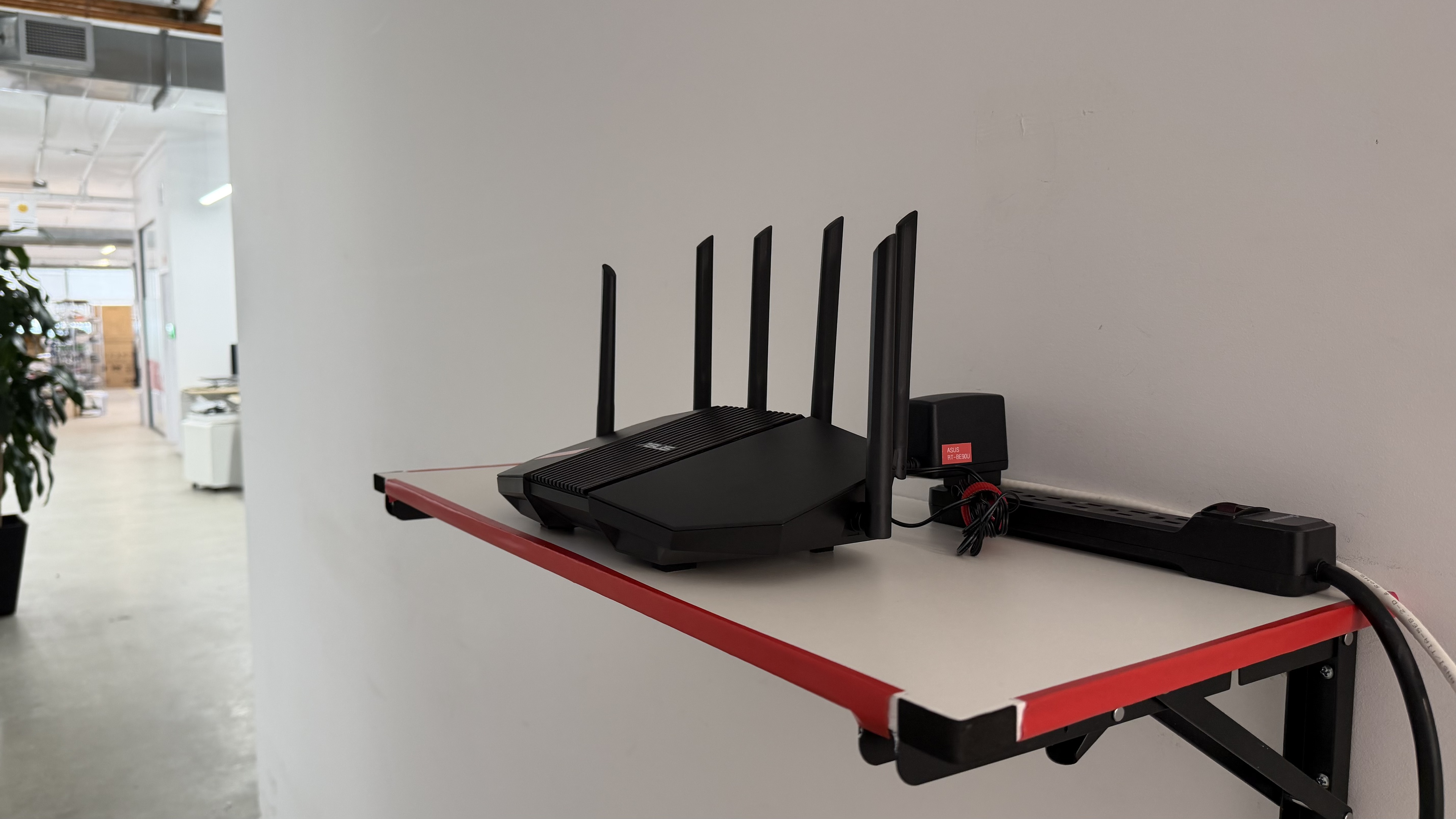
for pictures & test results
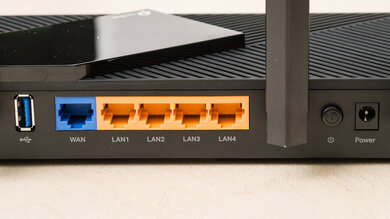
Any of the router's 2.5Gbps LAN ports can be configured as a secondary WAN port, allowing you to use two simultaneous internet connections for load balancing and failover.
The ASUS BE90U features one built-in USB 3.2 Gen 1 port, for transfer speeds of up to 5Gbps.
for pictures & test results
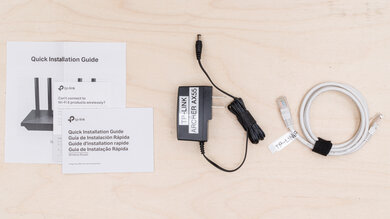
- Power adapter
- Cat 6 Ethernet cable (RJ45)
- User documentation
for pictures & test results
for pictures & test results
for pictures & test results
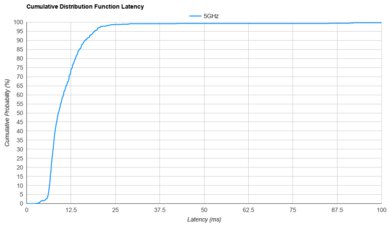
The ASUS BE90U posts decent latency that's broadly in line with similar routers on the market. It handles everyday use comfortably, and its 6GHz band offers a considerable jump in performance if your devices support it.
As is the case with all Wi-Fi routers, we recommend connecting your device directly over Ethernet if you plan on gaming competitively.
for pictures & test results