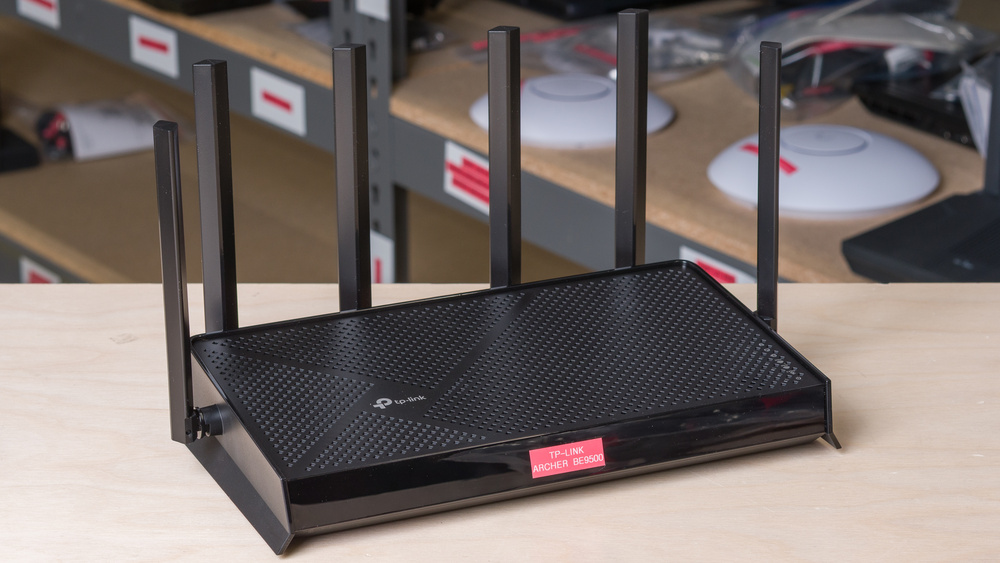
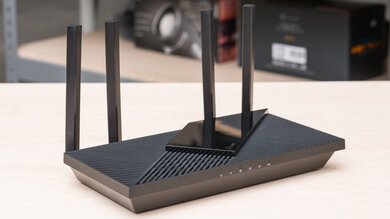
The TP-Link Archer BE9500 is a tri-band Wi-Fi 7 router that uses 2.4GHz, 5GHz, and 6GHz bands. It includes one 10Gbps WAN/LAN port, one 2.5Gbps WAN/LAN port, one 2.5Gbps LAN port, and two 1Gbps LAN ports, as well as a USB 3.0 port located on its side. It supports the EasyMesh Wi-Fi standard, allowing you to expand your network with supported routers or access points. It has basic parental control features, but more advanced security and parental controls require a paid subscription. The BE9500 has a conventional form factor with six prominent antennas.
Note: We've removed the Wi-Fi coverage tests and are exploring better ways to convey the results that'll be more helpful to users.
Our Verdict
The TP-Link Archer BE9500 is excellent for apartments and condos. It delivers outstanding speeds at close to medium distances, making it ideal for high-bandwidth tasks like downloading large files quickly or 4k video streaming. It has fantastic wired connectivity with several multi-gigabit Ethernet ports, so you're covered if you have multiple high-speed wired devices. It has a wider base and tall antennas, which could be challenging to neatly tuck away on a shelf. Alternatively, it comes with screw head slots to be mounted unobtrusively to the wall or ceiling.
Exceptional short-range wireless speed.
Two 10Gbps ports and two 2.5Gbps ports for high-speed wired connectivity.
Supports additional EasyMesh-compatible access points for improved coverage.
Physically wide footprint.
The TP-Link Archer BE9500 is a very good choice for multi-level homes. Its peak wireless speeds are exceptional, and it sports a generous configuration of multi-gigabit ports for connecting secondary access points or demanding devices like desktop PCs and game consoles. While its speeds drop off measurably at longer distances, the BE9500's range is more than sufficient for the majority of homes. Its EasyMesh functionality can extend your network's coverage with compatible standalone routers to form a whole-home mesh network.
Exceptional short-range wireless speed.
Two 10Gbps ports and two 2.5Gbps ports for high-speed wired connectivity.
Supports additional EasyMesh-compatible access points for improved coverage.
Physically wide footprint.
Standalone range is only decent.
The TP-Link Archer BE9500 is satisfactory for non-competitive gaming over Wi-Fi. Its wireless latency performance is similar to most routers on the market, but it delivers exceptionally fast top speeds that make downloading large game files quick.
Exceptional short-range wireless speed.
Adequate wireless latency for web browsing and non-competitive gaming.
Unsuitable for competitive gaming over Wi-Fi.
The TP-Link Archer BE9500 delivers exceptional wireless throughput suitable for internet connections up to ~2.5Gbps. It features a 10Gbps WAN/LAN port and dual 2.5Gbps ports, ensuring multi-gigabit fiber internet plans can hit their advertised speeds.
Exceptional short-range wireless speed.
The TP-Link Archer BE9500 has good range. It delivers excellent connection speeds at close and medium distances, but its throughput drops off notably at longer range. TP-Link EasyMesh compatibility allows you to expand your coverage by adding satellite access points.
Supports additional EasyMesh-compatible access points for improved coverage.
Standalone range is only decent.
The TP-Link Archer BE9500 has adequate wireless latency performance that's similar to most routers on the market. It's suitable for everyday tasks like web browsing, video calling, and non-competitive gaming.
Adequate wireless latency for web browsing and non-competitive gaming.
Unsuitable for competitive gaming over Wi-Fi.
Changelog
- Updated Jun 22, 2026: We've updated this review to Test Bench 0.9.1! This is a minor change that makes the router type easier to see at the top of each review. Read the changelog for more info.
-
Updated Apr 08, 2026:
We've updated the text throughout the review to reflect the changes from Test Bench 0.9.
- Updated Apr 08, 2026: We've updated this review to Test Bench 0.9! This update adds wireless latency testing to evaluate router gaming performance. Read the changelog for more info.
-
Updated Mar 09, 2026:
We've updated this review and added text to interpret and contextualize our test results.
Check Price
Differences Between Sizes And Variants
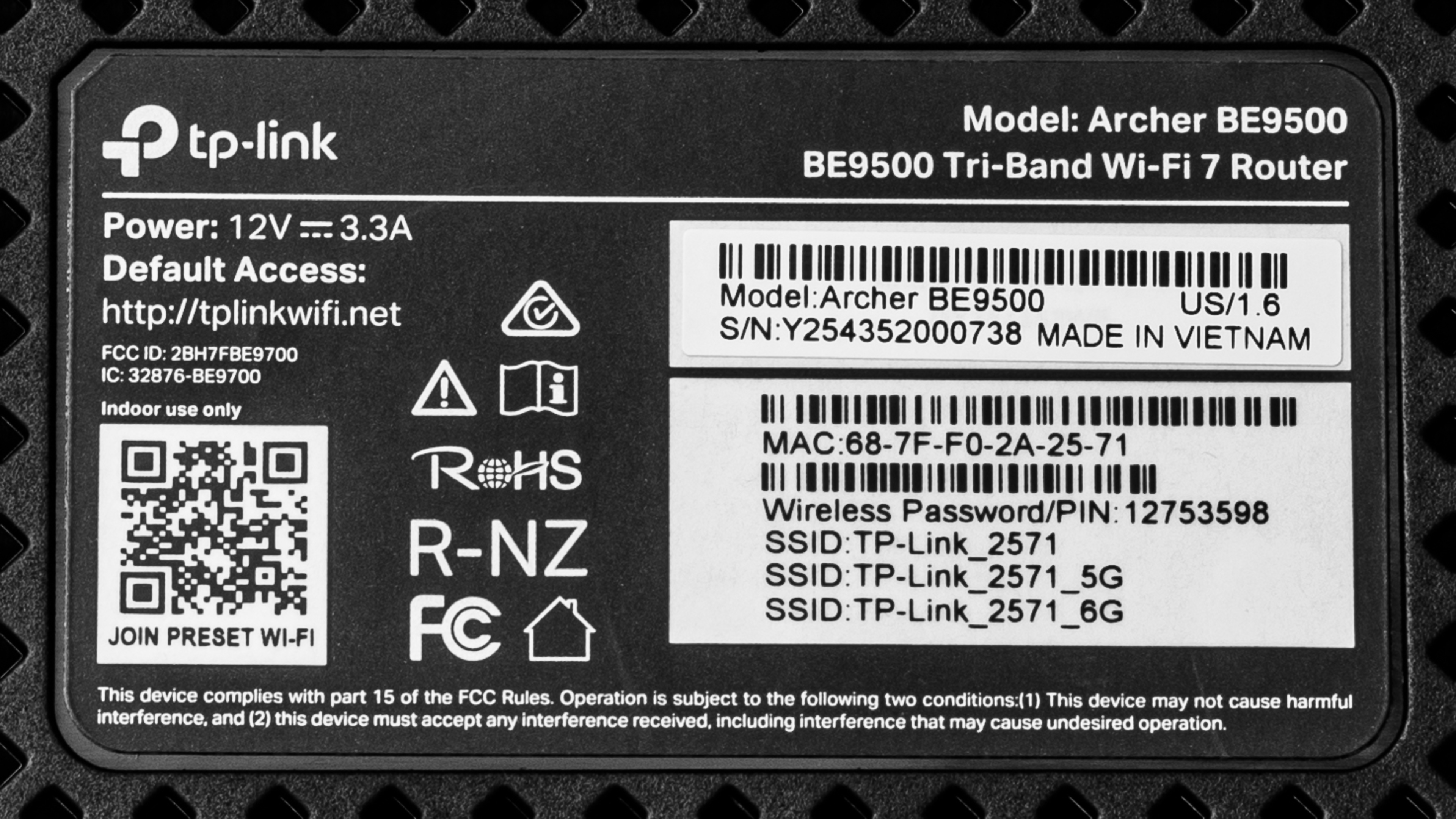
The TP-Link Archer BE9500 is available in a single black colorway. There are no hardware variants under this model, but let us know in the comments if you come across another variant.
Here's a photo of our unit's label.
Popular Router Comparisons
The TP-Link Archer BE9500 occupies a competitive space in the mid-range Wi-Fi 7 market. It offers excellent speeds, especially when nearby or on the same floor. It's a great option for users with multi-gigabit internet plans and wired devices. Notably, its 10Gbps WAN port provides generous overhead for high-speed fiber and is a rare inclusion for routers in this class; for instance, similarly tiered routers, like the ASUS TUF Gaming BE9400 or GL.iNet Flint 3 (GL-BE9300), offer WAN port speeds of up to just 2.5Gbps.
While it doesn't quite have the range of a dedicated mesh solution like the eero Max 7, the BE9500's native EasyMesh support means you can still pair it with other compatible access points to form a mesh network.
For more recommendations, see our picks for the best Wi-Fi routers, the best Wi-Fi 7 routers, and the best gaming routers.
The TP-Link Archer BE9500 is a better router than the TP-Link Archer AXE75. Both are tri-band routers from the Archer series, with the BE9500 being a newer entry in TP-Link's lineup of Wi-Fi 7 routers and the AXE75 being an older Wi-Fi 6E model. The AXE75 serves as a decent entry point for users looking to reduce their network congestion with the 6GHz band. Its middling range, port selection, and older Wi-Fi standard, however, make the router hard to recommend for those with newer devices or multiple users in the home.
The TP-Link Archer BE9500 is a better router than the Netgear Nighthawk RS300. While both are tri-band Wi-Fi 7 routers, the BE9500 delivers superior speed and range along with a higher-throughput selection of Ethernet ports. The RS300 touts a sleek tower design that makes for a lower profile than the BE9500; however, it lacks mesh expandability and basic MLO implementation. The BE9500 remains a more versatile choice with options for mesh configuration and implementation of MLO, although limited.
The eero 7 and TP-Link Archer BE9500 are both Wi-Fi 7-capable routers. While the Archer BE9500 is a tri-band router with excellent standalone range and a traditional design, the eero 7 is a dual-band Wi-Fi 7 entry that targets accessible mesh networking, Smart Home integration, and a signature, minimalist form factor. As a standalone router, the BE9500 surpasses the eero 7 in speed, range, and port connectivity options, albeit at the cost of a larger footprint.
The ASUS RT-BE96U and the TP-Link Archer BE9500 are both standalone Wi-Fi 7 routers. Connectivity is a key differentiator: the BE96U outperforms the BE9500 across both wireless speed and range, but at the cost of a bulkier form factor than the Archer's more compact profile. The BE96U offers dual 10Gbps WAN ports for higher wired bandwidth, whereas the BE9500 provides one at 10Gbps and one at 2.5Gbps.
Test Results
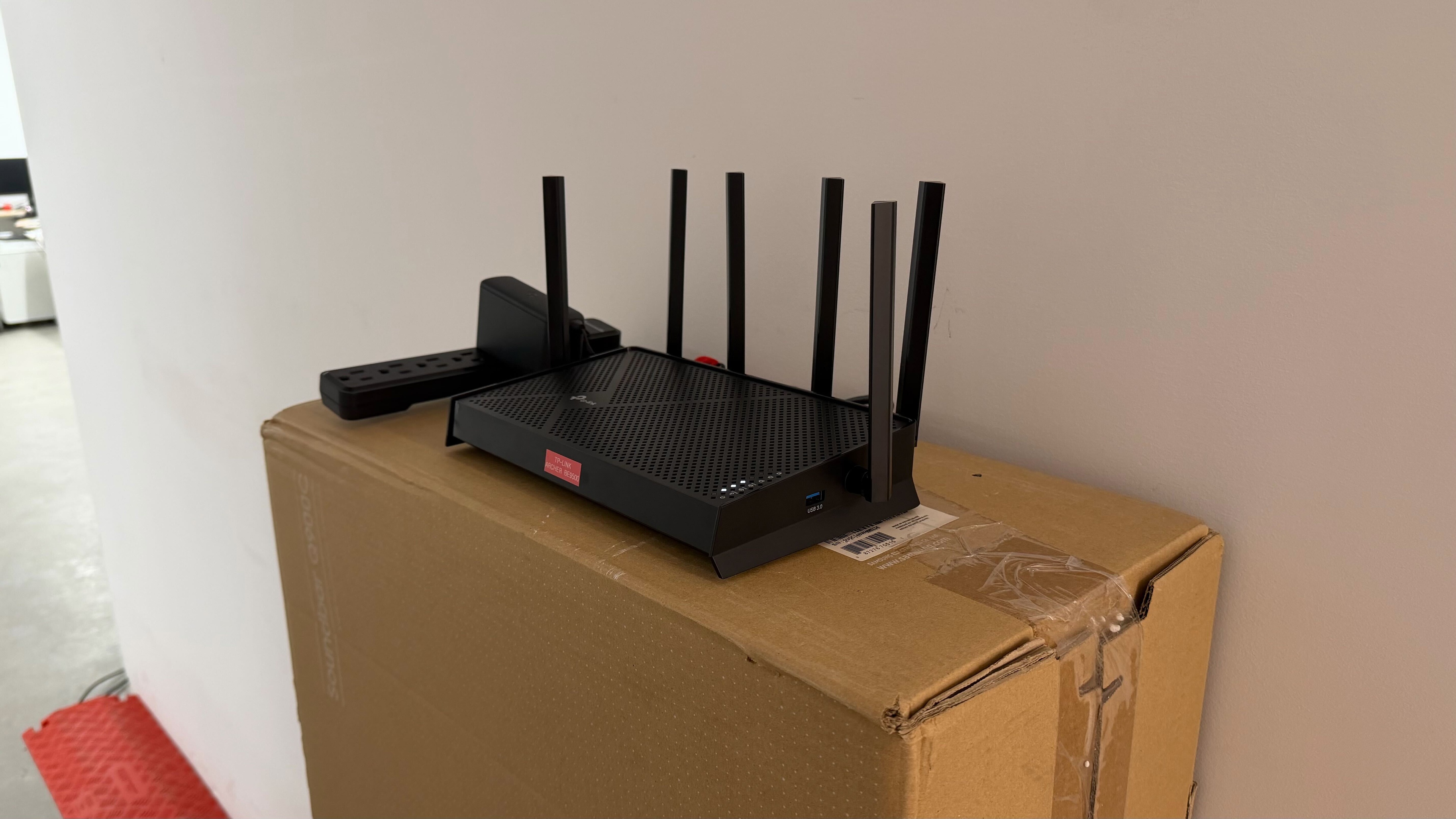

for pictures & test results

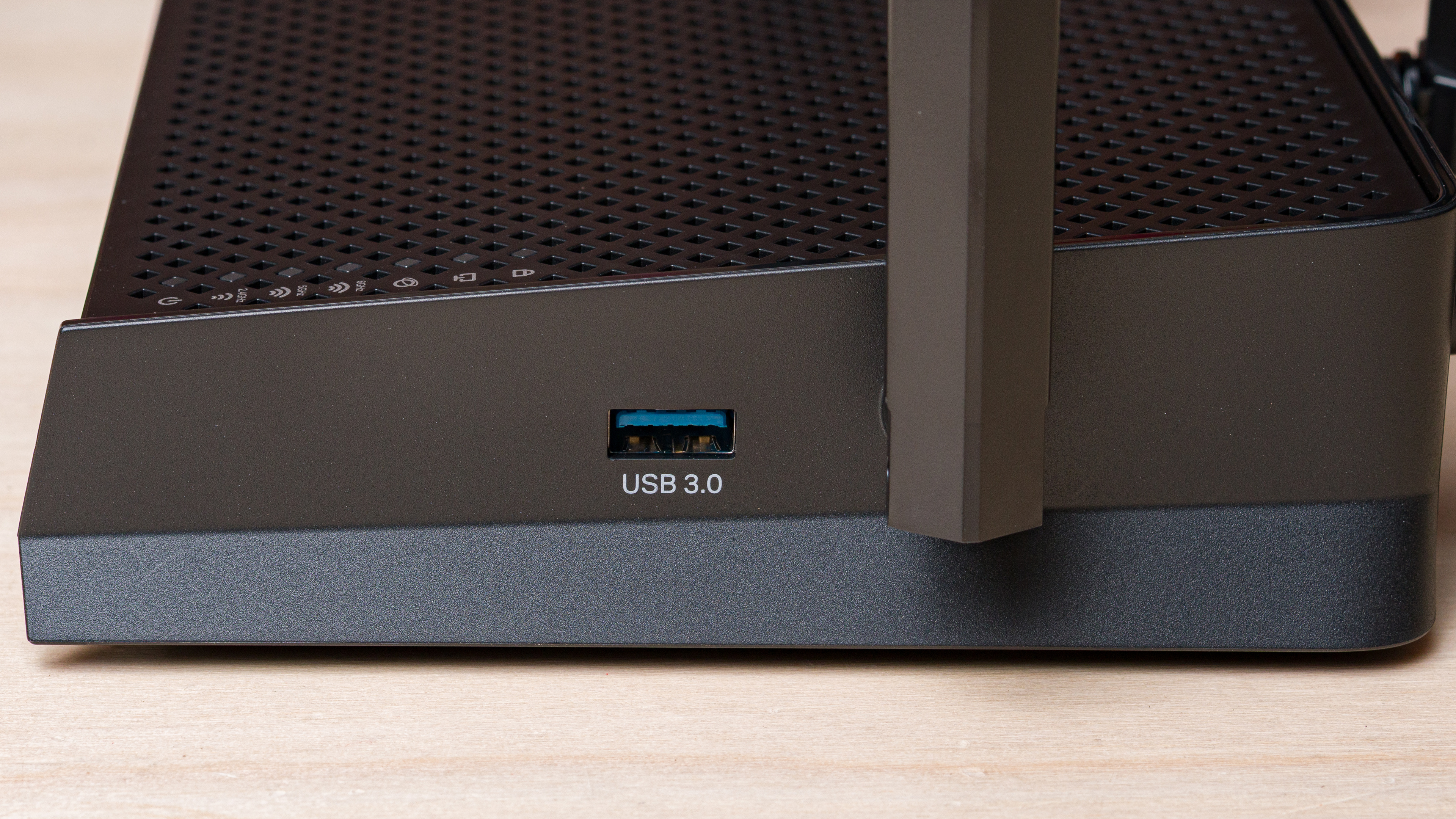
A single USB-A 3.0 port is located on the router's side panel, so you can attach a storage drive to share files across your network.
for pictures & test results

- Ethernet cable
- Power adapter
- User documentation

for pictures & test results

for pictures & test results

for pictures & test results

This router has adequate wireless latency and jitter for browsing the web, taking video calls, and non-competitive gaming.
Wi-Fi 7 supports faster speeds and other features over previous generations of Wi-Fi. However, you need devices supporting Wi-Fi 7 to benefit from these features.
for pictures & test results
This router uses alternating multi-link operation (MLO), which is a limited implementation of the technology that establishes a connection with clients on one band at a time. For more information, read our article on the topic.