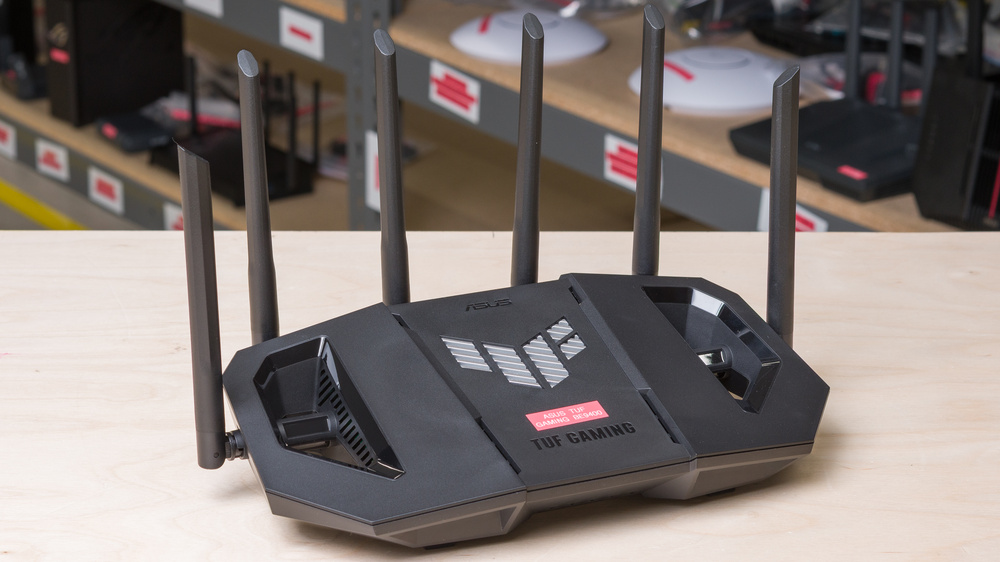
The ASUS TUF Gaming BE9400 is a standalone tri-band Wi-Fi 7 router with 2.4GHz, 5GHz, and 6GHz bands. It has six 2.5Gbps Ethernet ports (one WAN and three LAN) housed in a stylized hexagonal chassis, with four movable antennas along its back and sides. It includes a USB-A 3.0 port for network storage and mobile tethering. It also supports ASUS's AiMesh technology, so you can pair it with other compatible routers to create a unified mesh network. You can configure the BE9400 using the ASUS Router app or via its web interface.
Our Verdict
The ASUS TUF BE9400 is a great Wi-Fi 7 router for an apartment or condo. It delivers amazing speeds and a very good range for high-bandwidth tasks like 4k streaming and simultaneous large downloads. Its 6GHz band and four 2.5Gbps Ethernet ports provide excellent multi-gigabit connectivity. The router's footprint is fairly wide, but you can mount it cleanly to a wall or ceiling thanks to its integrated screw head slots.
Four 2.5Gbps networking ports.
Excellent top speeds.
Very good range.
Bulky size.
The ASUS TUF Gaming BE9400 is a very good choice for medium-to-large homes. It delivers excellent speeds and very good standalone range, making it suitable for streaming 4k media and supporting multiple heavy internet users at once. Its four 2.5Gbps LAN ports are great for hardwiring devices like desktop PCs or gaming consoles, and the router supports mesh expansion with compatible AiMesh devices. Its bulkier design and antennas make it a more visible living space addition than some other routers, but its screw head slots allow it to be mounted to a wall or ceiling.
Four 2.5Gbps networking ports.
Excellent top speeds.
Very good range.
Supports mesh expansion to improve coverage.
Bulky size.
The ASUS TUF Gaming BE9400 is decent for gaming over Wi-Fi. It provides a very good overall range and excellent peak speeds for handling large game updates and casual play. Like most routers, its wireless latency and jitter are adequate for non-competitive gaming, but it's recommended to connect your device to one of its 2.5Gbps LAN ports for the most stable performance.
Excellent top speeds.
Satisfactory wireless latency for browsing, video calls, and casual gaming.
Latency and jitter aren't suitable for competitive gaming over Wi-Fi.
The ASUS TUF BE9400 offers excellent wireless speeds of up to ~1.5Gbps. The router's Dynamic Frequency Selection (DFS) support and 6GHz band give compatible devices access to additional frequencies for a stronger signal in busy environments.
Excellent top speeds.
The ASUS TUF Gaming BE9400 has very good standalone range suitable for the majority of floor plans. It also supports AiMesh expandability, so you can link compatible routers together for whole-home coverage.
Very good range.
Supports mesh expansion to improve coverage.
The ASUS TUF BE9400's wireless latency performance is satisfactory for web browsing, video calls, and casual gaming.
Satisfactory wireless latency for browsing, video calls, and casual gaming.
Latency and jitter aren't suitable for competitive gaming over Wi-Fi.
Changelog
- Updated Jun 22, 2026: We've updated this review to Test Bench 0.9.1! This is a minor change that makes the router type easier to see at the top of each review. Read the changelog for more info.
-
Updated Apr 08, 2026:
We've updated this review and added text to interpret and contextualize our test results.
- Updated Apr 08, 2026: We've updated this review to Test Bench 0.9! This update adds wireless latency testing to evaluate router gaming performance. Read the changelog for more info.
- Updated Feb 03, 2026: We've added an MLO Implementation test for Test Bench 0.8.2! Read the changelog for more details.
Check Price
Differences Between Sizes And Variants
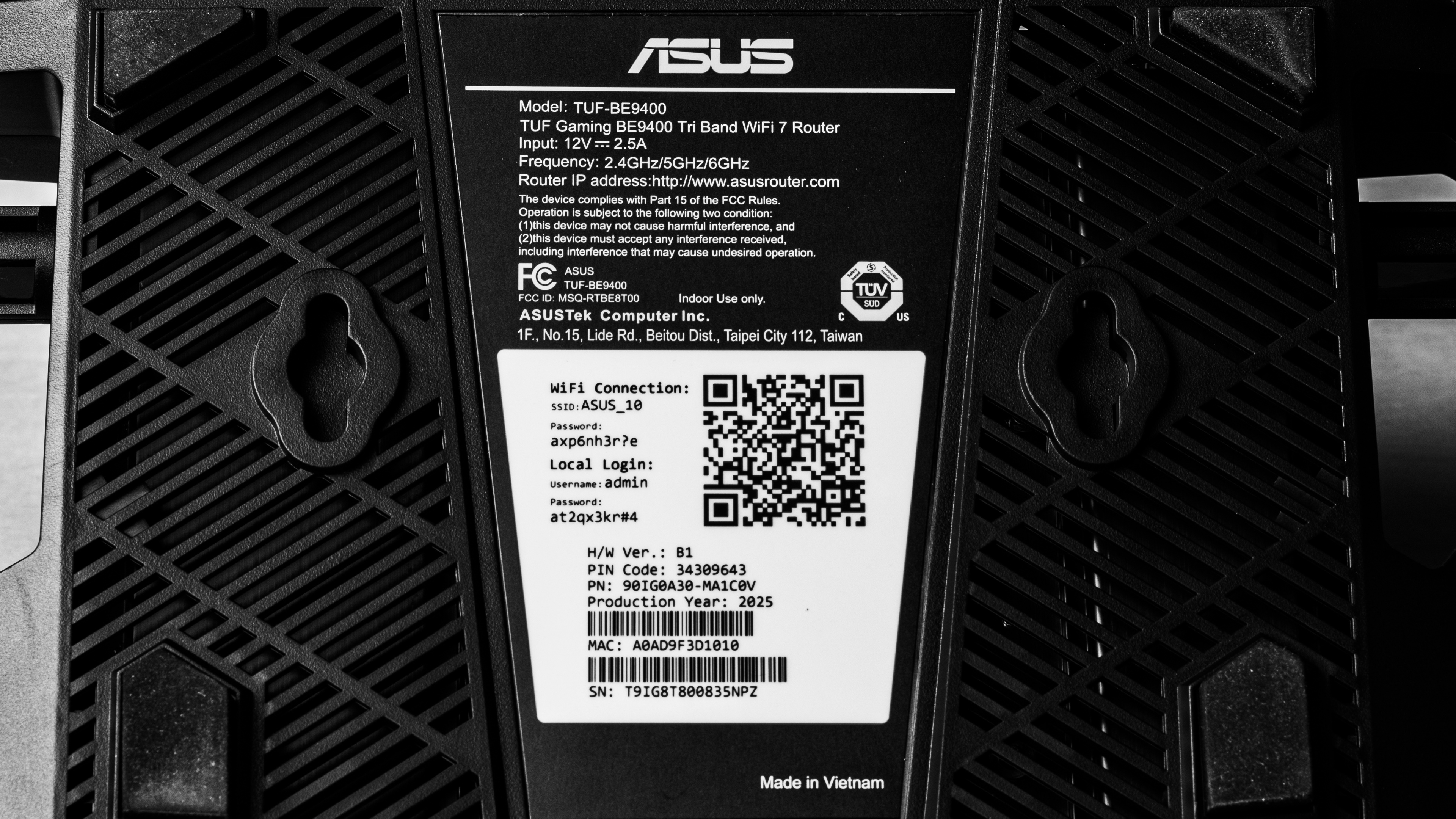
This router doesn't have any variants. See a photo of our unit's label.
Popular Router Comparisons
The ASUS TUF Gaming BE9400 is a tri-band Wi-Fi 7 router with excellent speeds and wired connectivity. "Gaming" aesthetic aside, it's a mid-range standalone with higher top speeds than dual-band routers like the NETGEAR Nighthawk RS300, and similar performance to tri-bands like the TP-Link Archer BE550 (albeit with a much chunkier design). Its 2.5Gbps WAN port is limiting compared to higher-end models like the ASUS RT-BE96U or TP-Link Archer BE9500, which have WAN ports rated for 10Gbps. Its range is sufficient for most homes, even rivalling dedicated mesh systems like the eero Pro 7. You can further expand the router's coverage with compatible AiMesh routers and access points.
For more recommendations, see our picks for the best Wi-Fi routers, the best Wi-Fi 7 routers, and the best gaming routers.
The ASUS TUF Gaming BE9400 and TP-Link Archer BE550 are both tri-band Wi-Fi 7 routers with excellent peak speeds. The TP-Link has a slight edge in wired connectivity, offering one more LAN port on its rear than the ASUS. The TUF touts an explicit gaming aesthetic with a wide base and external antennas, while the TP-Link offers a slim, discreet profile with internal antennas. Both offer basic security and parental control features, but some of the TP-Link's more advanced features require a paid subscription.
The ASUS TUF Gaming BE9400 and the GL.iNet Flint 3 (GL-BE9300) are both tri-band Wi-Fi 7 routers with similarly excellent speeds. The GL.iNet offers a customizable OpenWrt interface, robust networking tools, multi-WAN capability, and an additional LAN port. The ASUS offers nearly identical performance in a gaming-oriented design. Unlike the Flint, you can pair it with compatible access points to create a mesh network.
The ASUS TUF Gaming BE9400 and eero Pro 7 are both tri-band Wi-Fi 7 devices. The ASUS is a standalone router with a bulky, gamer-oriented design, four 2.5Gbps Ethernet ports, and a USB 3.0 port for local file sharing. By contrast, the eero is a dedicated mesh system with a plug-and-play design, streamlined body, and two auto-sensing Ethernet ports. Both routers offer nearly identical performance in speed and range, though the eero supports faster internet plans with ports rated for up to 5Gbps on the router and each of its satellite nodes.
The ASUS TUF Gaming BE9400 and the TP-Link Archer BE9500 are both standalone, tri-band Wi-Fi 7 routers that perform similarly across speed and range. The routers share a comparable footprint and feature screw head slots for wall mounting. The TP-Link is a better choice for high-speed fiber plans, with its 10Gbps WAN port and four additional LAN ports offering a markedly higher wired ceiling. While the TUF lacks the 10Gbps overhead of the Archer, its four 2.5Gbps ports (one WAN and three LAN) are still more than sufficient for most internet plans and devices. Both routers include mesh extendability as well as basic security features, but some of the TP-Link's more advanced features require a paid subscription.
Test Results

for pictures & test results

for pictures & test results

- Ethernet cable
- Power adapter
- User documentation
for pictures & test results

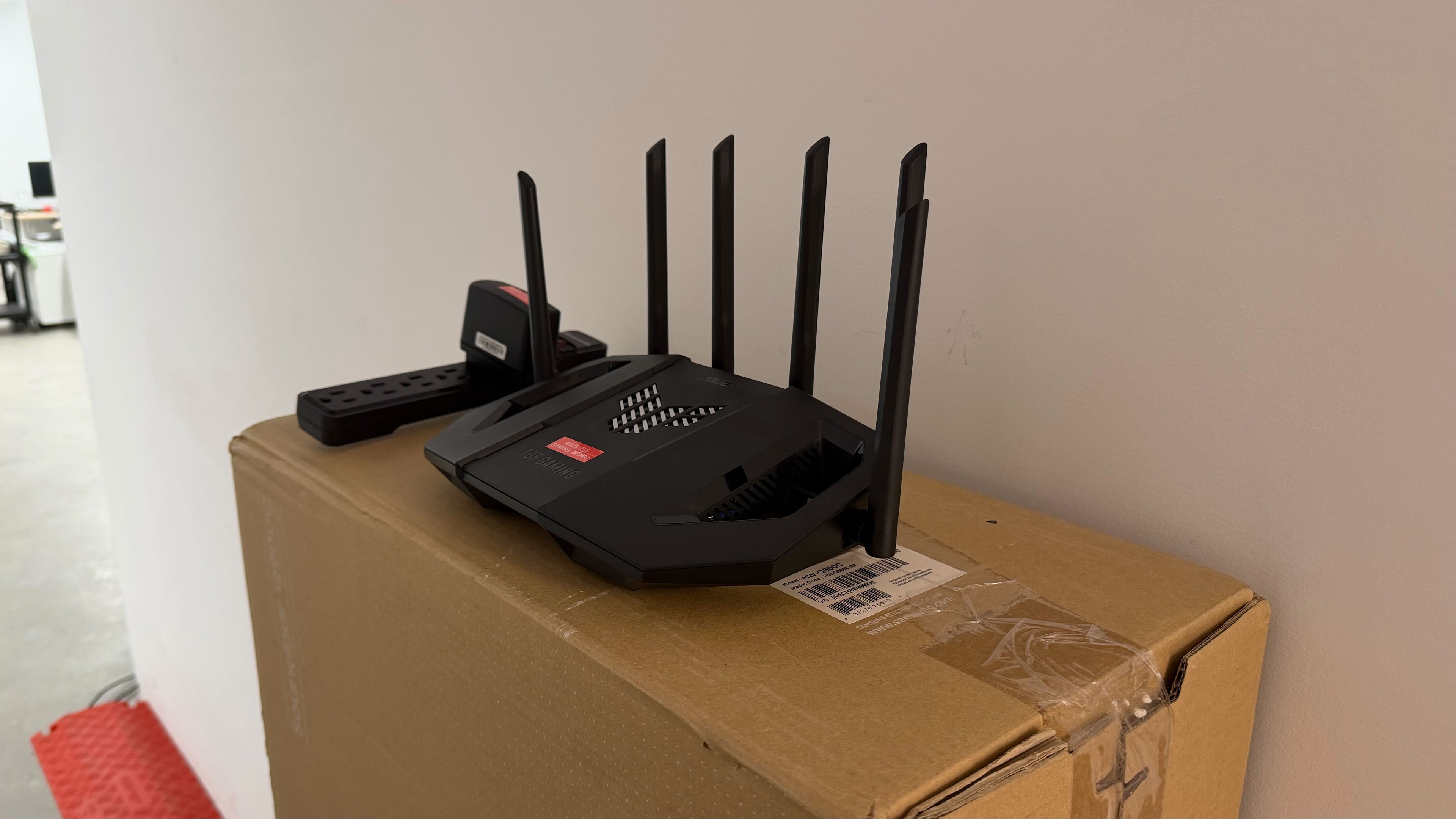
This router has a pair of screw head slots, so you can mount it to a wall or ceiling.
for pictures & test results

for pictures & test results

for pictures & test results

The ASUS BE9400's wireless latency performance is satisfactory for web browsing, video calls, and casual gaming. Its 6GHz median latency is markedly lower than many routers we've tested. However, a wired connection is still recommended for competitive play to ensure the most stable connection.
for pictures & test results
This router uses alternating MLO (multi-link operation), which is a limited implementation of the technology that establishes a connection with clients on one band at a time. For more information, read our article on the Wi-Fi 7 topic.