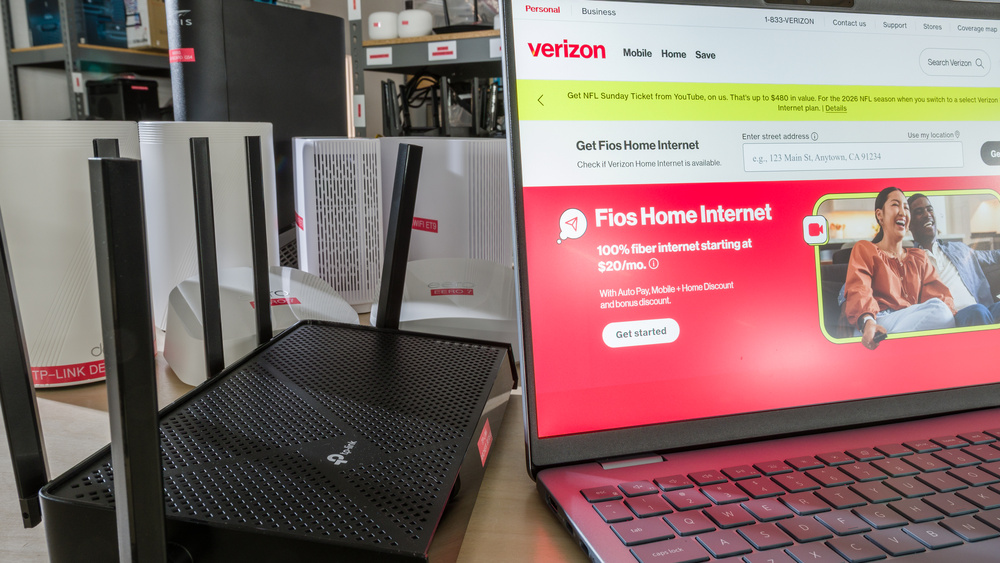
Verizon Fios is a fiber-optic internet service available throughout the Mid-Atlantic and Northeastern regions of the United States. When you sign up, Verizon provides a free router, which is generally sufficient for everyday browsing, streaming, and typical household use. However, if you're experiencing weak Wi-Fi coverage in certain rooms or simply want more control over your network, investing in your own equipment is still worth considering. Buying your own router or mesh system can help improve coverage, offer more flexible parental controls and VPN options, and avoid rental fees for additional range extenders if they aren't included in your plan.
For Fios plans with speeds of 1Gbps or less, a capable Wi-Fi 6 router with gigabit Ethernet is generally sufficient, while faster plans will need a router with a multi-gigabit WAN port to get the speeds they're paying for. A standalone router is ideal for single-level homes and apartments, while a mesh system is helpful if you're contending with larger spaces, multiple floors, or older homes with thick insulation between rooms. Keep in mind that a Wi-Fi 7 router is really only worth it if you already own compatible devices that can take advantage of the standard's lower latency and faster speeds.
Also note that if you subscribe to Fios TV, you may need additional hardware when replacing Verizon's router: Set-top boxes that use coaxial wiring rely on a MoCA (Multimedia over Coaxial) connection for channel guides, video-on-demand, and certain DVR features. Verizon's router has MoCA built in. If your replacement router doesn't include MoCA, you'll need a standalone MoCA adapter to connect it to your home's coaxial wiring to maintain those features.
We've tested over 80 of the most popular Wi-Fi routers on the market to compile our recommendations for the best routers for Verizon Fios. For more options, check out our picks for the best Wi-Fi routers, the best routers for fiber internet, and the best mesh Wi-Fi systems.

Since we started reviewing them in 2024, we've tested over 60 routers. We maintain complete editorial independence and impartiality by purchasing each router ourselves, which ensures we aren't testing specially selected review units. Rather than casually assessing performance by throwing on Netflix and seeing if it works, we rigorously evaluate each router on a standardized testing platform, providing you with all the data you need to compare different models.
-
Best Router For Verizon Fios
 GamingMulti-Level HouseApartment/CondoSpeedRangeWAN Port Speed:Gbps6GHz Band:Wi-Fi Version:Wi-Fi 7 (be)See all our test resultsType:Standalone Router
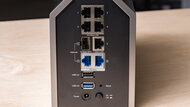
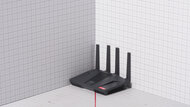
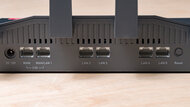
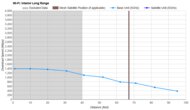
The TP-Link Archer BE900 is the best router for Verizon Fios if you're in the market for a high-end standalone to pair with a high-speed plan. It's a quad-band Wi-Fi 7 router that supports speeds of up to 3Gbps on its 6GHz band, with an impressive range that performs well in larger homes. With a 10Gbps WAN port, a 10Gbps SFP+ port, four 2.5Gbps ports, one 1Gbps port, and two USB-A ports, this router is decked out with more connectors than you'd likely ever need for hooking up gaming consoles, NAS devices, and home workstations. And should you want to extend your network's coverage down the line, the router's native support for the Wi-Fi Alliance's EasyMesh standard lets you pair it with compatible access points to form a whole-home mesh.
TP-Link locks some additional features, such as parental controls, VPN client functionality, and advanced network security tools behind a monthly subscription, but you don't need it to take advantage of the router's outstanding speed and range. That said, this router is simply excessive unless you're already on a multi-gigabit Fios plan.
You don't need TP-Link's monthly HomeShield subscription to take advantage of the router's outstanding speeds and range, though the manufacturer does lock some security features and parental controls behind it. This model serves as a fantastic piece of hardware, but it's overpowered for most internet plans unless you're paying for multi-gigabit fiber.
Head on over to our TP-Link recommendation article to see more top-ranking routers from the brand.
-
Best Upper Mid-Range Router For Verizon Fios
GamingMulti-Level HouseApartment/CondoSpeedRangeWAN Port Speed:Gbps6GHz Band:Wi-Fi Version:Wi-Fi 7 (be)See all our test resultsType:MeshIf you prefer the expandable whole-home coverage of a mesh network over a standalone router, the TP-Link Deco 7 Pro BE63 is the best upper mid-range pick we've tested for Verizon Fios. Available as a single unit or in packs of two or three, each node sports a compact, understated design that fits well in most living spaces. This tri-band Wi-Fi 7 system delivers broad coverage and fast speeds, with a 6GHz band that can be used for dedicated wireless backhaul. Each unit includes four auto-sensing 2.5Gbps WAN/LAN ports, and unlike many competing mesh systems, any BE63 node can be designated as the primary router for additional flexibility when setting up your network. This model also supports a wired backhaul for lower latency; if your home lacks Ethernet wiring, you can use a pair of MoCA adapters to connect the nodes over coax lines instead.
Setting up the router is straightforward using the web interface or companion app. Much like our top pick, the TP-Link Archer BE900, some advanced content filtering and security tools are paywalled behind TP-Link's monthly subscription model, but you don't need to subscribe to access either router's core features or network protections. If you aren't paying for multi-gigabit speeds that justify our top pick's 10Gbps ports, this system offers a practical balance of performance and value that makes a great fit for most people.
-
Best Mid-Range Router For Verizon Fios
GamingMulti-Level HouseApartment/CondoSpeedRangeWAN Port Speed:Gbps6GHz Band:Wi-Fi Version:Wi-Fi 7 (be)See all our test resultsType:Standalone RouterIf you want strong performance without paying commanding flagship prices, the TP-Link Archer BE550 is the best mid-range router we've tested for Verizon Fios. As a standalone tri-band Wi-Fi 7 router, it delivers impressive top speeds, broad coverage, and five Ethernet ports rated for 2.5Gbps, providing plenty of muscle for busy homes juggling smart devices, gaming consoles, and work-from-home setups on Fios plan speeds of up to 2Gbps. While its 5GHz range lags slightly behind that of TP-Link's flagship models, it offers more than enough coverage for most homes, with EasyMesh support for straightforward expansion down the road.
It shares the same design as our top pick, the TP-Link Archer BE900, but drops the LED touchscreen, the extra USB port, and the second 5GHz band for a smaller overall footprint and a lower price. As with most modern TP-Link routers, you'll need an ongoing subscription to access its full suite of security and parental control tools. That's worth weighing against Verizon's supplied router, which already includes content filtering, schedules, and daily usage limits at no cost on eligible models.
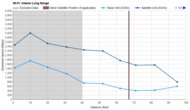
If you have a 5 Gig Fios plan or faster, the ASUS RT-BE92U is a comparable alternative that supports internet speeds of up to 10Gbps. In a welcome departure from the industry trend, all of its features are included subscription-free, although its long-range coverage falls slightly short of that of the TP-Link BE550.
-
Best Lower Mid-Range Router For Verizon Fios
GamingMulti-Level HouseApartment/CondoSpeedRangeWAN Port Speed:Gbps6GHz Band:Wi-Fi Version:Wi-Fi 6 (ax)See all our test resultsType:Standalone RouterIf you don't need Wi-Fi 7 or simply want more control over your network's setup, we recommend the GL.iNet Flint 2 (GL-MT6000). It's a dual-band Wi-Fi 6 router whose wireless performance makes it a good fit for Fios plans of 1 Gig or less, with range that notably outperforms some of the pricier Wi-Fi 7 models on this list. Its physical connectivity is generous, with two 2.5Gbps ports, four 1Gbps ports, and a USB-A port on the rear for your wired devices.
This router runs on open-source firmware that includes full VPN support, multi-WAN failover, and load balancing with no subscription required. You can manage the basics through GL.iNet's simplified app and web interface, or switch to the router's full OpenWrt panel for more granular control. While not quite as beginner-friendly as some of our plug-and-play picks, the blend of deep configurability and subscription-free tools makes it an easy recommendation for anyone who values privacy or wants more control over their network than what Verizon routers provide. If you're looking for Wi-Fi 7, the GL.iNet Flint 3 (GL-BE9300) offers all the same capabilities, but with Wi-Fi 7 hardware and a slightly higher price.
-
Best Budget Router For Verizon Fios
GamingMulti-Level HouseApartment/CondoSpeedRangeWAN Port Speed:Gbps6GHz Band:Wi-Fi Version:Wi-Fi 6 (ax)See all our test resultsType:Standalone RouterIf you subscribe to one of Verizon Fios's sub-gigabit tiers or standard 1 Gig plan, the TP-Link Archer AX55 is an easy budget router recommendation for Verizon Fios. This dual-band Wi-Fi 6 model delivers punchy wireless speeds and impressive coverage in a neat, lightweight package that sits easily on a desk (or mounts directly to a wall using its built-in screw slots). It's particularly capable at close-to-medium range, providing plenty of speed for heavy downloads and multiple 4K streams in typical apartments and mid-sized homes.
If you need additional coverage for a larger living space, you can also pair the router with compatible range extenders thanks to its support for both EasyMesh and OneMesh (TP-Link's proprietary mesh standard). Much like our lower mid-range pick, the GL.iNet Flint 2 (GL-MT6000), this one doesn't come with a 6GHz band, so newer Wi-Fi 6E and Wi-Fi 7 devices won't benefit from those less congested frequencies. However, if your home doesn't need multi-gigabit hardware or the latest wireless standards, the AX55 serves as a reliable, wallet-friendly way to get the most out of your Fios connection.




Notable Mentions
-
eero Max 7:
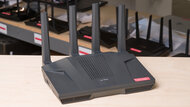
If price isn't a concern, the eero Max 7 slightly edges out our top pick, the TP-Link Archer BE900, in terms of pure speed and range. However, the cost of a single unit remains prohibitively high for most buyers, and you still have to pay for an ongoing subscription to access basic features like parental controls and QoS.
See our review -
GL.iNet Flint 3 (GL-BE9300):
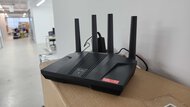
The GL.iNet Flint 3 (GL-BE9300) offers more extensive customization than the TP-Link Archer BE550, but it's less straightforward to configure. Its mesh support also remains experimental, making the BE550 a better option if ease of use is a priority.
See our review
All Reviews
These are our current recommendations for the best routers to pair with Verizon Fios, based on objective test results, user feedback, retail availability, and overall value. We revisit these picks regularly as new hardware is released and tested.
Ready to weigh your options? Browse our full catalog of tested routers and results using the table tool below. Feel free to leave a question or drop a suggestion in the comments section below if there's something new you'd like reviewed.


