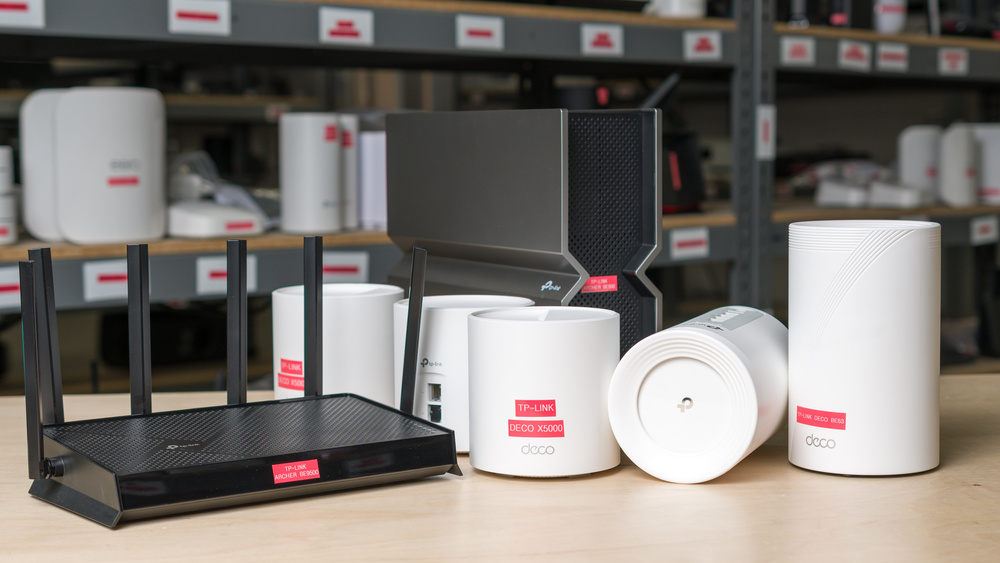
TP-Link is one of the biggest names in home networking, with an extensive router lineup catered to a variety of needs and budgets. Maybe you've just upgraded to internet speeds your old router can't provide, or you're stuck in a second-floor office with a weak signal. Or perhaps your network's beginning to buckle under the weight of a dozen laptops, streaming sticks, and a smart refrigerator. Whatever the case, there's a good chance TP-Link has a router for it (even if the company's model names don't do much to narrow the search).
After testing more than 20 TP-Link routers, we're familiar enough with the brand to point you in the right direction. Below, you'll find our breakdown of the best TP-Link routers we've tested, chosen for their performance, features, and overall value.
If you're looking for more whole-home recommendations, be sure to check out our articles on the best mesh Wi-Fi systems and the best routers for large homes.
U.S. Regulatory Notice: Following recent FCC restrictions on foreign-made networking gear, software support for TP-Link hardware will end in the United States as of January 1, 2029. You'll still be able to buy existing models, but you may not receive future updates. Shoppers outside the US aren't affected.
Updates
- 09/11/2026TP-Link Roam 7 reviewed
- 09/11/2026TP-Link Roam 6 TL-WR3002X reviewed
- 06/25/2026TP-Link Deco 7 Pro BE67 reviewed
- 03/09/2026TP-Link Archer BE9500 updated
- 01/26/2026TP-Link Deco 7 BE25 reviewed

Since we started reviewing them in 2024, we've tested over 60 routers. We maintain complete editorial independence and impartiality by purchasing each router ourselves, which ensures we aren't testing specially selected review units. Rather than casually assessing performance by throwing on Netflix and seeing if it works, we rigorously evaluate each router on a standardized testing platform, providing you with all the data you need to compare different models.
-
Best TP-Link Router
 Apartment/CondoMulti-Level HouseGamingSpeedRangeLatencyType:Standalone RouterMulti Band:Quad-Band (2.4 / 5 / 5 / 6)See all our test resultsWi-Fi Version:Wi-Fi 7 (be)
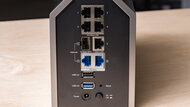
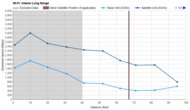
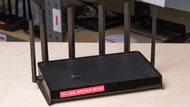
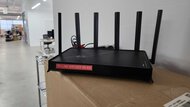
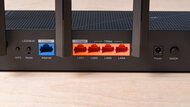
If you're in the market for a flagship router and have a high-speed Wi-Fi 7 plan to match, the TP-Link Archer BE900 is your best bet. With a quad-band design and exceptional top speeds of up to 3Gbps on its 6GHz band, it's equipped to comfortably handle even the largest downloads, multiple 4k streams, and a crowded network of devices. Its range is impressive for a single unit, but if you need to cover more ground, it's EasyMesh-compatible; you can even dedicate one of its two 5GHz bands as a wireless backhaul to keep latency lower between nodes. It sports phenomenal wired connectivity with two 10Gbps ports, four 2.5Gbps ports, one 1Gbps port, and even a 10Gbps SFP+ port to round out its utility for a NAS or home workstation.
Physically, this router makes no effort to blend in, touting a boxy design and a front LED matrix that can cycle through network information, the weather, and even an assortment of emojis. Setup and everyday management can be done through TP-Link's Tether app or web interface, and if you've accumulated a fair few smart devices, you can wall them off on a separate network from your personal ones using its HomeShield security suite. It's worth noting, however, that deeper parental controls require a subscription.
You'll need a multi-gigabit internet plan to get the most out of this one, so if yours is slower, read on for some more practical recommendations. If you're shopping for other high-speed options, check out our shortlist of fiber-ready favorites.
-
Best Mid-Range TP-Link Router
Apartment/CondoMulti-Level HouseGamingTravelSpeedRangeLatencyConfigurabilityType:Standalone RouterMulti Band:Tri-Band (2.4 / 5 / 6)See all our test resultsWi-Fi Version:Wi-Fi 7 (be)If the TP-Link Archer BE900 is overkill for your internet plan, the TP-Link Archer BE550 delivers most of what matters for a lot less. Positioned as our pick for the best TP-Link router for value-conscious buyers, it's a tri-band Wi-Fi 7 standalone with excellent top speeds and five 2.5Gbps Ethernet ports, well-suited for large homes and bandwidth-hungry devices. Software features are largely unchanged from its pricier sibling; you can set up a separate network for IoT devices, and you have the same access to basic parental controls via HomeShield (with an optional subscription for additional features). And like the rest of the Archer lineup, everything can be configured through the Tether mobile app or TP-Link's web interface.
This router doesn't make many compromises, but if we had to name one, it'd be range. Performance on its 5GHz band can drop off notably at longer distances, so a particularly large or well-insulated home could be better served by a mesh option like the one above. That said, it's still EasyMesh-compatible, so you can extend coverage later if needed. While a small latency penalty is unavoidable, you won't have any trouble with browsing, streaming, or even casual gaming over Wi-Fi on this model. Ethernet remains the best option if you plan on gaming competitively, however.
-
Best Lower Mid-Range TP-Link Router
Apartment/CondoMulti-Level HouseGamingSpeedRangeLatencyType:Standalone RouterMulti Band:Dual Band (2.4 / 5)See all our test resultsWi-Fi Version:Wi-Fi 7 (be)Sitting just below our mid-range pick, the TP-Link Archer BE400 is the best TP-Link router that trades some performance for a friendlier price. Unlike the TP-Link Archer BE550 above, it's a dual-band router, yet it still delivers very good speeds for streaming, browsing, and large downloads without a 6GHz band. It leans instead on two technologies exclusive to Wi-Fi 7: Multi-Link Operation (MLO), which combines multiple bands into one link for theoretically steadier connections (though its current implementations are largely underwhelming, as our MLO investigation lays out), and 4K-QAM, which packs more data into each transmission for theoretically higher close-range speeds.
Wired connectivity is solid for the tier, with a 2.5Gbps WAN port, one 2.5Gbps LAN port, and three 1Gbps LAN ports. The software side is largely unchanged compared to the rest of the Archer lineup (simple setup through the Tether app, HomeShield security features, EasyMesh compatibility, IoT network tools, and an optional subscription), and its range is more than sufficient for smaller homes or apartments. As a dual-band router, however, this one has less headroom for simultaneous connections than a tri-band alternative, so you might run into congestion if several people are streaming, gaming, and downloading at the same time. For one or two people in an apartment or small home, it's an easy recommendation without a flagship price.
-
Best Budget TP-Link Router
Apartment/CondoMulti-Level HouseGamingSpeedRangeLatencyType:Standalone RouterMulti Band:Dual Band (2.4 / 5)See all our test resultsWi-Fi Version:Wi-Fi 7 (be)The TP-Link Archer BE230 is the most affordable route into Wi-Fi 7 that we'd still happily recommend. Like the recommendation above, it's a Wi-Fi 7 router with 2.4GHz and 5GHz bands. It still delivers impressive speeds despite the dual-band configuration, and its wired layout mirrors the TP-Link Archer BE400 exactly: one 2.5Gbps WAN port, one 2.5Gbps LAN port, and three 1Gbps ports. While it's more than suitable for everyday streaming, browsing, and video calls in an apartment or smaller home, this router is happiest when there aren't too many devices competing for bandwidth.
The gap to the more expensive BE400 is small, though, with the BE230 sacrificing a little speed and range and making do with four antennas instead of six. So if the price difference isn't a massive dealbreaker, we'd recommend stepping up to the former. Alternatively, if you don't need the latest release and don't mind sticking with Wi-Fi 6, the TP-Link Archer AX55 offers a more impressive range at a similarly palatable price. You can also check out our best budget routers article for additional wallet-friendly options.
-
Best TP-Link Mesh System
Apartment/CondoMulti-Level HouseGamingTravelSpeedRangeLatencyConfigurabilityType:MeshMulti Band:Tri-Band (2.4 / 5 / 6)See all our test resultsWi-Fi Version:Wi-Fi 7 (be)For larger homes where a standalone unit isn't cutting it, the TP-Link Deco 7 Pro BE63 is our top mesh recommendation. It posts excellent speeds and long-range performance (even edging out the TP-Link Archer BE900's coverage), and because it's a mesh, extending your range is as simple as dropping in another node.
In line with the rest of the Deco family, this router is compact and fuss-free by design. Setup is handled entirely through the Deco app, and every unit boasts an impressive selection of four 2.5Gbps ports and a USB 3.0 port. This router is also advertised as supporting more than 200 connected smart devices thanks to its Matter support (an open-source standard designed to make IoT devices from different brands work together seamlessly). Basic parental controls and security settings are free, while more granular controls (such as time limits and network-wide antivirus) require an additional subscription. As is the case with most mesh systems, the latency isn't anything to write home about; it's sufficient for everyday browsing, but we always recommend connecting directly over Ethernet if you're planning on gaming online.
-
Best TP-Link Travel Router
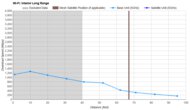
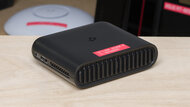
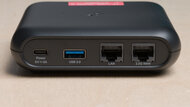
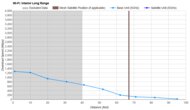
Apartment/CondoMulti-Level HouseGamingTravelSpeedRangeLatencyConfigurabilityType:Standalone RouterMulti Band:Dual Band (2.4 / 5)See all our test resultsWi-Fi Version:Wi-Fi 6 (ax)If you want something small to take with you on a trip, the TP-Link Roam 6 TL-WR3002X is the best TP-Link travel router we've tested. This dual-band Wi-Fi 6 model is exceptionally small and light, with internal antennas and USB-C power support, so you can use it with a compatible power bank. It can turn public Wi-Fi into a private network, handle hotel login pages, or connect through Ethernet, USB tethering, or a cellular modem.
It delivers impressive speeds up close, but its poor range makes it best suited to a hotel room or other small space. Features include VPN client and server support, a 2.5Gbps WAN port, a 1Gbps LAN port, and USB and microSD storage sharing. You can manage everything through the Tether app or web interface, though it can't act as a mesh node like TP-Link's other routers.








Compared To Other Brands
-
Performance per dollar that's second to none.
TP-Link offers one of the strongest value propositions on the market, especially in the mid-range, where models like the TP-Link Archer BE550 undercut rivals without sacrificing core capabilities.
-
A model for nearly every need.
With a sprawling lineup running from budget Archer standalones and quad-band flagships to expandable mesh families, there's almost always a solid option at the right price.
-
Fantastic wired connectivity on higher-end models.
Upper-tier routers include a generous mix of multi-gigabit ports and USB connections, suitable for high-speed fiber internet, local NAS storage, power workstations, and demanding wired setups.
-
Simple setup and broad availability.
The Deco and Tether apps make setup approachable for non-technical users, and TP-Link routers are readily available at most major retailers.
-
Key features locked behind a subscription.
TP-Link's advanced security and parental controls sit behind a paid HomeShield subscription, so you only get the basics for free. Tech-savvy buyers seeking full control over their network might get more mileage from competing brands.
-
Budget Wi-Fi 7 models are dual-band.
Entry-level Wi-Fi 7 routers (like the TP-Link Archer BE400 and TP-Link Archer BE230) don't include a 6GHz band, so newer devices won't benefit from the performance gains associated with those additional frequencies.
-
Overwhelming catalogue, plus retail exclusives.
TP-Link sells dozens of routers with very similar specifications, which can make choosing the right one tricky. Their model numbers also tend to vary by retailer, making it difficult to compare options or get a price match.
TP-Link vs ASUS
TP-Link and ASUS both field broad consumer lineups, from budget models to powerful flagships, but they diverge in their software philosophies. ASUS includes its AiProtection security, parental controls, QoS tools, and VPN features at no extra cost, while TP-Link locks the equivalent advanced HomeShield features behind a monthly fee. ASUS also offers deeper network configurability through its ASUSWRT interface, whereas TP-Link counters with generally stronger mid-range value and a more approachable interface for everyday users.
TP-Link vs eero
Whereas eero's appeal lies in its simplicity, polish, and app-based experience that "just works," TP-Link offers more control, more wired ports, and often better raw value. The two are alike in one frustrating way, though: both lock advanced features behind a subscription (HomeShield for TP-Link and eero Plus for eero), so neither gives you complete network configurability out of the box.
TP-Link vs NETGEAR
TP-Link and NETGEAR are both mainstays in the home-networking aisle, and both charge a rather deflating subscription fee to access all of your router's features. While TP-Link generally delivers better performance at lower prices, both brands require careful spec-checking. Certain NETGEAR 'WiFi 7' models omit some of the standard's core features, like Multi-Link Operation (MLO), while other budget TP-Links exclude the faster 6GHz band to stay aggressively priced.
TP-Link offers one of the strongest price-to-performance ratios among consumer router manufacturers. From budget-friendly standalones to frictionless whole-home mesh solutions, the brand's focus on approachability and reliable performance across almost every price point has cemented TP-Link as a staple among home networking and smart home industries alike. Its primary caveat is software gating: TP-Link locks its more advanced security and parental control tools behind a monthly subscription, while competitors like ASUS continue to include them for free out of the box. If you're willing to overlook those more "premium" features, TP-Link remains hard to beat for sheer variety, value, and ease of use.
Lineup
Archer: TP-Link's line of standalone routers, designed to cover your home with a single well-placed unit. It runs from budget models like the BE230 to quad-band flagships like the BE900. Model names signal the Wi-Fi generation (AX for Wi-Fi 6, AXE for Wi-Fi 6E, and BE for Wi-Fi 7), followed by a number that reflects a model's advertised combined bandwidth (higher numbers are generally faster, though it's a theoretical total rather than a real-world speed).
Deco: TP-Link's whole-home mesh line, which uses multiple units to blanket larger or multi-level homes instead of relying on one router. Deco systems are set up and managed through the user-friendly Deco app and can be easily expanded by adding compatible units. They use the same AX, AXE, and BE naming to denote their Wi-Fi generation.
Archer Gaming (GE): A subset of the Archer lineup marketed towards gamers, with software-based optimization tools, dedicated gaming ports on some models, and more aggressive styling. These are TP-Link's answer to gamer-focused lines like ASUS's ROG and TUF. We haven't tested any of these models yet.
Conclusion
For most buyers, TP-Link strikes a strong balance of performance, value, and choice, with dependable systems that are simple to set up and expand. Its clearest drawback is its subscription-gated access to deeper security and parental controls, features that some competitors still offer for free. While the brand's alphabet soup of model names might leave you scratching your head at first, you're almost guaranteed to find a widely available option that punches above its weight while staying within your budget.
Ready to dive deeper? Our table tool below lets you compare every result and zero in on the right one.


