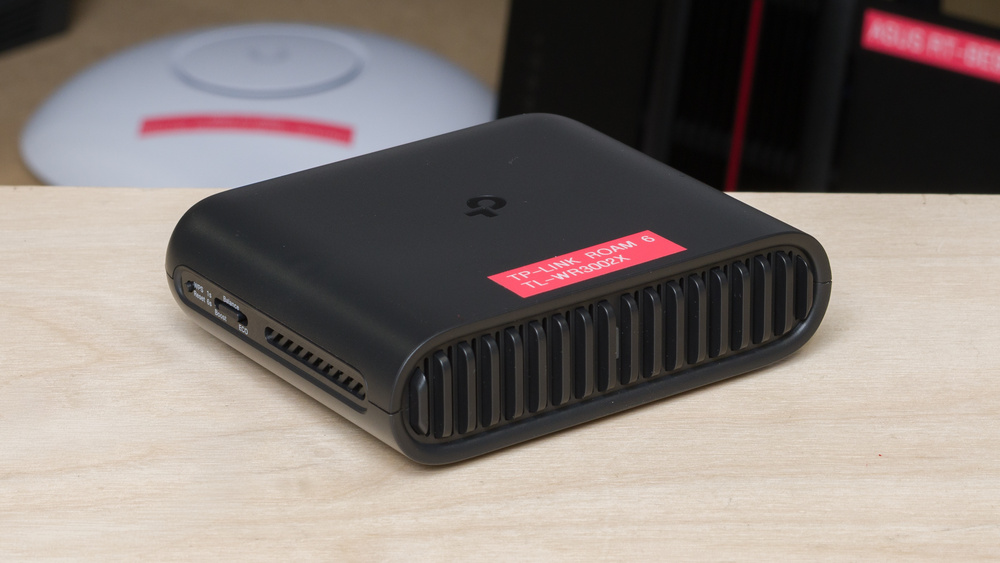
The TP-Link Roam 6 TL-WR3002X is a dual-band Wi-Fi 6 travel router. It has a 2.5Gbps WAN port, a 1Gbps LAN port, a USB 3.0 port, and a microSD card slot. It supports several operating modes, allowing it to connect through Ethernet, public Wi-Fi, USB tethering, or a cellular modem. Its highly configurable software also offers VPN client and server support, WAN failover and load balancing, VLANs, and other advanced networking features. You can set up and manage the router via its web interface or the TP-Link Tether app.
Our Verdict
The TP-Link Roam 6 is a good router for an apartment or small home. It's extremely compact, making it easy to find an unobtrusive place for it, and it delivers great speeds when you're nearby. It also supports DFS channels, which can help improve performance in congested wireless environments like apartment buildings. However, its range is poor, so it's only suitable for smaller spaces. It has a fast 2.5Gbps WAN port, but only one 1Gbps LAN port, limiting the number of wired devices you can connect without an external switch. Its software is exceptionally configurable, though it lacks a 6GHz band and native mesh support.
Great close-range speeds.
Exceptionally small and portable.
Highly configurable software.
Poor range.
Only one LAN port.
Wi-Fi 6 doesn't take full advantage of newer Wi-Fi 6E or 7 devices.
The TP-Link Roam 6 is mediocre for a large or multi-level home, as it's not designed for this use. It delivers great speeds when nearby, but it has poor range that isn't suitable for anything larger than a small bungalow. It also lacks native mesh support, so you can't add another unit for seamless whole-home coverage. Its single LAN port is also limiting if you have several wired devices.
Great close-range speeds.
Exceptionally small and portable.
Highly configurable software.
Poor range.
Only one LAN port.
Wi-Fi 6 doesn't take full advantage of newer Wi-Fi 6E or 7 devices.
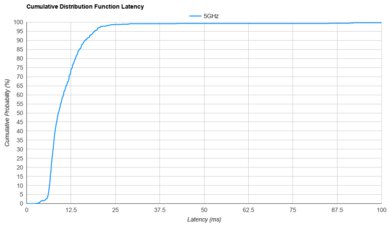
The TP-Link Roam 6 is only okay for gaming over Wi-Fi. Its great top speeds make it suitable for downloading large games quickly, and its wireless latency is acceptable for casual play. However, its latency isn't consistent enough for competitive gaming, and its poor range means you'll need to stay close to the router for the best performance. Connecting through its single LAN port provides a more reliable experience.
Great close-range speeds.
Acceptable wireless latency for web browsing and non-competitive gaming.
Poor range.
Unsuitable for competitive gaming over Wi-Fi.
The TP-Link Roam 6 is a fantastic travel router. It's extremely small and light, its internal antennas don't need to be folded away, and you can power it via USB-C using a compatible power bank. It can create a private network from public Wi-Fi or connect through Ethernet, USB tethering, or a cellular modem. It also supports captive portal authentication, VPN client and server functionality, and file sharing through its USB 3.0 port or microSD card slot.
Exceptionally small and portable.
VPN, WISP, and cellular support.
Wi-Fi 6 doesn't take full advantage of newer Wi-Fi 6E or 7 devices.
The TP-Link Roam 6 delivers great wireless speeds suitable for an internet connection up to around 1.3Gbps. It also supports DFS channels, which provide access to more channels for better speeds in congested wireless environments like hotels and apartment buildings.
Great close-range speeds.
Wi-Fi 6 doesn't take full advantage of newer Wi-Fi 6E or 7 devices.
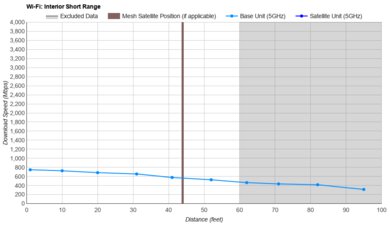
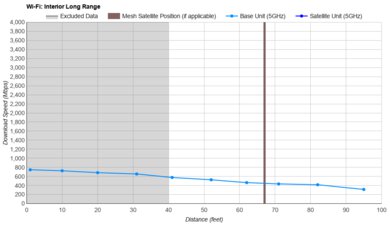
The TP-Link Roam 6 has poor range. It's best suited to hotel rooms, apartments, or other small spaces, as its performance drops considerably at longer distances. It doesn't have native mesh support, but you can configure it as a range extender in its software.
Poor range.
The TP-Link Roam 6 has mediocre latency and jitter performance. It's acceptable for everyday internet use, video calls, and non-competitive gaming, but a router with more consistent latency will serve you better for competitive gaming. Using a wired connection provides a more reliable experience.
Acceptable wireless latency for web browsing and non-competitive gaming.
Unsuitable for competitive gaming over Wi-Fi.
The TP-Link Roam 6 is exceptionally configurable. It offers a comprehensive set of everyday controls, including guest and IoT networks, traffic monitoring, bandwidth limits, and QoS. It also provides extensive advanced options, including multiple operating modes, VLANs, VPN client and server support, USB tethering, WAN failover and load balancing, and custom firewall rules. The main omissions are native mesh support and custom DDNS services. Its parental controls are much less comprehensive, with limited filtering and scheduling options and time limits that require a subscription.
Highly configurable software.
Limited parental controls, with time limits requiring a subscription.
Performance Usages
Changelog
- Updated Sep 11, 2026: Review published.
- Updated Aug 31, 2026: Our testers have started testing this product.
- Updated Jul 24, 2026: The product has arrived in our lab, and our testers will start evaluating it soon.
- Updated Jul 23, 2026: We've purchased the product and are waiting for it to arrive in our lab.
Check Price
Differences Between Sizes And Variants
The TP-Link Roam 6 TL-WR3002X doesn't have any variants.
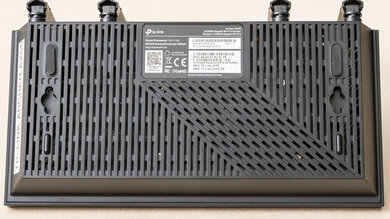
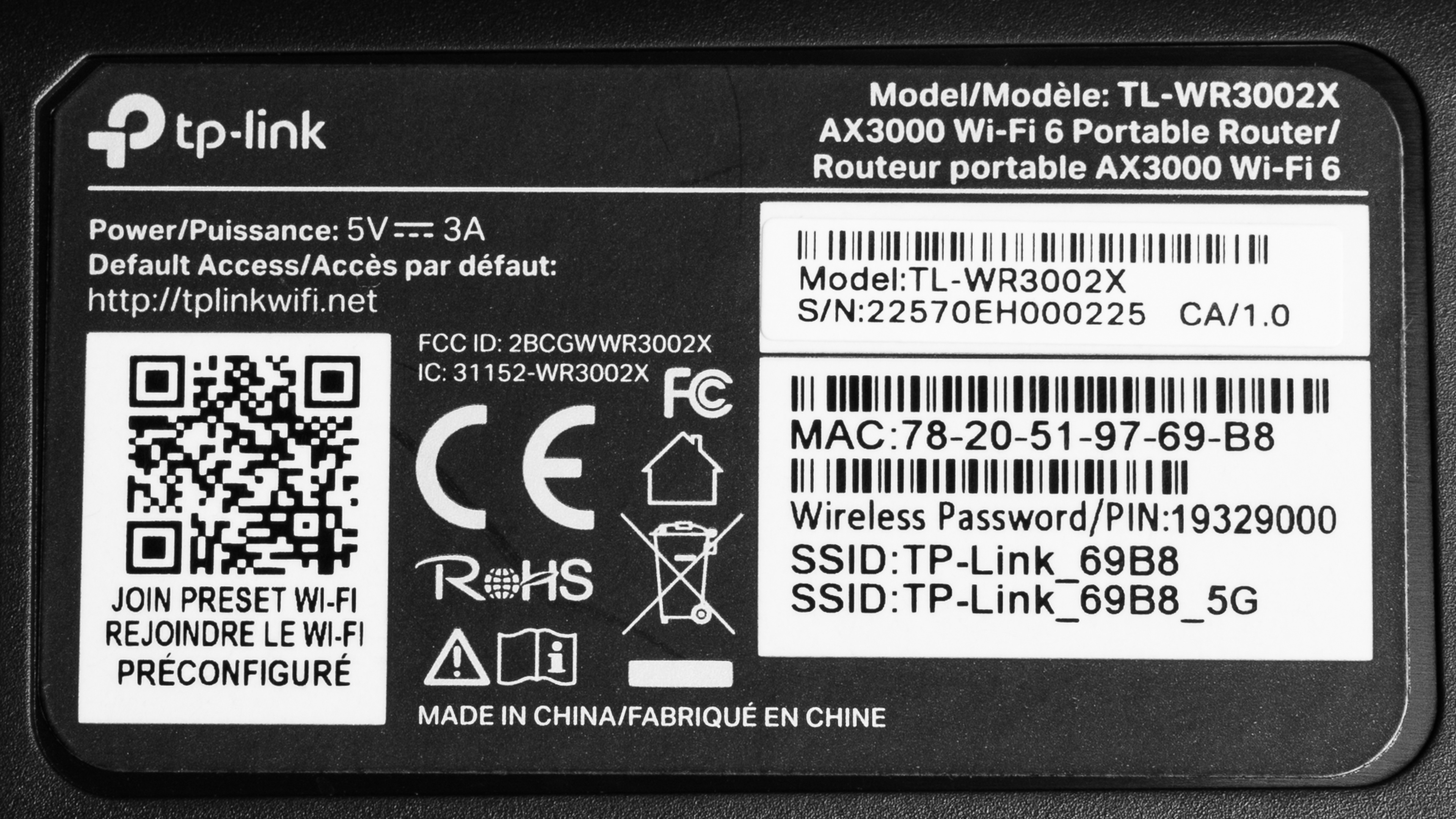
Here's a photo of our unit's label.
Popular Router Comparisons
The TP-Link Roam 6 TL-WR3002X is a dual-band Wi-Fi 6 travel router. It has several features that make it well-suited if you need control over the Wi-Fi network where you're staying while traveling. Its small size and internal antennas make it easy to tote, and you can power it with a compatible power bank over USB-C. It supports several operating modes, allowing you to connect through public Wi-Fi, Ethernet, USB tethering, or a cellular modem (like your mobile phone). Its software is highly configurable, with VPN client and server support, WAN failover and load balancing, VLANs, and custom firewall rules. It also has a USB 3.0 port and a microSD card slot for network file sharing.
This router delivers impressive top speeds up close, but its range is poor, so it's best suited to a hotel room, apartment, or other small space. The GL.iNet Beryl AX (GL-MT3000) has better range and more flexible OpenWrt-based software, while the TP-Link is smaller, faster at close range, and adds a microSD card slot. The GL.iNet Slate 7 (GL-BE3600) is another step up in performance, with Wi-Fi 7 support, better range, and a 2.5Gbps LAN port, but the TP-Link is lighter and more compact.
See our recommendations for the best Wi-Fi 6 routers, the best budget and cheap routers, and the best routers for streaming.
The TP-Link Roam 7 and TP-Link Roam 6 TL-WR3002X are compact travel routers that are part of the same lineup. The Roam 6 is smaller and lighter, delivers faster speeds, has better range, and adds a microSD card slot. The Roam 7 supports Wi-Fi 7 and limited MLO, has foldable external antennas, and includes UK and EU travel adapters. Both have a 2.5Gbps WAN port and a single 1Gbps LAN port.
The GL.iNet Slate 7 (GL-BE3600) is a more capable travel router than the TP-Link Roam 6 TL-WR3002X overall. The GL.iNet uses the newer Wi-Fi 7 standard, has better range, and features a 2.5Gbps LAN port instead of the TP-Link's 1Gbps port. It also runs highly flexible OpenWrt-based software. On the other hand, the TP-Link is smaller and lighter, has internal rather than foldable antennas, and includes a microSD card slot, making it more convenient if portability and network file storage matter more.
The TP-Link Roam 6 TL-WR3002X and the ASUS RT-BE58 Go are compact dual-band travel routers with a 2.5Gbps WAN port, USB tethering, VPN support, and USB-C power. The ASUS uses the newer Wi-Fi 7 standard and supports AiMesh, while the TP-Link uses Wi-Fi 6 and can't act as a native mesh node. Neither router has a 6GHz band, and both have disappointing range. The TP-Link has internal antennas, a microSD card slot, and a broader selection of advanced configuration options.
The TP-Link Roam 6 TL-WR3002X is a much more capable option than the UniFi Travel Router. It uses Wi-Fi 6 instead of Wi-Fi 5, delivers much faster speeds and better range, and has a 2.5Gbps WAN port rather than a gigabit port. The TP-Link also has more operating modes, network storage options, and advanced configuration settings. The UniFi, however, is incredibly slim, so it can fit in your pocket much more easily. It also integrates naturally with other UniFi hardware, but its extremely limited range makes it suitable only for use at very short distances.
Test Results
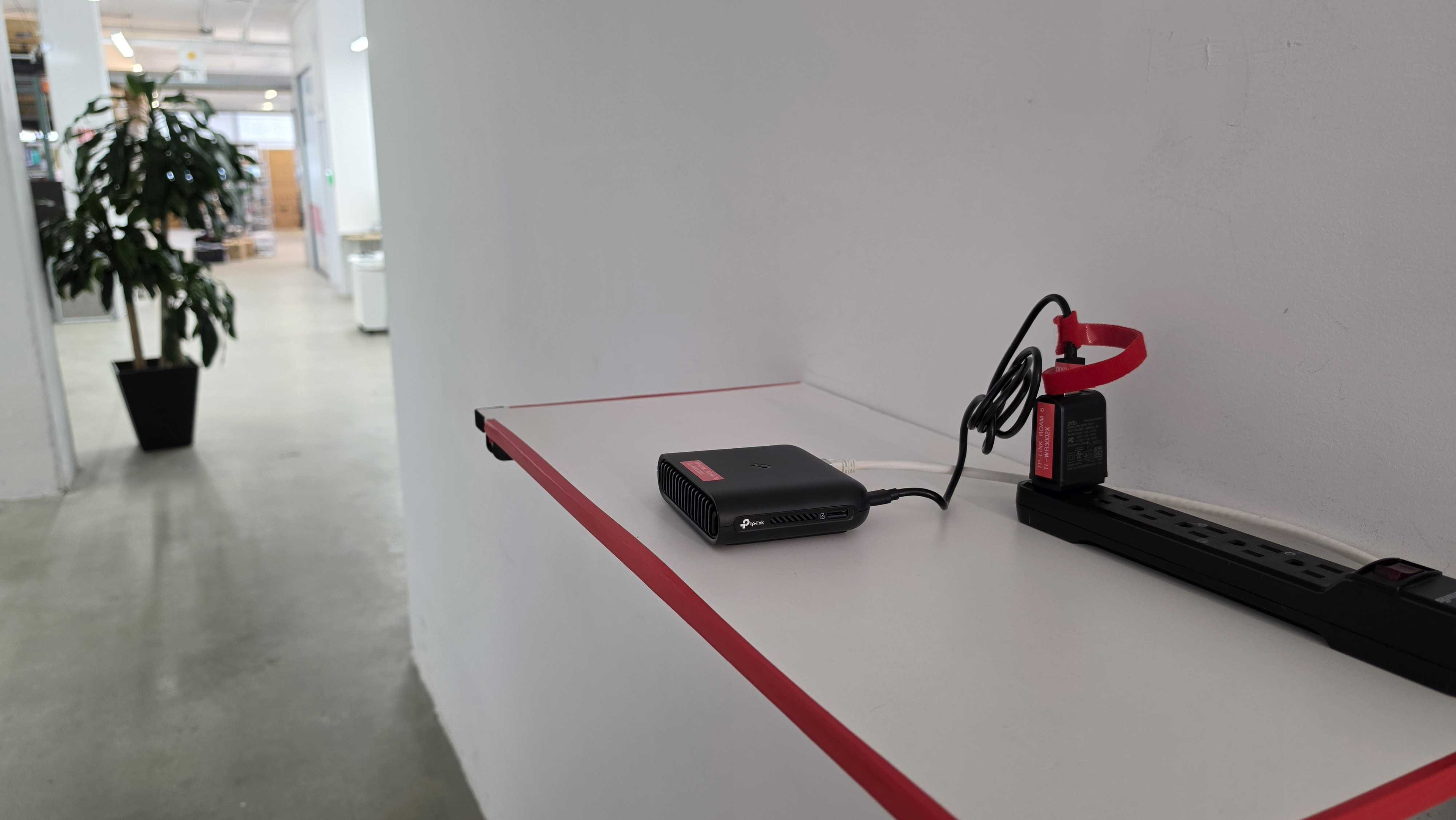
for pictures & test results
for pictures & test results
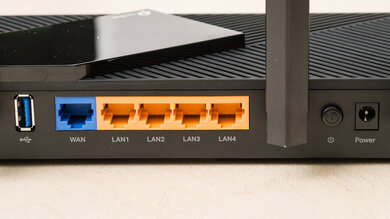
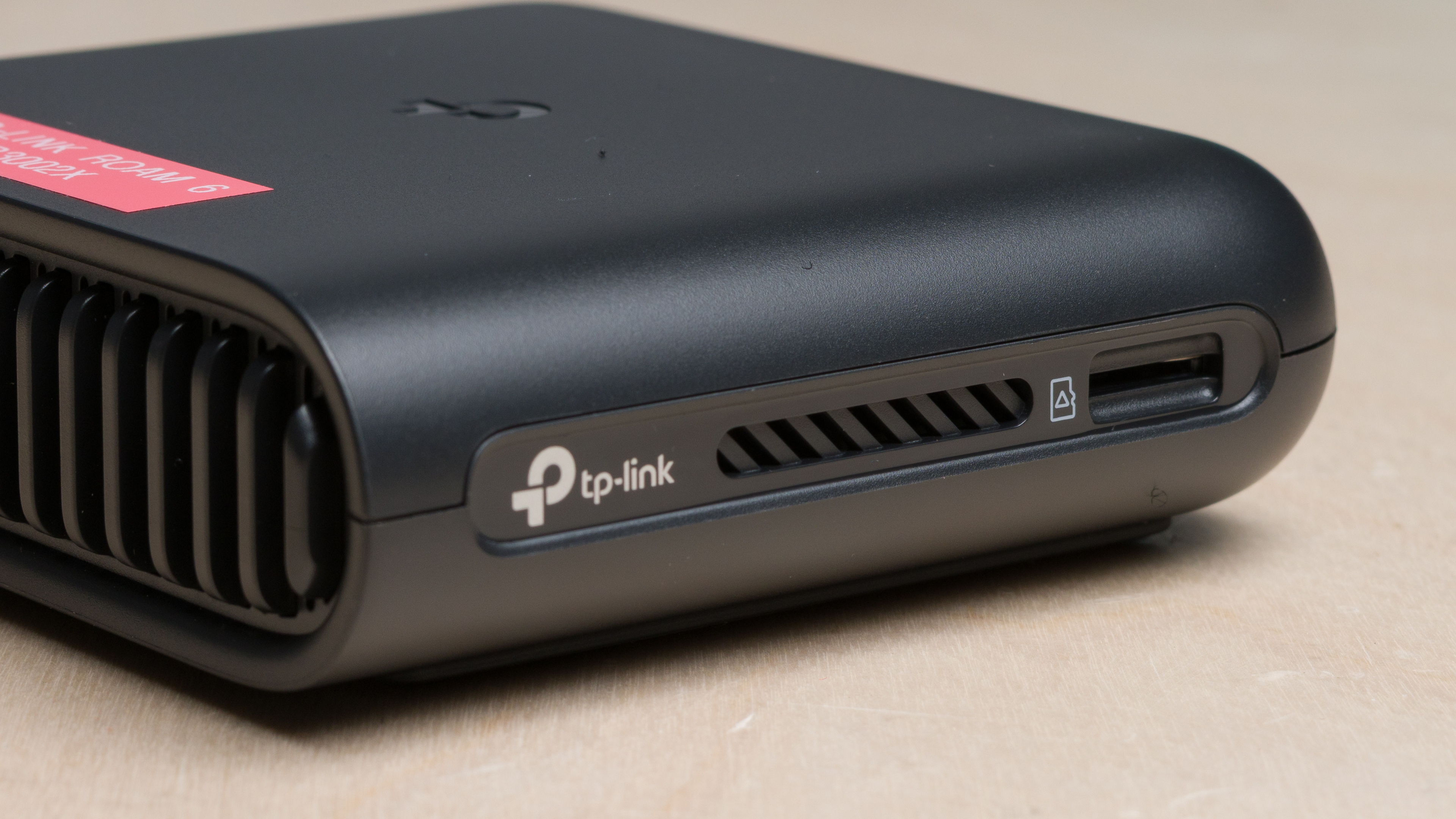
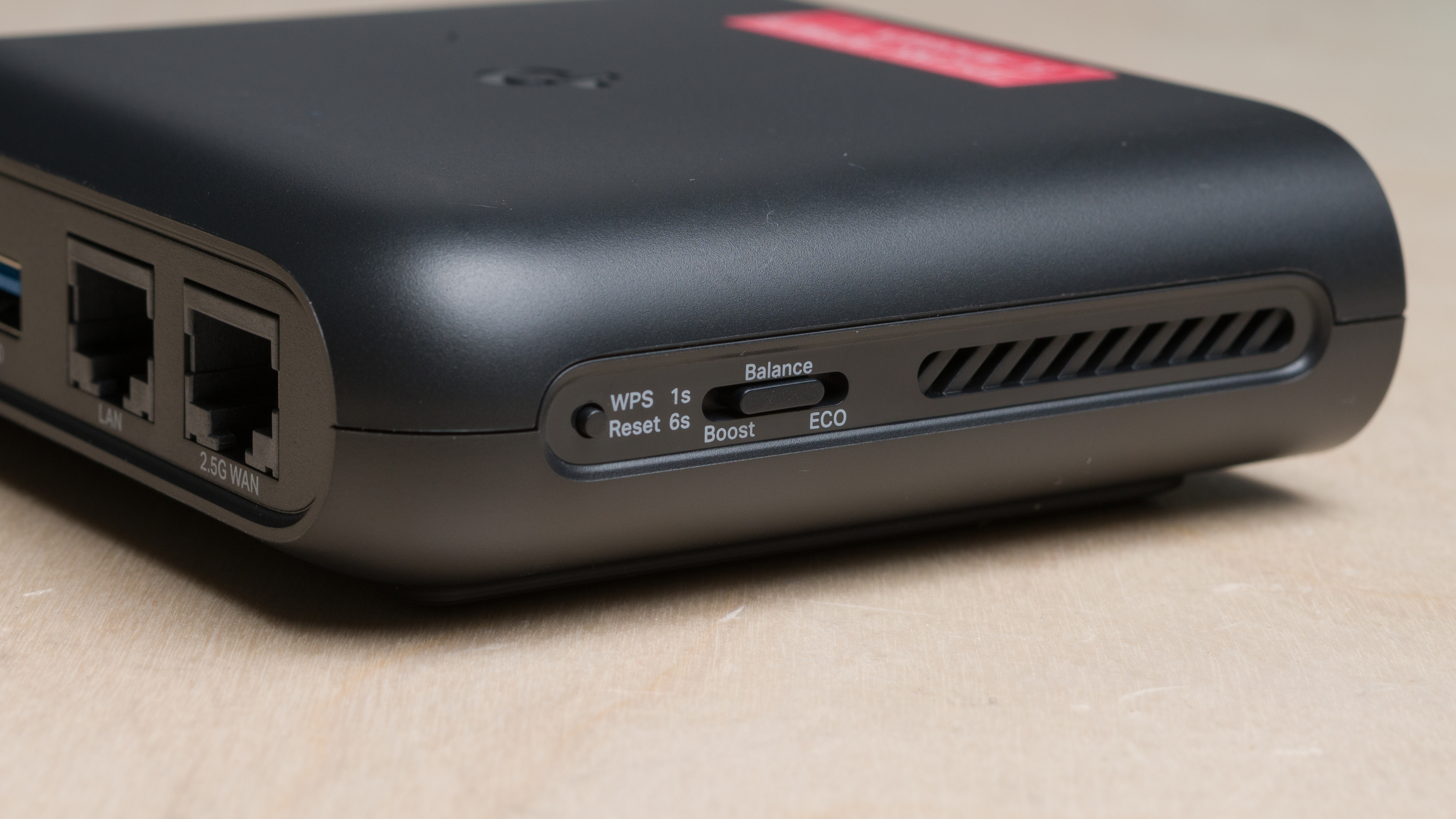
This router has an SD card slot and an eco switch and WPS/reset button.
for pictures & test results
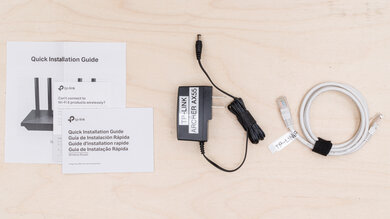
- Ethernet cable
- USB-A to USB-C power cable
- USB-A power adapter
- User documentation
While you can't turn this router into a mesh node like many other TP-Link routers, you can use it as a range extender and in hotspot (WISP) mode.
The router includes basic parental controls for free, including family member profiles, device-specific internet pausing and blocking, website and content filtering, bedtime controls, and basic usage insights. More advanced features, such as app filtering and blocking, detailed usage history, and other expanded controls, require a TP-Link HomeShield subscription.
for pictures & test results
for pictures & test results
for pictures & test results