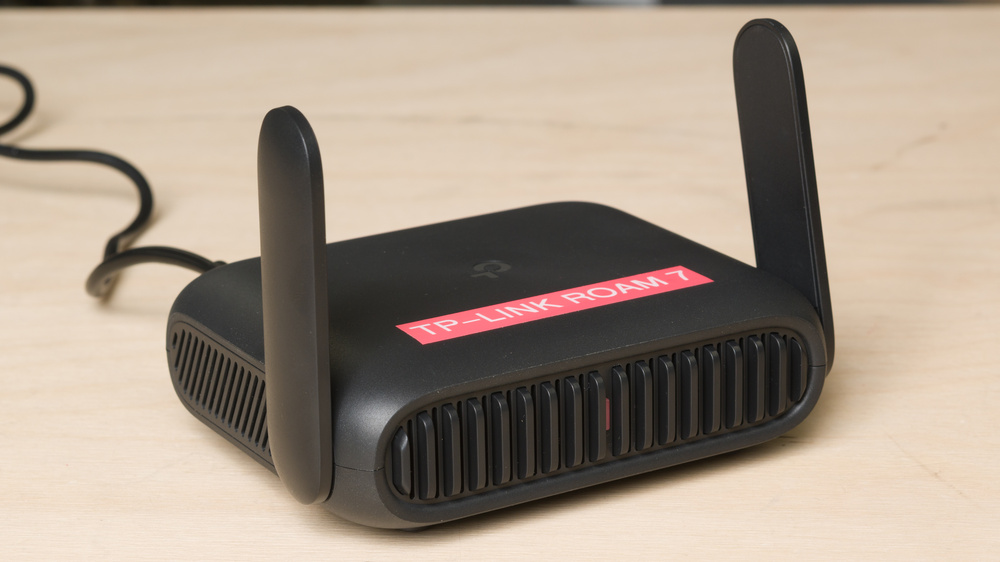
The TP-Link Roam 7, also known as the TP-Link TL-WR3602BE, is a dual-band Wi-Fi 7 travel router. It has a compact body, foldable antennas, and a USB-C power connection that make it easy to bring with you on a trip. It has a 2.5Gbps WAN port, a 1Gbps LAN port, and a USB 3.0 port. You can connect it to the internet through Ethernet, public Wi-Fi, or USB tethering. Its software offers VPN client and server support, WAN failover and load balancing, and advanced network settings. You can manage it through a web interface or the TP-Link Tether app.
Our Verdict
The TP-Link Roam 7 is adequate for apartments and small homes. It delivers fast Wi-Fi for streaming and downloading files when you're nearby, and its small footprint makes it easy to fit on a desk or shelf. You also get extensive network controls, including separate guest and smart home networks. However, it has poor range that'll leave dead zones throughout your home, and there's no mesh support to expand coverage with additional nodes. It also has only one LAN port, so connecting multiple wired devices requires a network switch.
Great close range speeds.
Small and lightweight with foldable antennas.
Highly configurable firmware.
Poor range.
Lacks native mesh support.
Only one LAN port.
No 6GHz band.
The TP-Link Roam 7 is a poor choice for multi-level homes. While it's fast enough for large downloads and streaming video near the router, speeds drop sharply farther away. Its limited range makes it unsuitable as the sole router for a large home, and you can't add mesh nodes to improve coverage. Its configurable software gives you plenty of control over your network, but it doesn't make up for those coverage limitations. There's also only one LAN port for wired devices.
Great close range speeds.
Highly configurable firmware.
Poor range.
Lacks native mesh support.
Only one LAN port.
No 6GHz band.
The TP-Link Roam 7 is okay for gaming. It has great close-range speeds that allow for quick game downloads, and its wireless latency is acceptable for casual play. However, occasional latency spikes make it less suitable for competitive gaming, where consistent response times matter more than download speeds. Its poor range also limits where you can put your gaming setup. The single LAN port lets you connect a PC or console directly to avoid the router's wireless latency, but you'll need a separate switch to connect more wired devices.
Great close range speeds.
Acceptable wireless latency for everyday use and casual gaming.
Poor range.
Wireless latency is unsuitable for competitive gaming.
The TP-Link Roam 7 BE3600 is outstanding for travel. It's small and lightweight, and its antennas fold down for packing. You can power it with USB-C, and it includes UK and EU travel adapters. You can share an Ethernet, public Wi-Fi, or tethered cellular connection with your devices, and it has VPN support, so you can have all the devices on your network connect through a VPN. Its close-range speeds are great for working or streaming in a hotel room. However, its poor range makes it less suitable for covering a large vacation rental.
Small and lightweight with foldable antennas.
USB-C power, travel adapters included.
Supports VPNs, public Wi-Fi connections, and USB tethering.
Only one LAN port.
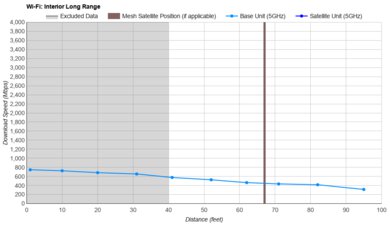
The TP-Link Roam 7 has great close-range speeds. It's suitable for fast downloads, video calls, and 4k streaming, with peak wireless speeds around a gigabit per second. However, you need to stay close to get its best performance.
Great close range speeds.
No 6GHz band.
The TP-Link Roam 7 has poor range. Its speeds fall substantially as you move away, making it better suited to a hotel room or another small space than a whole home. At the farthest test locations, there's little bandwidth left for demanding uses like 4k streaming or large downloads. It also lacks mesh support, so you can't expand its coverage by adding compatible mesh nodes.
Poor range.
Lacks native mesh support.
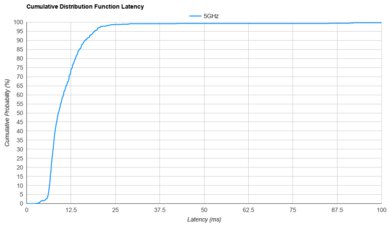
The TP-Link Roam 7 has adequate wireless latency. It's responsive enough for everyday browsing, video calls, and non-competitive gaming, but occasional spikes make response times less consistent. Those delays are more of a concern in fast-paced competitive games than in general internet use. For gaming that depends on quick, predictable responses, its Ethernet connection is the better option.
Acceptable wireless latency for everyday use and casual gaming.
The TP-Link Roam 7 BE3600 is exceptionally configurable. Alongside separate guest and smart home networks, it offers traffic monitoring, bandwidth controls, VPN client and server support, and custom firewall rules. It also supports backup internet connections and several operating modes, including hotspot and access point modes. However, you can't use it as a mesh node, and its parental controls are more limited. Daily time limits and some advanced filtering features require a HomeShield subscription.
Highly configurable firmware.
Lacks native mesh support.
Some parental controls require a subscription.
Performance Usages
Changelog
- Updated Sep 11, 2026: Review published.
- Updated Sep 01, 2026: Our testers have started testing this product.
- Updated Jul 29, 2026: The product has arrived in our lab, and our testers will start evaluating it soon.
- Updated Jul 23, 2026: We've purchased the product and are waiting for it to arrive in our lab.
Check Price
Differences Between Sizes And Variants
The TP-Link Roam 7 doesn't have any variants, but it's also known as the TP-Link TL-WR3602BE.
Popular Router Comparisons
The TP-Link Roam 7 is a dual-band Wi-Fi 7 travel router. It has a compact design, foldable antennas, USB-C power, and included travel adapters that make it convenient for hotel stays, while its VPN support and multiple connection modes let you use your own network settings away from home. Its main limitation is range: it delivers great speeds nearby, but it's a poor fit for covering a large vacation rental or replacing a whole-home setup.
Wi-Fi 7 support doesn't make it a performance upgrade over the TP-Link Roam 6 TL-WR3002X. The Roam 6 is smaller and lighter, and it delivers faster speeds and better range in our tests. Outside TP-Link's lineup, the GL.iNet Beryl AX (GL-MT3000) offers better range and more software flexibility through its OpenWrt-based firmware. The GL.iNet Slate 7 (GL-BE3600) is another Wi-Fi 7 option with better range and a faster LAN port. If you want a travel router that can also join your home mesh network, the ASUS RT-BE58 Go supports AiMesh.
See our recommendations for the best Wi-Fi 7 routers, the best budget and cheap routers, and the best routers for streaming.
The TP-Link Roam 7 and TP-Link Roam 6 TL-WR3002X are compact travel routers that are part of the same lineup. The Roam 6 is smaller and lighter, delivers faster speeds, has better range, and adds a microSD card slot. The Roam 7 supports Wi-Fi 7 and limited MLO, has foldable external antennas, and includes UK and EU travel adapters. Both have a 2.5Gbps WAN port and a single 1Gbps LAN port.
The TP-Link Roam 7 and GL.iNet Beryl AX (GL-MT3000) are portable dual-band routers with foldable antennas. The TP-Link supports Wi-Fi 7, while the GL.iNet uses Wi-Fi 6. Despite the older Wi-Fi version, the GL.iNet has better range and more flexible OpenWrt-based software, making it a better fit if you want longer range or additional network tools. Both provide a 2.5Gbps WAN port, a single 1Gbps LAN port, and USB connectivity.
The TP-Link Roam 7 and GL.iNet Slate 7 (GL-BE3600) are dual-band Wi-Fi 7 travel routers, but the GL.iNet is the better choice if you need more range or a faster wired connection. Its LAN port supports 2.5Gbps, compared with the TP-Link's 1Gbps port. It also offers a touchscreen and OpenWrt-based software with more room for customization. The TP-Link provides extensive network controls through its own interface and the optional Tether app, but its limited range makes it best suited to smaller spaces.
The TP-Link Roam 7 and ASUS RT-BE58 Go are dual-band Wi-Fi 7 travel routers with foldable antennas, USB connectivity, and VPN support. Both deliver great close-range speeds but have limited range, making them only suitable for small spaces. The ASUS is the more versatile choice if you also want to use your travel router in a home mesh network, thanks to its AiMesh support. The TP-Link can work as an access point or range extender, but it can't function as a mesh node. Both have a 2.5Gbps WAN port and one 1Gbps LAN port.
Test Results
for pictures & test results
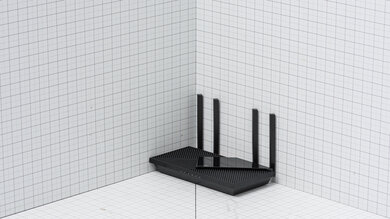
for pictures & test results
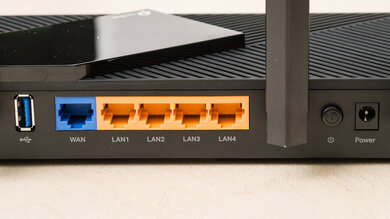
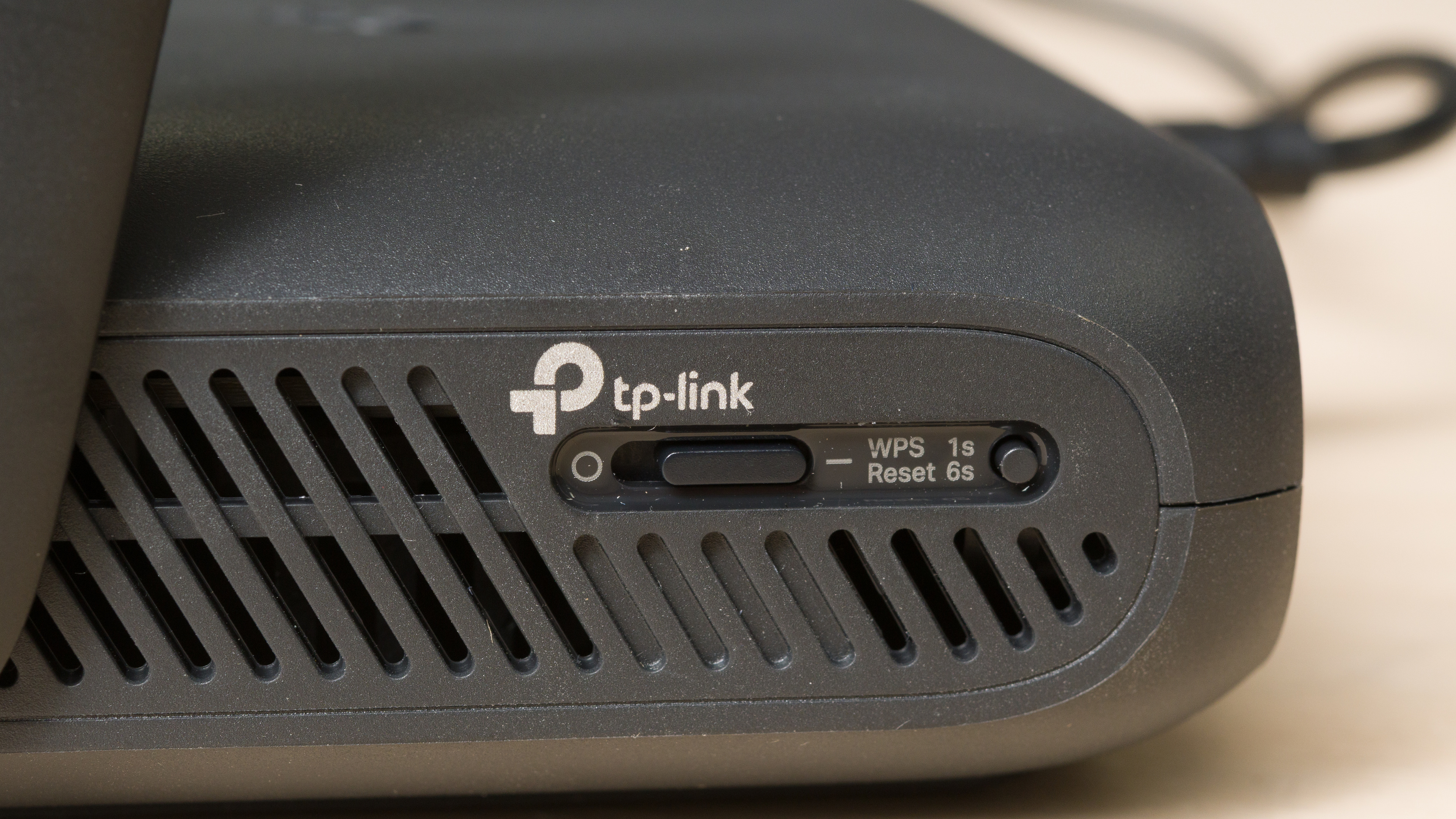
This router has a customizable action button and a WPS reset button on the side.
for pictures & test results
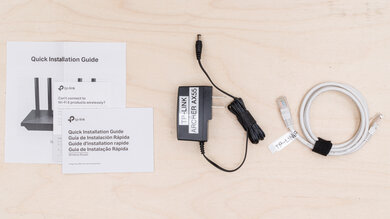
- Ethernet cable
- USB-A to USB-C cable
- Power adapter
- UK travel adapter
- EU travel adapter
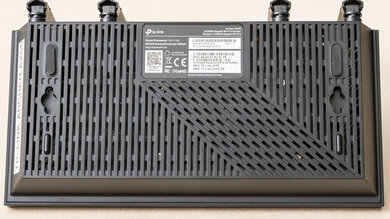
You can't turn this router into a mesh node like most other TP-Link routers; however, you can use it as a range extender and in hotspot (WISP) mode.
The router includes basic parental controls for free, including family member profiles, device-specific internet pausing and blocking, website and content filtering, bedtime controls, and basic usage insights. More advanced features, such as app filtering and blocking, detailed usage history, and other expanded controls, require a TP-Link HomeShield subscription.
for pictures & test results
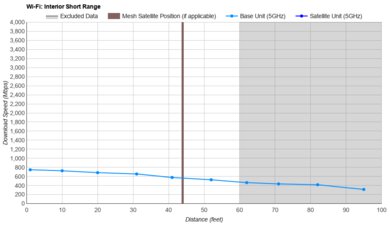
The TP-Link Roam 6 TL-WR3002X is faster in both peak and average short-range performance. We ran this test multiple times, at different times of day to confirm, but obtained consistent results. The Roam 7's newer Wi-Fi standard doesn't translate into faster speeds.
for pictures & test results
for pictures & test results
for pictures & test results
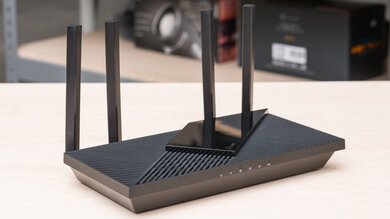
This router uses alternating Multi-Link Operation (MLO), which is a limited implementation of the technology that connects to clients on one band at a time. For more information, read our article on the topic.