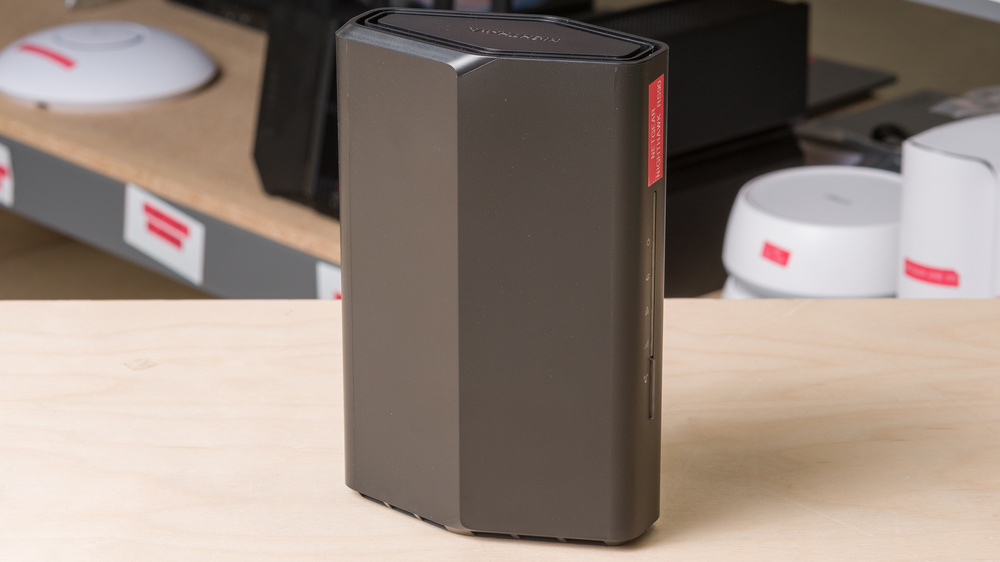
The NETGEAR Nighthawk RS90 is a standalone dual-band Wi-Fi 7 router. It features a compact, upright design with two internal antennas and houses a single 2.5Gbps WAN alongside four 1Gbps LAN ports within a matte-black chassis. As a dual-band router, it supports 2.4GHz and 5GHz frequencies, but lacks a 6GHz band. Additionally, despite its Wi-Fi 7 designation, it doesn't support Multi-Link Operation (MLO). You can configure the router using its web interface or with NETGEAR's Nighthawk mobile app, though some additional security features require a paid subscription.
Our Verdict
The NETGEAR Nighthawk RS90 is a good router for an apartment or small home. It delivers impressive peak speeds at close range, making it suitable for handling high-bandwidth activities like streaming 4k media or downloading large files across multiple devices. Its internal antennas and slim base make the router easy to tuck away, and its four 1Gbps LAN ports provide ample connectivity for hardwired devices. However, the router doesn't support Multi-Link Operation (MLO), and newer devices won't benefit from access to less-congested channels without a 6GHz band.
Impressive top speeds.
Low-profile form factor with internal antennas.
Has a 2.5Gbps WAN port.
Includes four LAN ports for wired connections.
No true MLO functionality.
Disappointing range and lack of mesh expandability.
Lacks a 6GHz band.
LAN ports are limited to 1Gbps.
The NETGEAR Nighthawk RS90 is a fair choice for multi-level homes. Nearby devices benefit from impressive top speeds, making the router a solid choice for high-bandwidth tasks like downloading and uploading large files from the same floor. However, its sub-par range and lack of native mesh expandability mean it struggles to provide consistent coverage across multiple stories. While it features a 2.5Gbps WAN port for multi-gigabit fiber plans, its four LAN ports are capped at a slower 1Gbps.
Impressive top speeds.
Low-profile form factor with internal antennas.
Has a 2.5Gbps WAN port.
Includes four LAN ports for wired connections.
No true MLO functionality.
Disappointing range and lack of mesh expandability.
LAN ports are limited to 1Gbps.
The NETGEAR Nighthawk RS90 is adequate for gaming over Wi-Fi. It delivers great top speeds for downloading updates quickly and provides a reasonably responsive experience for online gaming in proximity. However, the router's sub-par range and latency mean your connection quality will degrade if you're gaming wirelessly, especially from a distance.
Impressive top speeds.
Has a 2.5Gbps WAN port.
Includes four LAN ports for wired connections.
Disappointing range and lack of mesh expandability.
Latency performance is sub-par for online gaming.
LAN ports are limited to 1Gbps.
The NETGEAR Nighthawk RS90 isn't designed for portability. While its slim profile and internal antennas make it easy to place, it lacks the flexibility needed to be a viable travel solution. It requires a standard AC wall outlet and a wired Ethernet connection to get online, meaning you can't power it via USB-C or tether it to a phone's cellular data. It doesn't have a WISP or repeater mode to connect to public Wi-Fi networks, and while the router can be configured as a VPN server, it lacks client support, so you can't route connected devices through a network-wide VPN.
Low-profile form factor with internal antennas.
No VPN client support.
The NETGEAR Nighthawk RS90 delivers impressive wireless speeds suitable for multi-gigabit internet connections. While its 2.5Gbps WAN port provides ample headroom for multi-gigabit internet plans, its wired connectivity is capped at 1Gbps, and it lacks a 6GHz band.
Impressive top speeds.
Has a 2.5Gbps WAN port.
LAN ports are limited to 1Gbps.
The NETGEAR Nighthawk RS90 has sub-par range. While it handles nearby connections well, its speeds drop off sharply as you move away from the router. It also doesn't have native mesh expandability, so you can't connect additional access points to improve your network's reach.
Disappointing range and lack of mesh expandability.
The NETGEAR Nighthawk RS90's latency performance is fair. As a standalone unit without mesh support, the router keeps ping and jitter to reasonable levels on its 5GHz band and ensures an adequately responsive connection for everyday browsing and casual gaming.
Impressive top speeds.
Lacks a 6GHz band.
The NETGEAR Nighthawk RS90 has good overall configurability. It covers standard tasks like modifying credentials, setting up guest networks, blocking devices, and managing traffic priority, alongside technical features like VLANs, IPv6, Dynamic DNS, and port forwarding. However, it doesn't allow you to manually select Wi-Fi channels, can't function as a repeater or mesh node, and lacks VPN client support to route your entire network through a VPN service. Additionally, per-device traffic monitoring and NETGEAR's advanced parental controls are only available with a paid subscription.
Good configuration options and a user-friendly app for everyday management.
Some security and parental controls require a paid subscription.
Performance Usages
Changelog
- Updated Sep 11, 2026: We've updated this review to Test Bench 0.10! This update adds Portability and Configurability testing to evaluate how suitable routers are for travel and to show how configurable their settings are. Read the changelog for more info.
-
Updated Jul 24, 2026:
We've added a link to the newly reviewed ASUS RT-BE90U in the Interior Long Range section of the review.
- Updated Jun 22, 2026: We've updated this review to Test Bench 0.9.1! This is a minor change that makes the router type easier to see at the top of each review. Read the changelog for more info.
-
Updated Apr 27, 2026:
We've added a link to the newly reviewed Davolink Minions Kevin in the Interior Long Range section of the review.
Check Price
Differences Between Sizes And Variants
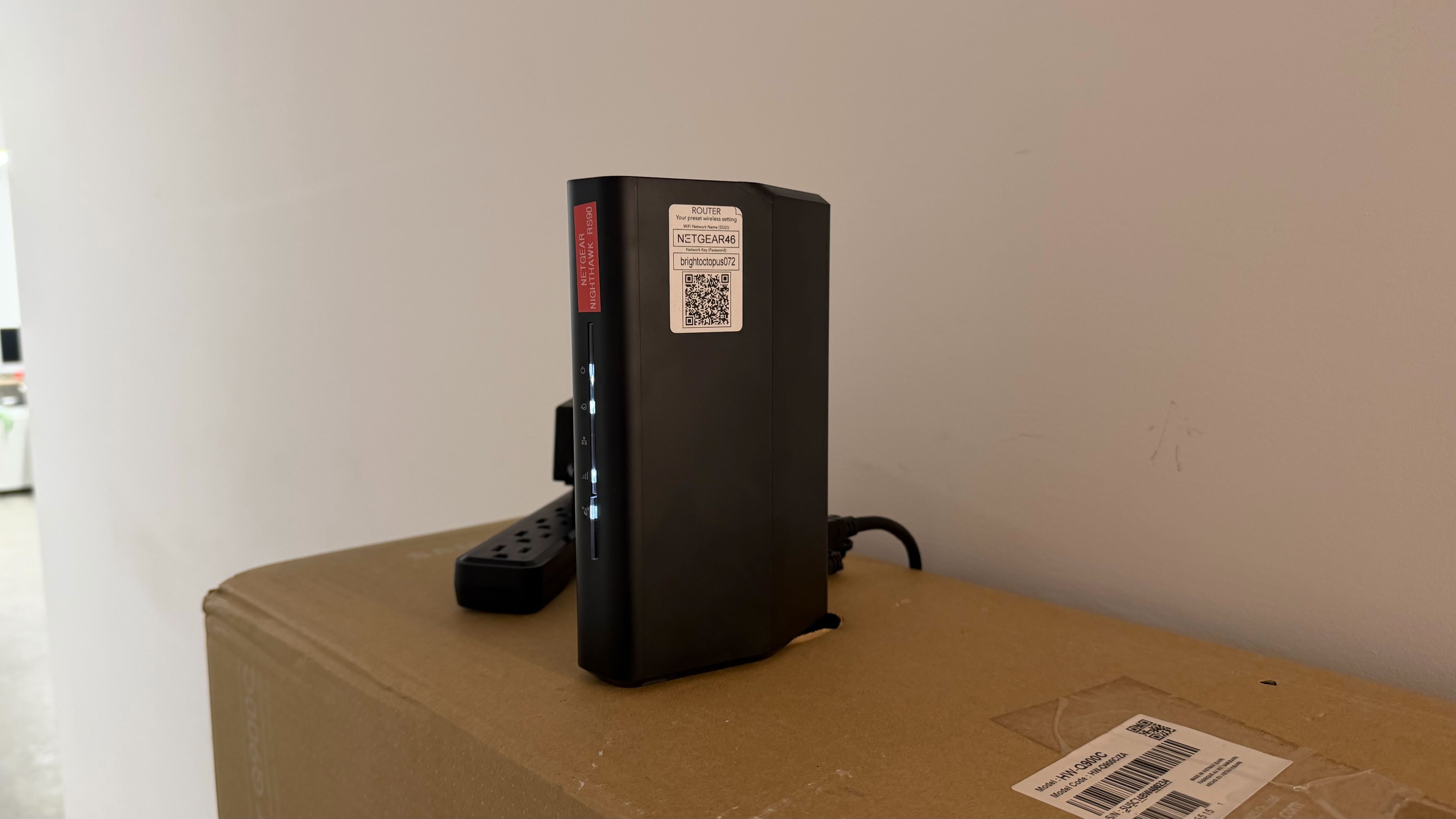
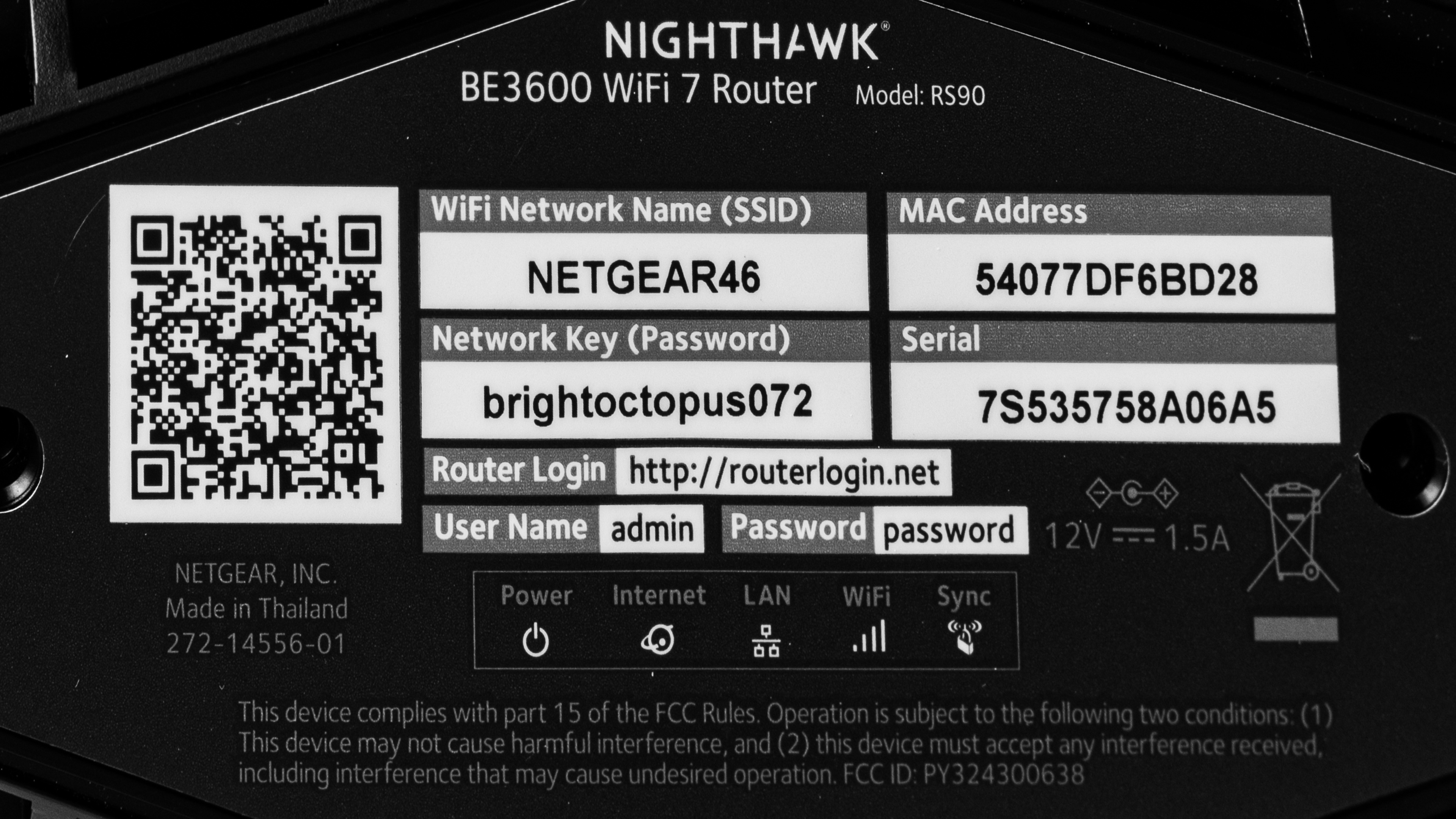
This router doesn't have any variants. See a photo of our unit's label.
Popular Router Comparisons
The NETGEAR Nighthawk RS90 is an entry-level Wi-Fi 7 router, offering good options for both wired and wireless connectivity in a slim tower frame. Billed as a "WiFi 7" device, the RS90 forgoes the 6GHz band and MLO support found on tri-band alternatives like the TP-Link Archer BE9500, while multi-level homes or large spaces are better-served by a dedicated mesh system like the eero Pro 6E. The RS90's middling range and lack of mesh support make it serviceable for smaller spaces, but keep its overall utility closer to older Wi-Fi 6 options like the TP-Link Archer AX55 than to certified Wi-Fi 7 alternatives like the ASUS RT-BE92U.
For more recommendations, see our picks for the best Wi-Fi routers, the best mesh routers, and the best gaming routers.
The eero 7 is a better overall choice for most homes than the NETGEAR Nighthawk RS90. While both are dual-band Wi-Fi 7 routers, the eero offers more flexibility and range as an expandable mesh system. Each eero node includes two auto-sensing WAN/LAN ports rated at 2.5Gbps, while the NETGEAR delivers sub-par range and no mesh support as a standalone device. Its inclusion of four LAN ports gives you more immediate hardwired connections than a single eero node, though they're capped at a slower 1Gbps.
The TP-Link Archer AX55 is a better dual-band router than the NETGEAR Nighthawk RS90. Despite being an older Wi-Fi 6 model, the TP-Link delivers superior range, similar speeds, and EasyMesh support to expand your network's coverage. The NETGEAR is a nominally more recent Wi-Fi 7 device and holds an edge in wired connectivity with a 2.5Gbps WAN port, compared to the TP-Link's 1Gbps limit. However, the RS90's middling range and lack of mesh support make the TP-Link a more well-rounded offering for gigabit internet plans.
The TP-Link Deco 7 Pro BE63 is a more flexible Wi-Fi 7 solution than the NETGEAR Nighthawk RS90. As a tri-band mesh system with four 2.5Gbps ports, the TP-Link delivers vastly superior range and higher, more consistent speeds across longer distances. While the NETGEAR provides great top speeds at close range, its lack of a 6GHz band, slower 1Gbps LAN ports, and sub-par overall range make it a less reliable option for whole-home coverage.
The NETGEAR Nighthawk RS90 and the ASUS RT-BE92U are both standalone Wi-Fi 7 routers. Unlike the dual-band RS90, the RT-BE92U features a tri-band design, mesh expandability, and multi-gigabit WAN/LAN ports better-suited to demanding tasks like gaming and streaming 4k media. While the ASUS is bulkier with external antennas, its superior performance and wider range outweigh the space-saving design of the RS90.
Test Results
for pictures & test results

for pictures & test results

This router's WAN port is rated for 2.5Gbps, while all four of its LAN ports are rated for 1Gbps.
for pictures & test results

- 2-meter Ethernet cable
- Power adapter
- User documentation

The parental controls are limited. You can block certain services with the router's built-in rules and set a schedule for internet access, but you can't filter content by URL, category, or name. There isn't an option to set daily usage limits without paying for a monthly subscription either.
for pictures & test results

While we normally test all routers using Auto channel selection, the NETGEAR RS90 appears to avoid DFS-only channels by default. (This may also be due to environmental factors.)
To achieve the posted results, we set the router to a 160MHz channel width. While this improved speeds, it introduced more fluctuations in stability during testing.
for pictures & test results

If you're looking for a router with better range, check out the ASUS RT-BE90U or the Davolink Minions Kevin.
for pictures & test results

As a standalone unit without mesh support, the router delivers adequate latency performance for calls, streaming, and everyday browsing.
This router doesn't support MLO, despite being advertised as "WiFi 7" and MLO support being mandatory for Wi-Fi 7 certification. The router is still technically IEEE 802.11be compliant, as it supports Extremely High Throughput (EHT) PHY and MAC speeds; however, its marketing is misleading.
NETGEAR offers a "SmartConnect" feature, which allows this router to shift between its 2.4GHz and 5GHz bands automatically, but this functionality doesn't use WPA3 and shouldn't be confused with true MLO support.
To learn more about the current state of MLO and Wi-Fi 7, check out our article.