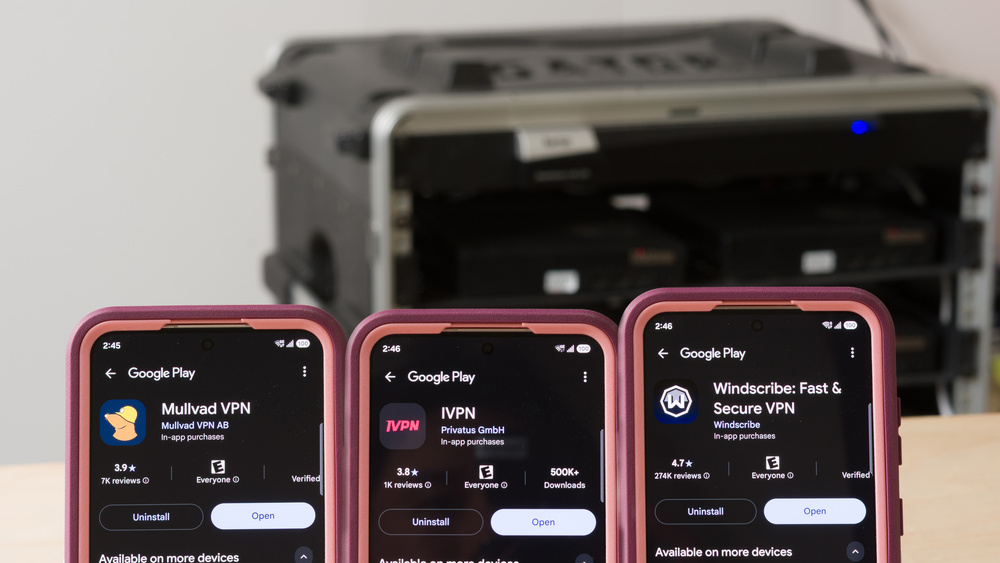
If you've browsed for VPNs on the Google Play Store, you've likely seen countless apps promising total privacy and easy access to geo-blocked content and streaming services. While many of these services are legitimate, many free and paid VPN providers rely on dubious privacy policies and aggressive marketing to make their money. Because Android lets you sideload apps directly from third-party websites, it's especially crucial to vet exactly who you're trusting with your data.
In general, a good VPN should:
- Conceal your IP address and DNS requests without leaking
- Include security safeguards like a functional kill switch
- Clearly explain what data it collects (ideally, none), and why
- Request only the Android permissions it needs to function
- Support common protocols, such as WireGuard and OpenVPN
After testing over 20 of the most popular VPNs, these are our recommendations for the best VPNs for Android. To establish these picks, we evaluated our highest-scoring VPNs and confirmed their availability and support on modern Android devices. Because we never accept paid placements, we weigh factors like user privacy and ethical company practices more heavily than we weigh a big marketing budget or the fastest speeds; that's why some popular services don't make our list, even if they're fast.
Looking for options that won't cost you a dime? Be sure to check out our recommendations for the best free VPNs for Android, iPhone, and Windows.

Since 2025, we've published reviews for over 20 different VPN services. These reviews followed months of research, test development, and collaboration among our engineers, testers, writers, photographers, and editors. Our process for each review involves extensive work behind the scenes, including rigorous checks and balances, to deliver the most accurate and useful test results so you can make the right purchasing decisions for your needs.
-
Best VPN For Android
 Private Browsing9.1Security8.6Policies & Practices9.2Speed7.4Platform Support:10Destinations:9.0See all our test resultsEmail Required:No
Mullvad is the best VPN for Android that we've tested, thanks to its privacy-focused approach, useful app features, and straightforward pricing. You can create an account without providing an email address, and the company's no-logging policy clearly states that the VPN doesn't collect any of your personal data. The Android app is straightforward to navigate and includes a built-in kill switch, along with a host of privacy tools to make your VPN activity harder to detect. The VPN runs exclusively on the WireGuard protocol. In terms of accessing geo-blocked content, your mileage may vary by service and region; Mullvad is designed for privacy first and foremost, so the company doesn't invest heavily in rotating IP pools to fool streaming blocks. You can expect popular streaming sites like Netflix, Disney+, and Prime Video to challenge or block your connection if they recognize your IP address as belonging to a VPN.
Mullvad accepts payments through various methods, including credit cards, PayPal, bank transfers, cash, Google Play, and cryptocurrencies. Paying with Bitcoin, Bitcoin Cash, or Monero gives you 10% off your monthly price.
-
Best Budget VPN For Android
Private Browsing9.2Security8.6Policies & Practices9.4Speed7.4Platform Support:10Destinations:9.2See all our test resultsEmail Required:NoWindscribe's Build-a-Plan tier is great if you only need a few server locations and want to keep your monthly bill low. You can customize the plan to suit your needs, with discounts available if you opt to pay annually over monthly. For $3 USD per month, Build-a-Plan gives you unlimited simultaneous connections, uncapped data, and two server locations of your choice (along with the standard selection of 10 free servers available to anyone). The Android app is clean and navigable, with plenty of ways to personalize its appearance and dashboard. Windscribe supports both OpenVPN and WireGuard and, like Mullvad, has a robust no-logging policy and a kill switch.
User reports indicate a generally consistent level of success bypassing geo-blocks on major streaming platforms with Windscribe, though this is subject to change as providers update their detection methods. The company accepts major credit cards, PayPal, Google Play, cryptocurrency, and other regional methods through Paymentwall.
-
Best Android VPN For Short-Term Use
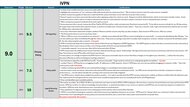
Private Browsing9.2Security8.6Policies & Practices9.3Speed7.3Platform Support:10Destinations:8.4See all our test resultsEmail Required:NoIf you need short-term protection to keep your Android phone secure while traveling, we recommend IVPN. The Standard plan costs $2 USD per week and covers up to five devices, so you can try out the service without committing to a more expensive tier. The Android app includes built-in ad blocking, a functional kill switch, and obfuscation tools that make your traffic harder to identify. It's a practical and inexpensive option when you need access to a specific region, provided that region is part of IVPN's network. IVPN supports both WireGuard and OpenVPN protocols.
The company makes no guarantees regarding streaming geo-restricted content, as its main focus is on robust privacy and data protection. IVPN accepts payment through major credit cards, PayPal, Google Play, Bitcoin, Monero, and prepaid vouchers. Cash is also accepted, but this requires a purchase of at least one year, so it's not available for the weekly plan.
-
Best Free VPN For Android
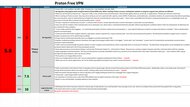
Private Browsing7.5Security8.6Policies & Practices6.3Speed7.2Platform Support:10Destinations:4.0See all our test resultsEmail Required:NoIf you're looking for a zero-cost option, we recommend Proton VPN Free for Android thanks to its unlimited data, lack of ads, and solid no-logging policy. It's ideal for everyday secure browsing since you can leave it running in the background without constantly checking your data usage. The Android app has a functional kill switch and supports both WireGuard and Stealth (Proton's in-house protocol, built to help bypass strict internet censorship), but it doesn't support the OpenVPN protocol.
Proton's free access to unlimited data does come with certain limitations, however. For instance, the app auto-assigns your server location instead of letting you pick a country, which can make unblocking specific regional libraries tricky. Streaming may work on occasion, but Proton reserves official streaming support for paying subscribers. You can only use the VPN on one device at a time, with no support for ad blocking or P2P traffic. It's a fantastic option for day-to-day privacy, but anyone who needs multi-device coverage or reliable streaming support will want to upgrade to a paid plan.
For more free recommendations, be sure to check out our guide to the best free VPNs for Android.
-
Best Android VPN For Streaming
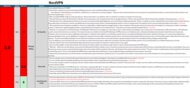
Private Browsing6.4Security8.6Policies & Practices4.8Speed7.2Platform Support:10Destinations:8.6See all our test resultsEmail Required:YesIf your main reason for using a VPN is to stream content from other regions, NordVPN is worth considering. User reports frequently cite success in bypassing regional blocks on major streaming services, although no VPN can guarantee that a particular library will stay accessible. The app's one-click connect feature quickly selects the fastest nearby server for casual browsing, but you can choose a location yourself if you want access to a specific content library. The Android app supports OpenVPN and a variety of custom protocols, along with the same built-in kill switch protection as our other picks. Unlike the more privacy-focused VPNs on this list, however, NordVPN's policy allows the company to retain your personal information for analytics and targeted advertising, which you'll need to opt out of manually.
NordVPN accepts various payment methods, including credit cards, PayPal, cryptocurrency, and Google Play, depending on your location. We'd choose it for its streaming capabilities, but you'll want to pay close attention to your privacy preferences and automatic renewal date.












Notable Mentions
-
Proton VPN:
Proton VPN is a reputable service with a polished mobile app, a large server network, and plenty of features. The paid plan supports more simultaneous connections than Mullvad, but its terms of service are hard to parse and allow the collection of more personal information than necessary.
See our review
Recent Updates
Oct 01, 2026:
We've refreshed the recommendations in this article with clearer text and pricing information to make them easier to compare. We've also added three new VPN categories: 'Best For Streaming,' 'Best For Short-Term Use,' and 'Best Free.'
Aug 18, 2026:
We've reviewed our picks to ensure they remain the best options, but haven't made any changes.
All Reviews
These picks represent the best VPNs for Android we've tested for everyday use. We aim to spotlight VPNs with clear and digestible privacy policies, strong security, and verifiable platform support. We also consider factors such as price, features, and community feedback when making our recommendations. While we generally test VPNs on Windows, we expect our findings to remain comparable across platforms. If you want to learn more about how we test VPNs, check out our step-by-step breakdown.
When choosing a VPN, consider what you actually need it for; depending on your risk profile, using one all the time is probably unnecessary. A VPN can improve security on public networks and reduce how much of your activity your ISP can see, but it can't make you fully anonymous online. Modern websites, browsers, and devices already have built-in security measures that protect you from many common threats when surfing the web. With that in mind, have a look at our table tool below to explore all the VPNs we've tested.