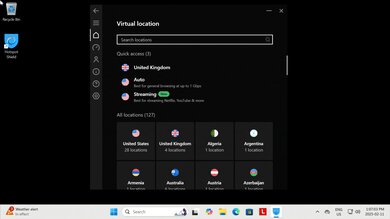
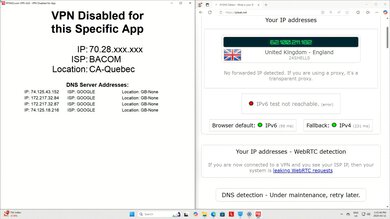
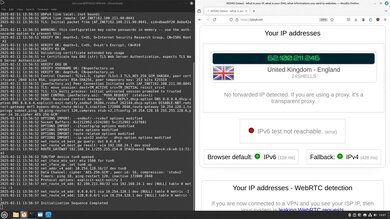
Hotspot Shield is a VPN service founded in 2008 and owned by Point Wild, a US-based cybersecurity company that owns several other VPNs, including Betternet, UltraAV, VPN360, OVPN, and Total Security. It has applications on several different platforms, servers in over 80 countries, and features like Tor over VPN and obfuscation.
Hotspot Shield offers both a free and a paid version, and we tested both. See more in the Differences Between Variants section.
Our Verdict
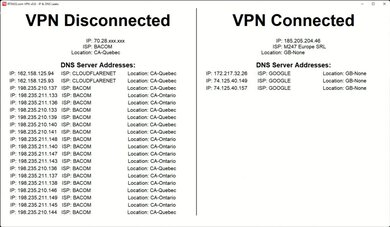
Hotspot Shield is adequate for torrenting. It allows you to download P2P files and doesn't have a data limit. Its security is generally acceptable, as it keeps your IP address and DNS queries within its tunnel while you use it. However, its kill switch doesn't work properly, as it allows some unencrypted traffic to leak past the VPN in the event of a software crash or system reboot. It also doesn't support any anonymity-preserving payment options, and you have to sign up with an email address and password that can be linked to you in the event of a data breach. Lastly, it doesn't support port forwarding, potentially limiting the number of peers you can connect to.
Doesn't leak your IP address or DNS queries.
Proper TLS implementation protects you from man-in-the-middle attacks.
Kill switch leaks unencrypted traffic after system reboot and software crash.
No anonymous registration or payment options.
Doesn't support port forwarding.
Hotspot Shield is bad for private browsing. Its privacy policies are awful, and its corporate practices indicate a lack of regard for user privacy and data security. The privacy policy explicitly states that the company can use your personal information for marketing and share it with third-party digital advertising services. There are no up-to-date third-party audits verifying the VPN's no-logging policy or security infrastructure, and the company's corporate structure is opaque and convoluted. Additionally, the company hasn't fully addressed unresolved privacy complaints. While technically, the VPN doesn't leak your IP address or DNS queries, its kill switch is unreliable. If you're concerned about third parties collecting your personal information, this VPN is a bad choice.
Doesn't leak your IP address or DNS queries.
Proper TLS implementation protects you from man-in-the-middle attacks.
Kill switch leaks unencrypted traffic after system reboot and software crash.
No anonymous registration or payment options.
Terrible business practices for respecting user privacy.
Privacy policy explicitly collects user data for marketing purposes.
Hotspot Shield's policies and business practices are awful. Its privacy policy explicitly allows the company to collect and retain its users' personal information for marketing and share it with third parties for targeted advertising and tracking. Additionally, the company has a history of security vulnerabilities and incidents that it hasn't fully acknowledged or addressed. This lack of transparency is also shown by its convoluted corporate ownership structure and the absence of up-to-date third-party audits of its privacy policy and security infrastructure.
Terrible business practices for respecting user privacy.
Privacy policy explicitly collects user data for marketing purposes.
Hotspot Shield has acceptable security. It doesn't leak your IP address or DNS queries while you're connected, and it has proper TLS implementation, protecting you from man-in-the-middle attacks. Unfortunately, its kill switch doesn't work as intended, as it leaks some unencrypted traffic upon restarting your system or after a software crash. This is a concern if you need all your traffic to be encrypted after a crash.
Doesn't leak your IP address or DNS queries.
Proper TLS implementation protects you from man-in-the-middle attacks.
Kill switch leaks unencrypted traffic after system reboot and software crash.
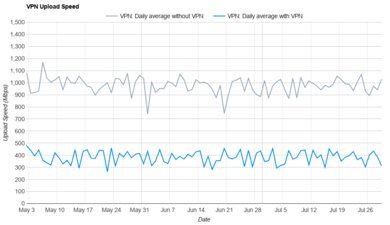
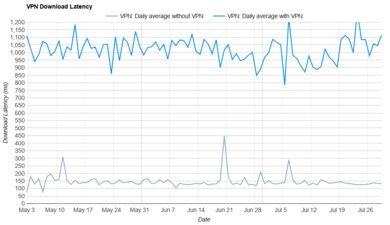
We're testing this VPN's speed on an ongoing basis and will update this verdict when we have more data. See the Performance section of the review to look at the data we've collected so far.
Performance Usages
Changelog
- Updated Jul 13, 2026: We've converted this review to Test Bench 0.11. This update adds a test that shows whether the VPN supports port forwarding or not. See our full changelog for more details.
-
Updated Jan 23, 2026:
We've updated the text throughout the review to reflect the changes from Test Bench 0.10.1.
- Updated Jan 23, 2026: We've updated this review to Test Bench 0.10.1! This is a minor update to how we conduct our speed tests. Read the changelog for more info.
-
Updated Dec 16, 2025:
We've added text throughout the review to correspond with the new privacy tests in Test Bench 0.10.
Check Price
Differences Between Sizes And Variants
Hotspot Shield has a free tier and a paid tier, which we bought and tested in this review. We also tested Hotspot Shield Free separately.
| Plan | Advertised Maximum Devices | Platforms | Protocol Support | Country Selection | Advertised Speed Throttling | Ads |
|---|---|---|---|---|---|---|
| Free | 1* | Windows, macOS, iOS, Android, Chrome | Hydra, Wireguard, IPSec (macOS only) | 3 | Yes** | Mobile |
| Premium | 10 | Windows, macOS, iOS, Android, Chrome, Linux, Smart TV, Routers | Hydra, Wireguard, IPSec, OpenVPN (manual configuration only) | 85 | No | No |
*While the free version advertises a limit of one device at a time, we could connect 11 devices simultaneously.
**Hotspot Shield advertises that the free version throttles speeds, but we didn't measure any significant throttling. Compare speed results between the two.
Popular VPN Comparisons
Hotspot Shield is comparable to most VPN services if you're looking to torrent files and bypass geo-restrictions, but like most other VPNs we've tested, it fails the kill switch test. That could be an issue if you're concerned about keeping your traffic protected at all times, such as after restarting your system.
Unfortunately, Hotspot Shield has poor privacy policies and business practices. The privacy policy allows Hotspot Shield to collect and use your personal information for marketing purposes and share it with third parties. Further, its corporate ownership structure is opaque, and its parent company, Point Wild, also owns several other VPN services and review sites. VPNs like Mullvad and IVPN are much better choices if you care about how your VPN handles your data and runs its business.
To learn about the services we recommend, read our article on the best VPNs.
Test Results
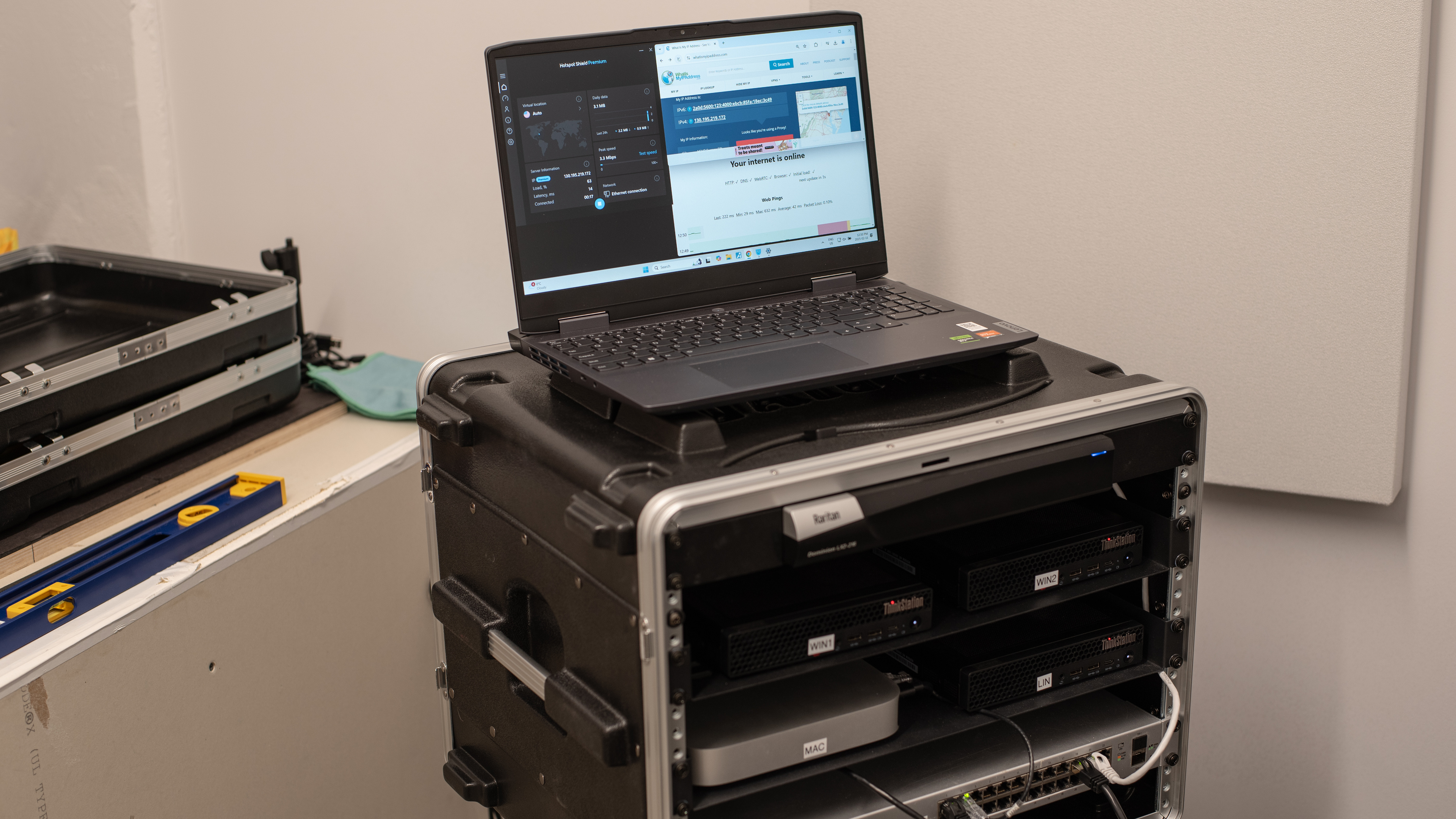
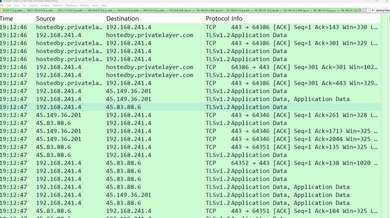
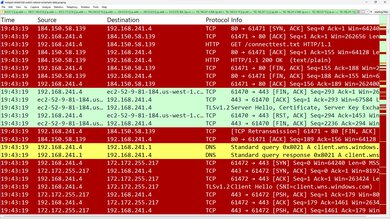
The kill switch doesn't work properly, as network traffic leaks outside the VPN tunnel after a reboot and after a software crash. This is problematic if you're concerned with keeping your traffic encrypted when reconnecting to the internet after a reboot or crash.
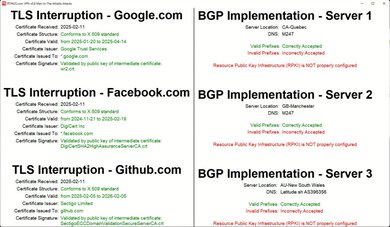
Like most VPN services, Hotspot Shield doesn't secure its internet routing (BGP) properly. This means that even if your ISP protects against attacks like route hijacking, your traffic could still be misdirected once it enters the VPN's network. This is only a concern for highly targeted and resource-intensive attacks that are feasible only for governments or large corporations to conduct.
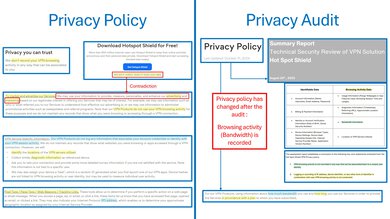
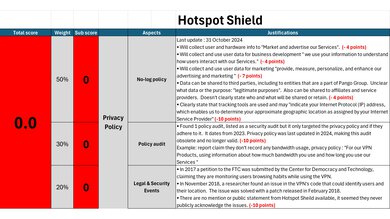
Hotspot Shield's privacy policy is terrible. It explicitly states that the company collects user data, including usage information, device details, location data, and website connections while using the VPN (allegedly anonymized). This data is used for marketing and analytics purposes and may be shared with third parties. Additionally, a 2017 FTC complaint alleged that Hotspot Shield intercepts user data and traffic. Hotspot Shield's response didn't fully address all the concerns in the complaint.
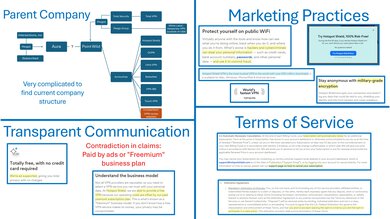
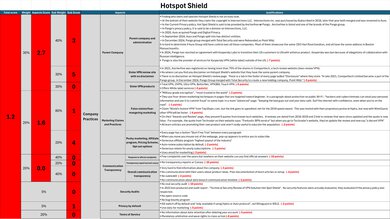
Hotspot Shield's company practices are awful. Their ownership structure is incredibly complicated and opaque. Currently, Hotspot Shield appears to be under the umbrella of Point Wild, which also owns several other VPNs and a VPN review site. Their privacy policies mention various companies associated with Hotspot Shield, many of which have undergone mergers and demergers in recent years.
The VPN's website employs fear-mongering tactics, exaggerating the need for a VPN and making bold claims about Hotspot Shield's performance. The company downplays or ignores official complaints about its VPNs, at best, and fails to acknowledge them at all, at worst. They haven't published any real security audits, and their terms of service lack confidence-inspiring details. Overall, these practices show a lack of transparency, open communication, and respect for user privacy.
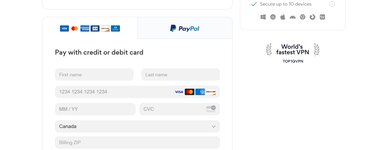
You can pay for this VPN using a credit card, debit card, or PayPal.
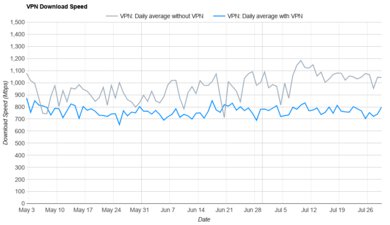
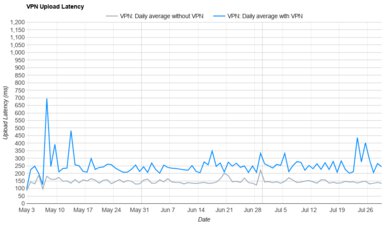
We're testing this VPN's performance on an ongoing basis, and will update the text for the download speed, upload speed, and latency tests when we have more data.
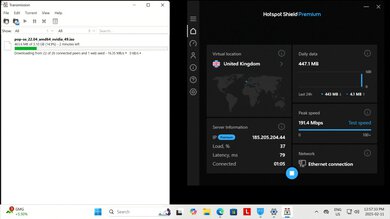
This VPN supports Ubuntu, Debian, and Fedora OS on Linux. You can also configure an OpenVPN connection manually.
It's additionally available on Android, iOS, Chrome, and smart TVs.
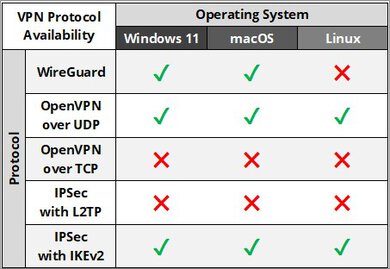
This VPN's proprietary protocol, Hydra, is closed-source, and Hotspot Shield doesn't publish many details about it, other than that it's based on OpenVPN.
You can only use OpenVPN if you configure it manually.