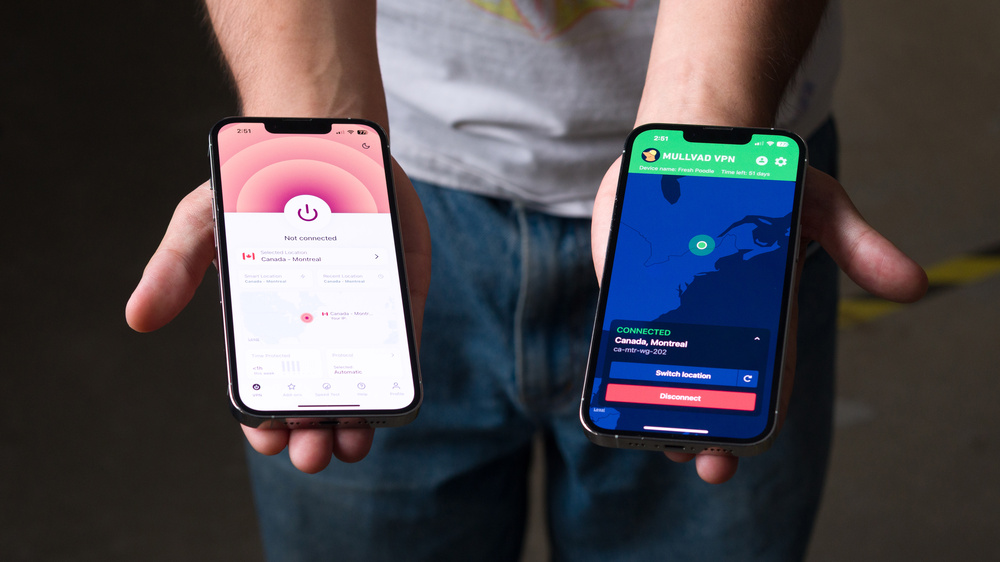
If you've ever searched for VPNs in the app store, you're surely familiar with the endless trove of services that seem to only exist there and nowhere else. Many of them have tens of thousands of 5-star reviews, but it's hard to be sure whether these services are legit, exist only to log your data and sell it to third parties, or even work at all. That's why it's important to understand what a VPN can and can't do, and that they're just one tool you can use in a layered approach to online security.
Based on our real-world lab testing, this is what you should consider before subscribing to a VPN service to use on your iPhone:
- A well-designed app that supports your iPhone
- Fast, reliable connections and a useful server selection
- The features you need without restrictive usage limits
- A clear privacy policy from a reputable provider
To learn more about the limitations of VPN services, check out our article on VPN privacy. Or check out our R&D article to learn more about how we evaluate the privacy policies and business practices of VPN providers. While we test VPNs on Windows, we've confirmed that our recommendations below work as expected on iPhones.
Below are our recommendations for the best VPNs for iPad and iPhone. For more VPN recommendations, check out our picks for the best VPNs for Mac and the best VPNs for torrenting. If you also have an Android device, see the best VPNs for Android!

Since 2025, we've published reviews for over 20 different VPN services. These reviews followed months of research, test development, and collaboration among our engineers, testers, writers, photographers, and editors. Our process for each review involves extensive work behind the scenes, including rigorous checks and balances, to deliver the most accurate and useful test results so you can make the right purchasing decisions for your needs.
-
Best VPN For iPhone
 Private Browsing9.1Policies & Practices9.2Email Required:NoTorrent (P2P):YesSee all our test resultsData Limit:N/A
We recommend Mullvad as the best VPN for iPhone. The app has a clean, easy-to-use interface and includes all the essentials you would expect from a mobile VPN: servers in many countries and advanced features like obfuscation, DNS content blockers, Multihop, and DAITA (Defense Against AI-Guided Traffic Analysis), which helps obscure identifiable patterns in encrypted traffic. Beyond its feature set, Mullvad delivers excellent performance and strong security. It effectively hides your IP address and DNS queries from your ISP, adds protection on public Wi-Fi, and provides consistently strong download and upload speeds and low latency. This makes it suitable for everything from doomscrolling reels to online mobile gaming.
Mullvad also has outstanding privacy. Its privacy and no logging policies are crystal clear, and the company has a long track record of ethical practices and transparent communication. Instead of using an email address and password, Mullvad assigns a randomly generated account number as your only login credential. This design prevents the storage of personally identifiable information, especially if you pay using anonymous methods like cryptocurrency or cash.
That said, some desktop features are missing on iPhones. Local network sharing and split tunneling features aren't available on iOS, and there's no dedicated kill switch. Instead, the app relies on iOS's on-demand VPN feature, which effectively serves the same purpose.
-
Best VPN For iPhone With More Features
Private Browsing7.5Policies & Practices6.3Email Required:NoTorrent (P2P):YesSee all our test resultsData Limit:N/AProton VPN is another great VPN for iPhone if you want more features. Like our top pick, Mullvad, Proton has great performance and an intuitive app, but has a slightly longer list of features. You can connect up to 10 devices simultaneously, compared to five for Mullvad. Also, Proton has servers in over 100 countries, so you can connect to servers closer to you for a better connection. Proton has a suite of advanced features similar to Mullvad's, including malware and ad blocking, a secure core (similar to multihop), and obfuscation. You can also connect to local devices while using the VPN, and it has a moderate NAT option that makes it easier to find matches for online gaming. It even has a dedicated kill switch, rather than relying on the on-demand VPN feature in iOS like our top pick (though we can't use kill switch functionality on iOS yet).
Proton isn't flawless. It has pretty disappointing latency performance, with spikes and inconsistencies that can be annoying for latency-sensitive tasks like gaming or FaceTime. Also, it's missing a few of its desktop features in the iPhone app, like the OpenVPN protocol, port forwarding, and split tunneling. Proton's privacy policy and company practices make it less appealing for privacy-minded users than Mullvad. For example, the privacy policy states that Proton may record your IP address in certain situations, but it doesn't clearly explain when or why this happens. This lack of specifics, combined with dense and jargon-heavy language throughout its policies and terms of use, makes it difficult to clearly understand what data Proton collects and how it's used.
While it's cheaper than our top pick if you pay for a one- or two-year subscription, it's much more expensive if you want to pay monthly. Overall, Proton is a great choice if you need the extra features that it offers over Mullvad, but if you don't or aren't sure, Mullvad is the better pick.
-
Best Free VPN For iPhone
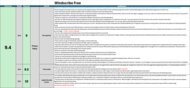
Private Browsing9.2Policies & Practices9.4Email Required:NoTorrent (P2P):NoSee all our test resultsData Limit:10 GBMany free VPNs on the app store aren't trustworthy, as they're often unproven, collect excessive user data, or operate with questionable business practices. Windscribe Free is a notable exception, and we recommend it as the best free VPN for iPhone on the market. Its privacy and no-logging policies are clearly written and explicitly state that the company doesn't log any user traffic, while disclosing exactly what information it does collect for billing and to enforce device limits. You can create an account using only a username to get 2GB of data per month, or add an email address to increase the allowance to 10GB (which is openly used for marketing communications only). You can also create an anonymous account using a unique 32-character hash as your sole login, without requiring any personal information. Windscribe communicates regularly with users, operates independently, has open-sourced its software across platforms, and publishes frequent third-party audits of its privacy and no-log policies.
The VPN itself performs well, keeping your IP address and DNS requests inside an encrypted tunnel and offering a reliable kill switch if the connection drops. Windscribe Free provides servers in 10 countries and supports a wide range of platforms. If you're comfortable with a monthly data limit, it's the best free VPN for iPhone on the market. If you need a free VPN with unlimited data, check out our pick below.
-
Best Free Unlimited VPN For iPhone
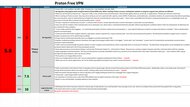
Private Browsing7.5Policies & Practices6.3Email Required:NoTorrent (P2P):NoSee all our test resultsData Limit:N/AWe recommend Proton VPN Free as the best free VPN for iPhone without a data limit. It features the same underlying technology as the paid version, like the WireGuard protocol with obfuscation options (learn more in our WireGuard vs. OpenVPN comparison article) for a reliable and secure connection. Unlike the paid version, however, its privacy policies and terms of service leave something to be desired: they lack clarity about how the company collects and retains your personal data, and the third-party audits it publishes have a limited scope.
Proton VPN Free only has servers in five countries (Poland, the Netherlands, Japan, Romania, and the USA), and you can't choose which one to connect to. Instead, the app automatically picks a server for you. Also, all their Free users are limited to the same servers, so there's much more congestion, leading to slower speeds and higher latency than with the paid version. Also, you're limited to connecting one device per account at a time, so it's not great if you have a bunch of devices. Overall, Proton is a solid choice if you need a free VPN for iPhone and want some added security while browsing. If you plan to do anything more bandwidth-intensive or want more basic functionality, springing for one of our paid recommendations is worth it.








Notable Mentions
-
Windscribe:
Windscribe is an exceptionally secure open-sourced VPN that's just as good as our top pick, Mullvad, with a few extra features like Port Forwarding, a limited free plan, and support for more connections at once. However, if you want unlimited usage, you'll have to pay for a full year's subscription in advance to lock in the same price as Mullvad.
See our review -
IVPN:
Like our top pick, Mullvad, you can sign up for IVPN using a randomly generated account number for better anonymity. Also, like Mullvad, it has exceptional privacy policies and business practices, along with a similar set of features, so you really can't go wrong with either. We recommend Mullvad as our top pick because it's slightly faster and has servers in more locations.
See our review -
NordVPN:
NordVPN is one of the industry's biggest and most well-known VPN services. It offers many extra features, much like Proton VPN, but also has different subscription tiers that include password managers, cloud storage, file sharing across your devices, and more. That said, we don't recommend it because their policies indicate they can collect a lot of your personal information.
See our review
Recent Updates
Aug 07, 2026:
We've reviewed our picks to make sure they're relevant and remain the best options, and haven't made any changes. We've reworked the introduction to help make it easier to decide which VPN to subscribe to.
Jun 11, 2026:
We've reviewed this article to ensure all of our picks remain the best options for their respective categories, but haven't made any changes.
Apr 23, 2026:
We've updated this article to reflect that Windscribe Free now supports hashed account login. We've reviewed and verified that our current recommendations remain the best picks, and have added Windscribe as a Notable Mention.
Jan 08, 2026:
We've updated this article to reflect our findings in Test Bench 0.10 about privacy. Windscribe Free is now our 'Best Free VPN For iPhone,' and we've added a 'Best Free Unlimited VPN' category with Proton VPN as our recommendation.
All Reviews
Our recommendations above are currently the best VPNs for iPhone. We only recommend VPNs with a clear, digestible privacy policy, a proven track record of protecting their customers' privacy, transparency about their ownership, and acceptable security and speed. We also factor in price (a cheaper VPN wins out over a more expensive one if the difference isn't worth it), user feedback, and reputation within the community.
When choosing a VPN, consider what you need it for and understand its limitations. Depending on your risk profile, using one at all times is probably unnecessary. Modern websites, browsers, and devices have ample built-in security measures to protect you from the most common threats. You can read our explainer on TLS (Transport Layer Security) to learn more about these protections before deciding if you need a VPN at all. You can also learn more about the different encryption algorithms created to protect your data, such as Elliptic Curve Cryptography (ECC) and Rivest-Shamir-Adleman (RSA).
With that in mind, here's the list of all our VPN reviews.