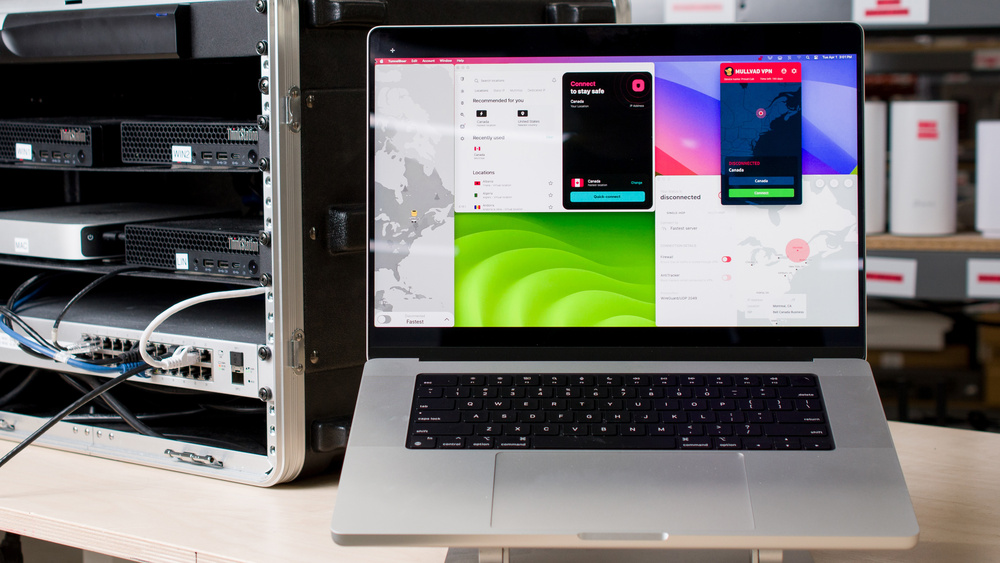
VPNs can be a valuable tool in a layered approach to online security and privacy on your Mac. That said, not all VPNs are created equal, and there are significant performance differences between services. It's important to understand how VPN companies handle your personal information to ensure they're keeping it private, or even better, not collecting it at all. Thankfully, we've tested over 20 of the most popular VPNs on the market to determine the best VPNs for Mac available today.
If you want to learn more about the limitations of VPNs and how they work, or if you need one at all, check out our article on VPN privacy. You can also read all about kill switches and how we evaluate a VPN's security in our testing article. For more recommendations, check out our other guides to the best VPNs, the best free VPNs, and the best VPNs for Windows PCs.

Since 2025, we've published reviews for over 20 different VPN services. These reviews followed months of research, test development, and collaboration among our engineers, testers, writers, photographers, and editors. Our process for each review involves extensive work behind the scenes, including rigorous checks and balances, to deliver the most accurate and useful test results so you can make the right purchasing decisions for your needs.
-
Best VPN For Mac
 Torrent7.6Private Browsing9.1Policies & Practices9.2Security8.6Speed7.4Tested Simultaneous Connections:5Countries:50See all our test resultsmacOS:Yes
Mullvad is the best VPN for Mac we've tested. Its app runs on macOS 13 (Ventura) or later and has an intuitive user interface that visually integrates with macOS well. The beauty isn't only skin deep; the software delivers excellent performance and security. First of all, it's quick. It consistently provides impressive download speeds, upload speeds, and latency. It also keeps your IP address and DNS queries hidden from malicious actors and features a fully functional kill switch that can block your computer from connecting to the internet if the VPN isn't running, such as after a software crash or system restart.
In addition to its functionality, Mullvad stands out for its robust privacy policies and business practices. Its communication is transparent, and its policies are clear, stating that it collects only a bare minimum of your information. It frequently publishes independent audits verifying its claims and security infrastructure. Instead of signing up with your email address and password, you get a randomly generated account number you use as your only login credential. This way, no personal information is stored on Mullvad's servers. You can also pay with cash or crypto for even better anonymity.
Mullvad has a unique flat-rate pricing model that's quite different from the norm of VPN services, which offer discounts the longer you sign up. This makes it a great deal if you pay month-to-month, but if you plan to be a long-term subscriber, you'll save some money going with Proton VPN, our next pick.
-
Best VPN For Mac With More Features
Torrent9.1Private Browsing7.5Policies & Practices6.3Security8.6Speed7.0Tested Simultaneous Connections:10Countries:117See all our test resultsmacOS:YesWe recommend Proton VPN as the best VPN for macOS if you need more features than our top pick. Like Mullvad, Proton delivers great performance and has a functional user interface that's generally easy to use, with a few more handy features. For starters, there are servers in over 100 countries, which is beneficial because it lets you connect to one closer to your location for a better connection. You can also connect up to 10 devices simultaneously without needing to log out of any of them. Proton additionally supports port forwarding, a feature that's becoming less common for VPNs and is essential if you need it for specific programs, such as P2P clients. Like Mullvad, it offers obfuscation to make it look like you're not using a VPN, an ad blocker, and "secure-core," a feature that ensures your connection passes through Proton's servers before reaching the server in the country you choose.
Proton isn't without its flaws. It has a fairly disappointing latency performance, with spikes and inconsistencies that can be annoying for latency-sensitive tasks such as gaming, video calls, and general web browsing. Its privacy policies and business practices aren't as good as Mullvad's either. The privacy policy indicates that Proton may record your IP address in certain instances, but it doesn't specify the reasons. The rest of the policies and terms of service are equally vague and jargon-filled, making it difficult to understand exactly what's happening with your data. It's also more expensive than Mullvad if you pay monthly, but slightly cheaper if you opt for a longer subscription. If you need the extra features, it's a good choice overall; otherwise, you're better off going with Mullvad.
-
Best Free VPN For Mac
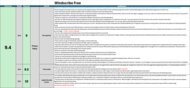
Torrent3.0Private Browsing9.2Policies & Practices9.4Security8.6Speed0.0Tested Simultaneous Connections:11Countries:10See all our test resultsmacOS:YesWindscribe Free is the best free VPN for Mac we've tested. Its privacy and no-logging policies are clearly written and state that the service doesn't log your traffic and collects only the minimum data required for billing and enforcing device limits. You can sign up with just a username to get 2GB of data per month, or add an email address (used only for marketing communications) to increase the allowance to 10GB. You can also create an anonymous account using a unique 32-character hash as your sole login, without requiring any personal information. The company operates independently, communicates regularly with users, is open-source across all platforms, and frequently commissions rigorous third-party audits of its security infrastructure and of its privacy and no-logging policies.
In everyday use, the VPN works as expected. It keeps your IP address and DNS requests inside an encrypted tunnel and includes a reliable kill switch to protect you if the connection drops. It offers servers in 10 countries and supports many platforms beyond macOS, making it easy to use across multiple devices. If you want a free VPN with no monthly data cap, check out our pick below.
-
Best Free Unlimited VPN For Mac
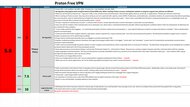
Torrent5.0Private Browsing7.5Policies & Practices6.3Security8.6Speed7.2Tested Simultaneous Connections:1Countries:1See all our test resultsmacOS:YesProton VPN Free is the best free VPN for Mac if you want unlimited data, but it comes with several caveats. Although Proton VPN publishes third-party audits to support its no-logging claims, the most recent audit had a limited scope. It excluded Proton's broader privacy policies, which you must accept to create an account, and the auditors didn't have access to the VPN's full source code. Additionally, Proton's privacy policy and terms of service are written in a way that leaves open questions about data collection and retention. Still, Proton's privacy and practices are considerably better than those of the numerous unproven free VPNs on the market.
From a feature and security standpoint, the VPN performs well. It encrypts your IP address and DNS requests and includes a functional kill switch. Unlike Windscribe Free, our other free VPN recommendation, Proton's free version doesn't let you choose a server location. Instead, you are automatically connected to one of five servers in Poland, the Netherlands, Japan, Romania, or the USA. You also can't download torrents, as the feature is limited to Proton VPN's paid plans. Overall, if you're comfortable with these restrictions and less transparent data-handling practices, this is a reasonable option if your main goal is a free VPN with no data cap for basic browsing privacy.








Notable Mentions
-
Windscribe:
Windscribe is an exceptional open-source alternative to Mullvad for Mac users. It offers comparable security and privacy features, including those our top pick lacks, such as port forwarding, support for more simultaneous connections, and a limited free plan. However, you have to pay for a full year's subscription in advance to match Mullvad's monthly rate for unlimited data.
See our review -
IVPN:
IVPN performs very similarly to Mullvad, has a similar feature set, and even has the same approach to creating an account with a randomly generated number for better privacy. That said, it has servers in fewer countries, costs more, and has slightly worse latency performance.
See our review -
NordVPN:
NordVPN is one of the biggest players in the VPN world. Similar to Proton VPN, it offers numerous additional features, including a password manager, cloud storage, file sharing between devices, and more. We don't recommend it because their policies indicate that they can collect a lot of your personal information.
See our review
Recent Updates
Aug 25, 2026:
We've reviewed our picks to ensure they remain the best options for their respective categories, but haven't made any changes.
Jun 26, 2026:
We've reviewed our picks and verified they're still the best options available.
Apr 24, 2026:
We've updated this article to reflect that Windscribe now supports hashed account login. We've reviewed and verified that our current recommendations remain the best picks, but have added Windscribe as a Notable Mention.
Feb 19, 2026:
We've reviewed our recommendations and haven't changed any of them. We've made some minor edits for clarity and conciseness, however.
Jan 09, 2026:
We've updated this article to reflect the findings of Test Bench 0.10, which cover privacy policies and business practices. We've replaced Hotspot Shield Free with Windscribe Free as our best free pick, and added a 'Best Free Unlimited VPN' category.
All Reviews
Our recommendations above are currently the best VPNs for Mac users. We only recommend VPNs with a clear, digestible privacy policy, a proven track record of protecting their customers' privacy, transparency about their ownership, and acceptable security and speed. We also factor in price (a cheaper VPN wins out over a more expensive one if the difference isn't worth it), user feedback, and reputation within the community.
When choosing a VPN, consider what you need it for and understand its limitations. Depending on your risk profile, using one at all times is probably unnecessary. Modern websites, browsers, and devices have ample built-in security measures to protect you from the most common threats. With that in mind, here's the list of all our VPN reviews.