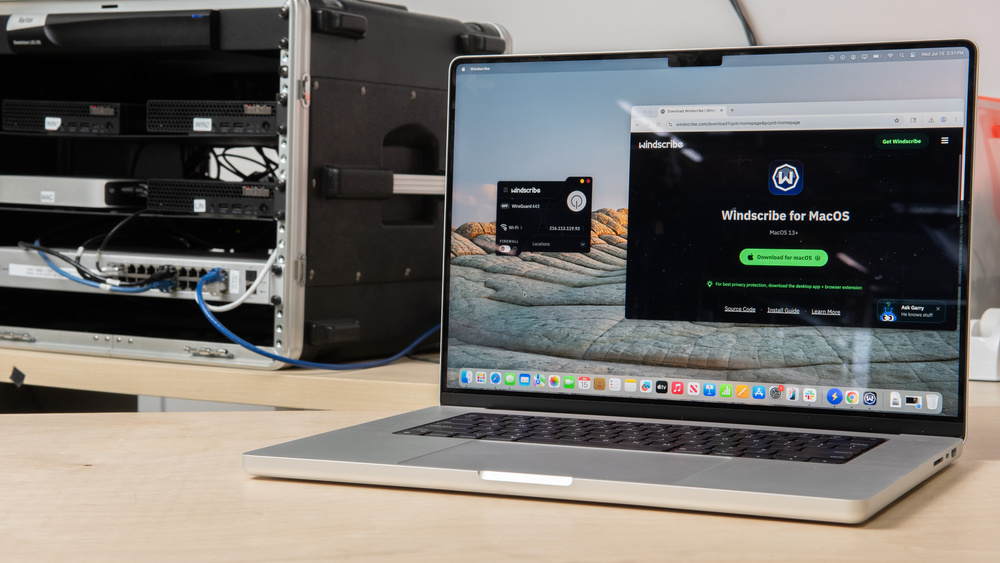
Most people turn to a VPN for largely similar reasons, whether it's for a bit of extra privacy, added security on public Wi-Fi, or binge-watching your favorites while abroad. If you're a Mac user, though, you might wonder whether a third-party VPN is even necessary given the OS's impressive built-in security features. iCloud Private Relay does a great job encrypting your Safari traffic if you have an iCloud+ subscription, but a dedicated VPN still has the upper hand if you want to protect and obfuscate your entire device, or stream content from other regions. Thankfully, compatibility is rarely a concern on the Mac front: most VPNs offer cross-platform support, and every one we've tested so far runs on macOS.
When it comes to free VPNs, though, you're looking at a multitude of options that are easy to find and hard to trust. It pays to remember that running a network of VPN servers is expensive, and providers that charge nothing up front often recoup those costs through more invasive means (like collecting and selling your personal information to advertising agencies).
The good news is that not all VPNs rely on that business model. We put every service through the exact same testing process, so our top picks always meet the core requirements of a trustworthy provider:
- Strong encryption and a functional kill switch to keep your traffic protected.
- Transparent privacy and no-logging policies, without vague or evasive language.
- Good community standing and a clean track record backed by external audits.
We've tested over 20 of the most popular VPNs, and the picks below are our recommendations for the best free VPNs for Mac. Using other devices? We've also covered the best free VPNs for Android and Windows PCs. And if you'd prefer to check out some paid options with more features, have a look at our list of the best VPNs overall for Mac.

Since 2025, we've published reviews for over 20 different VPN services. These reviews followed months of research, test development, and collaboration among our engineers, testers, writers, photographers, and editors. Our process for each review involves extensive work behind the scenes, including rigorous checks and balances, to deliver the most accurate and useful test results so you can make the right purchasing decisions for your needs.
-
Best Free VPN For Mac
 Private Browsing9.2Security8.6Policies & Practices9.4Server Choice:YesAdvertised Max Simultaneous Connections:UnlimitedPrivacy By Default:10Email Required:NoSee all our test resultsLeak Detected:No
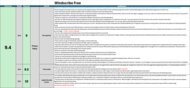
Windscribe Free is the best free VPN for Mac we've tested, earning our top spot with a level of transparency that most free providers can't match. Independent, open-source, and regularly audited, the company leaves little room for doubt about its privacy claims. Backed by stringent no-logging policies and support for hashed registration, you're easily able to register and connect to a server in over 10 countries without providing any of your personal information. Alternatively, you can add your email address to their mailing list and increase your monthly data limit from 2GB to 10GB. Windscribe Free includes a reliable kill switch, split tunneling support, and a suite of obfuscation tools to keep your data protected while letting you choose which apps use the VPN.
With no limit on the number of simultaneous connections you can have and availability across every major platform, it's easy to protect your Mac, iPhone, and iPad under one account. The Mac app is polished yet deeply configurable, so beginners may face a slight learning curve compared to less feature-rich picks on this list. The only real catch is the VPN's monthly data cap, and if that's a dealbreaker for you, our next pick does away with it entirely.
-
Best Free Unlimited VPN For Mac
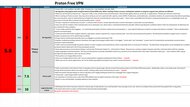
Private Browsing7.5Security8.6Policies & Practices6.3Server Choice:NoAdvertised Max Simultaneous Connections:1Privacy By Default:4.0Email Required:NoSee all our test resultsLeak Detected:NoIf you'd prefer to trade our top pick's unlimited simultaneous connections for unlimited data usage, we recommend checking out Proton VPN Free. As a long-standing fixture in the privacy space, Proton lets you balance speed, stability, and compatibility with modern protocols such as WireGuard and OpenVPN, all wrapped in an elegant, open-source interface. It also comes with Stealth, the company's in-house anti-censorship protocol, to help you navigate strict government firewalls by disguising your VPN's activity as regular web traffic (though it may not always be successful).
That uncapped data comes with a few other strings attached, however. Beyond its single-device usage limit, Proton Free automatically assigns you a server location and blocks torrent support unless you're on the paid tier. Also, while the company's products do undergo annual security audits, their broader privacy terms are surprisingly hard to digest, with key details about user data retention left frustratingly ambiguous. If you're looking for a one-click, set-and-forget solution, those trade-offs might be easier to accept. However, if you're in the market for greater flexibility and can live within a monthly cap, Windscribe Free is the safer bet.




Notable Mentions
-
Hotspot Shield Free:
Hotspot Shield Free is one of the few free VPNs with no data cap and the fastest speeds of any free service we've tested. However, it isn't shy about the fact that it collects your device, geolocation, and browsing data for data brokers; its parent company has done little to address its checkered history of security incidents.
See our review -
TunnelBear Free:
TunnelBear Free's user-friendly Mac app features a charming click-to-connect map, practical obfuscation tools, and support for unlimited simultaneous connections. However, its 2GB monthly limit is only suitable for light use, and its privacy practices lag well behind our top picks by allowing the collection of device and location data.
See our review
All Reviews
Our recommendations above are the best free VPNs for Mac we've tested. We only recommend VPNs with a clear, digestible privacy policy, robust security, and a proven track record of responsible data stewardship. We also factor in user feedback and product reputation within the community.
When choosing a VPN, think about what you actually need it for and understand its limits. Depending on your risk profile, keeping one on at all times is probably unnecessary. Modern websites, browsers, and macOS itself already include solid built-in protections, and if you already subscribe to iCloud+, Private Relay works natively on your Mac without requiring an extra app. If you'd like to learn more about today's standards for securing data online, check out our articles on AES-256 encryption and Secure Hash Algorithm (SHA).

