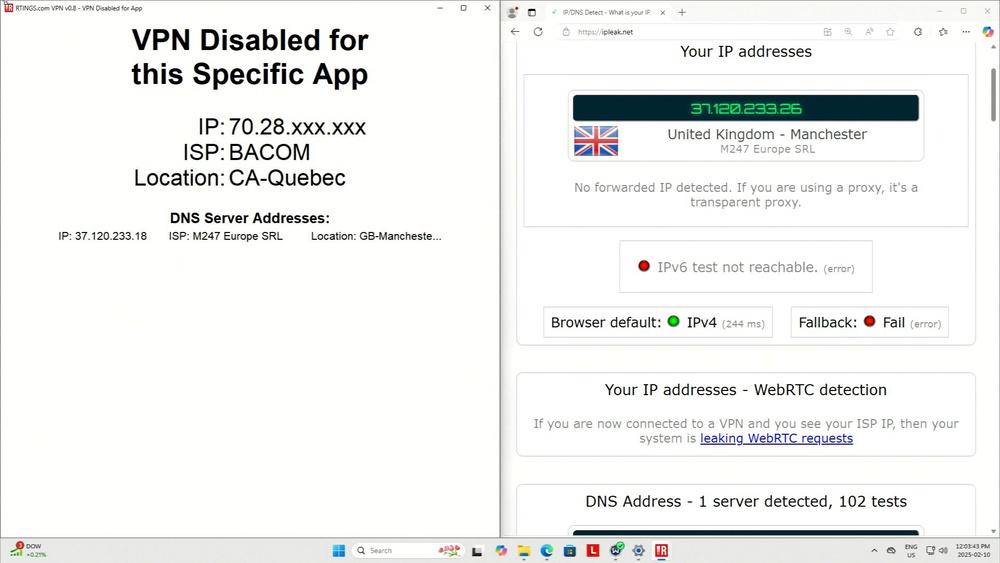
Split tunneling is a VPN feature that lets you decide which apps or websites use the encrypted VPN tunnel and which use your regular internet connection without the VPN. Instead of forcing all traffic through the VPN, it gives you flexibility: you might route sensitive apps through the VPN, while keeping bandwidth-heavy or latency-sensitive activities (like 4k streaming or online gaming) outside the tunnel for better speed and lower latency.
Test results
Split Tunneling Facts
Split tunneling is available on most major VPNs; it may still be unavailable on some apps in fringe cases or on some platforms.
Pros:
- Gives higher speeds for select applications split tunneled outside the VPN
- Gives fine-grained control over which apps use the VPN
- Conserves bandwidth on limited VPN plans
- Allows you to still access streaming services that block VPNs
Cons:
- Metadata for traffic sent outside the VPN tunnel is visible to your ISP or anyone intercepting your connection
- Disables certain anti-malware and network security features offered by some VPNs
- Its setup complexity could lead to unintentional security holes
- Doesn't work on most routers already configured for VPN access
Two Ways to Use Split Tunneling
Most VPNs implement split tunneling by allowing you to exclude specific apps from the tunnel. Some VPNs, however, allow you to enable the VPN for certain apps while the rest of your traffic is routed through your regular internet connection. This is sometimes called inverse split tunneling.
-
Exclusive mode (disabling of VPN for specific apps):
- Your device's traffic is routed through your VPN connection, and you pick the apps that you want to bypass it.
-
Inclusive mode (enabling of VPN for specific apps):
- Your device's traffic is routed through your default internet connection, and you pick the apps that use the VPN.
Why You Should (Or Shouldn't) Use Split Tunneling On A VPN
Many people turn to VPNs to keep the entirety of their internet communications on their desktops, laptops, tablets, and mobile devices hidden from their internet service providers. However, you can read our article to find out why you should be cautious of solely relying on a VPN for privacy. Some also want to be able to configure just how far that security goes, depending on how they use their devices the most.
If you're a VPN power user (or are curious about how to become one), split tunneling may be essential.
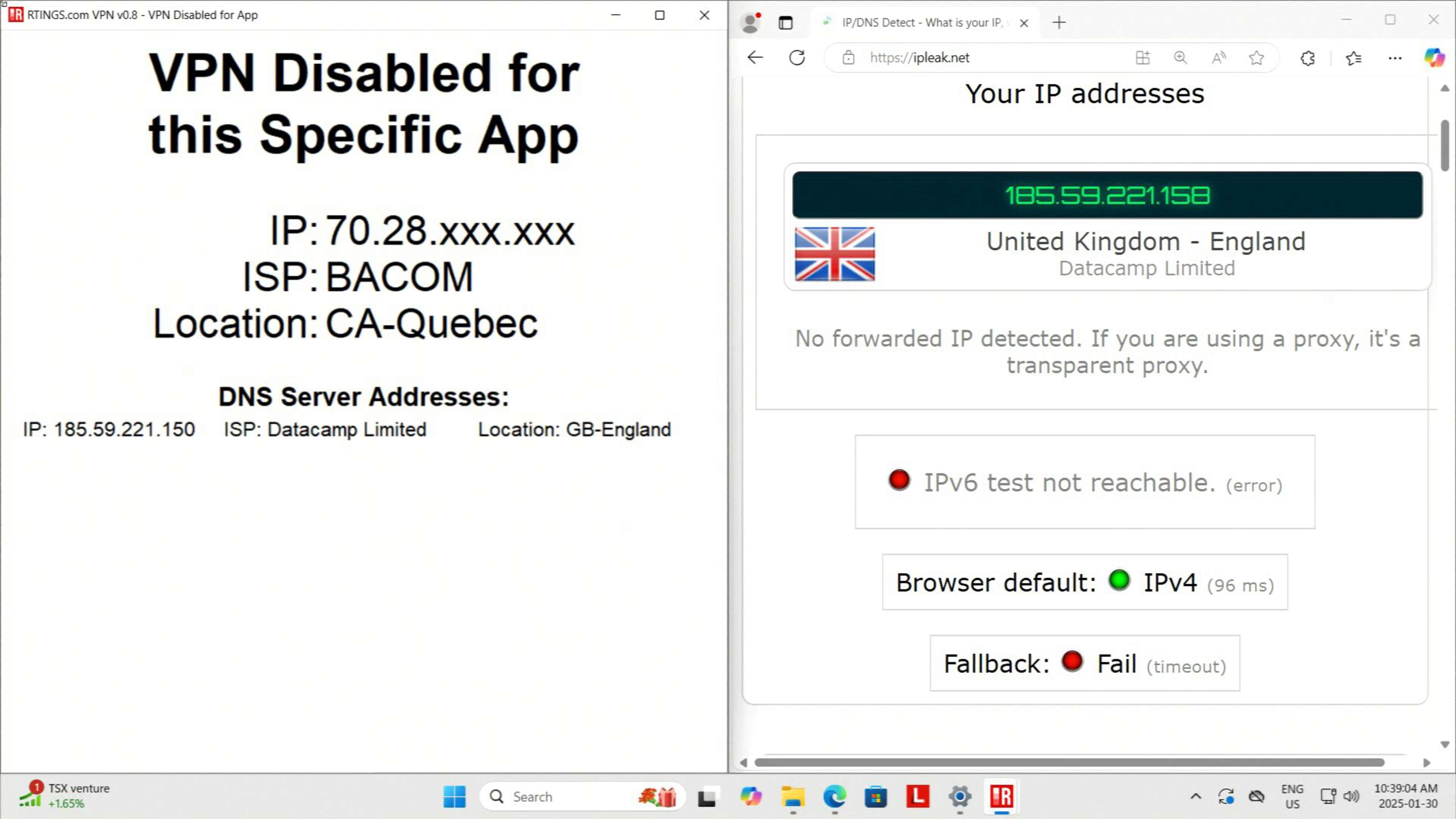
Split tunneling is the act of "splitting" your internet connection into two separate routes. One is a tunnel connected to your VPN service. It routes all data packets coming into and going from your device over an encrypted connection between you and the VPN provider's servers. To learn more about the encryption standard, read our article on AES-256.
The other communication channel is left open to connect to the internet through your standard, non-VPN connection. These routes only allow apps or traffic through, depending on rules set within the VPN application.
But if you're paying for a VPN, why send traffic outside of it?
When Split Tunneling Makes Sense
If you're connected to a VPN service and have struggled with speed or latency issues on the provider's network, split tunneling can be a functional remedy. Split tunneling is built for times when you need high speed, but your VPN network can't keep up.
Gaming
The lower your ping and jitter to an online game's servers, the better your experience will be, and almost no VPN service will have a lower ping than a direct connection between you and the game. Also, if your only choice of VPN server is slow due to a large distance between you and the server or overcrowding at peak usage hours, your online gaming experience will be a laggy mess.
Bandwidth Conservation
VPNs like Hotspot Shield, Windscribe, and TunnelBear offer various pricing tiers that allow more users to access their networks, including via free plans.
Depending on the provider, the amount of access a free account gets on the VPN network can vary. The most common free account types have a bandwidth limit (usually between 2GB and 10GB per month) and fewer server selections.
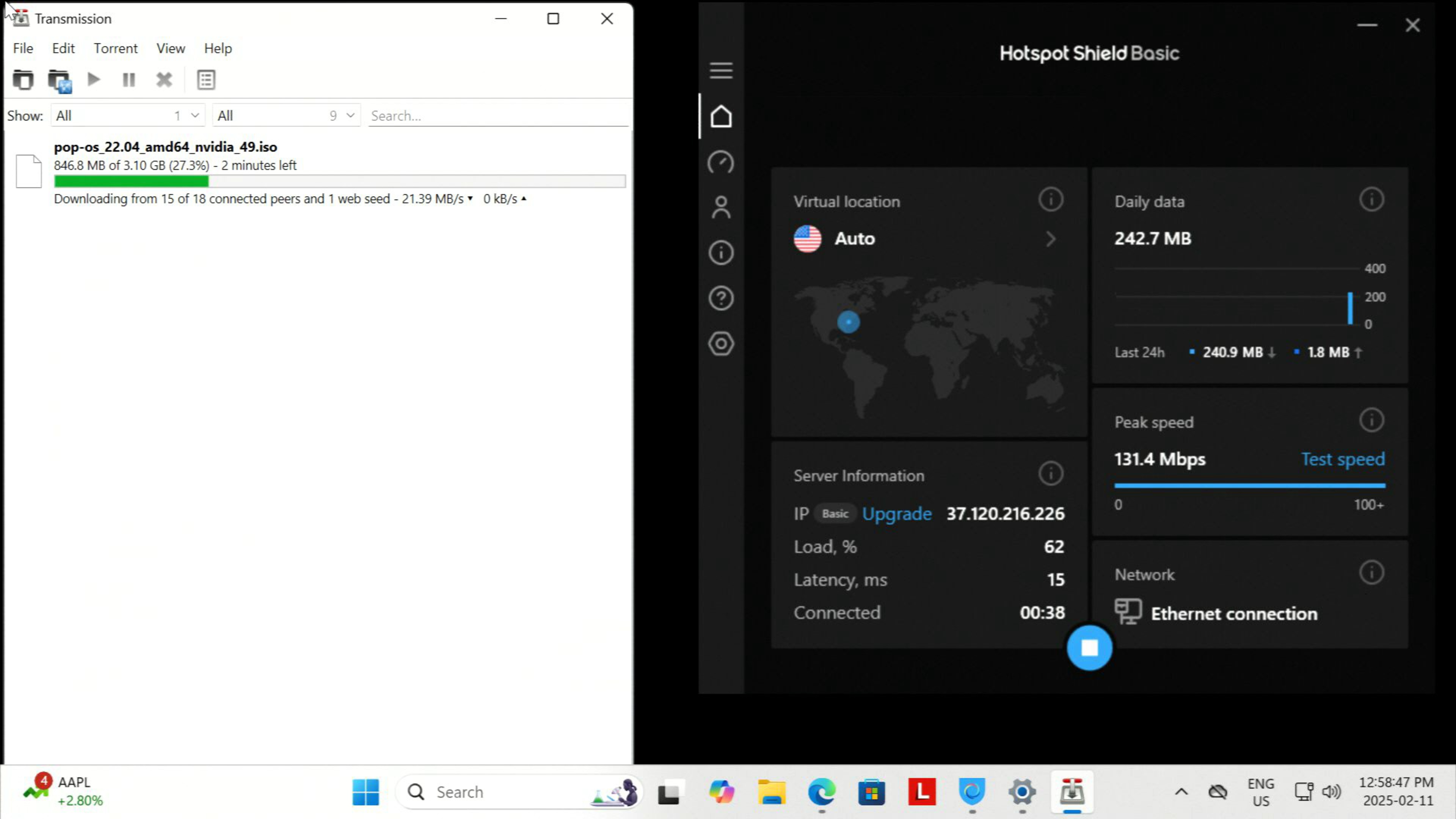
Split tunneling allows you to route only your least data-hungry apps over the VPN network to conserve monthly bandwidth. Meanwhile, tasks like downloading, gaming, and streaming can remain connected through your regular connection.
Streaming
Speaking of streaming, the constant game of cat-and-mouse between VPN providers and streaming services wages on. Users often report that their VPN traffic is blocked from using streaming services like Netflix, Hulu, Max, and Disney+. Instead of their library, an error message appears that won't clear unless the VPN is disabled, or the VPN is configured for split tunneling (so that the connection bypasses the VPN). By splitting your traffic off the VPN, you can connect to a streaming service just as you would from a non-VPN connection. This usually means faster speeds, better video quality, less buffering, and no streaming blocks.
Many VPNs advertise bypassing restrictions from streaming providers, allowing you to access region-locked content. If you're interested in this, you may want to split-tunnel your stream through the VPN instead, while leaving the rest of your internet traffic through your ISP.
Including Torrent Applications
One primary use of VPNs is to obscure any traffic on your network that could be visible to third parties, like your internet service provider.
If you torrent often, that last bit should ring a bell. Copyright holders frequently monitor the IP addresses of users torrenting copyrighted materials and can send takedown notices to ISPs, who may forward them to customers. This means that you may be penalized or even receive legal notices. With a VPN, your personal IP address is hidden. The VPN server's IP shows up instead, meaning any notices are sent to the VPN provider rather than to you. How the VPN handles those notices depends on its policies.
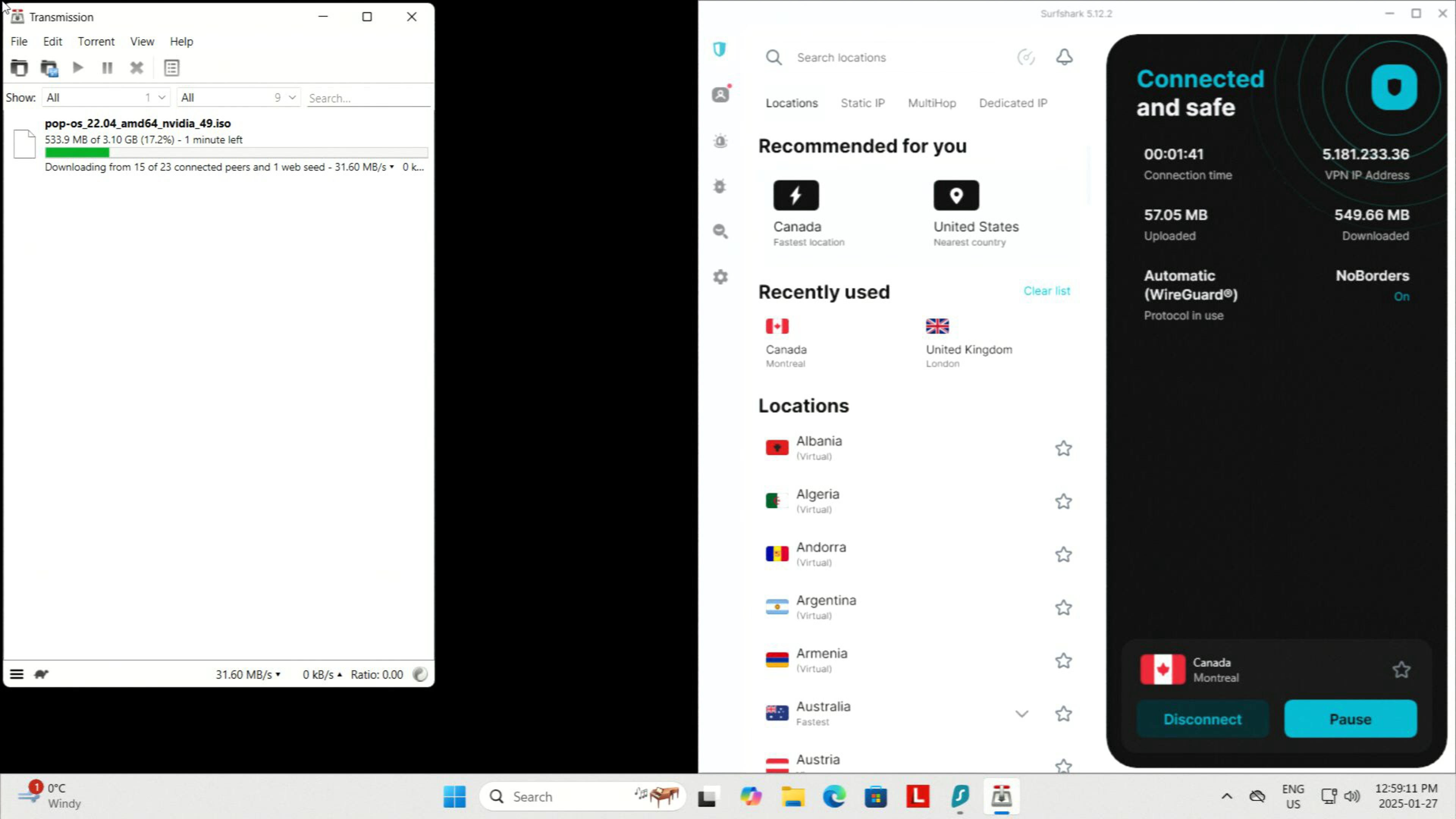
If you want to keep your IP address hidden for your torrent traffic but don't need or want the rest of your traffic to be routed through your VPN connection, you can configure an inverse split tunnel by selecting your torrent application in your VPN client's inverse split tunneling mode if it has one. You can even set up a Kill Switch or bind your torrent client to your VPN connection to ensure your torrents can't run without the VPN connection for extra security.
When Split Tunneling Doesn't Make Sense
For all the reasons to split tunnel your VPN connection, there are just as many reasons not to use this feature and instead direct all of your internet traffic through a VPN.
Extra Privacy From Your Internet Service Provider (ISP)
The most obvious reason to keep all your online activities connected via a VPN is privacy from your ISP or network administrator. VPNs create an encrypted connection between you and the VPN server, so they can see that you're connected to a VPN, but can't see the details of what you're doing beyond that (e.g., which websites you're visiting). If you use a VPN, you're reducing your ISP's ability to identify your traffic, but introducing a VPN provider that can do the same thing. It really depends on which you trust more.
Security Features
Beyond that, some VPN providers like NordVPN, Norton VPN, and Surfshark VPN have started folding a myriad of security products into one security suite app.
These security suites may scan your downloads through anti-malware and anti-virus engines. They can also detect/quarantine viruses and regularly monitor your device for infections. They may also block phishing and malicious domains or block ads on websites. All of these features can be implemented with other software (like adblockers and virus scanners) or are even built right into modern web browsers. Some people may still like the introduction of these features with their VPN.
Those features lose much of their core functionality if your data is split tunneled to a connection outside the VPN application.
Excluding Torrent Applications
While increased download speeds outside the VPN network might be tempting for torrenting, a VPN can provide protection. While you can tunnel your torrenting through a VPN using the split-tunnel feature, you may prefer the peace of mind that comes from directing all your traffic through the VPN.
Though this advice is aimed at the torrenting community, it applies to all online communications taking place through your home ISP. Anything that you wouldn't want traced, monitored, or logged by your ISP should take place on the VPN if you trust the VPN more than your ISP or network administrator.
How To Enable Split Tunneling On Your VPN
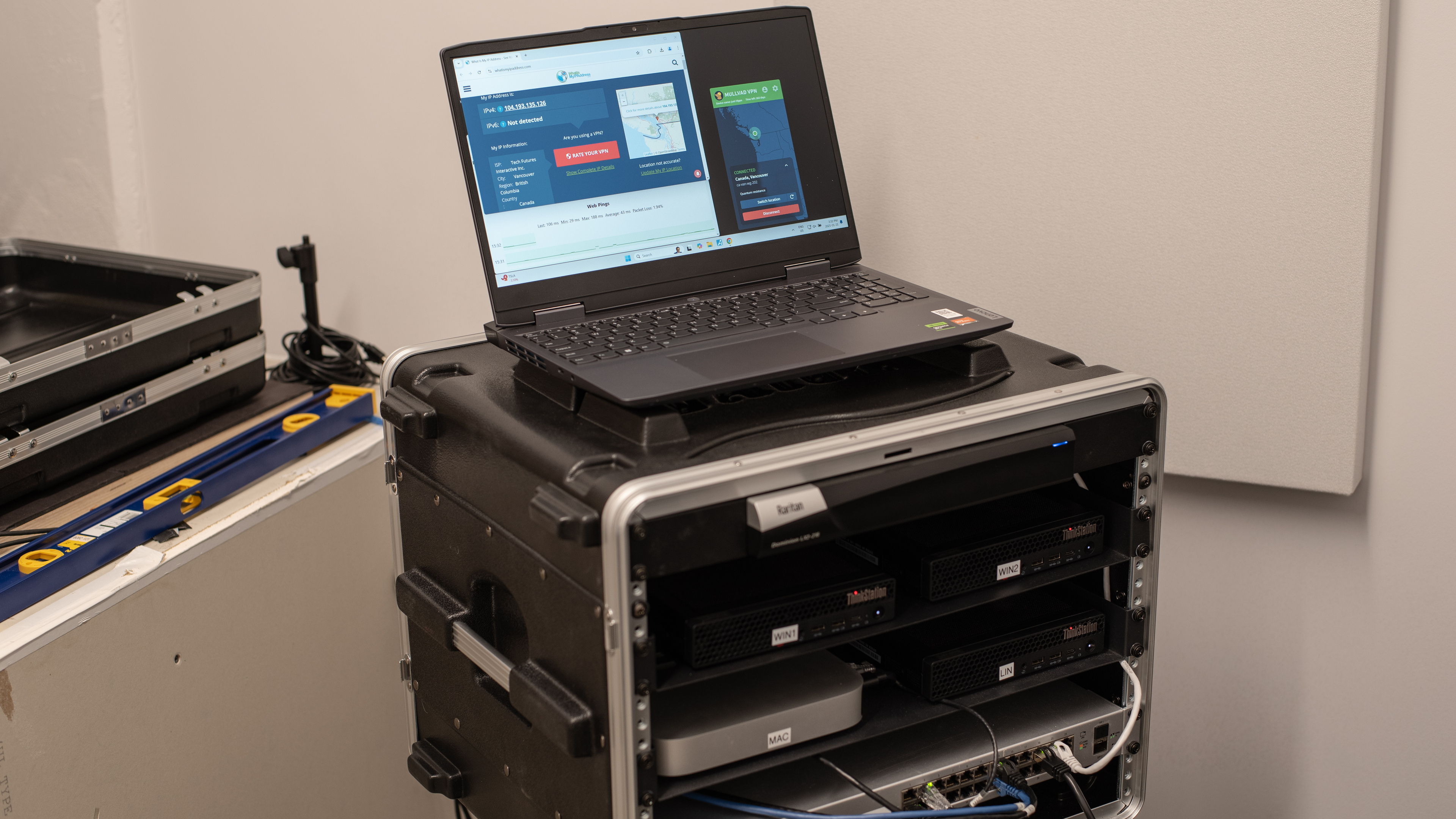
As an example, we'll use Windscribe VPN installed on a Windows 11 PC to show how to enable and configure split tunneling on a VPN. Your experience will likely differ depending on your VPN service, but the baseline instructions are generally applicable across the category.
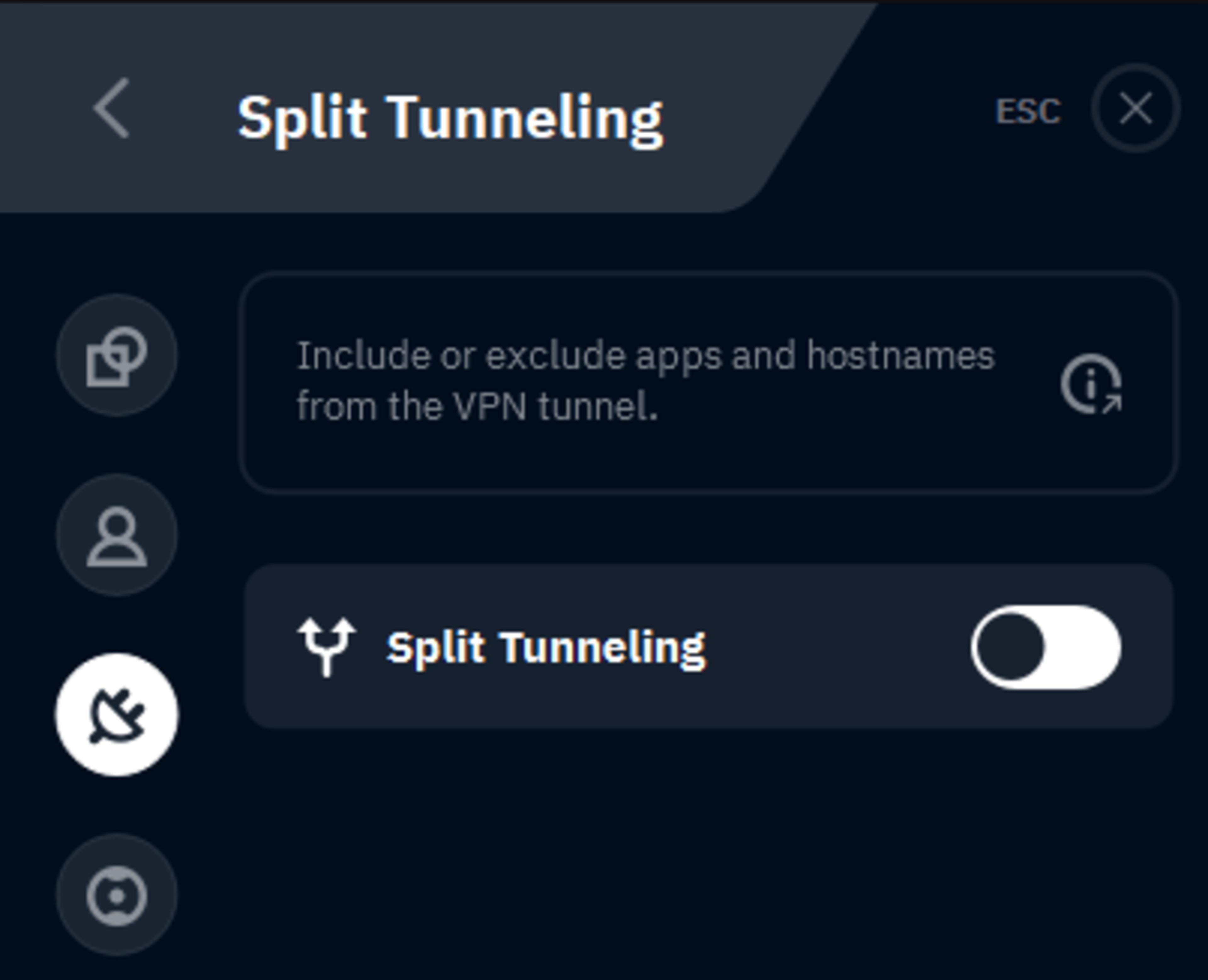
Enabling the setting may require installing a new driver; approve this request on your device. Once enabled, every app will approach things a bit differently. Some have features that detect your highest bandwidth activities to automatically create a filter list based on network usage patterns.
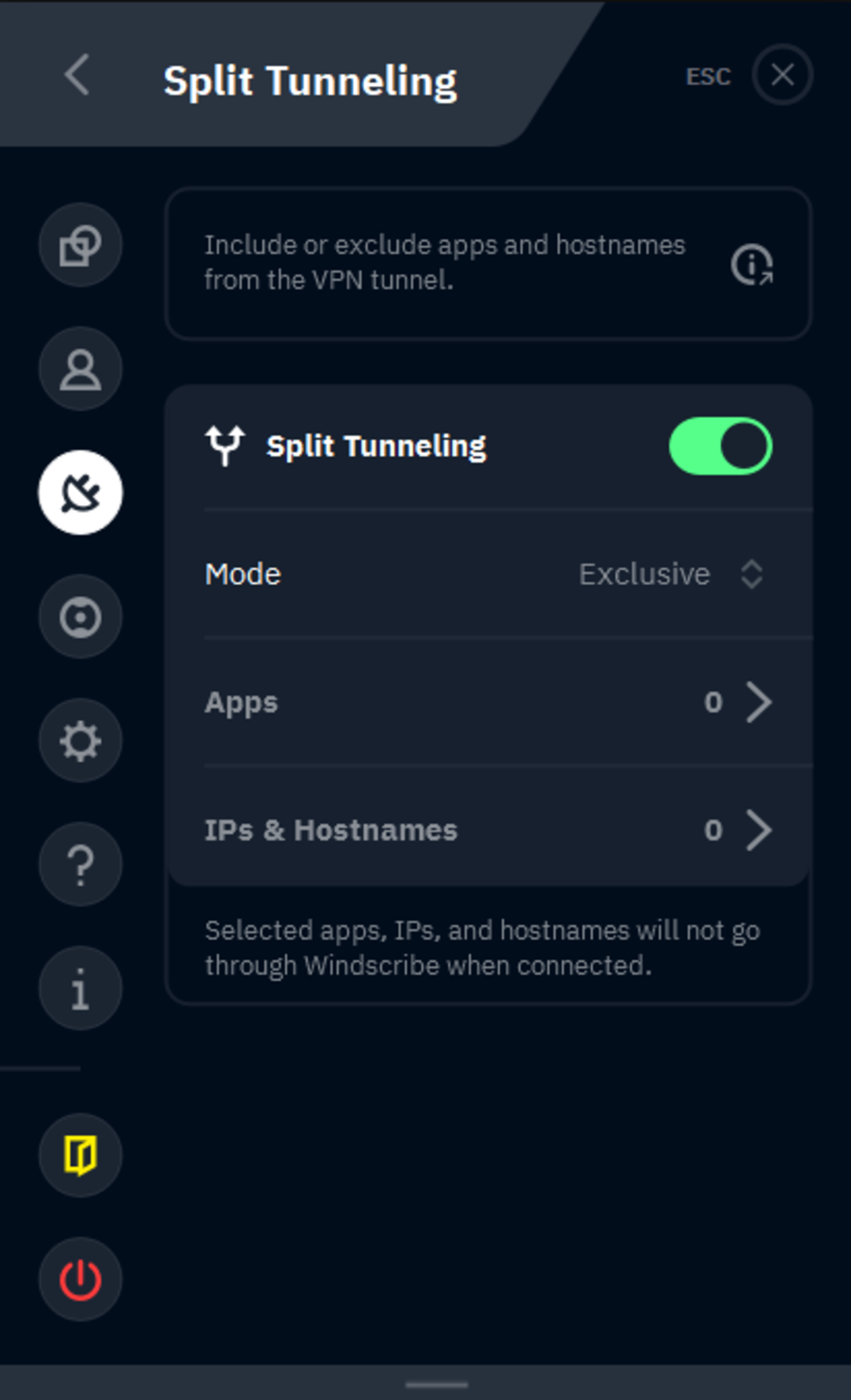
If you have to go the manual route, this is where things can get a bit tricky and/or sensitive. Enabling the wrong toggle could produce the opposite of the network you're aiming for. In Windscribe's example above, the two options for the split tunnel type are Exclusive and Inclusive:
Exclusive apps: Exclusive mode operates as it sounds; any apps you select will be excluded from the VPN network, and their traffic won't be routed through the service while the app is running.
Inclusive apps: Inclusive mode is the opposite. Selected apps will be the only traffic routed through the VPN, while everything else will tunnel over the standard connection.
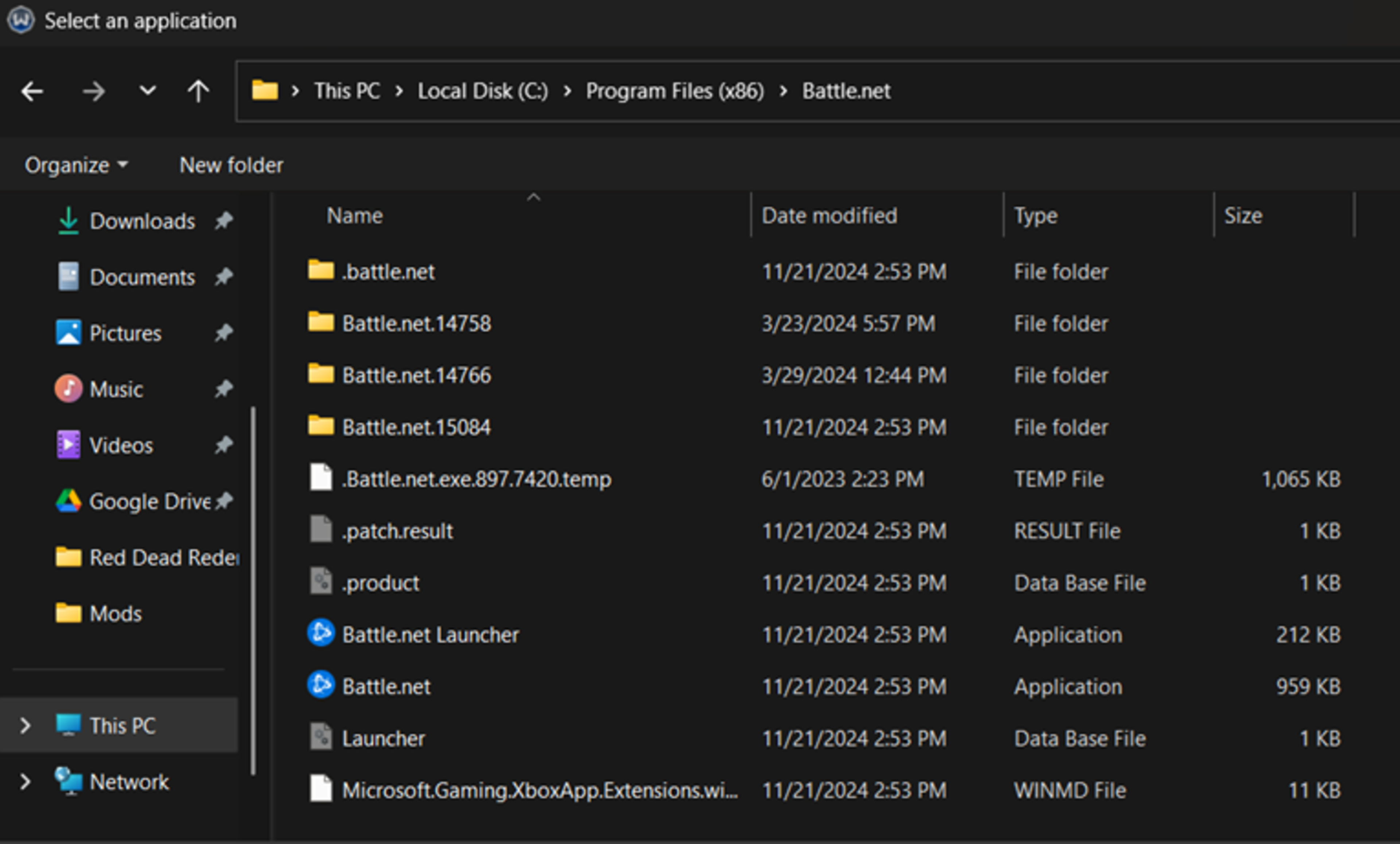
Once you've selected all the apps you want to keep separated from the VPN network, as long as you've turned on the Split Tunnel toggle, you'll have two traffic lanes down which only predetermined packets can travel.
Finally, if you want to get your split tunneling tuned for ultimate customization, select VPN apps will even let you filter for individual IP addresses and hostnames. For example, you can make only Netflix.com filtered via the VPN, while WellsFargo.com is accessed directly through your ISP.
Configuration Note: Split tunneling won't work on any device connected to a router that's already configured to send traffic through the VPN. This configuration is most common in larger homes where dozens of devices, smart TVs, and consoles all need to use the VPN network at once. If you split tunnel from a connected device that passes through a VPN installed at the router layer of the network, that traffic is still routed through the VPN server.
Conclusion
As with most questions in this space, the answer depends on your own use for a VPN service.
VPNs may be useful for hiding internet activities from your ISP or network administrator, but they come with the trade-off of these activities being visible to the VPN instead. It can also impact your speed and latency. If there are only certain apps or activities you want to use a VPN for (like torrenting), then split-tunneling is useful to have the benefits of a VPN when you need it, without the drawbacks of a VPN for other activities.
In these instances, knowing which apps or traffic to customize for specific tunnels and which to leave running on the VPN is critical to keeping your devices and information safe on the web.
Recommended Articles
VPN vs Browser Fingerprinting
The 3 Best VPNs For Torrenting of 2025
Your VPN Kill Switch Won't Stop All Leaks - 20 VPNs Tested!
The 2 Best Free VPNs of 2025