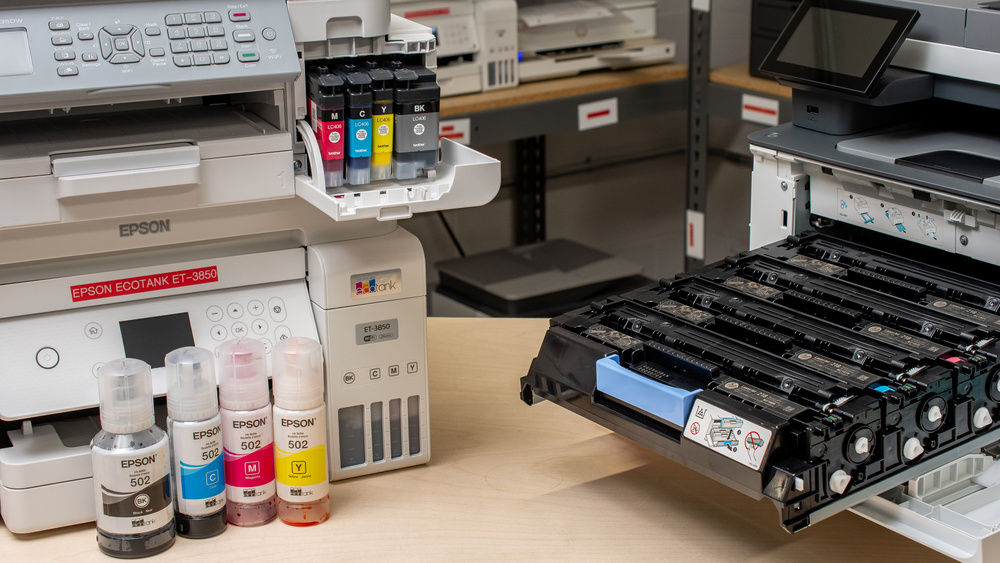
Choosing a printer can be quite a daunting task. To the uninitiated, walking in the printer aisle or scrolling through online listings can feel like staring at rows of black boxes with obscure model numbers. This article aims to provide guidance on finding the right machine for your needs by asking the right questions. Starting with one of the most important differentiators between printers: the print technology they use. The laser printer vs inkjet debate is probably the first decision you'll have to make once you've established your budget.
How Each Technology Works and Its Benefits for Printing Quality
Before diving into the practical differences, it helps to understand the basics. Inkjet and laser printers approach the same job in two very different ways. These two technologies have been on the market for a long time, and both have inherent advantages and limitations; going over them will already help you have a better idea of which one best suits your needs.
Inkjet Printers
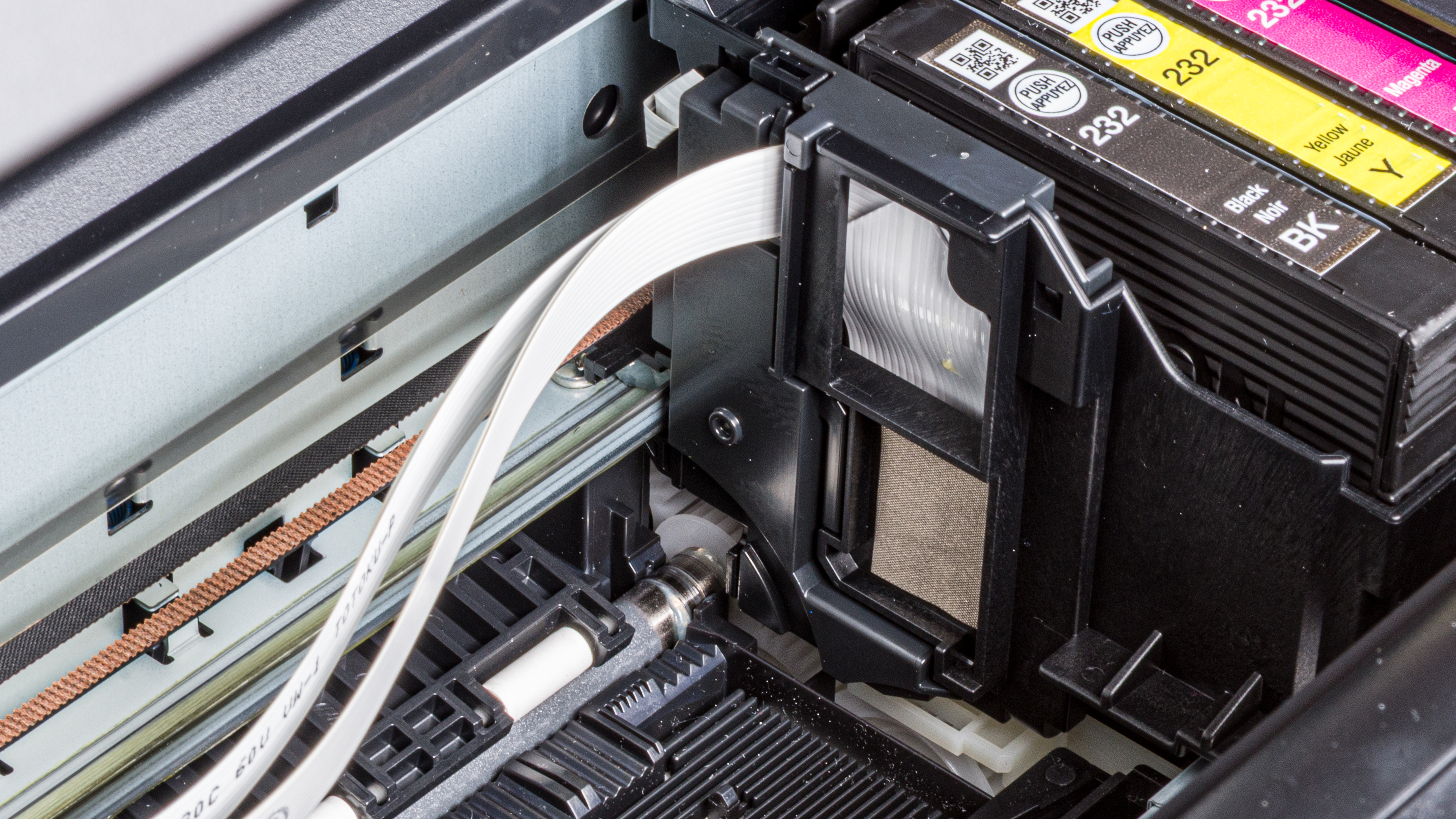
The basic idea behind how inkjet printers work is relatively straightforward. They use a set of heating resistors embedded in the printhead and tiny nozzles to push out microscopic droplets of liquid ink onto paper. Some printers, primarily higher-end Epson models, utilize Piezo-driven printheads instead of heat to eject ink. In that case, an electric current is combined with a piezoelectric crystal that expands and contracts when an electric voltage is applied, precisely pushing the ink out of the nozzles. The printhead then moves from left to right using a belt mechanism to create the desired pattern. Because the liquid ink blends naturally, an inkjet printer can produce subtle color transitions, which are ideal for the minute and nuanced color work required to print photographs. That said, since the printhead must move from left to right on the page to print each section, they tend to be much slower than their laser counterparts, with speeds that rarely exceed 25 pages per minute.
Laser Printers
Laser printers, on the other hand, rely on a process that uses both static electricity and heat to fuse a toner powder to the paper. A laser beam strikes the rotating drum, creating an electrostatic pattern that corresponds to the image we want to print. A developer roller then supplies a toner powder that adheres to the electrically charged pattern on the drum. In the meantime, the sheet of paper we want to print on is given an opposite charge designed to attract the toner particle. Finally, the paper passes through a fuser unit where heated rollers melt and bond the toner to the paper. This makes for a print that's smudge-proof and very precise.
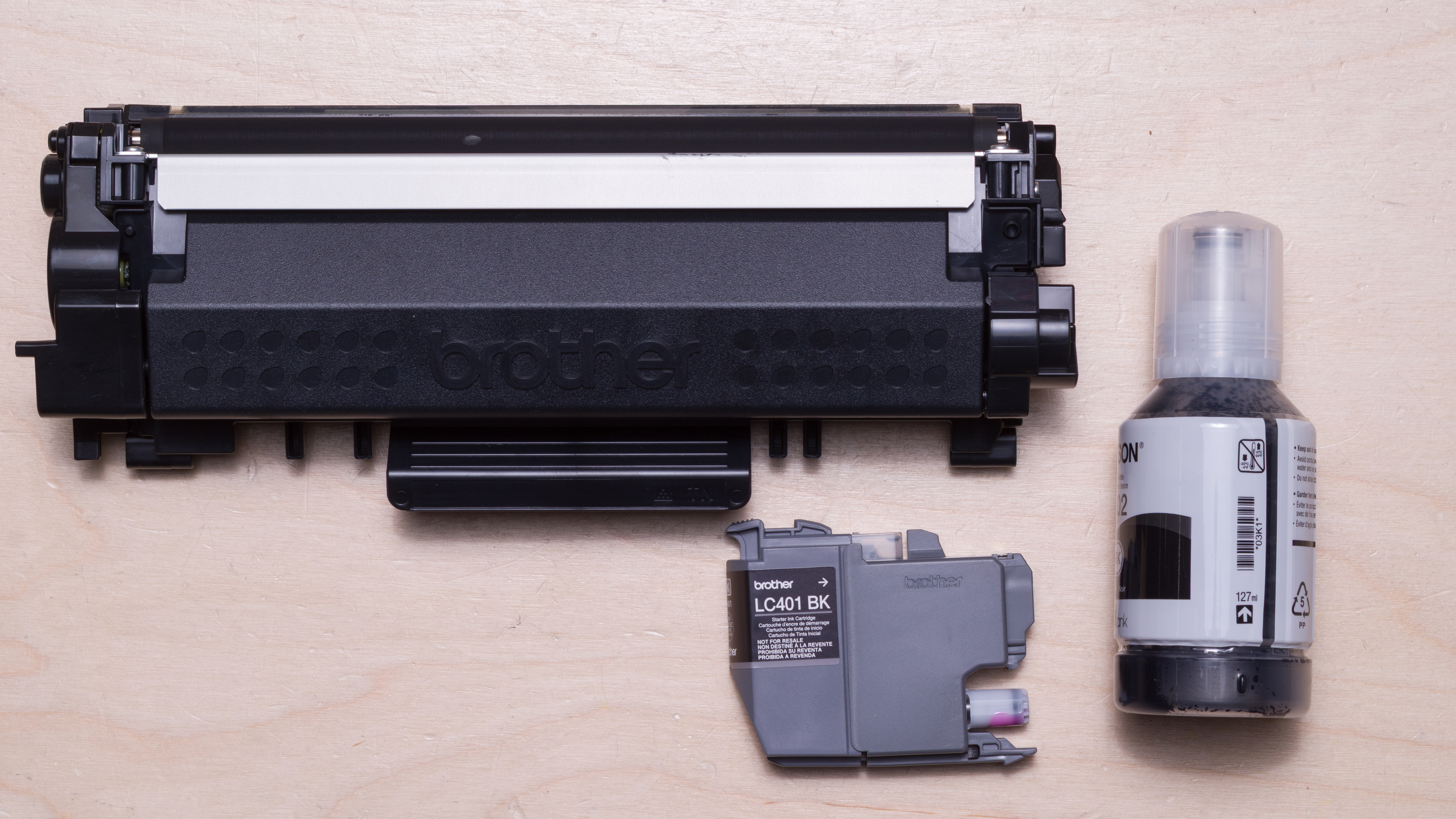
This is why laser printers are ideal for printing text. Letters are extremely crisp even on the cheaper models, which makes them ideal for documents. Laser printers are also very fast, often reaching speeds upwards of 30 pages per minute. They're also usually better suited to heavy workloads, which is why most office environments will opt for this print technology. However, this method has some intrinsic limitations when it comes to producing nuanced colors compared to inkjet technology.
The Benefits for Printing Quality
Let's now examine how both types of printers perform in various printing scenarios, using results from reviews we have published. We used two of the most well-regarded models from each category in our comparison: the laser Brother MFC-L8905CDW and the inkjet Epson EcoTank Photo ET-8550.
Photo Printing Comparison
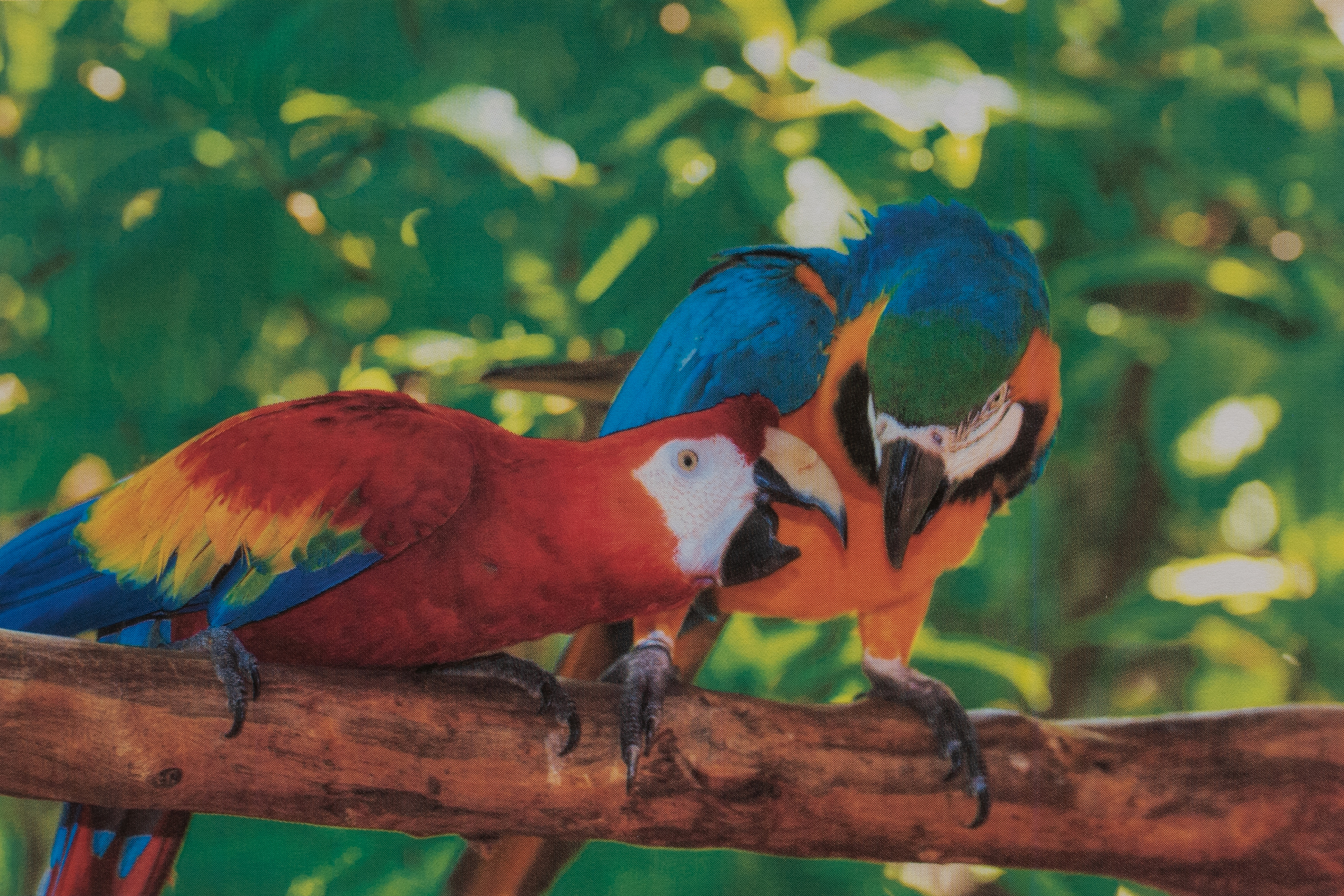
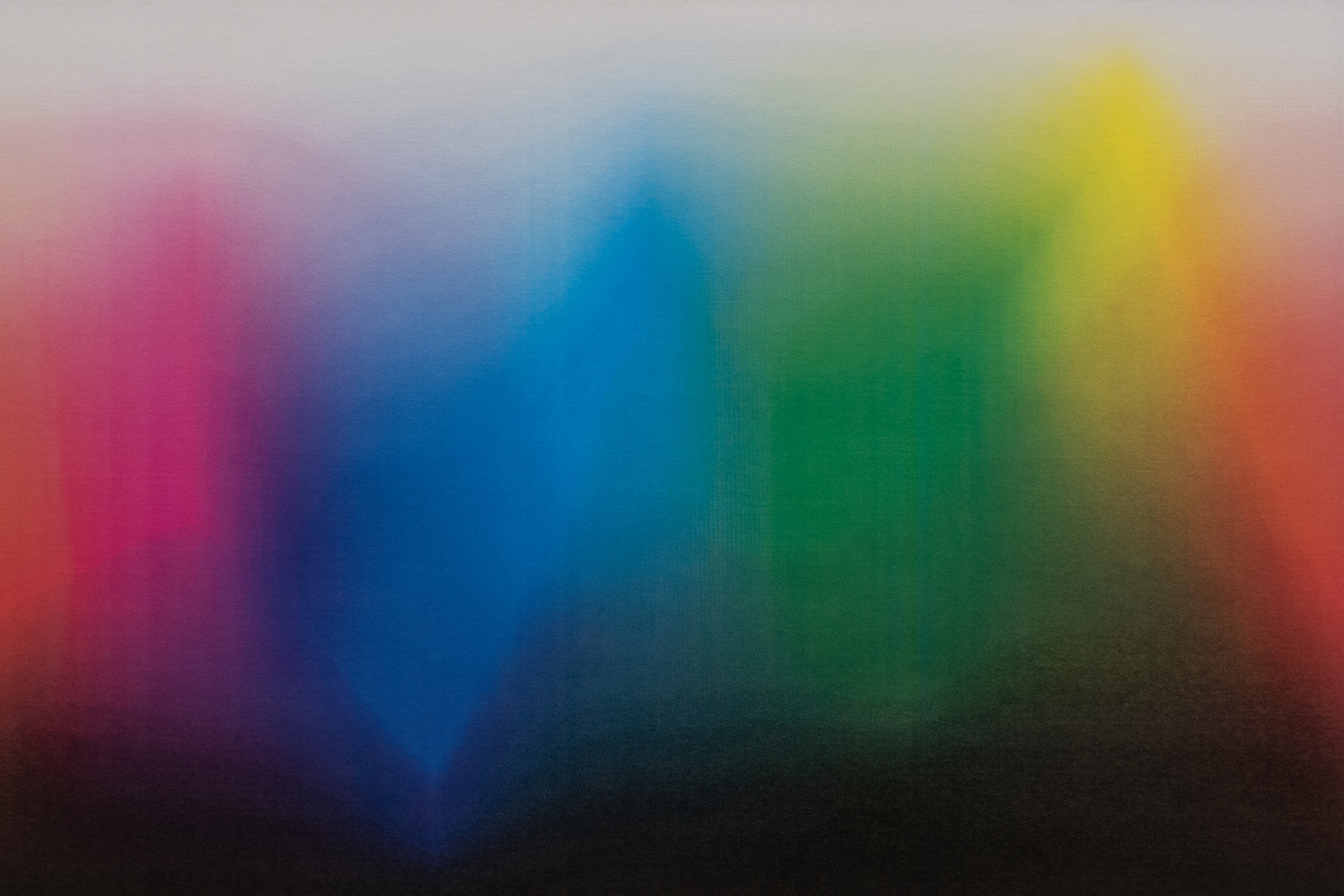
You can see the printing results from the color gamut test below, as shown in our laser Brother MFC-L8905CDW review on the left, and the same test performed for the inkjet Epson EcoTank Photo ET-8550 printer review on the right. Both printers are high-end models that deliver some of the best results in their respective categories. However, it's clear that the inkjet is much better at delivering detailed and nuanced color reproduction.
 |
 |
 |
 |
Document Printing Comparison
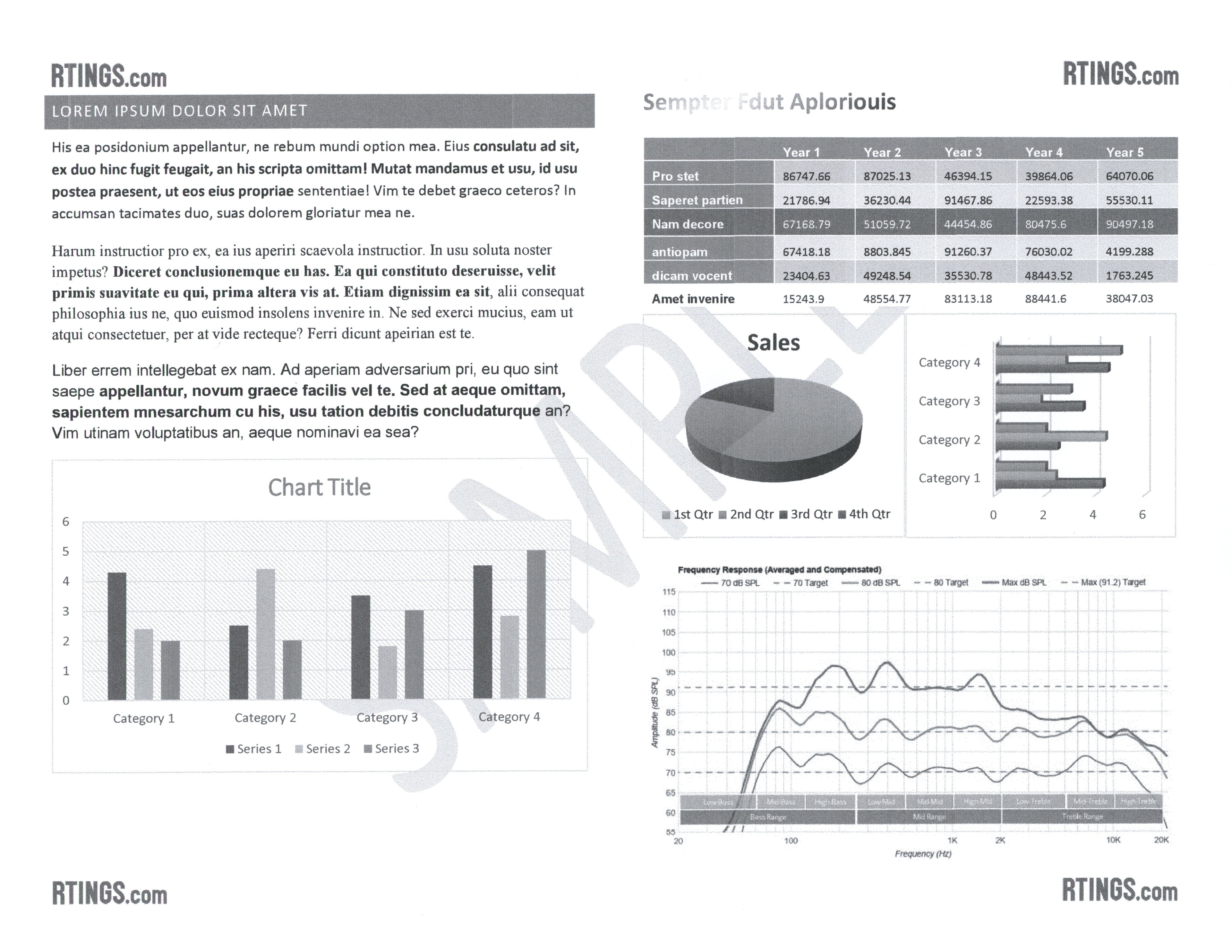
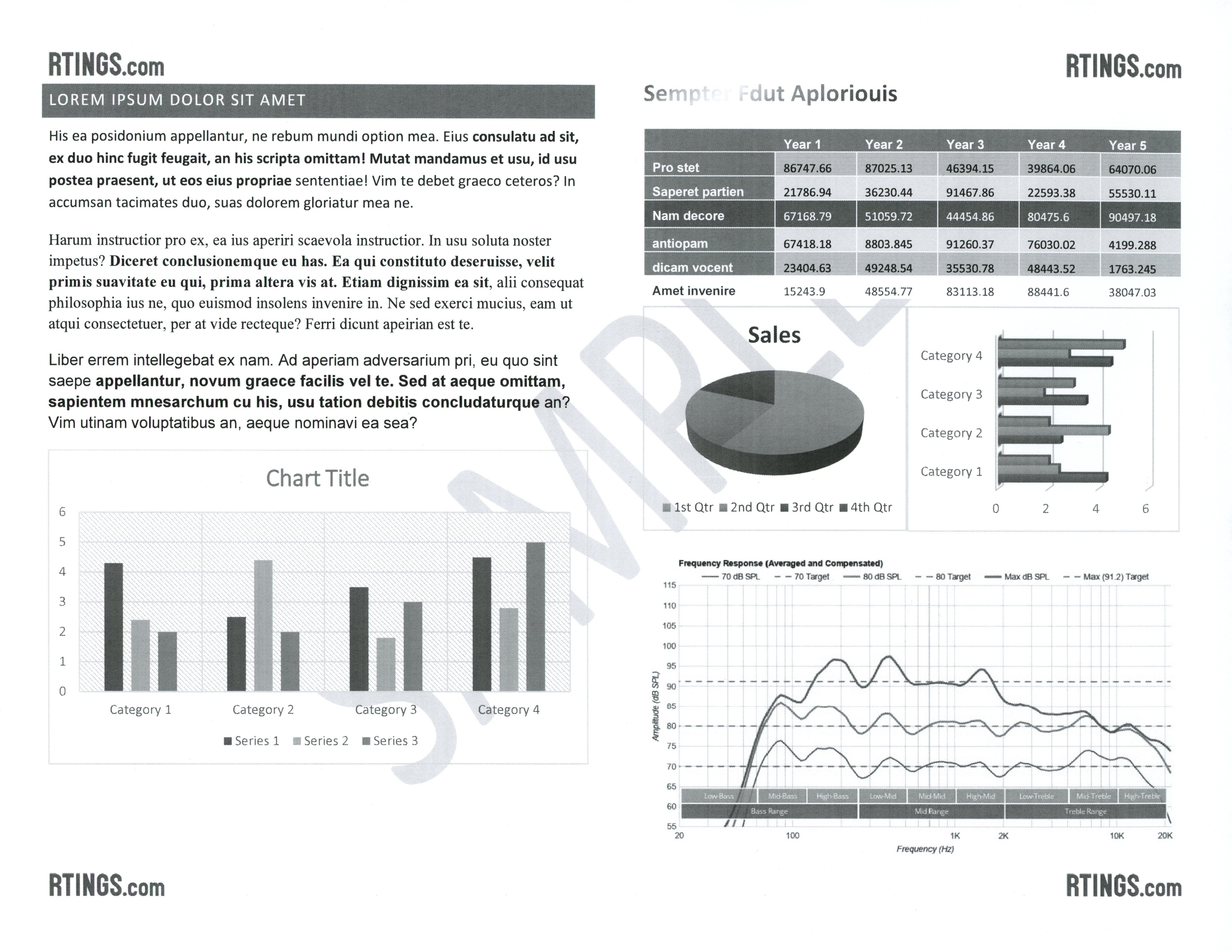
You can see the printing results from the black-and-white printing test below. The inkjet Epson EcoTank Photo ET-8550 printer produced the sample at the top, while the laser Brother MFC-L8905CDW produced the sample at the bottom. While the inkjet Epson printer delivers a very good print quality in its own right, the laser Brother is much cleaner across the board. Letters are very sharp and clear, with all fine elements visible, and this quality is achieved while printing at more than twice the speed.
 |
 |
Maintenance and Risk of Clogging
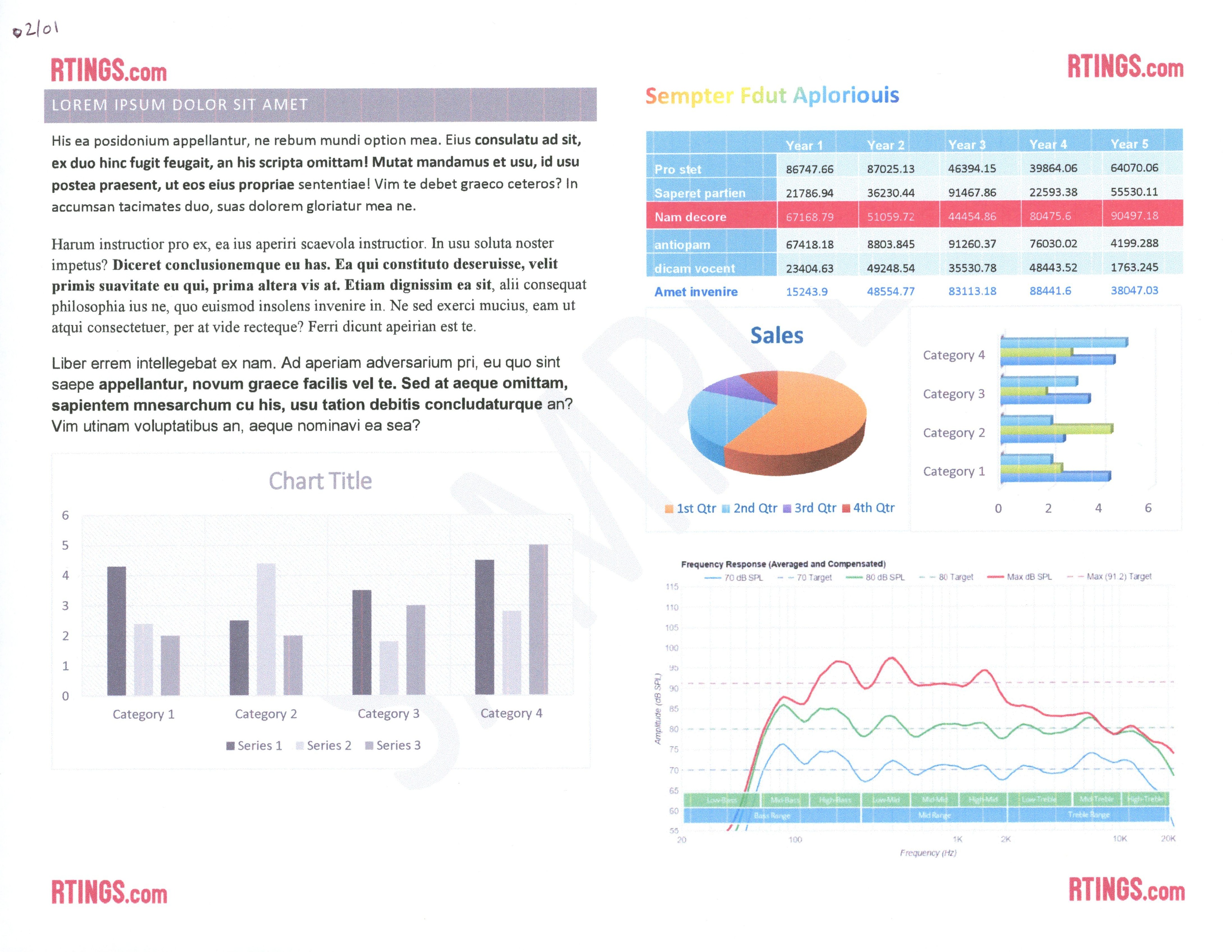
Another very important aspect to consider is clogging. Unlike laser printers, which are immune to this issue, all inkjet printers can experience clogging. Because inkjet printers use liquid ink, the nozzles can dry out if the printer sits unused for too long. Some printers perform scheduled self-maintenance by automatically printing test patterns or running cleaning cycles to prevent clogging, but this consumes ink over time. Households with irregular printing routines may find this frustrating. Many environmental conditions, such as low humidity, dust, temperature fluctuations, or exposure to direct sunlight, can accelerate the drying of ink and increase the likelihood of clogs when an inkjet printer is left idle. To reduce these risks, it's wise to print a small page from time to time and keep the printer in a cool, stable environment away from heat and harsh light. When a printer is clogged, it can affect your print quality. You'll see some unwanted lines appear, or an ink color may be completely blocked. You can see a sample below from the Epson Expression Home XP-4200, which clogged after being left unused for four days. While this was a relatively mild clog, it had a definite impact on the print quality.
If your printer does clog, printers have built-in tasks to try to flush out the clog. Depending on the printer's printhead location and replaceability, resolving a clog can be as straightforward as replacing the cartridge, or it may leave you with no choice but to contact a professional for repair. You can find more information on the risk of clogging and the ease of unclogging directly in our printer reviews.
Upfront Cost and Cost-Per-Print
One mistake many customers can make when looking for a budget-oriented printer is to look for the cheapest option without considering the cost-per-print. While it's not an exact rule that applies all the time, many of the cheaper printers will actually cost more to replenish over time, making them a worse value in the long run if you have moderate printing needs. You can refer to the Cost-Per-Print and Page Yield test boxes in our reviews for guidance.
When it comes to price, both types of printers have widely varying prices, but laser printers are generally more expensive to purchase upfront. Many entry-level laser printers, such as the Brother HL-L2460DW, are monochrome models specifically designed for printing documents. While they excel at this task, these budget options are far less versatile than competing inkjet models in that price bracket. However, they compensate for this lack of versatility with usually excellent page yields, which translate into printers that are usually cheaper to run over time compared to their inkjet counterparts. That said, inkjet technology has an ace up its sleeve: printers that use supertank cartridges. These printers use refillable tanks instead of regular cartridges. Not only is this more eco-friendly, but it also allows them to reach outstanding page yields. Models like the Epson EcoTank ET-3950 can reach more than 6,500 black-and-white prints and 3,500 color pages before needing a refill. The ink bottles also cost a fraction of the cost of toners that would provide similar yields. This type of printer is an excellent choice for people who print regularly.
All in all, as a general rule, inkjet printers that use regular cartridges are cheaper upfront but cost more over time. Laser printers are more expensive to purchase, and their toners also cost more; however, they last longer, which usually makes them a better value the longer you use them. Finally, supertank inkjet printers have a higher starting price on average than other inkjet printers, but offer the best value over time in terms of cost-per-print, thanks to their outstanding page yields and low refill costs.
What Is the Best Printer for You?
With all this in mind, here are some questions that may help you decide on which print technology better suits your needs:
What do I print most often: photos, text documents, or a mix of both?
- Photos → Inkjet
- Text documents → Laser
- Mixed use → Inkjet
Will the printer sit unused for long stretches, or will it be used regularly?
- Long gaps between prints → Laser
- Regular use → Inkjet or Laser
How many pages do I realistically print each month?
- Low to moderate volume → Inkjet or Laser
- High volume → Laser
- Most supertank printers are designed to sustain at least 1,000 pages/month and can represent an excellent cost-effective option.
Do I need fast printing for large jobs?
- Yes → Laser
- No → Inkjet or Laser
Do I need to print on specialty media, like labels, envelopes, or glossy photo paper?
- Glossy photo paper or creative media → Inkjet
- Standard office media → Laser or Inkjet
Conclusion
Ultimately, the best printer technology for you in the laser printer vs inkjet printer debate will depend entirely on your specific needs. Each type of printer has its perks and weaknesses, so the first step is to assess your needs to find the best printer that suits your workflow. You can also consult our recommendations for the best home printers, the best inkjet printers, the best laser printers, the best office printers, and the best cheap and budget printers.
A table summary with the salient facts:
| Feature / Consideration | Inkjet Printers | Laser Printers |
|---|---|---|
| Print Quality | Excellent for photos, smooth color gradients, rich saturation | Very sharp text, solid for charts and graphics |
| Speed | Generally slower; better for smaller print batches | Fast, efficient, ideal for large batches |
| Best For | Photos, creative projects, mixed home printing | Documents, reports, high-volume printing |
| Upfront Cost | Usually lower | Usually higher |
| Cost Per Page | Higher unless using tank-based systems | Usually lower |
| Maintenance | Risk of clogging with infrequent use | No risk of clogging |
| Media Flexibility | Great with specialty papers and glossy photo stock | More limited; best with standard paper |
| Size | Typically compact and lightweight | Bulkier, especially color models |
| Long-Term Reliability | Best for regular moderate or light use | More adapted for heavy workloads |