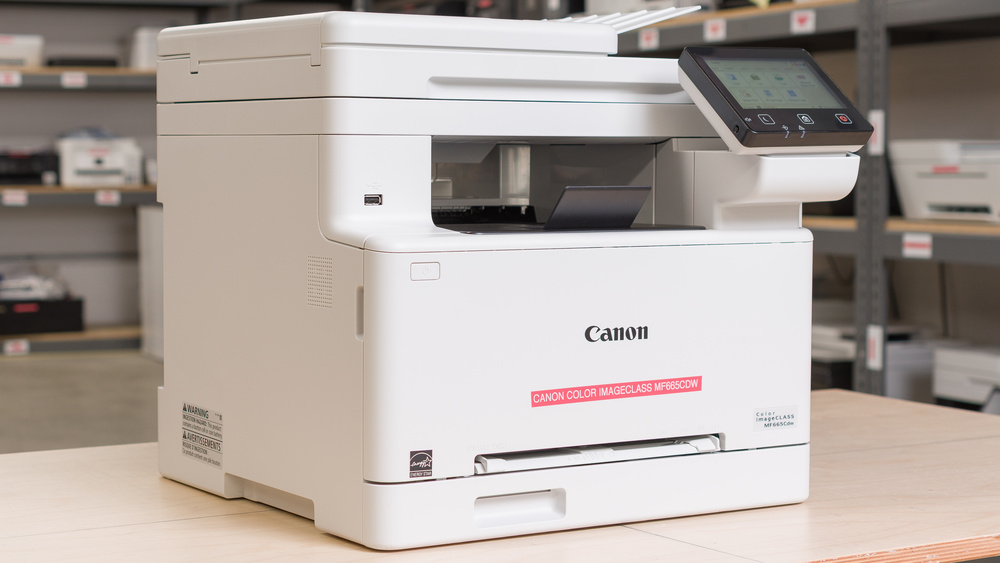
Canon Color imageCLASS MF665Cdw  Printer Review

Reviewed Nov 05, 2025 at 03:07pm
Writing modified Dec 04, 2025 at 05:00pm
Tested using Methodology v1.3 
Canon Color imageCLASS MF665Cdw
7.7
Home 
9.3
Small Office 
9.5
Set-And-Forget 
4.3
Photo 
9.8
Page Yield 
8.3
Printing Speed 
9.5
Document Quality 
9.4
Scanning 
 1
  1. Recommended in:
  2. Small Business

The Canon Color imageCLASS MF665Cdw is an all-in-one color laser printer primarily designed for small businesses with high printing needs. It's compatible with Canon's 075 toner cartridges available in both standard and high-yield versions. This is the successor to the Canon Color imageCLASS MF656Cdw/MF654Cdw, which is a staple in this segment. This new model offers slightly improved print quality and print speeds. It offers a lot of flexibility when it comes to connectivity. It includes USB, Ethernet, Wi-Fi, as well as support for both Apple AirPrint and Mopria Print service.

Our Verdict

7.7
Home 

The Canon Color imageCLASS MF665Cdw is well-suited for home use, provided photo printing is not a priority. It produces sharp and detailed documents, although, like most color laser printers, it is not ideal for printing photos because images tend to lack detail and appear flat and dull. The scanner captures fine details very well, and it's very fully featured. Its toner cartridges have a long lifespan, keeping maintenance costs low and reducing the need for frequent replacements. The printer also offers a variety of connectivity options, making it easily accessible for all family members. You should also note that it's a fairly large printer, primarily designed for small offices, so you will need to find a suitable location to store it.

Pros
  • Prints very sharp documents.

  • High page yield, low cost per print.

  • Wide connectivity options.

  • No risks of clogging if left unused for long periods.

  • Outstanding scan quality.

Cons
  • Narrow color gamut.

  • Can't reproduce fine details in photos.

  • Can't print on glossy paper.

9.3
Small Office 

The Canon Color imageCLASS MF665Cdw is an excellent choice for small offices. It delivers very sharp documents and prints at speeds of up to 26 pages per minute, making it ideal for an office environment. Its page yields are also excellent, with potential for even better results using high-yield cartridges. The printer requires minimal maintenance and features an ADF-equipped scanner that efficiently handles multi-page and double-sided documents. With a wide range of wired and wireless connectivity options, it is convenient to use in various office setups.

Pros
  • Prints very sharp documents.

  • Fast printing speeds.

  • ADF with automatic duplex scanning.

  • High page yield, low cost per print.

  • Wide connectivity options.

  • No risks of clogging if left unused for long periods.

  • Outstanding scan quality.

Cons
None
9.5
Set-And-Forget 

The Canon Color imageCLASS MF665Cdw is a remarkable option if you need a reliable, low-maintenance printer that is always ready to work. As a laser model, it avoids clogging entirely, even after long periods of inactivity. Its cartridges last for thousands of pages and come with the drum unit included, reducing upkeep and simplifying replacements. It also offers a wide range of connectivity options, so you can print easily from virtually any device.

Pros
  • Fast printing speeds.

  • High page yield, low cost per print.

  • Wide connectivity options.

  • No risks of clogging if left unused for long periods.

Cons
None
4.3
Photo 

Like every laser printer, the Canon Color imageCLASS MF665Cdw performs poorly when printing photos. Images appear to have low resolution and display a limited color range. The visible printing pattern further reduces detail, which is a common issue with laser printers.

Pros
None
Cons
  • Narrow color gamut.

  • Can't reproduce fine details in photos.

  • Can't print on glossy paper.

9.8
Page Yield 

Page yields on the Canon Color imageCLASS MF665Cdw are outstanding. You'll be able to print more than 2,000 pages without needing to change your toner. This already outstanding result can be expanded if you opt to use the high-yield cartridges.

Pros
  • High page yield, low cost per print.

Cons
None
8.3
Printing Speed 

This Canon Color imageCLASS MF665Cdw offers fast printing speeds for both black and white and color documents. It can produce up to 26 pages per minute for both. It's also relatively quick to warm up. The first page typically takes around 16 seconds to print.

Pros
  • Fast printing speeds.

Cons
None
9.5
Document Quality 

The Canon Color imageCLASS MF665Cdw delivers remarkable document quality. Text appears crisp, and fine details are clearly reproduced.

Pros
  • Prints very sharp documents.

Cons
None
9.4
Scanning 

The Canon Color imageCLASS MF665Cdw delivers excellent scan quality. The text appears sharp, and fine details, such as graph lines, are clear and easy to see, although some colored areas may appear slightly grainy. The scanner is equipped with many useful features, including an automatic document feeder that supports single-pass duplex scanning for quick processing of multi-page and double-sided documents. Its flatbed scanner also has extendable hinges, allowing it to accommodate thicker materials such as textbooks and magazines.

Pros
  • ADF with automatic duplex scanning.

  • Outstanding scan quality.

Cons
None
  • 7.7
    Home
  • 9.3
    Small Office
  • 9.5
    Set-And-Forget

  • Performance Usages

  • 4.3
    Photo
  • 9.8
    Page Yield
  • 8.3
    Printing Speed
  • 9.5
    Document Quality
  • 9.4
    Scanning
  • Changelog

    1.  Updated Dec 16, 2025: 

      We've updated text throughout the review after converting to Test Bench 1.3.

    2.  Updated Dec 16, 2025: We've updated the review to Test Bench 1.3, which adds a number of test boxes including Risk of Clogging and Ease of Unclogging. We also updated the Usage and Performance boxes at the top of the review to better integrate the new aspects covered. See the changelog.
    3.  Updated Nov 05, 2025: Review published.
    4.  Updated Oct 30, 2025: Early access published.

    Check Price

    WhiteColor imageCLASS MF665Cdw
    SEE PRICE
    Amazon.com
    WhiteColor imageCLASS MF662Cdw
    SEE PRICE
    Amazon.com
    WhiteColor imageCLASS MF663Cdw
    SEE PRICE
    B&H

    Differences Between Sizes And Variants

    We tested the Canon Color imageCLASS MF665Cdw. There are several variants of the Canon Color imageCLASS MF66XCdw series. Here's the label of our variant.

    Model ADF Duplex Scanning (automatic from ADF) Automatic Duplex Printing Fax
    imageCLASS MF662Cdw 50-sheet ADF  Yes  Yes  No 
    imageCLASS MF663Cdw 50-sheet ADF No  Yes  No
    i-SENSYS MF664Cdw (European market) 50-sheet ADF  No (not listed)  Yes  No
    imageCLASS MF665Cdw 50-sheet ADF Yes (duplex single pass) Yes  Yes 

    Popular Printer Comparisons

    The Canon Color imageCLASS MF665Cdw offers one of the most comprehensive packages for a small office in the upper mid-range segment. It's very well-built and prints high-quality documents. This is the successor to the Canon Color imageCLASS MF656Cdw and is overall very similar, with slightly improved print quality and printing speeds. While its page yields are not as high as those offered by competing SuperTank printers, such as the Epson EcoTank ET-4950, the results are very respectable. This means that most small or home offices with low to moderate print volumes shouldn't have to replace their toner cartridges often. Its scanner includes all the features you might expect, including single-pass duplex-scanning and fax. Scan quality is also outstanding, with an impressive amount of detail retained. Whether it's for printing or scanning, this printer is also very quick, which is ideal for a small business environment where time is of the essence.

    The primary issue you may encounter is photo printing. Like every other laser printer, it's not well-suited for that type of workload due to its narrow color gamut and lack of detail. An inkjet printer, such as the Epson EcoTank ET-3950, will be much better suited for that kind of task. Additionally, as mentioned above, SuperTank printers still have the edge in terms of cost per print. Also, if you don't need to print in color, lower-priced models like the Brother MFC-L2820DW also represent great alternatives.

    If you're looking for alternatives, check out our recommendations for the best home printers, the best laser printers, and the best office printers.

    Canon Color imageCLASS MF753Cdw/MF751Cdw

    The Canon Color imageCLASS MF665Cdw offers better overall value than the Canon Color imageCLASS MF753Cdw and MF751Cdw, even though they’re quite similar. It’s a bit more compact while providing nearly the same range of scanning features. The MF753Cdw and MF751Cdw, however, deliver slightly quicker performance for color document prints. The biggest difference lies in their toner systems: the MF665Cdw uses 075 cartridges with a significantly higher yield than the 069 cartridges in the MF75X series, resulting in a noticeably lower cost per print. In testing, the MF665Cdw also produced scans with a bit more detail.

    Canon Color imageCLASS MF656Cdw/MF654Cdw

    The Canon Color imageCLASS MF665Cdw is the successor to the Canon Color imageCLASS MF656Cdw. Both printers are very similar in terms of performance and feature set. The newer imageCLASS MF665Cdw does slightly improve print quality with marginally crisper results. It's also quicker at 26 pages per minute compared to 22 PPM. However, if you can find the MF656Cdw at a slightly lower price, it may be a better deal. 

    Epson EcoTank ET-3950

    The Epson EcoTank ET-3950 and the Canon Color imageCLASS MF665Cdw target a similar market but differ in their strengths. Both come with fully featured scanners that include automatic document feeders, duplex scanning, and fax capabilities. The Epson is cheaper and it stands out for its low long-term cost per print. Its high-yield, SuperTank cartridges are very cheap to refill. It's also a solid choice for photo printing, unlike the Canon, which relies on laser technology not intended for that purpose. The Canon, on the other hand, is faster and better suited for time-sensitive workloads. It also doesn't clog if left unused for a certain period, unlike inkjet printers. It also produces more detailed scans and printed documents. Overall, while they target a similar market, each printer excels in different areas.

    Brother MFC-L8905CDW [MFC-L8895CDW, MFC-L8900CDW]

    For most purposes, the Brother MFC-L8905CDW is a bit better than the Canon Color imageCLASS MF665Cdw. It has a higher-capacity ADF, scans faster, and offers a higher maximum print speed. It's also compatible with ultra-high-yield toner cartridges, which help drastically lower its cost-per-print. The Canon, however, has a scanner lid with a wider height adjustment range, making it easier to scan thicker books and documents. It also includes the drum directly in its cartridges, while the Brother's drum needs replacing after about 30,000 prints. This isn't inherently better, but it makes maintenance more straightforward. The Canon’s smaller footprint can also be an advantage if you're short on space.

    Test Results

    perceptual testing image
    Sort:
    RATINGS
    Category:
    All
    Design
    9.0
    Build Quality
    TypeAll-In-One

    This printer's build quality is outstanding. The plastic used is solid, and the design is well thought out. The scanner is height-adjustable with good vertical travel, which is ideal for books. However, while its predecessor, the Canon Color imageCLASS MF656Cdw, has a safety damper to prevent the lid from closing abruptly, this printer doesn't. That said, the lid is weighty and thick enough to keep documents flat, and the front drawer hinges are equally well-made.

    When it comes to maintenance, this printer is also pretty straightforward. You can access the sheet rollers from the back, and the toner cartridge drawer slides open easily. Toner replacement is simple: open the front panel, pull the blue lever forward, and follow the placement legends located on the right side of each cartridge row.

    5.1
    Dimensions
    Height15.2" (38.5 cm)
    Width16.3" (41.5 cm)
    Depth18.1" (46.0 cm)
    Max Height
    16.1" (41.0 cm)
    Max Width
    18.7" (47.5 cm)
    Max Depth
    18.5" (47.0 cm)
    Weight
    41.2 lbs (18.7 kg)
    9.0
    Display Screen
    Display ScreenYes
    Display Screen Size
    5.0" (12.7 cm)
    TouchscreenYes

    The display on the Canon imageCLASS MF665Cdw is outstanding. It's big and clear. It also handles reflections pretty well. Its angle is adjustable, which is a good thing, because viewing angles are mediocre. The interface is easy to use and reasonably responsive, featuring large and clearly labeled icons.

    9.8
    Cartridge
    SuperTank
    No
    Photo Cartridge
    No
    ColorYes
    Number Of Color Cartridges
    3
    Black Cartridge Model
    Toner 075 Black
    Tested Black Page Yield
    121.64 prints
    Estimated Black Page Yield
    2,311 prints
    Color Cartridge Model
    Toner 075 C/M/Y
    Tested Color Page Yield
    105.67 prints
    Estimated Color Page Yield
    2,422 prints
    Third-Party Cartridge
    Not Found At Time Of The Review
    Ink Type
    Toner
    High Yield Cartridge
    Yes

    Like its predecessor, the Canon Color imageCLASS MF656Cdw, this printer has an outstanding page yield. Its 075 toner cartridges can last for around 2,300 black and white or color pages, which is significantly more than the advertised 1,300 estimate. Even higher numbers can be achieved using the 075H High Yield Capacity, which has advertised C/M/Y yields up to 2,500 pages and black yields up to 3,500 pages.

    The printer will warn you when toner is running low and note that print quality may be affected. You can print without interruption, regardless of the remaining toner supply. In our experience, we were able to continue printing for a while before the print quality actually began to fade.

    For example, for our black yield, where we print 80% covered Letter format pages until print quality deteriorates, we received a warning at 90 pages, an end-of-life status at 110 pages, and then it finally started to fade after 121 pages.

    8.5
    Expected Maintenance
    Ink Related Maintenance
    Not Needed
    Drum Unit
    In The Cartridge

    This printer will require minimal maintenance. It features a 250-sheet main input tray, which reduces the need for frequent refills unless you regularly print lengthy documents. You can access the toner cartridges by opening the front cover and pulling out the drawer. The drum unit is integrated into the cartridges, which simplifies user maintenance. Unlike inkjet models, this printer poses no risk of clogging during extended periods of non-use. Thanks to their high page yield, toner replacements should be infrequent for most small or home offices with low to moderate print volumes.

    It's easy to clear paper jams thanks to quick access to the sheet rollers from the removable rear cover. The manual feeder tray is accessible from the front after removing the paper tray. If you experience print quality issues, several built-in functions can help, including Auto Adjust Gradation, Correct Print Color Mismatch, and Adjust Print Position. Built-in cleaning functions are also available, such as Clean Fixing Assembly, Clean ITB (transfer belt), and Clean Feeder. You can access the full user manual here.

    10
    Risk Of Clogging
    Print Technology
    Laser

    This isn't an inkjet printer. As such, it poses no risk of clogging.

    Ease Of Unclogging
    Printhead Location
    No Printhead
    Printhead Serviceability
    No Printhead
    High Flushing Volume
    No
    In The Box

    • Documentation
    • Power cord
    • RJ11 Phone cable
    • Canon 075 starter toner cartridges:
      • 1x Black
      • 1x Cyan
      • 1x Magenta
      • 1x Yellow
    Battery
    Advertised Battery Life
    N/A
    Tested Charging Time
    N/A

    The Canon Color imageCLASS MF665Cdw is a corded printer that doesn't have an onboard battery.

    Efficiency
    8.7
    Cost-Per-Print
    See details on graph tool
    Black Cartridge Price
    83.99 US$
    Color Cartridge Price
    302.97 US$
    Black-Only Printing Cost
    0.036 US$/print
    Color Printing Cost
    0.125 US$/print
    Photo Printing Cost
    0.272 US$/print
    Ink Subscription
    Optional

    The  Canon Color imageCLASS MF665Cdw has excellent cost-per-print. The 075 toner cartridges are somewhat expensive, but they last for thousands of pages, so you won't need to replace them often. High-yield 075H toners will deliver even better results and are definitely worth considering. You can check the Cartridge section for more details. Note that the drum is contained in the cartridges, which might explain their relatively high price, but this does make maintenance easier.

    If it's something that's useful to you, this printer is compatible with Canon's Auto Replenishment Service. When the printer detects that toner levels are low, the service automatically delivers replacement toner to your address.

    8.3
    Printing Speed
    Black Only Text Document
    26 PPM
    Color Document
    26 PPM
    Photo Printing Time
    18.0 s
    Single Page Out Time (Black Only)
    16.0 s
    Duplex Printing
    Automatic
    Input Tray Capacity
    250 pages
    Document
    9.5
    Black & White Documents
    Color Ink Needed For Black & White
    No

    Black and white document print quality is outstanding, with results that are slightly crisper than those of its predecessor, which already had superb print quality. All fine elements are present, even the diagonal lines on the chart that are usually difficult to resolve. The grayscale is also detailed, with clear variation between light and dark tones.

    9.5
    Color Documents

    Color printing is exceptional with very sharp results. Color rendition is a bit oversaturated, but this isn't an issue for documents. The text is crisp, and the graphs and charts are very clear.

    Document Printing Sizes
    Letter (8.5" x 11")Yes
    Legal (8.5" x 14")Yes
    Tabloid (11" x 17")Yes
    A6 (105mm x 148mm)Yes
    A5 (148mm x 210mm)Yes
    A4 (210mm x 297mm)Yes
    Max Paper Weight
    200 g/m²

    You can extend the main paper tray to accommodate sheets up to 216mm x 356mm (8.5" x 14"). A multi-purpose tray located at the front of the printer handles smaller print media, including envelopes and labels.

    Scanner
    9.4
    Scanner Features
    Scanner
    ADF + Flatbed
    ADF Capacity
    50 pages
    Scan Speed
    14 PPM
    Duplex Scanning
    Automatic (Single-Pass)
    Max Flatbed Scan Size
    8.5" x 11"
    Max ADF Scan Size
    8.5" x 14"
    Flatbed Hinge Adjustability
    1.03" (26 mm)
    Fax
    Yes
    Copy
    Yes
    OCR Included
    Software

    The Canon Color imageCLASS MF665Cdw offers a feature-rich scanner. The scan speed is relatively quick, although it falls slightly short of the advertised figures. The automatic feeder (ADF) can process double-sided documents in a single pass without manual sheet flipping. Canon's ScanGear MF Utility offers access to various scanning settings, enabling you to select between the ADF and flatbed scanner, make image adjustments, and enable optical character recognition (OCR). The OCR feature converts scanned documents into searchable .TXT files. It performs well in most cases, although it struggles with uncommon characters or documents that contain images.

    Only Canon lists duplex scanning support for the imageCLASS MF662Cdw and MF665Cdw. We checked the spec sheets for the other variants but didn't find any mention of this feature.

    9.5
    Scan Quality
    Max Scan Resolution
    600 DPI
    Max Scan Color Depth
    24Bit

    Using the flatbed, the scan quality is outstanding. Fine details are all present, text is crisp and highly legible, and colors are accurate. Even the sample watermark, which is often missing on many printers, is present and clear. We used the magazine preset as there was is color document option in the software.

    However, the ADF scan quality is surprisingly lackluster. We tried various settings in Canon's software to improve the results, but to no avail. Here's a sample of the ADF scanner's output. The sample watermark and the lines on both charts are completely missing.

    During our testing, we received an error message saying that the printer might be busy or offline. We noticed that the printer would need to be woken up before scanning. It can happen even after only a couple of minutes of inactivity. This issue was not present for printing.

    Photo
    4.5
    Color Gamut

    Like other laser printers, this printer isn't adapted to print photos at all. While its color rendition is slightly more saturated than its predecessor, it could be usable for some images. However, the color gamut remains very limited, and color transitions aren't smooth.

    6.7
    Color Accuracy
    Average Color dE
    6.70

    Color accuracy is okay. Most colors appear different from the source material, though not drastically so. They still look natural enough for the occasional photo print, color-wise.

    5.0
    Small Details
    Max Print Resolution (DPI)
    1200 x 1200

    While it's not the worst offender in this category, laser printers like the Canon Color imageCLASS MF665Cdw aren't well-suited for producing detailed photos. Print resolution is low, and it's very easy to see the printing pattern.

    0.0
    Photo Printing Sizes
    Glossy Paper (4" x 6")No
    Glossy Paper (5" x 7")No
    Glossy Paper (8" x 10")No
    Glossy Paper (8.5" x 11")No
    Glossy Paper (13" x 19")No
    Borderless Printing
    No

    This printer can't print on glossy photo paper.

    Mobile App And Connectivity
    9.5
    Connectivity
    Wireless
    Yes
    Wi-Fi via Router
    Yes
    Wi-Fi Direct
    Yes
    Bluetooth
    No
    Ethernet
    Yes
    USB Input To Computer
    Yes
    External Storage Support
    Yes
    Apple AirPrint
    Yes
    Mopria Print Service
    Yes

    If you want to print using a USB flash drive, this printer features two USB ports, one located on the front left and the other on the rear.

    9.5
    Mobile App
    Mobile AppYes
    App NameCanon PRINT
    iOSYes
    AndroidYes
    Photo (JPEG, PNG)
    iOS Only
    PDF
    Android and iOS
    Microsoft Office Files
    Android and iOS
    Text Files (TXT)
    iOS Only
    Webpages (HTML)
    No

    The Canon PRINT mobile app offers a wide range of features for managing your printer. It allows you to print, copy, fax, and scan using either the printer itself or your smartphone's camera. You can also operate the printer remotely and perform maintenance or cleaning tasks. However, the app doesn't support direct printing of HTML files. On iOS devices, this limitation can be bypassed by using the "Print from Web" function, which provides access to any website for printing. On Android, you launch the print from the web browser's share function. Printing photos from Android devices is also less convenient, since the app's file browser doesn't display locally saved images as it does on iOS. To print photos on Android, you must select an image from another app, such as the photo gallery or a social media app, and share it to the Canon PRINT app.

    OS Compatibility
    WindowsFully
    macOSFully
    Chrome OSFully

    The printer works on Chrome OS and macOS devices without requiring any drivers or additional apps. We experienced issues installing the Scan Utility and Scan Gear programs on our Mac, as they were unable to detect the printer.

    Windows devices require a driver to be installed. While a generic printer driver will allow basic functionality, it's recommended to install the model-specific driver to access all available features.

















