Epson EcoTank ET-2980  Printer Review

Reviewed Jun 10, 2025 at 12:21pm
Writing modified Jan 06, 2026 at 09:55am
Tested using Methodology v1.3 
Epson EcoTank ET-2980
8.2
Home 
7.3
Small Office 
6.3
Set-And-Forget 
8.3
Photo 
10
Page Yield 
5.7
Printing Speed 
9.0
Document Quality 
6.2
Scanning 
 0

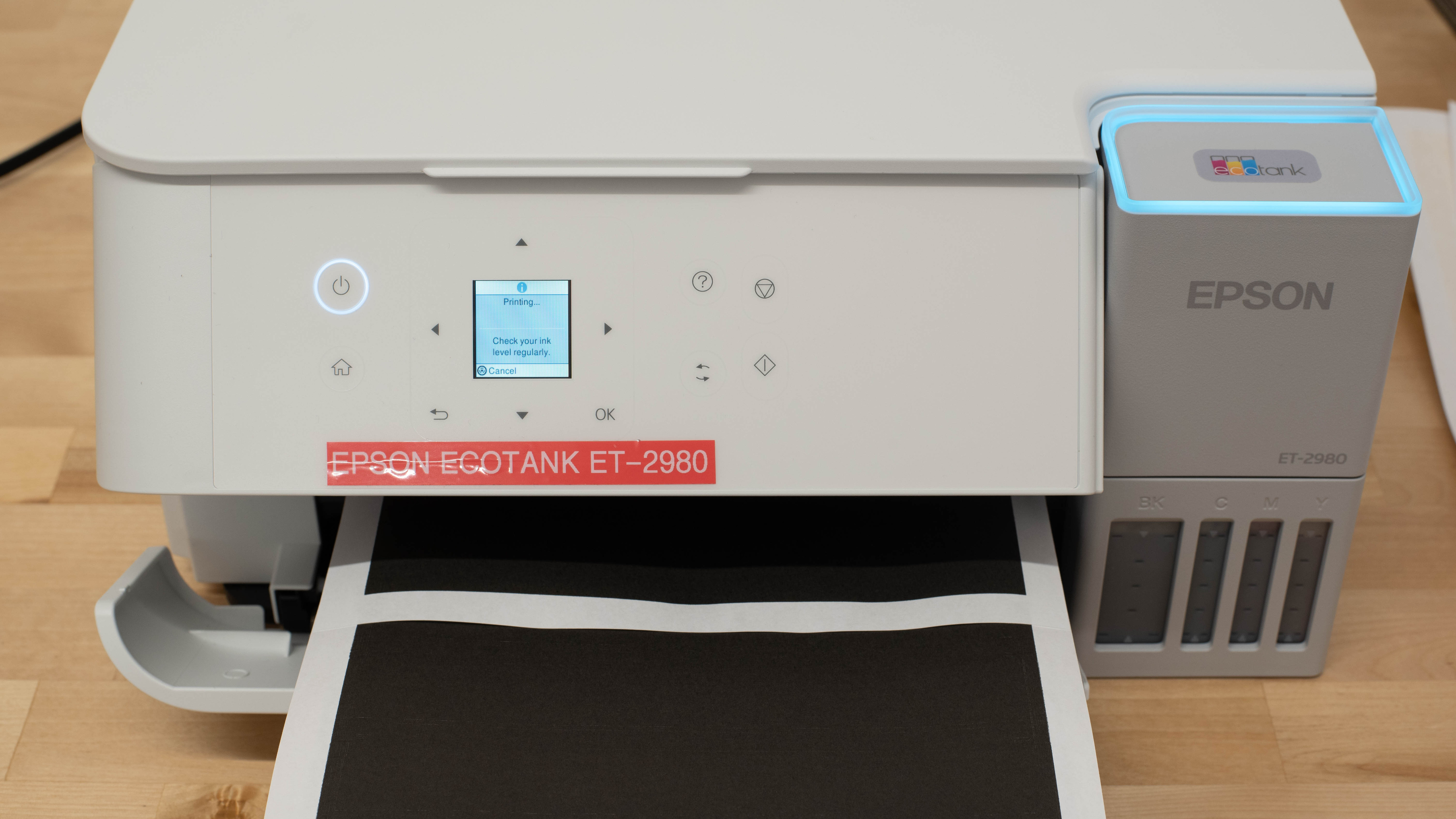
The Epson EcoTank ET-2980 is an all-in-one printer designed mainly for home and small office use. Replacing the Epson EcoTank ET-2850, it features an updated design and faster printing speeds. It uses Epson's 502 pigment black and dye color inks, which are cheap and deliver amazing yields. It has Wi-Fi and USB connectivity, support for Apple AirPrint and Mopria Print Service, and is compatible with Epson's Smart Panel mobile companion app. It has an 8.5" x 11" flatbed scanner but lacks an automatic document feeder and fax functionality.

Our Verdict

8.2
Home 

The Epson EcoTank ET-2980 is a great choice for home use. Its ink bottles are fairly cheap, and its exceptional page yields make it very economical to run. It produces really sharp-looking black-and-white documents, and it's very capable of printing the occasional photo, thanks to its great color gamut. Families that need to scan a large number of documents should consider alternatives, as the lack of an automatic document feeder makes digitizing multi-page documents a tedious process. The printer is also compact, making it easy to store even in more cramped spaces.

Pros
  • High page yields, low cost-per-print.

  • Produces superbly sharp-looking black-and-white documents.

  • Produces detailed pictures.

Cons
  • No automatic document feeder.

  • Mediocre scanner quality.

7.3
Small Office 

The Epson EcoTank ET-2980 is a good choice for a small office, thanks to its outstanding page yields and relatively low maintenance requirements. It can also perform automatic duplex printing, which is practical, and it's quick enough, even if it takes a while to get started. However, if scanning is an important part of your workflow, it can definitely be a limiting factor as its scanner lacks an automatic document feeder and produces average results.

Pros
  • High page yields, low cost-per-print.

  • Produces superbly sharp-looking black-and-white documents.

  • Automatic duplex printing.

Cons
  • No automatic document feeder.

  • Mediocre scanner quality.

6.3
Set-And-Forget 

The Epson EcoTank ET-2980 is a mediocre choice if you're looking for a printer that you can rely on, even if you only use it sporadically. It's an inkjet printer that works best if used regularly. Like most inkjets, leaving it idle can cause the printheads to clog, so occasional printing is recommended to prevent dried ink. While the printheads cannot be replaced, the printer's high-capacity flushing allows for multiple deep-cleaning cycles without needing an ink refill. However, if a clog is more severe than flushing can handle, there are very few options for fixing it. Otherwise, the ink tanks offer impressive page yields, making refills infrequent.

Pros
  • High page yields, low cost-per-print.

Cons
  • Mediocre printing speed.

  • Printheads aren't user-replaceable.

  • Can clog if it's left unused.

8.3
Photo 

The Epson EcoTank ET-2980 is a great photo printer. It's really cheap to run, and it prints really detailed and vibrant photos. Its color accuracy is also acceptable. It tends to slightly oversaturate its colors, and some grain is present, but the photos still appear natural. The printer also supports a wide variety of paper formats.

Pros
  • Excellent color gamut.

  • Produces detailed pictures.

Cons
None
10
Page Yield 

The Epson EcoTank ET-2980 has incredible page yields. Its supertank cartridges can produce thousands of pages before needing a refill.

Pros
  • High page yields, low cost-per-print.

Cons
None
5.7
Printing Speed 

The Epson EcoTank ET-2980's print speed is sub-par. This model even includes automatic duplex printing. Still, photo printing is quite slow, and the time it takes to produce the first page is long.

Pros
  • Automatic duplex printing.

Cons
  • Mediocre printing speed.

9.0
Document Quality 

Black-and-white documents look superb on the Epson EcoTank ET-2980, with crisp text and clearly defined elements like graph lines. There are almost no visible artifacts, and overall sharpness is impressive. Color printing is less impressive, mainly due to the overall muted rendering.

Pros
  • Produces superbly sharp-looking black-and-white documents.

Cons
None
6.2
Scanning 

This scanner is one of the Epson EcoTank ET-2980's weaker points. It's slow, produces overprocessed scans, and lacks an automatic document feeder, which makes scanning long, multi-page documents a chore.

Pros
None
Cons
  • No automatic document feeder.

  • Mediocre scanner quality.

  • 8.2
    Home
  • 7.3
    Small Office
  • 6.3
    Set-And-Forget

  • Performance Usages

  • 8.3
    Photo
  • 10
    Page Yield
  • 5.7
    Printing Speed
  • 9.0
    Document Quality
  • 6.2
    Scanning
  • Changelog

    1.  Updated Jan 06, 2026: 

      We've updated text throughout the review after converting to Test Bench 1.3.

    2.  Updated Jan 05, 2026: We've updated the review to Test Bench 1.3, which adds a number of test boxes including Risk of Clogging and Ease of Unclogging. We also updated the Usage and Performance boxes at the top of the review to better integrate the new aspects covered. See the changelog.
    3.  Updated Oct 15, 2025: 

      Added a reference to the Epson EcoTank ET-3950 in the Scanner Features test box as an alternative with a more feature-rich scanner.

    4.  Updated Oct 08, 2025: 

      Added a reference to the Epson EcoTank ET-4950 in the Scanner Features test box as an alternative with a more feature-rich scanner.

    Check Price

    Differences Between Sizes And Variants

    There are two color variants of the Epson EcoTank ET-2980: 'Black' and 'White.' We tested the 'White' variant. There's also an Epson EcoTank ET-2988 Special Edition variant, which is a Costco exclusive that comes with an additional bottle of black ink.

    See our unit's label.

    Popular Printer Comparisons

    Like its predecessor, the Epson EcoTank ET-2850, the EcoTank ET-2980 remains competitive with other models in its class. It particularly stands out thanks to its impressive color gamut, which makes it ideal for occasional photo printing. It also benefits from Epson's SuperTank cartridge system, which provides incredible value over time. However, people who require quick and reliable scanning capabilities might want to look elsewhere, as the ET-2980 lacks an automatic document feeder and produces only adequate scans.

    Overall, this printer compares favorably to other printers like the Canon Color imageCLASS MF656Cdw, thanks to its lower cost-per-print and superior image printing. However, other models like the HP Smart Tank 7301 deliver similar yields and have much better scanning capabilities. 

    For more options, check out our recommendations for the best home printers, the best all-in-one printers, and the best inkjet printers.

    Epson EcoTank ET-3950

    The Epson EcoTank ET-3950 and the Epson EcoTank ET-2980 share many of the same printing strengths, offering comparable output quality. The ET-3950, however, stands out with a far more capable scanner that includes automatic duplex scanning and an automatic document feeder for easier multi-page handling. It also produces more detailed scans and features a larger input tray, reducing how often you need to reload paper.

    Epson EcoTank ET-2800/ET-2803

    The Epson EcoTank ET-2980 and the Epson EcoTank ET-2800/ET-2803 are similar printers with amazing cost-per-print. The ET-2980 takes the edge in black-and-white print quality and printing speeds. For photo printing, even if its color gamut is a bit worse, the ET-2800 is slightly more color accurate and better at producing small details.  

    Epson EcoTank ET-2850

    The Epson EcoTank ET-2980 is the successor to the Epson EcoTank ET-2850. The new model is an improvement in many ways. It offers better black-and-white printing quality, it's noticeably quicker, and it delivers better color accuracy out of the box. Other than that, both printers are similar, notably offering amazing cost-per-print.  

    Epson EcoTank ET-4950

    The Epson EcoTank ET-4950 and the Epson EcoTank ET-2980 have very similar printing capabilities. However, the ET-4950 adds a much more feature-rich scanner that includes an automatic document feeder, automatic dual-pass duplex scanning, and even a fax function. Its scans are also more detailed, and it has a larger input tray, which means you'd have to refill it less often.

    Show more 

    Test Results

    perceptual testing image
    Sort:
    RATINGS
    Category:
    All
    Design
    6.5
    Build Quality
    TypeAll-In-One

    This Epson ET-2980 feels reasonably well-built. The body doesn't creak or squeak when handled, and the input ports feel secure. You can easily access the ink tanks and see the ink levels from the front of the printer. The scanner lid isn't height-adjustable and feels a bit flimsy. The overall design lacks convenience, as accessing the sheet rollers to clear paper jams is tricky, and there's no damper to stop the scanner lid from slamming shut.

    8.4
    Dimensions
    Height7.2" (18.3 cm)
    Width14.7" (37.4 cm)
    Depth13.7" (34.7 cm)
    Max Height
    10.0" (25.3 cm)
    Max Width
    14.7" (37.4 cm)
    Max Depth
    23.7" (60.3 cm)
    Weight
    11.2 lbs (5.1 kg)
    6.0
    Display Screen
    Display ScreenYes
    Display Screen Size
    1.5" (3.7 cm)
    TouchscreenNo

    This printer's display is mediocre. While it's certainly better than nothing, it's quite small, so you need to get close to see it clearly. There's no numeric keypad, just directional buttons, making setup and network connection a bit of a hassle. Also, the screen has poor viewing angles and is only fully visible straight on. On the plus side, the front panel can tilt up a full 90 degrees, which helps with visibility.

    10
    Cartridge
    SuperTank
    Yes
    Photo Cartridge
    No
    ColorYes
    Number Of Color Cartridges
    3
    Black Cartridge Model
    T502 Black
    Tested Black Page Yield
    350 prints
    Estimated Black Page Yield
    6,650 prints
    Color Cartridge Model
    T502 Multi-Color
    Tested Color Page Yield
    200 prints
    Estimated Color Page Yield
    4,255 prints
    Third-Party Cartridge
    No Cartridges
    Ink Type
    Dye And Pigment
    High Yield Cartridge
    No Cartridge

    Like other printers in Epson's EcoTank line, the Epson ET-2980 has outstanding yields, making it ideal for users with heavy printing needs. Instead of replacing cartridges, you top off the tanks using ink bottles. Although third-party ink is technically compatible, we didn't test it and wouldn't recommend using it. Low-grade ink can harm the printheads, and unlike some cartridge-based models, you can't simply remove the cartridges if something goes wrong.

    This printer doesn't have a physical ink sensor. Instead, it tracks ink consumption internally and estimates levels. As mentioned in the Maintenance section, it's recommended to avoid letting the tanks run too low, as this can introduce air into the ink system and potentially cause long-term damage.

    7.5
    Expected Maintenance
    Ink Related Maintenance
    Expected
    Drum Unit
    No Drum Unit

    Thanks to its high page yield, the Epson ET-2980 requires minimal upkeep: refilling the tank isn't something you'll need to do often, but it's straightforward: just open the top cover and pour in the ink. The bottles have keyed nozzles that only fit the corresponding ink tank, so it's almost impossible to put the wrong ink into the tanks. The printer doesn't need to be on, but the process can be messy if you're not careful. Note that letting the tank run dry can lead to air bubbles in the ink tubes, potentially causing damage. Even though it can't properly monitor its ink levels, the printer will remind you often to confirm that the tanks aren't empty.

    Still, like most inkjet models, the printheads may clog if left idle for too long. Some maintenance tasks, such as printhead cleaning, nozzle checks, power cleaning, and alignment, are built-in to help resolve these issues.

    The input tray can hold 100 sheets, so depending on your printing volume, you might find yourself refilling it often. Paper jams can be tricky to resolve. You can clear them from the front, though access is tight since the printer doesn't open fully. There's no rear access panel, and you can't reach the rollers through the output tray either.

    4.0
    Risk Of Clogging
    Print Technology
    Inkjet

    This is an inkjet printer, which means it can clog if left unused for an extended period. Inkjet printers use liquid ink that flows through extremely fine printhead nozzles. During extended periods of inactivity, this ink can evaporate, thicken, or dry out, potentially blocking the ink flow. Environmental factors such as dry air, dust, temperature fluctuations, or direct sunlight can accelerate clog formation. Clogs may cause missing lines, faded colors, or complete print failures. To reduce the risk, we recommend printing periodically and storing the printer in a cool, stable environment. If clogs occur, most inkjet printers include built-in maintenance routines to help clear the printheads, which are detailed in the Expected Maintenance test box of this review.

    If you don't want to deal with unclogging, laser printers use a different system with dry toner and a drum instead of ink and printheads, which avoids this issue.

    Ease Of Unclogging
    Printhead Location
    In The Printer
    Printhead Serviceability
    Not User Replaceable
    High Flushing Volume
    Yes

    This printer has non-replaceable printheads paired with a high ink volume, which helps resolve most clogging issues without needing a refill or a new cartridge. The large flushing volume partially compensates for the lack of replacement options for the printheads. However, if a clog exceeds what printhead cleaning tasks can handle, you will most likely need professional help to resolve the issue, which can be quite costly.

    In The Box

    • Start Here Guide
    • Power cord
    • Epson T502 ink bottles:
      • 1x black
      • 1x cyan
      • 1x magenta
      • 1x yellow
    Battery
    Advertised Battery Life
    N/A
    Tested Charging Time
    N/A
    Efficiency
    10
    Cost-Per-Print
    See details on graph tool
    Black Cartridge Price
    21.99 US$
    Color Cartridge Price
    44.95 US$
    Black-Only Printing Cost
    0.003 US$/print
    Color Printing Cost
    0.011 US$/print
    Photo Printing Cost
    0.028 US$/print
    Ink Subscription
    No

    The cost-per-print is exceptionally low. The included Ink bottles last for thousands of pages, and replacements are relatively cheap, making this printer ideal for people who print a lot.

    5.7
    Printing Speed
    Black Only Text Document
    13 PPM
    Color Document
    6 PPM
    Photo Printing Time
    83.0 s
    Single Page Out Time (Black Only)
    27.0 s
    Duplex Printing
    Automatic
    Input Tray Capacity
    100 pages

    The printing speed is okay, and the printer even supports automatic duplex printing. Overall, it's a marked improvement over its predecessor, the Epson EcoTank ET-2850. That said, despite the upgrade, its photo printing speed remains very slow, and it takes a very long time to print the first page.

    Document
    9.0
    Black & White Documents
    Color Ink Needed For Black & White
    Yes

    The print quality of black-and-white documents is superb. Fine details like the lines in the graph are clearly visible, text is sharp, and there are almost no artifacts. The grayscale is nuanced, with some of the better results we've seen from an inkjet printer.

    7.5
    Color Documents

    Color documents look good overall, even if the colors are slightly washed out. Most of the elements are there, but the more difficult sections, like the text at the bottom of the frequency response chart, can be hard to read. If color documents are a priority, alternatives like the HP Smart Tank 7301 may be more appropriate.

    Document Printing Sizes
    Letter (8.5" x 11")Yes
    Legal (8.5" x 14")Yes
    Tabloid (11" x 17")No
    A6 (105mm x 148mm)Yes
    A5 (148mm x 210mm)Yes
    A4 (210mm x 297mm)Yes
    Max Paper Weight
    297 g/m²

    The printer supports custom sizes from 2.2" x 3.4" to 8.5" x 47.2" (54 mm x 86 mm to 215.9 mm x 1,200 mm).

    Scanner
    6.1
    Scanner Features
    Scanner
    Flatbed
    ADF Capacity
    N/A
    Scan Speed
    1 PPM
    Duplex Scanning
    No
    Max Flatbed Scan Size
    8.5" x 11"
    Max ADF Scan Size
    No ADF
    Flatbed Hinge Adjustability
    0.00" (0 mm)
    Fax
    No
    Copy
    Yes
    OCR Included
    Software

    This printer only features a flatbed scanner, which is less than ideal for individuals who frequently need to digitize multi-page documents. Using Epson Scan Smart or Epson Scan 2 software, you have the option to save the document as a searchable PDF. Its character recognition is reliable, and most of its mistakes are due to special characters. Additionally, the scanner lid is flimsy and lacks height adjustment. This can make scanning thicker documents or books more tedious than necessary.

    If you're looking for an alternative with a more feature-rich scanner that includes an automatic document feeder, duplex scanning, consider the newer Epson EcoTank ET-4950 or Epson EcoTank ET-3950.

    6.5
    Scan Quality
    Max Scan Resolution
    1,200 DPI
    Max Scan Color Depth
    24Bit

    The Epson EcoTank ET-2980's scan quality is just okay. When using the default document setting, the image processing completely removes watermarks and fine details, like the lines in the graph. The photo setting helps retain all those details, but since you can't select the scan size, you risk losing the edges of the document. It's possible to get most of the document scanned without losing details by using the photo setting with the cropped area set to large.

    Photo
    8.5
    Color Gamut

    This printer's color gamut is excellent, and it performs pretty well even if it tends to oversaturate some colors (you can notice this on the orange parrot in the example). The zigzag is only partially visible in the Granger chart as the printer seems to have more difficulty rendering the more saturated green tones, and the color transitions are a little grainy.

    6.4
    Color Accuracy
    Average Color dE
    7.40

    The color accuracy is acceptable. Although most colors are inaccurate, printed pictures still look relatively natural and good enough for casual home use. Even the skin tones look natural.

    In testing, when printing the color-accuracy image, a black line formed at the left edge of the photo. The issue persisted despite multiple attempts and after performing cleaning and alignment maintenance tasks. We didn't encounter this problem in any of our other tests.

    8.5
    Small Details
    Max Print Resolution (DPI)
    4800 x 1200

    The Epson EcoTank ET-2980 is excellent at reproducing small details. Most fine elements are clear, but distant objects aren't quite distinguishable. In our example picture, the horizontal lines in the structure right under the antenna are a bit blurry, but the tower still looks well defined overall.

    9.5
    Photo Printing Sizes
    Glossy Paper (4" x 6")Yes
    Glossy Paper (5" x 7")Yes
    Glossy Paper (8" x 10")Yes
    Glossy Paper (8.5" x 11")Yes
    Glossy Paper (13" x 19")No
    Borderless Printing
    Yes

    This printer has a maximum print size of 8.5" x 11". Unlike the Epson EcoTank ET-2400 and the Epson EcoTank ET-2840 Special Edition, this printer can print borderless photos up to Letter-sized paper (8.5" x 11").

    Mobile App And Connectivity
    7.0
    Connectivity
    Wireless
    Yes
    Wi-Fi via Router
    Yes
    Wi-Fi Direct
    Yes
    Bluetooth
    No
    Ethernet
    No
    USB Input To Computer
    Yes
    External Storage Support
    No
    Apple AirPrint
    Yes
    Mopria Print Service
    Yes

    This printer lacks an Ethernet port. The USB cable also isn't included in the box, so you would have to rely on a wireless connection or purchase a USB 2.0 A/B cable separately.

    10
    Mobile App
    Mobile AppYes
    App NameEpson Smart Panel
    iOSYes
    AndroidYes
    Photo (JPEG, PNG)
    Android and iOS
    PDF
    Android and iOS
    Microsoft Office Files
    Android Only
    Text Files (TXT)
    Android Only
    Webpages (HTML)
    Android and iOS

    The Epson Smart Panel mobile app offers a wide range of features. It lets you print, scan, and copy directly from your smartphone. You can also perform maintenance tasks and check estimated ink levels. The app supports buying ink refills and updating the printer's firmware. There are also creative tools, such as access to Epson's Creative Print and Gallery for artistic projects, and integration with Google Classroom for printing assignments. However, the iOS version of the app can struggle with certain file types, particularly Microsoft Office documents, often displaying simplified versions or formatting issues. In those cases, it's best to print from the app you used to open the file. Otherwise, the app will automatically convert most files into printable formats.

    OS Compatibility
    WindowsFully
    macOSFully
    Chrome OSFully

    The printer requires drivers on Windows devices, which you can find on Epson's website. There's no need to manually install drivers on Chrome OS and macOS devices.