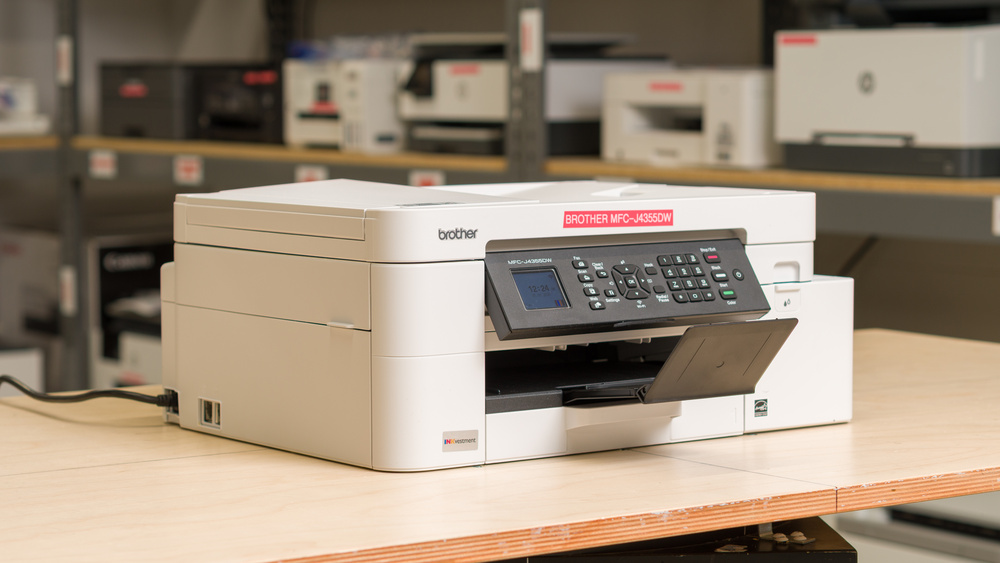
The Brother MFC-J4355DW is an all-in-one inkjet printer and the follow-up to the MFC-J4335DW, retaining many of its predecessor's features while building on them. It uses a four-cartridge system compatible with LC506 and LC506 XL cartridges, and includes a scanner with both an 8.5" x 11" flatbed and an automatic document feeder. Connectivity options include USB, Wi-Fi, and Wi-Fi Direct, with support for Apple AirPrint and Mopria Print Service for easy mobile printing. You can also pair it with the Brother Mobile Connect app to print and scan, monitor ink levels, and manage your ink subscription.
This printer comes in a few variants with slightly different features. See the Differences Between Variants section for more information.
Our Verdict
The Brother MFC-J4355DW is a great fit for home use. It's compact enough to fit comfortably in any household and requires minimal maintenance. Its ink cartridges have high page yields, which keeps the cost-per-print low. Document print quality is excellent, with text that's clear and detailed, and the scanning features are just as strong, making it easy to digitize old photos or work through multi-page documents using the automatic document feeder. Photos are a different story, though, with some noticeable color inaccuracies and graining, but it's fine for casual use, especially if you take the time to tinker with its color reproduction.
High page yields and low cost-per-print.
Prints documents relatively quickly.
Produces detailed photos.
Excellent scan quality.
Automatic document feeder.
Produces sharp documents.
Inkjet printers can clog if left unused.
Printheads aren't user-replaceable.
The Brother MFC-J4355DW is a very good small office printer. Print quality is excellent, with documents coming out crisp, clear, and detailed. It prints relatively quickly, up to 14 black or 16 color pages per minute, and warms up fast enough to deliver single pages without any real wait. The scanning side is where it starts to show its limits if you often deal with long documents; the ADF can handle up to 8 pages per minute, but it doesn't support automatic duplex scanning for double-sided documents. That said, its excellent page yields and overall speed still make it a good fit for small offices. Connectivity is another strength, offering a wide range of wireless and wired options that make it convenient to use regardless of your office setup. Bigger offices can also consider the larger MFC-J4555DW variant, which includes an additional paper tray to reduce maintenance needs.
High page yields and low cost-per-print.
Prints documents relatively quickly.
Excellent scan quality.
Automatic document feeder.
Produces sharp documents.
No duplex scanning.
Not quick enough for a very busy office setting.
The Brother MFC-J4355DW is a passable choice if you're looking for a device that remains reliable even if you only use it occasionally. Page yields are fantastic, and it's even compatible with high-yield XL cartridges that last even longer. Connectivity is also well covered, so printing from almost any device isn't an issue. Where it starts to fall short is in its reliability for occasional use. It's an inkjet, which means it can clog if it sits unused for too long. The large ink cartridges do help with stubborn clogs, but if you run into a severe blockage, there's no easy way to replace the printheads yourself.
High page yields and low cost-per-print.
Prints documents relatively quickly.
Inkjet printers can clog if left unused.
Printheads aren't user-replaceable.
The Brother MFC-J4335DW is good for photo printing. It's excellent at resolving fine detail, and can accommodate a wide variety of paper sizes. However, its color reproduction is disappointing. Its color gamut is mediocre as it struggles to reproduce vibrant tones, and its color accuracy is even worse. While it's good enough for casual photo printing here and there, the fidelity is poor, and most pictures show a noticeable red tint.
Produces detailed photos.
Supports a wide range of photo paper sizes.
Narrow color range and mediocre color accuracy.
Grainy and inaccurate looking photos.
The Brother MFC-J4355DW's page yields are outstanding. You'll be able to print just under 2,000 black-and-white pages and more than 1,000 color ones before you need to swap anything out. If you want to print an even higher number of pages per cartridge, high-yield options are available, too. These can more than double those numbers, according to Brother's estimate.
High page yields and low cost-per-print.
Scan quality on the Brother MFC-J4355DW is excellent, with sharp text, vibrant colors, and fine details like graph lines reproduced clearly. The ADF processes up to 8 sheets per minute, and the flatbed scanner has adjustable hinges to handle thicker items like textbooks and magazines. The one thing it's missing is duplex scanning, so double-sided documents need to be fed through manually.
Excellent scan quality.
Automatic document feeder.
No duplex scanning.
Performance Usages
Changelog
- Updated Jul 02, 2026: We've updated this review to Test Bench 1.4, which adds new usages and performance usages, as well as reorganizes several other tests throughout the review. You can read more about the changes in detail in the Changelog.
- Updated May 06, 2026: Review published.
- Updated Apr 29, 2026: Early access published.
- Updated Mar 31, 2026: Our testers have started testing this product.
Check Price
Differences Between Sizes And Variants
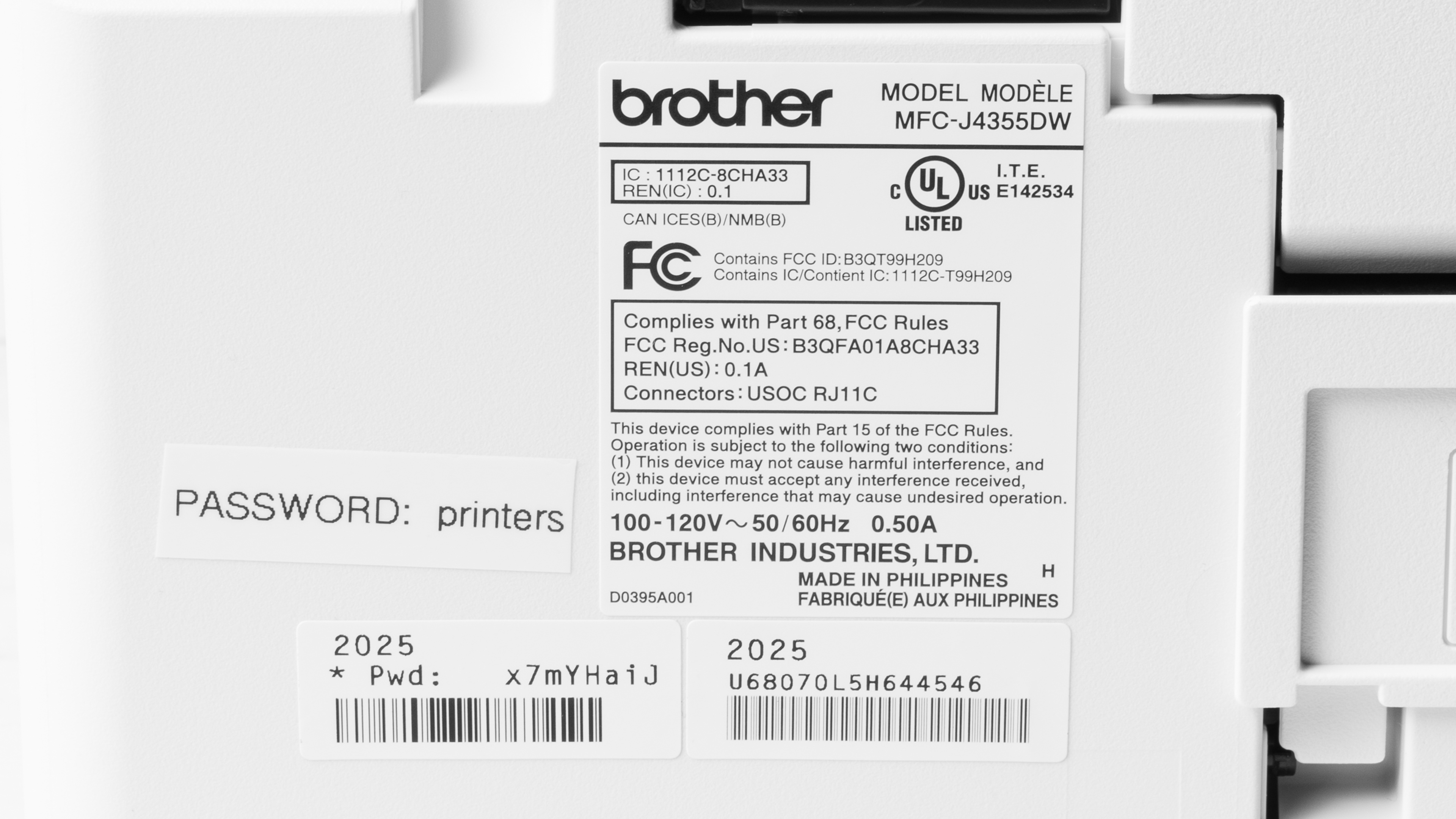
We tested the Brother MFC-J4355DW printer. It has a variant, the Brother MFC-J4555DW, with slightly different features, including a larger paper capacity and a different display. Their performance should otherwise be the same. Here's a photo of our test unit's label.
| Model | Tier | Ink cartridge family | Region | Cartridge | Paper capacity | Display |
|---|---|---|---|---|---|---|
| Brother MFC-J4350DW | Entry (home) | LC556 series |
Europe/Asia |
LC527 | 150 sheets | 1.8" color LCD, non-touch |
| Brother MFC-J4355DW | Entry (home) | LC506 / LC536 series | North America | LC506 | 150 sheets | 1.8" color LCD, non-touch |
| Brother MFC-J4550DW | Higher (small office) | LC556 series |
Europe/Asia |
LC527 | 400 sheets (dual tray) | 2.7" color touchscreen |
| Brother MFC-J4555DW | Higher (small office) | LC506 / LC536 series | North America | LC506 | 400 sheets (dual tray) | 2.7" color touchscreen |
Popular Printer Comparisons
The Brother MFC-J4355DW is the follow-up to the Brother MFC-J4335 and delivers overall performance that is extremely similar to its predecessor. This is an excellent overall package that delivers very good print quality and outstanding page yields for a non-supertank inkjet. You'll be able to print thousands of pages before needing to replace your cartridges. Print quality is also great with sharp text and a lot of detail. The scanner includes an automatic document feeder that also produces very detailed output at a respectable 8 pages per minute.
This printer is truly a jack-of-all-trades: it competently handles everything you'd need from a mid-range printer. However, you'll be able to find other printers that can deliver slightly improved performance in certain aspects, but you'll lose something in return. For example, the Brother MFC-L2820DW laser is much quicker, and since it's a laser, there are no clogging issues. That said, it's monochrome only. Other inkjet models like the Epson EcoTank ET-2980 print better photos and offer even higher page yields, but they lack an automatic document feeder, which isn't ideal if you need to scan large documents frequently.
For more options, check out our recommendations for the best home printers, the best all-in-one printers, and the best inkjet printers.
The Epson EcoTank ET-2980 and the Brother MFC-J4355DW are all-in-one inkjet printers, and each model has its strengths. The Brother includes an automatic document feeder, which makes it much easier to scan large documents. It's also slightly quicker and slightly better at reproducing small details. The Epson, on the other hand, has exceptionally good page yields and is noticeably better for photo printing thanks to its improved color accuracy and much wider color gamut.
The Brother MFC-J4355 is the successor to the Brother MFC-J4335DW. Both printers perform extremely similarly overall. The old version actually delivers slightly cleaner scans and marginally lower cost-per-print. Surprisingly, its color accuracy is also slightly better, but both models have middling performance in that respect.
The Brother MFC-L2820DW and the Brother MFC-J4355DW are all-in-one midrange printers with different strengths. The laser MFC-L2820DW is an outstanding choice for document printing. It's extremely quick, delivers sharp documents, and has excellent page yields. Also, since it's a laser printer, it won't clog even when left idle for long periods. However, it's not as versatile as it can't print pictures and is limited to monochrome output. The MFC-L2820DW can print in color and is suitable for casual photo printing, though its color reproduction is pretty mediocre. It also has outstanding page yields and prints very sharp documents.
The Brother MFC-J1360DW and the Brother MFC-J4355DW are all-in-one inkjet printers. The MFC-J4355DW performs slightly better in almost every respect, but its main attribute is its much better page yields. If you print regularly, you'll be able to recoup most of the added cost over the printer's lifespan thanks to the ink savings. The documents it prints are also slightly sharper. However, the MFC-J1360DW takes the edge in photo printing, thanks to a slightly wider color gamut and better color accuracy.
Test Results




for pictures & test results


for pictures & test results

for videos & test results



for pictures & test results








for pictures & test results

for pictures & test results
