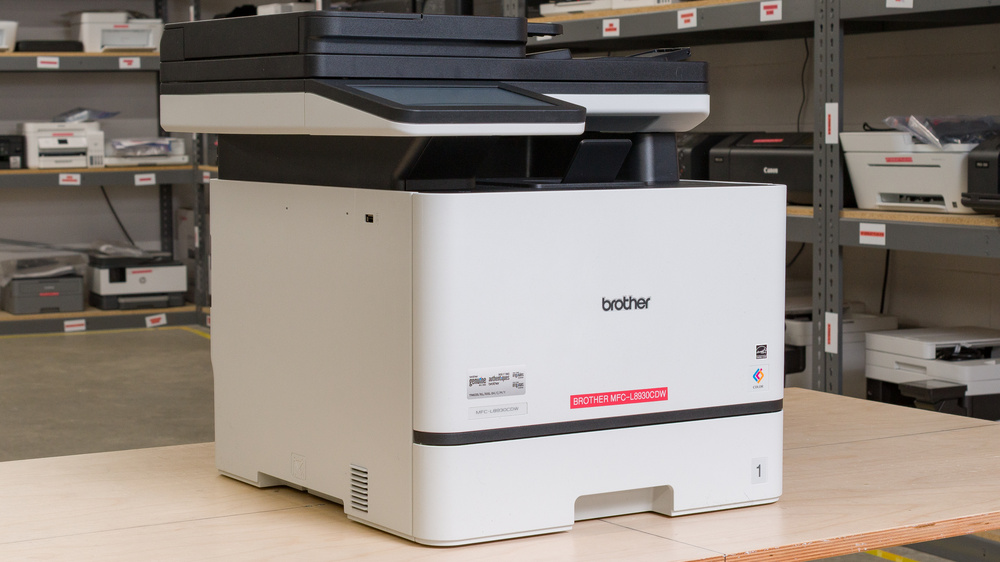
The Brother MFC-L8930CDW is a color laser all-in-one printer built for office environments. It's compatible with Brother's TN635 toner cartridges, including the high-yield, super high-yield, and ultra high-yield variants. Like other Brother laser printers, the drum unit isn't included with the toner cartridges, so you'll need to replace it from time to time. For scanning, it includes an 8.5" x 14" flatbed and an ADF with single-pass duplex scanning. It connects via Ethernet, Wi-Fi, Wi-Fi Direct, and USB, and supports direct printing from USB flash drives. The printer also works with Apple AirPrint and Mopria Print Service. You can also easily pair your phone with the printer via NFC or set up the NFC function to work with ID badges. You can manage printing and scanning tasks and check toner levels through the Brother Mobile Connect app.
This printer has a few variants with different features; see the Differences Between Variants section below for more information.
Our Verdict
While not really made for this use, the Brother MFC-L8930CDW can do a decent job as a home printer. Its main issue is its size. This is a very large and heavy printer, and finding space for it may be difficult unless you have a dedicated office room. Like any laser printer, it's also not good for printing photos. Its color gamut is limited, and it struggles to resolve fine detail. Apart from these issues, the rest of the performance is outstanding. It's extremely quick, and the documents it prints are extremely sharp. While they're expensive to buy, the toner cartridges last for a very long time, and since it's a laser printer, you won't ever encounter clogging issues.
Produces very sharp documents.
High page yield, low cost-per-print.
ADF with automatic duplex scanning.
Wide connectivity options.
Low maintenance.
Outstanding scan quality.
Very large and cumbersome.
Narrow color range and poor color accuracy.
Can't print on glossy paper.
The Brother MFC-L8930CDW is an exceptional choice for small offices. It prints sharp documents at very brisk speeds, reaching up to 34 pages per minute. Its page yields are outstanding as well, and it has many high-yield cartridge options to push them even further. The scanner's ADF handles multi-page and double-sided documents efficiently. It's also very quick, and the scans it produces are quite detailed. Since it's a laser printer, maintenance is minimal; you'll only need to replace the toner and drum units when needed. You can also easily connect to virtually any office setup through a wide range of wired and wireless options.
Produces very sharp documents.
Very fast printing speeds
High page yield, low cost-per-print.
ADF with automatic duplex scanning.
Wide connectivity options.
Low maintenance.
Outstanding scan quality.
The Brother MFC-L8930CDW is an outstanding choice for anyone who wants a reliable, low-maintenance office printer. Its laser technology means you won't have to worry about clogs after periods of inactivity, and with toner cartridges that last thousands of pages, you'll spend less time and money on upkeep. It's also fast, topping out at 34 pages per minute, and it connects easily to virtually any device. If you print a lot, the high-yield cartridge options can further reduce your cost-per-print.
High page yield, low cost-per-print.
Wide connectivity options.
Low maintenance.
No risks of clogging if left unused for long periods.
Like most color laser printers, the Brother MFC-L8930CDW isn't suited for photo printing. Resolution is low, the color gamut is narrow, and the printing pattern is visible enough to cause additional detail loss. It also doesn't support borderless printing or glossy paper.
Narrow color range and poor color accuracy.
Can't reproduce fine details in photos.
The Brother MFC-L8930CDW's page yields are outstanding. Standard cartridges get you more than 2,500 black-and-white pages, and high-yield options can more than double that. It's an excellent choice if you have high-volume printing needs.
High page yield, low cost-per-print.
Scan quality is outstanding on the Brother MFC-L8930CDW. Fine details, like graph lines, are easy to make out, and text is crisp and clear. The scanner's also well-equipped: the ADF handles multi-page and double-sided documents in a single pass, very quickly. The flatbed's extendable hinges can also accommodate thicker items, such as textbooks and magazines.
Outstanding scan quality.
Very fast scanning speeds.
Performance Usages
Changelog
-
Updated Oct 02, 2026:
We moved the information about the printer's multiple paper trays from the Printing Speed section to the Paper Tray section and added details on selecting which tray to use.
- Updated Sep 25, 2026: We updated this review to Test Bench 1.4.1, improving how we capture print samples so the images better reflect the physical prints. Test scores are unaffected.
- Updated Jul 02, 2026: We've updated this review to Test Bench 1.4, which adds new usages and performance usages, as well as reorganizes several other tests throughout the review. You can read more about the changes in detail in the Changelog.
- Updated Apr 10, 2026: Review published.
Check Price
Differences Between Sizes And Variants
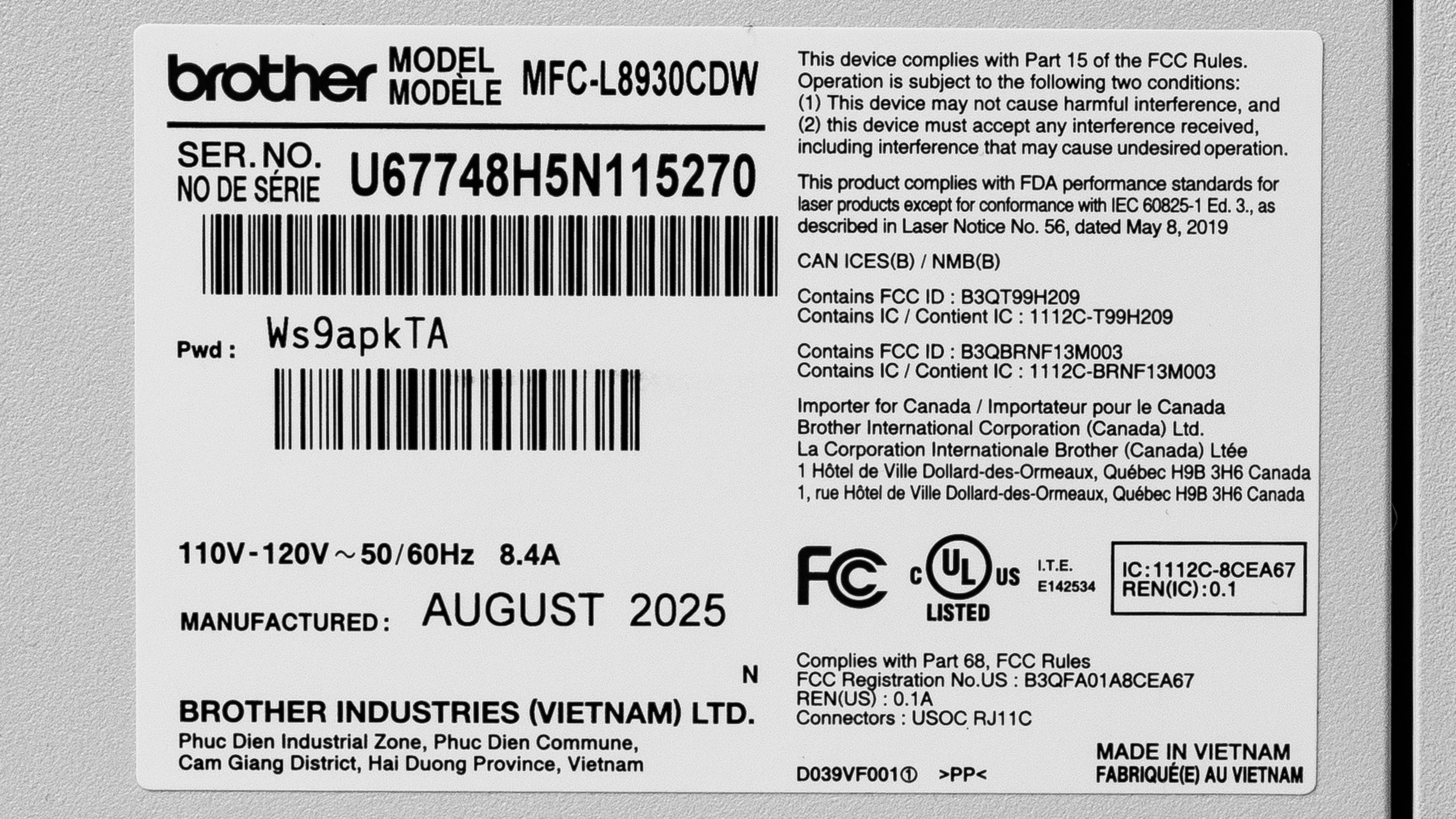
We tested the Brother MFC-L8930CDW. There are a few other variants in this series of office printers, which are detailed in the table below. Here's the label of our variant.
| Model | Fax | NFC | Screen | Memory | Auto Two-Sided ADF | USB Ports | High-Capacity Trays |
|---|---|---|---|---|---|---|---|
| Brother DCP-L8630CDW | No | No | 3.5" | 512MB | No | 1 | LT-350CL only |
| Brother MFC-L8730CDW | Yes | Yes | 3.5" | 512MB | Yes | 1 | LT-350CL only |
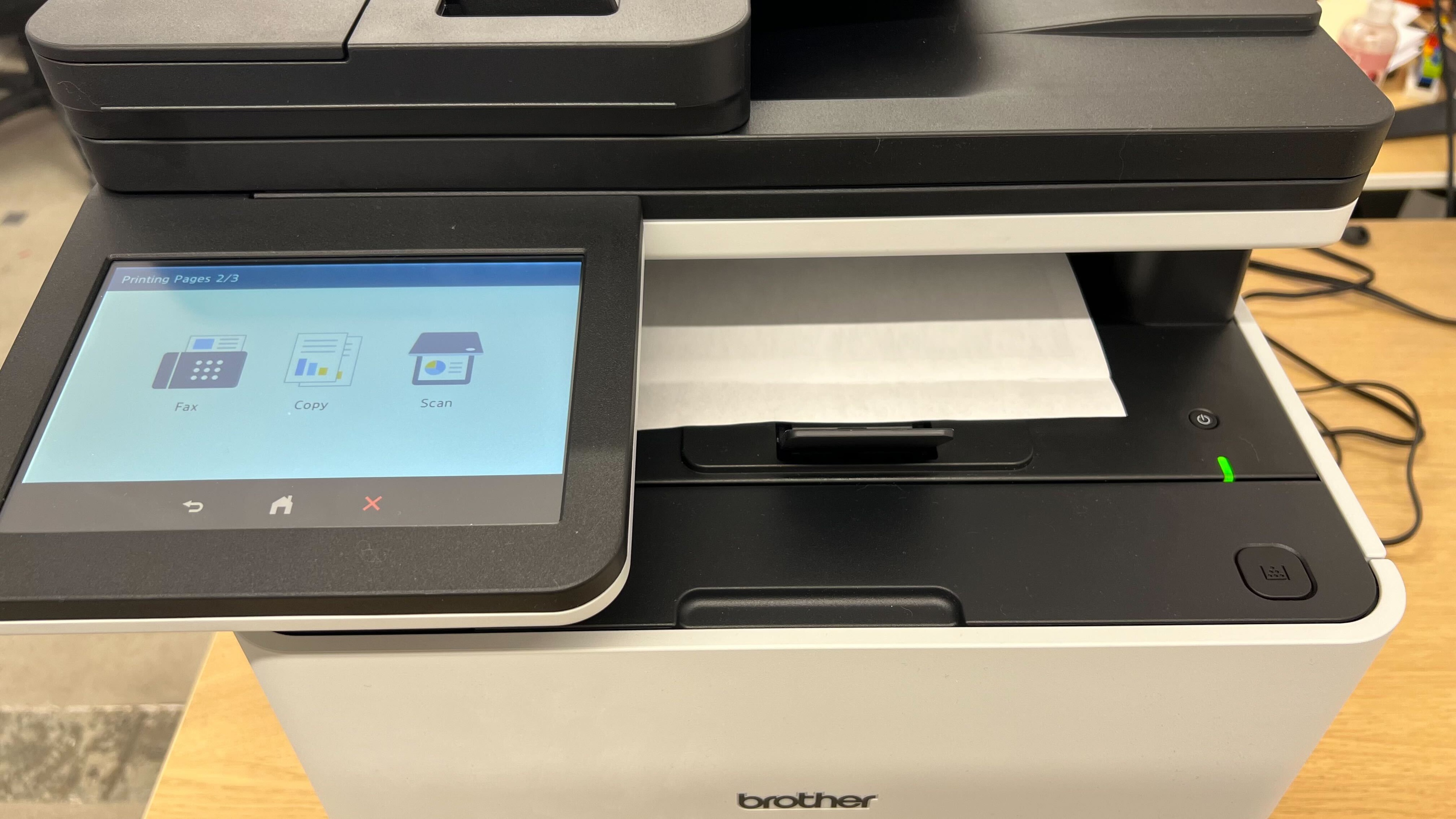
| Brother MFC-L8930CDW | Yes | Yes | 7.0" | 512MB | Yes | 1 | LT-350CL or LT-360CL |
| Brother MFC-L8970CDW | Yes | Yes | 7.0" | 1GB | Yes | 2 | LT-350CL or LT-360CL |
Popular Printer Comparisons
The Brother MFC-L8930CDW is an office laser printer that performs remarkably well across the board. It's the successor to the Brother MFC-L8905CDW, which was an exceptionally good printer for small offices. Its overall performance is very comparable with its predecessor, with some slight improvements in speed and page yields. The MFC-L8930CDW's build quality is outstanding, with solid-feeling plastics throughout. When it comes to its performance, this printer is remarkable. It prints very detailed documents at blistering speeds. Its scanner is just as well-equipped: it's extremely quick and has all the features you need, such as an automatic document feeder with duplex scanning, fax. Finally, its page yields are also superbly high, even higher if you choose one of its high-yield toner cartridge options, which can further increase the number of pages it can print.
If you're looking for a high-end office printer, this is an outstanding choice. It slightly outperforms the Canon Color imageCLASS MF665Cdw, mainly thanks to improved speeds across the board. Its page yields can also be pushed even further thanks to the many different high-yield toners offered by Brother. Whether the performance improvement is worth the price increase over the Canon will entirely depend on your office's needs, as the Canon is an outstanding pick as well. Another thing to mention is photo printing. Since this is a laser printer, it really isn't suited for that type of workload. If your office does need to print photos, a supertank inkjet model like the Epson EcoTank Pro ET-5850 is a better choice. While it doesn't print as quickly and can clog, it offers higher page yields and greater versatility.
If you're looking for alternatives, check out our recommendations for the best small business printers, the best laser printers, and the best office printers.
The Brother MFC-L8930CDW and the Canon Color imageCLASS MF665Cdw are exceptional color laser printers. They both print extremely detailed documents quickly and have full-featured scanners with automatic document feeders to easily handle large documents. While the Brother is more expensive, it's even quicker, which makes it ideal for larger offices, and its page yields can be pushed even further with its ultra-high-yield toner cartridges.
The Brother MFC-L8930CDW and the Epson EcoTank Pro ET-5850 are both high-end printers designed for small offices. The former is a laser printer while the latter is an inkjet supertank. The Brother is better for offices that only print documents. It's much quicker at both scanning and printing, and you won't have to deal with clogging even if you leave the printer unused for a long time. Its documents are also sharper overall. That said, if your office does need to print photos, the Epson is a better choice, as inkjets are much better suited for this type of workload.
The Brother MFC-L8905CDW and its successor, the Brother MFC-L8930CDW, have very similar performance overall. The newer model includes slight improvements to print speed and page yields, but overall, these two printers produce exceptionally detailed documents at a very quick pace. Their scanners are also very feature-rich and quick, which will keep even the busiest offices running smoothly.
The Brother MFC-L2820DW and the Brother MFC-L8930CDW are both laser printers that deliver sharp, detailed documents at fast speeds. However, the MFC-L8930CDW prints in color, while the MFC-L2820DW only prints in monochrome, which can be a significant limitation. The MFC-L8930CDW is also much larger, so you'll likely need a dedicated office space to accommodate it. It scans faster and produces more detailed results as well. Overall, it performs better across the board, but it's bigger and costs quite a bit more.
Test Results




for pictures & test results


for pictures & test results

for videos & test results



for pictures & test results








for pictures & test results

for pictures & test results