
- Print cost and page yield: Look for a printer that can handle a high page volume without frequent cartridge replacements or high running costs.
- Print speed and quality: A good office printer should produce sharp, professional-looking documents quickly enough to avoid slowing down your workflow.
- Scanning features: If your office regularly scans forms, receipts, or multi-page documents, an automatic document feeder and duplex scanning can save a lot of time.
- Paper handling: Features like duplex printing, multiple paper trays, and support for different paper sizes can be useful if you print a mix of documents, labels, envelopes, or marketing materials.
- Connectivity and sharing: For a shared office printer, make sure it supports the connections your team needs, whether that's Wi-Fi, Ethernet, USB, or mobile printing.
Below are our recommendations for the best small office printers. See our other picks for the best all-in-one printers, the best home printers, the best cheap and budget printers, and the best office printers.

We've tested over 170 printers since 2020 with one goal in mind: to give you reliable, unbiased reviews that help you choose the right printer for your needs. To keep things fair, we purchase every product ourselves from major retailers, just like you would. Each printer then goes through a thorough, standardized testing process that evaluates all the key factors you should consider when buying a new model. From build quality and cost per print to color accuracy and overall performance, we provide as much detail as possible to guide your decision.
Want to learn more about our methods? Look at our How We Test Printers article for a deep dive into our testing procedures.
-
Best Printer For Small Business
 Small OfficeSet-And-ForgetScanningBuild QualityEstimated Black Page YieldprintsBlack-Only Printing CostUS$/printEstimated Color Page YieldprintsSee all our test resultsColor Printing CostUS$/print
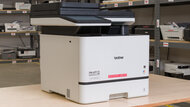
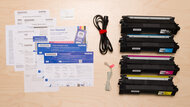
The best small office printer we've tested is the Brother MFC-L8930CDW. If you don't need to print photos, this has everything you'd need for a small business, especially if you need a quick printer. It produces incredibly sharp documents, prints quickly at up to 34 pages per minute (black or color), and requires very little maintenance. The regular toner cartridges yield a large number of prints, and you can get XL cartridges that'll last even longer. The biggest TN635XXL Super High Yield Toner Cartridges yield up to 7,500 black and 6,500 color prints according to Brother's estimates. You'll have to spend extra to replace the drums, though you won't have to do so often, as they're estimated to last 30,000 prints. A separate drum unit can also be less wasteful than an integrated one, as you won't have to throw out the whole toner cartridge if the drum gets damaged.
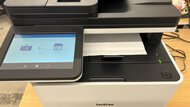
On the scanner side, you'll find a Legal-size (8.5" x 14") flatbed scanner and an automatic feeder with single-pass duplex scanning, so you can quickly process multi-page and double-sided documents. It offers wide connectivity options, including USB, Wi-Fi, and Ethernet, and can also print directly from a USB flash drive. The only downside is that it's a massive machine, so you'll need a fair amount of space to put it. It's worth noting that, like the other laser printers on this list, it's not well-suited to printing photos.
-
Best Upper Mid-Range Printer For Small Business
Small OfficeSet-And-ForgetScanningBuild QualityEstimated Black Page YieldprintsBlack-Only Printing CostUS$/printEstimated Color Page YieldprintsSee all our test resultsColor Printing CostUS$/printThe best small business printer in the upper mid-range that we've tested is the Canon Color imageCLASS MF665Cdw. This all-in-one color laser printer produces consistently crisp documents and yields thousands of pages, keeping your long-term costs and maintenance low. It has all of the core features you need: a capable automatic document feeder and reliable laser printing that won't give you inkjet headaches like clogged printheads. Its toner cartridges have a very high print yield, so you won't need to replace them often. It also has a drum unit, which helps keep maintenance requirements low.
The Canon performs very similarly to the Brother MFC-L8930CDW above, delivering equally sharp-looking documents. Print speeds max out at 26 pages per minute, which is totally respectable even though it's slower than the Brother's 34 pages per minute. Scan speeds are also a bit slower at around 14 pages per minute, but still solid. This printer comes in various models with slightly different features and prices; see more details in our full review.
-
Best Mid-Range Printer For Small Business
Small OfficeSet-And-ForgetScanningBuild QualityEstimated Black Page YieldprintsBlack-Only Printing CostUS$/printEstimated Color Page YieldN/ASee all our test resultsColor Printing CostN/AFor businesses that only print black-and-white documents but still need a great-quality scanner, get the Brother MFC-L2820DW. This monochrome laser all-in-one produces high-quality documents, doesn't take long to warm up, and prints faster than our upper mid-range pick, the Canon Color imageCLASS MF665Cdw, at 33 pages per minute. A regular toner cartridge is sufficient for about 1,300 prints and relatively cheap to replace. Unlike the Canon, you'll have to replace the drum separately. Also, while you still get an ADF scanner, it's slower, processing just seven pages per minute; it also lacks duplex scanning, although you can get variants that offer this feature, like the Brother MFC-L2880DW. See our review for more details.
-
Best Print-Only Budget Printer For Small Business
Small OfficeSet-And-ForgetScanningBuild QualityEstimated Black Page YieldprintsBlack-Only Printing CostUS$/printEstimated Color Page YieldN/ASee all our test resultsColor Printing CostN/AOur budget pick is the Brother HL-L2460DW, and it's ideal for small businesses that only need to print in black and white. Compared to the models above, the main drawback is the lack of a scanner, so you have to be sure you won't need to scan anything. Otherwise, it feels well-built and sports all the common connectivity options like USB, Wi-Fi, and Ethernet, making it convenient to access. It prints quickly at up to 34 pages per minute, supports automatic duplex printing, and has low maintenance costs thanks to its solid page yield and cheap replacement toner.
If your office is on a tight budget and needs a color printer with a scanner, consider the Brother MFC-J4355DW. It's a color inkjet printer with an ADF-equipped scanner; it prints detailed photos and has similar black page yields. You also get a better front panel with a larger color display and more buttons to help you navigate the interface. However, it doesn't print as quickly, and like most inkjet printers, it requires more maintenance since printheads can clog during long periods of inactivity.
-
Best Wide-Format Printer For Small Business
Small OfficeSet-And-ForgetScanningBuild QualityEstimated Black Page YieldprintsBlack-Only Printing CostUS$/printEstimated Color Page YieldprintsSee all our test resultsColor Printing CostUS$/printThe best wide-format printer we've tested for small businesses is the HP OfficeJet Pro 9730e. However, HP has discontinued it and replaced it with the HP OfficeJet Pro 9730 Wide Format. We haven't tested the replacement, but it has the same advertised hardware specifications, so we expect it to perform similarly. It's a versatile all-in-one that's well-suited to offices with varied needs. It's great for printing posters, charts, and blueprints, as it supports paper sizes up to 11" x 17". It's not the fastest printer out there, but it can still push a respectable 20 black or 14 color pages per minute. There are also many connectivity options, including Wi-Fi, USB, and Ethernet, and you can print directly from a USB flash drive; this makes it convenient for everyone in the office to access.
The scanner is feature-rich; its flatbed scanner supports up to 11" x 17" paper, and its ADF supports automatic duplex scanning, so processing multi-page and double-sided documents is a breeze. It produces very sharp documents and prints relatively quickly for an inkjet model. For photo printing, it has a decently wide color gamut and color accuracy; however, there's a lot of grain in the photos, and skin tones are overly warm. Unfortunately, scan quality is a major pain point. This printer produces mediocre scans due to its excessively aggressive image processing. You can toggle many image processing settings off in the HP Smart app, which improves scan quality but doesn't completely fix it. If you're interested in purchasing a wide-format printer and want to see some other options, check out our recommendations for the best 11" x 17" printers.
-
Best Portable Printer For Small Business
Small OfficeSet-And-ForgetScanningBuild QualityEstimated Black Page YieldprintsBlack-Only Printing CostUS$/printEstimated Color Page YieldprintsSee all our test resultsColor Printing CostUS$/printIf your small business has you constantly traveling to see clients or setting up kiosks at trade shows, then a portable cordless printer is worth considering. We recommend the HP OfficeJet 250. Thanks to its compact design, it fits easily into a backpack. It also has a rechargeable battery that lasts about 225 prints on a full charge. It produces good-quality documents, but it's on the slower side, so it isn't the best for regularly printing long, multi-page reports quickly. Also, it can only print around 100 to 150 pages before it runs out of ink, so you'll need to carry a few extra cartridges if you're printing frequently.
Despite its compact size, it has an ADF scanner, so you can still scan documents on the go. It scans at a maximum resolution of 600 DPI, which isn't as good as a desktop printer but more than enough for text documents and photos. You can connect to the printer via USB or Wi-Fi, or print directly from a USB flash drive. It also supports Wi-Fi Direct, meaning it can generate its own wireless signal, which is handy when you don't have access to an existing wireless network. If you want to consider some other options, check out our recommendations for the best portable printers.







Notable Mentions
-
Brother MFC-L3780CDW/MFC-L3720CDW:
The Brother MFC-L3780CDW/MFC-L3720CDW is a solid alternative to the Canon Color imageCLASS MF665Cdw. Print and scan quality are pretty much on par between the two. The Brother has a bit of an edge with faster scanning, which is nice if you're doing a lot of that. On the other hand, its standard cartridges don't last as long as the Canon's.
See our review -
HP OfficeJet Pro 9135e:
The HP OfficeJet Pro 9135e is a great inkjet alternative to the Canon Color imageCLASS MF665Cdw. It has the same features as the Canon and prints faster; however, it doesn't yield as many prints. This model comes with three months of free ink via HP's ink replenishment service, which will help offset the cost of replacement ink for a short time; however, subscribing to the service will block you from using third-party cartridges.
See our review -
Epson EcoTank ET-4950:
If you also need to print photos or if lowering your cost-per-print is a priority, the Epson EcoTank ET-4950 can be a great alternative to the Canon Color imageCLASS MF665Cdw. While it's significantly slower, it also includes a fully-featured automatic document feeder with duplex printing, and very good overall print quality
See our review
Recent Updates
Sep 08, 2026:
We verified that all picks and Notable Mentions remain available for purchase. However, HP has discontinued the OfficeJet Pro 9730e, which is the 'Best Wide-Format Printer For Small Business,' and replaced it with the OfficeJet Pro 9730 Wide Format. We now mention the replacement in the text; it has the same advertised hardware specifications, so we expect it to perform similarly.
Jul 30, 2026:
We added a sentence referencing our Inkjet vs. Laser article in the introduction. We also ensured that all our picks were relevant and available.
Jul 13, 2026:
In the 'Best Budget Print-Only' category, we've replaced the mention of the now-discontinued Brother MFC-J4335DW with its successor, the Brother MFC-J4355DW, as an alternative budget option if you also need a scanner. We've also updated the introduction with helpful tips on choosing the right printer for your business.
Jun 01, 2026:
We confirmed that all picks are still available and the best choices for their categories. We updated the table at the bottom of the article to better showcase relevant options.
Apr 16, 2026:
We added the Brother MFC-L8930CDW as our new top pick thanks to its outstanding overall performance. Our previous pick, the Canon Color imageCLASS MF665Cdw, is now our upper mid-range pick. Our other picks are still valid.
All Reviews
Our recommendations above are what we think are currently the best small business printers that you can buy. In addition to the test results, we factor in the price, feedback from our visitors, and availability.
If you would like to do the work of choosing yourself, here's the list of all our printer reviews. Be careful not to get too caught up in the details. While no printer is perfect for every use, most are good enough to please almost everyone, and the differences are often not noticeable unless you really look for them.