Canon PIXMA TR8620a  Printer Review

Review updated Apr 22, 2024 at 11:29am
Tested using Methodology v1.2 
Canon PIXMA TR8620a
7.7
Family 
7.2
Small/Home Office 
7.9
Student 
7.1
Black & White 
8.0
Photo 
7.3
Color Quality 
8.0
Document Quality 
6.9
Scanner 
 0
  1. Recommended in:
  2. Photo For iPhone
  3. Canon

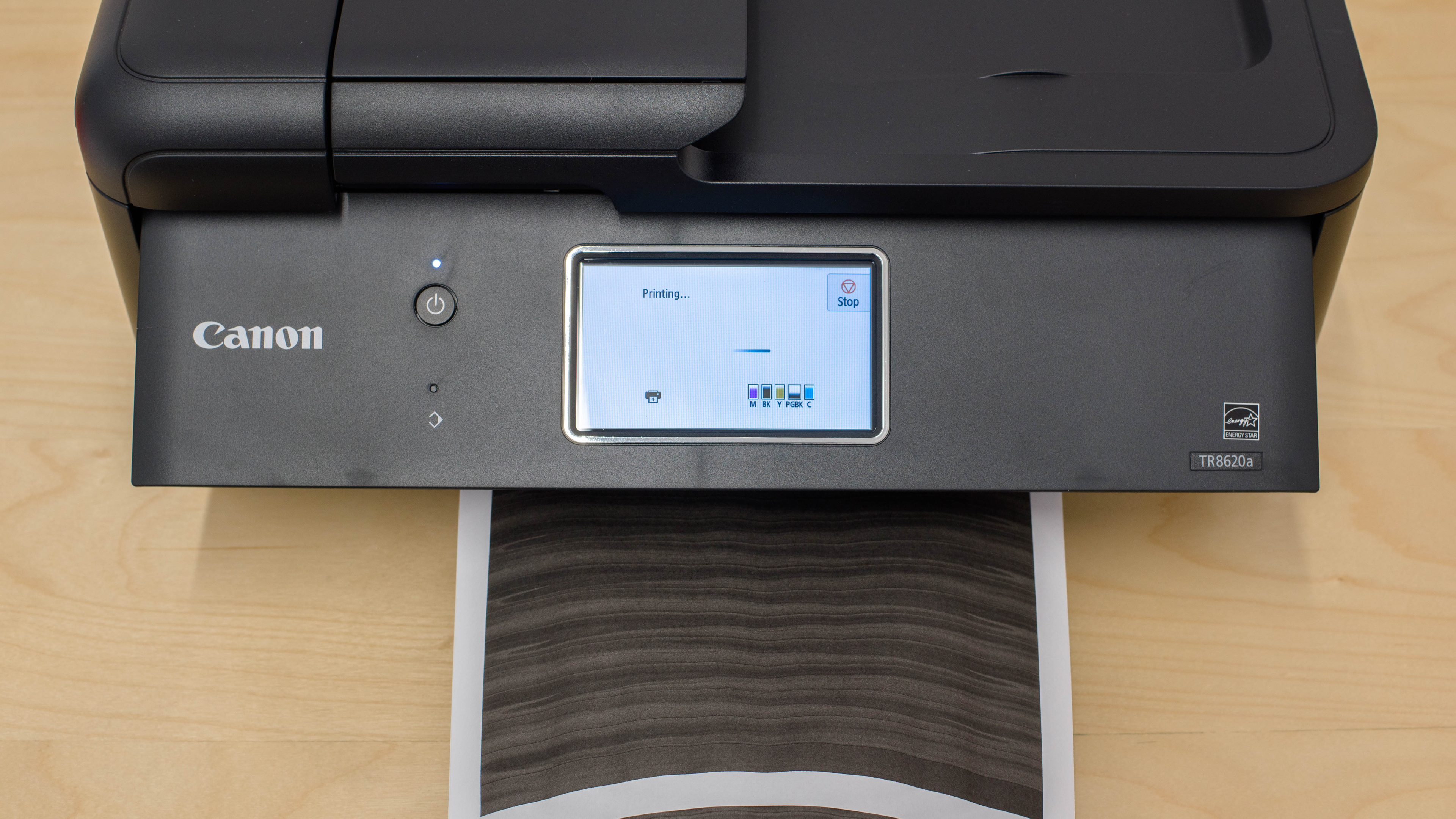
The Canon PIXMA TR8620a is an all-in-one inkjet printer. It uses a five-cartridge system with a dedicated photo black cartridge that's compatible with Canon PGI-280 Black and CLI-281 Cyan, Magenta, Yellow, and Black ink cartridges. It has a large touchscreen and features an ADF-equipped scanner without duplex scanning capabilities. Connectivity options include Wi-Fi, Wi-Fi Direct, Ethernet, and support for external storage devices in the form of SD, miniSD, and microSD cards when using adapters. It supports mobile printing with Apple AirPrint and Mopria Print Service, and it's compatible with Canon's PRINT app; this allows you to perform tasks like printing and scanning, maintenance tasks, and order ink and consumables.

Our Verdict

7.7
Family 

The Canon PIXMA TR8620a is good for family use. It prints excellent-looking photos with lots of detail and vibrant colors. While some colors are slightly off, they don't look bad enough to ruin your pictures. Otherwise, it has everything else you'd need for home use: a flatbed scanner, an automatic document feeder, and double-sided printing. While it doesn't offer an especially high page yield, the cost-per-print remains low.

Pros
  • Great photo printing quality.
  • Decent color accuracy.
  • Low cost-per-print.
Cons
  • Page yield is quite low.
  • Sheet rollers cause markings on photos.
7.2
Small/Home Office 

The Canon PIXMA TR8620a is decent for small or home offices. This printer has a low page yield, so you'll frequently need to buy and install new ink cartridges if your office needs include high printing volumes. However, high-yield cartridges are available and will last longer. Printing speeds are mediocre, but black and color documents look great and detailed. This printer also has a wide range of connectivity options, making it convenient to use.

Pros
  • High-yield cartridges are available.
  • Black-and-white documents look clear.
  • Low cost-per-print.
Cons
  • Printing is quite slow.
  • Page yield is quite low.
7.9
Student 

The Canon PIXMA TR8620a is a good printer for students. It has a wide variety of connectivity options, and you can print, scan, and copy via the Canon PRINT app. While its page yield isn't especially high, you can buy high-yield cartridges that'll last longer. Unfortunately, it prints slowly, whether you're printing a one-page assignment or a long essay. If you don't mind waiting a bit for your work, printed documents look great.

Pros
  • High-yield cartridges are available.
  • Supports many connectivity and mobile print options.
  • Low cost-per-print.
Cons
  • Printing is quite slow.
  • Page yield is quite low.
7.1
Black & White 

The Canon TR8620a is okay for black-and-white prints. There is sufficient contrast between light and dark elements to produce clear and legible documents. It prints slowly, whether you're printing a single sheet or a multi-page document, and the ink cartridges have quite a low print yield. That said, high-yield cartridges are available and will last longer.

Pros
  • High-yield cartridges are available.
  • Black-and-white documents look clear.
Cons
  • Printing is quite slow.
  • Page yield is quite low.
8.0
Photo 

The Canon PIXMA TR8620a is good for printing casual photos. Most colors look accurate, and photos have excellent detail. It prints a 4x6 photo in under a minute and prints on various paper types, including heat-transfer sheets, glossy photo paper, and magnetic photo paper. The sheet rollers within the printer cause some markings on the photos, though.

Pros
  • Great photo printing quality.
  • Decent color accuracy.
  • Dedicated photo black cartridge.
Cons
  • Page yield is quite low.
  • Sheet rollers cause markings on photos.
7.3
Color Quality 

The Canon PIXMA TR8620a has a decently wide color gamut. It's great at reproducing saturated dark hues but struggles with lighter tones. This level of color contrast still produces great-looking photos with fine details and elements. This printer's color accuracy is good. While some colors are inaccurate, they aren't so off that photos appear unnatural or very different from their digital originals.

Pros
  • Decent color accuracy.
Cons
None
8.0
Document Quality 

The Canon PIXMA TR8620a produces great black-and-white documents. Text is easy to read, and there's decent contrast between light and dark elements. However, fine elements like lines are hit and miss, as they sometimes appear grainy and lack detail.

Pros
  • Black-and-white documents look clear.
Cons
None
6.9
Scanner 

The Canon PIXMA TR8620a's scan quality is acceptable. Black and color text is clear and legible for the most part. However, colors are over-saturated, blocks of color appear overly grainy, and the image processing is overly aggressive and removes some finer details, like the lines in a graph. As for features, there's an ADF, but it can't perform duplex scanning and is quite slow.

Pros
  • ADF-equipped scanner.

Cons
  • Aggressive image processing culls background elements.

6.6
Speed 

The Canon PIXMA TR8620a's print speed is a mixed bag. It's decently fast for printing black-and-white documents and photos, as it can output 12 black pages per minute, and a 4" x 6" print only takes 60 seconds to complete. By contrast, it's slow at printing color documents, as it can only pump out four pages per minute. Also, it takes a while to warm up and get the first page out.

Pros
None
Cons
  • Printing is quite slow.
7.7
Recurring Costs 

The Canon PIXMA TR8620a has fairly low recurring costs. While its ink cartridges don't yield very many prints, they are relatively inexpensive.

Pros
  • Low cost-per-print.
Cons
  • Page yield is quite low.
  • 7.7
    Family
  • 7.2
    Small/Home Office
  • 7.9
    Student
  • 7.1
    Black & White
  • 8.0
    Photo

  • Performance Usages

  • 7.3
    Color Quality
  • 8.0
    Document Quality
  • 6.9
    Scanner
  • 6.6
    Speed
  • 7.7
    Recurring Costs
  • Changelog

    1.  Updated Feb 14, 2025: 

      We've rewritten the Introduction, verdict boxes, and the 'Compared To Other Printers' box to bring them in line with our current standards for printer reviews.

    2.  Updated Dec 12, 2024: 

      We've added mention of the Epson Expression Photo XP-8800 as an alternative with much faster photo printing in the Printing Speed section.

    3.  Updated Apr 22, 2024: We've updated the review for clarity.
    4.  Updated Sep 23, 2022: Converted to Test Bench 1.2.

    Check Price

    BlackPIXMA TR8620a
    SEE PRICE
    Amazon.com
    BlackPIXMA TR8620a
    SEE PRICE
    BestBuy.com
    BlackPIXMA TR8620a
    SEE PRICE
    Walmart.com
    BlackPIXMA TR8620a
    SEE PRICE
    B&H

    Differences Between Sizes And Variants

    The Canon PIXMA TR8620a doesn't have any variants. See our unit's label.

    Popular Printer Comparisons

    The Canon PIXMA TR8620a is a good all-in-one inkjet printer. While it's designed for home office use, it has a dedicated photo black cartridge along with its regular black cartridge, making it a great choice for printing photos at home. It prints pictures with an excellent amount of detail. The one downside is its page yield isn't very high, but it's similar to other all-in-ones that use ink cartridges in its price range.

    Check out our recommendations for the best home printers, the best photo printers, or the best college student printers.

    Epson Expression Premium XP-7100

    The Canon PIXMA TR8620a and the Epson Expression Premium XP-7100 are both all-in-one family printers. The Canon is a better choice if you want to print photos since details look much clearer, colors look more accurate, and you can print more photos with it, thanks to the higher color page yield. On the other hand, the Epson is a better choice for office use since it prints faster, and you can get more black ink pages out of it. Its ADF can scan double-sided sheets, which the Canon can't do.

    Canon PIXMA TR7820/TS7720

    The Canon PIXMA TR7820/TS7720 and the Canon PIXMA TR8620a are very similar overall. The 8620a has an Ethernet port and can print directly from an SD card. It also has a slightly lower cost-per-print due to its higher page yields. However, the TR7820 prints faster and supports manual duplex scanning.

    Canon PIXMA TR8620

    The Canon PIXMA TR8620a is the newer version of the Canon PIXMA TR8620, and they are nearly identical in performance and appearance; you'll be happy if you buy either one. The only differences are their cost-per-print and print speed. The TR8620a prints black-and-white documents faster, but its running cost is a little higher because the cartridges are more expensive.

    Brother MFC-J4335DW

    The Brother MFC-J4335DW and the Canon PIXMA TR8620a are both all-in-one family printers. The Brother produces higher-quality documents, prints faster, and yields significantly more prints, so it's a better choice if you need to print a lot of documents for work, school, or your hobbies. For photo printing, the Brother produces more fine details, but the Canon produces a wider range of colors with better accuracy.

    Show more 

    Test Results

    perceptual testing image
    Sort:
    RATINGS
    Category:
    All
    Design
    7.5
    Build Quality
    TypeAll-In-One

    The Canon PIXMA TR8620a feels well-built, though some areas, like the output tray and rear input tray, feel flimsy. It has a good lid dampener that keeps the entire scanner up and slowly closes down by itself. This is nice to have, so you don't need to worry about the top of the printer slamming down if you're replacing the ink cartridges, for example. The scanner background also has foam, which helps scan uneven documents.

    This printer has a few design quirks, however. For example, you need to lift the display panel if you want to print; otherwise, you will receive an error message. You also need to lift the display panel if you want to open the output tray extender.

    Dimensions
    Height7.4" (18.9 cm)
    Width17.6" (44.6 cm)
    Depth13.7" (34.8 cm)
    Height When In Use
    11.1" (28.2 cm)
    Width When In Use
    17.6" (44.6 cm)
    Depth When In Use
    26.2" (66.6 cm)
    Weight
    17.3 lbs (7.8 kg)
    7.0
    Expected Maintenance
    Ink Related Maintenance
    Expected
    Drum Unit
    No Drum Unit

    Like all inkjet printers, this printer needs maintenance to run smoothly. There are some built-in tasks to prevent and resolve printhead clogging issues and banding due to misalignment. There are also some tasks to help you when cleaning certain printer parts, like the rollers and the bottom plate. You can easily access paper jams and sheet rollers by removing the front paper tray, the back input tray, then the rear cover, or you can remove the transport unit if there's paper stuck farther back.

    The cartridges are also easy to access, but you need to ensure the printer is on so the cartridge carriage moves to the printer's center. When the printer is off, the carriage gets hidden into the sides of the printer, so you can't access them. The yield for these cartridges is around 200–300 pages, so if you print frequently, you'll likely be replacing the black cartridge regularly. Likewise, the paper trays only hold 100 regular pages, so you'll replace this every few days if you print often.

    8.5
    Display Screen
    Display ScreenYes
    Display Screen Size
    4.2" (10.8 cm)
    TouchscreenYes

    There's a great touchscreen display on this printer. It's quite large and has really good viewing angles from all sides, and you can tilt the panel for better visibility if you are standing. The menu is responsive and easy to navigate and includes instructional videos to show you how to do certain maintenance tasks, like changing ink cartridges or loading paper. Luckily, it doesn't have the same issues as the Canon PIXMA TR8620, which has double click and unresponsiveness issues.

    6.5
    Cartridge
    TechnologyInkjet
    SuperTank
    No
    Photo Cartridge
    Yes
    ColorYes
    Number Of Color Cartridges
    4
    Black Cartridge Model
    PGI-280
    Tested Black Page Yield
    12 prints
    Estimated Black Page Yield
    228 prints
    Color Cartridge Model
    CLI-281
    Tested Color Page Yield
    14 prints
    Estimated Color Page Yield
    320 prints
    Third Party Cartridge
    Purchased One Worked
    Ink Type
    Dye And Pigment
    High Yield Cartridge
    Yes

    This printer's page yields are acceptable. It uses a five-cartridge system: four dye-based color cartridges for photo and color printing and one pigment-based black cartridge dedicated to monochrome document printing. It gives low ink warnings when it estimates ink is running out, but you can still get a few full pages out afterward.

    7.3
    Scanner Features
    Scanner
    ADF + Flatbed
    ADF Capacity
    20 pages
    Scan Speed
    6 PPM
    Duplex Scanning
    No
    Max Flatbed Scan Size
    8.5" x 11"
    Max ADF Scan Size
    8.5" x 14"
    Flatbed Hinge Adjustability
    0.36" (9 mm)
    Fax
    Yes
    Copy
    Yes
    OCR Included
    Software

    The flatbed scanner has extendable lid hinges to accommodate slightly thicker items; thanks to this, you won't have to worry about seeing black bars on the sides of the page where the lid doesn't cover your scanned item.

    6.5
    Scan Quality
    Max Scan Resolution
    1,200 DPI
    Max Scan Color Depth
    24Bit

    The scan quality is acceptable. Black and color text is clear and legible for the most part. However, colors are over-saturated, and blocks of color appear overly grainy. Also, the image processing is overly aggressive and removes some finer details, like the lines in a graph.

    In The Box

    • User manuals
    • 4x6 Photo Paper Plus Glossy II (3-sheet sample)
    • Power cable
    • RJ-11 Telephone/modem cables
    • Canon starter cartridges
      • 1x PGI-280 Black
      • 1x CLI-281 Cyan
      • 1x CLI-281 Magenta
      • 1x CLI-281 Yellow
      • 1x CLI-281 Black
    Battery
    Advertised Battery Life
    N/A
    Tested Charging Time
    N/A
    Document
    8.0
    Black & White Documents
    Color Ink Needed For Black & White
    No

    Black-and-white documents look good. Both black and white text is easy to read, and there's decent contrast between light and dark elements. However, fine elements like lines are hit and miss, as they sometimes appear grainy and lack detail. Larger blocks also have some graininess, but they're generally better than the finer elements.

    9.0
    Color Documents

    Color documents look excellent. Colors are vibrant and saturated, and black-and-white text is clear and legible. There's good separation between contrasting color elements as well.

    7.7
    Cost-Per-Print
    See details on graph tool
    Black Cartridge Price
    17.99 US$
    Color Cartridge Price
    47.99 US$
    Black-Only Printing Cost
    0.079 US$/print
    Color Printing Cost
    0.150 US$/print
    Photo Printing Cost
    0.375 US$/print
    Ink Subscription
    Optional

    The Canon TR8620a's cost-per-print is good. While the cartridges are relatively affordable, running costs can quickly add up if you print often, especially for color printing. If you don't want to worry about buying new ink, you can sign up for Canon's Auto Replenishment Service, which automatically orders and sends you ink or toner when the printer detects you're running low.

    6.6
    Printing Speed
    Black Only Text Document
    12 PPM
    Color Document
    4 PPM
    Photo Printing Time
    60.0 s
    Single Page Out Time (Black Only)
    19.6 s
    Duplex Printing
    Automatic
    Input Tray Capacity
    200 pages

    There are two adjustable paper trays: the front input tray holds 100 plain sheets, and the rear input tray holds either 100 plain sheets, 20 sheets of 4x6 photo paper, or 10 sheets of 5x7 photo paper. If you want a printer that can print photos much faster, check out the Epson Expression Photo XP-8800.

    Document Printing Sizes
    Letter (8.5" x 11")Yes
    Legal (8.5" x 14")Yes
    Tabloid (11" x 17")No
    A6 (105mm x 148mm)Yes
    A5 (148mm x 210mm)Yes
    A4 (210mm x 297mm)Yes
    Max Paper Weight
    670 g/m²

    While you can't select A6 as a preset printing size, you can still print by setting a custom size. You can print custom sizes between 2.17" x 3.5" and 8.5" x 26.61" (55.2 mm x 88.9 mm and 215.9 mm x 675.89 mm).

    Photo
    7.0
    Color Gamut

    The color gamut is satisfactory on this printer. It's good at printing dark colors but struggles with light colors (especially blues and oranges). Transitions from one color to another look mostly smooth, but some areas have obvious graining, like the transition from green to yellow and red through to purple. However, these issues are not too noticeable with printed photos, as the contrast between shades and tints produces great-looking photos with fine details and elements, like the parrot's feathers in the bird picture.

    7.5
    Color Accuracy
    Average Color dE
    4.93

    Color accuracy is good on this printer. You don't need to worry about your photos looking too different from the digital originals, as colors appear vibrant and natural for the most part.

    8.5
    Small Details
    Max Print Resolution (DPI)
    4800 x 1200

    This printer is great at reproducing small details when printing photos or other documents. Fine lines look clear and have lots of detail, and it's easy to make out objects in the foreground and background of photos.

    9.5
    Photo Printing Sizes
    Glossy Paper (4" x 6")Yes
    Glossy Paper (5" x 7")Yes
    Glossy Paper (8" x 10")Yes
    Glossy Paper (8.5" x 11")Yes
    Glossy Paper (13" x 19")No
    Borderless Printing
    Yes
    Mobile App And Connectivity
    9.0
    Connectivity
    Ethernet
    Yes
    USB Input To Computer
    Yes
    Wireless
    Yes
    Bluetooth
    No
    Wi-Fi via Router
    Yes
    Wi-Fi Direct
    Yes
    External Storage Support
    Yes
    Apple AirPrint
    Yes
    Mopria Print Service
    Yes

    This printer accepts SD cards, as well as various miniSD and microSD cards through the use of an adapter.

    8.9
    Mobile App
    Mobile AppYes
    App NameCanon Print Inkjet/Selphy
    iOSYes
    AndroidYes
    Photo (JPEG, PNG)
    Android and iOS
    PDF
    Android and iOS
    Microsoft Office Files
    Android and iOS
    Text Files (TXT)
    No
    Webpages (HTML)
    No

    The Canon PIXMA TR8620a is compatible with the Canon PRINT app on Android and iOS. You can print a range of files from the app and use the Easy-PhotoPrint Editor to create collages, calendars, and more. You can also scan and copy from your phone and manage your ink subscription.

    OS Compatibility
    WindowsFully
    macOSFully
    Chrome OSFully

    You need to manually install drivers on Windows to print and scan with the Canon PIXMA TR8620a, but not on macOS or Chrome OS. You can download the drivers here.