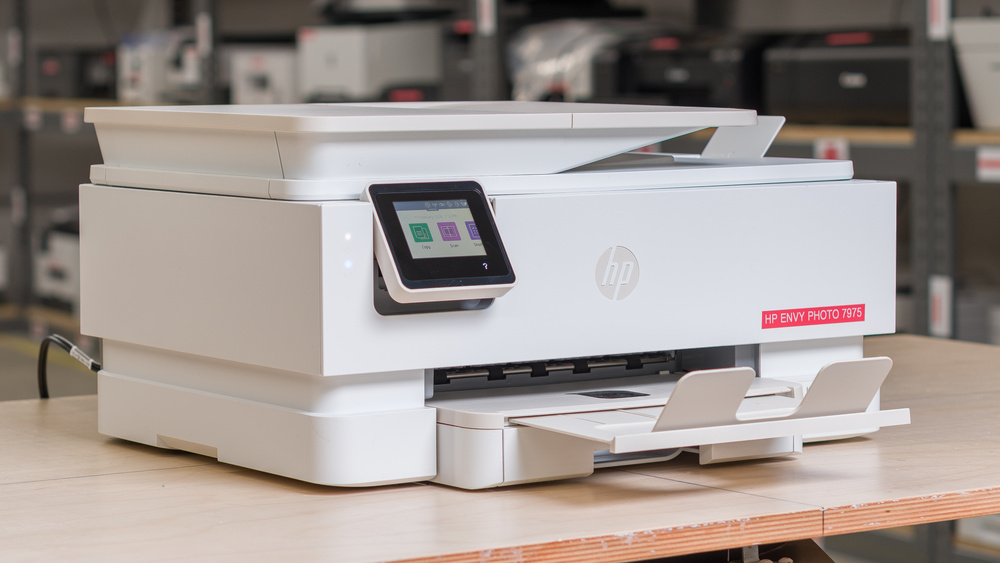
The HP Envy Photo 7975 is an all-in-one inkjet printer mostly aimed at home users. It includes both a flatbed scanner and an automatic document feeder to easily handle longer documents. It uses a single tri-color cartridge and a pigment-based black ink cartridge for its printing system. Like most modern printers, it can connect via USB or Wi-Fi, which makes it practical to use with multiple devices. It also supports both Apple AirPrint and Mopria Print Service protocols. This means you'll be able to easily pair it with mobile devices as well.
This printer comes in two main variants with names that change slightly depending on the market: the HP Envy Photo 7975, which we tested, and another variant that lacks an automatic document feeder, named the HP Envy Photo 7275. You can find more details in the Differences Between Variants section.
Our Verdict
The HP Envy Photo 7975 is a decent all-rounder for home use. Documents look good and detailed, and the printer is relatively speedy. It's small enough and includes both a flatbed and an automatic document feeder for scanning a variety of media. Colors can look off and a bit dull, however, which isn't ideal if photo printing is a priority. One of its biggest drawbacks for home use is its low page yield. While the cartridges are relatively inexpensive, they last for less than 200 pages each, which means you'll end up replacing them quite often.
Photos look decent overall.
Has both a flatbed scanner and ADF.
Decent connectivity options.
Produces high-quality documents.
Passable black-and-white printing speeds.
Disappointing color accuracy.
Poor page yields.
Can clog if it's left unused.
The Tri-color cartridge design forces you to swap all colors even if only one is emptied.
Scanned documents are over-processed and lack a lot of detail.
Slow to print color documents.
The HP Envy Photo 7975 is a poor fit for small offices. Page yields are low, so you'll likely hit low ink warnings fairly often and spend a lot of time replacing the cartridges. Swapping cartridges is easy enough, but clearing paper jams is a different story, since there's very little room to work. The automatic document feeder is a nice addition, but the scanner is too slow to handle large documents quickly. It also can't automatically scan double-sided sheets. Print speed is passable, but it's not fast enough to crank out large multi-page jobs when you need them in a hurry.
Has both a flatbed scanner and ADF.
Decent connectivity options.
Produces high-quality documents.
Passable black-and-white printing speeds.
Poor page yields.
ADF doesn't support duplex scanning.
The Tri-color cartridge design forces you to swap all colors even if only one is emptied.
Scanned documents are over-processed and lack a lot of detail.
Slow to print color documents.
The HP Envy Photo 7975 isn't the best choice if you want a printer you can just set up and forget about. Like all inkjet printers, the nozzles can clog over time, so you'll need to print regularly to keep them working properly. The cartridges are also small, and the page yields are quite low, so the frequent replacements add up to maintenance costs. On the plus side, the cartridges include the printheads, so a fresh cartridge can easily fix clogging when maintenance tasks fail to do so. High-yield cartridges are available, which can help reduce how often you need to replace them.
Decent connectivity options.
Printheads are included in the cartridges, which makes handling tenacious clogs more straightforward.
Poor page yields.
Can clog if it's left unused.
The Tri-color cartridge design forces you to swap all colors even if only one is emptied.
The HP Envy Photo 7975 does a decent job with photo printing. It can resolve small details quite well. Color is where it falls short, though. Accuracy is poor; blues in particular look off. The gamut is also narrow, and colors tend to come out a bit dull overall. It's fine for casual snapshots at home, but don't expect professional results. Page yields are low, too, so regular photo printing means frequent cartridge swaps and ongoing replacement costs. Also, HP opted for a tri-color cartridge, so once one color runs out, you'll need to replace the whole thing.
Photos look decent overall.
Disappointing color accuracy.
Sub-par color gamut.
The HP Envy Photo 7975 has disappointing page yields. The standard black cartridge gets you around 165 pages, and around 180 color document pages, so frequent printing will lead to very frequent replacements. High-yield cartridges are available and help stretch out swaps a bit, but if you print in large volumes, this isn't the right printer for you.
Poor page yields.
The Tri-color cartridge design forces you to swap all colors even if only one is emptied.
The HP Envy Photo 7975 has a decent scanner. It includes an automatic document feeder to easily handle multiple documents, and its hinge accommodates larger media types like books. That said, the scanner's processing is very aggressive and tends to remove a lot of detail, which isn't ideal.
Has both a flatbed scanner and ADF.
ADF doesn't support duplex scanning.
Scanned documents are over-processed and lack a lot of detail.
Performance Usages
Changelog
- Updated Sep 25, 2026: We updated this review to Test Bench 1.4.1, improving how we capture print samples so the images better reflect the physical prints. Test scores are unaffected.
- Updated Jul 02, 2026: We've updated this review to Test Bench 1.4, which adds new usages and performance usages, as well as reorganizes several other tests throughout the review. You can read more about the changes in detail in the Changelog.
- Updated Apr 03, 2026: Review published.
- Updated Mar 30, 2026: Early access published.
Check Price
Differences Between Sizes And Variants
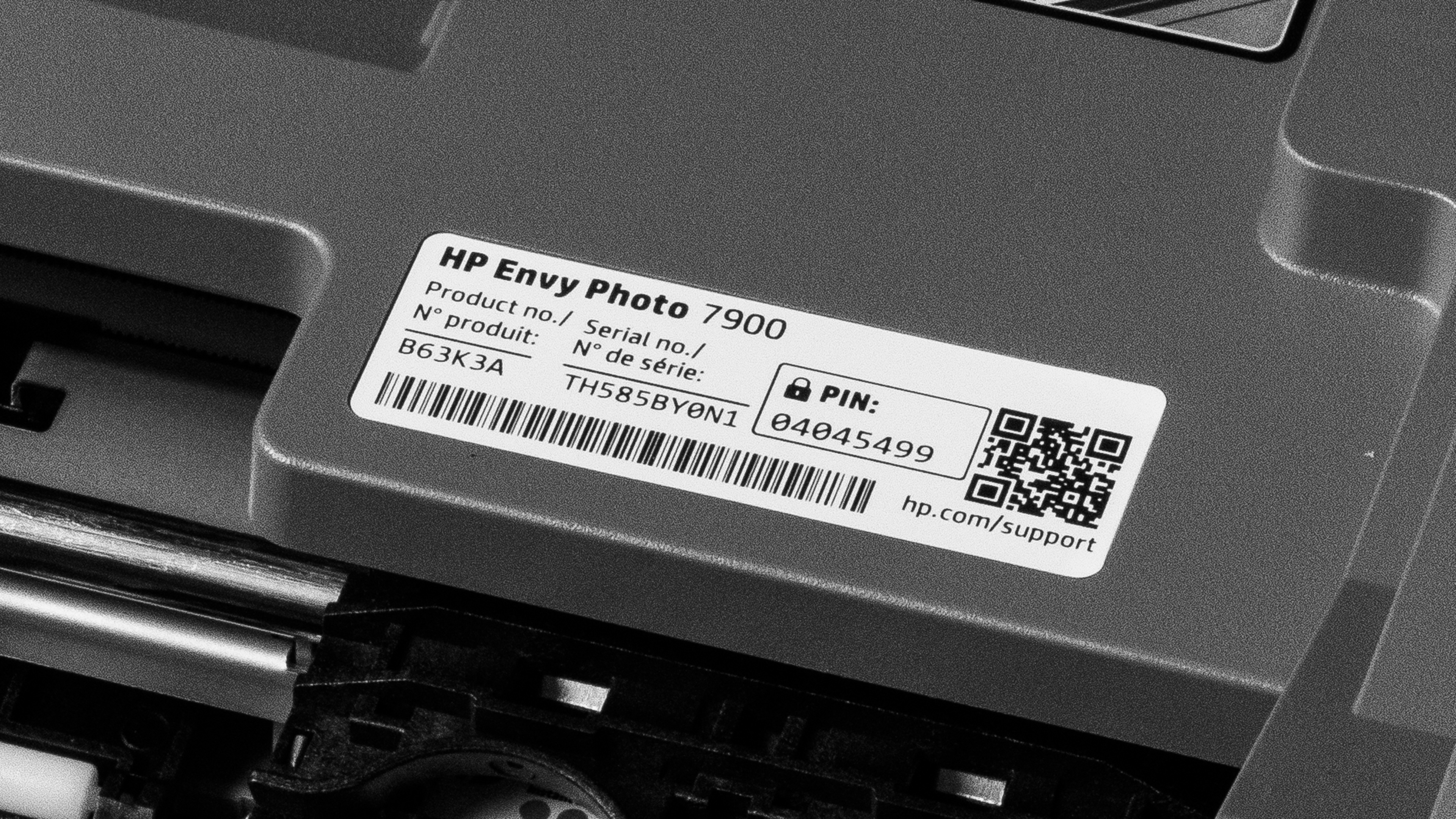
The HP Envy Photo 7975 comes in several variants depending on the market. There are two main ones, the HP Envy Photo 7975, which we tested, and its smaller sibling, the HP ENVY Photo 7275, which doesn't have an automatic document feeder. Here's our test unit's label.
| Model name | Region | ADF | Ink |
|---|---|---|---|
| HP ENVY Photo 7975 | USA / APAC | Yes | HP 64 / 64XL |
| HP ENVY Inspire 7975e | Canada | Yes | HP 64 / 64XL |
| HP ENVY Inspire 7920e | Europe / APAC | Yes | HP 303 / 303XL |
| HP ENVY Inspire 7921e | Europe | Yes | HP 303 / 303XL |
| HP ENVY Inspire 7220e | Europe | No | HP 303 / 303XL |
| HP ENVY Inspire 7221e | Europe | No | HP 303 / 303XL |
| HP ENVY Photo 7275 | USA / APAC | No | HP 64 / 64XL |
| HP ENVY Inspire 7275 | Canada | No | HP 64 / 64XL |
Popular Printer Comparisons
The HP Envy Photo 7975 is just okay as a home printer and actually performs very similarly to its predecessor, the HP ENVY Inspire 7955e. Its MSRP is a bit high for the performance it delivers, but its very aggressive sale price-points make it a more worthwhile choice. Its document print quality is good, but its photo printing performance lags behind competitors like the Epson EcoTank ET-2400 or even the much cheaper Canon PIXMA TR7120. Its color accuracy and color gamut are disappointing, even if they'll do an okay job for the occasional photo print. Another sore point is its poor page yields. While the HP 64 cartridges aren't expensive, you'll have to change them often, which will quickly add to overall costs.
While this printer can make sense if you find it on sale for around $100 USD, other models like the Brother MFC-J1360W or the Canon PIXMA TR7120 are cheaper and deliver better overall performance. If you only need to print black-and-white documents, you may also want to consider an entry-level laser printer like the Brother HL-L2460DW. This model will be quicker and cheaper to run over-time. You also won't have to worry about printheads clogging, since it uses toners that aren't prone to this problem.
For more options, check out our recommendations for the best inkjet printers, the best home printers, and the best cheap and budget printers.
The Brother MFC-J1360DW is a better, cheaper choice than the HP Envy Photo 7975. While document print quality is very similar on both phones, the Brother outperforms the HP on pretty much every other test. Its color reproduction is more accurate, and it can achieve a wider color gamut for photo printing; its scanner is quicker and produces more detailed scans, and its cartridges can print almost three times as many pages for about the same price.
The HP Envy Inspire 7955e and the HP Envy Photo 7975 are extremely similar. Their printing quality is basically indistinguishable, despite a very slight improvement in color accuracy. They use the same 064 cartridges, but the 7975 has slightly better page-yields. If you really have to choose between these two models, just pick whichever one you can find for cheaper.
The HP OfficeJet Pro 8135e and the HP Envy Photo 7975 perform similarly overall. The OfficeJet Pro 8135e takes the edge thanks to slightly better color performance for photo printing. Its other main advantage over the Photo 7975 is its page yields. It can print more than twice as many pages per cartridge set, which makes it much cheaper to maintain over time. Unless you find the Envy Photo 7975 at a steep discount, it's not really worth it for the same price.
The Canon PIXMA TR7120 and the HP Envy Photo 7975 have similar overall performance, but the Canon pulls ahead in some areas, despite its lower price. Those strengths mainly show up in its color performance for photo printing and its improved page yields. Its scans are also more detailed.
Test Results




for pictures & test results


for pictures & test results

for videos & test results



for pictures & test results








for pictures & test results

for pictures & test results